Best Dash Cam Buying Guide 2026

In an era where road safety and vehicle protection have never been more critical, choosing the right dash cam can make all the difference. With thousands of models flooding the market in 2026, finding the best dash cam for your needs—and your budget—has become a daunting task. This comprehensive buying guide cuts through the noise to deliver expert insights, practical advice, and real-world comparisons that help you make an informed decision.
Whether you’re a daily commuter concerned about insurance claims, a parent wanting peace of mind for their teen driver, or a tech enthusiast eager to capture every scenic route, understanding what makes a great dash cam is essential. You’ll learn how to evaluate key features like resolution, storage, connectivity, and durability, while also avoiding common pitfalls that could cost you time, money, or evidence in the event of an incident.
The dash cam market has evolved dramatically over the past few years, with advancements in AI-powered object detection, cloud integration, and emergency alert systems. From compact single-lens models to advanced dual-camera setups with GPS tracking, today’s options offer far more than just video recording. This guide will walk you through everything you need to know—so when you finally click “buy,” you’re confident it’s the right choice.

What to Look for When Buying Dash Cams
Selecting the ideal dash cam isn’t as simple as picking the one with the most megapixels or the fanciest app. Instead, it requires balancing performance, reliability, and value. Below are the eight most important factors to consider before making your purchase.
1. Resolution & Video Quality
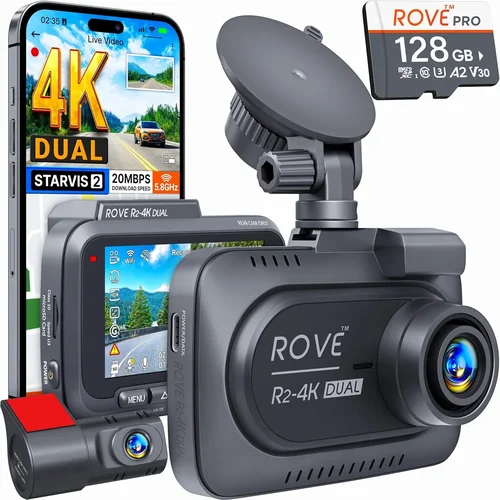
The quality of your recorded footage determines whether you’ll be able to identify license plates, facial expressions, or vehicle movements clearly during disputes or investigations. In 2026, most reputable dash cams offer at least 1080p Full HD resolution, but higher-end models now feature 4K Ultra HD recording—especially on front-facing cameras.
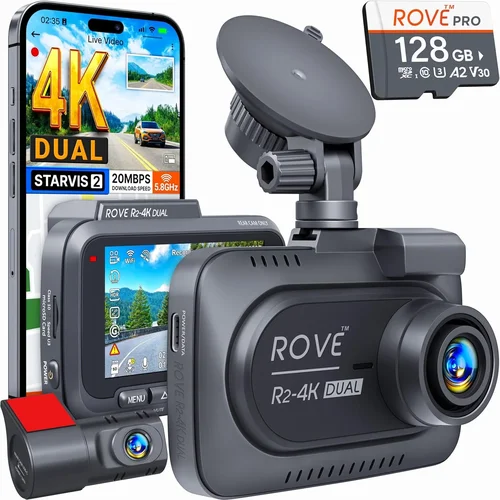
Look for cameras with HDR (High Dynamic Range) support, which improves clarity in high-contrast lighting conditions like sunsets or tunnel exits. A minimum of 1920×1080 pixels is recommended; anything below compromises detail and readability. Dual-lens systems often use 2.5K or even 4K on the front and 1080p on the interior, offering a balanced approach between quality and file size.
2. Field of View (FOV)
The wider the field of view, the more area your dash cam captures. Most front-facing dash cams offer between 120° and 160°, though some premium models boast up to 170°. A narrower FOV (like 90°) may miss important context, while an excessively wide angle can cause fish-eye distortion and reduce image clarity near edges.
A good rule of thumb: aim for a horizontal FOV between 130° and 150° for optimal coverage without sacrificing detail. If you frequently drive on highways or in tight urban spaces, slightly wider angles provide better situational awareness.
3. Night Vision & Low-Light Performance
Driving at night accounts for nearly 30% of fatal accidents in many countries, making low-light performance crucial. Modern dash cams use starlight sensors, infrared LEDs, and noise reduction algorithms to enhance visibility in darkness.
Cameras with WDR (Wide Dynamic Range) technology balance bright headlights with darker road surfaces, preventing overexposure or underexposure. Some models include built-in infrared LEDs specifically for interior cabin monitoring during overnight parking mode, which is invaluable for ride-sharing drivers or those concerned about break-ins.
4. Storage & Loop Recording
Dash cams rely on microSD cards for storage, typically ranging from 32GB to 256GB. Smaller cards save costs but limit recording duration—most dash cams record 1–2 minutes per GB. For example, a 64GB card might store about 2 hours of 1080p footage.
Loop recording automatically overwrites older files once the card is full, ensuring continuous operation without manual intervention. However, you should still check recordings periodically or enable G-sensor-triggered lock files to preserve critical moments like collisions or sudden braking.
5. Parking Mode & Motion Detection
Parking mode allows your dash cam to record when the engine is off, using motion detection or impact sensors to trigger recording only when needed. This conserves battery life while providing evidence of hit-and-runs or vandalism.
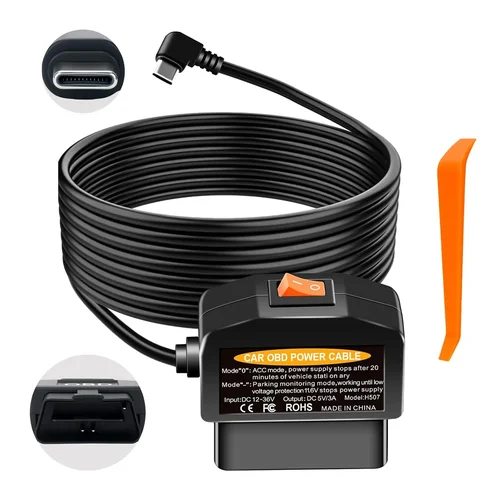
Ensure your vehicle supports hardwiring (via OBD-II port or cigarette lighter adapter) to avoid draining the car battery. Some advanced models offer cloud-based alerts via Wi-Fi or cellular connectivity, sending notifications if unusual activity is detected.
6. Connectivity & App Integration
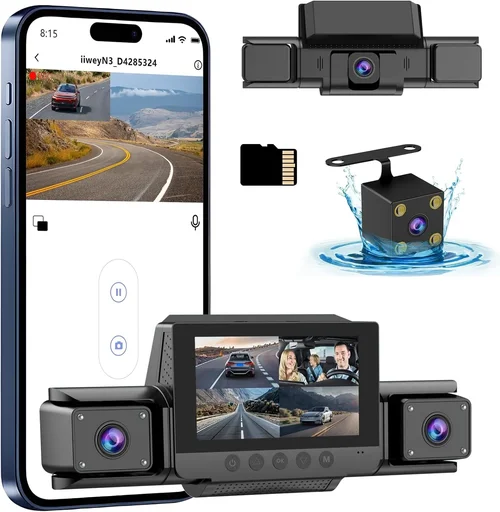
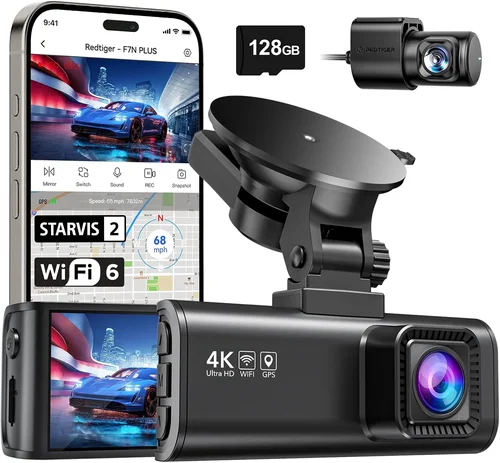
Smartphone apps have transformed dash cam functionality. Look for models with Bluetooth, Wi-Fi, or even 4G LTE support that let you view live feeds, download clips instantly, and manage settings remotely.
App ecosystems vary by brand—some offer seamless cloud backup, while others require manual file transfers. Check compatibility with both Android and iOS, and read user reviews about app stability and update frequency. Features like voice control, geofencing, and automatic firmware updates add convenience and security.
7. Build Quality & Installation
A dash cam should withstand extreme temperatures, vibrations, and accidental bumps. Opt for models with metal housings, anti-glare lenses, and secure mounting brackets. Water resistance (IPX rating) is increasingly common, especially for exterior-facing cameras.
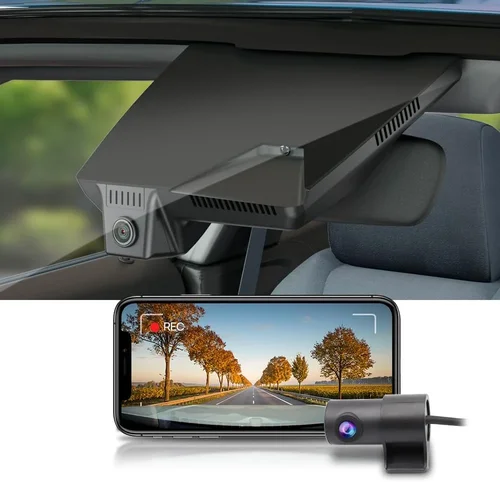
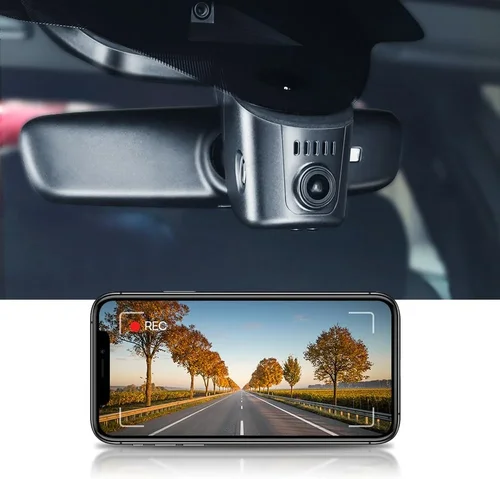
Installation difficulty varies: suction mounts are quick but may lose grip in heat; adhesive pads last longer but require careful surface prep. Consider whether you want a discreet, low-profile design or something more visible for deterrence purposes.
8. Brand Reputation & Customer Support
Purchasing from established brands like Garmin, Nextbase, Viofo, or BlackVue reduces the risk of poor build quality or unresponsive customer service. These companies invest in R&D, offer reliable warranties, and maintain active software update schedules.
Avoid obscure brands selling ultra-low-priced units—they often cut corners on components like capacitors or image processors, leading to frequent failures. Check independent lab tests, third-party review sites, and forum discussions before committing.
Different Types of Dash Cams

Common Buying Mistakes to Avoid

❌ Mistake: Choosing Based Solely on Price
Why it’s bad: The cheapest dash cam might lack essential features like G-sensor, loop recording, or adequate night vision. Poor build quality leads to lens fogging, SD card corruption, or complete failure within months.
What to do instead: Set a realistic budget based on your usage—commuters can get away with entry-level models, while rideshare drivers need robust dual-lens systems with parking mode.
❌ Mistake: Ignoring Storage Requirements
Why it’s bad: Using a standard microSD card in a high-resolution dash cam results in rapid wear and frequent errors. Without proper loop settings, critical footage gets overwritten too soon.
What to do instead: Invest in a high-endurance card (SanDisk High Endurance, Samsung PRO Endurance) and configure loop recording to retain last 5–10 minutes automatically.
❌ Mistake: Overlooking Power Management
Why it’s bad: Running a dash cam directly from the cigarette lighter without a capacitor or supercapacitor risks data loss during power interruptions. Constant drain can kill your car battery overnight.
What to do instead: Use a hardwired kit with voltage cutoff protection. Capacitors are cheaper than batteries and handle brownouts gracefully.
❌ Mistake: Skipping Firmware Updates
Why it’s bad: Outdated firmware causes bugs, crashes, or incompatibility with newer phones. Manufacturers regularly fix image processing issues and improve stability through updates.
What to do instead: Enable automatic updates in the app and check release notes before installing major versions.
❌ Mistake: Assuming All Apps Are Equal
Why it’s bad: Some apps crash constantly, lack export options, or delete files without warning. Others sync slowly or require subscription fees for basic functions.
What to do instead: Read recent app store reviews and test the demo version if available. Prefer brands with open API access and community-driven tools.
❌ Mistake: Neglecting Legal Considerations
Why it’s bad: In some regions, recording audio without consent violates wiretapping laws. Even video-only recording may be restricted in private parking areas.
What to do instead: Research local regulations. Many modern dash cams allow you to disable audio recording easily via settings or physical switches.
Budget Guidelines: How Much Should You Spend?
Your budget should align with your driving habits, risk profile, and desired features. Here’s a breakdown of what to expect at each tier.
Entry-Level ($50 – $120)
This range includes basic single-lens dash cams with 1080p recording, motion detection, and loop playback. Ideal for occasional drivers or those testing dash cam benefits without heavy investment. Brands like Apeman, Rexing, and JusTone dominate this segment. Expect plastic bodies, limited smart features, and shorter warranties (1 year). While functional, these models often lack advanced stabilization or true parking mode unless hardwired.
Mid-Range ($120 – $300)
The sweet spot for most buyers. You’ll find dual-lens systems, 2.5K/4K front cameras, GPS tagging, Wi-Fi connectivity, and reliable parking modes. Models from Viofo, BlackVue, and Nextbase fall here. These offer excellent value—think crisp night vision, cloud uploads, and sturdy builds. Perfect for daily drivers, parents, and small business owners who want peace of mind without overspending.
Premium ($300 – $600)
Top-tier performance with military-grade components, AI-powered alerts (pedestrian detection, lane departure warnings), and professional-grade image processing. Brands like Garmin, ThinkWare, and Owlstone lead this category. Features include 4K triple-lens setups, encrypted cloud storage, emergency SOS buttons, and integration with ADAS (Advanced Driver Assistance Systems). Suited for tech-savvy users, fleet operators, or anyone needing courtroom-ready evidence.
Luxury ($600+)
Ultra-premium dash cams go beyond recording—think 360° surround view, thermal imaging, satellite connectivity, and automated incident response. These are rarely consumer products but exist for commercial fleets and high-risk industries. At this level, price reflects not just hardware but software ecosystems, compliance reporting, and 24/7 support.
Expert Tips for Getting the Best Deal
- Buy During Sales Cycles: Major shopping events like Black Friday, Prime Day, or back-to-school season offer steep discounts. Retailers often bundle accessories (extra cards, mounts, cables) with premium models.
- Compare Retailers Carefully: Online marketplaces (Amazon, Best Buy, B&H Photo) compete fiercely on price. Check return policies—some sellers impose restocking fees or limit window periods.
- Watch for Bundles: Many manufacturers sell “starter kits” that include hardwiring kits, extra memory, and protective cases. These save 15–30% versus buying separately.
- Verify Warranty Coverage: A 2-year warranty is standard; 3+ years indicates confidence in longevity. Register your product immediately—many brands extend coverage upon proof of purchase.
- Test Before Committing: If possible, visit a physical store to handle the unit. Check button layout, screen visibility, and mount stability. Some electronics stores allow returns within 14 days.
- Check for Refurbished Options: Certified refurbished dash cams from official outlets can be 20–40% cheaper and come with full warranties. Look for “Open Box” deals at Costco or manufacturer websites.
- Join Loyalty Programs: Subscribe to brand newsletters for exclusive promo codes. Enthusiast forums often share early access to sales or beta firmware releases.

Frequently Asked Questions
Q: Do I really need a dash cam?
A: Absolutely. Even if you’re a cautious driver, dash cams protect against false accusations, insurance fraud, and hit-and-runs. They’ve helped countless drivers recover deductibles, win court cases, and gain peace of mind.
Q: Can dash cams record while parked?
A: Yes, but only if equipped with parking mode and properly hardwired. Without power management, the car battery drains rapidly. Always use a capacitor or dedicated parking harness.
Q: Will a dash cam affect my car insurance?
A: Generally no—but some insurers offer discounts for dash cam owners due to reduced claim frequency. Confirm with your provider, as policies vary.
Q: How much storage do I need?
A: For 1080p recording, allocate 1GB per minute. A 64GB card holds ~2 hours. If you drive 30 miles/day (~1 hour), rotate cards weekly. Upgrade to 128GB+ for higher resolutions.
Q: Are dash cams legal to use?
A: In most countries, yes—but regulations differ. In the U.S., video-only recording is typically allowed. In the EU, audio recording requires dual consent. Check local laws before enabling microphone.
Q: Can I use any microSD card?
A: No. Standard cards wear out quickly under constant writes. Choose high-endurance models rated for 24/7 operation—look for endurance ratings in TBW (terabytes written).
Q: What’s the difference between a capacitor and a battery?
A: Capacitors charge/discharge faster and last longer under temperature extremes. Batteries degrade over time and may leak acid. Most dash cams use capacitors for surge protection.
Q: How do I choose between single and dual-lens?
A: Single-lens suffices for basic road recording. Dual-lens adds interior monitoring—essential if you transport passengers, pets, or valuable cargo. Consider it an insurance policy against disputes.
Our Final Recommendations
Best for Budget-Conscious Buyers
Viofo A119 v3 – Priced around $80, this 1080p dash cam delivers solid performance with GPS, motion detection, and loop recording. Its compact size and easy installation make it perfect for first-time users.
Best Overall Value
BlackVue DR970X-2CH – At $280, it offers 4K front and 1080p rear recording, cloud connectivity, and exceptional build quality. The free app is stable, and the parking mode works reliably with hardwiring.
Best Premium Option
Garmin Dash Cam 77 – Retailing for $350, it features voice control, incident detection, and automatic cloud backup. The 180° FOV and superior image stabilization set it apart from competitors.
Best for Beginners
Nextbase 622GW – Known for its intuitive interface, Alexa integration, and emergency SOS button, this model simplifies setup and daily use. The included 128GB card ensures immediate usability.
Best for Advanced Users
ThinkWare Cloud T2100 – Priced at $450, it provides 4K recording, encrypted cloud storage, and AI-powered alerts. Ideal for tech professionals or businesses managing multiple vehicles.
Conclusion: Making the Right Choice
Choosing the best dash cam in 2026 isn’t about chasing the highest specs or the shiniest app—it’s about matching technology to your lifestyle. Whether you prioritize affordability, reliability, or cutting-edge features, this guide equips you with the knowledge to navigate thousands of options confidently.
Remember: the best dash cam for you is the one you’ll actually use. Install it correctly, maintain your storage, and treat it as part of your vehicle’s safety system. With proper care, a quality dash cam can serve you for years, delivering invaluable evidence and tranquility on every journey.
So take your time, compare wisely, and invest in a device that truly protects what matters most—your safety, your wallet, and your freedom on the road.