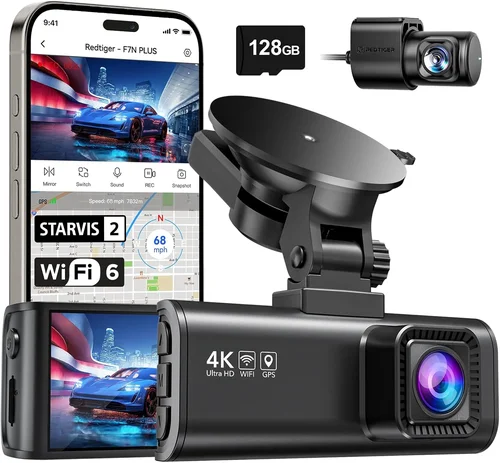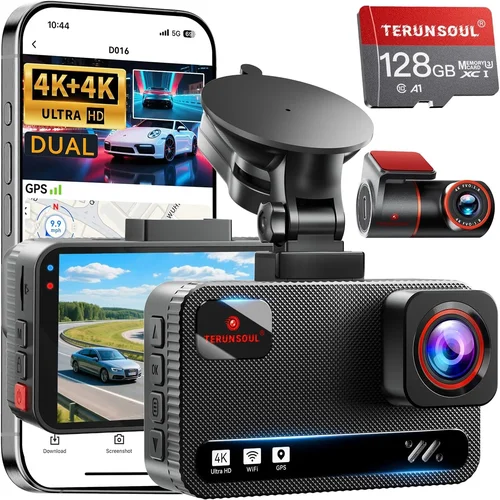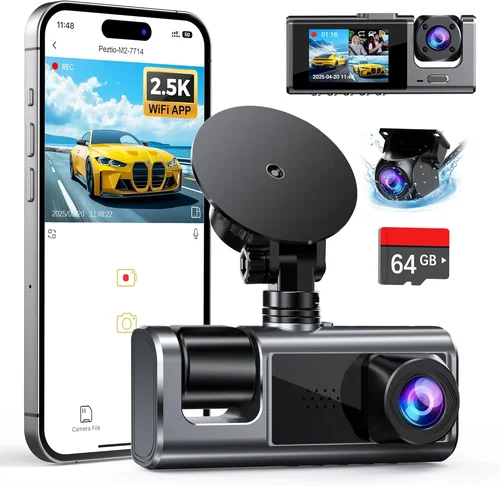
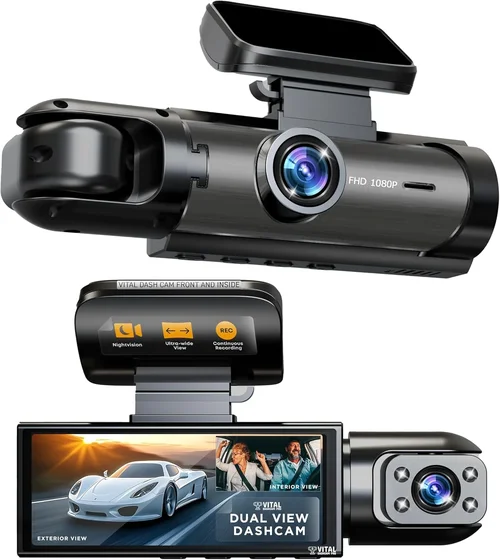
How to Choose Best Dash Cam for Corvettes
Choosing the right dash cam for your Corvette isn’t just about capturing footage—it’s about protecting your investment, enhancing your driving experience, and ensuring you have reliable evidence in case of an incident. With the high-performance nature of Corvettes and their premium positioning in the automotive market, the dash cam you select must meet exceptionally high standards. This comprehensive guide will walk you through everything you need to know to make an informed decision that matches your vehicle’s sophistication with cutting-edge technology.
Whether you’re a weekend cruiser, a track day enthusiast, or someone who drives their Corvette regularly for daily commutes, understanding what makes a dash cam ideal for these iconic American sports cars is crucial. We’ll explore how factors like build quality, video resolution, parking mode capabilities, and integration with Corvette-specific features come into play when selecting the perfect device. You’ll learn why certain specifications matter more for Corvette owners than others and how to balance performance with practicality.
This guide covers the entire spectrum of available options, from budget-friendly models that still deliver solid performance to premium systems offering advanced functionality tailored for high-end vehicles. By the end, you’ll have clear criteria for evaluating different dash cams and confidence in choosing one that complements your Corvette’s performance while providing peace of mind on every drive.
## What to Look for When Buying Dash Cams
### 1. Video Quality & Resolution
When it comes to dash cam quality, video resolution is arguably the most important factor for Corvette owners. The high-speed nature of these vehicles means that even minor incidents can unfold rapidly, making crystal-clear footage essential for documentation purposes. For Corvettes, where every detail counts—whether you’re capturing a close call on the highway or recording a thrilling track session—you’ll want at least 1080p Full HD resolution as a baseline.
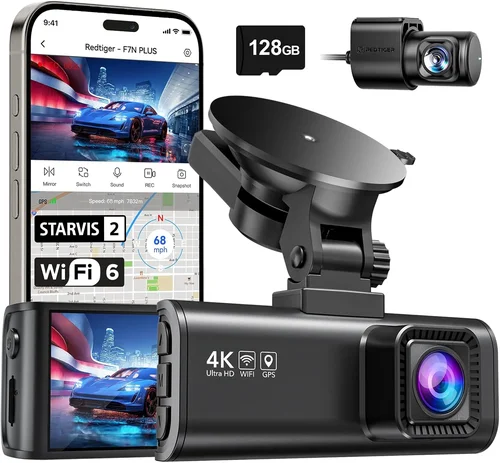
However, many modern dash cams now offer 2K or even 4K Ultra HD capabilities, which provide significantly more detail and allow for better cropping during playback. Higher resolution also means improved license plate recognition, which is particularly valuable for identifying vehicles involved in accidents or traffic violations. Look for cameras with HDR (High Dynamic Range) support as well, as this helps maintain visibility in challenging lighting conditions—from bright sun glare to deep shadows cast by overpasses.
Frame rate is another critical consideration; higher frame rates (60fps or above) ensure smoother motion capture, especially important when recording fast-moving scenarios typical of high-performance driving. Some premium models even offer variable bitrate encoding that allocates more data to complex scenes while reducing file size for simpler footage.
### 2. Field of View (FOV)
The field of view determines how much of the road ahead and around your vehicle gets recorded simultaneously. For Corvettes, which typically cruise at higher speeds and require quicker reaction times, a wider FOV provides better situational awareness. Most dash cams offer between 120° to 170° horizontal viewing angles, but for optimal coverage without excessive distortion, aim for 140°-160°.
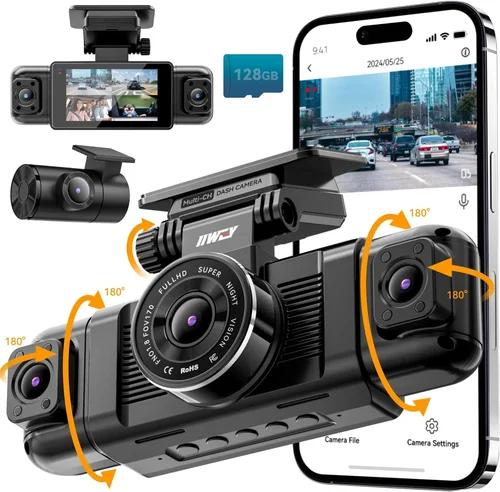
A broader field of view means less need to reposition the camera frequently and ensures that blind spots are minimized. However, extremely wide angles can introduce fish-eye distortion at the edges, so look for lenses with good optical correction or digital stabilization features. Some advanced models use multiple lenses or gimbal-mounted sensors to achieve ultra-wide coverage while maintaining image fidelity throughout the frame.
Consider your specific driving patterns too—if you frequently navigate tight city streets or parallel park in crowded areas, a wider angle might be beneficial. Conversely, if you primarily drive on highways where straight lines dominate, you might prioritize other features over maximum width.
### 3. Parking Mode & Event Detection
One of the standout advantages of modern dash cams is their ability to record continuously while parked, thanks to built-in event detection systems. This feature automatically starts recording when it detects motion, impact, or changes in power status—perfect for Corvette owners concerned about theft, vandalism, or hit-and-runs while the car sits unattended.
Look for dash cams with intelligent parking modes that minimize battery drain. Many models enter low-power standby after detecting no movement for a set period, then activate full recording only when triggered by events. Some advanced systems even integrate with your vehicle’s electrical system to draw minimal power without draining the main battery.
For Corvettes equipped with factory security systems or aftermarket immobilizers, ensure compatibility between the dash cam’s parking mode and your vehicle’s power management setup. Certain models offer hardwiring kits specifically designed for luxury vehicles, allowing seamless integration without risking voided warranties.
### 4. Build Quality & Weather Resistance
Corvettes are designed to perform under demanding conditions—from scorching summer heat to freezing winter temperatures—so your dash cam must match that durability. Opt for units constructed with high-grade materials resistant to UV degradation, moisture intrusion, and temperature extremes ranging from -20°F to 185°F (-29°C to 85°C).
Sealed housing with IP65 or higher ingress protection ratings indicates robust resistance against dust and water jets, crucial for long-term reliability. Additionally, consider how the mount secures itself to your windshield—look for suction cups with reinforced locking mechanisms or adhesive mounts rated for extreme temperature fluctuations.
Heat dissipation is another hidden factor; poorly ventilated dash cams can overheat during prolonged use, leading to reduced lifespan or sudden shutdowns. Models featuring passive cooling designs or heat-resistant internal components tend to perform better in hot climates where Corvettes often operate.
### 5. Storage & File Management
Dash cams generate substantial amounts of data, especially at higher resolutions and frame rates. Understanding your storage needs upfront prevents frustration down the line. Most dash cams use microSD cards (typically Class 10 or UHS-I/UHS-II), so ensure your chosen model supports removable storage and offers adequate write speed for smooth operation.
Loop recording automatically overwrites older files when space runs low, but having ample capacity ensures longer recording sessions before deletion occurs. For Corvette owners who value comprehensive coverage, consider models supporting dual storage (internal + external) or cloud backup integration.
File organization matters too—some dash cams automatically tag clips based on G-force sensors (indicating collisions) or GPS location, making retrieval easier later. Look for intuitive software interfaces that allow quick sorting by date, event type, or geographic region.
### 6. Connectivity & Integration Features
Modern dash cams increasingly offer smartphone connectivity via Wi-Fi or Bluetooth, enabling remote viewing, live streaming, and firmware updates. While not essential, these features add convenience for Corvette owners who appreciate tech-forward solutions.
GPS integration provides timestamped location data, useful for verifying routes during disputes or tracking performance metrics during track days. Some advanced models even overlay speed, altitude, and heading information directly onto video frames, adding professional-grade context to recordings.
If you plan to share footage on social media or create highlight reels, consider dash cams with USB-C output or HDMI ports for direct connection to displays or editing equipment. Wireless charging compatibility may also appeal if you frequently leave your phone docked in the cabin.
## Different Types of Dash Cams
## Common Buying Mistakes to Avoid
### ❌ Mistake: Prioritizing Price Over Performance
Many buyers assume cheaper dash cams will suffice, but this approach often leads to disappointment. Low-cost models frequently sacrifice critical features like night vision, loop recording reliability, or build quality—all of which matter significantly for Corvettes. A $50 camera might seem tempting, but if it fails during an important incident or produces blurry footage, it’s effectively worthless.
Instead, focus on value rather than absolute lowest price. Mid-range options ($150-$300) typically deliver the best balance of features and reliability. Read professional reviews and user feedback carefully to identify models with proven track records rather than chasing discounts alone.
### ❌ Mistake: Ignoring Compatibility Issues
Installing a dash cam without considering your Corvette’s specific requirements can cause problems ranging from electrical interference to warranty voids. Some older Corvette models (pre-C7) have unique dashboard layouts that complicate mounting, while newer ones may lack sufficient power outlets or space for additional wiring.
Always verify compatibility with your exact model year before purchasing. Consult forums dedicated to Corvette modifications or reach out to specialty installers familiar with these vehicles. Hardwiring kits should be sourced from reputable suppliers who guarantee fitment without compromising factory systems.
### ❌ Mistake: Overlooking Maintenance Requirements
Dash cams aren’t truly “set-it-and-forget-it” devices. Regular maintenance ensures longevity and consistent performance. Neglecting tasks like cleaning the lens, updating firmware, or rotating SD cards can degrade video quality or cause sudden failures.
Develop a simple routine: check recordings monthly, clean the exterior weekly, and replace storage media annually. Many premium models include self-diagnostic tools that alert you to potential issues before they escalate—take advantage of these features proactively.
### ❌ Mistake: Choosing Based Solely on Marketing Claims
Manufacturers often exaggerate capabilities through flashy advertising. Terms like “4K,” “AI-powered,” or “military-grade” don’t always translate to real-world benefits. Instead, rely on objective testing results from trusted sources like automotive review websites or independent lab analyses.
Look for detailed comparisons highlighting actual performance metrics (e.g., dynamic range, low-light sensitivity) rather than vague promises. User testimonials from verified purchases also offer valuable insights into real-world reliability beyond manufacturer claims.
### ❌ Mistake: Skipping Professional Installation
DIY installation might save money initially, but improper mounting can lead to poor footage quality or damage your Corvette’s interior. Suction cup mounts require precise alignment to avoid obstructing visibility, while hardwiring demands knowledge of automotive electrical systems.
For Corvettes, where aesthetics matter as much as function, hiring a specialist ensures clean routing, secure connections, and preservation of interior finishes. Reputable shops offering mobile services can even perform installations at your home or track venue.
## Budget Guidelines: How Much Should You Spend?
### Entry-Level ($80 – $150)
This range suits casual drivers who want basic protection without breaking the bank. Expect 1080p resolution, 140° FOV, and standard loop recording. While lacking advanced features like GPS or parking mode, these models provide adequate evidence capture for everyday incidents. Brands like Viofo, Papago, and Blackvue offer entry-level options within this tier.
### Mid-Range ($150 – $350)
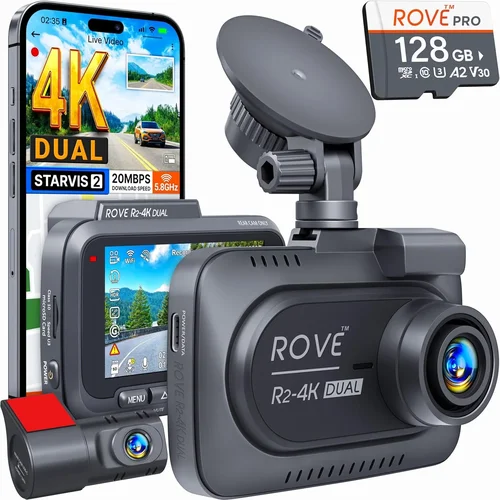
The sweet spot for most Corvette owners, offering excellent value across multiple categories. You’ll find 2K/4K cameras, enhanced night vision, GPS logging, and reliable parking modes here. Dual-lens systems become accessible in this bracket, providing front and rear coverage ideal for spirited driving scenarios.
Brands like Thinkware, Garmin, and Nextbase dominate this segment with proven reliability. These models often include mobile apps for easy clip management and firmware updates—features previously reserved for premium tiers.
### Premium ($350 – $600)
Designed for enthusiasts who demand top-tier performance and durability. Expect industrial-grade construction, superior low-light capabilities, AI-enhanced event detection, and seamless smartphone integration. Some models offer cloud storage subscriptions or professional-grade editing software bundles.
Thinkware’s U1000 series and Garmin’s Dash Cam X series represent the pinnacle of consumer-grade technology within this range. While expensive, they justify costs through unmatched reliability and future-proof features.
### Luxury ($600+)
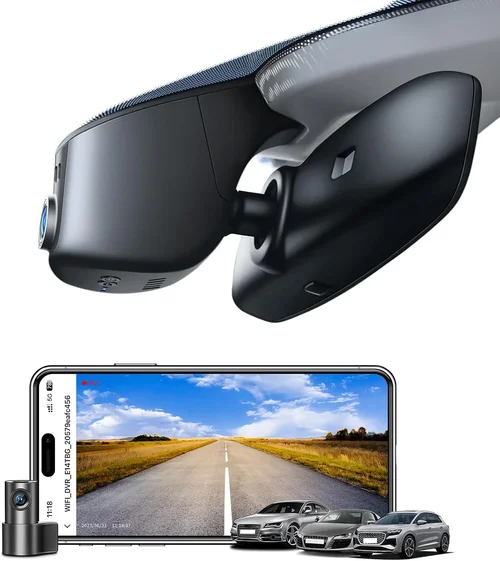
Reserved for concourse-quality installations or professional applications. These systems often integrate with aftermarket ECUs, offer multi-camera setups with synchronized recording, and include forensic-grade analysis tools. Examples include integrated OEM-style units or commercial fleet solutions adapted for personal use.
Investment here pays dividends through flawless operation and preservation of pristine interior aesthetics. Only pursue luxury if your Corvette serves as more than a daily driver—perhaps a showpiece or race-prepped machine.
## Expert Tips for Getting the Best Deal
### Timing Your Purchase Strategically
Major shopping holidays like Black Friday, Cyber Monday, or Memorial Day sales offer significant discounts on dash cams. However, timing matters—retailers often stockpile inventory early, so monitor prices throughout Q4 for optimal deals. Sign up for brand newsletters to receive exclusive promo codes unavailable elsewhere.
Avoid buying immediately after product launches unless you need immediate availability. New models typically see steep price drops within 3-6 months as retailers clear older inventory. Consider certified refurbished units from authorized dealers if new releases aren’t critical.
### Leveraging Online vs In-Store Shopping
Online retailers generally offer broader selection and competitive pricing due to lower overhead costs. Platforms like Amazon, B&H Photo, or specialized automotive electronics sites frequently bundle accessories (mounts, cables) at discounted rates. Compare prices across multiple vendors using price-tracking tools like Honey or CamelCamelCamel.
Physical stores allow hands-on testing but may inflate prices to offset staff commissions. If visiting locally, ask about open-box specials or demo units eligible for returns. Always verify return policies regardless of purchase channel.
### Spotting Hidden Deals & Bundles
Watch for “starter kits” that include extra SD cards, protective cases, or installation guides at no added cost. Some manufacturers offer free shipping thresholds or loyalty program rewards redeemable toward future purchases. Subscription services (like cloud storage) sometimes bundle with hardware discounts.
Be wary of unrealistic discounts—consistently priced near MSRP suggests limited savings opportunities. Join Facebook groups or Reddit communities focused on dash cam deals; members often share flash sales or clearance notifications before mainstream audiences.
### Maximizing Warranty Benefits
Read warranty terms thoroughly before purchasing. Most reputable brands offer 1-3 years coverage against defects, but exclusions apply for misuse or unauthorized modifications. Register products immediately online to activate extended warranties or accidental damage protection plans.
Keep original packaging and receipts for hassle-free returns. Document any pre-existing issues with photos/videos to prevent disputes later. For Corvettes, ensure warranty transfers remain valid if reselling the vehicle—some manufacturers restrict coverage based on ownership history.
### Testing Before Committing
Whenever possible, test dash cams in person before buying. Visit local electronics stores with display models or attend automotive expos where vendors demonstrate products live. Evaluate ease of use, menu navigation, and recording quality under various lighting conditions.
Pay attention to startup time—premium models initialize instantly, while budget units may lag noticeably. Check if the screen remains legible in direct sunlight (important for Corvette interiors exposed to intense heat). Confirm compatibility with your preferred storage media beforehand.
### Negotiating Smartly
While rare with online purchases, negotiation applies to big-ticket items. Call manufacturer representatives directly requesting dealer incentives—they often authorize special pricing unavailable through retail channels. Mention competing quotes politely; some salespeople expedite approvals to win business.
For custom installations, request itemized estimates comparing DIY vs professional labor costs. Highlight your willingness to source hardware independently if they charge excessive markup on accessories.
## Frequently Asked Questions
### Q: Can I install a dash cam myself, or do I need a professional?
A: DIY installation is feasible for basic models using suction cup mounts, but Corvette-specific considerations often warrant professional help. Complex tasks like hardwiring require electrical expertise to avoid damaging delicate systems. Specialty shops understand Corvette quirks—from limited dashboard access to sensitive paint finishes—and provide cleaner installations preserving resale value.
### Q: Will a dash cam interfere with my Corvette’s electronics or radio signal?
A: Modern dash cams use shielded cables and follow FCC regulations to minimize electromagnetic interference. However, improper installation can cause issues like flickering displays or erratic gauge readings. Always use manufacturer-approved harnesses and route wires away from sensitive modules. If problems occur, consult an automotive electrician familiar with Corvettes.
### Q: What’s the difference between loop recording and event-triggered recording?
A: Loop recording continuously saves footage in fixed-length segments, overwriting oldest files when storage fills. Event-triggered recording activates only during specified incidents (collisions, sudden braking). Most dash cams combine both modes—loop recording serves as buffer while events lock critical clips permanently. For Corvettes, dual-mode operation ensures comprehensive coverage without missing key moments.
### Q: How long can I record before needing to delete files?
A: Duration depends on resolution, compression settings, and SD card capacity. At 1080p/30fps with 16GB cards, expect 2-3 hours of continuous recording. Larger cards (64GB+) extend this significantly. Some dash cams compress files intelligently, prioritizing recent footage during high-motion periods. Plan accordingly based on your usage patterns—daily commuters versus weekend warriors have vastly different needs.
### Q: Do I need separate front and rear cameras for my Corvette?
A: Not necessarily. Single-lens systems suffice for most drivers, but dual-lens setups offer peace of mind during parking maneuvers or backing out of tight spaces. Consider your primary use case: highway cruising benefits less from rear coverage than urban driving. Many Corvette owners opt for front-only cameras given their tight turning radius and rearward visibility from the cockpit.
### Q: Are there legal restrictions on dash cam usage in my state?
A: Regulations vary by jurisdiction regarding audio recording, data retention, and public filming. Some states require consent from all parties recorded; others permit single-party recording. Research your local laws before purchasing. For Corvettes, remember that privacy concerns extend beyond legal compliance—respect fellow drivers’ expectations when sharing footage publicly.
### Q: How do I choose the right SD card for my dash cam?
A: Match card speed class to your camera’s requirements (minimum Class 10 recommended). UHS-I cards offer faster write speeds for high-resolution models. Format cards exclusively in the dash cam before initial use to prevent compatibility issues. Avoid counterfeit cards—purchase from authorized retailers or reputable online marketplaces. Monitor card health periodically using diagnostic tools provided by the manufacturer.
### Q: Can I use my dash cam while the engine is off?
A: Yes, thanks to parking mode functionality. Ensure your Corvette’s battery can handle the load—most dash cams consume <50mA in standby. Hardwire installations draw minimal power without draining the main battery. Some models enter ultra-low-power mode after prolonged inactivity, extending standby duration indefinitely. ## Our Final Recommendations ### Best for Budget-Conscious Buyers: Viofo A119 V3 Priced competitively around $120, this single-lens dash cam delivers impressive 2K recording at 30fps with reliable loop functionality. Its compact design fits seamlessly behind Corvette mirrors without obstructing views. While lacking GPS or parking mode out-of-the-box, firmware updates add these features post-purchase. Solid choice for everyday drivers prioritizing core performance affordably. ### Best Overall Value: Thinkware F800 Pro At approximately $250, this dual-lens system strikes an exceptional balance between features and reliability. Offering 2K front/rear recording, built-in GPS, and robust parking mode, it outperforms pricier competitors in usability. The included mobile app simplifies clip management, while industrial-grade construction withstands harsh conditions. Ideal for Corvette owners wanting professional-grade protection without excessive cost. ### Best Premium Option: Garmin Dashcam Mini Retailing near $400, this sleek unit combines 1440p recording with seamless smartphone pairing and automatic cloud backups. Its discreet form factor integrates beautifully into Corvette interiors, while advanced safety features like lane departure warnings enhance driving confidence. Though pricey, its integration ecosystem and durability justify the investment for serious enthusiasts. ### Best for Beginners: Papago N1 Pro Starting under $100, this entry-level model introduces newcomers to dash cam technology without overwhelming complexity. Simple menus, reliable recording, and straightforward installation make it accessible for first-time buyers. While basic compared to premium rivals, its consistent performance and responsive customer support ensure satisfaction among casual users. ### Best for Advanced Users: Nextbase 522GW Priced around $350, this feature-rich system includes 4K recording, Alexa voice control, and emergency SOS functionality. Its dual-channel capability and intuitive interface cater perfectly to tech-savvy drivers seeking maximum customization. Integrated WiFi allows instant clip sharing, while robust build quality suits demanding environments like track days or mountain roads. ## Conclusion: Making the Right Choice Selecting the ideal dash cam for your Corvette ultimately hinges on aligning your priorities with available options. Whether you prioritize cutting-edge technology, rugged reliability, or cost-effectiveness, understanding how each specification impacts real-world performance empowers smarter decisions. Remember that Corvettes demand excellence—both in engineering and documentation—so choose accordingly. Start by assessing your primary use case: daily commuting requires different capabilities than weekend track adventures. Factor in your technical comfort level; advanced features simplify operation but may confuse novices. Always verify compatibility with your specific model year and consider professional installation for complex setups. With thoughtful evaluation guided by this comprehensive framework, you'll confidently select a dash cam that enhances your Corvette experience while safeguarding memories worth preserving. Happy driving!