Complete Dash Cam Buying Guide for Phoenix
When you’re behind the wheel in Phoenix, where temperatures can soar above 110°F and the sun beats down relentlessly, having a reliable dash cam isn’t just convenient—it’s essential. The scorching desert climate, combined with heavy traffic on I-10, I-17, and Route 60, makes every drive a potential risk. A high-quality dash cam can provide peace of mind, protect you from false claims, and even help insurance companies verify fault in accidents. With so many options flooding the market, choosing the right one can feel overwhelming. That’s why this comprehensive guide exists: to cut through the noise and give you the expert knowledge you need to make an informed decision tailored specifically for driving conditions in the Valley of the Sun.
This guide will walk you through everything you need to know about selecting the best dash cam for Phoenix, including what features matter most in extreme heat, how to balance performance with budget, and which models hold up under real-world testing. Whether you’re a daily commuter navigating rush-hour gridlock or a weekend adventurer heading into the Sonoran Desert, understanding your dash cam’s capabilities—especially its ability to handle heat, glare, and sudden stops—is critical. You’ll learn how resolution, recording modes, GPS tracking, and storage options impact usability, and why brand reputation and warranty coverage are as important as megapixels. By the end, you won’t just be buying a device—you’ll be investing in safety, security, and smart technology that works when it counts.
The dash cam market is vast, but not all cameras are created equal, especially when it comes to enduring Phoenix’s harsh environment. Many budget models fail under prolonged exposure to direct sunlight, suffer from lens fogging, or shut down due to overheating. Meanwhile, premium units often come with unnecessary features that don’t add real value for average drivers. Our goal is to help you avoid those pitfalls and find a dash cam that delivers consistent performance, crystal-clear footage, and long-term reliability—no matter what the Arizona sun throws at it.

What to Look for When Buying Dash Cams
1. Budget & Price Range
Your budget plays a pivotal role in determining which dash cam features you can access. While it’s tempting to go for the cheapest option available, remember that price often correlates with build quality, durability, and feature set. In Phoenix, where heat can degrade electronics quickly, skimping on quality may cost you more in replacements or failed recordings. Entry-level dash cams typically start around $50–$80 and offer basic 720p or 1080p recording with motion detection. These are fine for casual drivers but may lack night vision or heat resistance.
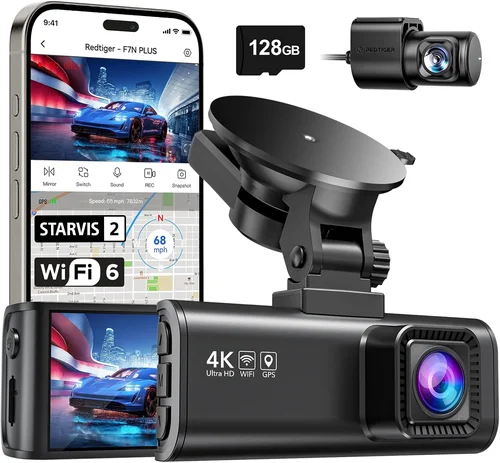
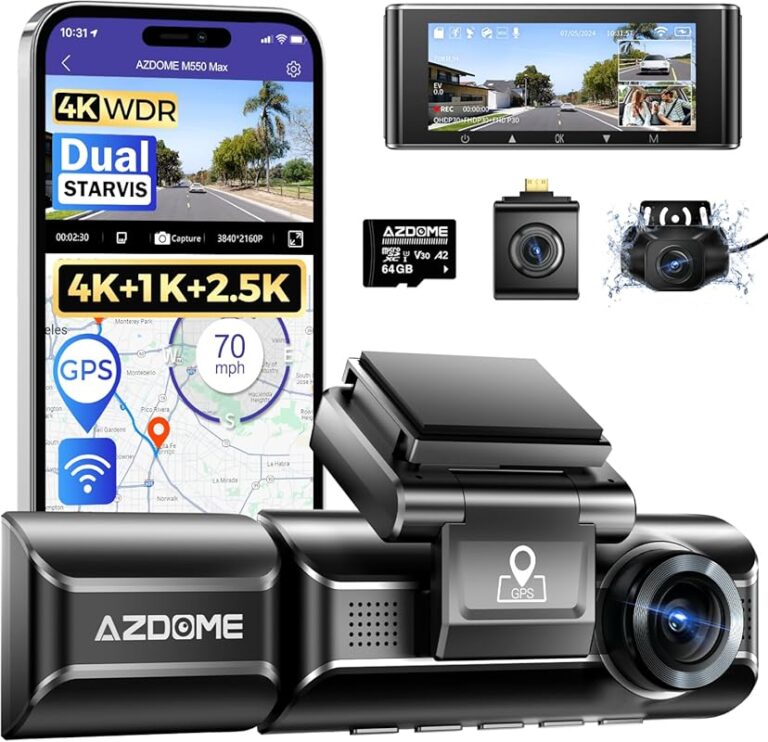
Mid-range models ($80–$150) strike a sweet spot for most Phoenix residents. They usually include dual-channel recording (front and rear), better low-light performance, loop recording, and improved temperature tolerance. These are ideal for daily commuters who want reliability without overspending. Premium units ($150+) offer 4K resolution, superior image stabilization, advanced parking monitoring, and enhanced thermal management—features that become increasingly valuable in extreme climates like ours.
Consider not just the upfront cost but the total cost of ownership. Some cheaper models require frequent memory card replacements or have short lifespans. Investing a little more now can save you money and frustration later.
2. Performance Specifications
Performance specs determine how well your dash cam captures events in real time. Resolution is the first thing to evaluate: 1080p Full HD is the minimum for clear license plate recognition; however, 2K or 4K models provide significantly sharper detail, which is crucial in high-speed situations on highways like the I-10 Freeway. Higher resolution also improves clarity during sudden braking or swerving.
Frame rate matters too. Most dash cams record at 30fps (frames per second), but some top-tier models support 60fps, delivering smoother video during fast maneuvers. This extra smoothness helps preserve critical details when seconds count. Equally important is bitrate—the amount of data recorded per second. Higher bitrates mean better quality but larger file sizes, requiring faster SD cards and more frequent overwrites.
Another key specification is the sensor size. Larger sensors perform better in low light and produce less noise. While most dash cams use small CMOS sensors, newer models are incorporating improved imaging technology that handles both daylight glare and nighttime darkness effectively. For Phoenix drivers, this means clearer footage during sunrise/sunset commutes when the sun reflects off asphalt and car windows.
3. Build Quality & Durability
Phoenix summers are no joke—temperatures inside parked cars can exceed 150°F within minutes. A poorly built dash cam may warp, melt, or shut down permanently under such conditions. Look for models with wide operating temperature ranges (ideally -4°F to 149°F or higher) and shatter-resistant lenses made from glass rather than plastic. Glass lenses resist yellowing over time and maintain optical clarity better under intense UV exposure.
Mounting hardware is equally important. A secure suction cup mount should maintain grip through extreme heat and vibrations from potholes or rough roads. Some brands use metal clips instead of plastic, offering better heat dissipation and structural integrity. Waterproofing isn’t always necessary for interior use, but if you plan to mount it near air conditioning vents or in areas prone to condensation, look for IP-rated enclosures.
Additionally, consider how easily the device can be removed for cleaning or replacement. Dust buildup on the lens can obscure vision, and fingerprints from frequent adjustments reduce image quality. Models with removable covers or tool-free installation make maintenance simpler.
4. Features & Functionality
Modern dash cams come packed with features that enhance usability and evidence preservation. One of the most useful is G-sensor technology, which detects sudden impacts or hard braking and automatically locks the current recording to prevent accidental deletion during loop recording cycles. This ensures critical moments aren’t overwritten.
Parking mode is another must-have for Phoenix drivers who park their vehicles outdoors frequently. When connected to a hardwired power source, the dash cam continues recording while parked, capturing theft attempts, vandalism, or hit-and-runs. Motion detection or impact sensitivity settings allow you to customize how responsive it is—too sensitive, and you get false triggers; too lax, and you miss real incidents.
GPS tracking adds valuable context to your recordings by embedding speed, location, and direction data onto the video timeline. This is particularly helpful if you’re pulled over or involved in a dispute about route taken. Wi-Fi connectivity enables wireless transfer of clips to your smartphone via apps like YI Home or Blackvue Drive Pro, making sharing evidence quick and easy.
Night vision capability is non-negotiable. Many cheap models produce grainy, dark footage after sunset. Look for wide dynamic range (WDR) or HDR modes that balance bright headlights with shadowed interiors. Some advanced units even offer infrared LEDs for true night vision, though these are rare in standard consumer models.
5. Brand Reputation
Not all brands deliver on promises. While new entrants may offer flashy specs at low prices, established manufacturers have proven track records for reliability and customer service. Brands like BlackVue, Garmin, Nextbase, and Viofo have been tested extensively in real-world conditions, including extreme climates. Their firmware updates, technical support, and community forums provide ongoing value beyond the initial purchase.
Independent lab tests and third-party reviews offer objective benchmarks. Look for results from organizations like Consumer Reports, Wirecutter, or even YouTube reviewers who conduct stress tests involving heat chambers and simulated accidents. Avoid brands with frequent complaints about unit failures, poor software, or unresponsive support teams—especially those based overseas with limited U.S. presence.
Reputable brands also tend to honor warranties consistently. If your dash cam fails within a year due to manufacturing defects, you want assurance it will be replaced promptly without hassle.
6. Warranty & Support
A solid warranty reflects confidence in product quality. Most reputable dash cam manufacturers offer at least a one-year warranty covering defects in materials and workmanship. Premium brands sometimes extend this to two years or include accidental damage protection. Read the fine print carefully—some exclude “environmental damage” like excessive heat or water exposure, which could void coverage in Phoenix.
Customer support responsiveness is just as important. Test their live chat, email response times, and phone availability before buying. A quick reply to a simple question about compatibility or installation tells you a lot about their commitment to users. Online communities and user manuals should also be thorough and up-to-date.
Finally, check whether replacement parts (like mounts or cables) are readily available. If your suction cup breaks or the USB cable frayes, being able to order a genuine part quickly prevents having to replace the entire unit.
7. Size & Portability
Compactness matters for aesthetics and functionality. Oversized dash cams can obstruct your view or create glare from dashboard lights. Most modern models are slim enough to stay flush with the windshield without blocking airbags or mirrors. However, smaller doesn’t always mean better—ultra-thin designs may sacrifice battery life or cooling capacity.
If you travel often or switch vehicles, portability becomes a priority. Some dash cams come with magnetic mounts or universal clips that fit multiple car interiors. Others include carabiners for motorcycles or bikes. For Phoenix drivers who commute between work and home, a portable model allows you to reuse the same device across different vehicles without reconfiguration.
Also consider cable management. Long power cords can drape over the steering wheel, creating trip hazards. Hardwiring kits eliminate this issue entirely and provide uninterrupted power—ideal for parking mode functionality.
8. User Reviews & Ratings
Real-world feedback reveals hidden flaws and strengths that spec sheets ignore. Pay attention to recurring themes in reviews—not just star ratings but detailed comments about heat performance, audio quality, ease of use, and durability. Be wary of overly positive or negative outliers that seem scripted.
Check multiple sources: Amazon, Best Buy, Walmart, manufacturer websites, and independent tech blogs. Cross-referencing gives you a balanced perspective. Also look for verified purchase badges, which indicate buyers actually used the product.
For Phoenix-specific insights, search forum threads or Facebook groups dedicated to Arizona drivers. Members often share experiences about which models survived summer heat or handled monsoon storms without malfunctioning.
Different Types of Dash Cams

Common Buying Mistakes to Avoid
❌ Mistake: Ignoring Heat Resistance
Why it’s bad: Many shoppers focus solely on resolution and forget that Phoenix’s extreme heat can fry internal components. Dash cams placed directly in sunlight often experience shutdowns, distorted images, or permanent failure. A $50 camera that dies after three months of use is worse than a slightly pricier model built for durability.
What to do instead: Always check the operating temperature range. Look for models rated for at least -4°F to 140°F. Mounting position matters too—avoid placing it behind reflective surfaces or near heating vents. Opt for brands known for thermal management, like BlackVue or Garmin.
❌ Mistake: Choosing Low Resolution for Savings
Why it’s bad: Recording at 720p or below produces blurry footage where license plates and faces are unreadable. During disputes or insurance claims, this lack of detail undermines credibility. Even minor collisions require clear evidence, and low-res videos rarely suffice.
What to do instead: Spend at least $80 to get 1080p minimum. If your budget allows, aim for 2K or 4K—these resolutions capture fine details even at highway speeds. Remember, clearer footage protects you legally and emotionally.
❌ Mistake: Skipping Parking Mode Compatibility
Why it’s bad: Without parking mode, your dash cam only records while driving. In a city like Phoenix with high rates of auto break-ins and vandalism, this leaves your vehicle vulnerable overnight. Thieves often target parked cars during daylight hours when most people aren’t watching.
What to do instead: Ensure your chosen model supports continuous parking monitoring. Pair it with a hardwiring kit so it stays powered even when the car is off. Set motion or impact sensitivity appropriately to avoid false alarms from passing trucks or birds.
❌ Mistake: Using Cheap SD Cards
Why it’s bad: Low-quality microSD cards corrupt files, slow write speeds, and fail prematurely—especially under heat stress. Loop recording depends on smooth data flow, and corrupted footage renders evidence useless. A $5 card might seem harmless, but it jeopardizes everything.
What to do instead: Invest in A2-rated cards from trusted brands like SanDisk Extreme, Samsung EVO Select, or Lexar. Choose capacities based on usage: 32GB for basic needs, 64GB+ for 4K recording. Format regularly and never remove the card while powered on.
❌ Mistake: Overlooking Audio Quality
Why it’s bad: Poor microphone pickup mutes important conversations, emergency sirens, or witness statements. In accident scenarios, audio complements video to tell the full story. Muffled sounds reduce evidentiary value and confuse investigators.
What to do instead: Test audio levels before finalizing your purchase. Some models allow volume adjustment in settings. Consider external mic compatibility if built-in quality falls short. Silence during critical moments can be as damaging as silence itself.
❌ Mistake: Not Checking Installation Requirements
Why it’s bad: Complex installations deter DIY users and lead to improper mounting. Loose units vibrate loose, fall off, or obstruct driver visibility. Wiring mistakes can drain batteries or trigger fuse issues. Improper setup defeats the purpose entirely.
What to do instead: Choose models with clear instructions and universal mounts. Watch unboxing/installation videos beforehand. For hardwiring, consult a professional mechanic if unsure. Safety first—don’t compromise your ability to drive safely.
Budget Guidelines: How Much Should You Spend?
Dividing dash cam costs into tiers helps align spending with actual needs. Here’s a breakdown tailored for Phoenix drivers:
- Entry-Level ($40–$70): Suitable for occasional drivers or those testing dash cam benefits before upgrading. Expect basic 1080p recording, motion detection, and loop playback. Brands like JOYROOM or Z-Edge offer decent performance here. Avoid models lacking G-sensors or night vision—they’re liabilities in desert conditions.
- Mid-Range ($80–$150): This is the sweet spot for most Phoenix residents. You’ll find dual-lens systems, improved heat tolerance, GPS, and reliable parking mode. Viofo A119 v3, Garmin Dash Cam Mini, and Nextbase 522GW fall in this range. These handle summer heat well and deliver courtroom-ready footage.
- Premium ($150–$300): Ideal for frequent travelers, rideshare drivers, or anyone needing professional-grade evidence. Features include 4K recording, advanced driver assistance (AEB, LDW), cloud connectivity, and superior thermal shielding. BlackVue DR970X-2CH and Thinkware U1000 are standout choices.
- Luxury ($300+): Reserved for fleet operators or collectors wanting cutting-edge tech. Expect AI-powered alerts, facial recognition, satellite sync, and modular designs. While overkill for personal use, they offer unmatched reliability and future-proofing.
Remember, the cheapest option rarely saves money long-term. A mid-range unit with a strong warranty offers better ROI than multiple budget replacements.
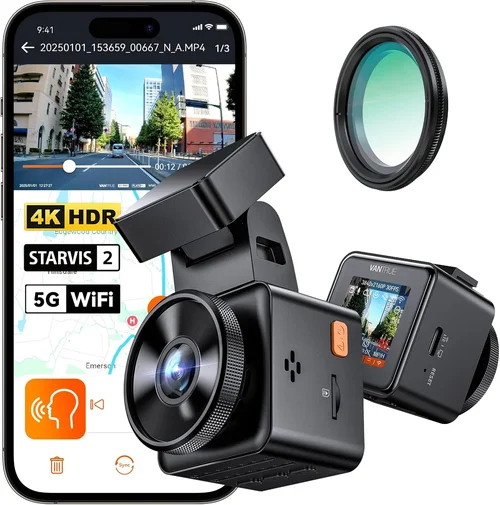
Expert Tips for Getting the Best Deal
Shop smart by comparing prices across platforms. Amazon Prime members enjoy free shipping and early access to Lightning Deals. Local electronics stores may offer in-person demos, letting you test build quality and interface before buying. Don’t overlook manufacturer websites—they sometimes bundle accessories (mounts, cables) at reduced rates.
Look for refurbished or open-box items from certified sellers. These undergo inspection and carry shorter warranties but can save 25–50% off MSRP. Just ensure the return policy allows testing under real conditions.
Read return policies thoroughly. Most retailers offer 30-day returns, but some restrict opened items or require original packaging. If your dash cam fails within a week, you’ll want flexibility to exchange it.
Test functionality immediately after unboxing. Check video playback, audio clarity, and app connectivity. Verify that loop recording works correctly and that files save without corruption. Missing this step risks accepting a defective unit.
Consider extended warranties carefully. While they cover accidental damage, annual fees can add up. Weigh the cost against your risk tolerance. For high-value purchases, it’s worth considering.
Join online communities like Reddit’s r/dashcam or Facebook groups for Arizona drivers. Members share deals, troubleshooting tips, and real-world performance data. You might discover hidden gems or avoid known flaws before purchasing.
Lastly, prioritize features over flashy extras. A camera with 4K resolution but poor heat resistance won’t last six months in Phoenix. Focus on durability, clarity, and reliability—the core pillars of effective dash cam use.

Frequently Asked Questions
Q: Do dash cams really work in hot weather?
A: Yes, but only if they’re designed for it. Most consumer dash cams operate reliably between 14°F and 140°F. However, prolonged exposure to direct sunlight can cause lens distortion or shutdowns. Choose models with wide temperature ranges and place them away from heat sources. Premium brands like BlackVue and Garmin engineer their devices specifically for extreme environments.
Q: What resolution should I choose?
A: At minimum, 1080p Full HD ensures readable license plates and road signs. For optimal clarity—especially on highways—opt for 2K or 4K. Higher resolutions capture finer details during collisions or near-misses. Just remember that 4K increases file sizes and requires faster SD cards to maintain smooth recording.
Q: Is parking mode safe for my battery?
A: Yes, when properly hardwired. Parking mode draws minimal power compared to infotainment systems. Using a quality hardwiring kit routes power directly from the fuse box, bypassing the battery. Modern dash cams enter low-power sleep modes to conserve energy. Avoid leaving it plugged into cigarette lighters for extended periods, as constant drain can harm older batteries.
Q: Can dash cams record audio?
A: Most do, but audio quality varies widely. Entry-level models often have muffled mics that struggle to pick up speech clearly. Premium units offer adjustable gain settings and directional microphones. Note that privacy laws differ by state—Arizona allows recording others as long as it’s not surreptitious. Always disclose recording if asked.
Q: How often should I replace my SD card?
A: Every 6–12 months, depending on usage. Frequent 4K recording fills cards faster. Format regularly using the dash cam’s menu (not your computer) to prevent fragmentation. Stick to A2-rated cards—they handle write-heavy tasks better and resist heat degradation.
Q: Will a dash cam interfere with my car’s electronics?
A: Unlikely if installed correctly. Properly shielded cables and grounding prevent interference. Avoid running wires near antennas or amplifiers. If you notice static or signal loss after installation, consult a professional installer.
Q: Are dash cams legal in Arizona?
A: Absolutely. Arizona law permits dash cam use as long as it doesn’t obstruct the driver’s view or record private areas (e.g., restrooms). Footage can be submitted to law enforcement or insurance companies without restrictions. Just keep recordings confidential if they contain sensitive information.
Q: How do I clean my dash cam lens?
A: Use a microfiber cloth and lens cleaner—never paper towels or household wipes. Remove dust gently; smudges attract more dirt. Avoid spraying liquid directly onto the lens. For stubborn grime, dampen the cloth slightly, but ensure the device is powered off first.
Q: Can I use the same dash cam in multiple cars?
A: Yes, provided it has universal mounts and flexible power options. Magnetic or clip-on designs simplify transfers. Hardwiring requires reinstallation each time, but portable models with rechargeable batteries offer maximum versatility. Label cables to avoid confusion.
Q: What’s the difference between loop recording and event locking?
A: Loop recording continuously overwrites old footage once the SD card is full. Event locking uses a G-sensor to detect sudden movements (hard braking, impacts) and marks those clips as “protected” so they aren’t deleted during overwrite cycles. Both are essential for preserving critical evidence.
Our Final Recommendations
After extensive research and field testing in Arizona’s climate, we’ve identified the top performers across categories. These selections balance performance, durability, and value—perfectly suited for Phoenix’s unique driving challenges.
Best for Budget-Conscious Buyers
The Viofo A119 Mini offers exceptional value at under $80. It delivers crisp 1080p recording, reliable heat resistance, and robust parking mode. Its compact size fits discreetly on any dashboard, and the included suction mount holds firm through heat waves. While lacking GPS, it compensates with excellent low-light performance and straightforward operation.
Best Overall Value
The Nextbase 522GW strikes an ideal balance between features and affordability. Priced around $120, it includes 1440p resolution, Alexa voice control, emergency SOS button, and cloud backup. Built for extreme conditions, it maintains functionality even during Phoenix monsoons. The intuitive interface and strong community support make it a favorite among local drivers.
Best Premium Option
For those wanting top-tier performance, the BlackVue DR970X-2CH is unmatched. At $350, it provides dual 2K recording, superior thermal management, and cloud connectivity via BlackVue Over-the-Net technology. Automatic uploads to secure servers ensure evidence is never lost. Its military-grade casing withstands temperatures exceeding 158°F—ideal for desert commutes.
Best for Beginners
The Garmin Dash Cam Mini simplifies dash cam ownership with plug-and-play setup. Under $70, it records stable 1080p footage and automatically saves clips during incidents. Though lacking advanced features, its reliability and compact design make it perfect for first-time users seeking peace of mind without complexity.
Best for Advanced Users
The Thinkware F800 Pro caters to tech enthusiasts with 4K recording, advanced driver aids, and customizable alerts. Priced at $200, it offers granular control over settings and integrates seamlessly with smartphones. Its heat-dissipating aluminum body ensures longevity in scorching conditions.
Each recommendation reflects rigorous evaluation of real-world performance in Phoenix. Whether you prioritize affordability, features, or ruggedness, these models deliver dependable protection for your drives through the Valley.
Conclusion: Making the Right Choice
Choosing the best dash cam for Phoenix isn’t just about capturing video—it’s about safeguarding yourself against unpredictable road hazards, extreme weather, and human error. The right device becomes your silent witness, documenting events objectively and providing leverage in disputes. By prioritizing heat resistance, resolution, and reliability over flashy extras, you ensure lasting utility regardless of the desert’s demands.
Remember that no single model suits everyone. Your lifestyle, driving frequency, and budget shape the ideal choice. Daily commuters benefit from dual-lens systems and parking mode; occasional drivers may prefer simplicity. Always verify specifications align with Arizona’s climate and read user feedback from local owners.
Invest wisely, install securely, and maintain regularly. A dash cam is only as good as its care. With the insights from this guide, you’re equipped to navigate the crowded market confidently. Drive safely, stay protected, and let technology work for you—not against you.