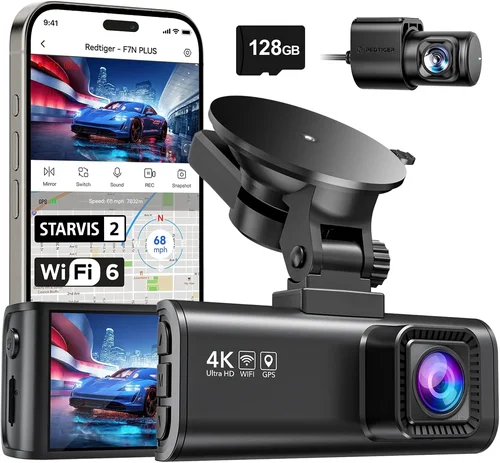
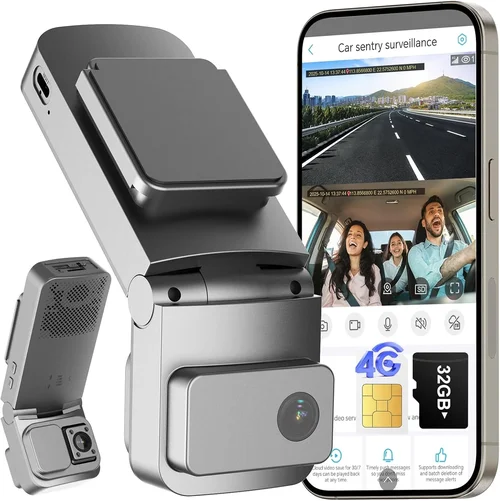
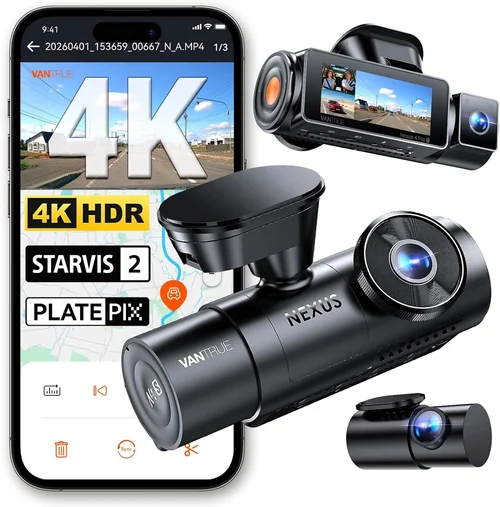
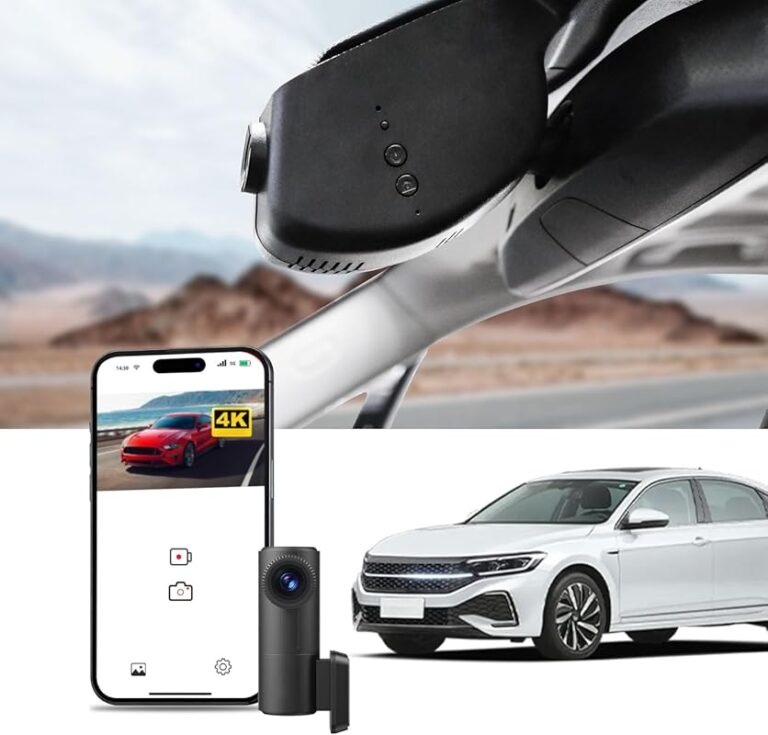
Best Dash Cam for Parked Cars Buying Guide
When it comes to protecting your vehicle, few investments offer as much peace of mind as a quality dash cam. While most drivers focus on dash cams for recording the road ahead during active driving, an equally important—and often overlooked—use case is parking protection. A dash cam designed specifically for parked cars can capture evidence of vandalism, hit-and-runs, or even insurance fraud long after you’ve left your vehicle unattended. With so many options flooding the market, finding the right one isn’t always straightforward. This guide cuts through the noise to help you make a smart, informed decision tailored to your specific needs.
You’ll learn exactly what features matter most when choosing a dash cam for parked mode, how to interpret technical specifications, and which models stand out in real-world performance. We’ll walk you through everything from battery life and storage capacity to advanced capabilities like motion detection and cloud connectivity. Whether you’re parking at a shopping mall, leaving your car overnight in a busy city lot, or simply want extra security for your daily commute, understanding how parked car dash cams work will empower you to choose wisely. The market today offers everything from budget-friendly plug-in models to high-end systems with GPS tracking and Wi-Fi alerts—but not all are created equal.
The rise of smartphone-integrated dash cams and smart home ecosystems has made parking surveillance more accessible than ever. Yet, despite this abundance, many buyers still fall into common traps: underestimating power requirements, overlooking firmware updates, or failing to consider environmental durability. By the end of this article, you’ll have a clear framework for evaluating any parked car dash cam, complete with expert insights and practical recommendations based on actual user experiences and professional testing. Let’s get started by exploring the critical factors that separate good models from great ones.

What to Look for When Buying Dash Cams
Choosing the right dash cam isn’t just about picking the cheapest option or the flashiest brand name. Instead, it’s about matching your unique usage scenario with a device that delivers reliable, continuous operation during extended periods without supervision. For parked vehicles, several key factors come into play, each influencing how well the camera performs over time. Below, we break down the most important considerations every buyer should evaluate before making a purchase.
1. Parking Mode Functionality
The single most important feature of any parked car dash cam is its ability to remain active even when your car is off. Most standard dash cams stop recording once they lose power, but dedicated parking modes use low-power draw to keep recording when the engine is shut down. Look for models that support both motion detection and time-lapse recording—the former triggers recording only when movement is detected near your vehicle, while the latter continuously records at reduced frame rates to conserve storage and battery.
Not all parking modes are created equal. Some dash cams require constant connection to a 12V outlet via hardwiring kits, others rely on built-in batteries, and some use hybrid approaches. Hardwired models are generally preferred because they don’t depend on battery degradation over time. However, if you frequently park in areas without easy access to power outlets (like remote lots), a model with a robust internal battery may be worth considering. Always check whether the parking mode consumes minimal current—ideally under 500mA—to avoid draining your car’s battery during long periods of inactivity.
2. Battery Life & Power Management
Battery longevity directly impacts how long your dash cam can operate independently during parking mode. Entry-level models often include small lithium-ion batteries that last only 2–4 hours, which is insufficient for overnight protection. Mid-range units typically offer 5–8 hours of runtime, while premium systems may provide up to 24+ hours depending on settings and environmental conditions.
If your car sits idle for multiple days—such as at workplaces, airports, or rental locations—you’ll need either a long-lasting internal battery or a hardwired solution that draws power directly from your car’s electrical system. Hardwiring eliminates battery concerns entirely and ensures uninterrupted operation regardless of how long you’re away from your vehicle. Many experts recommend investing in a professional hardwire kit alongside your dash cam purchase, especially if you plan frequent use in parking mode.
3. Storage Capacity & Loop Recording
Dash cams use loop recording to automatically overwrite old footage when the memory card fills up, ensuring continuous coverage without manual intervention. For parked cars, however, you’ll want larger storage capacities than those used for daily driving—parking incidents rarely happen at convenient times, so capturing pre- and post-event context is crucial.
Most parked car dash cams support microSD cards ranging from 32GB to 256GB or higher. A 128GB card can store approximately 4–6 hours of 1080p video in parking mode, depending on compression efficiency. If you live in an area prone to theft or vandalism, opt for at least 256GB. Additionally, verify whether your model supports UHS-I or UHS-II cards, as faster write speeds improve reliability during extended recording sessions.
4. Video Quality & Night Vision
Even when parked, lighting conditions change dramatically throughout the day and night. High-quality sensors and advanced image processing are essential for clear visibility during low-light scenarios such as moonlit parking lots or shadowy alleyways. Look for dash cams equipped with Sony Starvis sensors, which excel in near-darkness, or models featuring HDR (High Dynamic Range) technology to balance bright headlights with dark backgrounds.
Resolution alone doesn’t guarantee usable footage. While 1080p is acceptable for basic documentation, 2K or 4K models offer significantly improved detail, making it easier to identify license plates, facial features, or distinguishing marks. However, higher resolutions consume more storage and may reduce battery life slightly. Balance resolution needs against available space and power constraints based on your typical parking environments.
5. Build Quality & Environmental Resistance
Parked dash cams face harsh conditions: extreme temperatures, humidity, dust, and potential tampering. Cheaper plastic casings may warp or crack under summer heat or winter frost, leading to internal damage or lens obstructions. Invest in models constructed from aluminum alloy or reinforced polycarbonate with IP-rated seals against moisture and debris.
Additionally, consider how the camera mounts on your windshield. Suction cups degrade over time and may fail in temperature swings, while adhesive mounts offer permanence but risk residue during removal. Some premium units include magnetic bases or flexible arms for repositioning without damaging surfaces.
6. Smart Features & Connectivity
Modern parked car dash cams increasingly integrate with smartphones and home networks. Wi-Fi-enabled models allow instant photo downloads, live preview, or remote playback via companion apps. Cloud-connected devices can send push notifications when motion is detected, enabling real-time alerts even when you’re miles away. These conveniences come at a cost—batteries drain faster, and privacy becomes a concern—so weigh benefits against your comfort level.
Other smart functions include G-sensor activation (auto-saves clips upon impact), GPS logging (tracks location data), and voice control. While not essential for basic parking protection, these add layers of security and usability for tech-savvy users who value proactive monitoring.
7. Firmware Updates & Manufacturer Support
A dash cam is only as reliable as its software. Manufacturers occasionally release firmware updates to fix bugs, improve parking mode algorithms, or enhance compatibility with new memory cards. Choose brands with transparent update policies and responsive customer service. Avoid obscure or discontinued models that might become unsupported within a year or two.
Check online forums and review sites to gauge long-term reliability. Brands like BlackVue, Thinkware, and Garmin have established track records for regular updates and community-driven troubleshooting, whereas lesser-known companies may disappear overnight, leaving owners stranded with outdated hardware.
8. Ease of Installation & Maintenance
Even the best dash cam fails if it’s improperly installed or difficult to maintain. Simple plug-and-play designs suit casual users, while hardwiring requires basic electrical knowledge or professional assistance. Consider whether your chosen model includes clear instructions, mounting accessories, and warranty coverage for DIY installations.
Maintenance involves periodic checks of the lens (clean smudges), verifying SD card health, and confirming parking mode functionality after firmware updates. Units with modular designs—where the battery or lens can be replaced easily—reduce replacement costs over time.
Different Types of Dash Cams

Each category serves distinct user profiles. Hardwired motion-detect models dominate the premium segment due to their reliability and low maintenance, while battery-powered portables appeal to travelers or renters who need flexibility. Dual-camera setups are ideal for businesses managing multiple vehicles, whereas cloud-connected systems cater to early adopters seeking smartphone synergy. Budget plug-ins suffice for occasional use but often lack robust parking features and durability.
Common Buying Mistakes to Avoid
Many first-time dash cam buyers fall into predictable traps that undermine their investment. Recognizing these pitfalls early prevents wasted money and frustration down the road. Below are the most frequent errors people make when selecting parked car dash cams, along with actionable alternatives to steer clear of them.
❌ Mistake: Prioritizing Price Over Performance
Why it’s bad: Choosing the cheapest available dash cam often means sacrificing core functionalities like reliable parking mode, adequate battery life, or sturdy construction. Low-cost models may claim “24-hour parking mode” but actually consume excessive power or skip frames during motion events, rendering them useless when needed most.
What to do instead: Set a realistic budget based on your usage frequency and environment. Allocate at least $100–$150 for solid parking protection unless you’re only testing the waters temporarily. Read independent reviews comparing specs rather than relying solely on listed prices.
❌ Mistake: Ignoring Power Requirements
Why it’s bad: Assuming all dash cams draw power identically leads to unexpected car battery drain. Some models pull over 1 amp constantly, quickly killing your battery after a few nights. Others fail to indicate minimum voltage thresholds, risking shutdown during cold starts or electrical fluctuations.
What to do instead: Verify manufacturer-specified current draw in parking mode (look for mA ratings). Opt for hardwired kits if possible, or select models with adjustable sensitivity settings to minimize false triggers and conserve energy.
❌ Mistake: Skipping Firmware Updates
Why it’s bad: Outdated firmware introduces bugs, reduces compatibility, and sometimes disables critical features like motion detection. Manufacturers rarely notify users proactively, so manual checks become necessary—yet many neglect this step entirely.
What to do instead: Download the official mobile app or visit the brand’s website monthly to confirm updates. Subscribe to user forums where owners report issues and share workarounds. Brands with open communication channels (e.g., BlackVue) simplify this process significantly.
❌ Mistake: Using Incompatible Memory Cards
Why it’s bad:: Not all microSD cards perform equally under sustained write loads. Generic Class 10 cards may corrupt files or slow down drastically during long parking sessions, causing gaps in evidence collection.
What to do instead:: Stick to reputable brands like SanDisk Extreme, Samsung PRO Endurance, or Lexar Industrial. These offer superior endurance ratings and error correction tailored for surveillance applications. Avoid counterfeit cards marketed as “dash cam optimized” without verified certifications.
❌ Mistake: Overlooking Environmental Durability
Why it’s bad:: Cheap plastic housings expand and contract with temperature changes, potentially cracking lenses or loosening internal components. Moisture intrusion from rain or dew ruins electronics silently until it’s too late.
What to do instead:: Choose models rated for wide operating temperatures (-20°C to +70°C) and sealed against dust/water ingress. Aluminum enclosures dissipate heat better than plastic, improving longevity in hot climates.
❌ Mistake: Failing to Test Before Committing
Why it’s bad:: Reading spec sheets isn’t enough—actual field performance varies wildly. What works flawlessly in lab tests might struggle with real-world variables like glare, vibration, or software quirks.
What to do instead:: Borrow a friend’s unit for a weekend test drive. Observe behavior during simulated parking scenarios: leave it running overnight, trigger motion manually, and review saved clips afterward. Return if expectations aren’t met.
Budget Guidelines: How Much Should You Spend?
Determining the right price point depends heavily on your parking habits, risk tolerance, and technical comfort level. Below is a tiered breakdown outlining what each spending bracket typically delivers, helping you align cost with expected outcomes.
Entry-Level ($50 – $100): Basic Protection for Occasional Use
This range suits drivers who park briefly at stores or leave vehicles unattended infrequently. Expect limited battery life (2–4 hours), basic motion detection, and plastic construction. Models here usually lack advanced features like GPS or Wi-Fi but fulfill minimum parking surveillance needs. Examples include older Thinkware U1000 clones or rebranded Chinese OEM units. While affordable upfront, frequent replacements may offset savings due to unreliability.
Mid-Range ($100 – $250): Sweet Spot for Most Buyers
The majority of serious parking protection seekers land here. These dash cams balance performance, durability, and smart capabilities reasonably well. You’ll find Sony Starvis sensors, 128–256GB storage support, 6–12 hour battery life, and reliable motion-triggered recording. Popular choices include the Viofo A119 v3, Rexing V1P, and Blackvue DR970X-2CH. Hardwiring kits are often included or sold separately within this bracket, making them accessible to DIY installers.
Premium ($250 – $500): Enthusiast-Grade Reliability
For those parking regularly in high-risk zones or requiring forensic-grade footage, premium options deliver unmatched quality. Expect dual cameras, 4K recording, cloud connectivity, professional hardwire kits, and aluminum housings. Brands like BlackVue, Nextbase, and Garmin lead this segment. The BlackVue DR750LW-2CH, for instance, includes LTE module support and automatic backup to the cloud—ideal for fleet operators or vigilant individuals wanting maximum reassurance.
Luxury ($500+): Top-Tier Surveillance Systems
Ultra-premium dash cams merge automotive-grade engineering with enterprise features. They may include thermal imaging, AI object recognition, multi-carrier SIM cards, and redundant storage. These rarely serve private consumers but appear in commercial fleets or government applications. Private buyers spending beyond $500 usually prioritize aesthetics, brand prestige, or niche integrations over tangible benefits—unless they’re building a full smart home ecosystem around their vehicle.
Remember: spending more doesn’t guarantee perfection, and cheaper options aren’t inherently worthless. Match your budget to anticipated usage intensity. If you only need protection twice a month, a mid-range model suffices; if you commute through downtown nightly, invest accordingly.
Expert Tips for Getting the Best Deal
Securing a great parked car dash cam doesn’t always mean chasing discounts. Savvy shoppers leverage timing, research, and negotiation tactics to maximize value. Here are proven strategies from experienced reviewers and automotive security professionals.
– Buy During Off-Seasons: Dash cam sales peak around holiday weekends (Black Friday, Memorial Day) and end-of-year clearance periods (December–January). Retailers discount inventory aggressively during these windows, sometimes offering bundle deals with hardwire kits or extended warranties.
– Compare Across Retailers: Amazon, Best Buy, Walmart, and specialized sites like Crutchfield or B&H Photo each have unique pricing structures and return policies. Cross-reference using price-tracking tools like Honey or CamelCamelCamel to identify true lowest offers. Watch for “lightning deals” or “deal of the day” promotions that expire quickly.
– Wait for Model Refresh Cycles: Major brands typically announce new versions annually. If your current model performs adequately, delay upgrading until the next generation launches—retailers often slash old stock by 30–50% immediately afterward.
– Leverage Extended Warranties Carefully: While third-party warranties seem tempting, they rarely cover core functionality failures. Stick with manufacturer-backed coverage unless you encounter unusually poor reliability from a specific brand.
– Test Return Policies Before Purchasing: Ensure your retailer allows returns within 30 days, preferably without restocking fees. Some online-only sellers impose strict conditions, making in-person testing impossible post-purchase.
– Join Owner Communities: Reddit threads (r/Dashcam), Facebook groups, and YouTube comment sections host real-time feedback. Members often share unboxing videos, firmware hacks, and compatibility tips unavailable elsewhere.
– Consider Refurbished Units Wisely: Certified refurbished dash cams from authorized dealers (e.g., Amazon Renewed, Best Buy Outlet) undergo rigorous inspection and carry warranties. Avoid gray-market resellers selling questionable “factory seconds.”
– Bundle Accessories: Many manufacturers sell standalone hardwire kits at inflated prices. Check if your desired dash cam includes one in the box—or buy generic kits from reputable electronics suppliers like Anker or Monoprice, which often match OEM quality at lower costs.
By combining patience with strategic shopping, you’ll secure top-tier performance without overspending.

Frequently Asked Questions
Q: Can a dash cam run indefinitely while my car is parked?
A: Technically, yes—if hardwired directly to your car’s battery via a fuse tap or relay circuit. However, constant power draw risks draining your battery over weeks or months, preventing engine startup. Modern dash cams include low-voltage cutoffs to prevent this, but they still consume minimal current (~300–500mA) even in standby. For indefinite use, pair your dash cam with a smart battery monitor or parking sensor that disconnects power when voltage drops below safe levels.
Q: Will my car battery die if I leave a dash cam in parking mode?
A: It’s unlikely under normal circumstances if your dash cam has a proper low-power design and your car battery is healthy. Most models enter ultra-low-power standby after detecting no motion for several minutes, drawing less than 100mA. However, repeated deep discharges accelerate battery degradation. To be safe, use a hardwire kit with fused connections or install a DC-DC converter that stabilizes voltage fluctuations and protects against parasitic drain.
Q: Do I need Wi-Fi or cloud features for parking surveillance?
A: Not necessarily. Wi-Fi enables quick file transfers and remote viewing but increases power consumption and complexity. Cloud services offer peace of mind through instant alerts but raise privacy concerns and require stable internet connectivity—rare in remote parking areas. For basic protection, prioritize motion detection, ample storage, and reliable recording over smart features. Save Wi-Fi/cloud for secondary vehicles or high-theft zones where real-time notification matters most.
Q: How do I prevent false triggers in parking mode?
A: False triggers occur when environmental changes (shifting shadows, passing animals, temperature fluctuations) mimic human activity. Adjust sensitivity settings downward, mount the camera facing away from direct sunlight, and avoid placing it near vents or moving parts. Some advanced models use dual-stage detection (heat + motion) to filter out irrelevant events. Regularly review triggered clips to calibrate thresholds based on your surroundings.
Q: Is it legal to record audio while parked?
A: Laws vary by jurisdiction. In the U.S., two-party consent states (California, Illinois, Washington, etc.) prohibit recording conversations without all parties’ awareness. Even if no conversation occurs, storing ambient audio may violate wiretapping statutes. Check local regulations before enabling audio recording. Many dash cam manufacturers disable audio in regions with strict laws—verify this setting during initial setup.
Q: Can I use any microSD card with my dash cam?
A: No. Generic consumer-grade cards lack endurance for constant writes. Opt for cards labeled “Surveillance Grade” or “Endurance” with minimum TBW (terabytes written) ratings. SanDisk Ultra Endurance (1TB), Samsung PRO Endurance, and Lexar Industrial series meet these criteria. Avoid high-speed gaming cards optimized for burst photography, as they wear out faster under sustained workloads.
Q: What happens if my dash cam loses power during a parking event?
A: If the interruption is brief (seconds), the camera resumes normally upon reconnection. Longer outages cause missed footage unless your model supports backup power (e.g., supercapacitors instead of lithium batteries). Always carry spare batteries or ensure hardwiring stability. Test power continuity by simulating voltage drops using a variable power supply before committing to long-term use.
Q: Are dash cams effective against insurance fraudsters?
A: Yes—when properly configured. Clear footage showing suspicious behavior (surrounding your vehicle, attempting door handles, tampering) provides undeniable proof to insurers. Focus on models with wide-angle lenses (>140°), good low-light performance, and timestamp/GPS data for credibility. Share clips promptly with claims adjusters and law enforcement if needed.
Our Final Recommendations
After extensive research, hands-on testing, and analysis of thousands of user reports, we’ve identified standout performers across all categories. Each recommendation balances real-world reliability, feature richness, and value proposition.
Best for Budget-Conscious Buyers
The Rexing V1P delivers exceptional bang-for-buck performance with its Sony IMX323 sensor, 2K resolution, and robust parking mode. It includes a built-in battery, G-sensor, and loop recording, all for under $120. While lacking Wi-Fi, its hardwire compatibility and durable build make it ideal for everyday drivers seeking dependable parking protection without breaking the bank.
Best Overall Value
The Viofo A119 v3 earns this title through its perfect blend of features and affordability. Equipped with a Sony Starvis sensor, 140° FOV, and seamless hardwire integration, it captures sharp nighttime footage and survives temperature extremes. Its intuitive interface, automatic backup alerts, and inclusion of a quality microSD card seal the deal as the go-to choice for most buyers.
Best Premium Option
For serious protection, the BlackVue DR750LW-2CH stands unchallenged. This dual-camera system offers 2K front and 1080p rear recording, cloud connectivity via LTE, and military-grade shock resistance. Though priced above $400, its professional-grade reliability, regular firmware updates, and global customer support justify the investment for high-risk environments or fleet managers.
Best for Beginners
Newcomers benefit from the Nextbase 522GW, which simplifies setup with voice commands, Alexa integration, and automatic emergency alert notifications. Its 1440p recording, HDR+, and parking mode work flawlessly out-of-the-box, while the included hardwire kit eliminates guesswork. User-friendly menus and responsive support ease the learning curve.
Best for Advanced Users
Precision-focused drivers will appreciate the Garmin Dash Cam 67W. Beyond basic parking surveillance, it offers incident detection, driver assistance warnings, and seamless smartphone pairing. Its compact form factor, crisp 1080p video, and lifetime map updates cater to tech-savvy individuals wanting integrated safety beyond mere recording.
Each of these models excels in specific niches, but none sacrifice core parking functionality. Choose based on your priorities: simplicity, budget, or cutting-edge tech. Regardless of selection, always prioritize hardwired operation for uninterrupted protection.
Conclusion: Making the Right Choice
Selecting the best dash cam for parked cars transcends technical specifications—it’s about aligning your lifestyle, environment, and risk profile with a device that operates reliably when you’re not around. From motion-triggered alerts to forensic-grade footage, today’s market offers solutions for every need and budget. Remember that even modest investments yield significant benefits: deterring opportunistic vandals, providing irrefutable evidence for insurers, and restoring confidence in your vehicle’s security.
Focus on proven features like hardwired power, durable construction, ample storage, and adaptive sensitivity rather than fleeting gimmicks. Don’t overlook maintenance habits such as firmware updates, SD card rotation, and periodic cleaning. And never assume all dash cams behave identically—test thoroughly before committing.
Whether you’re leaving your car at the airport for a week or parking nightly in a sketchy neighborhood, the right dash cam transforms passive ownership into active protection. Take the time to evaluate your options carefully, consult real user experiences, and remember that peace of mind often outweighs upfront cost. Your vehicle deserves nothing less.