Ultimate Dash Cam Buying Guide
When you’re shopping for a dash cam, the last thing you want to do is get stuck with unexpected costs or poor quality. With so many options on the market, it’s easy to feel overwhelmed—especially when hidden fees like professional installation charges start creeping into your budget. That’s why we’ve created this comprehensive buying guide: to help you make smart, informed decisions before you even step foot in a store or click “buy now.” Whether you’re a first-time buyer or upgrading from an older model, understanding what drives dash cam pricing—and where those extra charges come from—will save you time, money, and frustration.
In this guide, you’ll learn everything you need to know about selecting the right dash cam for your vehicle, including how to evaluate features, compare models across different price ranges, avoid common pitfalls, and ultimately choose a system that offers the best value without surprise fees. We’ll also break down real-world scenarios where installation costs might apply (like hardwiring vs. plug-in models) and show you how to minimize them. By the end, you’ll be equipped with expert-level knowledge to confidently navigate the dash cam marketplace—no technician required.
The dash cam industry has exploded over the past decade, evolving from simple single-lens cameras to advanced multi-camera systems with night vision, GPS tracking, cloud connectivity, and emergency backup power. Today’s models vary wildly in capability and price, which means there’s something for every driver—from daily commuters looking for peace of mind to fleet managers needing robust recording solutions. But with innovation comes complexity, and that often translates into added services like professional mounting, wiring, and calibration. Understanding these nuances upfront ensures you don’t end up paying $100+ just for someone else to plug in your new gadget.

What to Look for When Buying Dash Cams
1. Budget & Price Range
Your starting point should always be your budget. Dash cams range from under $50 to well over $500, and each tier delivers significantly different performance. Entry-level models typically offer basic full HD recording, loop recording, and G-sensor alerts—perfect if you’re primarily interested in accident documentation. Mid-range units (around $100–$200) often include dual-lens setups, parking mode, Wi-Fi connectivity, and improved low-light sensitivity. Premium systems may feature 4K resolution, voice control, ADAS (Advanced Driver Assistance Systems), and even AI-powered incident detection.
2. Performance Specifications
The heart of any dash cam is its video quality. Look for at least 1080p Full HD resolution—anything lower than that quickly becomes blurry during normal driving speeds. Higher-end models offer 2K or even 4K, but remember: larger files mean faster battery drain and more storage demands. Frame rate matters too—30fps is standard, but 60fps provides smoother motion capture during rapid events. Equally important are bitrate settings; higher bitrates = clearer detail but larger file sizes. A good rule of thumb: aim for H.265 compression (more efficient than H.264) unless your card doesn’t support it.
3. Build Quality & Durability
A dash cam must withstand extreme temperatures, vibrations, and potential impacts. Housing should be made of shatter-resistant materials like polycarbonate or aluminum alloy. Sealed ports prevent moisture damage—critical since most installations leave cables exposed to weather. Shock resistance ratings (often listed as “G-force tolerance”) indicate how well the device handles sudden jolts. Also consider lens clarity: anti-reflective coatings reduce glare from headlights at night, while wide-angle lenses (typically 120°–170°) minimize blind spots.
4. Features & Functionality
Modern dash cams pack surprisingly advanced tech. Parking mode lets your camera record while parked using your car’s battery—but only if it supports hardwiring. Some models detect impact via built-in accelerometers and lock footage automatically. Others sync with smartphones for live viewing or instant sharing. Cloud integration allows remote access but requires constant internet connectivity and recurring subscription fees. Always verify compatibility with your vehicle’s electrical system before assuming parking mode will work out of the box.
5. Brand Reputation
Stick with established brands known for reliability: BlackVue, Garmin, Thinkware, Nextbase, and Viofo dominate professional reviews and consumer feedback. These companies invest heavily in firmware updates, customer service, and warranty fulfillment. Lesser-known brands may offer tempting discounts but often skimp on support or use inferior sensors. Check third-party testing sites like RTINGS.com for objective comparisons—they evaluate everything from dynamic range to audio quality.
6. Warranty & Support
A solid warranty (ideally 1–2 years) reflects manufacturer confidence. Free technical support, online troubleshooting guides, and accessible return policies add real value. Avoid products with vague warranties or limited coverage periods. If your dash cam fails after six months despite proper use, you’ll regret skipping this step.
7. Size & Portability
Compact designs (under 2 inches thick) are easier to conceal and less obtrusive on your windshield. However, smaller bodies sometimes sacrifice sensor size or cooling efficiency. Consider whether you plan to transfer data frequently—some ultra-thin models lack USB ports, requiring SD card swaps.
8. User Reviews & Ratings
Real-world experiences reveal flaws manufacturers hide in marketing copy. Pay attention to complaints about false alarms, short battery life during parking mode, or difficulty accessing old recordings. Positive reviews mentioning consistent performance over months are far more valuable than five-star ratings from anonymous accounts.
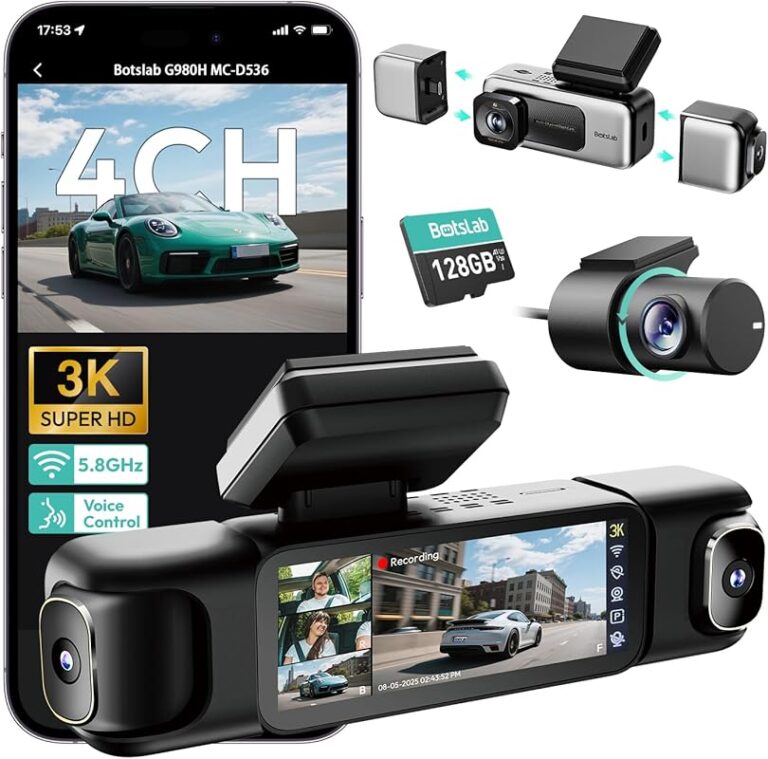
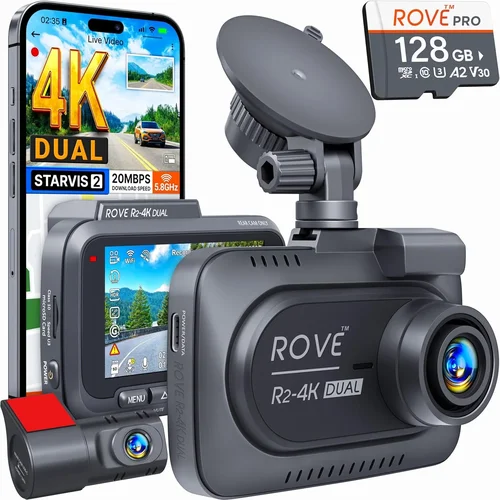
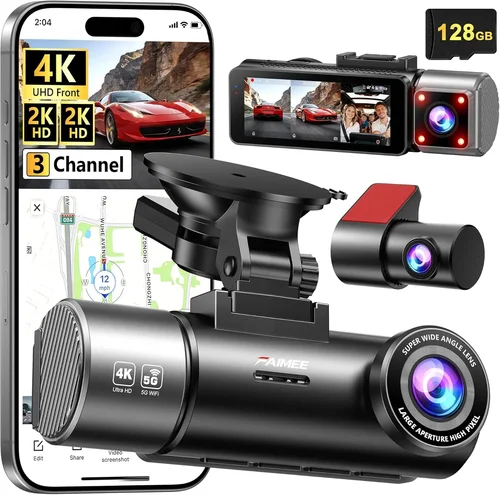
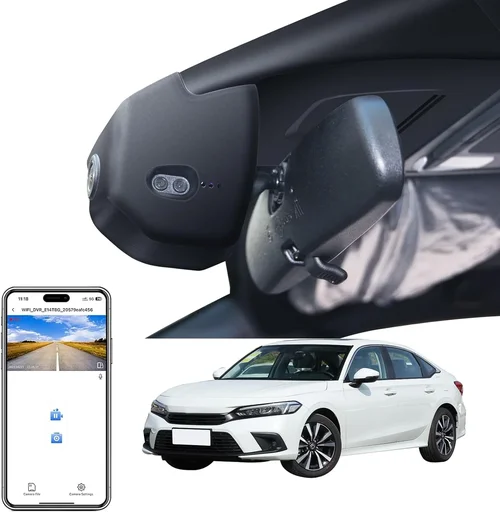
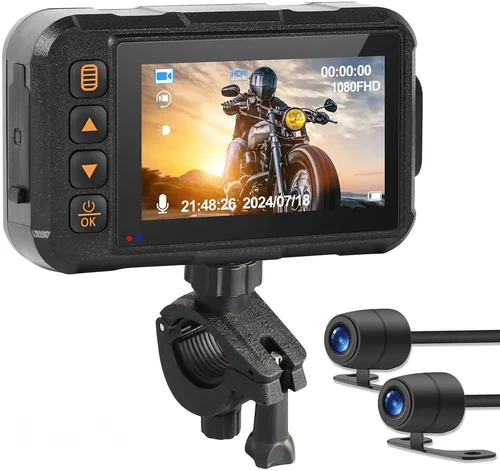
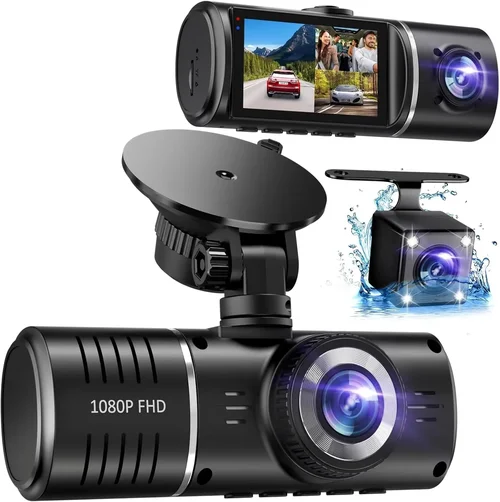
Different Types of Dash Cams

Common Buying Mistakes to Avoid

❌ Mistake: Ignoring Parking Mode Requirements
Why it’s bad: Many buyers assume all dash cams support parking surveillance, but most only activate this feature when hardwired to your car’s battery. Without proper installation, your device won’t record incidents while parked—leaving you vulnerable during overnight stops.
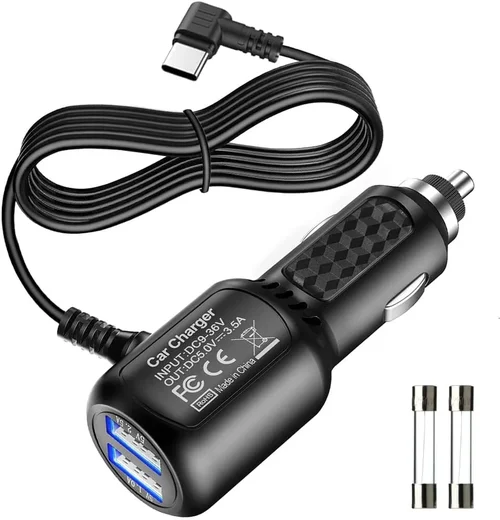
What to do instead: Verify compatibility with your vehicle’s fuse box or OBD-II port. Opt for models with optional hardwire kits ($20–$40) rather than relying on cigarette lighter adapters that drain your battery.
❌ Mistake: Choosing Based Solely on Resolution
Why it’s bad: A 4K dash cam with poor image stabilization or low-light performance captures grainy, useless footage at night. High megapixels don’t guarantee clarity if the sensor or lens quality is subpar.
What to do instead: Prioritize frame rate, bitrate, and dynamic range alongside resolution. Test sample videos from the manufacturer or trusted reviewers under various lighting conditions.
❌ Mistake: Skipping Storage Planning
Why it’s bad: Loop recording deletes old files to free space, but insufficient storage capacity leads to missed critical moments. Most microSD cards aren’t included—buying one adds cost and compatibility risks.
What to do instead: Buy a high-endurance Class 10 UHS-I card (minimum 64GB) rated for dash cam use. Larger capacities (128GB+) reduce frequent reformatting but increase file sizes dramatically.
❌ Mistake: Overlooking Firmware Updates
Why it’s bad: Outdated firmware causes bugs, drains battery faster, and prevents new features from working. Some brands stop supporting older models after 18 months.
What to do instead: Choose brands with regular update schedules. Subscribe to their newsletters or enable automatic notifications to stay current.
❌ Mistake: Assuming Universal Fit
Why it’s bad: Windshield angles, sun visor placement, and dashboard geometry vary by vehicle make/model. An ill-fitting mount obscures views or damages trim during removal.
What to do instead: Measure your windshield curvature and consult fit guides. Consider suction mounts with adjustable arms for tricky installations.
❌ Mistake: Neglecting Legal Compliance
Why it’s bad: In some regions, recording audio without consent violates privacy laws. Similarly, obstructing the driver’s view can result in fines.
What to do instead: Research local regulations before purchasing. Disable audio recording if required and ensure your lens doesn’t block airbag deployment zones.
Budget Guidelines: How Much Should You Spend?
Entry-Level ($40 – $90): Ideal for occasional drivers who want basic protection. Expect 1080p recording, manual loop switching, and limited smart features. Brands like VAVA, Rexing, and Apeman offer reliable options here. Installation is usually DIY-only—no professional help needed. Skip if you drive long distances frequently or park in high-risk areas.
Mid-Range ($100 – $250): The sweet spot for most buyers. Includes dual-lens systems, parking mode support, Wi-Fi app control, and improved night vision. Models from Thinkware, Garmin, and Nextbase fall here. Hardwiring kits may incur extra charges ($20–$50) depending on retailer policies. This tier balances cost, functionality, and durability.
Premium ($250 – $500): For safety-conscious drivers and professionals. Features 4K front/rear recording, GPS logging, emergency backup power, and advanced driver assistance warnings. BlackVue and Owlstone lead this category. Professional installation becomes more common due to complex wiring requirements—expect $50–$150 fees at dealerships or specialty shops.
Luxury ($500+): Top-tier systems with 360-degree coverage, LTE connectivity, and AI analytics. Used by ride-share drivers and corporate fleets. Installation often includes custom harnesses, multiple cameras, and software configuration. Total setup costs can exceed $300 including labor.
Expert Tips for Getting the Best Deal
Timing Matters: Major sales occur during Black Friday, Prime Day, and back-to-school seasons. Retailers like Amazon, Best Buy, and Costco frequently discount mid-range models by 20–40%. Sign up for price alerts to catch drops.
Where to Buy: Online marketplaces offer the widest selection and lowest prices, but physical stores provide hands-on testing. Best Buy sells dash cams in-store but charges $35–$75 for professional installation—compare this to third-party installers who may charge less.
Spot Deals: Watch for combo offers—many vendors sell dash cams with matching rear cameras or extended warranties at discounted rates. Refurbished units from certified sellers can cut costs by 30% without sacrificing quality.
Warranty Smart Shopping: Extend warranties rarely justify their cost. Instead, buy from companies with generous return policies (90+ days). If your unit malfunctions within weeks, you’ll likely recover the full price.
Test Before Committing: If buying in-store, request a demo unit. Check focus quality, menu navigation, and button responsiveness. Poor ergonomics ruin usability even with perfect specs.
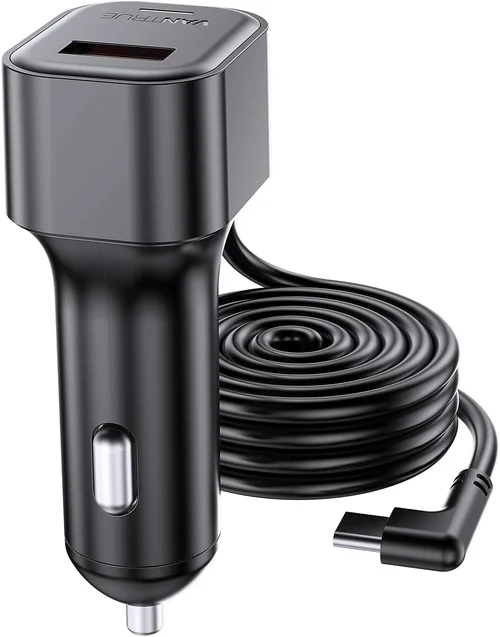
DIY vs. Professional Install: Simple plug-and-play models require no tools. Hardwired systems demand wiring expertise—mistakes risk damaging your fuse box. Only pay for professional help if you lack confidence or own a rare vehicle.

Frequently Asked Questions
Q: Do I really need a dash cam installed by a professional?
A: Only if your model requires hardwiring or multiple cameras. Most budget units connect via USB or cigarette lighter and mount in minutes. Professionals charge $35–$150 for basic installs—consider whether the convenience justifies the cost.
Q: Can dash cams drain my car battery?
A: Yes, especially during parking mode. Always pair your dash cam with a low-voltage cutoff device or choose models with intelligent power management that shut off when voltage drops below 11.8V.
Q: Are dash cam recordings admissible in court?
A: Generally yes, provided they’re unaltered and timestamped. Courts prefer original evidence, so avoid modifying files after an incident. Store backups securely and never delete key footage.
Q: What happens if my dash cam fills up during a trip?
A: Loop recording overwrites oldest files first. Ensure your microSD card is large enough (64GB+) and formatted correctly. Some apps let you set overwrite preferences or trigger emergency saves manually.
Q: Can I use any microSD card?
A: No. Use high-endurance cards designed for continuous write cycles. Standard consumer cards wear out quickly under constant recording. Stick to brands like SanDisk Extreme or Samsung PRO Endurance.
Q: Will a dash cam affect my car’s warranty?
A: Unlikely if installed properly. Modifying the electrical system improperly voids warranties—but simply adding a suction cup mount or OBD-II adapter won’t trigger issues. Keep receipts for any modifications.
Q: How long do dash cam batteries last during parking mode?
A: Typically 24–72 hours depending on model, ambient temperature, and usage patterns. Cold weather reduces lithium-ion performance. Pair with a parking sensor or schedule shutdowns via mobile app.
Q: Do all dash cams have night vision?
A: Not equally. True night vision requires infrared LEDs or superior low-light sensors. Many budget models struggle in darkness. Look for f/1.6 or wider apertures and starlight-rated sensors.
Our Final Recommendations
Best for Budget-Conscious Buyers: VAVA UA001 – Delivers crisp 1080p footage, compact design, and includes a 32GB card. No frills, no surprises—just reliable recording for under $70.
Best Overall Value: Thinkware F800 Pro – Combines 1440p resolution, parking mode, GPS, and robust build quality. Slightly pricier than entry-level but worth every penny for frequent drivers.
Best Premium Option: BlackVue DR970X-2CH – 4K front camera, cloud connectivity, and military-grade durability. Ideal for those wanting future-proof technology and top-tier support.
Best for Beginners: Nextbase 522GW – User-friendly interface, Alexa integration, and emergency SOS button. Great introduction to smart dash cams without overwhelming complexity.
Best for Advanced Users: Garmin Dashcam Mini – Ultra-compact, voice-activated, and pairs seamlessly with Garmin navigation systems. Perfect for tech-savvy drivers wanting minimal distraction.
Conclusion: Making the Right Choice
Buying a dash cam doesn’t have to be complicated—or expensive. By focusing on your actual needs rather than chasing every shiny feature, you’ll find a system that protects your vehicle, documents incidents fairly, and fits comfortably within your budget. Remember that installation charges only apply when you opt for hardwired setups or multi-camera rigs; simple plug-in models are 100% DIY-friendly.
Take time to research, compare real user experiences, and prioritize core capabilities like video clarity, reliability, and ease of use. Don’t rush into purchases based on flashy ads—instead, let practical considerations guide you toward a solution that delivers lasting value. Whether you’re installing your first dash cam or upgrading an existing system, this guide empowers you to skip the guesswork and drive with greater confidence knowing you’ve chosen wisely.