How to Choose the Best Dash Cam for Multiple Cars
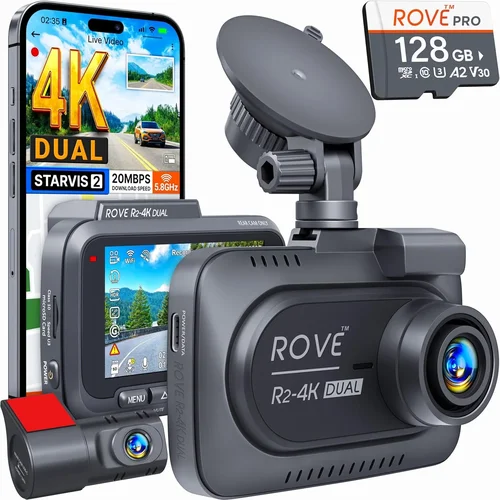
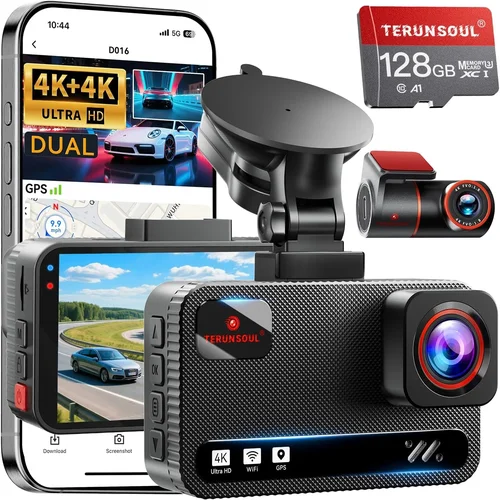
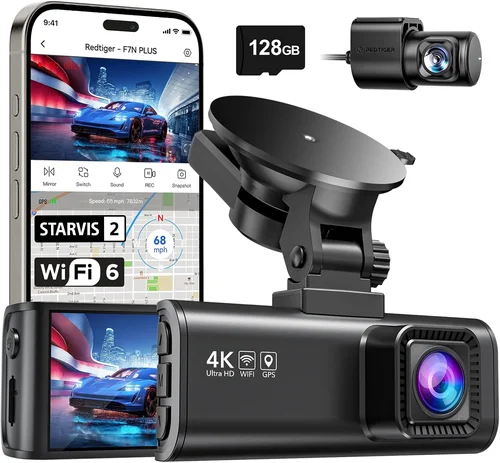
When managing multiple vehicles, finding a reliable dash cam that works seamlessly across all your cars can feel like searching for a needle in a haystack. Whether you’re a family with two or three vehicles, a rideshare driver juggling personal and work cars, or a small business owner needing surveillance for fleet operations, the right dash cam setup can make a world of difference. Not only does it provide peace of mind by capturing critical evidence in case of accidents or disputes, but it also helps monitor driver behavior, protect against false claims, and even reduce insurance premiums in some cases. However, not every dash cam is built to handle the demands of multiple cars—some lack the flexibility, storage capacity, or connectivity needed for multi-vehicle use. This comprehensive guide will walk you through everything you need to know to choose the best dash cam system for your household or business, ensuring safety, efficiency, and long-term value.
By the end of this article, you’ll understand how to evaluate dash cams based on performance, features, compatibility, and ease of management across multiple vehicles. You’ll learn which brands offer the most reliable multi-car solutions, what technical specifications truly matter when using one device in several cars, and how to avoid common pitfalls that lead to poor performance or wasted investment. We’ll also break down pricing tiers so you can find a system that fits your budget without sacrificing essential functionality. From GPS tracking and cloud storage to Wi-Fi connectivity and remote viewing, we’ll cover advanced capabilities that simplify monitoring multiple fleets from a single dashboard. Whether you’re upgrading from older models or installing your first dash cam network, this guide equips you with expert insights to make an informed decision.
The market for dash cams has exploded over the past decade, driven by rising awareness of road safety, increasing rates of insurance fraud, and the growing popularity of connected vehicle technology. Today’s dash cams go far beyond basic front-facing cameras; many now include dual-lens systems (front and interior), night vision, loop recording, G-sensor alerts, parking mode, and real-time GPS logging. For users with multiple cars, the ideal solution often involves a centralized platform where footage from all vehicles can be accessed remotely, stored securely in the cloud, and organized intelligently. Some manufacturers even offer subscription-based services that bundle hardware, software, and data management into one seamless ecosystem. As we dive deeper into the specifics of selecting the right dash cam for multiple cars, keep in mind that your needs may vary depending on usage frequency, vehicle types, driving conditions, and whether your primary goal is legal protection, fleet management, or simply added security.

What to Look for When Buying Dash Cams
1. Budget & Price Range
Before diving into features, it’s essential to establish a realistic budget. Dash cams range dramatically in price—from under $50 entry-level models to over $300 premium systems with advanced connectivity and professional-grade sensors. For multi-car setups, consider that you may need additional accessories like extra SD cards, mounting kits, or even separate power adapters per vehicle. A mid-range dash cam offering strong performance and reliability often delivers better value than a cheaper model prone to malfunctions or a luxury unit with rarely used features. Allocate at least $100–$150 per camera if you’re purchasing high-quality units capable of handling demanding environments and providing clear, usable footage.
2. Performance Specifications
The heart of any dash cam is its imaging capability. Key specs to examine include video resolution (1080p vs. 4K), frame rate (30fps vs. 60fps), sensor quality (CMOS size), low-light sensitivity, and dynamic range. For multiple cars, consistency matters—you want identical performance across all vehicles to ensure comparable footage regardless of which car was involved in an incident. Look for cameras with wide dynamic range (WDR) to balance bright headlights at night with dark road surfaces, reducing washed-out or overly grainy images. Additionally, check if the camera supports variable bitrates, which optimize file sizes while maintaining clarity during critical moments.
3. Build Quality & Durability
Dash cams endure extreme temperatures, vibrations, humidity, and exposure to sunlight—especially when mounted on windshields inside parked vehicles. Robust build quality ensures longevity and consistent operation year after year. Seek models with metal housings rather than plastic, reinforced lenses, and secure mounting brackets designed to withstand impacts. Waterproofing and shock resistance ratings (if available) are also worth noting, particularly if you live in regions with harsh weather. Since you’ll be installing these in more than one vehicle, durability becomes doubly important—frequent replacements add unnecessary cost and downtime.
4. Features & Functionality
Modern dash cams pack surprisingly rich feature sets. Essential capabilities for multi-car users include:
- Loop Recording: Automatically overwrites oldest footage when storage fills up, ensuring continuous coverage.
- G-Sensor (Impact Detection): Triggers emergency save when sudden deceleration or collision occurs.
- Parking Mode: Monitors your car while parked using motion or impact detection, powered via hardwiring or battery packs.
- GPS Logging: Records speed, location, and route data alongside video—useful for fleet tracking or accident reconstruction.
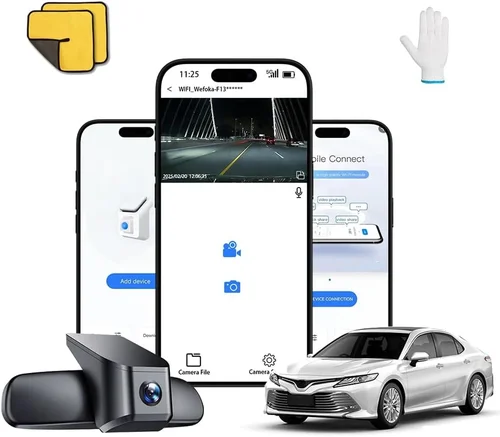
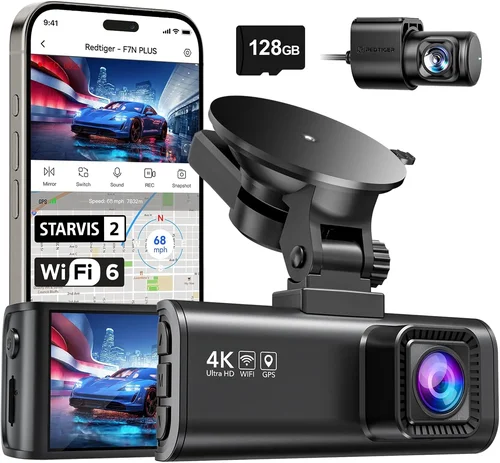
- Wi-Fi & App Integration: Enables wireless transfer of clips, live preview, and remote configuration from smartphones or tablets.
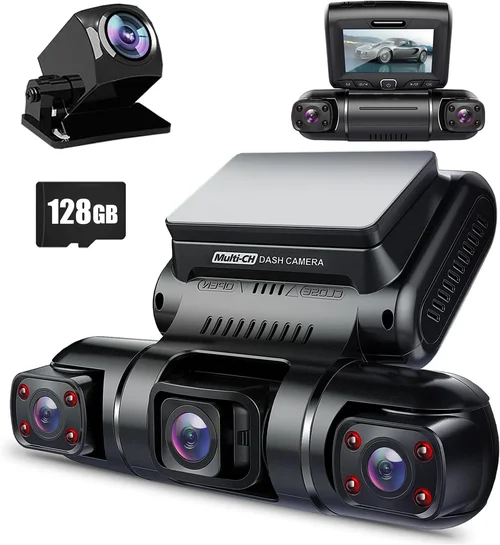
- Dual-Lens Systems: Capture both exterior and cabin views simultaneously—ideal for rideshare drivers or families wanting to monitor passengers.
- Cloud Storage Sync: Automatically uploads critical clips to secure online servers accessible from anywhere.
For multi-vehicle setups, centralized control through companion apps significantly simplifies management. Imagine reviewing footage from Car A, Car B, and Car C all from one interface—this convenience alone justifies investing in smarter systems.
5. Brand Reputation
Not all brands deliver equal reliability. Established names like Garmin, BlackVue, Thinkware, Viofo, and Nextbase have built solid reputations through consistent firmware updates, responsive customer service, and durable hardware. Newer entrants may offer tempting prices but sometimes skimp on support or future-proofing. Research user forums, third-party reviews, and professional testing reports before committing. Also verify whether the brand offers regional warranties and repair centers—critical if you operate across different countries or states with varying consumer protection laws.
6. Warranty & Support
A robust warranty reflects manufacturer confidence in their product. Most reputable dash cam brands offer at least a 1-year limited warranty covering defects in materials and workmanship. Some extend this to 2–3 years or include accidental damage coverage. Check what’s included: Is the screen covered? What about internal components like SD card readers or power modules? Equally important is technical support availability—live chat, phone lines, email responsiveness, and troubleshooting guides can save hours of frustration when issues arise unexpectedly.
7. Size & Portability
Compactness influences discretion and ease of installation. Smaller dash cams (under 2 inches tall) blend into the windshield without obstructing sightlines, making them ideal for daily commuters. However, smaller sensors sometimes sacrifice image quality compared to larger counterparts. If you frequently switch between cars (e.g., renting vehicles), ultra-portable models with magnetic mounts or adhesive pads offer flexibility. Conversely, fixed installations benefit from sturdier builds that resist tampering or theft.
8. User Reviews & Ratings
Real-world feedback reveals hidden flaws and strengths overlooked in marketing materials. Scour Amazon, Best Buy, and specialty electronics retailers for recent reviews focusing on long-term reliability, software stability, and customer service experiences. Pay attention to recurring complaints—such as poor night vision, erratic GPS sync, or app crashes—that might indicate systemic issues. Positive reviews highlighting ease of use, clear instructions, and effective support are equally telling. Avoid relying solely on star ratings; read full-text comments for nuanced insights.
Different Types of Dash Cams

Common Buying Mistakes to Avoid
❌ Mistake: Ignoring Storage Requirements
Why it’s bad: Assuming a standard microSD card will suffice leads to constant reformatting, lost footage, and failed emergency saves. Without sufficient storage, loop recording deletes crucial evidence before it can be reviewed.
What to do instead: Calculate your average driving time and select a dash cam compatible with high-capacity cards (64GB–256GB). Opt for UHS-I Class 3 or higher for reliable write speeds. Consider models supporting exFAT formatting for larger files.
❌ Mistake: Skipping Parking Mode Compatibility
Why it’s bad: Leaving your dash cam plugged into a USB port won’t activate parking surveillance. Many budget models lack true hardwired parking mode, rendering them useless when unattended.
What to do instead: Verify that your chosen model includes a dedicated parking mode circuit activated only when hardwired to constant power. Pair it with a reliable capacitor or supercapacitor-based backup for safe shutdowns.
❌ Mistake: Overlooking App Stability & Connectivity
Why it’s bad: Unreliable smartphone apps cause missed notifications, failed clip transfers, and frustration during emergencies. Poor Wi-Fi pairing or Bluetooth interference disrupts real-time alerts.
What to do instead: Test the companion app thoroughly before purchase. Read recent reviews about connection drops, update frequency, and OS compatibility (iOS vs. Android). Choose brands known for stable software ecosystems.
❌ Mistake: Choosing Based Solely on Resolution
Why it’s bad: 4K resolution sounds impressive, but excessive pixel count increases file sizes exponentially without always improving usability. Small screens and compressed playback make ultra-high-res videos hard to analyze later.
What to do instead: Prioritize balanced specs: 1080p or 2.5K with good low-light performance and WDR often outperform 4K models lacking optimization. Ensure your review workflow (e.g., computer playback, mobile viewing) isn’t bottlenecked by resolution.
❌ Mistake: Neglecting Firmware Updates
Why it’s bad: Outdated firmware introduces bugs, security vulnerabilities, and missing features. Manufacturers occasionally fix critical issues like GPS inaccuracies or audio sync problems through updates.
What to do instead: Select brands committed to regular firmware releases. Subscribe to update notifications and install patches promptly. Avoid discontinued models no longer receiving support.
❌ Mistake: Installing Without Proper Hardwiring
Why it’s bad: Relying on cigarette lighter adapters drains your car battery overnight and poses fire risks if wiring degrades. Improper installation voids warranties and creates loose cables that impair driving visibility.
What to do instead: Invest in professional hardwiring kits or DIY harnesses that tap into ignition-switched power only when the engine runs. Secure all wires along factory routing paths away from moving parts.
Budget Guidelines: How Much Should You Spend?
Entry-Level ($50 – $100)
This tier suits occasional drivers or those testing dash cam benefits without major investment. Expect basic 1080p recording, loop mode, and minimal extras like motion detection. Brands like Apeman, Rexing, and Koomi dominate this space. While affordable, be wary of inconsistent image quality, flimsy mounts, and lack of parking mode. Ideal for secondary vehicles or short commutes where absolute reliability isn’t critical.
Mid-Range ($100 – $200)
The sweet spot for most multi-car households and light commercial users. Here, you’ll find dual-lens systems, superior sensors, GPS, Wi-Fi, and true parking mode. Thinkware U1000, Viofo A119 V3, and Garmin Dash Cam Mini fall here. These models deliver professional-grade clarity, intuitive apps, and durable construction. They strike an excellent balance between cost and capability, making them the top recommendation for families or small businesses running two to four vehicles.
Premium ($200 – $350)
For power users, fleet managers, or those requiring advanced analytics. Features include 4K recording, HDR, enhanced night vision, cloud synchronization, and AI-powered object detection. BlackVue DR970X-2CH and Nextbase 622GW exemplify this category. Subscription plans (often $10–$20/month) unlock unlimited cloud storage and remote access. Worth considering if you need centralized oversight of multiple cars or legal-grade evidence collection.
Luxury ($350+)
Top-tier systems with enterprise-grade reliability, redundant storage, and custom integration options. Rarely necessary for personal use but vital for ride-hailing companies, delivery fleets, or investigators. These prioritize uptime, cybersecurity, and scalability over everyday convenience.
Expert Tips for Getting the Best Deal
- Buy During Holiday Sales: Major discounts appear around Black Friday, Cyber Monday, Prime Day, and back-to-school periods. Retailers like Amazon, Best Buy, and Walmart often slash prices by 20–40%.
- Bundle Accessories: Some packages include extra SD cards, suction mounts, or hardwiring kits. Compare standalone vs. bundled costs—accessories alone could push you into a higher price tier.
- Check Return Policies: Electronics stores typically offer 30-day returns. Test installation, app connectivity, and video quality before committing. Keep original packaging if possible.
- Look for Refurbished Units: Certified refurbished models from authorized dealers come with warranties and undergo rigorous testing. Save 20–30% versus new.
- Subscribe Wisely: Cloud services usually require monthly fees. Weigh the cost against local storage limits and privacy concerns. Free tiers exist but limit functionality.
- Verify Regional Compliance: In some jurisdictions, recording audio requires consent. Ensure your dash cam complies with local laws—especially important for cross-state or international use.
- Join Loyalty Programs: Tech-focused clubs or credit card rewards programs occasionally offer exclusive dash cam discounts or free shipping.

Frequently Asked Questions
Q: Can I use the same dash cam in multiple cars?
A: Yes, but physical swapping isn’t ideal. Instead, opt for wireless models with cloud accounts linked to each vehicle. This allows independent settings per car while sharing hardware. Alternatively, keep separate units for dedicated use.
Q: Do I need different dash cams for each car, or can one work for all?
A: One high-quality dash cam can serve multiple vehicles if equipped with cloud connectivity and flexible mounting. However, dedicated units offer better organization and prevent mix-ups during investigations.
Q: Are dash cams legal everywhere?
A: Generally yes for front-facing video recording, but regulations vary. Some countries restrict audio capture without consent. Always research local laws before installing.
Q: How much storage do I really need?
A: Plan for 1–2 GB per hour of recording. A 64GB card holds ~8 hours of 1080p footage. Larger capacities reduce manual intervention. Use exFAT formatting for files over 4GB.
Q: Will dash cams drain my car battery?
A: Only if improperly wired. True parking mode uses minimal power (<0.5W) and shuts off automatically. Hardwiring prevents drainage; avoid leaving USB adapters plugged in overnight.
Q: Can I view footage from all my cars on one device?
A: With cloud-enabled systems like BlackVue or Garmin, yes—via web portal or mobile app. Centralized dashboards display thumbnails, timestamps, and vehicle tags for quick navigation.
Q: Should I buy identical models for consistency?
A: Absolutely. Matching specs ensure uniform footage quality, file formats, and playback compatibility. Mismatched models complicate analysis and increase confusion during incidents.
Q: What’s the difference between capacitors and batteries in parking mode?
A: Capacitors safely power short-term parking surveillance and shut down cleanly without corroding terminals. Rechargeable batteries degrade faster and may leak. Most experts prefer capacitor-based designs.
Q: Can dash cams record while charging?
A: Yes, provided the power source is stable. USB ports supply enough juice for basic recording, but hardwired installations are safer for extended use or parking mode.
Q: How do I organize footage across multiple vehicles?
A: Use cloud platforms that auto-tag clips by vehicle ID, date, and event type. Label SD cards manually if storing locally. Create folders named by license plate or owner for easy retrieval.
Our Final Recommendations
Best for Budget-Conscious Buyers: Viofo A119 V3 – Reliable 1080p dual-lens recording, strong night vision, and robust app integration—all under $150. Ideal for families needing one camera for two cars.
Best Overall Value: Thinkware U1000 – 2K resolution, GPS, WDR, and exceptional build quality. Slightly pricier but worth the upgrade for frequent drivers prioritizing clarity and durability.
Best Premium Option: BlackVue DR970X-2CH – 4K front/rear recording, built-in Wi-Fi, cloud sync, and military-grade reliability. Top choice for serious users managing multiple high-value vehicles.
Best for Beginners: Garmin Dash Cam Mini – Ultra-compact, simple setup, and seamless smartphone pairing. No frills, no fuss—perfect for first-timers adding a second car.
Best for Advanced Users: Nextbase 622GW – Crisp 4K video, Alexa voice control, emergency SOS, and predictive collision warnings. Packs pro features into a user-friendly package.
Conclusion: Making the Right Choice
Choosing the best dash cam for multiple cars isn’t just about picking the shiniest gadget—it’s about matching technology to your lifestyle, legal requirements, and long-term goals. By focusing on core factors like image quality, connectivity, and centralized management, you’ll avoid costly mistakes and maximize protection across all your vehicles. Remember that consistency trumps complexity: identical models simplify maintenance, analysis, and peace of mind. Whether you’re safeguarding your family’s sedans, monitoring a rideshare fleet, or securing a small business fleet, invest in systems proven to deliver reliable results day in and day out. Take time to compare, test, and plan—your future self will thank you when facing a roadside dispute or insurance claim. Start today by identifying your must-have features, setting a realistic budget, and selecting brands with stellar reputations. Your roads will be safer, and your mind, much more at ease.