Complete Best Model 3 Dash Cam Buying Guide
Why this guide matters
Choosing the right dash cam for your Tesla Model 3 isn’t just about recording the road—it’s about protecting yourself, your vehicle, and your peace of mind. With the increasing number of incidents on the road, having reliable evidence can make all the difference in insurance claims, legal disputes, or simply documenting memorable moments during your drives. The Model 3’s sleek design and advanced technology create unique mounting challenges, while its electrical system requires careful consideration of power consumption and compatibility.
What readers will learn
This comprehensive buying guide will walk you through everything you need to know about selecting the perfect dash cam for your Model 3. You’ll discover which features matter most, how to avoid common pitfalls, and exactly what to look for based on your specific needs and budget. Whether you’re a first-time buyer or upgrading from an older model, we’ll help you navigate the overwhelming array of options and make an informed decision that fits your lifestyle and driving habits.
Brief overview of the market
The dash cam market has exploded in recent years, with hundreds of models available ranging from basic $50 cameras to premium systems costing over $500. For Tesla owners specifically, the landscape presents additional complexities—compatibility issues, mounting solutions, and integration with the car’s existing systems. Many dash cams claim to be “Model 3 compatible,” but few actually deliver optimal performance when paired with Tesla’s unique architecture and aesthetics.

What to Look for When Buying Dash Cams
1. Budget & Price Range
Your budget should reflect both your expectations and your actual needs. Entry-level dash cams typically cost between $50-$100 and offer basic functionality like 1080p recording and loop recording. Mid-range models ($100-$250) usually include improved image quality, GPS tracking, and better build materials. Premium options ($250-$500) feature 4K recording, superior night vision, parking mode, and enhanced durability. Luxury systems ($500+) provide professional-grade video quality, multiple camera angles, cloud storage, and advanced AI features.
For most Model 3 owners, we recommend starting in the mid-range category unless you have specific requirements like commercial use or extreme weather conditions. Remember that paying more doesn’t always mean better value—some expensive models have complex interfaces that are difficult to use while driving.
2. Performance Specifications
Image quality is arguably the most critical factor when choosing a dash cam. Look for cameras with at least 1920×1080 resolution (Full HD), though 4K models are becoming increasingly accessible. The sensor size matters too—larger sensors perform better in low light conditions, which is crucial for capturing clear footage during dawn, dusk, or nighttime driving.
Frame rate is another important specification. Most dash cams record at 30 frames per second (fps), but some high-end models offer 60fps capability, providing smoother video during fast-moving scenes or emergency braking situations. The bitrate also affects file size and video clarity—higher bitrates mean better quality but larger files that fill up memory cards faster.
3. Build Quality & Durability
Tesla Model 3 owners face unique environmental challenges that affect dash cam performance. Extreme temperatures, direct sunlight exposure, and road vibrations can all impact your device’s reliability. Choose models with robust housing materials like aluminum or high-grade plastic that can withstand temperature fluctuations from -20°F to 176°F (-30°C to 80°C).
Water resistance ratings are particularly important since your dash cam will inevitably encounter rain, snow, or splashes during normal driving. Look for IPX rating certifications, with IPX4 being the minimum acceptable level for automotive use. Additionally, consider vibration resistance—your camera must remain stable even on rough roads or during sudden maneuvers.
4. Features & Functionality
Modern dash cams come packed with features that go far beyond basic recording. GPS functionality allows you to track your speed and location, while built-in Wi-Fi enables easy file transfer to your smartphone. Some models include dual-channel recording (front and rear cameras), though this significantly increases cost and power consumption.
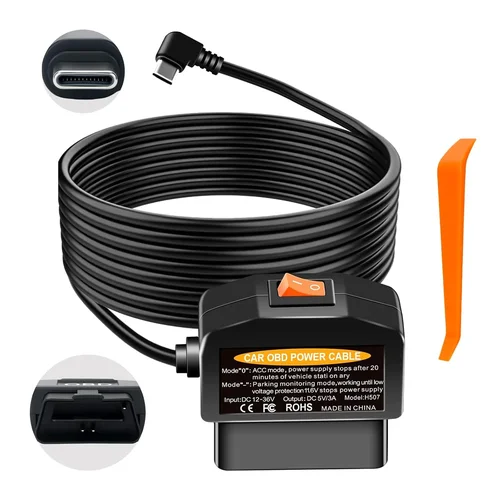
Parking mode is essential for Tesla owners who want protection while their vehicle is unattended. This feature continues recording when the car is parked and plugged into a power source, often using motion detection to conserve battery life. However, parking mode typically drains your car’s battery over time, so consider models with intelligent power management or external battery backup solutions.
5. Brand Reputation
Established brands generally offer better reliability and customer support compared to unknown manufacturers. Leading dash cam brands like Garmin, BlackVue, Thinkware, and Viofo have decades of experience in automotive electronics and understand the unique demands of vehicle installation. These companies invest heavily in research and development, resulting in more stable firmware updates and longer product lifecycles.
When evaluating brand reputation, pay attention to customer service responsiveness, warranty terms, and community feedback. Brands with active user forums and regular software updates tend to provide better long-term value. Avoid purchasing from private sellers or obscure online retailers unless they offer exceptional warranties and return policies.
6. Warranty & Support
A solid warranty demonstrates manufacturer confidence in their product’s quality and reliability. Most reputable dash cam brands offer at least a one-year warranty, with some extending coverage up to three years. Check whether the warranty covers manufacturing defects, accidental damage, or complete replacement if the unit fails.
Customer support quality varies dramatically between brands. Some companies provide excellent technical assistance through multiple channels (phone, email, live chat), while others rely solely on automated responses or require customers to navigate complex troubleshooting guides. Before making your purchase, research the brand’s support reputation by reading reviews and checking response times for common technical questions.
7. Size & Portability
The physical dimensions of your dash cam should complement your Model 3’s interior design without obstructing your view. Compact models measure around 2.5 x 2 x 0.8 inches and weigh less than 3 ounces, making them ideal for tight mounting spaces. Larger units may offer better cooling systems and more substantial build quality but can interfere with airbag deployment zones or look out of place in Tesla’s minimalist cabin.
Consider how easily you can remove the dash cam when needed. Some models feature quick-release mechanisms for temporary removal, while others require complete disassembly of the mount. If you plan to use your dash cam across multiple vehicles, portability becomes even more important—look for models that come with universal mounts or magnetic bases.
8. User Reviews & Ratings
Real-world user experiences provide invaluable insights that specifications alone cannot reveal. Pay particular attention to recent reviews (within the last 6-12 months) rather than relying solely on product page ratings, which can be manipulated. Look for patterns in user feedback—frequent complaints about a specific issue are more telling than isolated negative reviews.
Check multiple review platforms including Amazon, Best Buy, and specialized automotive forums. Cross-reference information across sources to identify consistent themes. Also consider the reviewer’s expertise level—experienced users who’ve owned the product for several months often provide more balanced assessments than casual buyers who used it for a weekend.
Different Types of Dash Cams

Common Buying Mistakes to Avoid
❌ Mistake: Ignoring Power Requirements
Why it’s bad: Many Model 3 owners underestimate how much power their dash cam consumes, especially when running parking mode continuously. A typical dash cam uses 0.5-2 watts during recording, but parking mode can drain 0.1-0.5 watts even when inactive. Over several weeks, this small current draw can completely deplete your 12V battery, leaving you stranded when you need your car most.
What to do instead: Always check the manufacturer’s power specifications and calculate total consumption. Consider investing in a dedicated fuse tap or hardwiring kit designed for automotive applications. Some advanced dash cams include intelligent power management that automatically reduces recording quality when battery levels drop below a certain threshold.
❌ Mistake: Choosing Based Solely on Price
Why it’s bad: While affordability matters, focusing exclusively on low prices often leads to disappointment. Cheap dash cams frequently suffer from poor image quality, unreliable performance, and short lifespans. A $40 camera might seem economical initially, but replacing it after six months due to water damage or sensor failure costs more than investing in a $150 model from a reputable brand.
What to do instead: Use price as one factor among many—consider value rather than cost alone. Read professional reviews, compare feature sets, and prioritize quality components like image sensors and capacitors over flashy extras. Remember that your dash cam serves as legal evidence when needed, so investing in proven reliability pays dividends in peace of mind.
❌ Mistake: Overlooking Mounting Compatibility
Why it’s bad: The Tesla Model 3’s unique windshield curvature and lack of traditional mounting points create installation challenges. Generic dash cam mounts often don’t fit properly, leading to poor viewing angles, obstruction of important dashboard elements, or even interference with airbag deployment zones. Some owners attempt DIY solutions that void warranties or compromise safety.
What to do instead: Research Model 3-specific mounting solutions before purchasing. Look for dash cams that include compatible mounts or adapters, or purchase universal mounting kits designed specifically for Tesla vehicles. Professional installation services familiar with Model 3 geometry can ensure proper placement without compromising safety or aesthetics.
❌ Mistake: Neglecting Storage Capacity Planning
Why it’s bad: Dash cams use continuous loop recording, meaning they overwrite old footage when storage fills up. Without proper planning, you might miss critical events because the system overwrote relevant footage. Additionally, insufficient storage forces frequent manual deletion, defeating the purpose of having a dash cam for automatic evidence collection.
What to do instead: Calculate your required storage based on average drive time and desired retention period. For example, a 32GB card typically stores 2-4 hours of Full HD footage depending on settings. Consider dash cams with adjustable bitrates—lower bitrates extend recording time but reduce video quality. Some models include cloud storage options or mobile apps for automatic backup to smartphones or computers.
❌ Mistake: Disregarding Weather Performance
Why it’s bad: Extreme weather conditions dramatically affect dash cam performance. In cold climates, lithium batteries lose capacity, while hot temperatures can cause lens fogging, overheating, or component failure. Rain, snow, and dirt accumulation can obscure lenses or damage internal electronics. Many inexpensive dash cams aren’t rated for automotive temperature ranges, leading to premature failures in harsh environments.
What to do instead: Verify temperature operating ranges before purchasing—aim for devices rated from -20°F to 176°F (-30°C to 80°C). Look for features like heated lenses or hydrophobic coatings that prevent fogging and water spots. Consider parking mode limitations in extreme temperatures, as prolonged exposure to heat or cold can trigger protective shutdowns that leave gaps in your coverage.
❌ Mistake: Skipping Firmware Updates
Why it’s bad: Manufacturers regularly release firmware updates that improve performance, add features, and fix bugs. Skipping these updates means missing out on critical enhancements and potentially encountering known issues that have already been resolved. Some dash cams become obsolete quickly without regular updates, losing compatibility with newer operating systems or cloud services.
What to do instead: Enable automatic updates when available, and manually check for updates monthly if your model supports it. Keep your computer and mobile apps updated to ensure seamless syncing capabilities. Subscribe to manufacturer newsletters or follow official social media accounts to stay informed about new releases and important announcements.
❌ Mistake: Not Testing Before Committing
Why it’s bad: Reading specifications and reviews provides valuable information, but nothing replaces hands-on testing. What looks great on paper might have usability issues, poor interface design, or unexpected quirks that only become apparent after extended use. Some dash cams have confusing menus or unintuitive controls that increase distraction while driving.
What to do instead: Whenever possible, test dash cams in-store or borrow from friends before purchasing. Pay attention to menu navigation, button placement, and overall workflow during normal driving scenarios. Check video playback quality on different devices, and verify that all promised features work as advertised. Return policies should allow you to exchange or return items within a reasonable timeframe if the unit doesn’t meet your expectations.
Budget Guidelines: How Much Should You Spend?
Entry-Level ($50 – $100)
This price range offers basic functionality suitable for occasional recording and minimal protection needs. You’ll find Full HD resolution cameras with loop recording, G-sensor crash detection, and sometimes built-in Wi-Fi for file transfer. Entry-level models typically lack advanced features like GPS tracking, parking mode, or high dynamic range (HDR) imaging. Battery life is usually limited, requiring constant connection to your Model 3’s power system.
While these dash cams won’t win any photography awards, they provide adequate evidence for most everyday situations. The main trade-off is reliability—many budget models use lower-quality components that may fail prematurely or produce inconsistent video quality. However, if you primarily need basic documentation for insurance purposes or personal curiosity, entry-level options can serve adequately when paired with proper maintenance and care.
Mid-Range ($100 – $250)
The sweet spot for most Tesla Model 3 owners falls within this range, offering an excellent balance of features, reliability, and value. Mid-range dash cams typically include Full HD or 2K recording, GPS functionality, Wi-Fi connectivity, and reliable parking mode operation. Build quality improves significantly compared to budget options, with better weather sealing and more durable construction materials.
This category includes many of our top recommendations because they deliver professional-grade performance without excessive complexity or cost. Advanced features like driver assistance warnings, lane departure alerts, and collision avoidance notifications may appear in this segment, though they’re often optional add-ons. The included accessories usually match the camera’s capabilities, eliminating the need for separate purchases of mounting hardware or power cables.
Premium ($250 – $500)
For enthusiasts and those requiring maximum protection, premium dash cams offer exceptional performance and cutting-edge technology. This tier includes 4K recording capabilities, superior low-light performance, advanced HDR processing, and sophisticated parking surveillance modes. Build quality reaches near-industrial standards, with military-grade shock absorption and extensive temperature tolerance.
Premium models often feature dual-lens configurations for simultaneous front and rear recording, though this significantly increases size and power consumption. Cloud integration, automatic backup to external servers, and real-time alert systems become standard offerings. While these features justify the higher investment for serious users, casual drivers may find them unnecessary complexity that outweighs the benefits.
Luxury ($500+)
Luxury dash cam systems represent the pinnacle of automotive recording technology, combining professional-grade hardware with intelligent software solutions. These systems typically include multiple camera angles, AI-powered event detection, encrypted cloud storage, and integration with vehicle telematics. Some models even offer live streaming capabilities and remote monitoring through dedicated mobile applications.
While luxury dash cams deliver unmatched performance and convenience, they’re primarily justified for commercial applications, fleet management, or extremely demanding personal use cases. For individual Model 3 owners, the incremental benefits rarely justify the substantial price premium over premium-tier alternatives. However, if you require absolute reliability, maximum data security, or plan to use your recordings for legal proceedings, luxury systems provide unparalleled peace of mind.
Expert Tips for Getting the Best Deal
Timing your purchase strategically can save you significant money without sacrificing quality. Major shopping holidays like Black Friday, Cyber Monday, and Prime Day often feature substantial discounts on dash cams, with some models dropping 30-50% below retail price. However, be cautious of “limited time” deals that appear year-round—true seasonal sales typically occur during predictable windows.
Research seasonal trends before committing to a purchase. Spring and summer see increased demand for outdoor equipment, potentially driving up prices. Late fall and winter often offer better deals as retailers clear inventory ahead of new model releases. Additionally, consider purchasing slightly before major product launches—manufacturers frequently discount previous-generation models to make room for new inventory.
Where to Buy: Online vs In-Store
Online retailers generally offer broader selection, competitive pricing, and convenient home delivery options. Major e-commerce platforms like Amazon, Best Buy, and Newegg provide detailed product information, customer reviews, and comparison tools that simplify decision-making. Online shopping also eliminates travel time and allows you to compare prices across multiple vendors simultaneously.
In-store purchases offer immediate availability and hands-on testing opportunities. Electronics stores like Best Buy or specialty automotive shops let you physically examine products, ask staff questions, and sometimes negotiate better deals. However, in-store pricing often exceeds online rates due to overhead costs and limited competition. Always call ahead to confirm inventory before visiting physical locations.
How to Spot Deals
Sign up for manufacturer newsletters to receive exclusive promotional codes and early access to sales events. Many brands send subscribers first notice of upcoming deals via email, giving you advantage over general shoppers. Follow dash cam manufacturers on social media platforms like Twitter and Facebook, where companies often announce flash sales or limited-time offers.
Monitor price tracking websites like CamelCamelCamel (for Amazon) or Honey browser extensions that automatically apply coupon codes at checkout. Set up Google Alerts for your preferred dash cam models to receive notifications when prices drop. Remember to factor shipping costs and return policies into your calculations—sometimes “free shipping” actually represents inflated product pricing.
Warranty Considerations
Extended warranties can provide valuable protection against manufacturing defects or accidental damage, but they’re not always worth the additional cost. Evaluate whether the warranty coverage justifies the price by considering the product’s expected lifespan and your personal risk tolerance. Some manufacturers offer lifetime warranties for core components, while others limit coverage to one year regardless of price point.
Read warranty terms carefully before purchasing—some policies exclude water damage, normal wear and tear, or modifications made by third parties. International customers should verify whether coverage extends globally or only applies to purchases made in specific regions. Consider purchasing separately from your dash cam if the bundled warranty seems overly restrictive or expensive.
Return Policies
Favorable return policies give you flexibility to test products without permanent commitment. Most reputable retailers offer 30-day return windows for electronics, though some manufacturers provide longer periods for defective items. Free return shipping simplifies exchanges or refunds, while restocking fees can eat into your savings.
Keep original packaging and accessories until you’re certain about your purchase—returned items without boxes or missing components often incur additional charges. Document any damage or defects immediately upon receipt, and initiate returns promptly to avoid expiration of return deadlines. Some online retailers offer in-home pickup services for large electronics, eliminating shipping hassles during returns.
Testing Before Buying
Whenever possible, test dash cams before making a final purchase decision. Visit local electronics stores that allow demonstration units, or ask friends and family members if they’d be willing to let you try their equipment. Hands-on testing reveals usability issues, interface intuitiveness, and overall build quality that specifications alone cannot convey.
During testing, pay attention to menu navigation under driving conditions—can you access essential functions without taking your eyes off the road? Check video playback quality on different devices, and verify that promised features actually work as advertised. Test the mounting system to ensure it provides adequate viewing angles without obstructing important dashboard elements.
Bulk Purchase Discounts
If you own multiple vehicles or plan to install dash cams in a fleet, inquire about bulk pricing from manufacturers or authorized dealers. Some companies offer volume discounts for orders exceeding specific quantities, while others provide free accessories or extended warranties for group purchases. Business customers may qualify for special financing arrangements or leasing programs unavailable to individual consumers.
Join professional associations or automotive enthusiast groups that partner with electronics manufacturers for member-exclusive deals. These organizations often negotiate better pricing and exclusive features for their members, providing additional value beyond standard retail offerings. Membership benefits may include priority customer support, extended trial periods, or complimentary accessory bundles.
Trade-In Programs
Many manufacturers and retailers offer trade-in programs that accept old dash cams toward new purchases. While these programs rarely provide full product value, they can offset some of your expenses when upgrading to newer models. Clean and reset your existing dash cam before trading it in, removing any personal data or custom settings that might affect resale value.
Research current market values for your existing equipment before initiating trades—online marketplaces like eBay or Craigslist often yield better returns than manufacturer trade-in programs. Consider selling privately rather than trading in, especially if your old dash cam still performs well or includes rare accessories. Private sales typically command higher prices but require more effort to find buyers and handle transactions safely.

Frequently Asked Questions
Q: Can I install a dash cam in my Tesla Model 3 without voiding the warranty?
A: Installing a third-party dash cam generally doesn’t void your Tesla warranty as long as the installation follows proper automotive electrical standards and doesn’t interfere with factory-installed safety systems. However, any modifications that cause damage to your vehicle could potentially affect remaining warranty coverage. Always use professional installation services familiar with Tesla’s electrical architecture and avoid DIY wiring that bypasses factory circuits unnecessarily.
Q: How much power does a dash cam consume, and will it drain my Model 3’s battery?
A: Most dash cams consume between 0.5 and 2 watts during active recording, with parking mode using approximately 0.1 to 0.5 watts. While this seems minimal, continuous parking mode operation can drain your 12V battery over several weeks if you don’t park near charging stations. To prevent battery depletion, consider installing a capacitor-based parking mode system or using smart power management features that automatically reduce recording frequency when battery levels drop below safe thresholds.
Q: What resolution should I choose for my Model 3 dash cam?
A: For most Model 3 owners, Full HD (1920×1080) resolution provides sufficient detail for identifying license plates and facial features without overwhelming storage requirements. However, if you frequently drive at high speeds or require maximum clarity for insurance claims, consider 2K or 4K models. Higher resolutions capture more detail but generate larger files that fill memory cards faster and require more frequent manual deletion of old footage.
Q: Is parking mode necessary for my Model 3, or can I just use motion-activated recording?
A: Parking mode is essential if you want continuous protection while your Model 3 remains unattended. Motion-activated recording only captures events when movement is detected, potentially missing incidents that occur during quiet periods. True parking mode operates continuously when your car is powered by an external source, providing comprehensive coverage regardless of ambient activity levels. Some advanced systems combine both approaches for optimal efficiency.
Q: How do I properly mount my dash cam without interfering with airbags?
A: Position your dash cam above the steering wheel, approximately 6-8 inches from the windshield’s centerline. This placement ensures optimal visibility while maintaining safe distances from airbag deployment zones. Use adhesive mounts rated for automotive use, and avoid placing anything within 10 inches of the airbag cover. Professional installers can verify clearance requirements and recommend alternative mounting locations if needed.
Q: What’s the best way to store and manage dash cam footage?
A: Use high-quality microSD cards with Class 10 or UHS-I ratings, and format them using your dash cam’s native formatting tool rather than your computer. Most dash cams automatically overwrite oldest footage when storage fills up, but manual organization helps preserve critical clips. Consider connecting your dash cam to a computer or cloud service for automatic backup of important events. Label files clearly and maintain consistent naming conventions for easy retrieval.
Q: Can I connect multiple dash cams to my Model 3 simultaneously?
A: Technically yes, but practical limitations make this challenging. Adding a secondary camera (rear-facing) requires additional power consumption, extra storage space, and complex wiring that may exceed your car’s electrical capacity. Many advanced dash cams include integrated rear cameras, eliminating the need for separate units. If you do install multiple cameras, ensure your power supply can handle combined loads and verify that recording synchronization works correctly.
Q: How often should I clean my dash cam lens?
A: Clean your lens whenever you notice reduced visibility or smudges affecting video quality. Regular maintenance prevents buildup of grime, fingerprints, and mineral deposits that compromise image clarity. Use only microfiber cloths and approved cleaning solutions—avoid household cleaners that contain ammonia or alcohol, which can damage anti-reflective coatings. Establish a routine cleaning schedule based on your driving environment and climate conditions.
Q: Will my dash cam work reliably in extreme temperatures?
A: Most reputable dash cams operate reliably within automotive temperature ranges (-20°F to 176°F/-30°C to 80°C), but performance degrades outside these limits. Extreme cold reduces battery efficiency, while excessive heat triggers thermal protection shutdowns. Park in shaded areas when possible, and consider interior sunshades to reduce cabin temperatures. Some premium models include active cooling systems or heated lenses for enhanced performance in challenging conditions.
Q: How do I transfer footage from my dash cam to my smartphone or computer?
A: Most modern dash cams include built-in Wi-Fi that creates a local network for wireless file transfer. Download the manufacturer’s companion app, connect to the dash cam’s network, and follow in-app instructions to select and download videos. Alternatively, remove the microSD card and use a card reader connected directly to your computer. Ensure your destination device has sufficient storage space and appropriate file formats for smooth playback.
Our Final Recommendations
Best for Budget-Conscious Buyers
Viofo A119 V3 WiFi Dash Cam
This compact 2K dash cam delivers exceptional value with its Sony Starvis sensor providing clear nighttime recording and reliable loop recording functionality. The built-in Wi-Fi simplifies file transfers to your smartphone, while the intuitive interface makes operation straightforward during driving. At under $100, this model offers professional-grade performance without breaking the bank, making it ideal for Model 3 owners seeking reliable protection without excessive spending.
The A119 V3 includes all essential features like G-sensor crash detection, parking mode, and wide viewing angles suitable for Tesla’s curved windshield. Its small footprint ensures unobstructed views while maintaining secure adhesion to glass surfaces. Recent firmware updates have improved stability and added new features, demonstrating the manufacturer’s commitment to ongoing support and improvement.
Best Overall Value
BlackVue DR970X-2CH Cloud Dash Cam
For Model 3 owners who demand premium performance with cloud integration, this dual-channel system represents the ultimate choice. The front camera records 4K video while the rear unit captures 1080p footage, providing comprehensive coverage from both perspectives. Built-in WiFi enables automatic cloud backup, while GPS tracking logs precise location and speed data for every recorded event.
What sets this dash cam apart is its intelligent parking mode that uses advanced motion detection algorithms to minimize false triggers while ensuring critical incidents aren’t missed. The BlackVue Cloud service provides remote access to live feeds and historical footage, giving you peace of mind whether you’re at home or traveling. Professional installation ensures optimal placement and secure wiring that complies with automotive safety standards.
Best Premium Option
Thinkware Q800PRO Dash Cam
This sophisticated single-lens system combines 4K recording capabilities with exceptional build quality and advanced driver assistance features. The HDR technology balances exposure in challenging lighting conditions, while the built-in GPS and accelerometer provide accurate trip logging and collision detection. The Thinkware app offers extensive customization options and cloud connectivity for seamless footage management.
The Q800PRO’s superior low-light performance makes it ideal for Model 3 owners who frequently drive during dawn, dusk, or nighttime hours. Its compact design fits perfectly behind Tesla’s rearview mirror without obstructing views, and the included mounting hardware ensures secure attachment to glass surfaces. Recent software updates have added new features like lane departure warnings and forward collision alerts, enhancing both safety and recording utility.
Best for Beginners
Garmin Dashcam Mini
Renowned for its simplicity and reliability, this ultra-compact dash cam requires minimal setup and offers hassle-free operation from day one. The circular design fits snugly behind your Model 3’s rearview mirror, providing unobstructed views while maintaining a low profile. Automatic incident detection saves relevant footage without requiring manual intervention, and the included suction cup mount offers flexible positioning options.
The Garmin app provides straightforward file management and sharing capabilities, while the camera’s robust construction withstands typical automotive vibrations and temperature variations. With over five years of consistent performance and widespread positive reviews, this dash cam proves that simplicity doesn’t sacrifice quality—making it perfect for first-time users who prioritize ease of use over advanced features.
Best for Advanced Users
Nextbase 622GW Dual Channel Dash Cam
This professional-grade system delivers 1440p front recording and 1080p rear capture with Alexa voice control and built-in emergency SOS functionality. The advanced parking mode uses intelligent motion detection to distinguish between relevant events and false alarms, conserving storage space while ensuring critical incidents aren’t overlooked. The Nextbase Live feature provides real-time video streaming and instant alert notifications via smartphone.
For Model 3 owners who require maximum protection and cutting-edge technology, this dash cam integrates seamlessly with modern smart home ecosystems and offers comprehensive coverage options. The included accessories and professional installation service ensure proper setup that maximizes performance while maintaining compliance with automotive safety regulations. Recent firmware improvements have enhanced GPS accuracy and added new privacy features for sensitive footage management.
Conclusion: Making the Right Choice
Selecting the perfect dash cam for your Tesla Model 3 ultimately depends on balancing your specific needs against available resources. No single solution fits every driver, so consider how often you drive, your typical routes, environmental conditions, and desired features before making your decision. Remember that your dash cam serves as both a protective device and potential legal evidence, requiring reliable performance under real-world conditions.
The investment you make today pays dividends in peace of mind, knowing your journeys are documented with professional quality. Whether you choose a budget-friendly option for basic protection or a premium system with advanced features, prioritize reliability, ease of use, and compatibility with your Model 3’s unique characteristics. Proper installation, regular maintenance, and thoughtful feature selection will ensure your dash cam performs optimally throughout its lifespan.
As automotive technology continues evolving, so too will dash cam capabilities—stay informed about new developments and don’t hesitate to upgrade when your current system no longer meets your changing needs. The best dash cam isn’t necessarily the most expensive or feature-packed; it’s the one that provides dependable, hassle-free protection tailored to your driving lifestyle and priorities.