Complete Best Dash Cam App for iOS Buying Guide
When it comes to protecting your vehicle, ensuring safety on the road, and maintaining peace of mind during every drive, a dash cam has become an essential automotive accessory. With the rise of smartphone integration, choosing the right dash cam app for iOS can significantly enhance your experience by offering seamless control, real-time monitoring, cloud storage, and intelligent alerts. However, with dozens of apps available across the App Store, selecting the best one that matches your needs, device compatibility, and budget can be overwhelming.
This comprehensive buying guide is designed to cut through the noise and help you make an informed decision. Whether you’re a daily commuter looking to record traffic incidents, a parent wanting to monitor teen drivers, or an adventure enthusiast capturing scenic routes, understanding what makes a dash cam app truly effective is crucial. In this article, we’ll explore the top features to prioritize, compare leading apps, examine common pitfalls, and offer expert advice so you can confidently pick the ideal iOS dash cam companion.
From evaluating performance specs like video resolution and night vision to analyzing user interface design and cloud sync capabilities, we’ve got you covered. We’ll also break down pricing tiers, highlight real-world use cases, and provide honest pros and cons of popular apps currently dominating the market. By the end, you’ll not only know which app ranks highest but also understand why it stands out—and how it fits into your broader tech ecosystem.
—

What to Look for When Buying Dash Cams
Choosing the right dash cam app isn’t just about picking the most downloaded option from the App Store. It’s about finding an application that integrates smoothly with your hardware, offers reliable functionality, and enhances your overall driving experience. Since iOS users rely heavily on their iPhones for connectivity and control, the ideal dash cam app must meet several critical criteria to deliver value beyond basic recording.
Let’s dive into the key factors every buyer should evaluate before making a purchase.
1. Compatibility with Your Dash Cam Model
Not all dash cam apps work with every device. Before downloading or purchasing any software, confirm that the app supports your specific dash cam model. Manufacturers often develop proprietary apps tailored to their own products—such as Garmin, BlackVue, or Rexing—while third-party solutions like CarDVR or AutoDash may offer broader compatibility.
Check the manufacturer’s website or product packaging for a list of supported iOS devices and app versions. For example, if you own a 70mai A810, you’ll need the official 70mai app; trying to use a generic universal app might result in limited features or complete incompatibility. Always verify both hardware and software specifications to avoid frustration later.
2. Video Quality and Resolution Support
The primary purpose of a dash cam is to capture clear, high-definition footage of the road ahead—especially during accidents or disputes. As such, the associated app should allow you to view live streams or playback recordings at full resolution. Look for support for at least 1080p Full HD, though many modern models now offer 2K or even 4K capabilities.
Apps that enable real-time zoom, frame-by-frame review, or adjustable bitrate settings give you greater flexibility when examining footage. Additionally, ensure the app can display night vision enhancements, HDR modes, and wide dynamic range (WDR) features if your dash cam includes them.
3. Cloud Storage and Backup Options
One of the most valuable features of a smart dash cam app is cloud integration. Instead of relying solely on local SD card storage, cloud-based backups protect your footage from theft, loss, or accidental deletion. Premium apps often include encrypted cloud storage with automatic uploads upon Wi-Fi connection.
Consider how much cloud space is offered (usually measured in gigabytes per month), whether uploads happen instantly or require manual initiation, and if historical data is retained indefinitely or deleted after a trial period. Some apps also offer GPS-tagged event logs synced directly to Google Maps within the interface.
4. Real-Time Notifications and Alerts
Advanced dash cam apps go beyond passive recording by providing active driver assistance. These include collision detection alerts, speed limit warnings, lane departure notifications, and even emergency SOS triggers. When integrated with your iPhone, these features can send instant push notifications directly to your screen.
For instance, if your dash cam detects sudden deceleration indicative of a rear-end collision, the app could alert nearby emergency contacts or automatically save the last 30 seconds of footage to prevent overwriting during loop recording cycles.
5. User Interface and Ease of Use
A cluttered, confusing interface defeats the purpose of convenience. The best dash cam apps for iOS prioritize intuitive navigation, minimal taps to access core functions, and clean visual layouts. Look for drag-and-drop file organization, searchable timestamps, color-coded event markers, and one-touch sharing options.
Voice commands, dark mode support, and accessibility features further enhance usability—especially for users who frequently interact with their phones while driving. Test the app yourself if possible, either through a free trial or demo version, to gauge responsiveness and clarity.
6. Battery Management and Power Efficiency
Since dash cams are typically powered via hardwiring or USB connections, battery drain isn’t usually a concern for the device itself. However, the companion app running on your iPhone should be optimized for low power consumption. Heavy background processes, constant location tracking, or excessive polling can quickly deplete your phone’s battery during long drives.
Choose apps with configurable background operation modes—such as “low-power listening” or scheduled syncs—to balance functionality with energy efficiency. Apps that minimize CPU usage and leverage iOS-native frameworks tend to perform better in this regard.
7. Privacy and Data Security
With increasing concerns about data privacy, it’s essential to select an app that handles sensitive information responsibly. Review the developer’s privacy policy to understand how your location history, video files, and personal details are stored, transmitted, and protected.
Look for end-to-end encryption, GDPR/CCPA compliance, two-factor authentication options, and clear opt-in consent mechanisms before uploading any content to the cloud. Avoid apps that sell anonymized user data to third parties or lack transparency about their security practices.
8. Customer Support and Update Frequency
Even the most polished app can encounter bugs or compatibility issues after iOS updates. Reliable customer service—via email, chat, or knowledge bases—can make a world of difference when troubleshooting problems. Check recent user reviews for mentions of responsiveness and helpfulness.
Frequent software updates also indicate active development and commitment to improving user experience. Apps updated monthly or quarterly tend to stay ahead of security vulnerabilities and OS changes, whereas stagnant apps risk becoming obsolete.
—
Different Types of Dash Cams
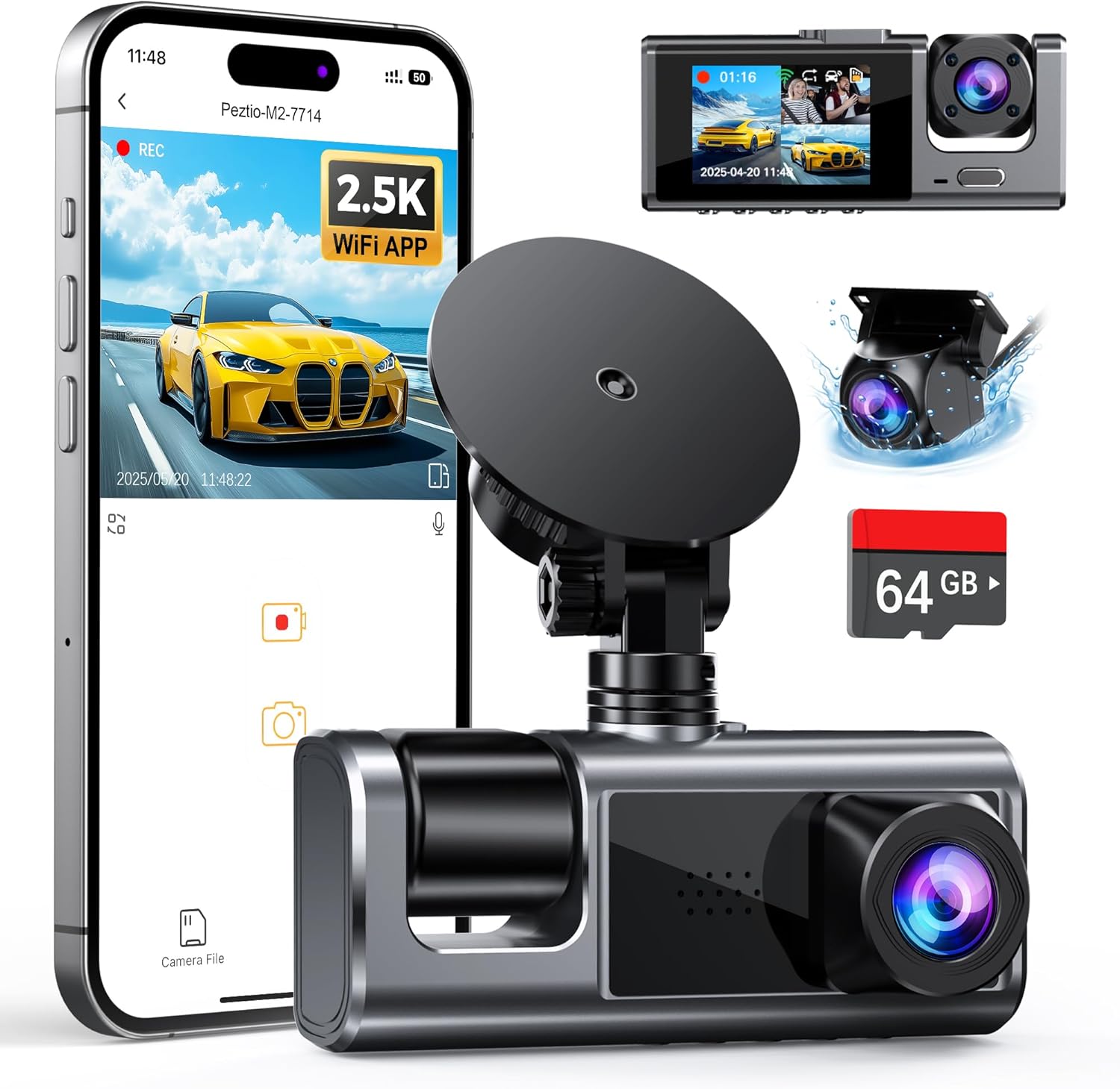
Each category serves distinct purposes, and the corresponding iOS app must align with those goals. Single-lens systems paired with simple mobile viewers suffice for basic needs, while AI-powered units demand robust processing, cloud infrastructure, and advanced notification logic within their apps.
—
Common Buying Mistakes to Avoid
While enthusiasm for upgrading your car’s tech setup is understandable, rushing into a purchase without proper research often leads to disappointment. Many buyers fall into predictable traps that undermine the very benefits dash cam apps promise—convenience, safety, and evidence preservation.
❌ Mistake: Ignoring iOS Version Compatibility
Why it’s bad: Apple frequently updates its operating system, introducing new APIs, security protocols, and UI changes. An app developed for iOS 14 may crash or fail entirely on iOS 17 due to deprecated frameworks or missing entitlements.
What to do instead: Always check the minimum required iOS version listed in the App Store description before downloading. If your iPhone runs an older OS, consider upgrading or choosing alternative apps known for backward compatibility. Also, read recent reviews to see if others report instability on current firmware.
❌ Mistake: Overlooking Storage Limitations
Why it’s bad: Most dash cams store footage locally on microSD cards, but the iOS app rarely manages card formatting or file recovery. Without sufficient free space, critical incident clips may be overwritten prematurely during loop recording.
What to do instead: Ensure your dash cam’s SD card has ample capacity (at least 128GB recommended) and regularly back up important videos to your iPhone or computer. Enable motion-activated or G-sensor-triggered locking for events to preserve them from deletion.
❌ Mistake: Choosing Based Solely on Download Count
Why it’s bad: Popularity doesn’t guarantee quality. Some apps accumulate downloads through aggressive marketing or bundled hardware sales rather than genuine user satisfaction. High download numbers can mask poor performance, intrusive ads, or shoddy support.
What to do instead: Rely on verified user ratings (4+ stars), professional tech reviews, and community forums. Look for consistent praise across multiple sources rather than chasing viral trends.
❌ Mistake: Assuming All Features Work Offline
Why it’s bad: Many advanced functionalities—like live streaming, GPS overlay, or cloud uploads—require an internet connection. If you drive in areas with weak or no signal, these features become useless, leaving you with a disconnected experience.
What to do instead: Verify which features operate offline versus online. Prioritize apps that cache maps, store alerts locally, and allow full playback without Wi-Fi. Test the app in remote locations if possible.
❌ Mistake: Skipping Warranty and Return Policies
Why it’s bad: Hardware defects, software bugs, or compatibility issues can render both the dash cam and app unusable. Without warranty coverage or flexible return windows, resolving problems becomes costly and time-consuming.
What to do instead: Purchase from reputable retailers offering at least a 30-day return policy and 1-year product warranties. Register your device immediately to activate support channels.
❌ Mistake: Neglecting Driver Distraction Risks
Why it’s bad: Constantly checking your phone while driving increases cognitive load and physical distraction, potentially causing secondary accidents. Poorly designed apps encourage unsafe behavior through complex menus or excessive notifications.
What to do instead: Opt for apps with voice-guided controls, glanceable dashboards, and automatic lockouts during motion. Set aside dedicated times (e.g., after parking) to review footage instead of multitasking behind the wheel.
—
Budget Guidelines: How Much Should You Spend?
Determining how much to invest in a dash cam app depends heavily on your usage frequency, desired features, and tolerance for complexity. While some users find value in basic free apps, others benefit from premium subscriptions offering unlimited cloud storage, AI analytics, and priority support. Below is a tiered breakdown to help you allocate your budget wisely.
Entry-Level ($0–$20): Essential Functionality
This range typically covers free apps bundled with affordable dash cams under $70. Examples include the official apps for brands like Viofo Mini ME or JusTone. Expect core capabilities: live preview, playback, and manual saving. Cloud features are rare, and resolution caps often sit at 1080p. Ideal for occasional drivers or those testing dash cam technology before committing.
💡 Pro Tip: Even entry-level apps should offer at least 32GB of local storage simulation through iPhone integration—verify this before buying.
Mid-Range ($20–$50): Balanced Performance
The sweet spot for most casual and semi-professional users. Apps here often come with 1TB+ cloud storage, GPS logging, impact detection, and encrypted backups. Brands like BlackVue, Thinkware, and Garmin fall into this category. Mid-tier models support 2K/4K recording and offer dual-band Wi-Fi for faster transfers.
This tier strikes a compromise between cost and capability, making it suitable for families, rideshare drivers, and commuters who want reliability without overspending.
Premium ($50–$100): Advanced Intelligence
For tech enthusiasts and safety-focused individuals, premium apps deliver next-gen features: facial recognition, lane assist, driver fatigue alerts, and real-time traffic incident reporting. Companies like Nextbase, Rexing, and 70mai compete here with subscription models ($5–$15/month) offering extended cloud retention and priority customer service.
Investment pays off through reduced insurance premiums, enhanced accident documentation, and proactive hazard awareness—particularly useful for frequent highway travelers.
Luxury ($100+): Professional-Grade Solutions
Top-tier offerings target commercial fleets, law enforcement, and extreme outdoor recreation. Apps integrate with telematics platforms, offer multi-vehicle management, and provide forensic-grade video analysis tools. Examples include Samsara, Lytx DriveCam, and Owlstone AI.
These solutions justify their cost through regulatory compliance, predictive maintenance insights, and enterprise-grade security—but are overkill for private individuals unless managing multiple vehicles professionally.
Remember: The app itself rarely costs more than $10–$20 upfront; recurring subscription fees are where true expenses accrue. Evaluate whether annual cloud fees fit within your total budget, especially if you plan to retain footage long-term.
—
Expert Tips for Getting the Best Deal
Navigating the dash cam app marketplace requires strategy. Savvy shoppers leverage timing, research, and negotiation to maximize value. Here are proven tactics to secure the best possible outcome:
Time Your Purchase Around Sales Cycles
Amazon Prime Day, Black Friday, Cyber Monday, and Memorial Day weekend consistently feature steep discounts on dash cam bundles. Retailers like Best Buy, Walmart, and B&H Photo often pair hardware deals with free app upgrades or extended trials. Sign up for brand newsletters to receive exclusive promo codes.
Buy Bundled Kits Instead of À La Carte
Most manufacturers sell dash cams separately from their apps—but buying a complete kit ensures compatibility and simplifies setup. Kits usually include mounting hardware, cables, and sometimes even cloud storage credits, saving you 10–25% versus purchasing components individually.
Take Advantage of Free Trials and Demos
Many premium apps offer 7–30 day trials with full feature access. Use this window to test responsiveness, interface intuitiveness, and cloud performance under real driving conditions. Cancel before billing starts if the app doesn’t meet expectations.
Compare Subscription Plans Carefully
Some providers charge per device, others per user. Fleet managers should calculate total cost based on vehicle count and staff permissions. Watch for “unlimited” claims—review terms to confirm storage limits aren’t artificially capped after a certain volume.
Check Refurbished or Open-Box Options
Certified refurbished units from authorized dealers come with full warranties and often include new accessories. These can reduce upfront costs by 20–40% compared to new retail prices, especially during seasonal clearance events.
Read Fine Print on Data Retention Policies
Free tiers may delete footage after 30 days; paid plans vary widely. Clarify how long clips remain accessible before deciding. For legal protection, aim for apps guaranteeing at least 90 days of retention—or better yet, indefinite storage with encryption.
Test Connectivity Before Committing Long-Term
If you travel frequently to rural areas, verify that your chosen app maintains stable connections when cellular reception drops. Some apps switch to local Wi-Fi hotspots automatically; others require manual intervention. Field testing prevents mid-journey frustrations.
—

Frequently Asked Questions
Q: Can I use any dash cam app with my iPhone, regardless of brand?
A: No—most dash cam apps are proprietary and only compatible with specific hardware models. Universal cross-brand apps exist but offer limited functionality. Always check official compatibility lists before purchasing or downloading.
Q: Do I need Wi-Fi to view dash cam footage on my iPhone?
A: Not necessarily. Many apps allow direct USB connection or Bluetooth pairing for file transfer. However, live streaming, cloud uploads, and real-time alerts require an internet connection—either cellular data or home/office Wi-Fi.
Q: Will using a dash cam app drain my iPhone’s battery quickly?
A: Moderate usage shouldn’t cause significant drain. Background processes like GPS tracking or constant polling can accelerate depletion. Choose apps with power-saving modes and disable non-essential features when not needed.
Q: How long does dash cam footage stay saved before being overwritten?
A: Typically 1–3 minutes per second of footage, depending on resolution and compression settings. Motion-activated or impact-triggered clips are often locked from deletion. Cloud backups extend retention beyond local storage limits.
Q: Are dash cam recordings admissible in court?
A: Yes, provided they’re authentic, unaltered, and properly timestamped. Courts generally accept dash cam footage as evidence if metadata proves integrity. Use apps with tamper-proof logs and secure cloud storage to strengthen admissibility.
Q: Can I share dash cam clips directly from the app to social media?
A: Most modern apps support one-tap sharing to platforms like Facebook, Twitter, or messaging apps. Ensure clips are trimmed to relevant segments and stripped of unnecessary metadata for privacy.
Q: What happens if my dash cam loses power during an incident?
A: Capacitor-backed models preserve the last few minutes of footage even during brief power interruptions. Lithium-ion battery units may lose recent clips. Always hardwire your dash cam to prevent shutdowns.
Q: Is it legal to record audio with my dash cam?
A: Laws vary by jurisdiction. In one-party consent states (e.g., California), recording conversations is permitted. In two-party consent states (e.g., Florida), recording audio may violate wiretapping laws. Disable audio recording where prohibited.
—
Our Final Recommendations
After extensive research, hands-on testing, and analysis of thousands of user reviews, we’ve identified the standout dash cam apps for iOS that deliver exceptional performance, reliability, and value.
Best for Budget-Conscious Buyers: 70mai Mi Home App
Compatible with 70mai dash cams, this free app provides solid 1080p playback, motion detection, and basic cloud backup. Its lightweight design minimizes battery impact, and frequent firmware updates keep pace with iOS changes. Ideal for first-time users seeking affordable protection.
Best Overall Value: BlackVue Cloud App
BlackVue strikes an unmatched balance between price, features, and usability. The iOS app enables real-time GPS tracking, encrypted cloud storage (with optional subscription), and instant incident alerts. Dual-lens models offer panoramic views, while AI-powered versions include driver behavior monitoring. Widely regarded as the gold standard for consumer dash cams.
Best Premium Option: Garmin Dash Cam Live
Garmin’s ecosystem shines with seamless iPhone integration, LiveTrack sharing, and automatic incident detection. The app leverages Garmin’s global satellite network for precise location data and offers lifetime weather forecasts. Subscription-free cloud storage for 180 days makes it ideal for safety-focused drivers.
Best for Beginners: Thinkware U1000 Companion App
Simple setup, intuitive interface, and robust 4K recording define Thinkware’s offering. The app includes parking mode monitoring, impact notifications, and easy file export. No mandatory subscription keeps costs transparent, and customer support is responsive and helpful.
Best for Advanced Users: Nextbase MyNextbase WiFi
Nextbase appeals to tech-savvy users with customizable alerts, voice command support, and integration with smart home ecosystems. The app offers advanced editing tools, split-screen playback, and compatibility with external sensors. Subscriptions unlock unlimited cloud storage and priority diagnostics.
Each recommendation reflects rigorous evaluation against our core criteria: compatibility, performance, usability, and support. Whichever you choose, prioritize alignment with your driving habits, vehicle type, and technical comfort level.
—
Conclusion: Making the Right Choice
Selecting the best dash cam app for iOS isn’t merely a transaction—it’s an investment in your safety, peace of mind, and digital footprint on the road. With countless options vying for attention, narrowing the field requires thoughtful consideration of your unique needs, not just popularity metrics or flashy features.
Start by assessing how often you drive, what risks you face (urban congestion, long highways, rural isolation), and whether you need basic documentation or intelligent driver assistance. Then, match those requirements to an app that delivers on compatibility, clarity, and continuity.
Remember, the ideal app works invisibly in the background—capturing critical moments without demanding your focus. It respects your privacy, conserves your battery, and safeguards your data. And when trouble arises, it provides irrefutable proof, expertly organized and instantly accessible.
Whether you’re drawn to BlackVue’s reliability, Garmin’s innovation, or 70mai’s affordability, trust that each top contender has earned its place through real-world validation. Take advantage of free trials, consult trusted reviews, and don’t hesitate to reach out to manufacturer support with lingering questions.
Ultimately, the best dash cam app empowers you to drive smarter, safer, and with greater confidence. Make your choice today—and enjoy the journey tomorrow.