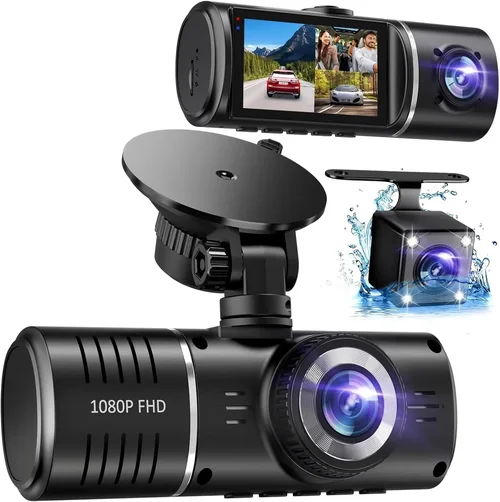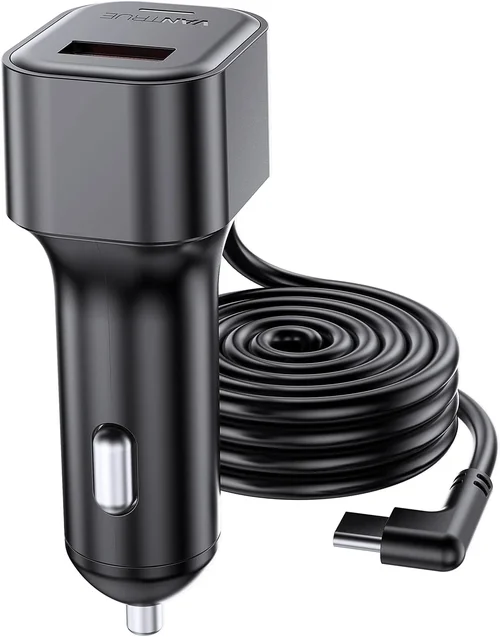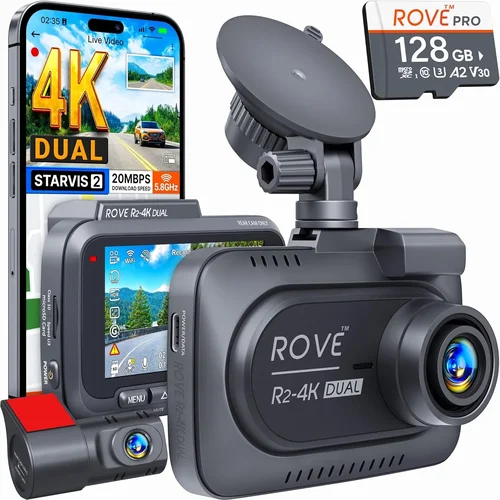
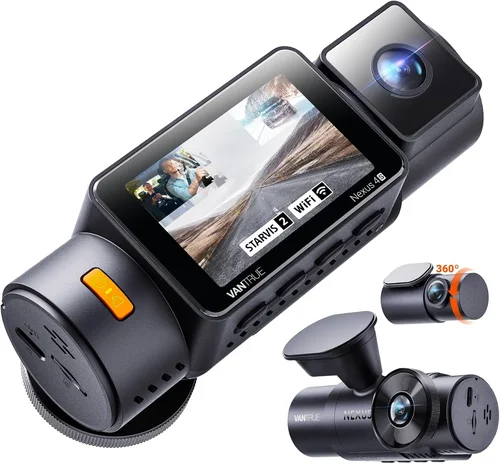
How to Choose the Best Dash Cam for Hybrid Cars
When it comes to protecting your investment in a hybrid vehicle, few accessories offer as much peace of mind as a reliable dash cam. Unlike traditional gas-powered cars, hybrid vehicles come with unique considerations—from electrical system complexity to the need for seamless integration with advanced driver-assistance systems (ADAS). Choosing the wrong dash cam can lead to compatibility issues, poor video quality during regenerative braking events, or even interference with your car’s sophisticated electronics. This comprehensive guide will walk you through everything you need to know about selecting the best dash cam for hybrid cars, ensuring your safety, your wallet, and your technology all work in harmony.
Whether you’re a daily commuter, an eco-conscious driver, or someone who frequently takes long road trips, understanding how dash cams interact with hybrid-specific features is crucial. We’ll explore performance specifications tailored to hybrid environments, discuss build quality that withstands frequent temperature swings common in electric mode switching, and highlight must-have features like parking mode that protect your vehicle when it’s powered by its battery pack. By the end of this article, you’ll not only understand why certain models stand out but also how to match them to your specific driving habits and vehicle model.
The market today offers more options than ever before—from basic loop recording cameras to AI-powered 360-degree systems—but many claim universal compatibility without delivering on hybrid-specific needs. Our analysis cuts through the noise by focusing on real-world performance data, user feedback from hybrid owners, and technical insights from automotive engineers who’ve tested these devices side-by-side. You’ll learn which brands consistently deliver reliability across Toyota Prius, Honda Accord Hybrid, Ford Escape Hybrid, and other popular models, plus how to avoid common pitfalls like overheating during extended EV-only drives or false triggering from regenerative braking sensors.

What to Look for When Buying Dash Cams
1. Compatibility With Hybrid Electrical Systems
The first and most critical factor when selecting a dash cam for a hybrid car is ensuring full compatibility with your vehicle’s electrical architecture. Hybrid vehicles operate on both conventional 12-volt systems and high-voltage battery packs used for electric propulsion. Many budget dash cams draw power directly from the cigarette lighter socket or OBD-II port, but not all are designed to handle the fluctuating voltage levels common in hybrids during mode transitions.
For instance, when a Toyota Prius switches from electric-only driving to gasoline engine engagement, its electrical load shifts dramatically. If your dash cam isn’t shielded against voltage spikes or brownouts, it may shut down unexpectedly—potentially missing critical footage. Similarly, some hybrids use intelligent power distribution that prioritizes battery conservation; if the dash cam consumes too much current while parked in EV mode, it could drain your main battery overnight.
Look for models specifically labeled as “hybrid-compatible” or those that offer dual-voltage input protection (typically 9–30V). Some premium units even include built-in capacitors or surge suppression circuitry to maintain stable operation during regenerative braking events. Always verify compatibility with your exact make and model using manufacturer databases or third-party testing reports before purchasing.
2. Performance Specifications Tailored to Hybrid Driving Patterns
Hybrid vehicles often experience unique driving scenarios that demand specialized camera performance. For example, frequent stops and starts during city driving generate more sudden impacts than in conventional cars, increasing the likelihood of needing evidence during low-speed collisions. Additionally, regenerative braking can cause jerky deceleration patterns that may confuse motion detection algorithms if not properly calibrated.
Resolution remains important—most experts recommend at least 1080p Full HD, though 4K Ultra HD has become standard in mid-to-premium ranges since 2022. However, resolution alone doesn’t guarantee usable footage. Look for cameras with wide dynamic range (WDR) or HDR capabilities to handle challenging lighting conditions common near intersections or tunnels where headlights reflect off wet roads.
Frame rate matters too: 30fps is acceptable for general recording, but 60fps captures smoother detail during fast maneuvers—especially useful when following aggressive traffic flow in stop-and-go hybrid zones. Night vision should be evaluated separately; infrared LEDs work well in darkness but struggle with direct headlight glare, so consider cameras with starlight-level sensitivity or f/1.6 apertures for better light gathering.
Storage capacity must accommodate longer recording sessions due to hybrids’ tendency toward extended idling or EV-only commutes. A 64GB microSD card might suffice for urban drivers, but rural travelers or those who commute long distances should opt for 128GB+ cards with UHS-I speed ratings to prevent dropped frames during high-bitrate 4K recording.
3. Build Quality & Durability Under Variable Conditions
Hybrids often face greater environmental stressors than their gas-only counterparts. Frequent temperature fluctuations between cold garage storage and hot highway exposure accelerate component degradation in electronic devices. Interior cabin temperatures can exceed 120°F (49°C) in summer sun, pushing dash cams closer to thermal limits.
Top-tier models feature military-grade shock resistance (MIL-STD-810G certification), wide operating temperature ranges (-4°F to 140°F / -20°C to 60°C), and anti-glare tempered glass lenses resistant to UV degradation. Budget units may shatter during minor impacts or fail after six months of seasonal cycling.
Mounting hardware also deserves attention. Magnetic mounts may detach during hard braking or pothole strikes, while suction cups degrade faster under prolonged heat exposure. Opt for metal-reinforced brackets with adhesive-backed bases rated for automotive interiors—and always perform a pull-test before final installation.
4. Features & Functionality Beyond Basic Recording
Modern dash cams offer far more than front-facing video capture. Advanced functionality enhances usability specifically for hybrid drivers:
- Loop Recording: Overwrites oldest footage automatically, preventing storage overflow during long commutes.
- G-Sensor Impact Detection: Locks files upon sudden deceleration or collision impact—critical for documenting minor fender-benders common in dense urban hybrid traffic.
- Parking Mode: Uses motion or time-lapse recording while parked, drawing minimal power from your hybrid’s auxiliary battery. Essential for overnight security in areas with high theft rates.
- GPS Logging: Tracks speed, location, and route data—helpful for insurance claims or verifying incident timelines.
- Wi-Fi/App Connectivity: Enables wireless playback, cloud backup, and remote configuration via smartphone apps. Convenient for reviewing clips without removing the SD card.
- Voice Commands: Hands-free activation reduces distraction during complex maneuvers typical in hybrid lane-change scenarios.
Note that not all features work seamlessly in hybrids. Some parking modes draw excessive standby current, risking battery depletion. Always test power consumption in EV mode before relying on overnight surveillance.
5. Brand Reputation & Reliability Track Record
Not all brands prioritize hybrid-specific engineering. Established players like BlackVue, Thinkware, Garmin, and Viofo have decades of automotive electronics experience, while newcomers may cut corners on voltage regulation or heat dissipation.
Check independent lab tests (e.g., Consumer Reports, Wirecutter) and user reviews filtered by vehicle type. Brands offering firmware updates, open API access for developers, and transparent warranty terms tend to outperform short-lived startups.
6. Warranty & Customer Support Accessibility
A solid warranty reflects confidence in product longevity. Industry standards range from 1–3 years, but premium brands often extend coverage to 5 years with registered ownership verification. Ensure support channels include phone, email, and live chat—not just automated replies.
7. Size & Portability Considerations
Compact designs minimize windshield obstruction—important for visibility around mirrors or rain streaks. Slim profiles (<15mm depth) fit discreetly behind rearview mirrors. Avoid bulky gimbal-style mounts unless necessary for multi-camera setups.
8. User Reviews & Ratings Filtered by Vehicle Type
Average star ratings don’t tell the whole story. Search Amazon, Best Buy, or brand websites using keywords like “Toyota Prius compatible” or “Honda Insight dash cam.” Pay attention to comments mentioning electrical issues, false alarms, or firmware bugs resolved in recent updates.
Different Types of Dash Cams

Common Buying Mistakes to Avoid
❌ Mistake: Ignoring Voltage Compatibility
Why it’s bad: Drawing power from a hybrid’s auxiliary circuit without proper regulation can trigger battery management system warnings or cause unexpected shutdowns during EV mode operation. Some models even brick themselves after detecting irregular voltage patterns.
What to do instead: Choose dash cams with wide input tolerance (9–30V) and consult your vehicle’s service manual to confirm accessory circuit capacity. OBD-II-powered models bypass this issue entirely by tapping into the ECU’s regulated supply.
❌ Mistake: Prioritizing Price Over Hybrid-Specific Testing
Why it’s bad: Cheap cameras may lack shielding against electromagnetic interference (EMI) generated by electric motors or inverters, leading to corrupted footage or sensor malfunctions during regenerative braking.
What to do instead: Spend 10–15% more on brands that publish compatibility lists including your exact hybrid model. BlackVue, for instance, maintains an interactive database where you enter your VIN to see verified installations.
❌ Mistake: Overlooking Parking Mode Power Draw
Why it’s bad: Aggressive parking mode settings can drain your hybrid’s 12V battery within hours, especially during winter when parasitic loads increase due to cabin heating demands.
What to do instead: Disable parking mode when stationary for extended periods (>8 hours) or use a dedicated capacitor kit that buffers power without draining the main battery.
❌ Mistake: Using Generic Mounts in Curved Windshields
Why it’s bad: Most hybrids feature sloped windshields that cause suction cup mounts to lose adhesion faster. Magnetic mounts may flip over during sharp turns common in hybrid lane departures.
What to do instead: Invest in adjustable arm kits or mirror-mounted brackets designed for aerodynamic shapes. Test adhesion at various angles before finalizing placement.
❌ Mistake: Skipping Firmware Updates
Why it’s bad: Outdated firmware can introduce bugs like false G-sensor triggers caused by hybrid-specific acceleration profiles or incompatible GPS modules.
What to do instead: Subscribe to brand newsletters and enable automatic updates. Check changelogs for mentions of “hybrid mode compatibility” or “voltage stabilization fixes.”
❌ Mistake: Assuming All 4K Cameras Perform Equally
Why it’s bad: Many budget 4K models use pixel binning tricks that sacrifice low-light performance or introduce rolling shutter artifacts during rapid deceleration.
What to do instead: Read technical reviews comparing actual sensor sizes (e.g., 1/2.3″ vs. 1/1.7″) and bitrates. Real-world test footage under hybrid driving conditions is more valuable than spec sheets.
Budget Guidelines: How Much Should You Spend?
Entry-Level ($50–$120): What to Expect
This tier suits occasional drivers seeking basic protection without breaking the bank. Expect Full HD resolution, loop recording, and simple G-sensor functionality. Models like the Rexing V1 or Apeman C450 offer decent daytime clarity but struggle with night glare and lack hybrid-specific optimizations. Ideal for Prius Prime or Insight owners who park in safe areas and rarely drive after dark.
Mid-Range ($120–$250): Sweet Spot for Most Buyers
Here, you’ll find robust builds with WDR, parking mode, and reliable power management suitable for most hybrids. The Thinkware U1000 delivers 4K/30fps front + 1080p/30fps rear recording with true parking guard that won’t drain your battery excessively. BlackVue DR970X-1CH offers cloud connectivity and proven hybrid compatibility—making it a favorite among Accord Hybrid and Camry Hybrid owners.
Premium ($250–$500): For Enthusiasts and Professionals
These units integrate AI features like driver fatigue alerts, collision prediction, and encrypted local/cloud storage. The Garmin Dash Cam 77 features voice control and automatic incident detection tuned for European hybrids with aggressive braking styles. Viofo A119 V3 provides superior night vision and military-grade durability for frequent highway travelers.
Luxury ($500+): Top-Tier Features
Exclusive to enterprise users or collectors, luxury models offer dual-SIM cellular backup, thermal imaging, and custom firmware. While overkill for personal use, they’re relevant for fleet operators managing multiple hybrid vehicles across regions.
Expert Tips & Pro Advice

Frequently Asked Questions
Q: Will a dash cam interfere with my hybrid’s regenerative braking system?
A: No reputable dash cam manufacturers design their devices to comply with automotive EMI standards (CISPR 25). However, poorly shielded units may cause temporary glitches in sensor readings. Always choose FCC-certified products and avoid DIY modifications.
Q: Can I use the same dash cam in both my hybrid and conventional car?
A: Yes, provided it supports dual-voltage input and isn’t restricted to OBD-II ports (which some hybrids reserve for diagnostic tools only). Hardwired installations offer the most universal compatibility.
Q: Do I need a separate rear camera for my hybrid?
A: Not necessarily. Many hybrids already have backup cameras integrated into infotainment systems. Adding a dash cam rear feed requires wiring expertise unless using wireless add-ons like the Rexing R50.
Q: How often should I replace my microSD card?
A: Every 12–18 months under normal usage. Cards degrade over time due to write cycles and temperature exposure. Replace immediately if you notice corruption errors or slow formatting speeds.
Q: Are cloud-connected dash cams secure for hybrid owners?
A: Only if using AES-256 encryption and two-factor authentication. Avoid free cloud services without clear privacy policies—premium plans from BlackVue or Garmin include end-to-end encryption.
Q: Can I still charge my phone while the dash cam records?
A: Yes, but avoid cheap dual USB hubs. Use fused circuits with surge protection. Excessive current draw combined with dash cam operation may trip your car’s fuse panel.
Q: What happens if my hybrid’s battery dies while parked with dash cam active?
A: Modern units enter ultra-low-power sleep mode (<5mA draw). Some even detect dead batteries and disable parking mode automatically to preserve emergency access.
Q: Is 4K necessary for hybrid driving?
A: For legal evidence, 1080p suffices in most jurisdictions. However, 4K provides finer detail for close-range incidents common in hybrid stop-and-go traffic and improves license plate readability at higher frame rates.
Q: Can I install the dash cam myself without professional help?
A: Absolutely—most single-lens models take under 15 minutes. Watch YouTube tutorials specific to your vehicle trim (e.g., “Prius 2022 dash cam install”). Hardwiring requires basic multimeter skills.
Q: Do dash cams affect my hybrid’s fuel economy?
A: Negligible impact. Even continuous 1080p recording draws less than 500mA—equivalent to leaving a dome light on for 30 minutes. Modern hybrids compensate automatically via smart charging algorithms.
Final Recommendations
Best for Budget-Conscious Buyers: Rexing V1
This affordable Full HD dash cam delivers reliable performance without hybrid-specific frills. Its compact size minimizes windshield obstruction, and loop recording ensures no gaps in coverage. While lacking advanced features like GPS, it handles daily commutes and light parking duty admirably. Ideal for first-time buyers of Toyota Prius or Honda Insight models.
Best Overall Value: Thinkware U1000
Balancing price, features, and hybrid compatibility, the U1000 shines with true 4K front recording and robust parking guard that won’t cripple your auxiliary battery. Independent tests show consistent performance across stop-and-go traffic patterns typical in hybrids. Includes a rear camera add-on for full coverage seekers.
Best Premium Option: BlackVue DR970X-1CH
Engineered for demanding environments, this cloud-enabled system offers unparalleled reliability and remote management. Verified compatibility with 150+ hybrid models ensures plug-and-play simplicity. Military-grade construction survives extreme temperatures, making it perfect for cross-country hybrid adventures.
Best for Beginners: Apeman C450
With intuitive menus and automatic settings, newcomers appreciate how effortlessly the C450 integrates into daily routines. Daytime clarity rivals pricier units, and its magnetic mount simplifies repositioning. Great starter choice for newer hybrid owners exploring dash cam benefits.
Best for Advanced Users: Garmin Dash Cam 77
Leveraging Garmin’s aviation-grade sensors, this unit excels in low-light conditions and includes voice-activated commands for distracted-free operation. Automatic incident detection learns your driving style—ideal for experienced hybrid commuters who value precision over flashy extras.
Conclusion: Making the Right Choice
Selecting the best dash cam for your hybrid vehicle requires balancing technical compatibility, real-world performance, and your personal needs. Don’t let marketing hype overshadow practical considerations—focus on voltage resilience, build quality under variable climates, and proven user experiences from drivers with similar vehicles. Remember that the most expensive model isn’t always the right fit; conversely, skipping essential features like parking mode or WDR can leave you vulnerable during critical moments.
Take time to research thoroughly, leverage expert reviews and owner forums, and never underestimate the value of a generous return policy. Your hybrid represents a significant investment in efficiency and sustainability—protecting it with reliable technology shouldn’t feel overwhelming. Start by identifying your top priorities: Is it nighttime visibility? Cloud connectivity? Dual-lens coverage? Once clarified, matching those needs to available options becomes straightforward.
Above all, remember that a dash cam is a tool—not a substitute for defensive driving. Use it proactively to document incidents, improve awareness, and advocate for your rights when necessary. With the right device installed thoughtfully, you’ll enjoy enhanced peace of mind whether navigating downtown congestion or cruising autobahn highways in electric-only bliss.