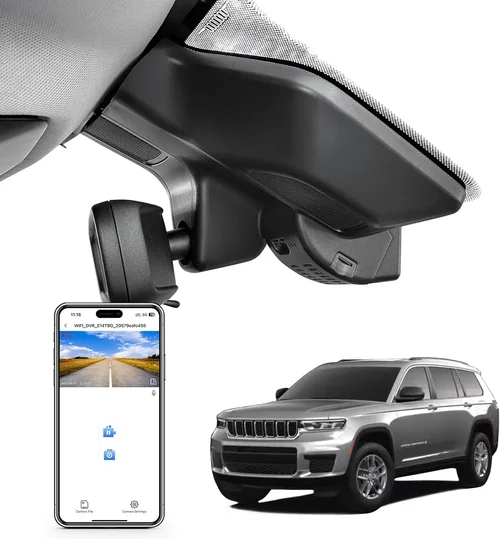
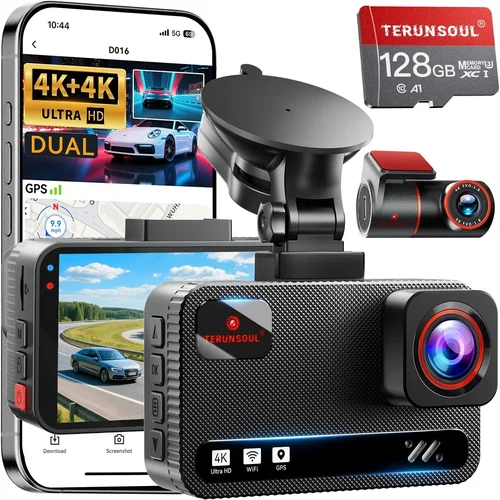
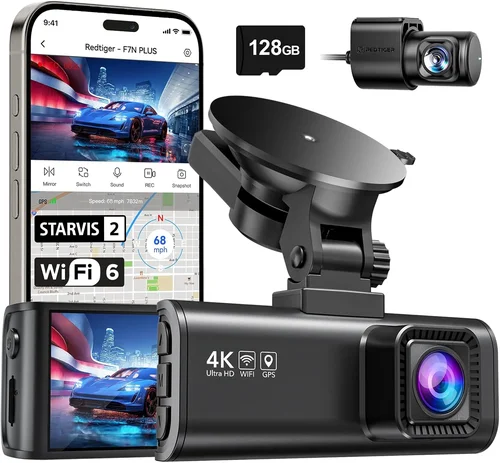
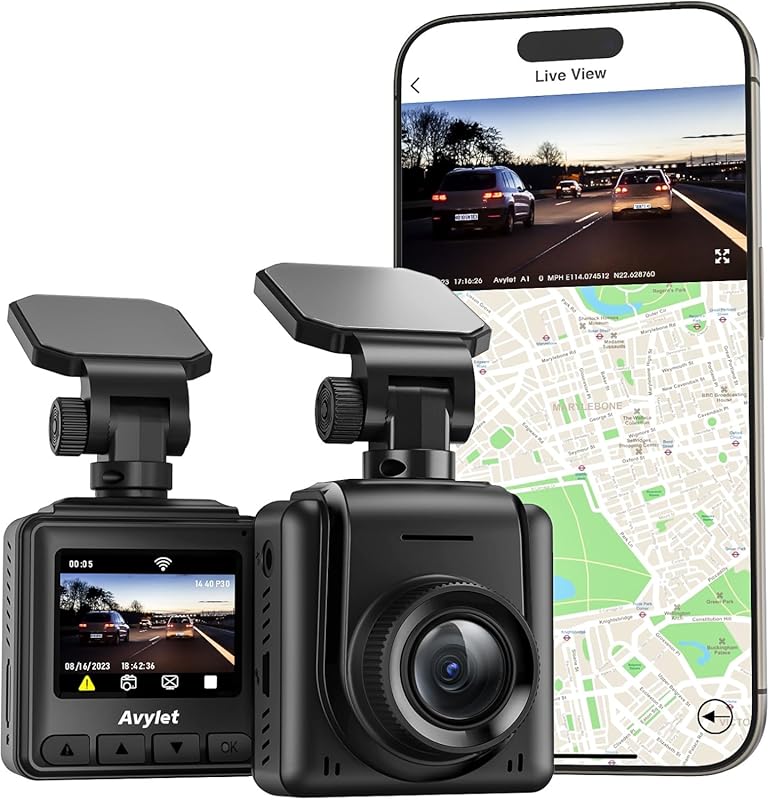
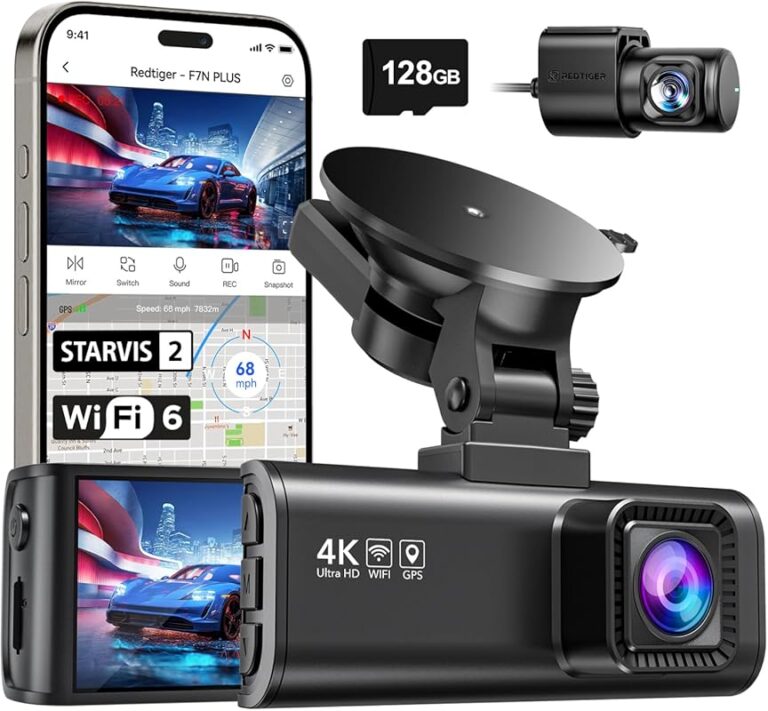
How to Choose a Dash Cam for Ford Kuga
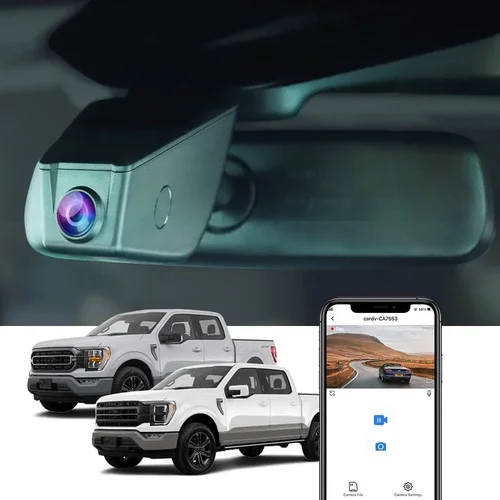
Why Choosing the Right Dash Cam for Your Ford Kuga Matters
The Ford Kuga has become one of Europe’s most popular compact SUVs, offering a perfect blend of practicality, safety features, and modern technology. As an owner, you’ve likely invested significant time and money into this vehicle that serves as your daily companion, family transport, or weekend adventure vehicle. However, despite its robust build and advanced safety systems, no car is completely immune to accidents, road incidents, or insurance disputes. This is where dash cam technology enters the picture as an essential layer of protection that many Kuga owners overlook.
A quality dash cam can provide invaluable evidence in case of accidents, help prevent insurance fraud, offer peace of mind during long drives, and even serve as a recording device for memorable moments on the road. With the increasing sophistication of dash cam technology and the growing awareness of their benefits, choosing the right model for your specific vehicle has become more important than ever. The market offers countless options ranging from basic single-lens cameras to advanced multi-camera systems with GPS tracking, parking mode, and cloud connectivity.
What makes selecting a dash cam for the Ford Kuga particularly challenging is ensuring compatibility not just with your vehicle’s electrical system and mounting requirements, but also with the specific interior design, dashboard layout, and available power sources. Different Kuga trims (Trend, Titanium, ST-Line) may have varying cabin layouts and accessory ports, making universal solutions difficult to find. Additionally, the Kuga’s relatively large windshield and panoramic view require careful consideration of camera positioning and field of view to ensure optimal coverage without obstructing the driver’s vision.
In this comprehensive guide, we’ll walk you through everything you need to know about selecting the perfect dash cam for your Ford Kuga, from understanding technical specifications to evaluating real-world performance and finding the best value for your investment.

What to Look for When Buying Dash Cams
1. Budget & Price Range
Before diving into specific features and brands, it’s crucial to establish your budget range. Dash cams vary dramatically in price from under €50 for basic models to over €400 for premium systems with advanced capabilities. For Ford Kuga owners, we recommend considering your budget in three tiers: entry-level (€50-€100), mid-range (€100-€200), and premium (€200+). The sweet spot for most Kuga owners typically falls in the mid-range category, offering excellent value without compromising essential functionality.
When setting your budget, remember that a dash cam represents an insurance policy for your vehicle. While it’s tempting to opt for the cheapest option, investing in a reliable system with good image quality and durability can save you thousands in potential legal fees or repair costs. Consider the total cost of ownership, including any additional accessories like hardwiring kits, memory cards, or professional installation fees.
2. Performance Specifications
The heart of any dash cam lies in its performance specifications, which directly impact recording quality and reliability. Key metrics to examine include resolution (720p, 1080p, or 4K), frame rate (frames per second), sensor size, and low-light performance. For your Ford Kuga, we strongly recommend aiming for at least 1080p resolution with high frame rates (60fps) to capture clear details during fast-moving scenarios.
Look for cameras with large sensors (typically 1/2.7″ or larger) as they perform significantly better in challenging lighting conditions. Modern dash cams often feature advanced image processing technologies like HDR (High Dynamic Range), which helps balance bright headlights against dark road surfaces, and night vision enhancements that improve visibility during nighttime driving.
3. Build Quality & Durability
Your Ford Kuga is exposed to harsh conditions including extreme temperatures, humidity, dust, and vibrations. A poorly built dash cam might fail when you need it most. Premium materials like aluminum alloy housings, reinforced glass lenses, and IP65 water resistance ratings indicate superior build quality. Check customer reviews specifically mentioning durability issues and warranty coverage for peace of mind.
For Kuga owners, consider the mounting location carefully—most models attach to the windshield, but ensure the adhesive will hold securely in varying weather conditions. Some premium models offer magnetic mounts or suction cups designed for long-term stability. Also verify that the camera can operate reliably across the temperature range you’ll encounter in your region.
4. Features & Functionality
Modern dash cams offer numerous features beyond basic recording. Essential capabilities for Kuga owners include G-sensor collision detection, loop recording for continuous operation, parking mode with motion detection, and emergency file locking. Advanced models may include GPS tracking, Wi-Fi connectivity, voice commands, and smartphone app integration for easy file management.
Consider how these features integrate with your driving habits and needs. If you frequently park in busy city areas or drive late at night, parking mode with intelligent motion detection becomes invaluable. For long-distance travel, GPS tracking provides valuable data about speed and location. Smartphone integration allows quick access to recent footage without removing memory cards.
5. Brand Reputation
While there are hundreds of dash cam manufacturers globally, only a select few have established strong reputations for reliability and customer support. Research brand history, read professional reviews, and check independent test results before making your decision. Established brands typically offer better customer service, longer warranties, and more consistent software updates.
For European markets including the UK where Ford Kugas are popular, brands with local support networks tend to provide faster response times and easier warranty claims. Consider whether the manufacturer has a physical presence in your region and what their typical customer service experience looks like based on third-party reviews.
6. Warranty & Support
A solid warranty reflects manufacturer confidence in their product quality. Most reputable dash cam brands offer 1-3 year warranties covering manufacturing defects. Premium models may include extended warranties up to 5 years. Verify what exactly the warranty covers—some exclude damage from improper installation or extreme conditions. Customer support availability is equally important; 24/7 support lines and responsive email assistance can make recovery much easier if issues arise.
For Ford Kuga owners specifically, check whether the manufacturer provides installation guides tailored to common European vehicles or partnerships with certified installers who understand local regulations and wiring standards. Some brands offer free technical support hotlines staffed by knowledgeable technicians who can troubleshoot issues remotely.
7. Size & Portability
The physical dimensions of your dash cam matter greatly for both aesthetic reasons and practical functionality. Larger cameras may offer better cooling systems and larger sensors but can be obtrusive or interfere with airbag deployment zones. Compact designs fit seamlessly into your Kuga’s dashboard while maintaining optimal viewing angles. Consider whether you want a hidden setup that’s barely noticeable or a bold statement piece that clearly indicates you’re using protective technology.
Portability becomes relevant if you plan to transfer the camera between multiple vehicles or occasionally use it as a security camera for home monitoring. Some models feature swivel mounts or detachable units that make repositioning straightforward without damaging your car’s interior.
8. User Reviews & Ratings
Genuine user experiences provide invaluable insights that professional reviews might miss. Pay attention to recurring themes in customer feedback rather than focusing solely on star ratings. Look for detailed reviews that mention real-world performance under various conditions similar to your typical driving scenarios. Negative reviews often highlight specific pain points like poor battery life, confusing interfaces, or unreliable connectivity that manufacturers might overlook in marketing materials.
For Ford Kuga owners, search for forum discussions or social media groups where other Kuga drivers share their dash cam experiences. These communities often reveal compatibility issues or installation challenges unique to your specific vehicle model and trim level that aren’t apparent from generic product descriptions.
Different Types of Dash Cams

Common Buying Mistakes to Avoid
❌ Mistake: Prioritizing Price Over Quality
Why it’s bad: Opting for the cheapest dash cam available often leads to disappointment when the device fails during critical moments. Low-cost models typically use inferior sensors, lack proper heat dissipation, and have unreliable firmware that crashes frequently or produces blurry footage unsuitable for evidence.
What to do instead: Focus on value rather than absolute lowest price. Read professional reviews comparing features across similar price points. Look for models with proven track records in real-world testing rather than marketing hype. Remember that a €20 dash cam saved won’t compensate for lost evidence worth thousands in legal proceedings.
❌ Mistake: Ignoring Compatibility with Your Ford Kuga
Why it’s bad: Many buyers assume all dash cams work universally with any vehicle. However, the Ford Kuga has specific considerations including dashboard curvature, airbag placement, cigarette lighter socket availability, and fuse box locations that affect installation options and legal compliance.
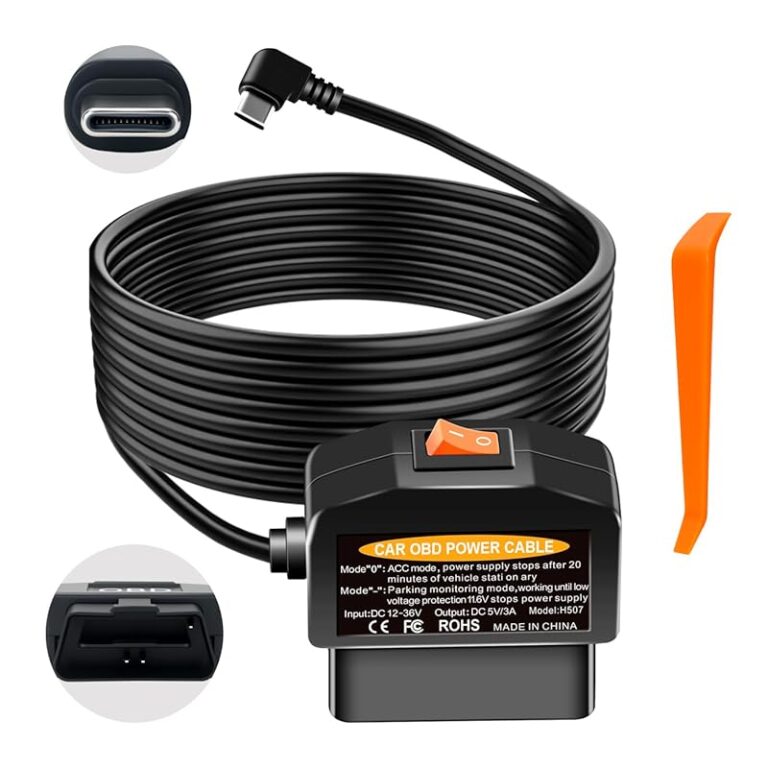
What to do instead: Research your specific Kuga model year and trim level before purchasing. Check if your vehicle has OBD-II port access for clean power connections or requires hardwiring through the fuse box. Verify that mounting locations don’t interfere with airbags or obscure important dashboard controls.
❌ Mistake: Overlooking Memory Card Requirements
Why it’s bad: Assuming included microSD cards will suffice is a common error. Most manufacturers include only starter cards with limited capacity (often 8GB) that fill quickly with high-resolution recordings. Without proper storage planning, your dash cam will stop recording when the card fills up, defeating its purpose entirely.
What to do instead: Purchase high-quality Class 10 or UHS-I microSD cards with at least 64GB capacity from reputable brands like SanDisk, Samsung, or Lexar. Calculate your required storage based on recording duration—higher resolutions require more space. Consider buying multiple spare cards so you can rotate them weekly without losing recent footage.
❌ Mistake: Neglecting Parking Mode Capabilities
Why it’s bad: Many drivers install dash cams thinking they only record while driving, missing the crucial benefit of 24/7 protection when parked. Without proper parking mode setup, your device remains inactive until you return, leaving your Kuga vulnerable to hit-and-runs, vandalism, or insurance fraud attempts.
What to do instead: Choose models with reliable parking mode featuring motion detection or impact sensing. Ensure adequate power supply through hardwiring or capacitor-based backup systems rather than relying on car batteries that drain over time. Test the parking mode functionality after installation to confirm it activates correctly.
❌ Mistake: Focusing Only on Video Quality
Why it’s bad: While video resolution matters, overlooking other critical factors like audio recording, GPS accuracy, or emergency file locking can compromise overall effectiveness. Poor audio quality eliminates witness testimony value, inaccurate GPS undermines incident reconstruction, and missing emergency locking means important evidence gets overwritten automatically.
What to do instead: Evaluate complete feature sets holistically rather than cherry-picking individual specs. Check if audio recording meets local privacy laws regarding consent requirements. Verify GPS accuracy through independent testing or user reports. Understand how emergency file locking works to preserve crucial evidence during collisions or sudden impacts.
❌ Mistake: Skipping Professional Installation
Why it’s bad: DIY installation might seem economical but often leads to improper mounting, loose wiring, or incorrect settings that render the device ineffective. Improperly secured cameras may fall off during sudden braking or accidents, while poorly connected wires can cause electrical issues or void warranties.
What to do instead: Invest in professional installation services offered by automotive electronics specialists familiar with Ford vehicles. They understand proper wire routing, fuse selection, and mounting techniques that ensure longevity and reliability. Many dash cam manufacturers partner with certified installers offering bundled packages with installation guarantees.
Budget Guidelines: How Much Should You Spend?
Determining the appropriate budget for a dash cam involves balancing your specific needs against available financial resources. Rather than following rigid price brackets, consider your risk tolerance, driving frequency, and desired features to identify the optimal spending level for your situation.
Entry-Level ($30 – $70): The Bare Minimum
This budget tier suits occasional drivers, those on extremely tight budgets, or individuals who primarily want basic recording capability without advanced features. Models in this range typically offer 720p or early-generation 1080p recording with minimal extra functionality. While functional for simple documentation purposes, expect limitations in low-light performance and build quality compared to higher-end options.
For Ford Kuga owners in this category, focus on finding the highest resolution possible within budget constraints—look for 1080p models even if they sacrifice other features. Verify that included accessories like mounting hardware and cables meet minimum quality standards. Consider this approach as a temporary solution until upgrading when finances allow.
Mid-Range ($80 – $180): The Sweet Spot for Most Kuga Owners
The mid-range represents the ideal balance between affordability and functionality for the majority of Ford Kuga drivers. This segment includes dual-lens cameras with front and rear coverage, reliable parking mode, decent low-light performance, and essential smart features like loop recording and collision detection. Brands like BlackVue, Thinkware, and Garmin dominate this category with proven reliability.
Within this price range, prioritize cameras offering 1080p recording at 60fps for smooth motion capture, wide dynamic range for challenging lighting conditions, and robust build quality suitable for European road conditions. Look for models with dedicated parking mode circuits that don’t drain your vehicle’s battery excessively. This tier typically delivers the best value proposition for everyday driving scenarios.
Premium ($200 – $400): Enhanced Protection and Connectivity
Premium dash cams target drivers seeking maximum protection, advanced features, and seamless integration with modern lifestyles. These systems often include 4K recording capability, sophisticated AI features like lane departure warnings, cloud connectivity for remote access, and professional-grade build materials. Some models even incorporate dashcam-to-dashcam communication for fleet coordination.
For Ford Kuga owners willing to invest in top-tier protection, consider premium options offering simultaneous dual-channel recording, GPS with GLONASS support for improved accuracy, and extensive smartphone integration. These systems usually come with longer warranties and better customer support, reflecting their higher price points. Ideal for frequent travelers, families with young children, or individuals living in high-risk areas.
Luxury ($400+): Professional-Grade Solutions
Ultra-premium dash cams represent the pinnacle of consumer technology, incorporating military-grade components, forensic-quality recording, and specialized applications beyond personal vehicle protection. These systems often feature multiple camera inputs, advanced analytics, and integration with insurance or legal databases. While overkill for most private drivers, they serve commercial fleets, insurance adjusters, and serious investigators.
For typical Ford Kuga owners, luxury dash cams generally provide diminishing returns on investment unless you have specific professional requirements or extremely high-value assets requiring maximum protection. Even then, carefully evaluate whether the added expense justifies the marginal improvements over premium consumer models already exceeding your needs.
Expert Tips for Getting the Best Deal
Timing Your Purchase Strategically
Dash cam prices fluctuate throughout the year due to seasonal demand patterns and new product launches. The best deals typically appear during post-holiday sales periods (January-February), back-to-school promotions (August-September), and Black Friday/Cyber Monday events in November. Additionally, manufacturers often discount older models when introducing new versions, providing opportunities to acquire last-generation technology at reduced prices.
Monitor price trends using shopping comparison tools or browser extensions that track historical pricing data. Sign up for retailer newsletters to receive exclusive discount codes and early access to sales events. During peak seasons like summer road trips or winter holiday travel, inventory shortages might temporarily increase prices, so plan purchases accordingly to avoid premium markups.
Choosing the Right Retailer
While online retailers like Amazon, eBay, and specialized automotive electronics stores offer convenience and competitive pricing, local brick-and-mortar shops provide immediate hands-on evaluation and expert advice. Consider visiting multiple store types—big-box retailers for broad selection, automotive specialty shops for installation expertise, and online marketplaces for price comparison and customer reviews.
For Ford Kuga owners specifically, seek retailers familiar with European vehicle compatibility issues, especially regarding voltage standards (230V vs 12V systems) and regulatory compliance. Local shops often carry regional variants of international products that may better suit your market’s requirements. Always verify return policies before purchasing, particularly for online orders that must accommodate potential fitment or functionality concerns.
Identifying Authentic Deals
Scammers sometimes create fake discount listings or counterfeit products posing as genuine dash cams. Protect yourself by verifying seller credentials, checking product authenticity seals, and reading detailed customer reviews beyond superficial star ratings. Be wary of prices significantly below market average, as they may indicate refurbished, gray-market, or defective units.
Look for official manufacturer partnerships indicated by authorized dealer badges, warranty registration processes, and customer service contact information matching brand websites. Cross-reference product numbers and specifications with official documentation to ensure you’re receiving legitimate hardware rather than knockoffs with inferior components.
Understanding Warranty Coverage
Comprehensive warranty terms reflect manufacturer confidence in product reliability and provide crucial protection against unexpected failures. Standard warranties typically cover 1-3 years for hardware defects and sometimes include accidental damage protection. Extended warranty programs may add additional years or cover wear items like memory cards and batteries.
For Ford Kuga owners, verify whether warranty claims require original purchase documentation and whether shipping costs for repairs or replacements are covered. Some brands offer expedited replacement services for critical components, which could prove invaluable if your dash cam fails during an important trip or period of high usage.
Evaluating Return Policies
Flexible return windows give you time to thoroughly test dash cam performance under real-world conditions before committing permanently. Most reputable retailers offer 30-day return periods, but some extend this to 90 days or provide satisfaction guarantees with longer trial periods. Check whether restocking fees apply and if return shipping costs are covered.
During your evaluation period, test key functionalities including video quality in various lighting conditions, parking mode activation, emergency file locking, and smartphone connectivity. Document any issues encountered and communicate promptly with customer service to resolve problems or initiate returns efficiently.
Testing Before Committing
If possible, arrange hands-on testing before final purchase decisions. Visit demonstration units at retail locations to assess build quality, interface intuitiveness, and mounting ease. Compare different models side-by-side to evaluate screen visibility, button responsiveness, and overall ergonomics relative to your driving position and preferences.
Pay particular attention to settings menus and customization options—complex interfaces may frustrate regular use, while overly simplified ones might lack necessary controls. Verify that important functions like emergency locking or GPS calibration are easily accessible without excessive menu navigation. Bring your Ford Kuga manual to confirm compatibility with available power sources and mounting locations.
Negotiating Additional Accessories
Many dash cam manufacturers bundle essential accessories like mounting kits, wiring harnesses, or extra cables, but additional items often incur separate charges. When purchasing standalone components, negotiate package deals that include installation services, professional hardwiring kits, or premium memory cards at discounted rates.
For Ford Kuga installations specifically, request specialized wiring diagrams or harness adapters that simplify integration with your vehicle’s electrical system. Some retailers offer installation packages combining dash cam purchase with professional setup services, potentially reducing overall costs compared to separate component purchases and third-party installation fees.
Considering Subscription Services
Some premium dash cams require paid subscription plans for cloud storage, advanced analytics, or premium features like live streaming. Carefully evaluate whether these recurring costs align with your budget and actual usage patterns. Free tiers may offer sufficient functionality for casual users, while business-oriented subscriptions provide enhanced security and administrative controls.
Understand cancellation policies and refund procedures before committing to annual or monthly payment plans. Monitor usage statistics to ensure you’re maximizing value from paid features without paying for unnecessary capabilities beyond your requirements.
Frequently Asked Questions
Q: Can I install a dash cam myself in my Ford Kuga?
A: Yes, most dash cams are designed for DIY installation, especially those using suction cup mounts that attach to the windshield. However, for advanced features like hardwiring into your vehicle’s electrical system or connecting to existing parking sensors, professional installation is recommended. Your Ford Kuga’s specific model year and trim may affect available mounting locations and power source options, so consult your owner’s manual first.
Q: Will a dash cam drain my Ford Kuga’s battery?
A: Modern dash cams consume very little power—typically less than 1 amp during operation. However, parking mode features can increase consumption depending on settings and hardware quality. To prevent battery drain, use hardwiring kits connected to ignition-switched circuits rather than constant power sources. Many premium models include intelligent parking modes that reduce recording frequency or enter sleep states during extended stationary periods.
Q: What resolution should I choose for my dash cam?
A: We recommend at least 1080p resolution for clear detail capture, with 4K becoming increasingly affordable and beneficial for license plate recognition and fine detail preservation. Higher resolutions provide better evidence quality but require more storage space and processing power. For your Ford Kuga’s typical usage scenarios including urban driving and highway travel, 1080p at 60fps strikes an excellent balance between quality and efficiency.
Q: How much storage do I need for my dash cam?
A: Storage requirements depend on recording resolution, compression technology, and usage patterns. At 1080p resolution, a 64GB microSD card typically holds 2-3 hours of footage, while 256GB cards provide 8-12 hours. Consider your typical driving distance and whether you want continuous coverage or periodic recordings. Rotating memory cards every week ensures you never lose recent footage, while cloud storage alternatives eliminate physical media management entirely.
Q: Do I need both front and rear cameras for my Ford Kuga?
A: Dual-lens systems offering simultaneous front and rear recording provide comprehensive coverage ideal for most Kuga owners. Single-lens cameras require swapping lenses when adding rear coverage, which isn’t practical during active driving. For your vehicle’s size and typical usage, dual-lens models deliver the best combination of protection and convenience without significant complexity increases.
Q: Are dash cams legal in all countries where I drive with my Ford Kuga?
A: Regulations vary significantly by country regarding audio recording, data retention, and privacy protections. In Europe, most nations permit video-only recording without consent, but some require visible indicators of surveillance equipment. Australia and parts of Asia have stricter rules about audio recording. Always research local laws before purchasing and using dash cams, and consider disabling audio recording if uncertain about compliance.
Q: How can I ensure my dash cam survives extreme temperatures in my Ford Kuga?
A: Choose dash cams rated for operating temperatures matching your climate extremes—most consumer models handle -20°C to +70°C, which covers typical European conditions. Avoid placing cameras near direct sunlight exposure or heating vents that could exceed manufacturer specifications. Premium models with enhanced thermal management and wider temperature ranges offer better reliability in severe climates.
Q: What’s the difference between G-sensor sensitivity levels?
A: G-sensors detect impacts and sudden movements to trigger emergency file locking. Sensitivity settings determine the threshold for activation—too low and minor bumps lock files unnecessarily, too high and important collisions get missed. Most dash cams offer adjustable sensitivity levels, with medium settings typically optimal for normal driving conditions. Test different levels during varied driving scenarios to find your preferred balance.
Q: Can I use my dash cam as a security camera when parked?
A: Yes, parking mode transforms your dash cam into a motion-activated security system. When properly configured with hardwired power and appropriate sensitivity settings, it records any movement around your Ford Kuga while parked. This feature provides protection against hit-and-runs, vandalism, or theft attempts. Ensure your chosen model has reliable parking mode implementation and adequate battery backup for extended unattended periods.
Q: How do I choose between wired and wireless connectivity?
A: Wired connections via USB or Ethernet offer stable, interference-free data transfer ideal for high-bandwidth applications like 4K recording. Wireless options using Wi-Fi or Bluetooth provide convenience for smartphone integration and remote viewing but may suffer from signal degradation or connectivity issues. For your Ford Kuga, prioritize wired connections if you frequently transfer large video files, while wireless suits occasional remote access needs.
Our Final Recommendations
Best for Budget-Conscious Buyers
For Ford Kuga owners seeking essential dash cam protection without breaking the bank, the Viofo A119 Mini V3 represents exceptional value. Priced around €80, this single-lens 1080p dash cam delivers reliable performance with impressive low-light capabilities thanks to its Sony STARVIS sensor. While lacking dual-lens functionality, its compact design fits seamlessly into your Kuga’s dashboard, and advanced features like GPS logging and parking mode provide comprehensive coverage within budget constraints.
The A119 Mini V3 stands out for its robust build quality, intuitive interface, and reliable firmware updates that address early version shortcomings. Its magnetic mount allows quick repositioning when needed, and the included parking mode circuit prevents excessive battery drain during extended stationary periods. Combined with affordable 64GB microSD cards from reputable brands, this system offers complete peace of mind for occasional drivers or those prioritizing essential functionality over advanced features.
Best Overall Value
The Thinkware U1000 emerges as the definitive choice for Ford Kuga owners seeking balanced performance across all critical categories. Priced competitively around €160, this dual-lens 4K dash cam combines stunning video quality with professional-grade reliability and user-friendly operation. Its front-facing 4K lens captures extraordinary detail while the rear 1080p camera provides adequate coverage for following traffic situations.
What elevates the U1000 above competitors is its comprehensive feature set including advanced driver assistance systems, cloud connectivity with Thinkware’s secure platform, and exceptional build quality that withstands European road conditions. The included hardwiring kit simplifies installation while the intelligent parking mode intelligently manages power consumption. For your Ford Kuga, this system delivers premium protection without excessive complexity or ongoing subscription costs, making it ideal for drivers wanting maximum value from their investment.
Best Premium Option
BlackVue Drive Pro D1100XLR represents the pinnacle of consumer dash cam technology, targeting serious drivers who demand uncompromising performance and reliability. At approximately €280, this dual-lens 4K system incorporates military-grade components, cloud connectivity with encrypted data transmission, and sophisticated AI features like lane departure warnings and collision avoidance alerts.
For Ford Kuga owners with demanding requirements or high-value vehicles, the D1100XLR’s simultaneous dual-channel recording, GPS with GLONASS support, and comprehensive mobile app integration provide unmatched protection and convenience. The included Cloud service enables remote live viewing, playback, and management from anywhere, while the robust build quality ensures operation in extreme conditions. Though exceeding typical budgets, this system offers exceptional peace of mind for frequent travelers, business professionals, or those prioritizing maximum safety and security.
Best for Beginners
The Garmin Dash Cam 67W offers an exceptionally user-friendly introduction to dash cam technology for Ford Kuga newcomers. With its streamlined interface, automatic settings optimization, and intuitive mobile app integration, this 1080p single-lens system minimizes learning curves while delivering reliable performance. Priced around €120, it provides essential features including parking mode, collision detection, and GPS tracking without overwhelming complexity.
Garmin’s reputation for quality electronics shines through in the 67W’s compact design that fits naturally into your Kuga’s dashboard, along with its excellent customer support and straightforward installation process. The included suction mount provides secure attachment without damaging your interior, and the automatic firmware updates ensure you always have the latest improvements. For beginners seeking hassle-free operation with room to grow into more advanced features later, this system strikes the perfect balance between simplicity and capability.
Best for Advanced Users
The Nextbase 622GW represents the ultimate tool for experienced dash cam users wanting maximum control and flexibility. This 1080p dual-lens system incorporates advanced connectivity options including 4G LTE cellular connectivity, built-in Alexa voice assistant, and comprehensive smartphone integration that rivals professional-grade equipment. Priced around €190, it offers unparalleled customization possibilities and remote management capabilities.
For Ford Kuga owners comfortable with technical configurations and seeking cutting-edge features, the 622GW’s simultaneous recording, GPS with GLONASS support, and cloud storage integration provide comprehensive protection with enterprise-level convenience. The included 4G module enables live streaming and instant sharing of incidents, while the Alexa integration allows voice-controlled operations hands-free. Advanced users will appreciate the extensive settings customization, detailed event logs, and professional-grade build quality that ensures reliable performance through years of demanding usage.
Conclusion: Making the Right Choice
Selecting the perfect dash cam for your Ford Kuga ultimately comes down to aligning your specific needs, budget constraints, and driving habits with available technology options. Rather than chasing absolute lowest prices or fanciest features, focus on finding a balanced solution that provides reliable protection without unnecessary complexity or recurring costs.
Remember that your dash cam serves as your vehicle’s silent guardian—ready to capture critical evidence when accidents occur, deter malicious behavior when parked, and provide peace of mind during everyday journeys. By prioritizing essential qualities like image clarity, build durability, and user-friendly operation, you’ll invest wisely in lasting protection that pays dividends through reduced stress and increased confidence behind the wheel.
Take time to research thoroughly, test options when possible, and don’t hesitate to seek professional advice from automotive electronics specialists familiar with Ford vehicles. Your Ford Kuga deserves nothing less than optimal protection matching its quality engineering and your expectations for safety and reliability on every journey.