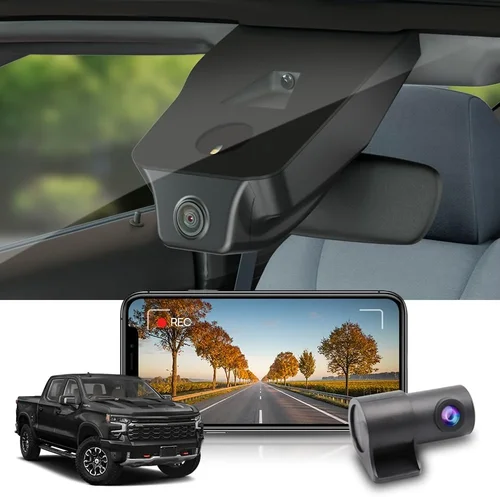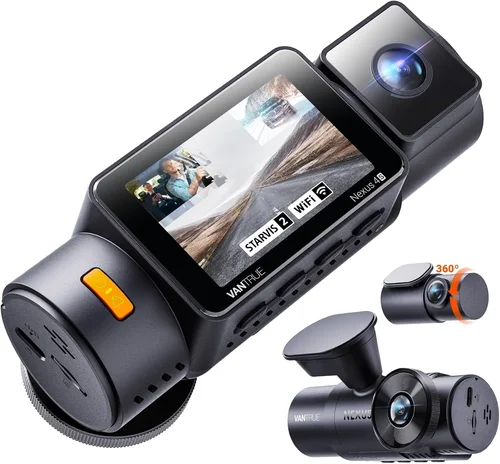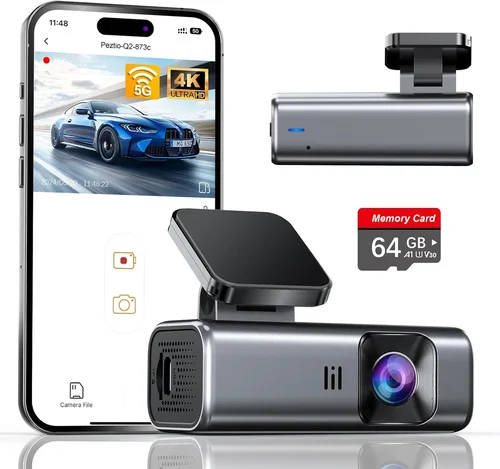
Smart Dash Cam Buying Guide for Ford Fusion Wifi Upload
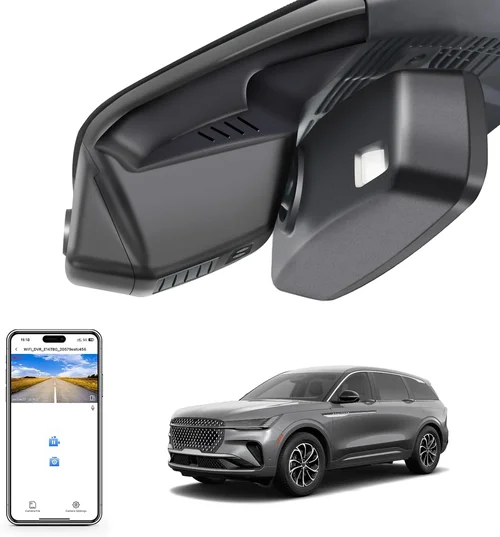
When you’re driving a Ford Fusion, you’re not just behind the wheel—you’re part of a community of drivers who value safety, reliability, and smart technology. Whether you’re commuting through city traffic or cruising down the highway on weekends, having a dash cam with Wi-Fi upload can make all the difference in protecting yourself, your vehicle, and your peace of mind. This comprehensive buying guide is designed to help you navigate the crowded dash cam market with confidence, ensuring you choose the best model that integrates seamlessly with your Ford Fusion’s capabilities.
By the end of this article, you’ll understand exactly what features matter most when selecting a dash cam compatible with your vehicle, how to evaluate performance and usability, and why Wi-Fi upload functionality is a game-changer for modern drivers. You’ll also learn about common pitfalls to avoid, budget considerations, and expert strategies for getting the most value from your investment. Whether you’re a first-time buyer or upgrading from an older model, this guide delivers actionable insights tailored specifically to Ford Fusion owners who demand both convenience and quality.
The dash cam market has evolved dramatically over the past decade. What once was a niche accessory for commercial fleets is now a must-have for everyday drivers seeking evidence in case of accidents, documenting road trips, or simply keeping an eye on their surroundings. For Ford Fusion owners—especially those equipped with SYNC infotainment systems or newer model years with advanced connectivity—choosing a dash cam with built-in Wi-Fi upload ensures quick access to footage, easy sharing, and integration with smartphone apps. With so many options available from brands like Garmin, BlackVue, Viofo, and Nextbase, it can be overwhelming to determine which model truly fits your needs.

What to Look for When Buying Dash Cams
Choosing the right dash cam isn’t just about picking the shiniest gadget—it’s about finding a reliable, high-performing device that meets your specific driving lifestyle. Below are the critical factors every Ford Fusion owner should consider before making a purchase.
1. Compatibility with Ford Fusion Systems
The Ford Fusion offers a range of model years and trim levels, some of which include advanced infotainment systems like SYNC 3 or SYNC 4. While most dash cams operate independently of the car’s electrical system, compatibility becomes crucial when considering power sources, mounting locations, and even dashboard aesthetics. Look for models that offer flexible power options—such as hardwiring kits or cigarette lighter adapters—that work seamlessly with the Fusion’s interior design. Additionally, if your Fusion supports wireless Apple CarPlay or Android Auto, ensure the dash cam doesn’t interfere with these features.
2. Resolution and Video Quality
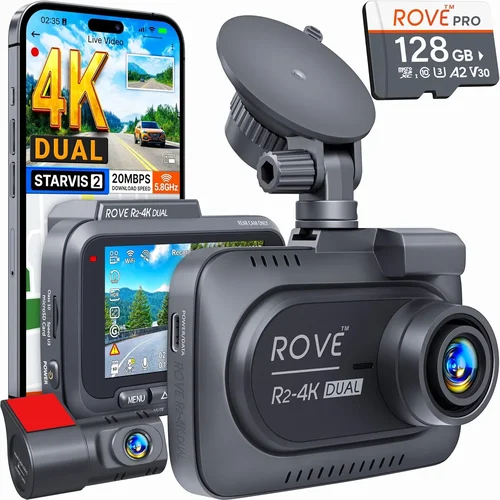
Video resolution is arguably the most important performance metric for any dash cam. Most modern models offer at least Full HD (1920×1080), but true 2K (2560×1440) or 4K Ultra HD cameras deliver significantly sharper detail, especially useful for identifying license plates, road signs, and facial expressions during incidents. When evaluating resolution, consider the frame rate as well—30 frames per second (fps) is standard, but 60 fps provides smoother motion clarity, particularly in fast-moving scenarios like highway merges or sudden braking events.
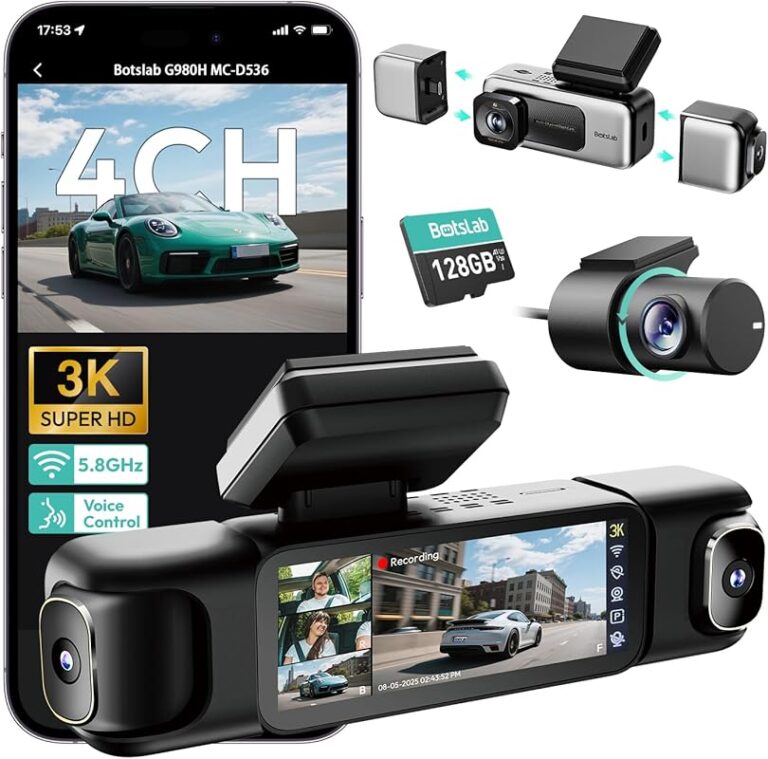
For Ford Fusion drivers, front-only recording is sufficient for most daily commutes, but dual-channel (front and rear) models offer added protection. If you frequently park in urban areas with high theft risk, a camera with parking mode can record motion even when your car is off—though this requires constant power via hardwire kit.
3. Field of View (FOV)
A wider field of view captures more of the road ahead and reduces blind spots, making it easier to see approaching vehicles, pedestrians, or potential hazards. Typical FOV ranges from 110° to 170°, with ultra-wide lenses offering up to 180°. However, extremely wide angles can introduce lens distortion at the edges—so look for models with advanced image correction algorithms that maintain straight lines and natural perspective.
In city driving conditions common among Fusion commuters, a moderate-to-wide angle (around 140°–150°) strikes the perfect balance between coverage and image clarity. Avoid overly narrow views that miss critical context during lane changes or intersections.
4. Storage Capacity and Loop Recording
Dash cams rely on microSD cards for storage, typically ranging from 32GB to 256GB. Larger capacities allow longer continuous recording sessions before old files overwrite new ones—a feature known as loop recording. Most devices automatically delete the oldest clips when storage fills up, ensuring uninterrupted monitoring.
For typical daily use, a 64GB or 128GB card suffices, but if you enable parking mode or record frequent long drives, opt for 256GB to avoid missing important moments due to premature file deletion. Always purchase high-endurance cards rated for dash cam usage—standard consumer cards may wear out quickly under constant write cycles.
5. Night Vision and Low-Light Performance
Driving at dawn, dusk, or night presents unique challenges for dash cam visibility. Look for cameras equipped with Sony Starvis sensors or similar low-light optimized image processors that enhance contrast and reduce noise in dim conditions. Infrared LEDs or enhanced sensitivity modes can further improve nighttime recording, though excessive IR lighting may create red-eye effects in headlights.
Ford Fusion owners often face tunnel transitions, poorly lit parking garages, or rural roads—scenarios where superior night vision makes the difference between clear evidence and grainy footage. Test reviews mentioning “night performance” before purchasing, as lab-tested specs don’t always reflect real-world results.
6. Wi-Fi Connectivity and App Integration
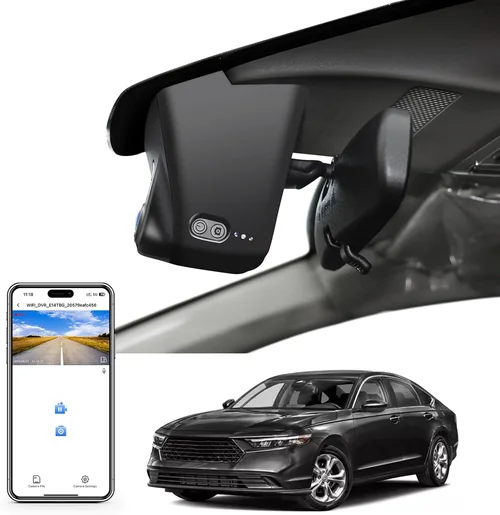
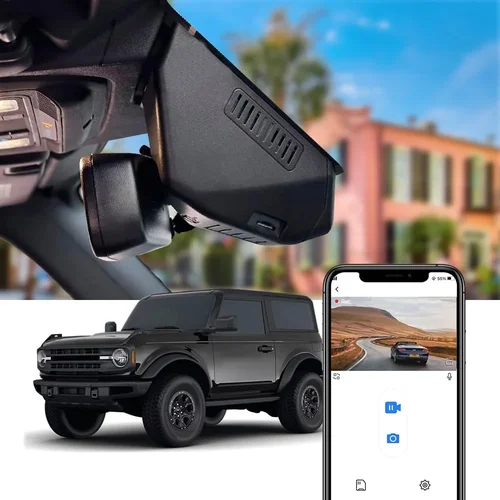
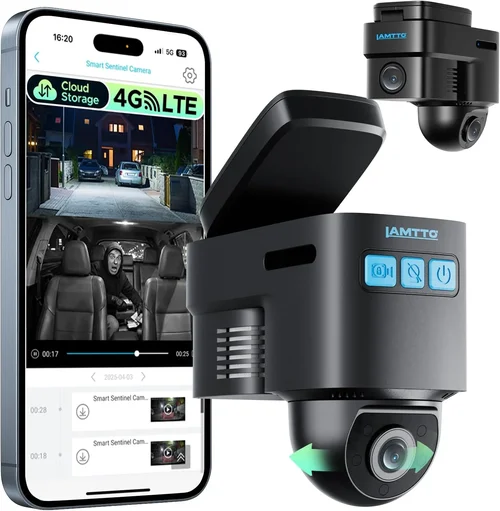
This is perhaps the defining feature emphasized throughout this guide. Wi-Fi-enabled dash cams allow instant access to recorded footage directly from your smartphone via companion apps such as Garmin Drive app or Viofo Player. This eliminates the need to physically remove the SD card every time you want to review or share clips.
For Ford Fusion users, seamless integration means pairing the dash cam with your phone without disrupting existing Bluetooth connections or SYNC system functions. Ensure the app supports live preview, GPS tagging, speed logging, and cloud backup (where available). Some premium models even allow remote firmware updates or real-time status checks—adding layers of convenience unmatched by wired alternatives.
7. Build Quality and Weather Resistance
Dash cams endure extreme temperatures, direct sunlight, rain, snow, and vibrations from rough roads. A sturdy aluminum or polycarbonate casing protects internal components, while anti-reflective coatings minimize glare from windshields. Sealed ports and IP-rated durability (even if unofficial) indicate resistance to moisture and dust ingress.
Ford Fusions built after 2017 often have sloped windshields that complicate mounting angles—choose a model with adjustable brackets or suction cups designed for curved glass surfaces. Avoid flimsy plastic mounts that detach during bumpy drives or temperature swings.
8. Ease of Use and Interface Design
A cluttered menu system or unintuitive controls can frustrate even experienced users. Look for dash cams with large icons, voice prompts, or one-touch recording buttons. Touchscreen interfaces are convenient but prone to fingerprints and accidental inputs—opt for physical buttons if you frequently adjust settings on the go.
Wi-Fi setup should be straightforward: scan a QR code, download the app, connect via Wi-Fi hotspot created by the camera itself (not your phone’s cellular data). Some models auto-connect to your home network post-setup, streamlining future access.
Different Types of Dash Cams

Common Buying Mistakes to Avoid
❌ Mistake: Ignoring Parking Mode Functionality
Why it’s bad: Many buyers overlook whether their chosen dash cam supports motion-triggered recording while the car is powered off. Without this feature, thefts, hit-and-runs, or vandalism in parking lots go unrecorded—leaving you vulnerable when insurance claims hinge on video proof.
What to do instead: Prioritize models with robust parking mode that activates only when motion or impact is detected. Pair this with a hardwiring kit that draws minimal battery drain (ideally under 1% per day). Test the sensitivity settings to prevent false triggers from passing cyclists or streetlights.
❌ Mistake: Choosing Low-Capacity SD Cards
Why it’s bad: Using a 16GB or 32GB card limits recording duration to just 1–2 hours per drive. During long trips or busy commutes, critical footage gets overwritten before you can review it—rendering the dash cam useless for incident documentation.
What to do instead: Invest in a 128GB or higher endurance-grade microSD card. Brands like SanDisk High Endurance or Samsung PRO Endurance are proven performers in dash cam environments. Set loop recording intervals shorter than your typical drive time to preserve recent clips.
❌ Mistake: Overlooking Wi-Fi Stability Issues
Why it’s bad: Some Wi-Fi dash cams struggle to maintain stable connections, especially in areas with weak cellular reception or interference from other devices. This leads to failed uploads, corrupted files, or apps crashing mid-transfer—defeating the purpose of wireless convenience.
What to do instead: Read user reviews specifically mentioning “Wi-Fi reliability” or “app stability.” Opt for cameras using dual-band Wi-Fi (2.4GHz and 5GHz) or those with dedicated mobile hotspots (like BlackVue Cloud models). Test the app during initial setup to confirm smooth pairing.
❌ Mistake: Skipping Firmware Updates
Why it’s bad: Manufacturers regularly release firmware updates to fix bugs, improve performance, or add features. Ignoring these updates leaves your dash cam outdated, potentially causing compatibility issues with newer smartphones or operating systems.
What to do instead: Enable automatic firmware checks in the companion app. Subscribe to brand newsletters to stay informed about major releases. Never skip critical security patches, especially on cloud-connected models.
❌ Mistake: Installing Without Professional Help
Why it’s bad: DIY installations often result in loose mounts, incorrect wiring, or obstructed airbags. In a Ford Fusion, improper placement near the windshield header or dashboard corners can compromise safety features or void warranties.
What to do instead: Hire a certified installer familiar with automotive electronics. Many dash cam retailers offer installation services for a modest fee. Alternatively, watch detailed YouTube tutorials specific to your Fusion model year before attempting self-installation.
❌ Mistake: Neglecting Backup Power Solutions
Why it’s bad: Sudden power loss during an accident can corrupt recordings or disable the device entirely. Without backup power, vital evidence disappears instantly—undermining the entire purpose of owning a dash cam.
What to do instead: Choose models with supercapacitors instead of lithium batteries, as they handle extreme temperatures better and last longer. Supercapacitors provide emergency power for 1–2 minutes post-shutdown, giving you time to safely exit the vehicle or trigger manual save.
Budget Guidelines: How Much Should You Spend?
Entry-Level ($50 – $120): The Basics Done Right
If you’re new to dash cams or only need essential functionality, entry-level models deliver solid performance without breaking the bank. Expect Full HD resolution, basic loop recording, and simple Wi-Fi connectivity. These won’t offer advanced features like driver alerts or cloud storage, but they’re reliable for daily use. Ideal for Fusion owners who prioritize cost-efficiency over bells and whistles.
Examples include compact single-lens cameras from brands like Apeman or Rexing—both known for dependable build quality and decent night vision. While lacking polish in menus or app integration, they fulfill core requirements: record clearly, store reliably, and connect easily.
Mid-Range ($120 – $250): Sweet Spot for Most Buyers
This tier represents the majority of successful dash cam purchases. Mid-range models strike an excellent balance between price and capability, offering dual-channel recording, enhanced low-light performance, and robust Wi-Fi uploads. Many include GPS tracking, G-sensor auto-saving, and mobile app controls—features previously reserved for pricier units.
For Ford Fusion drivers, this range includes top contenders like the Viofo A119 V3 or Nextbase 522GW. Both support seamless smartphone pairing, have wide fields of view, and come with generous warranty periods. Their build quality rivals premium brands, making them long-term investments rather than disposable gadgets.
Premium ($250 – $500): For Enthusiasts and Professionals
At this level, you gain access to cutting-edge technology: 4K recording, HDR imaging, advanced parking surveillance, and encrypted cloud storage. Premium dash cams often feature Sony STARVIS sensors, AI-powered event detection, and multi-device synchronization. They’re engineered for heavy-duty use—perfect for frequent travelers, ride-share drivers, or anyone needing courtroom-ready evidence.
Models like the Garmin Dashcam Mini or BlackVue DR970X-2CH excel here. While expensive, their reliability, software ecosystem, and customer support justify the cost. If your Fusion sees heavy mileage or you demand maximum protection, these are worth every penny.
Luxury ($500+): Top-Tier Performance
Ultra-premium dash cams target professionals, fleet managers, and tech aficionados. These devices boast military-grade durability, global positioning accuracy, real-time telematics, and enterprise-grade cybersecurity. Some integrate with existing fleet management platforms or offer remote vehicle diagnostics.
While overkill for most private drivers, luxury models set industry benchmarks. Examples include the Thinkware U1000 or Owlstone X1. Unless you’re running a delivery business or require forensic-grade footage, these likely exceed practical needs.
Expert Tips & Pro Advice
Timing Your Purchase Strategically
Avoid buying during holiday seasons (Black Friday, Cyber Monday) unless you’re comfortable with potential shipping delays. Instead, target early summer or late fall sales—retailers often discount older inventory to make room for new releases. Subscribe to deal alert services like CamelCamelCamel or Slickdeals to catch flash sales.
Leverage Retailer Return Policies
Most online sellers (Amazon, Best Buy, Walmart) offer 30-day return windows. Keep original packaging and test the dash cam thoroughly before discarding anything. If the Wi-Fi connection fails or the app crashes repeatedly, initiate a return immediately—don’t assume it’s user error.
Verify Compatibility Before Ordering
Check your Ford Fusion’s model year, trim level, and windshield curvature. Curved glass requires flexible mounts; flat surfaces accept rigid brackets. Also confirm whether your vehicle’s headliner interferes with suction cup placement. Misjudging fitment wastes time and money.
Test Night Performance Early
Before committing to a purchase, ask the seller if you can test the camera in low-light conditions. Drive through dimly lit parking structures or residential streets and review playback quality. Poor night vision is rarely obvious in daylight photos.
Prioritize Brands with Strong Support
Choose companies offering responsive customer service, detailed FAQs, and active forums. Brands like Garmin, Viofo, and BlackVue have dedicated teams handling technical queries within hours. Avoid obscure manufacturers with no local presence or vague troubleshooting guides.
Enable Cloud Backup Where Possible
If your budget allows, select a model with encrypted cloud storage. This safeguards footage against theft or accidental deletion. Monthly subscription fees ($3–$10) are negligible compared to peace of mind—especially for liability disputes.
Regularly Clean the Lens
Dust, fingerprints, and bug splatters degrade image quality over time. Wipe the lens weekly with a microfiber cloth and lens cleaner. Never spray liquids directly onto the camera—condensation can damage internal circuits.

Frequently Asked Questions
Q: Can I install a dash cam on my Ford Fusion myself?
A: Yes, most dash cams are designed for DIY installation. Suction cups or adhesive mounts attach to the windshield, and power cables run along the headliner edge into the glove compartment or fuse box. However, hardwiring requires knowledge of automotive wiring diagrams. If unsure, consult a mechanic or use a pre-made harness kit for plug-and-play simplicity.
Q: Will a dash cam drain my Ford Fusion’s battery?
A: Modern dash cams consume minimal power—typically 1–3 watts during recording. With proper hardwiring (drawing from ignition-switched circuits), battery drain is virtually zero. Parking mode uses even less energy. Only faulty wiring or incompatible adapters cause excessive drain. Always use surge protectors or fuses when tapping into the fuse box.
Q: Do I need a separate app for Wi-Fi dash cams?
A: Yes, each brand provides its own companion app (e.g., Garmin Drive, Viofo Player, Nextbase Connect). Download the correct app from your device’s app store. The dash cam creates its own temporary Wi-Fi hotspot during pairing—no internet connection required for initial setup. Afterward, some models auto-sync to your home network.
Q: How long does dash cam footage last on a 128GB card?
A: At Full HD (1080p) and 30 fps, a 128GB card stores approximately 6–8 hours of continuous footage. Higher resolutions (2K/4K) halve this duration. Loop recording automatically overwrites old files, so you never lose the most recent clips unless manually deleted. Adjust recording intervals in settings for longer retention.
Q: Are dash cams legal in all states?
A: Yes, dash cams are legal in all 50 U.S. states and Canada. They record public roads and cannot capture inside the cabin unless explicitly disclosed (due to privacy laws in some regions). Always mount cameras facing outward only. Laws regarding audio recording vary by jurisdiction—check local regulations before enabling microphone features.
Q: Can I use my dash cam while charging my phone?
A: Most dash cams lack USB output ports, so they don’t charge phones directly. However, some dual-channel models include auxiliary power outlets for accessories. Otherwise, carry a separate car charger. Note that constant phone usage drains battery faster—plan accordingly for long drives.
Q: What happens if the SD card fills up?
A: Enabled loop recording deletes the oldest files first, preserving recent footage. To prevent accidental loss, enable the G-sensor (impact detection) so critical events auto-save to a protected folder. Some apps notify you when storage reaches 90% capacity, allowing timely cleanup.
Q: Do Wi-Fi dash cams work in cold weather?
A: Yes, most operate reliably in temperatures from -20°C to 70°C (-4°F to 158°F). Lithium batteries lose efficiency below freezing, but supercapacitors (used in premium models) maintain functionality in extreme cold. Avoid leaving the dash cam exposed to direct sunlight for extended periods—heat causes lens warping and component stress.
Our Final Recommendations
Best for Budget-Conscious Buyers: Apeman F80 Pro
The Apeman F80 Pro offers exceptional value at under $100. It delivers Full HD recording, built-in GPS, and Wi-Fi connectivity via a user-friendly app. Its compact size fits discreetly in most Fusions, and the suction mount holds firmly even on sloped windshields. While lacking advanced AI features, it excels at core tasks: clear daytime footage, reliable night performance, and hassle-free file transfers.
Best Overall Value: Viofo A119 V3
This dual-channel champion balances affordability with premium specs. The A119 V3 records crisp 1080p footage from both front and rear cameras, includes a powerful Sony sensor for low-light clarity, and pairs instantly with the Viofo app. Its parking mode, G-sensor, and loop recording make it ideal for Fusion owners seeking comprehensive protection without overspending.
Best Premium Option: Garmin Dashcam Mini
Compact yet capable, the Garmin Dashcam Mini stands out with its sleek design, voice control, and seamless integration with the Garmin ecosystem. It supports 1080p recording, Wi-Fi uploads, and cloud backup (via optional subscription). The included mounting hardware adapts perfectly to curved Fusion windshields, and the app provides intuitive playback tools.
Best for Beginners: Nextbase 422GW
The Nextbase 422GW simplifies dash cam ownership with Alexa voice commands, emergency SOS button, and crystal-clear 1440p recording. Its Wi-Fi setup is remarkably straightforward, and the app offers cloud storage integration. Beginners appreciate the guided installation tips and responsive customer support.
Best for Advanced Users: BlackVue DR970X-2CH
For tech-savvy Fusion drivers demanding maximum reliability, the BlackVue DR970X-2CH delivers 2K recording, built-in Wi-Fi, and optional cloud connectivity. Its rugged build withstands harsh conditions, and the BlackVue Over-the-Road (B-VOOTR) app enables real-time monitoring. Advanced users benefit from customizable alerts, encrypted storage, and professional-grade analytics.
Conclusion: Making the Right Choice
Selecting the best dash cam for your Ford Fusion isn’t about chasing the latest gimmicks—it’s about aligning technology with your driving habits, safety priorities, and budget constraints. Whether you opt for a no-frills single-lens model or invest in a feature-rich dual-channel system, prioritize consistent video quality, stable Wi-Fi connectivity, and durable construction above all else.
Remember that even the most advanced dash cam loses value if improperly installed or neglected during maintenance. Regularly clean the lens, update firmware, and verify storage capacity to ensure your device performs when it matters most. And never underestimate the psychological benefit of knowing you’re protected—whether navigating rush-hour chaos or embarking on cross-country adventures.
By following this guide, you’ve equipped yourself with the knowledge to make an informed decision. Now, take action: assess your Fusion’s needs, compare models using the criteria outlined here, and choose a dash cam that enhances your driving experience—not complicates it. Your future self will thank you when faced with unexpected situations on the road.