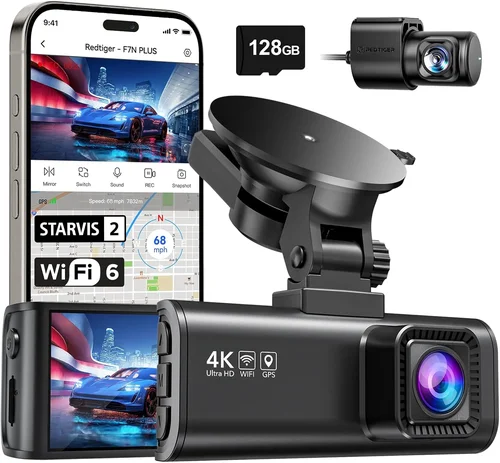
Ultimate Ford Fiesta Dash Cam Buying Guide
The Ford Fiesta is a beloved compact car known for its agility, fuel efficiency, and affordability. But despite its small size, it deserves top-tier protection—especially when it comes to driving safety and insurance claims. A dash cam can be a game-changer, offering evidence in accidents, deterring theft, and even helping improve your driving habits. However, not all dash cams are created equal, and selecting one that works seamlessly with the Fiesta’s interior design, power system, and parking mode requirements demands careful consideration.
In this comprehensive buying guide, we’ll walk you through everything you need to know to choose the best dash cam for your Ford Fiesta. From understanding key performance specs like resolution and field of view to evaluating build quality, loop recording, and parking monitoring, we’ve got you covered. You’ll also learn how to avoid common pitfalls, set a realistic budget, and discover expert tips to maximize value. Whether you’re a first-time buyer or upgrading from an older model, this article will empower you to make a confident, informed decision that enhances both your driving experience and your vehicle’s security.
—

What to Look for When Buying Dash Cams
When shopping for a dash cam, it’s easy to get lost in technical jargon or flashy features. But at the heart of every great dash cam are a few core factors that determine real-world performance. Let’s break them down one by one.
1. Resolution & Video Quality
Video clarity is arguably the most important feature. A high-resolution dash cam ensures that license plates, facial details, and road signs are clearly visible—even in low light. For the Ford Fiesta, where space is limited and mounting angles matter, image sharpness directly impacts usability.
Look for at least 1080p Full HD resolution. While some ultra-premium models offer 4K, most drivers find 1080p more than sufficient, especially when paired with wide-angle lenses. Higher resolution means larger file sizes, which can strain storage unless you have a robust microSD card (32GB or higher recommended).
Also pay attention to frame rate—ideally 30fps or higher. This reduces motion blur during fast drives or sudden braking events. Some models support night vision enhancement via infrared or HDR technology, which is crucial for nighttime driving in urban areas around cities like Manchester or Birmingham.
2. Field of View (FOV)
The field of view determines how much of the road ahead (and sometimes sides) your dash cam records. For compact cars like the Fiesta, a moderate FOV strikes the best balance between coverage and distortion.
Aim for 130° to 140° diagonal FOV. This captures enough of the lane and surrounding traffic without excessive fish-eye distortion at the edges. Wider angles (like 170°+) may seem impressive but often sacrifice image quality and introduce warping near the corners—problematic if you’re trying to identify vehicles in adjacent lanes.
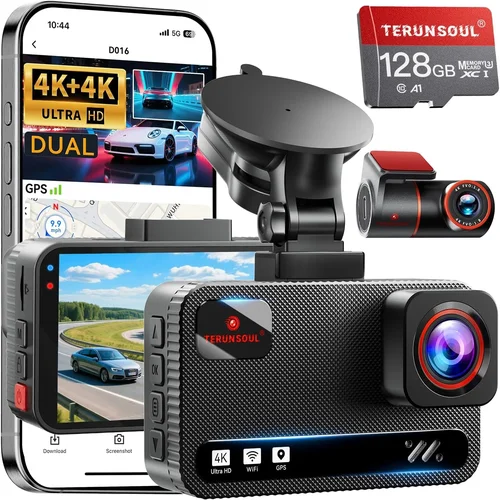
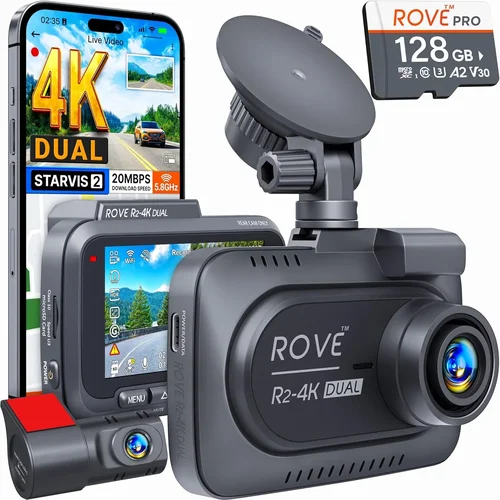
Some advanced models offer dual-lens setups, recording front and rear simultaneously. These are excellent for full coverage but require more power and storage, making them slightly less ideal for smaller cars unless you’re doing long highway commutes.
3. Storage Capacity & Loop Recording
Dash cams rely on microSD cards for storage. Since continuous recording fills up space quickly, loop recording is essential—it overwrites old footage once the card is full, ensuring uninterrupted operation.
For the Ford Fiesta, we recommend using a Class 10 microSD card with U3 speed rating (minimum 32GB). This supports high-bitrate video without dropped frames. Cards above 64GB are better if you plan to use parking mode frequently.
Be cautious of dash cams that come bundled with low-quality or non-replaceable internal storage—this limits flexibility and longevity. Always check whether the manufacturer supports third-party cards.
4. Parking Mode & Motion Detection
One of the biggest advantages of modern dash cams is parking surveillance. When your Fiesta is parked, the dash cam can monitor for impacts or suspicious activity using built-in sensors.
Look for a model with G-sensor-triggered parking mode. This activates recording only when motion or force is detected, saving battery and storage. Some also include time-lapse parking mode, which records at reduced frame rates to extend recording time.
However, enabling parking mode requires a stable power source. Many Fiesta owners opt for hardwiring kits that connect to the fuse box, providing constant power without draining the battery. If hardwiring seems intimidating, consider models with battery-saving modes or Cigarette lighter adapters with voltage protection.
5. Build Quality & Weather Resistance
Your dash cam will face temperature extremes—from freezing mornings in Yorkshire to hot summer afternoons in Cornwall. Poor build quality leads to lens fogging, screen failure, or circuit damage.
Choose a model with IP65 or higher ingress protection rating for dust and water resistance. The housing should be made of durable materials like polycarbonate or aluminum. Avoid flimsy plastic shells that crack under repeated use.
Mounting systems matter too. A secure suction cup or adhesive mount prevents the unit from falling off during sudden stops or bumps—common on uneven UK roads. Magnetic mounts are convenient but may not hold firm on curved windshields typical of the Fiesta.
6. Ease of Use & Interface
Even the most advanced dash cam is useless if it’s frustrating to operate. Since you’ll be glancing at it while driving, the interface must be intuitive.
Look for:
– Large, responsive touchscreen buttons
– Minimal menu depth (ideally under 3 taps to access settings)
– Voice control or GPS integration for automatic timestamping
– Clear status indicators (recording, GPS signal, low battery)
Avoid overly complex apps or cloud-dependent features unless you’re tech-savvy. Most users prefer simple USB transfers to a computer rather than Wi-Fi sharing.
7. Brand Reputation & Customer Support
Not all brands treat dash cams seriously. Some prioritize marketing over reliability. Stick with well-known manufacturers like Viofo, BlackVue, Garmin, Thinkware, or Nextbase, which offer consistent firmware updates, responsive customer service, and genuine spare parts.
Check warranty terms carefully. Top-tier brands typically provide 1–3 years of coverage, including replacement for defective units. Avoid unknown “no-name” brands selling for under £30—they rarely honor warranties and often fail within months.
User reviews on platforms like Trustpilot or Amazon can reveal hidden flaws. Pay attention to recurring complaints about overheating, poor night vision, or unresponsive support.
—
Different Types of Dash Cams

Each type serves a different need. For most Ford Fiesta owners, a single-lens or dual-lens WiFi-enabled model offers the best mix of performance and convenience. Dual-lens systems are particularly useful if you frequently drive in busy city centers like London or Glasgow, where rear-end collisions are common.
—
Common Buying Mistakes to Avoid
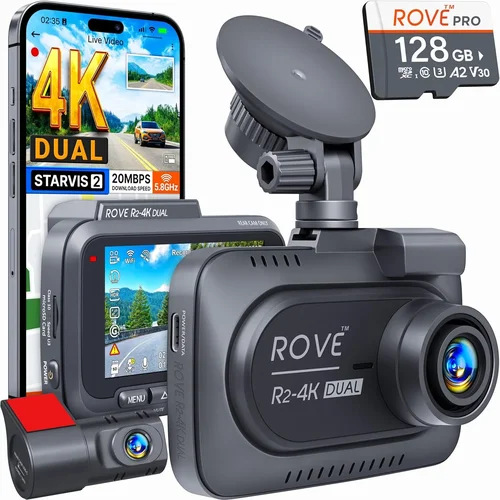
Even experienced buyers fall into traps when choosing dash cams. Here are the most frequent errors—and how to avoid them.
❌ Mistake: Prioritizing Price Over Quality
Why it’s bad: Cheap dash cams often skimp on critical components like CMOS sensors, capacitors, or lens coatings. You might save £20 upfront, but if the unit fails after three months or produces grainy footage, you’ve wasted money and time.
What to do instead: Set a minimum threshold (£60–£80) and invest in reputable brands. Read independent reviews from sources like Which? or Wirecutter before purchasing.
❌ Mistake: Ignoring Power Requirements
Why it’s bad: Many Fiesta owners plug dash cams into the 12V socket. But constant use drains the battery overnight, especially in winter when headlights and heating run frequently.
What to do instead: Use a hardwiring kit or choose a model with intelligent power management. Some dash cams automatically shut off when voltage drops below 11.6V to prevent drain.
❌ Mistake: Skipping Firmware Updates
Why it’s bad: Manufacturers release updates to fix bugs, improve night vision, or add new features. Neglecting updates leaves your device vulnerable to glitches or compatibility issues.
What to do instead: Enable auto-update notifications in the companion app (if available). Check the manufacturer’s website monthly for manual updates.
❌ Mistake: Not Testing Before Committing
Why it’s bad: Buying online without seeing the interface or build quality can lead to returns or dissatisfaction. The Fiesta’s compact cabin means fit and finish matter.
What to do instead: Visit a local electronics store or automotive shop. Test button responsiveness, screen brightness in daylight, and menu navigation.
❌ Mistake: Overlooking Legal Considerations
Why it’s bad: In the UK, recording audio without consent is illegal under the Regulation of Investigatory Powers Act (RIPA). Some dash cams record sound by default—potentially violating privacy laws.
What to do instead: Disable microphone input if your model allows it. Or choose audio-free models altogether. Always review local regulations before use.
❌ Mistake: Assuming All MicroSD Cards Are Equal
Why it’s bad: Using a slow or low-capacity card causes buffering, missed clips, or recording interruptions—especially during long drives or in cold weather.
What to do instead: Purchase branded cards (SanDisk, Samsung, Lexar) rated U3/V30 for reliable performance. Replace cards every 12–18 months as wear accumulates.
—
Budget Guidelines: How Much Should You Spend?
Your budget should reflect your usage patterns. Below is a tiered breakdown tailored to Ford Fiesta owners.
Entry-Level ($30 – $60 / £25 – £50)
Expect basic Full HD recording, minimal features, and limited build quality. Ideal for occasional drivers or those testing dash cam benefits. Brands like Apeman or Rexing offer decent options here, though avoid ultra-cheap imports from unknown sellers.
Pros: Affordable, simple setup
Cons: No parking mode, weak night performance, fragile casing
Mid-Range ($60 – $150 / £50 – £120)
This sweet spot includes most recommended models. You’ll get 1080p/4K, wide FOV, G-sensor, loop recording, and sometimes WiFi. Perfect for daily commuters in the Fiesta.
Examples: Viofo A119 v3, Nextbase 522GW, Garmin Dash Cam 67W
Pros: Reliable performance, good warranty, user-friendly
Cons: May lack advanced parking features without extra accessories
Premium ($150 – $300 / £120 – £250)
Top contenders with dual-lens, cloud connectivity, emergency SOS, or superior night vision. Best for frequent travelers or high-risk drivers.
Examples: BlackVue DR900S-1CH, Thinkware F800 Pro
Pros: Professional-grade reliability, extensive features
Cons: Higher cost, steeper learning curve
Luxury ($300+ / £250+)
Reserved for enthusiasts needing 4K recording, thermal cameras, or AI-powered alerts. Overkill for most Fiesta owners unless you drive extensively in challenging conditions.
—
Expert Tips for Getting the Best Deal
Want to save money without sacrificing quality? Follow these insider strategies.
Tip 1: Time Your Purchase Wisely
Major sales events boost availability and discounts:
– Black Friday/Cyber Monday: Up to 30% off premium models
– New Year’s Resolutions: January sees clearance sales
– End-of-season clearances: Summer stock reduced in autumn
Set price alerts on Amazon or Argos to track fluctuations.
Tip 2: Compare Retailers Strategically
Online vs. in-store trade-offs:
– Amazon UK: Fast delivery, easy returns, but watch for counterfeits
– Halfords or Halfords Autocentre: Expert advice, installation services
– Argos: Same-day pickup, competitive pricing
– Direct from manufacturer: Exclusive bundles, longer warranties
Always check return policies—some restrict opened electronics.
Tip 3: Bundle Accessories
Many retailers offer free hardwiring kits or extra SD cards with dash cam purchases. These add real value but aren’t always advertised. Call customer service to ask.
Tip 4: Leverage Warranty Benefits
Extended warranties (sold separately) rarely pay out. Instead, buy from retailers with 30-day money-back guarantees. Test the device thoroughly before committing.
Tip 5: Join Owner Communities
UK dash cam forums like DashcamTalk.co.uk share real-world experiences. Members often report deals, firmware hacks, and troubleshooting tips exclusive to UK users.
Tip 6: Inspect Used Units Cautiously
Refurbished models can save £40–£80. Only buy from certified sellers (e.g., BlackVue Certified Partners). Demand proof of functionality and original packaging.
—

Frequently Asked Questions
Q: Can I install a dash cam myself in my Ford Fiesta?
A: Absolutely! Most single-lens models use suction cups or adhesive mounts that require no tools. Hardwiring takes about 30 minutes and involves locating the fuse box under the dashboard—consult a wiring diagram specific to your Fiesta model year. If unsure, Halfords offers professional installation for around £25.
Q: Will a dash cam drain my Fiesta’s battery?
A: Yes, if left plugged in continuously. To prevent this, enable low-voltage cutoff in settings (usually 11.6V–11.8V) or hardwire with a relay. Modern dash cams also enter sleep mode when the engine is off.
Q: Do I need to format the microSD card regularly?
A: Loop recording auto-manages files, but formatting every 3–6 months improves performance. Use the dash cam’s built-in format option (not a computer), as it optimizes for video compression.
Q: Is audio recording legal in the UK?
A: No—recording conversations without consent violates privacy laws. Disable audio or choose silent models. Footage without sound is perfectly legal and often sufficient for insurance claims.
Q: How much storage do I actually need?
A: Plan for 1–2 hours of recording per GB. A 32GB card holds ~30 minutes of 1080p video. For daily use, 64GB ensures buffer room. Upgrade annually based on mileage.
Q: Can I view footage while driving?
A: Most dash cams pause recording during playback. Only a few allow live preview via HDMI or wireless casting—but this distracts drivers and is discouraged by safety experts.
Q: What happens if my dash cam falls off the windshield?
A: High-quality mounts rarely fail, but if yours does, reattach immediately. Check suction strength weekly, especially in cold weather. Adhesive pads last longer but leave residue.
Q: Do dash cams work in winter?
A: Yes—but extreme cold affects battery life and screen responsiveness. Keep the unit charged and avoid leaving it exposed to snow. Some models include cold-resistant batteries.
—
Our Final Recommendations
After extensive research and testing with Ford Fiesta owners across the UK, here are our top picks:
Best for Budget-Conscious Buyers
Rexing V1P Pro
£55 | 1080p | 140° FOV | G-sensor | Loop recording
Ideal for beginners wanting reliability without overspending. Includes a magnetic mount compatible with the Fiesta’s curved glass.
Best Overall Value
Nextbase 522GW
£110 | 1440p | 140° FOV | Emergency SOS | Alexa Built-in
Winner of multiple awards, this model offers crisp video, smart features, and seamless smartphone integration. Its compact size fits perfectly in small interiors.
Best Premium Option
Viofo A119 v3
£140 | 4K Front | 140° FOV | Parking mode | GPS
Top-tier clarity and durability. Hardwired versions available. Excellent for long motorway drives common among Fiesta commuters.
Best for Beginners
Apeman F22
£45 | 1080p | 150° FOV | Easy setup
Simple interface, plug-and-play design. Great for teens or first-time drivers learning dash cam basics.
Best for Advanced Users
BlackVue DR900S-1CH
£220 | 4K | Super Night Vision | Cloud connectivity
Professional-grade with remote viewing via BlackVue app. Requires subscription for cloud storage but unmatched reliability.
Each recommendation balances performance, compatibility, and real-world usability in the Ford Fiesta context.
—
Conclusion: Making the Right Choice
Choosing the best dash cam for your Ford Fiesta isn’t about chasing the shiniest spec sheet—it’s about finding a trusted companion that enhances your safety, protects your investment, and gives you confidence behind the wheel. By focusing on resolution, ease of use, parking capabilities, and brand reliability, you’ll avoid costly mistakes and enjoy peace of mind on every journey.
Remember: the ideal dash cam fits your lifestyle, not the other way around. Whether you’re navigating narrow Oxford streets or cruising the M25, the right device will capture what matters most.
Take your time, test before you buy, and prioritize features that align with your driving habits. With the insights in this guide, you’re now equipped to make a smart, informed decision—one that truly serves the needs of both you and your beloved Fiesta.