Best Dash Cam for CRV Shopping Guide
Best Dash Cam for CRV
Expert Shopping Guide for Honda CR-V Owners
Finding the perfect dash cam for your Honda CR-V is about more than just capturing footage—it’s about peace of mind, safety, and protecting yourself in case of an accident. With so many options available, choosing the right one can feel overwhelming. This comprehensive guide will walk you through everything you need to know to make an informed decision.
Whether you’re a daily commuter, a weekend adventurer, or simply want added security for your vehicle, understanding the key features, types, and considerations will help you select a dash cam that fits your specific needs and budget. We’ll explore performance specifications, build quality, advanced features like parking mode and GPS tracking, and how these factors specifically relate to the Honda CR-V’s interior design and dashboard layout.
By the end of this article, you’ll have a clear understanding of what makes a great dash cam for CR-V owners, common mistakes to avoid, expert recommendations across different price ranges, and actionable tips to get the best value for your investment.
## What to Look for When Buying Dash Cams
### Performance Specifications
Performance is arguably the most critical factor when selecting a dash cam. You need a device that captures clear, detailed footage under various lighting conditions and driving scenarios. Start by looking at the video resolution—1080p (Full HD) is the minimum for good quality, but 2K and 4K offer significantly better detail and license plate recognition. Higher resolution means clearer evidence if needed for insurance claims or legal situations.
The frame rate matters too—30fps is standard, but 60fps provides smoother motion capture, especially during fast maneuvers or emergency braking. Consider the field of view (FOV), typically between 110° and 170°. A wider angle captures more of the road but may introduce distortion at the edges. For CR-V owners, a 130°-150° FOV strikes a good balance between coverage and image clarity.
Low-light performance is crucial since you’ll be recording both day and night. Look for cameras with wide dynamic range (WDR) technology that adjusts exposure automatically, ensuring well-lit faces and readable plates even in challenging lighting. Night vision capabilities should include infrared LEDs or enhanced sensors for clear nighttime recording.
### Build Quality & Durability
Your dash cam will be exposed to extreme temperatures, vibrations, and potential impacts. Choose models made from high-quality materials with robust construction. The housing should be shock-resistant and able to withstand temperature fluctuations from -4°F to 140°F (-20°C to 60°C).
Water resistance is another important consideration—look for IP65 or higher ratings that protect against dust and water splashes. The mount should be secure enough to stay in place during sudden stops or potholes but still allow easy removal for parking mode activation.
For CR-V specifically, consider how the camera will attach to your windshield. Some models use suction cups that may leave residue on your CR-V’s glass, while others use adhesive mounts. Test the installation before finalizing your purchase to ensure it doesn’t interfere with your rearview mirror or driver visibility.
### Features & Functionality
Modern dash cams offer numerous features beyond basic recording. Loop recording automatically overwrites old footage when storage is full, ensuring continuous operation without manual intervention. Most importantly, look for a built-in G-sensor that detects collisions and automatically locks those files to prevent accidental deletion.
GPS tracking adds valuable context to your recordings—it logs speed, location, and route information that can be useful for insurance claims or simply monitoring your driving patterns. Built-in Wi-Fi allows you to easily transfer videos to your smartphone using companion apps.
Parking mode is essential if you want surveillance while your car is unattended. This feature uses low-power recording to capture incidents like hit-and-runs or vandalism. However, it requires a hardwiring kit to draw power from your CR-V’s battery, which adds complexity but provides peace of mind.
Voice control, cloud storage, and mobile app integration are additional conveniences worth considering. Some models offer automatic emergency notifications to your phone if an incident is detected.
### Brand Reputation
Well-established brands like BlackVue, Garmin, Thinkware, and Viofo have proven track records for reliability and customer support. These manufacturers invest heavily in research and development, resulting in more stable firmware updates and longer product lifespans.
Research user reviews across multiple platforms—Amazon, Reddit, automotive forums, and dedicated dash cam review sites. Pay attention to consistent complaints about battery drain, poor customer service, or hardware failures. Brands with responsive technical support and active communities tend to provide better long-term value.
For CR-V owners specifically, check compatibility with your vehicle model year and dashboard dimensions. Some universal mounts work better than others with specific SUV designs like the CR-V’s slightly sloped windshield.
### Warranty & Support
A solid warranty demonstrates manufacturer confidence in their product. Look for at least a 1-year warranty covering defects, with some premium models offering 2-3 years. Extended warranties are available but rarely necessary if you choose reputable brands.
Check what the warranty covers—some exclude damage from accidents or improper installation. Reliable customer support is equally important; responsive technical teams can resolve issues quickly and often provide firmware updates that improve performance.
Before purchasing, verify that replacement parts like batteries or memory cards are readily available. Some cheaper brands use proprietary components that become obsolete quickly.
### Size & Portability
Dash cam size affects both aesthetics and functionality. Compact models around 2.5″ x 2.5″ x 1″ fit discreetly without obstructing your view. Larger units may offer better cooling and larger sensors but can be more noticeable to other drivers.
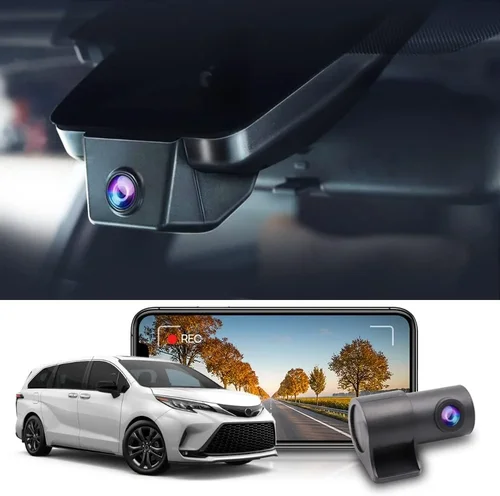
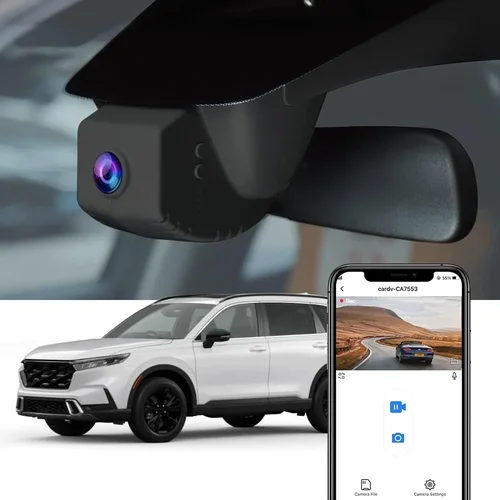
Consider how the camera will integrate with your CR-V’s interior. Some users prefer completely hidden installations behind the rearview mirror, while others don’t mind visible units as long as they’re unobtrusive.
Portability matters if you plan to transfer the dash cam to another vehicle occasionally. Lightweight models with universal mounts are easier to reposition between cars.
## Different Types of Dash Cams
### Single Channel Dash Cams
These are the most popular choice for Honda CR-V owners due to their simplicity and affordability. They record only the forward-facing view, which is sufficient for documenting traffic incidents, road conditions, and providing evidence in case of accidents. Single channel models typically feature 1080p or higher resolution, wide-angle lenses, and essential safety features like loop recording and G-sensors.
For CR-V drivers who primarily want protection during normal commuting and occasional highway driving, single channel dash cams offer excellent value. They’re easy to install, consume minimal power, and don’t require complex wiring. Most models connect directly to your CR-V’s cigarette lighter or fuse box for power.
### Dual Channel Dash Cams
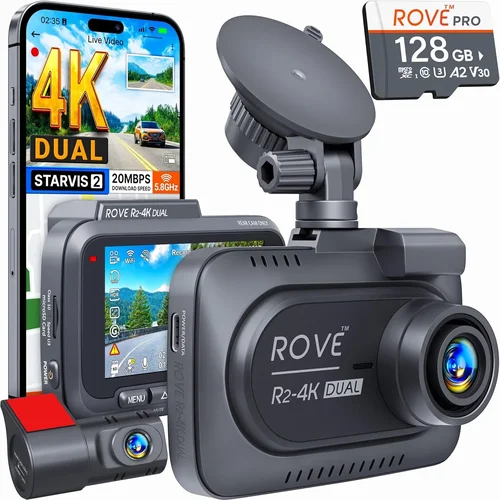
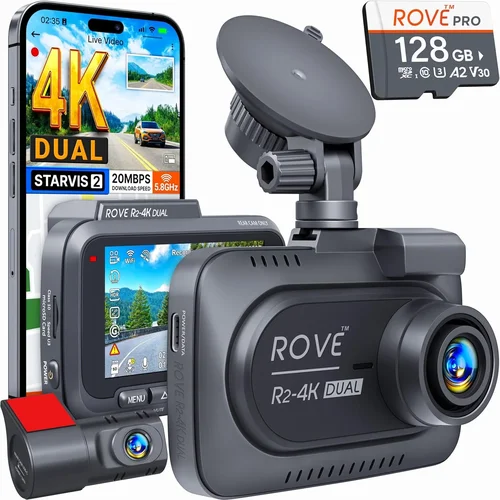
Dual channel systems include both a front-facing camera and an interior/rear camera. This setup provides complete coverage of what happens inside and outside your vehicle. The interior camera can capture passenger behavior, valuable items in the backseat, or even document interactions with other drivers.
While more expensive, dual channel dash cams offer comprehensive protection that single models can’t match. They’re particularly valuable for rideshare drivers, delivery personnel, or anyone who frequently carries valuables in their CR-V. Installation requires routing an additional cable to the interior camera, which may involve drilling small holes in your CR-V’s trim panels.
### 360° Dash Cams
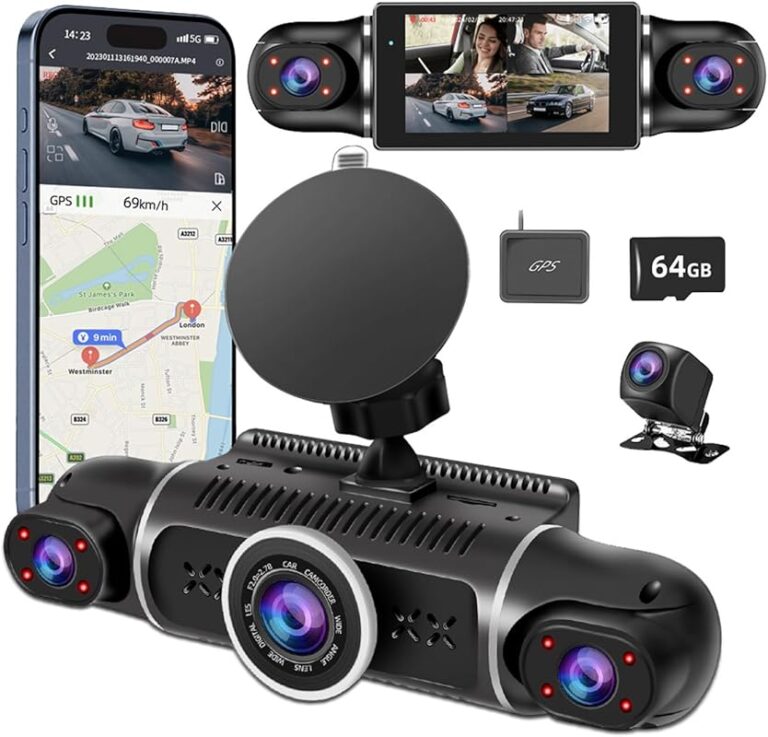
These advanced systems use multiple cameras positioned around your vehicle to create a complete surround view. While rare for personal vehicles, some models offer this capability through specialized lenses and software stitching. They’re more common in commercial fleets but occasionally appear in premium consumer models.
For CR-V owners, 360° functionality might seem excessive unless you frequently park in tight spaces or need maximum coverage. The added cost and complexity usually aren’t justified for typical personal use cases.
### Professional/Commercial Grade
High-end professional dash cams designed for fleet management include advanced features like real-time monitoring, remote access, extensive cloud storage, and detailed reporting dashboards. These systems often require subscription services and are optimized for business use rather than individual consumers.
While impressive, these features typically exceed what most CR-V owners need. The price point also reflects enterprise-level support and durability standards not necessary for personal vehicles.
### Smart Dash Cams
Smart dash cams emphasize connectivity features like Wi-Fi, Bluetooth, and mobile app integration. They allow you to preview footage, download clips, and share videos directly from your smartphone. Some models offer cloud backup, voice commands, and automatic incident alerts.
These features enhance convenience but come at the cost of increased battery consumption and potential privacy concerns. For tech-savvy CR-V owners comfortable with app-based controls, smart dash cams offer a modern experience worth considering.
## Common Buying Mistakes to Avoid
### Mistake: Choosing Based Solely on Price
Many buyers fall into the trap of selecting the cheapest dash cam available without considering long-term value. Low-priced models often cut corners on critical components like image sensors, capacitors, or build materials. While they may seem appealing initially, these cameras frequently fail within months or produce subpar video quality.
Instead of focusing exclusively on upfront cost, calculate the total value including expected lifespan, feature set, and reliability. Investing $20 more in a quality camera that lasts two years instead of buying three cheap ones that each last six months actually saves money and frustration.
### Mistake: Overlooking Storage Requirements
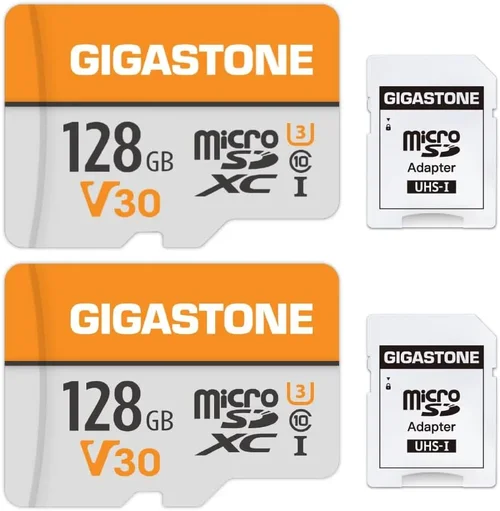
Dash cams generate continuous video files that consume storage space quickly. Using microSD cards with insufficient capacity leads to frequent reformatting or lost footage when incidents occur. Most users benefit from 64GB cards, though 128GB provides more buffer time between formatting cycles.
Avoid relying solely on internal flash storage—it’s limited and becomes corrupted easily. Always carry spare microSD cards and format them regularly using your computer rather than the camera itself. Consider purchasing cards from reputable brands with guaranteed write speeds compatible with your dash cam.
### Mistake: Ignoring Parking Mode Limitations
Parking mode sounds convenient but has significant limitations that many buyers overlook. Most dash cams can’t run parking mode continuously without a separate power source like a hardwiring kit. Without proper installation, your CR-V’s battery could drain significantly over time.
Additionally, parking mode sensitivity varies greatly between models. Some trigger too easily from minor bumps or vibrations, filling your storage with irrelevant footage. Others miss actual incidents due to insufficient motion detection algorithms. Research specific parking mode capabilities before committing to this feature.
### Mistake: Neglecting Firmware Updates
Manufacturers regularly release firmware updates that improve performance, fix bugs, and add new features. Many dash cams require connection to a computer for updates, which can be inconvenient. Some models lack automatic update capabilities entirely.
Always check whether your chosen model supports regular firmware updates and how easy the process is. Outdated firmware can result in reduced image quality, missing safety features, or compatibility issues with newer operating systems. Subscribe to brand newsletters or join user communities to stay informed about updates.
### Mistake: Installing Without Proper Testing
Proper installation ensures optimal performance and prevents interference with your driving experience. Many buyers rush through installation without testing the camera’s field of view, focus, or button responsiveness. A poorly installed dash cam might obstruct your view, fail to record properly, or disconnect during drives.
Before relying on your dash cam for safety purposes, test it extensively during different driving conditions. Check that the recording starts immediately when you turn on your CR-V’s ignition, that the audio is clear, and that the camera remains securely mounted during turns and stops. Adjust positioning as needed to ensure maximum effectiveness.
### Mistake: Assuming All Memory Cards Are Compatible
Not every microSD card works perfectly with every dash cam. Speed class ratings (UHS-I, U3, etc.) and write speeds matter significantly for smooth video recording. Using incompatible cards can cause recording interruptions, file corruption, or even permanent damage to your dash cam.
Always consult your dash cam’s manual for recommended card specifications. When in doubt, buy a few different cards from the same brand and test them thoroughly before committing to one type permanently. Keep backups on hand since even reliable cards eventually wear out.
### Mistake: Forgetting About Legal Considerations
Recording inside your vehicle raises privacy and legal questions depending on your location. Laws regarding audio recording vary significantly—some states require all parties to consent, while others permit recording without notification. Even if legal where you live, other drivers might object to being recorded.
Be aware of local regulations and consider disabling audio recording if you’re concerned about legal implications. Some dash cams allow you to toggle audio on/off, giving you flexibility based on circumstances. Always respect others’ privacy while maintaining your own safety rights.
## Budget Guidelines: How Much Should You Spend?
### Entry-Level ($50 – $100)
In this price range, you’ll find functional dash cams with basic features suitable for everyday use. Models in this category typically offer 1080p resolution, decent low-light performance, and essential safety features like loop recording and G-sensors. While they may lack advanced capabilities like GPS tracking or parking mode, they provide reliable protection for casual drivers.
Look for reputable brands even at lower price points—avoid unknown manufacturers selling extremely cheap products. Entry-level dash cams work well for CR-V owners who want basic protection without unnecessary complexity. Just remember that lower-cost models often have shorter lifespans and limited customer support.
### Mid-Range ($100 – $200)
This sweet spot offers the best balance of features, quality, and value for most CR-V owners. Mid-range dash cams typically include 2K or 4K recording, improved low-light performance, GPS tracking, and sometimes parking mode functionality. Brands like Viofo, Thinkware, and Garmin dominate this segment with proven reliability.
For CR-V drivers seeking comprehensive protection, mid-range models provide excellent image quality and robust feature sets. You’ll likely find waterproof housings, shock-resistant designs, and responsive customer support. This range includes most recommended dash cams for average drivers who want quality without overspending.
### Premium ($200 – $350)
Premium dash cams deliver professional-grade performance with advanced features like dual-channel recording, superior image processing, and extensive connectivity options. These models often include cloud storage, mobile app integration, voice control, and enhanced parking mode capabilities.
If you frequently drive in challenging conditions, need maximum evidence quality for insurance purposes, or want complete peace of mind, premium options justify their higher cost. For CR-V owners who treat their vehicle seriously, investing in a top-tier dash cam pays dividends through better performance and durability.
### Luxury ($350+)
Luxury dash cams represent the pinnacle of consumer technology with cutting-edge features like AI-powered incident detection, 4K/60fps recording, HDR imaging, and enterprise-level security. These products often include specialized accessories like wireless charging pads, premium mounting systems, and extended warranties.
While impressive, luxury dash cams typically exceed what most CR-V owners need. The additional cost rarely translates to proportional benefits for average drivers. Only consider luxury options if you have specific requirements like professional-grade evidence collection or maximum technological sophistication.
## Expert Tips for Getting the Best Deal
### Timing Your Purchase Right
Dash cam prices fluctuate throughout the year based on demand and new product launches. Major shopping events like Black Friday, Cyber Monday, and Amazon Prime Day offer substantial discounts—often 20-30% off retail prices. Seasonal transitions also create opportunities; spring and fall typically see clearance sales on winter-related accessories including dash cams.
Avoid buying during peak summer months when demand is highest. If you need immediate protection, consider waiting for holiday sales rather than paying full price. Many retailers also offer bundle deals when purchasing multiple items together, which can reduce overall costs.
### Comparing Retailers Carefully
Online marketplaces like Amazon, Best Buy, and Walmart offer competitive pricing but vary in selection and return policies. Specialty electronics stores like Micro Center often have knowledgeable staff and better return windows. Direct purchases from manufacturer websites sometimes include exclusive discounts or bundled accessories.
Compare prices across multiple platforms before making a decision. Watch for hidden costs like shipping fees, restocking charges, or mandatory subscriptions. Read recent customer reviews about the retailer itself—some promise low prices but have poor fulfillment rates or unresponsive customer service.
### Spotting Hidden Deals and Discounts
Sign up for email newsletters from your favorite dash cam brands and retailers to receive exclusive promo codes and early access to sales. Many companies offer first-time buyer discounts or loyalty program benefits that aren’t advertised publicly. Student, military, or senior discounts may apply at participating retailers.
Bundle deals combining dash cams with accessories like extra memory cards, windshield wipers, or hardwiring kits often save more than buying separately. Check manufacturer rebate programs that offer cash back after purchase—these can effectively reduce your net cost significantly.
### Understanding Warranty Value
Extended warranties are rarely worth the cost for electronic devices like dash cams. Most manufacturers already provide solid coverage for defects, and third-party extended warranties often duplicate existing protections. Instead of spending extra on extended coverage, allocate that money toward purchasing higher-quality equipment from the start.
If your dash cam fails within the warranty period, contact customer support immediately rather than filing insurance claims or wasting time with warranty paperwork. Document all communications and keep receipts—this documentation can prevent disputes later.
### Evaluating Return Policies Thoroughly
Before purchasing, understand the retailer’s return policy for electronics. Most major retailers offer 30-day returns, but some specialty stores provide longer periods or even trial periods where you can test equipment extensively. Know whether returns require original packaging and what condition the item must be in.
Test your dash cam thoroughly during the return window—check recording quality, feature functionality, and ease of use. If anything disappoints you during testing, return it before the deadline rather than discovering problems later. Some retailers charge restocking fees, so factor this into your decision-making process.
### Testing Before Committing
Whenever possible, test dash cams in person before purchasing. Visit electronics stores that allow hands-on demonstrations or rent equipment through local automotive accessory shops. During testing, evaluate:
– Video quality in different lighting conditions
– Audio clarity and microphone sensitivity
– Button responsiveness and menu navigation
– Mounting system stability and adjustability
– Power consumption during operation
– File management and playback ease
Ask store employees about return policies and whether they offer trade-in programs for previous dash cams. Their insights can reveal valuable information not available online.
### Building Long-Term Relationships
Consider establishing relationships with reliable retailers who understand your needs. Regular customers often receive preferential treatment, early notice of sales, or personalized recommendations. Join online communities and forums focused on dash cam users—members frequently share deals, troubleshooting tips, and honest reviews.
Building knowledge through community participation helps you make smarter purchasing decisions and spot genuine bargains versus marketing gimmicks. Experienced users can also alert you to upcoming product releases or discontinued models that might affect your choice.
## Frequently Asked Questions
### Q: Can I install a dash cam myself without professional help?
A: Yes, most dash cams come with straightforward installation instructions and can be mounted by any reasonably handy person. The process typically involves attaching the camera to your windshield using a suction cup or adhesive mount, connecting it to power through your CR-V’s cigarette lighter or fuse box, and inserting a microSD card. Basic models require no tools beyond possibly a screwdriver for fuse box access.
However, parking mode installation usually requires hardwiring the dash cam directly to your CR-V’s electrical system, which involves accessing the fuse box under the hood or dashboard. If you’re uncomfortable working with electrical systems, consult a professional installer. Many automotive accessory stores offer installation services for a nominal fee.
### Q: How much power does a dash cam consume, and will it drain my CR-V’s battery?
A: Modern dash cams consume very little power—typically 1-3 watts during recording and 0.5-1 watt in standby mode. This equates to less than 1% of your CR-V’s battery capacity per day under normal usage. Most models enter low-power mode when your car is off, drawing minimal current until movement or impact triggers recording.
Without parking mode, your dash cam won’t drain your battery significantly. If you enable parking mode, use a dedicated fuse tap connected to a fuse that only activates when your CR-V is running to prevent overnight drainage. Some premium models include intelligent parking mode that senses when your vehicle is parked and adjusts sensitivity accordingly.
### Q: What resolution should I choose for my dash cam?
A: For most CR-V owners, 1080p (Full HD) provides excellent clarity and sufficient detail for insurance claims and evidence. However, 2K or 4K resolutions offer noticeably sharper images and better license plate recognition, especially at highway speeds or in low-light conditions.
Consider your primary use case: if you mainly drive in urban areas with frequent stops and starts, 1080p may suffice. For highway commuters who need to capture distant license plates clearly, higher resolution becomes more valuable. Balance resolution against storage requirements—higher resolution files consume more space and require faster write-speed memory cards.
### Q: How do I handle storage management effectively?
A: Implement a systematic approach to storage management for optimal dash cam performance. Use a high-quality microSD card with at least 64GB capacity and U3 speed rating. Format cards regularly using your computer rather than the camera to maintain consistent performance.
Set your dash cam to overwrite old footage automatically once storage fills up—this ensures continuous recording without manual intervention. Create a routine to back up important clips monthly to cloud storage or external drives. Consider purchasing two identical cards—one always in the dash cam while the other serves as a backup.
Monitor available storage through your dash cam’s display or mobile app if supported. Replace worn cards proactively before they fail catastrophically during critical moments.
### Q: Are dash cams legal to use in all states, and what about recording inside my vehicle?
A: Dash cams themselves are legal nationwide, but laws regarding audio recording vary significantly by state. Twenty-one states require all parties to consent to audio recording, while others permit recording without notification. Even where legally permitted, recording conversations with other drivers raises ethical considerations.
To avoid legal complications, consider disabling audio recording on your dash cam or purchasing models with physical audio mute buttons. Many users prefer visual-only recording for this reason. Always respect others’ privacy while maintaining your own safety rights.
### Q: What should I do if my dash cam stops working or loses footage?
A: First, check the power connection and ensure the microSD card is properly inserted. Try removing and reinserting both components. If the issue persists, restart your CR-V and test the dash cam again.
For persistent problems, consult the user manual or contact manufacturer support. Many issues can be resolved with firmware updates or simple adjustments. If your dash cam fails completely, document the failure date and any error messages for warranty claims.
Prevent future issues by keeping firmware updated, using quality memory cards, and avoiding extreme temperatures that can damage electronics. Regular maintenance like cleaning the lens and checking connections helps ensure reliable long-term performance.
### Q: How long should I keep dash cam footage?
A: Retention policies depend on your specific needs and local regulations. For general insurance purposes, keeping footage for 3-6 months typically covers most claims windows. If you’re involved in incidents, preserve those files indefinitely until claims are resolved.
Create a systematic backup and archival process: transfer important clips to external drives or cloud storage monthly, then delete duplicates from your dash cam. Label files clearly with dates and locations for easy reference during insurance proceedings or legal situations.
Remember that dash cam storage is designed for continuous cycling—old files automatically overwrite new ones unless locked by the G-sensor during incidents. Don’t expect permanent storage unless you implement external backup solutions.
## Our Final Recommendations
### Best for Budget-Conscious Buyers
The Viofo A119 V3 represents exceptional value for CR-V owners seeking reliable performance without breaking the bank. Priced around $80, this dash cam delivers 2K recording with impressive low-light capabilities, a 130-degree field of view, and essential safety features like loop recording and collision detection. Its compact design fits perfectly on the CR-V’s dashboard without obstructing your view.
What makes the A119 V3 stand out is its balance of quality and affordability. While lacking some premium features like GPS tracking, it excels at core functions that matter most—clear video quality, reliable operation, and straightforward installation. Users consistently praise its durability and responsive customer support, making it ideal for first-time dash cam buyers who want proven reliability at an accessible price point.
### Best Overall Value
The Thinkware F800 Pro offers the perfect blend of features, performance, and value for serious CR-V drivers. Priced around $180, this dash cam includes 2K recording, GPS tracking, built-in Wi-Fi, and advanced parking mode functionality. Its superior image processing handles challenging lighting conditions exceptionally well, capturing crisp details even in bright sunlight or complete darkness.
Thinkware’s reputation for quality shines through in the F800 Pro’s robust construction and thoughtful feature set. The included parking mode sensor prevents false triggers while still catching real incidents, and the mobile app integration makes reviewing footage incredibly convenient. For CR-V owners who want comprehensive protection without overspending, this model represents the sweet spot between capability and cost.
### Best Premium Option
For those seeking the ultimate dash cam experience, the BlackVue DR970X-2CH delivers professional-grade performance with remarkable versatility. At approximately $350, this dual-channel system records both front and interior views in stunning 4K resolution with HDR technology. Its advanced parking mode includes impact detection, motion sensing, and scheduled recording options that adapt to your driving patterns.
What separates the DR970X-2CH from competitors is its cloud connectivity and enterprise-level features. The BlackVue Cloud service allows remote viewing, GPS tracking, and instant incident notifications to your smartphone. For CR-V owners who treat their vehicle as a trusted companion and want maximum peace of mind, this investment provides unmatched protection and technological sophistication.
### Best for Beginners
The Garmin Dashcam Mini simplifies dash cam ownership with its intuitive design and reliable performance. Priced around $120, this compact unit offers 1440p recording, automatic incident detection, and surprisingly good night vision for its size. Its simple one-button operation eliminates confusion, and the magnetic mount system attaches securely without damaging your CR-V’s windshield.
Garmin’s reputation for user-friendly electronics extends to this dash cam, making it perfect for first-time buyers who want hassle-free operation. The included suction cup mount works reliably on the CR-V’s curved windshield, and the device automatically starts recording when you turn on your vehicle. While lacking advanced features like GPS tracking, it provides excellent value for drivers prioritizing ease of use over complex functionality.
### Best for Advanced Users
The Viofo A129 Pro Duo satisfies demanding CR-V owners who want dual-channel recording with professional-grade image quality. Priced around $250, this system captures both front and cabin views in 2K resolution with superior dynamic range handling. Its advanced parking mode includes vibration detection and adjustable sensitivity settings that prevent false triggers from road debris or passing trucks.
What makes the A129 Pro Duo special is its flexibility—you can switch between single and dual channel modes based on your needs, and the mobile app provides detailed analytics about driving patterns and incident frequency. For CR-V drivers who frequently transport passengers or valuable items, this comprehensive coverage offers unparalleled protection and situational awareness.
## Conclusion: Making the Right Choice
Selecting the perfect dash cam for your Honda CR-V ultimately comes down to balancing your specific needs against available features and budget constraints. Whether you prioritize budget-friendliness, advanced functionality, or professional-grade performance, understanding the key factors discussed in this guide will help you make an informed decision that provides lasting value.
Remember that the best dash cam isn’t necessarily the most expensive one—it’s the model that aligns with your driving habits, offers reliable performance, and integrates seamlessly with your CR-V’s design. Take time to research, compare options, and consider how each feature addresses your particular concerns about safety and security.
Don’t forget that proper installation and maintenance are just as important as the equipment itself. Follow manufacturer guidelines carefully, test your setup thoroughly, and establish routines for backing up and managing your footage. With the right dash cam properly installed and maintained, you’ll gain valuable peace of mind knowing your CR-V and its contents are protected wherever your journeys take you.