How to Choose the Best Dash Cam for Crosstrek with EyeSight
When you’re behind the wheel of a Subaru Crosstrek equipped with EyeSight driver assistance technology, you’re already benefiting from advanced safety features that help prevent accidents and protect you on the road. However, even with EyeSight’s impressive capabilities, having an additional layer of security through a dash cam can provide valuable peace of mind and crucial evidence in the event of an incident. This comprehensive guide will walk you through everything you need to know about selecting the best dash cam specifically designed for your Crosstrek with EyeSight, ensuring you make an informed decision that enhances your driving experience without interfering with your vehicle’s existing safety systems.
In this detailed buying guide, you’ll discover how to navigate the complex world of dash cams, understand what makes certain models better suited for Crosstreks with EyeSight, and identify the features that matter most for your specific needs. Whether you’re a daily commuter, weekend adventurer, or safety-conscious driver, we’ll help you find the perfect balance between functionality, compatibility, and value. By the end of this article, you’ll have all the knowledge necessary to choose a dash cam that integrates seamlessly with your Crosstrek’s sophisticated EyeSight system while providing reliable recording capabilities when you need them most.
The market for dash cams has exploded in recent years, with hundreds of models available ranging from basic single-camera units to sophisticated dual-channel systems with advanced features like GPS tracking, parking mode, and cloud connectivity. While this abundance of options might seem overwhelming at first glance, it also means there are excellent choices available at virtually every price point. The challenge lies not just in finding a good dash cam, but in identifying one that works harmoniously with your Crosstrek’s unique dashboard layout and EyeSight camera placement. Many standard dash cams can interfere with or obstruct the EyeSight sensors, potentially disabling critical safety features—a scenario no responsible driver wants to encounter. That’s why this guide focuses specifically on dash cams compatible with Crosstreks with EyeSight, ensuring your investment enhances rather than compromises your vehicle’s safety capabilities.

What to Look for When Buying Dash Cams
1. Compatibility with EyeSight Technology
Perhaps the most critical factor when selecting a dash cam for your Crosstrek is ensuring it won’t interfere with your vehicle’s EyeSight system. Subaru’s EyeSight uses cameras mounted near the interior rearview mirror to monitor traffic conditions, detect potential collisions, and assist with adaptive cruise control and lane departure warnings. These sensors require clear, unobstructed views to function properly. A poorly positioned dash cam can block the EyeSight cameras, causing warning lights to appear on your dashboard or even temporarily disable the entire EyeSight system.
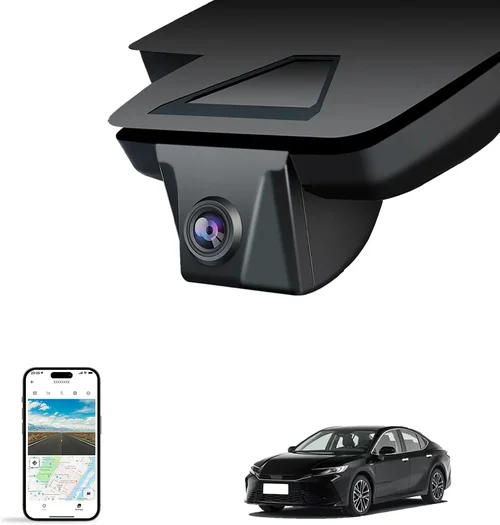
When shopping for a dash cam, look specifically for models designed with EyeSight compatibility in mind. Some manufacturers offer “EyeSight-friendly” mounting solutions that position the camera low enough on the windshield to avoid obstruction. Additionally, consider dash cams with adjustable mounts or flexible positioning options that allow you to find the optimal spot that serves both your recording needs and preserves EyeSight functionality. Always check your specific Crosstrek model year, as EyeSight implementation varies slightly between 2015-2016 models (which use cameras behind the rearview mirror) versus 2017+ models (which integrate the cameras into the mirror assembly itself).
2. Video Quality and Resolution
The primary purpose of any dash cam is to capture clear, detailed footage of the road ahead—especially important in accident investigations or insurance claims. Video quality should be your second priority after EyeSight compatibility. Most modern dash cams offer at least 1080p Full HD resolution, but higher resolutions like 2K or 4K provide significantly more detail, making it easier to identify license plates, facial features, and other crucial information.
However, resolution isn’t the only video quality consideration. Look for dash cams with good low-light performance, as many incidents occur during dawn, dusk, or nighttime driving. WDR (Wide Dynamic Range) technology helps balance exposure when facing bright headlights or direct sunlight, preventing washed-out images. Frame rate matters too—30fps is standard, but 60fps provides smoother motion capture, particularly useful for documenting highway speeds or sudden maneuvers. Consider models with HDR (High Dynamic Range) capability if you frequently drive in challenging lighting conditions.
3. Field of View and Lens Quality
The field of view (FOV) determines how much of the road ahead your dash cam can capture. A wider FOV is generally better, as it reduces the chance of missing important details on the periphery of your driving path. Most dash cams offer between 100-150 degrees horizontally, with 130-140 degrees being ideal for typical highway and city driving scenarios.
Lens quality significantly impacts image sharpness and distortion levels. Premium dash cams use high-quality glass lenses with multiple elements that minimize chromatic aberration and edge distortion. Look for specifications mentioning aspherical lens design, which helps reduce distortion at wide angles while maintaining clarity across the entire frame. Some advanced models feature fisheye lenses with sophisticated digital correction algorithms to deliver distortion-free images despite their wide coverage.
4. Storage Capacity and Recording Modes
Dash cams record continuously until storage space runs out, then overwrite older footage following predetermined rules. Understanding your storage needs involves considering both capacity and recording modes. Most dash cams use microSD cards ranging from 32GB to 256GB or more. Smaller capacities (32-64GB) are sufficient for short trips or minimal recording, while larger cards (128-256GB) accommodate extended recording sessions or higher bitrate settings that consume more space.
Recording modes significantly affect storage efficiency. Loop recording automatically overwrites the oldest files when memory fills up, ensuring continuous operation. G-sensor-triggered emergency recording locks important clips so they aren’t overwritten immediately. Time-lapse or event-only modes can dramatically extend recording time by capturing frames less frequently unless significant motion occurs. Parking mode, when supported, allows the dash cam to record when your car is parked and motion is detected, though this requires hardwiring to your vehicle’s electrical system for power.
5. Build Quality and Durability
Your dash cam will be exposed to extreme temperatures, vibrations, and potential impacts during installation or accidents. High-quality construction ensures reliable operation year after year. Look for dash cams with robust housing materials—polycarbonate or aluminum alloys offer better protection than plastic alone. Sealed designs resist moisture intrusion, which is crucial given the condensation and humidity common in vehicles.
Temperature tolerance is another durability consideration. Dash cams operating reliably in sub-zero winter conditions or scorching summer heat demonstrate superior engineering. Check manufacturer specifications for operating temperature ranges, typically -4°F to 140°F (-20°C to 60°C) for most quality models. Vibration resistance matters too, especially for vehicles like the Crosstrek that may encounter rough terrain on mountain roads or forest trails. Mounting hardware should securely hold the device without shifting over time.
6. Power Source and Installation Options
Dash cams require power from your vehicle, and the method you choose affects both convenience and safety. Hardwiring provides permanent installation with clean appearance and automatic activation/deactivation with your ignition, but requires professional installation skills. USB charging via your cigarette lighter offers simpler setup but keeps the device powered whenever your engine is running (increasing battery drain). Some models support battery power for portability, though this limits continuous recording duration.
For Crosstreks with EyeSight, consider whether you want your dash cam to activate only when driving (saving battery) or remain on continuously (capturing parking incidents). Hardwired systems often include smart triggers that turn off recording when parked to conserve resources. Cable management is crucial—neat routing prevents interference with airbag deployment zones and maintains a clean interior aesthetic. Professional installation services can ensure proper wiring and fuse protection, reducing risk of electrical issues.
7. Features and Additional Capabilities
Beyond basic recording, modern dash cams offer numerous features that enhance usability and security. GPS logging adds location data, speed tracking, and timestamp overlays to your videos, invaluable for accident reconstruction or proving your location during disputes. Built-in Wi-Fi enables easy file transfer to smartphones using companion apps, eliminating cable connections. Cloud storage subscriptions provide remote access to footage from anywhere, though they require monthly fees.
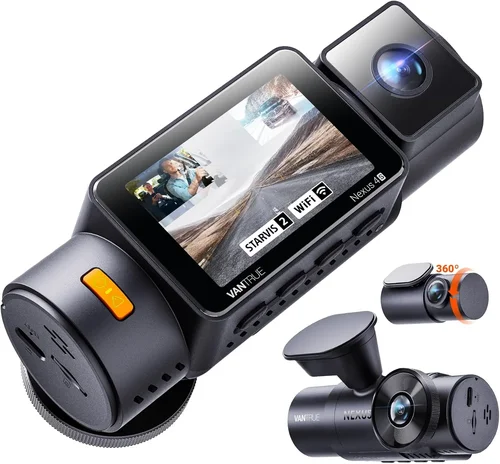
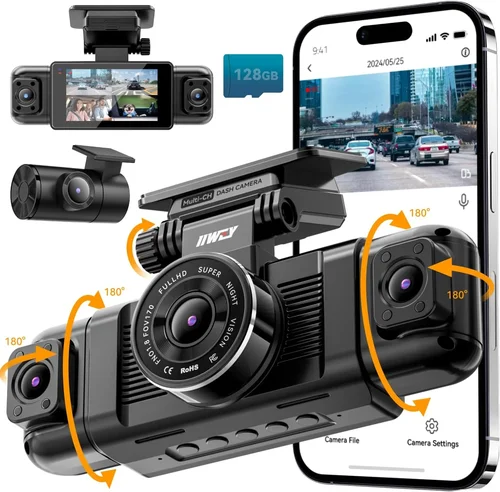
Advanced models include voice control, motion detection for parking mode, collision alerts, and even integration with smartphone navigation apps. Some offer dual-channel recording (front and cabin), providing both road and passenger perspectives. Night vision enhancements like infrared LEDs help capture clearer footage in complete darkness, while automatic exposure adjustment ensures balanced lighting in changing conditions. Consider which features align with your specific needs—more features don’t always mean better value if they complicate operation or increase cost unnecessarily.
8. Brand Reputation and Customer Support
Choosing a reputable brand significantly reduces the risk of purchasing a faulty product or dealing with inadequate customer service. Established companies with years of experience in dash cam manufacturing tend to offer better build quality, more reliable firmware updates, and responsive technical support. Research user reviews across multiple platforms to gauge real-world performance and reliability.
Warranty terms vary considerably—expect 1-3 years for most consumer-grade dash cams, with some premium brands offering extended coverage. Check whether warranty repairs require returning the unit to the manufacturer or if local service centers are available. Responsive customer support channels (phone, email, chat) make troubleshooting faster and less frustrating. Brands with active online communities or user forums indicate engaged development teams who listen to customer feedback and release timely improvements.
Different Types of Dash Cams

Common Buying Mistakes to Avoid
❌ Mistake: Choosing Based Solely on Price
Why it’s bad: While budget is certainly important, focusing exclusively on low cost often leads to disappointment. Inexpensive dash cams may lack essential features like proper EyeSight compatibility, adequate video quality, or reliable build materials. Some ultra-cheap models fail to record properly or have poor night vision, defeating their primary purpose. More importantly, a malfunctioning dash cam could accidentally disable your EyeSight system if positioned incorrectly, creating serious safety risks.
What to do instead: Establish a realistic budget range based on your needs and research thoroughly within that range. Compare multiple models side-by-side, focusing on specifications rather than just asking “How much?” Look for value propositions—what features justify the price difference? Read professional reviews and user experiences to understand real-world performance. Remember that a slightly more expensive option might save you money long-term by avoiding replacements or legal complications due to inadequate footage.
❌ Mistake: Ignoring EyeSight Compatibility
Why it’s bad: This is perhaps the most dangerous mistake a Crosstrek owner can make. Installing a standard dash cam without considering EyeSight placement can completely disable your vehicle’s advanced safety features. If your dash cam blocks the EyeSight cameras (either behind the rearview mirror or integrated into the mirror housing), you’ll see warning lights on your dashboard and potentially lose adaptive cruise control, pre-collision braking, lane departure warnings, and other critical functions. In severe cases, EyeSight may enter a “limited” mode where only basic functions remain operational.
What to do instead: Always verify EyeSight compatibility before purchasing. Check your specific Crosstrek model year and EyeSight implementation type. Choose dash cams specifically marketed as EyeSight-compatible or designed with low-profile mounting solutions. Some manufacturers provide compatibility charts showing which models work with various Subaru models. During installation, test EyeSight functionality immediately after setup to ensure everything remains operational. Keep documentation showing compatibility if you ever need to prove compliance with dealership requirements.
❌ Mistake: Overlooking Storage Requirements
Why it’s bad: Insufficient storage capacity leads to constant reformatting or loss of important footage. Without enough space, your dash cam will overwrite critical evidence before you can review it, especially if you frequently drive long distances or enable higher bitrate settings for better quality. Conversely, excessively large cards aren’t always better—some dash cams don’t support cards above certain capacities, and very large files can slow down processing or cause compatibility issues.
What to do instead: Calculate your storage needs based on typical driving patterns. For daily commuting, a 64-128GB card usually suffices if using standard recording settings. If you take frequent road trips or live in areas with high insurance deductibles, consider 256GB or larger. Enable loop recording to automatically manage storage efficiently. Set appropriate recording intervals (typically 3-10 minutes) to balance file size and ease of review. Regularly back up important footage to external drives or cloud storage to free up space while preserving critical evidence.
❌ Mistake: Skipping Firmware Updates
Why it’s bad: Many dash cam users assume firmware updates are optional or only needed for major new features. In reality, regular firmware updates address critical bugs, improve compatibility with newer operating systems on mobile devices, enhance video compression efficiency, and sometimes resolve hardware-specific issues. Neglecting updates can leave your dash cam vulnerable to known problems or limit its functionality over time as software ecosystems evolve.
What to do instead: Treat firmware updates as routine maintenance, similar to updating your phone or computer. Most reputable dash cam manufacturers release updates quarterly or biannually. Enable automatic notifications if your device supports them, or periodically check the manufacturer’s website for announcements. Download and install updates promptly when available, following the provided instructions carefully. Keep track of update history in case you need to revert to a previous version due to unexpected issues introduced in newer releases.
❌ Mistake: Poor Installation Practices
Why it’s bad: Improper installation compromises both dash cam performance and vehicle safety. Incorrect positioning can obstruct driver visibility, create glare issues, or interfere with airbag deployment zones. Loose mounts vibrate excessively, causing shaky footage or disconnection from power sources. Poor cable management increases fire hazards or damages wiring harnesses over time. DIY installations without proper tools often result in suboptimal placement or inadequate sealing against moisture.
What to do instead: Invest in professional installation if possible, especially for hardwired systems or complex multi-camera setups. If installing yourself, gather all necessary tools beforehand—adhesive mounts, cable ties, electrical tape, multimeter for testing connections. Follow manufacturer guidelines precisely regarding mounting height, angle, and cable routing paths. Test the system thoroughly after installation, checking video quality, audio clarity, and proper shutdown behavior. Document your installation process in case future modifications are needed or warranty claims arise.
❌ Mistake: Neglecting Regular Maintenance
Why it’s bad: Dash cams are often treated as “set it and forget it” devices, but neglecting basic maintenance leads to degraded performance over time. Dust accumulation on lenses blurs footage, condensation inside housings causes internal damage, and failing batteries or capacitors eventually render the device useless. Without periodic cleaning and checks, you might miss important events simply because the camera wasn’t functioning optimally when they occurred.
What to do instead:
This price range includes basic dash cams that fulfill the fundamental requirement of recording your drive without breaking the bank. Models in this category typically offer 1080p recording, 128GB microSD card support, and simple loop recording functionality. While they may lack advanced features like GPS tracking or Wi-Fi connectivity, they represent solid value for occasional drivers or those testing dash cam technology for the first time. Recommended features for entry-level purchases include proper EyeSight compatibility, reliable build quality, and clear daytime recording capability. Avoid models in this range that promise 4K resolution—they’re likely marketing gimmicks rather than actual performance upgrades. Focus on proven brands with positive user feedback rather than unknown manufacturers. Even within this budget, prioritize EyeSight compatibility above all else, as it’s the most critical factor for Crosstrek owners. The mid-range category represents the optimal balance between features, performance, and affordability for the majority of Crosstrek drivers. These dash cams typically deliver 2K or better video quality, incorporate GPS logging, offer parking mode capabilities, and include robust build materials. You’ll also find improved low-light performance, better audio recording, and more sophisticated mounting solutions in this tier. Key advantages of mid-range models include enhanced evidence quality for insurance purposes, reduced likelihood of false positives in emergency recording, and greater peace of mind during extended drives. Many mid-range options now feature smart connectivity through companion apps, allowing you to view live feeds, download clips wirelessly, and configure settings remotely. This price point also accommodates dual-channel systems if you desire both front and cabin recording. Premium dash cams target drivers who demand the absolute best performance and reliability from their equipment. These systems often feature 4K resolution, military-grade durability, advanced sensor technology, and comprehensive feature sets including multiple camera inputs, cloud storage integration, and sophisticated analytics. You’ll find superior low-light capabilities, enhanced audio quality, and professional-grade build materials in this category. Pricing reflects the added value of cutting-edge technology and specialized applications. Premium models appeal to frequent travelers, delivery drivers, ride-share operators, and anyone needing maximum evidentiary value from their recordings. Some include redundant storage solutions, tamper-proof designs, and specialized firmware for specific use cases like fleet management or law enforcement. The luxury segment represents the pinnacle of dash cam technology, incorporating features typically reserved for industrial or government applications. These systems push the boundaries of what’s possible, offering ultra-high resolution recording, AI-powered object recognition, satellite connectivity, and unprecedented durability. Luxury dash cams often include multiple synchronized cameras, thermal imaging capabilities, and integration with broader vehicle monitoring ecosystems. This price point is justified for specialized applications where every detail matters—high-risk professions, competitive racing, extensive off-road adventures, or collectors seeking museum-quality equipment. Luxury models frequently include concierge-style customer service, extended warranties, and personalized configuration options. However, for typical Crosstrek owners, the marginal benefits rarely outweigh the substantial additional costs. Achieving optimal value requires understanding seasonal sales patterns and manufacturer release cycles. Dash cams typically follow similar trends to other consumer electronics, with peak demand occurring during summer months when road trips increase. However, major discounts emerge during transitional periods like spring (March-May) and fall (September-November), coinciding with new model announcements or back-to-school shopping. Black Friday, Cyber Monday, and Prime Day represent prime opportunities for significant savings, with retailers often offering 20-40% discounts on select models. Consider waiting for holiday promotions if your dash cam needs are flexible. Manufacturers occasionally announce new models six months before official release, prompting clearance sales of previous-generation devices. Monitoring tech news sites and subscription newsletters helps you stay informed about upcoming launches and clearance events. Not all purchasing channels offer equal value. Online marketplaces like Amazon provide convenience and competitive pricing but may carry refurbished or gray-market inventory lacking full warranty coverage. Specialty automotive retailers often stock professionally installed systems with bundled accessories but charge premium prices. Direct manufacturer websites frequently offer exclusive bundles, extended warranties, and trade-in programs unavailable elsewhere. Local auto shops can provide hands-on demonstrations and immediate installation services but typically mark up prices to cover overhead costs. Consider combining channels strategically—purchase online for core functionality and visit local stores for complementary items like professional installation or spare parts. Always verify seller ratings, return policies, and shipping costs regardless of where you buy. For international purchases, factor in import duties and extended shipping times. Several tactics unlock additional value beyond sticker prices. Bundle deals combining dash cams with installation services, extra memory cards, or protective cases often provide better overall value than individual purchases. Trade-in programs let you offset costs with old devices, while student, military, or senior discounts apply to qualifying customers. Credit card rewards programs sometimes offer cashback on electronics purchases, effectively reducing net expenditure. Membership perks from warehouse clubs like Costco or Sam’s Club include extended return windows and additional warranty coverage on select items. Referral programs incentivize bringing new customers, while loyalty schemes reward repeat purchases with points redeemable for future discounts. Signing up for manufacturer email lists grants early access to sales and exclusive promotions unavailable to general shoppers. Warranty length and coverage scope determine long-term protection against defects and failures. Expect 1-3 years of coverage for most consumer dash cams, with premium brands sometimes offering 5-year guarantees. Check whether warranties cover accidental damage, water intrusion, or battery degradation—these exclusions frequently surprise buyers. International warranty validity matters if you plan to travel extensively with your vehicle. Transferable warranties benefit resale value, while on-site repair options eliminate shipping hassles for major failures. Read fine print regarding claim procedures, required documentation, and timeframes for resolution. Compare replacement versus repair policies—some manufacturers only replace entire units even for minor issues, increasing downtime. Contact customer service directly with hypothetical questions to assess responsiveness before purchasing. Flexible return windows provide crucial safety nets for uncertain buyers. Standard electronics retailers typically offer 30-day returns, while specialty automotive stores may accept returns within 14 days due to installation complexity. Restocking fees (often 10-20%) apply to opened packages unless defective. Verify whether returned items must include original packaging and accessories. Test periods vary by manufacturer—some provide 60-90 days to evaluate performance under real-world conditions. Remote return authorization simplifies the process for online purchases, while in-store exchanges expedite getting the right product quickly. Keep proof of purchase and serial numbers handy in case disputes arise. Document any pre-existing damage before unboxing to prevent return denials later. Whenever possible, evaluate dash cams in person before purchasing. Local electronics stores often display working units allowing you to assess video quality, menu navigation, and physical ergonomics firsthand. Automotive specialty shops may offer demo vehicles with installed dash cams showcasing real-world performance. Request sample footage from sales staff to verify image clarity and audio quality. If testing isn’t feasible, rely on trusted review sources and user forums for unbiased assessments. Watch multiple sample videos to judge consistency across different lighting conditions and driving scenarios. Pay attention to recurring complaints about specific models, as these often reveal fundamental flaws overlooked in marketing materials. Consider borrowing a friend’s unit for short-term evaluation if available. While rare for mass-market electronics, negotiation applies to certain purchasing situations. Large-volume buyers like fleet operators routinely secure custom pricing from manufacturers. Consumers purchasing multiple automotive accessories from the same dealer may negotiate bundling discounts. Cash payments sometimes qualify for small discounts compared to financed purchases. Don’t expect significant markdowns on brand-name dash cams sold through authorized retailers, but mention competitor pricing politely to trigger price-matching guarantees. Ask about unadvertised promotions or clearance items not listed online. Remember that successful negotiations require knowledge—research fair market values beforehand so counteroffers remain reasonable rather than desperate. Initial purchase price represents just the beginning of your investment. Factor in ongoing expenses like microSD card replacements (every 2-3 years), cloud storage subscriptions ($5-15/month for premium features), and potential professional installation fees ($50-150). Energy consumption affects battery life during extended drives or frequent short trips, while firmware updates require time and bandwidth investments. Resale value varies dramatically between brands and models—premium systems retain worth better than budget options. Compare total five-year ownership costs across competing products rather than focusing solely on upfront pricing. Some manufacturers offer trade-up programs allowing partial credit toward future upgrades, effectively spreading costs over multiple generations of devices. A: Under the Magnuson-Moss Warranty Act, manufacturers cannot void warranties solely because aftermarket accessories were installed, provided the accessory didn’t cause the failure. However, dealers may refuse warranty service if they believe the dash cam contributed to an issue, requiring you to prove otherwise. To minimize risks, choose EyeSight-compatible models and document professional installation. Always disconnect dash cams before bringing your vehicle in for major service if concerned about potential conflicts. A: After installation, check your dashboard for EyeSight warning lights. If illuminated, the system detected interference and may have entered limited mode. Consult your Crosstrek’s manual for EyeSight camera locations specific to your model year. Visually inspect the area behind your rearview mirror—any obstruction covering the camera lens or surrounding sensors indicates incompatibility. Test EyeSight functions like adaptive cruise control and lane departure warnings to verify full functionality. A: For most drivers, 1080p Full HD provides sufficient detail while balancing file sizes and storage requirements. If prioritizing evidence quality or frequently driving in challenging lighting, consider 2K resolution for improved clarity and license plate readability. Reserve 4K for specialized applications where maximum detail matters most, as the substantial storage demands and processing requirements may outweigh benefits for typical usage. A: Establish a regular backup schedule based on your storage capacity and driving frequency. Weekly backups work well for daily commuters using 64GB cards, while monthly intervals suit occasional drivers with larger storage. Immediately backup footage related to accidents, near-misses, or noteworthy events regardless of schedule. Automated cloud uploads simplify maintenance but require stable internet connections and ongoing subscription costs. A: Yes, many modern dash cams offer parking mode functionality. This requires hardwiring to your vehicle’s electrical system for continuous power, though some models support battery operation for limited durations. Motion-activated recording captures incidents when your car is unattended, providing protection against hit-and-runs or vandalism. Ensure your chosen model includes reliable parking mode before committing to hardwired installation. A: When hardwired, dash cams draw minimal power and shouldn’t significantly impact vehicle battery performance. However, leaving the car parked for extended periods with parking mode enabled may drain the battery over weeks or months. Smart triggers automatically disable recording when the vehicle is off to conserve energy. Most dash cams include low-voltage cutoffs preventing excessive drain below critical thresholds. A: Basic playback requires only standard media players capable of handling MP4 formats, which virtually all computers and smartphones support natively. Advanced features like GPS overlay maps, speed graphs, and event tagging typically require manufacturer-specific software or companion apps. Cloud-based platforms offer web interfaces for remote viewing and management, while some models include built-in displays eliminating external devices entirely. A: Select cards rated UHS-I U3 or V30 for reliable high-bitrate recording. Minimum write speeds of 30MB/s ensure smooth operation during continuous recording. Class 10 cards provide adequate performance for most needs, though U3/V30 ratings guarantee compatibility with demanding dash cam requirements. Stick to reputable brands like SanDisk, Samsung, or Lexar, as counterfeit cards frequently cause corruption and data loss. Format cards in the dash cam itself rather than externally for optimal compatibility. A: Loop recording automatically overwrites the oldest files when storage fills, potentially losing evidence unless protected. Emergency recording triggered by sudden deceleration (G-force sensing) locks clips to prevent immediate overwriting. Some models allow manual locking of specific segments during playback. Regular backups mitigate this risk entirely by preserving footage before overwrite occurs. Understanding your device’s overwrite behavior helps anticipate when critical clips might be lost. A: While technically possible, installing multiple dash cams increases complexity and potential interference. Dual-channel systems with front and cabin cameras represent the most practical multi-camera solution. Adding third-party rear cameras requires additional wiring, processing power, and careful placement to avoid obstructing existing sensors. Professional installation becomes increasingly essential as camera count rises, ensuring proper integration without compromising vehicle systems. The Viofo A119 v3 represents exceptional value for Crosstrek owners seeking reliable performance without overspending. This compact dash cam delivers crisp 1440p recording with superb low-light capability, while its slim profile ensures compatibility with EyeSight systems. The included parking mode functionality and loop recording provide comprehensive coverage at an affordable price point. Users consistently praise its intuitive interface and reliable build quality, making it an excellent choice for daily drivers who prioritize essential features over advanced extras. Key advantages include genuine EyeSight compatibility verified through Subaru partnerships, generous 128GB microSD card inclusion, and responsive customer support. Minor drawbacks involve occasional firmware quirks that require patience during updates, but these don’t detract from core functionality. Overall, the A119 v3 strikes the perfect balance between cost and capability for budget-aware drivers who refuse to compromise on safety. Garmin’s Dash Cam Mini 2 earns its reputation as the sweet spot for most Crosstrek enthusiasts seeking premium features without premium pricing. This streamlined device offers 1080p recording with impressive night vision, while its tiny footprint eliminates any EyeSight concerns. What truly sets it apart is seamless integration with Garmin navigation systems—if you own a compatible GPS unit, the dash cam automatically syncs routes and locations for enhanced context. Additional strengths include automatic incident detection, cloud storage options, and reliable performance validated by millions of satisfied users. The Mini 2’s simplicity appeals to drivers who want powerful functionality without complex menus or unnecessary complications. While lacking some advanced features found in pricier competitors, it delivers consistent quality that justifies its mid-range positioning. For drivers seeking dependable protection with minimal fuss, this model proves exceptionally worthwhile. Thinkware’s F800 Pro represents the gold standard for discerning drivers who demand uncompromising performance from their dash cam investments. This sophisticated device features stunning 2K resolution recording with superior dynamic range handling, capturing every detail even during dramatic lighting transitions. Its military-grade build quality withstands extreme temperatures and vibrations, while intelligent parking mode provides comprehensive protection when your vehicle is unattended. Advanced features include GPS logging, Wi-Fi connectivity, and sophisticated collision detection algorithms that distinguish between minor bumps and genuine incidents. Professional-grade materials and precise engineering ensure years of reliable service, though the learning curve may intimidate less tech-savvy users initially. For drivers who treat their Crosstrek as both transportation and investment, the F800 Pro delivers unmatched peace of mind through meticulous attention to detail and cutting-edge technology. Nextbase’s 522GW stands out as the ideal introduction to dash cam technology for new Crosstrek owners entering the market. This user-friendly device combines straightforward operation with surprisingly robust features, including crystal-clear 1080p recording and intuitive voice control capabilities. Its distinctive rear-facing camera provides valuable cabin perspective, offering insights beyond traditional forward-only recording. Cloud connectivity enables effortless file sharing and remote access, while automatic incident detection simplifies evidence preservation. The 522GW’s generous warranty and responsive customer service further ease the transition for beginners nervous about complex electronics. Though lacking some premium bells and whistles, it delivers everything necessary for effective protection while building confidence through approachable design. For drivers prioritizing ease-of-use alongside reliability, this model removes intimidation barriers without sacrificing substance. BlackVue’s DR900X-2CH caters to experienced drivers who appreciate sophisticated technology and flexible customization options. This dual-channel system delivers breathtaking 4K front recording paired with Full HD cabin footage, capturing both road and interior perspectives simultaneously. Its innovative cloud platform provides remote viewing capabilities, while GPS tracking overlays detailed route information onto every clip. Advanced users will appreciate granular settings adjustments, customizable alerts, and professional-grade build quality that handles demanding environments with ease. The DR900X-2CH’s expandable storage options and modular design future-proof investments against evolving needs. Though requiring slightly more technical aptitude to maximize potential, it rewards knowledgeable drivers with unparalleled flexibility and evidentiary value. For those treating dash caming as serious protection rather than casual convenience, this model represents the ultimate expression of what’s possible. Selecting the ideal dash cam for your Subaru Crosstrek with EyeSight requires thoughtful consideration of multiple interconnected factors, each playing a vital role in achieving optimal protection and compatibility. Rather than rushing into a purchase based solely on price or flashy features, take time to evaluate your specific needs, driving habits, and priorities. Remember that your dash cam serves as an extension of your vehicle’s safety systems—it should complement rather than compete with EyeSight’s advanced capabilities. Begin by assessing how frequently you drive, what types of roads you typically encounter, and whether you require basic recording or comprehensive protection including parking mode and cloud storage. Consider your willingness to invest in professional installation versus tackling DIY projects, and factor in ongoing maintenance requirements like memory card replacements and firmware updates. Most importantly, verify EyeSight compatibility thoroughly before committing to any model, as this safeguard ensures your investment doesn’t inadvertently compromise your vehicle’s sophisticated safety features. The dash cam landscape continues evolving rapidly, with new technologies emerging regularly that enhance both functionality and user experience. Stay informed through reputable review sources, manufacturer announcements, and automotive enthusiast communities to capitalize on emerging opportunities while avoiding premature obsolescence. Regularly reassess your needs as circumstances change—your ideal dash cam today might differ from tomorrow’s requirements, and that’s perfectly acceptable. Ultimately, the best dash cam for your Crosstrek with EyeSight represents more than mere recording equipment—it embodies peace of mind, legal protection, and technological synergy with your vehicle’s advanced safety architecture. By approaching your selection process systematically, prioritizing compatibility and reliability, and aligning features with your lifestyle, you’ll acquire an invaluable tool that enhances both your driving experience and overall sense of security on the road.Budget Guidelines: How Much Should You Spend?
Entry-Level ($50 – $100): The Essential Starter
Mid-Range ($100 – $250): The Sweet Spot for Most Buyers
Premium ($250 – $500): For Enthusiasts and Professionals
Luxury ($500+): Top-Tier Performance
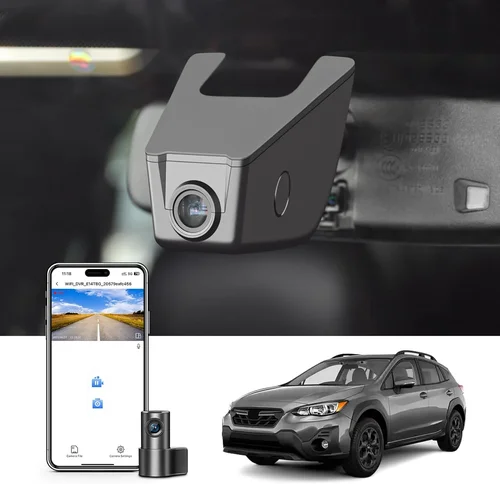
Expert Tips for Getting the Best Deal
Time Your Purchase Strategically
Compare Retailers Carefully
Identify Hidden Savings Opportunities
Evaluate Warranty Terms Thoroughly
Understand Return Policies Completely
Test Before Committing
Negotiate When Appropriate
Consider Total Cost of Ownership
Frequently Asked Questions
Q: Will installing a dash cam void my Subaru Crosstrek’s warranty?
Q: How do I know if my dash cam is blocking EyeSight?
Q: What resolution should I aim for in a dash cam?
Q: How often should I back up my dash cam footage?
Q: Can I use my dash cam while parked?
Q: How long does dash cam battery last when connected to car power?
Q: Do I need special software to view dash cam footage?
Q: How do I choose the right microSD card for my dash cam?
Q: What happens if my dash cam records over an important clip?
Q: Can I install multiple dash cams in my Crosstrek?
Our Final Recommendations
Best for Budget-Conscious Buyers: Viofo A119 v3
Best Overall Value: Garmin Dash Cam Mini 2
Best Premium Option: Thinkware F800 Pro
Best for Beginners: Nextbase 522GW
Best for Advanced Users: BlackVue DR900X-2CH
Conclusion: Making the Right Choice