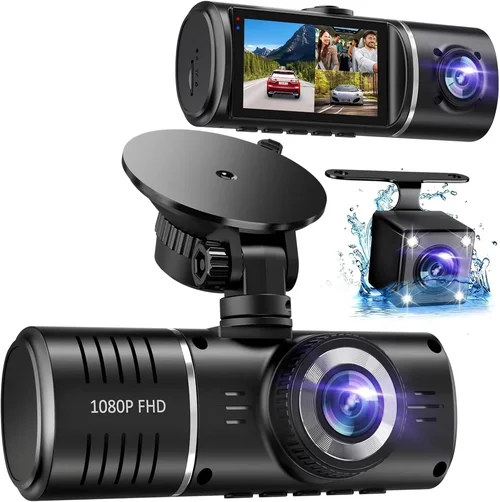
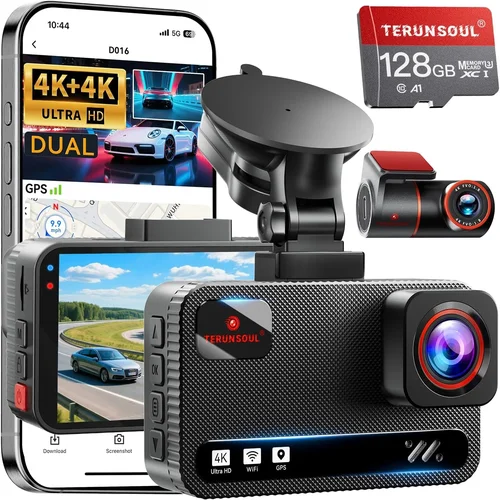
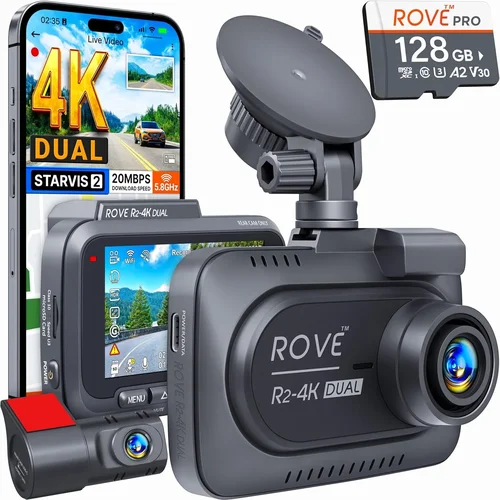
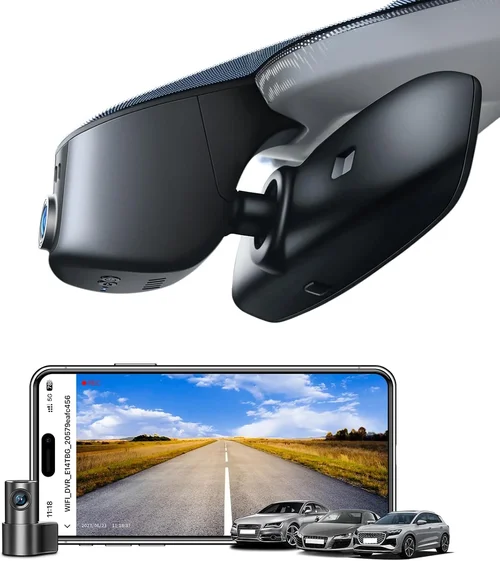
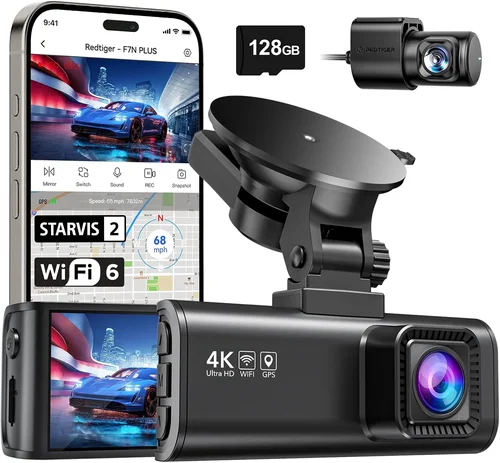
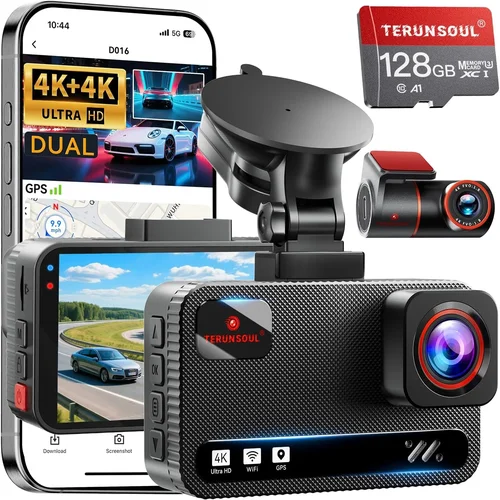
Best Car Dash Cam with WiFi Buying Guide
Discover the perfect dash cam with WiFi connectivity that captures crystal-clear footage and lets you share your driving experiences instantly. Our comprehensive guide will help you navigate the market and find the ideal device for your needs.
In today’s connected world, having a reliable dash cam is essential for any driver who wants to protect themselves on the road, capture memorable moments, or simply have peace of mind while traveling. The integration of WiFi technology in modern dash cams has revolutionized how we interact with these devices, allowing seamless video sharing, remote monitoring, and easy firmware updates. This comprehensive buying guide is designed to help you navigate the complex world of dash cams with WiFi capabilities and make an informed decision that matches your specific requirements.
Whether you’re a daily commuter looking for basic recording functionality, a tech enthusiast wanting advanced features, or someone seeking professional-grade equipment for fleet management, understanding the key factors that differentiate these devices is crucial. We’ll explore everything from image quality and storage options to connectivity features and build quality, ensuring you have all the information needed to choose wisely. By the end of this guide, you’ll be equipped with expert knowledge about current market offerings, pricing trends, and best practices for installation and maintenance.
The dash cam market has evolved dramatically over the past decade, with WiFi-enabled models now offering unprecedented convenience and functionality. From simple smartphone app control to cloud storage integration and real-time GPS tracking, these devices have become sophisticated tools rather than just backup cameras. This evolution means buyers today have more choices than ever before, but it also makes decision-making more challenging without proper guidance. Our goal is to cut through the marketing noise and provide clear, actionable advice based on real-world performance and user experiences.

What to Look for When Buying Dash Cams
1. Image Quality and Resolution
The foundation of any good dash cam lies in its ability to capture clear, detailed footage under various lighting conditions. When evaluating image quality, consider both resolution and sensor capabilities. Most modern dash cams offer at least 1080p Full HD resolution, but many now feature 2K, 4K, and even 8K recording capabilities. Higher resolutions provide better detail for identifying license plates and road signs, which can be crucial evidence in accidents or disputes.
Look for dash cams with high-quality CMOS sensors, typically ranging from 1/2.7″ to 1/2.3″ in size. Larger sensors generally perform better in low-light conditions and provide cleaner images with less noise. The field of view (FOV) is another critical factor—wider angles (typically 120-170 degrees) capture more of the road ahead but may introduce fisheye distortion. Some models offer adjustable FOV settings or dual-lens systems for front and rear coverage.
Advanced features like HDR (High Dynamic Range) technology help balance exposure when driving through tunnels or into bright sunlight, while WDR (Wide Dynamic Range) manages scenes with extreme contrast between light and dark areas. Night vision capabilities should include infrared LEDs or enhanced low-light processing for clear nighttime recordings.
2. WiFi Connectivity and Smart Features
WiFi functionality transforms dash cams from passive recording devices into interactive smart accessories. Modern WiFi-enabled dash cams typically connect via 2.4GHz or dual-band 2.4/5GHz networks, providing stable connections for data transfer and remote access. The most common use cases include instant photo/video sharing, firmware updates, and remote viewing through companion smartphone apps.
Evaluate the range and reliability of the WiFi connection—some models maintain strong signals even when parked, enabling remote activation and live streaming. Advanced smart features might include voice control, AI-powered event detection (like sudden braking or impact), automatic cloud backup, and integration with navigation systems. Consider whether the WiFi functionality works reliably in your typical driving environments and whether the companion app offers intuitive controls and sufficient customization options.
Security is also important—look for encrypted connections and secure authentication methods to protect your privacy. Some premium models offer cellular connectivity as well, providing GPS tracking and emergency alert capabilities even when WiFi isn’t available.
3. Storage and Recording Capabilities
Storage capacity directly impacts how much footage you can store before the system overwrites older files. Most dash cams support microSD cards ranging from 32GB to 1TB, with higher-end models supporting multiple card slots or built-in cloud storage. Consider your typical driving patterns—long commutes, frequent highway travel, or occasional weekend trips—to determine appropriate storage needs.
Loop recording ensures continuous operation by automatically overwriting the oldest footage when storage fills up, but you’ll want to set appropriate overwrite protection for important events. G-sensor technology automatically saves clips when sudden movements or impacts are detected, preventing those critical moments from being overwritten during normal operation.
Some advanced models offer parking mode with motion detection or time-lapse recording, capturing events when your vehicle is unattended. Battery-powered parking modes require careful consideration of power consumption versus storage capacity trade-offs. Cloud storage options provide automatic backup but come with subscription fees and internet dependency concerns.
4. Build Quality and Weather Resistance
A dash cam’s physical construction must withstand the harsh automotive environment—extreme temperatures, direct sunlight, vibrations, and potential impacts. Look for devices with robust enclosures made from durable materials like aluminum or high-grade plastics with IPX ratings indicating water resistance. Operating temperature ranges should accommodate both hot summer days and cold winter conditions.
The mounting system is equally important—adhesive mounts must remain secure through temperature fluctuations and vibrations, while suction cup alternatives need reliable grip on various windshield surfaces. Some premium models feature flexible arms or ball-and-socket designs for optimal positioning without obstructing views.
Consider the overall size and weight of the unit—larger devices may offer superior cooling and component quality but could interfere with visibility or create wind noise. Thermal management becomes crucial in hot climates where excessive heat can cause performance issues or premature component failure.
5. Audio Recording and Privacy Features
Audio recording capabilities vary significantly between models—some capture only engine sounds for accident reconstruction, while others record full conversations inside the vehicle. In many jurisdictions, audio recording laws vary by location, so ensure compliance with local regulations before enabling microphone functionality.
Advanced models often include noise cancellation technologies to filter out background engine and road noise while preserving important audio details. Some devices offer audio-only recording options for privacy-conscious users or regions with strict audio recording laws.
Consider whether the dash cam includes automatic audio muting during sensitive conversations or provides granular controls for audio recording settings. Privacy features might include physical microphone covers or software-based audio filtering to protect confidential discussions.
6. Power Supply and Installation Options
Dash cams require consistent power to function properly, with most models drawing between 12-24 watts. Hardwiring kits allow permanent installation with battery backup during power interruptions, while cigarette lighter adapters provide simpler plug-and-play setups. Consider your vehicle’s electrical system compatibility and ease of installation when choosing between these options.
Power management features are crucial for parking mode operation—look for efficient power consumption that won’t drain your car’s battery over extended periods. Some models include smart parking modes that automatically adjust recording frequency based on ambient light or movement detection to conserve energy.
Installation complexity varies significantly between models—some feature magnetic mounts for quick removal, while others require professional hardwiring. Consider whether you need additional features like interior monitoring or dual-camera setups that affect installation requirements and power consumption.
Different Types of Dash Cams

Common Buying Mistakes to Avoid
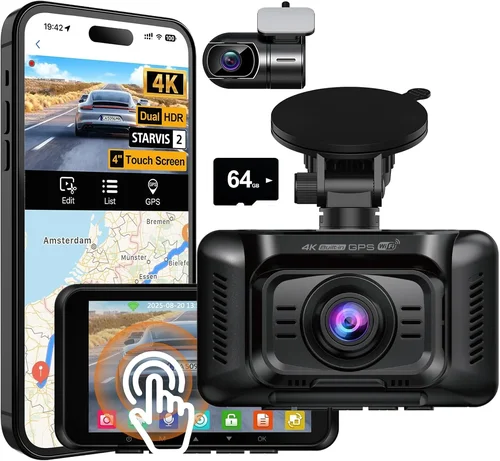
❌ Mistake: Choosing Based Solely on Price
Why it’s bad: While budget considerations are important, selecting the cheapest option often leads to disappointment in performance, reliability, and durability. Many inexpensive dash cams sacrifice image quality, build materials, and essential features like proper G-sensor sensitivity and reliable WiFi connectivity.
What to do instead: Focus on value rather than absolute price. Compare features relative to cost and read professional reviews alongside user feedback. A slightly higher investment in a mid-range model often provides significantly better long-term satisfaction and reliability compared to a cheap entry-level device that fails within months.
❌ Mistake: Ignoring Local Legal Requirements
Why it’s bad: Different regions have varying regulations regarding dash cam usage, particularly concerning audio recording. In some countries, recording conversations without consent violates privacy laws, leading to potential legal complications if evidence from your dash cam is presented in court.
What to do instead: Research your local laws thoroughly before purchasing and installing a dash cam. Some manufacturers offer region-specific firmware or disable audio recording in certain markets. Consider using dash cams with physical microphone shutters or software-based audio muting features for added flexibility.
❌ Mistake: Overlooking Parking Mode Limitations
Why it’s bad: Many buyers assume parking mode will continuously record until the battery dies, but most models have power-saving features that limit recording duration. Without understanding these limitations, you might miss important events while your vehicle is parked, defeating the purpose of having a dash cam for theft or vandalism protection.
Why it’s bad: WiFi functionality heavily depends on companion mobile applications and software stability. Some brands have poorly designed apps with confusing interfaces, limited functionality, or frequent crashes that render the WiFi features nearly useless for practical applications like quick photo sharing or remote viewing. What to do instead: Research app store ratings and read detailed user reviews specifically about the mobile application experience. Test the app interface before committing to purchase if possible, and verify compatibility with your smartphone operating system version. Look for manufacturers with responsive customer support for software-related issues. Why it’s bad: WiFi capabilities vary significantly between models in terms of range, stability, data transfer speeds, and security protocols. Some devices struggle to maintain connections in urban environments with many competing signals or have slow upload speeds that make file transfers impractical during busy commutes. What to do instead: Evaluate the technical specifications of WiFi connectivity—consider dual-band capabilities, encryption standards, and manufacturer reputation for reliable wireless performance. If possible, test the device’s WiFi functionality in similar environments where you’ll typically use it before making a final purchase decision. Why it’s bad: Manufacturers frequently release firmware updates to improve performance, add features, or fix bugs. Devices that don’t receive regular updates may become incompatible with new smartphones, lose functionality over time, or develop security vulnerabilities that compromise user privacy and device reliability. What to do instead: Choose brands with established track records of providing regular firmware updates and responsive customer support. Check manufacturer forums and review sites for information about update frequency and community feedback regarding ongoing software improvements and feature additions. Why it’s bad: Complex installation requirements can lead to improper mounting, electrical issues, or voided warranties if attempted without professional assistance. Some dash cams require hardwiring into your vehicle’s electrical system, which demands automotive electrical knowledge and specialized tools. What to do instead: Assess your comfort level with automotive installations before purchasing. Consider starter-friendly models with simple adhesive mounts and cigarette lighter power adapters. For complex installations, factor in professional installation costs or choose models specifically designed for DIY installation with clear instructions and necessary hardware included. This price segment offers basic dash cam functionality with essential features suitable for casual drivers who want protection without significant investment. Models in this range typically provide 1080p recording, loop recording, G-sensor, and sometimes basic WiFi connectivity for photo sharing. While image quality may not match premium offerings, these devices serve their primary purpose adequately for everyday commuting and short trips. Key considerations for this budget tier include accepting lower maximum resolution, potentially smaller field of view, and simplified feature sets. Many entry-level models use plastic construction and may lack advanced weather resistance or sophisticated power management. However, they often include reliable core functionality like automatic file management, impact detection, and straightforward installation procedures. These devices work best for drivers who prioritize affordability over cutting-edge features and can accept some compromises in build quality and performance. When shopping this range, focus on brand reputation, warranty coverage, and user reviews rather than spec sheet numbers. Look for models with proven track records for reliability and customer service responsiveness, as cheaper components may lead to premature failures requiring replacement within the first year of ownership. The mid-range category represents the best value proposition for most buyers seeking a balance between features, performance, and price. This segment includes dash cams with superior image quality, more robust build materials, advanced connectivity options, and improved smart features. Many models in this range offer 2K or higher resolution recording, wider dynamic range processing, enhanced night vision, and reliable WiFi functionality with dedicated mobile applications. Features commonly found in this price tier include dual-lens systems for interior monitoring, parking mode with motion detection, cloud storage integration, GPS logging, and voice control capabilities. Build quality improves significantly with metal housings, better seals against moisture intrusion, and more sophisticated thermal management systems. Power supply options expand to include hardwiring kits with battery backup for extended parking mode operation. This category appeals to drivers who want professional-grade performance without enterprise-level costs. The WiFi capabilities in mid-range models typically offer seamless smartphone integration, quick file sharing, remote viewing, and firmware updates through intuitive mobile apps. These devices represent the sweet spot where technological advancement meets practical usability, providing substantial improvements over entry-level options while remaining accessible to the average consumer. Premium dash cams deliver professional-grade performance with enterprise-level features designed for demanding users, fleet operators, or those requiring maximum reliability and advanced functionality. This segment includes top-tier imaging technology, sophisticated AI-powered features, robust construction, and extensive connectivity options that justify the higher price point through exceptional performance and durability. Characteristics of premium models include 4K or higher resolution recording, advanced HDR/WDR processing, superior low-light performance with enhanced sensors, multiple camera inputs, built-in GPS with precise speed tracking, and sophisticated parking surveillance modes with intelligent power management. Smart features expand to include artificial intelligence for event detection, cloud backup with automatic synchronization, real-time alerts, and integration with navigation systems and other vehicle electronics. Build quality reaches industrial standards with military-grade materials, comprehensive weather sealing, vibration-resistant mounting systems, and sophisticated cooling solutions for sustained high-performance operation. Power management includes intelligent systems that optimize energy consumption while maintaining continuous recording capabilities during extended parking periods. These devices target serious drivers, content creators, fleet managers, and professionals who require maximum reliability, advanced features, and superior performance regardless of cost. The WiFi functionality in premium models typically offers enterprise-grade security, multiple network protocol support, and integration with business management platforms for large-scale deployment scenarios. The luxury segment represents the pinnacle of dash cam technology, featuring cutting-edge innovations, specialized applications, and exclusive features that cater to discerning users with specific requirements. These devices often incorporate experimental technologies, specialized lenses, and advanced processing capabilities that exceed typical consumer needs while commanding premium prices reflecting their advanced engineering and materials. Ultra-premium features may include 8K recording capability, specialized lens coatings for enhanced clarity, advanced AI processing for automated scene analysis, multi-spectral imaging for specialized applications, and integration with autonomous driving systems. Construction approaches emphasize aerospace-grade materials, precision manufacturing processes, and specialized environmental protection for extreme conditions. Connectivity expands beyond standard WiFi to include satellite communication, cellular data plans, and integration with smart city infrastructure. Applications for luxury dash cams extend beyond personal use to include professional racing teams, law enforcement agencies, scientific research projects, and specialized commercial operations requiring the highest possible image fidelity and reliability. These devices often come with concierge-level customer support, extended warranties, and customization options that justify their substantial price points through exceptional performance and specialized functionality. For most consumers, the luxury segment represents overkill for typical driving needs, but for specific applications requiring maximum performance, specialized features, or integration with advanced systems, these devices provide unmatched capabilities and reliability at the expense of accessibility and cost-effectiveness for general use cases. Seasonal timing can substantially impact pricing and availability of dash cams with WiFi connectivity. Major shopping events like Black Friday, Cyber Monday, and back-to-school promotions typically feature discounts of 20-40% off retail prices, making them ideal opportunities to invest in higher-end models that might otherwise stretch your budget. Electronics retailers often clear out previous generation models during these periods, providing access to newer technology at reduced costs. Consider the product lifecycle when planning purchases—newer models typically launch at premium prices that gradually decrease as inventory ages. Waiting 6-12 months after a major product release often yields the best combination of features and value, especially for tech products like WiFi-enabled dash cams where incremental improvements are common. Price comparison is essential for finding the best value on WiFi-enabled dash cams. Online marketplaces like Amazon often feature competitive pricing but may have shipping costs or return restrictions. Specialty electronics retailers might offer bundled packages including installation services or extended warranties. Direct manufacturer purchases sometimes include exclusive features or better support but typically lack third-party price competition. Consider total cost of ownership rather than just initial purchase price—factor in installation costs, required accessories like memory cards, power adapters, or hardwiring kits. Some retailers bundle these items at discounted rates when purchased together with the dash cam itself, reducing overall expenses. While user reviews provide valuable insights into day-to-day experiences, professional reviews often offer more objective testing results and technical analysis. Look for comprehensive reviews that test image quality under various lighting conditions, evaluate WiFi connectivity reliability, assess build quality through stress testing, and analyze software functionality comprehensively. Pay attention to review recency—technology evolves quickly in the dash cam market, and older reviews may not reflect current firmware capabilities or manufacturing quality improvements. Focus on recent reviews within the last 6-12 months for the most relevant information about current models and their performance characteristics. Warranty protection varies significantly between manufacturers and can impact long-term ownership costs. Premium brands often offer 1-3 year comprehensive warranties covering both parts and labor, while budget models may provide only 90-day limited warranties excluding common failure points like memory cards or batteries. Understand the warranty claim process—some manufacturers require original receipts and proof of purchase, while others offer mail-in or in-store repair options. Extended warranty programs might add 1-2 years of coverage for an additional fee, potentially providing peace of mind for high-value investments. WiFi performance depends heavily on your specific smartphone and operating system version. Download the manufacturer’s mobile app before purchasing to verify it works properly with your device and offers the expected features like remote viewing, photo sharing, and firmware updates. Some apps require specific OS versions or have known compatibility issues that could limit functionality. Consider your typical WiFi usage patterns—if you frequently drive in areas with poor signal coverage, look for models with robust signal processing or alternative connectivity options like cellular backup. Test the app’s user interface for intuitiveness and response times before committing to purchase. Return policies vary widely between retailers and can significantly impact your ability to test the dash cam thoroughly after installation. Some electronics retailers offer 30-day return windows with original packaging requirements, while others provide longer periods or in-store exchange options. Online marketplaces typically have stricter return conditions with restocking fees. Consider purchasing from retailers with generous return policies or in-store pickup options that allow you to examine the physical device before committing. This approach reduces the risk of receiving defective units or models that don’t meet your specific requirements due to missing features or compatibility issues. A: Yes, but with important caveats. Most WiFi-enabled dash cams can maintain connections while driving, but data transfer speeds may be limited during active recording to prevent interference with video capture. The WiFi functionality primarily serves purposes like remote viewing, firmware updates, or transferring already-recorded footage rather than real-time streaming. Always consult your specific model’s documentation for exact capabilities and limitations regarding WiFi usage during operation. A: WiFi connectivity does add to power consumption, but modern dash cams are designed with energy efficiency in mind. Typical WiFi-enabled models consume between 12-24 watts total power draw, similar to non-WiFi counterparts. The additional power usage mainly affects parking mode operation and data transfer functions. Proper hardwiring with fuse tapping prevents battery drain, while smart parking modes automatically adjust recording frequency based on ambient conditions to minimize unnecessary power consumption during unattended periods. A: WiFi functionality provides significant convenience benefits including instant photo sharing, remote viewing, firmware updates, and cloud backup integration. However, basic dash cam operation requires no WiFi at all—loop recording, impact detection, and video playback work perfectly fine without any wireless connectivity. WiFi represents a convenience feature rather than essential functionality, making it optional depending on your priorities and usage patterns. Non-WiFi dash cams often cost less and may offer better reliability in areas with poor signal coverage. A: Security varies significantly between manufacturers and models. Reputable brands implement encryption protocols like WPA2/WPA3 for network security and often include additional protections like secure login credentials, automatic logout timers, and privacy-focused data handling practices. However, some budget models may transmit data unencrypted or store sensitive information insecurely. Always check the manufacturer’s privacy policy, look for security certifications, and consider physical security measures like disabling WiFi when not needed to minimize potential attack vectors. A: Most smartphone apps support connecting to only one dash cam at a time, though some premium models offer multi-device viewing capabilities through advanced networking features. The limitation exists because mobile processors and network bandwidth are typically insufficient for simultaneous high-resolution video streams from multiple cameras. If you need multiple camera monitoring, consider models with built-in multi-camera support or dedicated hardware solutions designed for fleet management scenarios rather than consumer smartphone apps. A: Modern dash cams handle WiFi disconnections gracefully—they continue recording normally without interruption and queue data for transfer when the connection is restored. Some models automatically pause WiFi-dependent features like cloud backup during poor signal conditions to prioritize video recording integrity. The device maintains its primary recording functionality independently of wireless connectivity, ensuring continuous operation even in challenging network environments. Critical footage is always saved locally first before attempting any wireless transmission. A: Yes, WiFi functionality introduces several privacy considerations. Unauthorized access to your dash cam’s WiFi network could allow remote viewing or control, while data transmitted over public networks might expose recorded footage. Additionally, some apps request extensive permissions that could access other phone functions or data. Mitigation strategies include using strong passwords, enabling two-factor authentication where available, disabling WiFi when not actively needed, and reviewing app permissions carefully. Always choose reputable manufacturers with transparent privacy policies and regular security updates. A: Many modern dash cams integrate directly with popular social media platforms through their companion apps, allowing one-tap sharing of photos and videos. However, this functionality depends on the specific model, app capabilities, and your social media account configurations. Some apps require manual selection of files for sharing, while others enable automatic uploads to cloud storage services that then sync with social platforms. Check your chosen model’s app features and supported platforms before relying on social media integration as a primary sharing method. A: WiFi range varies considerably based on antenna design, signal strength, obstacles, and network congestion. Indoor ranges typically extend 15-30 feet through walls and furniture, while outdoor ranges can reach 100+ feet in open areas. Dual-band models (2.4GHz and 5GHz) offer better range and reliability than single-band devices. Urban environments with many competing signals often reduce effective range, while rural areas with fewer interferences provide stronger connections. Always test your specific location and device combination to establish realistic expectations for WiFi performance. A: Under normal circumstances, WiFi functionality doesn’t impact video recording quality since these are separate systems operating independently. However, some budget models may experience minor performance variations when simultaneously handling WiFi tasks and high-resolution recording, particularly if the processor lacks sufficient power. Premium devices with dedicated hardware encoding/decoding chips maintain consistent performance regardless of WiFi activity. If you notice quality issues, check your model’s technical specifications for simultaneous operation capabilities or temporarily disable WiFi during critical recording sessions. For drivers seeking essential dash cam functionality without WiFi complexity or premium costs, the Viofo A119 V3 offers excellent value at approximately $80-90. This compact device delivers reliable 2K recording quality, robust build construction, and straightforward operation with minimal learning curve. While it lacks WiFi connectivity, its affordable price point, proven reliability, and comprehensive feature set make it ideal for those prioritizing core recording capabilities over smart features. The Viofo A119 V3 includes essential protections like loop recording, G-sensor impact detection, parking mode with time-lapse, and dual-channel support for future expansion—all at a fraction of WiFi-enabled models’ costs. The Thinkware U1000 represents the perfect balance of features, performance, and price for most drivers considering WiFi-enabled dash cams. Priced around $200-250, this dual-lens system delivers exceptional 2K front recording and 1080p interior monitoring with impressive low-light performance and reliable WiFi connectivity. Its advanced features include parking mode with motion detection, cloud backup integration, GPS logging, and a highly rated mobile app with intuitive controls. The Thinkware U1000’s robust build quality, regular firmware updates, and responsive customer support justify its position as the best overall value choice for drivers wanting WiFi convenience without breaking the bank. For those willing to invest in the ultimate dash cam experience, the Garmin Dashcam Mini offers unparalleled quality and features at approximately $350-400. This ultra-compact device combines 4K recording capability with superior image stabilization, advanced safety features like collision detection, and seamless WiFi connectivity through the Garmin Drive app. Its unique selling points include voice control, live streaming capabilities, incident detection algorithms, and integration with other Garmin navigation devices. The Garmin Dashcam Mini’s military-grade construction, exceptional customer service, and comprehensive feature set make it the definitive choice for discerning drivers who demand the best available technology regardless of cost. The Rexing V1P provides an ideal entry point into WiFi-enabled dash cam technology with its user-friendly design and affordable pricing around $120-150. This single-lens system offers 2K recording quality, reliable WiFi connectivity for photo sharing and remote viewing, and a straightforward mobile app interface perfect for new users. The Rexing V1P includes essential features like loop recording, G-sensor protection, parking mode, and automatic firmware updates—all wrapped in a sleek, compact design that’s easy to install and operate. Its beginner-friendly approach, responsive customer support, and reasonable price point make it the perfect choice for drivers new to dash cam technology. Content creators and tech enthusiasts seeking maximum functionality will appreciate the BlackVue DR970-2CH Cloud at approximately $300-350. This dual-lens system delivers exceptional 4K front recording and 1080p interior monitoring with advanced WiFi capabilities including cloud backup, live streaming, and remote parking monitoring. Its standout features include AI-powered incident detection, customizable event tags, comprehensive cloud management platform, and robust API integration for advanced users. The BlackVue DR970-2CH Cloud’s enterprise-grade security, reliable performance, and extensive feature set cater perfectly to experienced users who demand professional-level capabilities and seamless workflow integration. Selecting the best dash cam with WiFi capabilities ultimately depends on aligning your specific needs, budget constraints, and lifestyle requirements with the available technology options. No single device represents the perfect solution for everyone—what matters most is finding the right balance between essential features, desired convenience, and acceptable compromises based on your individual circumstances. Consider your primary use case carefully: are you seeking basic protection for daily commuting, documenting scenic drives for social media, protecting your vehicle from insurance fraud, or managing a fleet of vehicles? Each scenario demands different feature priorities and budget allocations. WiFi functionality provides undeniable convenience benefits including instant sharing, remote access, and seamless integration with modern smartphone workflows, but remember that core recording capabilities operate perfectly without any wireless connectivity at all. Don’t fall prey to feature overload—most drivers benefit from essential recording quality, reliable impact detection, parking mode functionality, and straightforward operation rather than every available smart feature. Evaluate your technical comfort level honestly; complex installations and advanced software interfaces may frustrate casual users while delighting tech enthusiasts. Remember that dash cams represent long-term investments requiring reliable performance and customer support for years of service. Take advantage of the comprehensive research and testing opportunities available today. Read detailed professional reviews, compare user experiences across different platforms, test mobile app interfaces before purchasing, and leverage generous return policies to ensure your final selection matches your expectations. The dash cam market continues evolving rapidly with new features and improvements emerging regularly—staying informed about technological developments helps you make smarter decisions and avoid obsolete purchases. Ultimately, the most expensive dash cam isn’t necessarily the best choice, nor is the cheapest option always inadequate. Your perfect dash cam exists somewhere within your specific requirements and budget parameters—focus on finding that sweet spot where essential functionality, desired convenience features, and reliable performance combine to provide lasting value and peace of mind on every journey.❌ Mistake: Neglecting Software and App Compatibility
❌ Mistake: Assuming All WiFi Connections Are Equal
❌ Mistake: Skipping Firmware Update Planning
❌ Mistake: Disregarding Installation Complexity
Budget Guidelines: How Much Should You Spend?
Entry-Level Range ($50 – $100)
Mid-Range Sweet Spot ($100 – $300)
Premium Performance ($300 – $600)
Luxury & Professional ($600+)
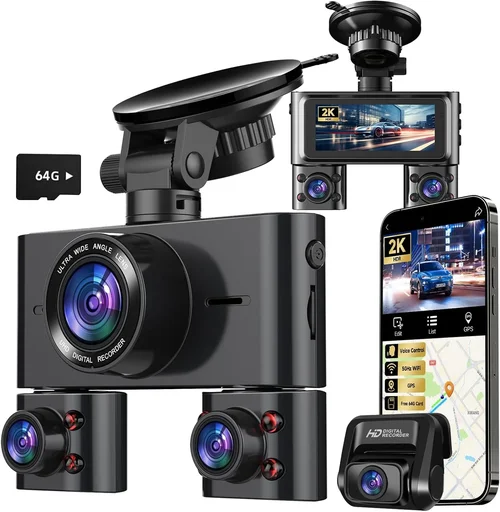
Expert Tips for Getting the Best Deal
Frequently Asked Questions
Q: Can I use my dash cam with WiFi while driving?
Q: Do dash cams with WiFi consume a lot of battery power?
Q: Is WiFi necessary for a dash cam, or can I manage without it?
Q: How secure is the data transmitted via WiFi on dash cams?
Q: Can I connect multiple dash cams to my smartphone simultaneously?
Q: What happens if my WiFi connection drops during recording?
Q: Are there privacy concerns with WiFi-enabled dash cams?
Q: Can I use my dash cam’s WiFi to share videos directly on social media?
Q: How far can I expect the WiFi signal to reach from my dash cam?
Q: Will WiFi connectivity affect my dash cam’s recording quality?
Our Final Recommendations
Best for Budget-Conscious Buyers
Best Overall Value
Best Premium Option
Best for Beginners
Best for Advanced Users
Conclusion: Making the Right Choice