Best Dash Cam with GPS Purchase Guide
Why investing in the right dash cam with GPS matters goes far beyond simple video recording. In an age where driving disputes, insurance claims, and traffic violations are increasingly common, having reliable evidence can make all the difference. A quality dash cam serves as your personal witness on wheels, capturing critical moments that might otherwise be lost to memory or disputed by others. When you add GPS functionality to this equation, you’re not just getting visual evidence—you’re obtaining precise location data, speed information, and route history that can provide context to every recorded incident.
This comprehensive guide will walk you through everything you need to know about selecting the best dash cam with GPS for your vehicle. Whether you’re a daily commuter looking to protect yourself from false accusations, a rideshare driver needing comprehensive coverage, or someone who simply wants peace of mind while driving, understanding the key factors that differentiate good dash cams from exceptional ones is essential. We’ll explore performance specifications, build quality considerations, feature comparisons, and budget strategies to ensure you make an informed decision that matches your specific needs and driving patterns.
The market for dash cams has evolved dramatically over the past decade, with GPS-enabled models now offering sophisticated tracking capabilities, real-time location sharing, and detailed trip logging. However, not all dash cams with GPS deliver equal value. Some may lack essential features like loop recording, parking mode, or reliable motion detection, while others might offer premium GPS accuracy at the expense of battery life or storage capacity. By the end of this guide, you’ll have a clear understanding of what to prioritize based on your budget, driving habits, and desired features.

What to Look for When Buying Dash Cams
1. Budget & Price Range
Your budget should serve as a framework rather than a strict limitation. Entry-level dash cams with basic GPS functionality typically start around $70-80, offering essential recording and location tracking without many advanced features. Mid-range options ($120-250) usually include improved sensors, better GPS accuracy, additional safety features like lane departure warnings, and enhanced build quality. Premium models ($300+) often feature superior image processors, dual-channel recording, cloud connectivity, and professional-grade GPS systems capable of tracking multiple satellites simultaneously.
When determining your budget, consider the total cost of ownership rather than just the initial purchase price. Factor in potential savings from reduced insurance premiums, protection against fraudulent claims, and the value of having reliable evidence during disputes. Many drivers find that spending 20-30% more on a mid-range model provides significantly better value than skimping on essential features.
2. Performance Specifications
The heart of any dash cam’s effectiveness lies in its core performance metrics. Resolution quality directly impacts how clearly incidents are captured—most modern dash cams offer 1080p Full HD, but some high-end models provide 4K Ultra HD recording. However, resolution isn’t everything; consider the sensor size, low-light performance, and dynamic range capabilities. A camera with excellent 1080p recording but poor low-light sensitivity will struggle to capture license plates at night or in tunnels.
Frame rate matters significantly for capturing fast-moving events smoothly. Standard 30fps works well for most scenarios, but 60fps provides smoother motion and better detail during rapid changes. The field of view (FOV) is equally crucial—a wider angle captures more of the road ahead and sides, reducing blind spots, but too wide an angle can distort images and reduce detail. Most effective dash cams offer a balanced FOV between 120-140 degrees.
3. Build Quality & Durability
Dash cams face extreme conditions—temperature fluctuations from -4°F to 140°F, constant vibration, exposure to direct sunlight, and potential impacts during accidents. Look for models with sturdy metal housings rather than plastic casings, especially if you drive in harsh climates. The lens should have scratch-resistant coating, and the overall construction must withstand being bumped or jostled during normal driving.
Water resistance ratings (IPX ratings) indicate how well the device protects against moisture intrusion. For most drivers, IPX4 (splash resistant) is sufficient, but those in rainy climates or frequent stop-and-go traffic might benefit from higher ratings. Temperature tolerance is another critical factor—some dash cams shut down when exposed to extreme heat, leaving you unprotected during summer months.
4. Features & Functionality
Beyond basic recording and GPS, modern dash cams offer numerous valuable features. Loop recording automatically overwrites old footage when storage fills up, ensuring continuous recording without manual intervention. G-sensor technology detects sudden impacts or collisions and automatically saves relevant footage to a protected folder. Parking mode uses motion detection or time-lapse recording to monitor your vehicle when parked, though this requires a hardwired connection or built-in battery.
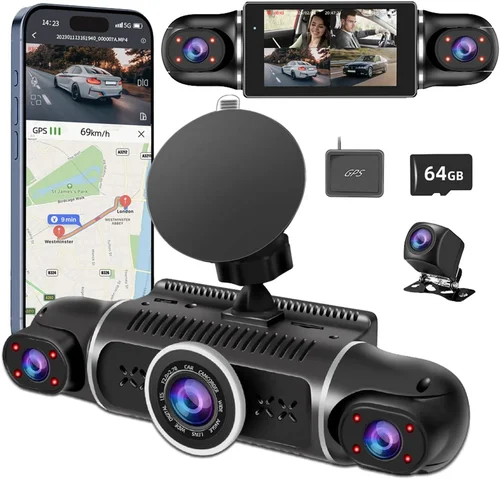
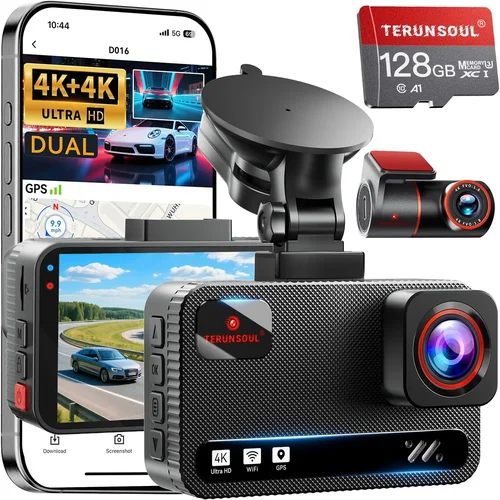
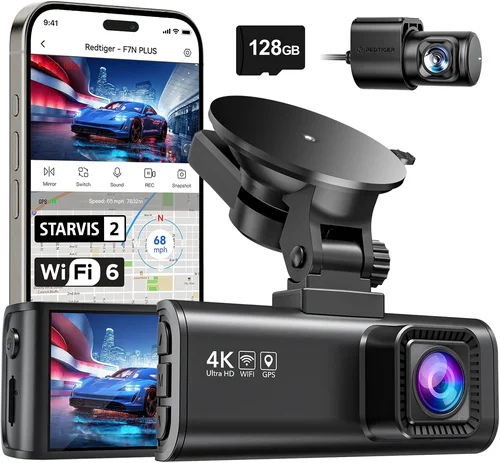
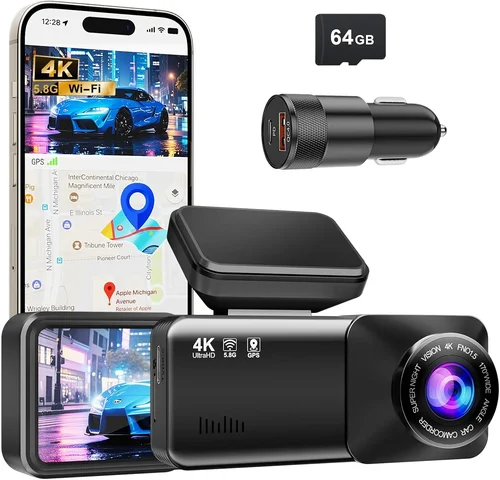
GPS functionality varies significantly across models. Basic GPS tracks speed and location, while advanced systems offer route tracking, speed alerts, geofencing, and the ability to overlay location data onto video footage. Some premium dash cams include Wi-Fi connectivity for easy file transfer and mobile app integration, while others offer cloud storage capabilities for remote access to footage.
5. Brand Reputation
Established brands often provide better reliability, customer support, and firmware updates. Companies like Garmin, Nextbase, BlackVue, and Thinkware have built strong reputations in the dash cam industry over years of consistent product development. These manufacturers typically invest more in research and development, resulting in more stable software, better hardware quality, and longer product lifespans.
However, don’t dismiss newer entrants entirely. Some innovative startups offer compelling features at competitive prices, especially in the mid-range segment. Research each brand’s track record by reading multiple reviews, checking warranty terms, and seeing how responsive they are to customer inquiries before making your decision.
6. Warranty & Support
A solid warranty demonstrates manufacturer confidence in their product and provides peace of mind. Most reputable dash cam companies offer at least a one-year warranty covering defects in materials and workmanship. Premium brands often extend this to two years or provide lifetime warranties on specific components. Consider the ease of claiming warranty service—online submission processes, prepaid return shipping, and responsive customer support significantly impact your experience.
Check what exactly the warranty covers—some exclude damage from improper installation or water intrusion, while others provide complete coverage. Also, verify whether technical support is available via phone, email, or chat, and how quickly issues are typically resolved.
7. Storage & File Management
Storage capacity determines how much footage you can store before it needs to be overwritten. Most dash cams use microSD cards ranging from 32GB to 256GB. While larger cards seem appealing, consider the actual usable space after accounting for system files and reserved space. A 64GB card typically offers 4-6 hours of 1080p recording, while 128GB can store 8-12 hours depending on compression settings.
File management features are equally important. Look for dash cams that organize footage chronologically and allow easy search functions based on date, time, or event type. Some models automatically tag important events using the G-sensor, making retrieval much simpler during investigations or insurance claims.
8. User Reviews & Ratings
Real-world user experiences provide invaluable insights beyond technical specifications. Pay attention to recurring themes in reviews—multiple users mentioning similar issues or consistently praising certain features indicates genuine performance characteristics. Be wary of overly positive reviews that seem generic or suspiciously similar across multiple products.
Focus on reviews from verified purchasers and those who have owned the product for several months. Early adopters might encounter initial bugs that have since been fixed, while long-term users provide perspective on durability, software stability, and ongoing performance.
9. Installation & Compatibility
Consider how easily the dash cam integrates with your vehicle. Some models require professional installation for hardwiring, while others plug into the cigarette lighter socket. Hardwired installations provide continuous power and enable parking mode but require drilling and electrical work. Ensure the mounting system fits your windshield size and won’t obstruct your view or airbag deployment areas.
Compatibility extends beyond physical installation to software integration. Check whether the dash cam works with your smartphone OS (iOS/Android), supports the apps you prefer, and maintains connectivity reliably. Some dash cams offer dedicated apps with advanced features like live viewing, remote playback, and cloud synchronization.
10. Legal & Privacy Considerations
Understand local laws regarding dash cam usage and GPS tracking. Some jurisdictions restrict recording audio or require consent from other parties, while others have specific rules about storing personal data. Ensure your chosen dash cam complies with these regulations to avoid legal complications.
Privacy settings are equally important. Look for models that allow you to disable certain features when needed, such as GPS tracking when you don’t want your route logged. Some dash cams offer automatic deletion of old footage after a set period, helping maintain privacy while preserving recent evidence.
Different Types of Dash Cams

Common Buying Mistakes to Avoid
❌ Mistake: Prioritizing Price Over Performance
Why it’s bad: Choosing the cheapest dash cam available often means sacrificing essential features like reliable GPS tracking, adequate video quality, or proper build quality. A $40 dash cam might seem economical initially, but if it fails during an important incident or provides unreliable location data, you’ve essentially wasted money that could have been better spent on a quality unit.
What to do instead: Set a realistic budget based on your needs and stick to reputable brands within that range. Consider the total value proposition—better build quality, reliable performance, and included features often justify a higher initial investment. Read detailed reviews focusing on real-world performance rather than just specifications.
❌ Mistake: Ignoring Storage Requirements
Why it’s bad: Assuming that any microSD card will work or not planning for adequate storage leads to premature overwrite of important footage. Many users discover too late that their chosen card either corrupts frequently or doesn’t actually provide the promised recording time due to compression algorithms or system overhead.
What to do instead: Calculate your actual storage needs based on expected recording time, compression ratios, and desired retention period. Choose cards from reputable brands (SanDisk, Samsung, Lexar) with Class 10 or U3 ratings. Consider dash cams with dual-card slots for redundancy or automatic backup to cloud storage.
❌ Mistake: Overlooking Installation Complexity
Why it’s bad: Assuming all dash cams install the same way can lead to frustration, poor mounting, or even voided warranties. Some models require professional hardwiring for parking mode functionality, while others need specific wiring harnesses or fuse taps that aren’t obvious during initial setup.
What to do instead: Research installation requirements thoroughly before purchasing. Watch unboxing and installation videos, read detailed setup guides, and consider whether you’re comfortable with the required steps. If unsure, budget for professional installation or choose models with simpler plug-and-play designs.
❌ Mistake: Disregarding Environmental Factors
Why it’s bad: Installing a dash cam without considering climate conditions can result in premature failure. Extreme temperatures, humidity, salt air, or dust-heavy environments all impact electronics differently, and many budget models aren’t designed to withstand these conditions consistently.
What to do instead: Check manufacturer specifications for operating temperature ranges and environmental ratings. For harsh climates, look for models specifically marketed for extreme conditions or marine environments. Consider additional protective measures like sunshades or ventilation if needed.
❌ Mistake: Neglecting Software Updates
Why it’s bad: Assuming dash cam software is static ignores the importance of regular updates for bug fixes, new features, and compatibility improvements. Outdated firmware can cause recording failures, GPS inaccuracies, or security vulnerabilities that compromise both functionality and data integrity.
What to do instead: Choose brands with proven update histories and active development cycles. Check if updates are automatic or manual, and verify that the manufacturer provides clear instructions and support during the update process. Subscribe to brand newsletters to stay informed about new releases.
❌ Mistake: Underestimating Power Requirements
Why it’s bad: Relying solely on battery power or assuming cigarette lighter connections provide sufficient current leads to unexpected shutdowns or inability to use parking mode. Some dash cams require significant power draws that exceed standard lighter socket capabilities, especially during cold weather when car batteries are already stressed.
What to do instead: Verify power requirements against your vehicle’s capabilities. For hardwired installations, ensure your chosen method can handle the current draw. Consider professional installation if unsure, and always test the setup thoroughly before relying on it for extended periods.
❌ Mistake: Overlooking Legal Compliance
Why it’s bad: Installing a dash cam without understanding local laws can result in fines, evidence being inadmissible in court, or privacy violations. Different regions have varying regulations regarding recording devices, audio capture, GPS tracking, and data storage requirements that vary significantly by jurisdiction.
What to do instead: Research local laws comprehensively before installation. Adjust settings accordingly—disable audio recording where prohibited, configure automatic deletion policies to comply with data retention laws, and understand how to properly handle footage in legal proceedings if needed.
Budget Guidelines: How Much Should You Spend?
Entry-Level Options ($50 – $100)
For budget-conscious buyers who primarily need basic recording and GPS functionality, entry-level dash cams offer reasonable performance at affordable prices. These models typically feature 1080p recording, basic GPS tracking, and essential safety features like G-sensor protection. While they may lack advanced capabilities like Wi-Fi connectivity or premium build quality, they provide reliable evidence capture for everyday driving scenarios.
At this price point, focus on brands with established reputations rather than unknown manufacturers. Look for units that include decent warranties and have positive user feedback regarding reliability. Consider that entry-level models might require more frequent replacement due to wear and tear, so factor this into your long-term cost calculations.
Mid-Range Sweet Spot ($100 – $250)
This category represents the sweet spot for most drivers seeking excellent value without breaking the bank. Mid-range dash cams typically offer 1080p or 4K recording, accurate GPS tracking with route logging, robust build quality, and additional features like lane departure warnings, emergency notification, and sometimes even driver assistance capabilities.
Investing in this range provides significant improvements over entry-level options—better low-light performance, more reliable GPS accuracy, improved software features, and generally longer product lifespans. Many mid-range models also include cloud connectivity or mobile app integration, adding convenience and accessibility to your recording system.
Premium Options ($250 – $400)
For drivers who demand the highest quality and most comprehensive features, premium dash cams offer professional-grade performance with extensive capabilities. These models typically include dual-channel recording, superior image processing, advanced GPS with multi-system satellite support, and robust cloud integration for seamless data management.
Premium dash cams often feature superior build quality, weather resistance, and advanced safety features like collision avoidance warnings or fatigue detection. They’re ideal for rideshare drivers, delivery professionals, or anyone who needs maximum protection and comprehensive documentation capabilities.
Luxury/Professional Tier ($400+)
Top-tier dash cams represent the pinnacle of consumer automotive technology, offering features typically found only in commercial fleet equipment. These include 4K recording, professional-grade GPS with centimeter-level accuracy, advanced AI-powered analytics, enterprise-level cloud storage, and comprehensive fleet management capabilities.
Luxury dash cams are designed for professionals who rely on their vehicles for business purposes or individuals who demand absolute reliability and feature completeness. While the price point is substantial, the combination of advanced features, superior build quality, and professional support often justifies the investment for serious users.
Expert Tips for Getting the Best Deal
Timing Your Purchase Strategically
The best deals on dash cams often appear during specific seasonal periods rather than random sales events. Black Friday and Cyber Monday typically offer substantial discounts across multiple brands, as do end-of-year clearance events in January. Summer months (June-August) see increased demand for dash cams with parking mode functionality, driving prices down in winter. Additionally, new model releases create opportunities to buy previous-generation models at reduced prices.
Keep an eye on major shopping holidays and consider subscribing to retailer newsletters for early access to sales. Many online retailers offer price matching guarantees, allowing you to wait and see if competitors drop prices further after your initial purchase.
Choosing the Right Retailer
While online retailers like Amazon offer convenience and competitive pricing, specialized automotive electronics stores often provide better expert advice and potentially faster shipping on compatible accessories. Physical retailers allow hands-on testing before purchase, which is particularly valuable for assessing build quality and ease of use.
For complex installations requiring hardwiring, consider professional automotive shops that specialize in dash cam installations. They can provide expert guidance, ensure proper installation, and often offer bundled packages including necessary wiring harnesses and professional mounting solutions.
Identifying Authentic Deals vs. Bait-and-Switch
Be cautious of listings that seem too good to be true—these often indicate counterfeit products, refurbished units sold as new, or models with hidden defects. Check seller ratings, return policies, and product descriptions carefully. Legitimate deals typically come with full warranties, authentic packaging, and manufacturer support.
Look for red flags like missing serial numbers, vague descriptions, or sellers with limited transaction history. If a deal appears suspiciously good, research the specific model thoroughly and compare it with official retail prices across multiple sites.
Understanding Warranty Coverage
Thorough warranty understanding prevents unexpected costs and ensures proper recourse for defective products. Compare warranty lengths, coverage details, and claim procedures across different brands. Some warranties cover parts and labor, while others only cover replacement parts.
Pay attention to exclusions—water damage, accidental drops, or unauthorized modifications often aren’t covered regardless of warranty terms. Choose brands with straightforward claim processes and responsive customer service, as complex warranty claims can be frustrating and time-consuming.
Evaluating Return Policies
Flexible return policies provide essential protection against buyer’s remorse or unexpected compatibility issues. Ideal policies allow returns within 30-60 days with full refunds, including original packaging and accessories. Some retailers offer extended return periods during holidays or special promotions.
Check whether return shipping costs are covered, especially for heavy or fragile items. Online purchases should specify return shipping methods and timeframes. For complex installations, understand whether returns apply to professionally installed units and what conditions must be met.
Testing Before Committing
Whenever possible, test dash cams in-store or through rental programs before making a final purchase. Focus testing on real-world scenarios: record short clips in various lighting conditions, test GPS accuracy by comparing with known locations, and verify that all buttons and menus function intuitively.
Ask about demo units or trial periods—some retailers allow customers to keep products for short periods to test functionality. For complex installations, request demonstration videos or ask for customer testimonials regarding specific installation challenges or performance issues.
Negotiating Smartly
While most online retailers don’t negotiate prices, some physical stores or specialty automotive shops may offer discounts, especially for multiple purchases or bundled accessories. Ask about package deals that include mounting brackets, wiring harnesses, or extended warranties.
Consider asking about price adjustments if you find identical models elsewhere at lower prices—many retailers honor price matching guarantees. Building rapport with knowledgeable staff can also yield helpful recommendations and potential discounts for first-time customers.
Maximizing Value Through Bundles
Many manufacturers and retailers offer bundle packages that include essential accessories like high-quality microSD cards, professional mounting kits, or additional power adapters. These bundles often provide significant savings compared to individual purchases and ensure you have everything needed for proper installation and operation.
Look for bundles specifically designed for your dash cam model, as universal accessories may not provide optimal performance. Professional installation packages sometimes include dash cams themselves, offering complete solutions for drivers who prefer not to handle complex wiring and mounting themselves.
Monitoring Software Updates
Choose brands with active development teams that regularly release firmware updates. Regular updates improve functionality, fix bugs, and add new features throughout the product’s lifespan. Check update frequency and ease of installation before purchasing.
Some manufacturers provide automatic update notifications through companion apps, while others require manual downloads from their websites. Ensure your chosen dash cam remains compatible with future smartphone OS updates and maintains reliable connectivity.
Building Long-Term Relationships
Loyalty programs, brand newsletters, and community forums can provide ongoing value beyond the initial purchase. Subscribing to manufacturer communications keeps you informed about new products, software updates, and exclusive deals. Active participation in user communities helps you learn from others’ experiences and stay updated on best practices.
Consider joining professional associations or driver groups that share dash cam recommendations and experiences. These networks often provide insider information about upcoming releases, hidden features, and troubleshooting tips that aren’t widely publicized.

Frequently Asked Questions
Q: Do I really need a dash cam with GPS, or would a regular dash cam suffice?
A: While a regular dash cam provides excellent video evidence of incidents, adding GPS functionality transforms your device from a simple recorder into a comprehensive evidence-gathering tool. GPS adds precise location data, speed information, and route history that can establish context during disputes. For example, if you’re involved in an accident, GPS data can confirm your exact position and speed at the time of impact, which might prove you weren’t speeding or running a red light. Additionally, GPS enables features like geofencing alerts, route optimization, and trip logging that enhance safety and convenience beyond basic recording.
Q: How accurate is the GPS in dash cams, and what factors affect its performance?
A: Modern dash cams typically achieve GPS accuracy within 3-10 meters under normal conditions, which is sufficient for establishing general location and speed. However, accuracy can vary significantly based on several factors: urban canyons with tall buildings can block satellite signals, causing delays or inaccurate readings; tunnels and underground parking garages may temporarily lose GPS signal entirely; dense foliage or mountainous terrain can interfere with satellite reception; and weather conditions like heavy rain or snow can degrade signal quality. Premium models with multi-system satellite support (GPS, GLONASS, Galileo) generally maintain better accuracy in challenging environments compared to single-system devices.
Q: Can dash cams with GPS track my vehicle when it’s not moving?
A: Yes, but with important caveats. Most dash cams with GPS can log your vehicle’s position during stationary periods, but this depends on the specific model and configuration. Some models continuously log GPS data while powered on, while others only record when motion is detected or during active recording sessions. Parking mode functionality typically requires hardwiring to provide power when the engine is off, enabling continuous GPS logging even when the vehicle is stationary. However, battery-powered models may drain your car’s battery if left connected for extended periods, so proper installation and settings management are crucial for safe stationary tracking.
Q: What storage capacity should I get for my dash cam, and how long will it last?
A: Storage requirements depend on your usage patterns, recording quality, and desired retention period. For most users, a 64GB microSD card provides 4-6 hours of 1080p recording, while 128GB offers 8-12 hours. Consider these factors when choosing: shorter recording intervals (3 minutes instead of 5) reduce file sizes; lower compression ratios save space but reduce quality; and 4K recording requires significantly more storage than 1080p. Most dash cams use loop recording to automatically overwrite older footage, but you should still plan for regular card swaps or upgrades. Premium models with cloud storage eliminate local storage concerns but require reliable internet connectivity and subscription fees for unlimited storage.
Q: How do I install a dash cam with GPS, and what tools do I need?
A: Installation complexity varies by model, but most dash cams require minimal tools. Basic installation involves mounting the camera on your windshield using provided adhesive mounts, connecting power through the cigarette lighter or hardwiring, and inserting a microSD card. For hardwired installations enabling parking mode, you’ll need wire strippers, electrical tape, and possibly fuse taps or professional wiring harnesses. GPS functionality typically requires no special installation—it works automatically once the device is powered on. Professional installation services charge $50-150 and ensure proper wiring, clean appearance, and optimal mounting position. Always consult your specific model’s installation guide and consider local laws regarding dashboard modifications.
Q: Will using a dash cam with GPS drain my car battery?
A: Yes, but manageable with proper configuration. Continuous operation, especially with parking mode enabled, can gradually discharge your battery over time. Most dash cams with parking mode include low-voltage cut-off protection that automatically powers down the device when your battery reaches a critical level (typically 11.5-12 volts). To minimize battery drain: choose a dash cam with efficient power management, use parking mode only when necessary, connect directly to a stable power source rather than the cigarette lighter, and consider using a capacitor-based solution for short-term parking monitoring. For extended periods away from your vehicle, disconnect the dash cam or use a smart power switch that monitors voltage levels.
Q: Can I access my dash cam footage remotely using GPS data?
A: Yes, many modern dash cams with Wi-Fi or cellular connectivity offer remote access capabilities. Using companion smartphone apps, you can view live footage, download recordings, check GPS data, and even trigger manual recording from anywhere with internet connectivity. Some premium models include cloud storage that automatically uploads footage with GPS metadata, allowing you to review your trips and incidents remotely. However, remote access requires a stable internet connection and consumes data bandwidth. Privacy settings allow you to control what data is shared and when, giving you flexibility between convenience and security.
Q: How does GPS integration improve insurance claims processing?
A: GPS-integrated dash cams significantly streamline insurance claims by providing objective, timestamped evidence that complements video footage. Location data establishes your exact position at the time of an incident, confirming or refuting claims about your whereabouts. Speed information can verify whether you were exceeding posted limits, and route history can demonstrate your intended path of travel. This evidence often reduces claim processing time, minimizes disputes, and may result in faster settlements or reduced premiums for honest policyholders. Insurers increasingly recognize dash cam evidence as credible, leading some to offer discounts for policyholders with properly documented recording systems.
Q: Are there privacy concerns with dash cams that record GPS data?
A: Privacy considerations are important and vary by jurisdiction. GPS dash cams collect location data that could potentially identify your movements, routes, and destinations. Most modern devices address these concerns through configurable settings: you can disable GPS logging when not needed, set automatic deletion policies for old data, and choose whether to share location information with third parties. Some models encrypt stored GPS data and require authentication to access. Understanding local privacy laws is crucial—some regions require disclosure of recording devices, while others restrict GPS tracking of private vehicles. Always review your dash cam’s privacy settings and adjust them according to your comfort level and legal requirements.
Q: How do I choose between single-channel and dual-channel dash cams with GPS?
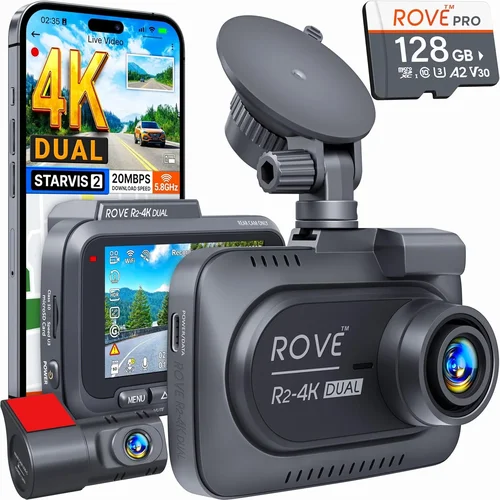
A: The choice depends on your primary needs and vehicle usage patterns. Single-channel dash cams record only what’s in front of your vehicle and are ideal for most drivers seeking basic protection. Dual-channel models include a rear-facing camera that captures what’s happening behind your vehicle, providing comprehensive coverage for situations like backing collisions or hit-and-runs from behind. Dual-channel dash cams with GPS offer the added advantage of synchronized front and rear footage with location data, creating a complete picture of incidents. Consider dual-channel if you frequently drive in high-theft areas, park in crowded lots, or work as a rideshare driver needing to document both directions of travel.
Our Final Recommendations
Best for Budget-Conscious Buyers
For drivers seeking essential dash cam functionality without overspending, the Garmin Dash Cam Mini 2 stands out as an exceptional value proposition. Priced around $70-80, this compact device delivers reliable 1080p recording, accurate GPS tracking, and essential safety features like automatic incident detection. Its small size ensures unobtrusive mounting, and the built-in battery provides flexibility for occasional parking mode use. While lacking Wi-Fi connectivity and advanced features, it excels at its core purpose: providing reliable evidence capture at an accessible price point. The Garmin brand reputation ensures consistent performance and reliable customer support, making it ideal for first-time dash cam buyers who want proven reliability without complexity.
Best Overall Value
The Nextbase 522GW represents the perfect balance of features, performance, and price in the mid-range category. Priced around $180-220, this dash cam offers 1080p recording with impressive low-light performance, accurate GPS tracking with route logging, and a host of valuable extras including emergency SOS, Alexa voice control, and advanced parking mode. Its compact design fits most windshields comfortably, while the intuitive interface makes operation simple for drivers of all technical backgrounds. The included 32GB microSD card and robust build quality provide immediate value, and the Nextbase app enables easy file management and cloud backup. Multiple user reviews consistently praise its reliability and feature set, making it our top recommendation for drivers seeking comprehensive protection without premium pricing.
Best Premium Option
For those demanding the highest quality and most advanced features, the BlackVue DR900S-2CH LTE sets the industry standard. With a price point around $450-500, this professional-grade dash cam includes dual-channel recording with 4K front camera capability, ultra-precise GPS with multi-system satellite support, and integrated 4G LTE connectivity for live viewing and cloud uploads. Its robust metal housing ensures durability in extreme conditions, while advanced safety features like lane departure warnings and collision alerts provide proactive protection. The BlackVue app offers comprehensive remote management, and the cloud service provides unlimited storage with GPS-tagged footage organization. While expensive, the combination of cutting-edge technology, professional build quality, and extensive feature set makes it ideal for serious drivers, rideshare professionals, and anyone needing maximum protection and convenience.
Best for Beginners
New dash cam owners will appreciate the Thinkware F800 as an ideal entry point into GPS-equipped recording systems. Available for $120-150, this model balances simplicity with essential functionality, featuring 1080p recording, reliable GPS tracking, and an intuitive interface that’s easy to navigate. Its straightforward operation requires minimal setup, and the included accessories ensure quick installation. Thinkware’s reputation for reliability and excellent customer support provides peace of mind for first-time buyers, while the solid feature set ensures you won’t outgrow it quickly. The F800’s moderate price point and proven performance make it perfect for drivers transitioning from basic recording to comprehensive GPS-equipped protection without overwhelming complexity or excessive cost.
Best for Advanced Users
Power users and professionals seeking maximum functionality will find the Garmin DriveSmart 66 exceptional in its category. Priced around $250-300, this integrated navigation and dash cam combo delivers 1080p recording, precise GPS tracking, and comprehensive mapping features that go beyond basic location data. Its large 6-inch touchscreen provides easy access to both navigation and recording functions, while advanced safety features like real-time traffic alerts and driver alerts enhance situational awareness. The Garmin Connect platform enables seamless integration with smartphones and fitness trackers, while the robust build quality ensures reliability during demanding use. For drivers who want the convenience of integrated navigation with comprehensive dash cam protection, this model eliminates the need for separate devices while providing superior GPS accuracy and feature integration.
Best for Fleet Management
Businesses and organizations managing multiple vehicles benefit from the Verizon Hum Connected Drive as a comprehensive fleet solution. Priced per vehicle with subscription plans starting around $30/month, this system combines dash cam functionality with advanced GPS tracking, driver behavior monitoring, and comprehensive reporting capabilities. Its cloud-based management platform allows centralized control of all vehicles, while detailed analytics help optimize routes, improve safety scores, and reduce insurance costs. The integrated cellular connectivity ensures real-time data transmission without requiring separate internet connections, and customizable alerts notify managers of specific events like harsh braking or speeding. For fleet operators seeking professional-grade dash cam solutions with GPS tracking and management features, this system provides unmatched value through reduced administrative overhead and improved operational efficiency.
Each of these recommendations reflects careful consideration of features, performance, value, and real-world usability. Your ultimate choice should align with your specific needs, driving patterns, and budget constraints while ensuring you select a reputable brand with reliable customer support and adequate warranty coverage.
Conclusion: Making the Right Choice
Selecting the best dash cam with GPS ultimately comes down to aligning your specific needs with appropriate features and budget constraints. Rather than chasing the latest technological advances or focusing solely on price points, successful buyers prioritize reliability, ease of use, and long-term value. Remember that a dash cam’s primary purpose is to provide objective evidence during disputes, and GPS functionality enhances this capability by adding precise location and timing data that can establish context and credibility.
The investment you make today pays dividends through reduced stress, potential insurance savings, and enhanced protection against false claims. Consider your typical driving conditions, vehicle type, and how frequently you’d rely on the footage for evidence. Urban drivers facing frequent stop-and-go traffic might benefit from advanced parking mode and robust GPS accuracy, while highway commuters might prioritize smooth recording and reliable speed tracking.
Don’t overlook the importance of proper installation and ongoing maintenance. Even the most advanced dash cam provides limited value if improperly mounted, incorrectly configured, or failing to maintain adequate storage. Take time to understand your chosen model’s features, practice with the interface before critical situations arise, and establish regular maintenance routines for storage management and battery care.
As technology continues evolving, dash cams with GPS become increasingly sophisticated, but the fundamental principles remain unchanged: reliable recording, accurate location data, and user-friendly operation. By focusing on these core elements and choosing a reputable brand with solid customer support, you’ll ensure your investment serves its purpose effectively for years to come.
Whether you’re protecting yourself from insurance fraud, documenting questionable traffic stops, or simply wanting peace of mind behind the wheel, the right dash cam with GPS provides tangible benefits that extend far beyond mere recording capabilities. Make your decision thoughtfully, prioritize your actual needs over marketing claims, and enjoy the enhanced safety and confidence that comes with knowing you have reliable evidence at your disposal whenever you need it.