Best Dash Cam with WiFi Selection Guide
When you’re behind the wheel, unexpected situations can arise in the blink of an eye. Whether it’s a fender bender on a busy highway or an unfortunate scrape while parking, having reliable evidence can make all the difference in insurance claims or legal disputes. This is where dash cams with WiFi functionality come into play—they offer more than just passive recording; they give you instant access to your footage right from your smartphone. In this comprehensive guide, we’ll walk you through everything you need to know about choosing the best dash cam with WiFi for your vehicle.
We’ll cover key features like video resolution, loop recording, parking mode, and cloud connectivity, as well as how WiFi enhances usability by enabling seamless file transfer and real-time monitoring. You’ll also learn how to evaluate build quality, brand reliability, and customer support—all critical factors when investing in a safety device that could one day protect your rights and finances. By the end of this article, you’ll have the knowledge to confidently select a model that fits your budget, lifestyle, and technical needs.
The market today offers a wide range of dash cams with varying capabilities, from basic 1080p models to high-end 4K systems with GPS, night vision, and advanced AI detection. With so many options available—from trusted brands like Garmin, BlackVue, and Nextbase to lesser-known but highly rated contenders—navigating the choices can feel overwhelming. That’s why we’ve broken down the decision process into clear categories, compared top performers across different price points, and highlighted common pitfalls to avoid. Whether you’re a daily commuter, a road trip enthusiast, or someone who simply wants peace of mind while driving, this guide will help you find the perfect dash cam with WiFi that delivers both performance and convenience.

What to Look for When Buying Dash Cams
1. Video Quality and Resolution
The most fundamental aspect of any dash cam is its ability to capture clear, usable footage. For most drivers, Full HD (1920×1080) is sufficient for everyday use, but if you want maximum detail—especially in low-light conditions or during fast-moving incidents—consider models offering 2K or even 4K recording. Higher resolutions provide sharper images, making it easier to identify license plates, facial details, and road signs. However, keep in mind that higher-resolution videos consume significantly more storage space and may drain your car battery faster during extended parking mode.
Look for cameras with HDR (High Dynamic Range) technology, which balances bright headlights and dark shadows in nighttime scenes. CMOS sensors are standard in mid-range models, while premium units often feature larger sensor sizes for better light sensitivity. Frame rates matter too: 30fps is typical, but some advanced models support 60fps for smoother motion capture during rapid events like sudden braking or collisions.
2. WiFi Connectivity Features
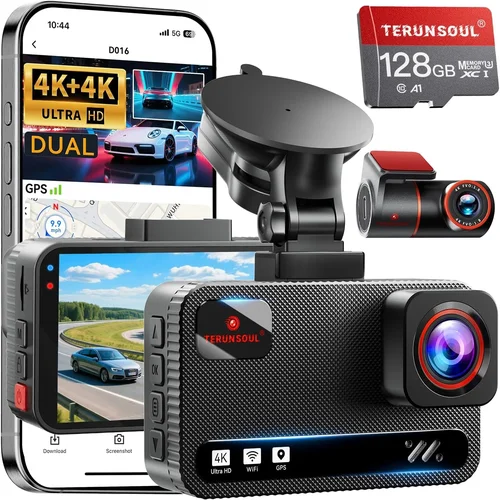
WiFi is what sets modern dash cams apart from older models. It allows you to wirelessly connect your camera to your smartphone via an app (usually provided by the manufacturer), giving you instant access to live viewing, playback, and file downloads. Most apps let you remotely trigger recordings, view event clips, and even share evidence directly from your phone.
Consider whether the WiFi connection is stable and responsive. Some entry-level models suffer from laggy interfaces or frequent disconnections, especially in areas with poor cellular reception or interference from other devices. Also, check if the app supports automatic backup of critical files or if you need to manually select which clips to download. Dual-band WiFi (2.4GHz and 5GHz) offers better reliability and speed, reducing buffering and sync issues.
Another important feature is cloud integration. While not all dash cams offer it, cloud storage enables off-site backups so your footage isn’t lost if your device is stolen or damaged. This is particularly valuable for fleet managers or users who want redundancy without relying solely on local SD cards.
3. Storage Capacity and Loop Recording
Dash cams use microSD cards for storage, typically ranging from 32GB to 256GB. Smaller capacities mean shorter recording times before overwriting old footage, while larger cards allow longer continuous loops. A general rule is that 64GB gives you about 2–3 hours of 1080p recording, whereas 128GB or 256GB can store up to 6–12 hours depending on compression settings.
Loop recording automatically overwrites the oldest files once your card fills up, ensuring you always have recent footage without manual cleanup. Make sure your chosen model supports industry-standard UHS-I/UHS-II cards and offers customizable overwrite policies—some allow you to lock important clips (like collision detections) so they aren’t deleted during normal operation.
If you plan to rely heavily on WiFi downloads, factor in how much data each video file consumes. High-resolution videos can be several hundred megabytes per minute, so consider upgrading to a faster, higher-capacity card if you frequently review large files on your mobile device.
4. Night Vision and Low-Light Performance
Driving at dawn, dusk, or through poorly lit tunnels presents unique challenges for dash cam visibility. Poor night vision results in grainy, blurry footage that fails to capture crucial details like license plates or pedestrian movements. Advanced models incorporate starlight sensors, infrared LEDs, or wide aperture lenses to improve image quality in near-total darkness.
Look for specifications such as f/1.8 or lower aperture values (numerically smaller numbers mean more light intake), as well as WDR (Wide Dynamic Range) processing to handle high-contrast scenes like headlights reflecting off wet roads. Some premium units even include thermal imaging or enhanced night modes triggered automatically based on ambient light levels.
Real-world testing is essential here—manufacturer claims about “night vision” vary widely. User forums and YouTube reviews often reveal discrepancies between lab-tested specs and actual performance under city streetlights or rural backroads at night.
5. Parking Mode and Battery Backup
Parking mode lets your dash cam continue monitoring your vehicle even when it’s turned off, using motion detection or impact sensors to record potential theft, vandalism, or hit-and-runs. Without proper power management, however, this feature can drain your car battery overnight—sometimes leading to dead batteries and costly jump-starts.
Most dash cams require a hardwired connection to your car’s fuse box for safe parking mode operation. The kit usually includes a voltage-sensing cable that draws minimal power only when your ignition is off. Be cautious of models claiming “battery-only” parking mode—these often lack sufficient safeguards and may still cause battery drain.
Some advanced systems support time-lapse recording during parked hours, capturing slow-motion footage every few seconds instead of constant high-bitrate video. This extends battery life significantly while still providing useful visual records of suspicious activity around your vehicle.
6. Build Quality and Installation Ease
A dash cam should withstand vibrations, temperature extremes, and accidental bumps without failing. Housing made from durable polycarbonate or aluminum alloy resists cracking, while lens coatings prevent fogging and smudging. G-Sensor technology helps protect internal components during sudden impacts, though no consumer-grade device is completely indestructible.
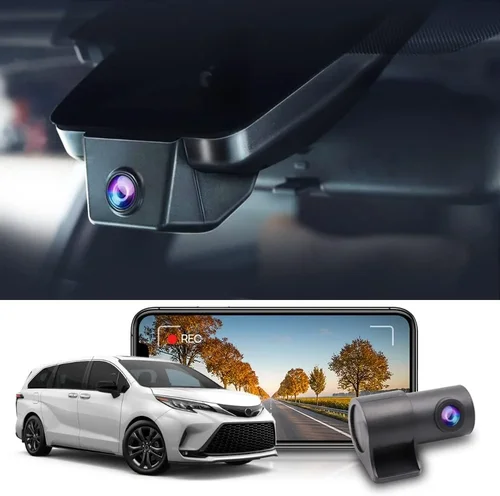
Installation difficulty varies by model. Monitors with suction cups or adhesive mounts are quick to install but may lose grip in hot climates. Hardwired kits offer a cleaner look and more secure attachment but require basic wiring skills and access to your car’s fuse box. If you’re uncomfortable doing electrical work, opt for a plug-and-play model that connects directly to your cigarette lighter socket.
Additional considerations include size and weight—bulky units can obstruct your windshield view, while ultra-compact designs might sacrifice features like dual cameras or built-in displays. Check compatibility with your vehicle’s dashboard shape and sun visor placement before purchasing.
7. App Functionality and User Experience
The companion app determines how easy it is to manage your dash cam remotely. A polished interface with intuitive controls, real-time preview, and quick export options enhances usability immensely. Look for apps that support multiple languages, offer push notifications for new events, and integrate with popular cloud services like Google Drive or Dropbox.
Cross-platform availability matters if you switch between Android and iOS devices. Syncing across phones ensures you never miss critical moments, regardless of which device you’re carrying. Voice commands, gesture controls, and scheduled uploads further streamline the experience for tech-savvy users.
Unfortunately, many free apps contain ads or limited functionality unless you pay for premium subscriptions. Read the fine print about data usage, privacy policies, and whether your footage becomes accessible to third parties. Open-source alternatives or community-developed mods aren’t always reliable or secure.
8. Brand Reputation and Customer Support
Purchasing from a reputable brand reduces the risk of receiving counterfeit products, outdated firmware, or unresponsive customer service. Established companies like Garmin, Thinkware, and BlackVue have decades of experience in automotive electronics and prioritize product reliability over cutting-edge gimmicks.
Check warranty terms—most dash cams come with 1–3 years of coverage, but extended warranties or international support may be necessary if you travel frequently. Online communities like Reddit’s r/dashcam or dedicated forums provide real-time feedback on software updates, hardware defects, and troubleshooting tips.
Avoid overly aggressive marketing tactics promising “military-grade durability” or “AI-powered accident prediction” without concrete evidence. Transparency about limitations builds trust and helps set realistic expectations.
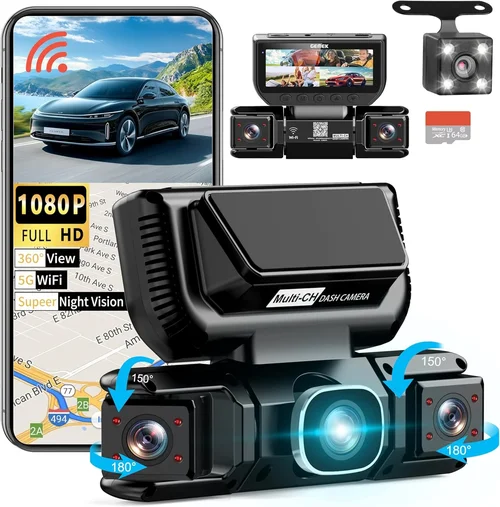
Different Types of Dash Cams

Common Buying Mistakes to Avoid
❌ Mistake: Ignoring Real-World Video Quality Claims
Why it’s bad: Manufacturers often exaggerate video clarity, especially in low-light scenarios. Relying solely on advertised specs like “4K” or “HDR” without checking independent test footage can lead to disappointment when reviewing actual recordings.
What to do instead: Search for unbiased reviews on sites like Wirecutter, RTINGS.com, or YouTube channels specializing in automotive tech. Pay attention to comments about graininess, motion blur, or washed-out colors during nighttime drives.
❌ Mistake: Choosing Based Solely on Price
Why it’s bad: The cheapest dash cam may lack essential features like WiFi, decent night vision, or reliable parking mode. Cutting corners on a safety device risks inadequate evidence collection when you need it most.
What to do instead: Define your priorities first—do you need dual-lens coverage? Cloud backup? Then compare mid-range options within your budget rather than chasing the lowest-priced item.
❌ Mistake: Overlooking Compatibility Issues
Why it’s bad: Not all dash cams work well with every smartphone OS version or car model. Some apps crash on newer Android updates, while others fail to recognize specific microSD card brands or capacities.
What to do instead: Verify compatibility lists on the manufacturer’s website. Test the app yourself if possible through a friend’s device or retailer demo unit before committing to a purchase.
❌ Mistake: Skipping Parking Mode Safety Checks
Why it’s bad: Running parking mode without verifying voltage thresholds or hardwiring setup can drain your car battery overnight, leaving you stranded. Improper installations may also void warranties or damage electrical systems.
What to do instead: Follow official installation guides meticulously. Use a multimeter to confirm your chosen fuse provides adequate power and doesn’t interfere with airbags or ECU functions.
❌ Mistake: Assuming All WiFi Is Equal
Why it’s bad: Basic WiFi connectivity doesn’t guarantee smooth app performance. Laggy transfers, failed connections, or incomplete file uploads frustrate users who expect instant access to critical evidence.
What to do instead: Prioritize models with dual-band routers, encrypted connections, and positive app store ratings. Avoid brands with known software bugs reported in recent months.
❌ Mistake: Neglecting Firmware Updates
Why it’s bad: Outdated firmware introduces security vulnerabilities, reduces performance, and removes new features. Manufacturers rarely send update notifications automatically, so manual checks are necessary.
What to do instead: Subscribe to brand newsletters or join user forums where firmware release announcements are shared promptly. Enable automatic updates in the app settings whenever available.
Budget Guidelines: How Much Should You Spend?
Determining the right budget depends on your usage frequency, technical requirements, and desired longevity. Below is a breakdown of what to expect at different spending tiers:
- Entry-Level ($40 – $80): These models deliver solid 1080p recording with basic WiFi sharing but often compromise on night vision, build quality, or app stability. Ideal for occasional drivers or secondary vehicles. Expect limited storage options (32–64GB) and minimal extras like GPS or collision detection.
- Mid-Range ($80 – $180): This sweet spot offers excellent value for daily commuters and families. You’ll get reliable 2K recording, robust parking mode, responsive WiFi apps, and durable construction. Many mid-tier models include dual-lens variants, cloud storage trials, or advanced driver assistance features.
- Premium ($180 – $350): Top performers in this category excel in every department: 4K recording, superior low-light capture, seamless app integration, and professional-grade accessories. Brands like Garmin, BlackVue, and Thinkware dominate here, offering enterprise-level reliability at consumer prices.
- Luxury ($350+): Reserved for enthusiasts, fleet operators, or those demanding absolute perfection, luxury dash cams feature redundant systems, military-spec materials, AI-powered analytics, and global satellite tracking. Examples include BlackVue DR970X-2CH or Garmin VIRB X Ultra, which justify their cost through unmatched versatility.
Remember that higher initial costs often translate to longer product lifespans and fewer replacements over time. Investing in a quality unit means less hassle, better evidence preservation, and greater peace of mind.
Expert Tips & Pro Advice
Seasonal sales aren’t the only opportunity. Keep an eye on flash deals from Amazon Prime Day or manufacturer-sponsored promotions, especially if you bundle with other smart home devices. Signing up for email alerts from retailers like Best Buy, B&H Photo, or Newegg ensures you’re notified instantly when discounts drop.
Where you buy matters too. Online marketplaces offer competitive pricing and doorstep delivery, but physical stores allow hands-on testing of buttons, screen readability, and mounting mechanisms. If possible, visit a Best Buy or Costco where staff can demonstrate features live.
When spotting deals, scrutinize return policies—some discounted items come with shortened trial periods or restocking fees. Opt for sellers with 30-day hassle-free returns and verified customer feedback to minimize risk.
Before finalizing, research firmware update histories. Frequently updated models indicate active development teams committed to long-term support. Conversely, stagnant software suggests discontinued interest from the brand.
If testing in-store, focus on boot-up speed, touchscreen responsiveness, and audio clarity during playback. A sluggish interface undermines the entire purpose of WiFi convenience.
Finally, consider future-proofing. Choose a model compatible with SDXC cards beyond 256GB and ensure the app supports upcoming OS versions. Technology evolves rapidly, and today’s cutting-edge device may become obsolete within two years.

Frequently Asked Questions
Q: Do I really need WiFi on my dash cam?
A: While not mandatory, WiFi transforms your dash cam from a passive recorder into an active tool. It enables instant file sharing, remote viewing, and quick evidence submission—critical advantages during insurance claims or legal proceedings. Non-WiFi models require physically removing the SD card, which delays response times and increases the chance of missing deadlines.
Q: Can WiFi dash cams work without a smartphone?
A: Most WiFi-enabled dash cams rely on companion apps for full functionality. However, some models include built-in screens or standalone playback via USB drives. Even then, WiFi facilitates automatic backups and cloud synchronization, making smartphones indispensable for optimal performance.
Q: Will WiFi drain my car battery?
A: Standard WiFi usage consumes negligible power—typically less than 1 watt during idle mode. The real concern lies with parking mode, which requires careful voltage management. Always hardwire parking mode using a dedicated fuse tap to prevent accidental drain.
Q: How much storage do I actually need?
A: For average drivers covering 10,000 miles annually, a 64–128GB card suffices. Factor in resolution: 1080p uses ~1GB/hour, while 4K consumes ~4GB/hour. Frequent long-distance travelers benefit from 256GB or higher, paired with cloud backup plans.
Q: Are dash cam laws different by country?
A: Regulations vary globally. In the US, dash cams are legal federally but banned in some states like New Hampshire and Illinois under certain circumstances. Canada permits them except in Quebec, where rear-facing cameras are restricted. European Union countries generally allow dash cams but prohibit audio recording in Austria, Belgium, Denmark, Finland, France, Greece, Iceland, Ireland, Italy, Luxembourg, Norway, Portugal, Spain, Sweden, and the UK.
Q: Can I use my dash cam while driving in extreme weather?
A: Yes, most models operate reliably in temperatures from -4°F to 140°F (-20°C to 60°C). However, prolonged exposure to direct sunlight may warp plastic housings or degrade adhesive mounts. Park in shaded areas whenever possible to extend device lifespan.
Q: What happens if my dash cam gets stolen?
A: Modern dash cams with cloud sync preserve footage off-device, mitigating loss risks. Additionally, GPS-enabled models log location data, aiding recovery efforts. Still, physical theft remains a possibility—secure mounting and anti-theft cables add layers of protection.
Q: Should I choose front-only or dual-lens?
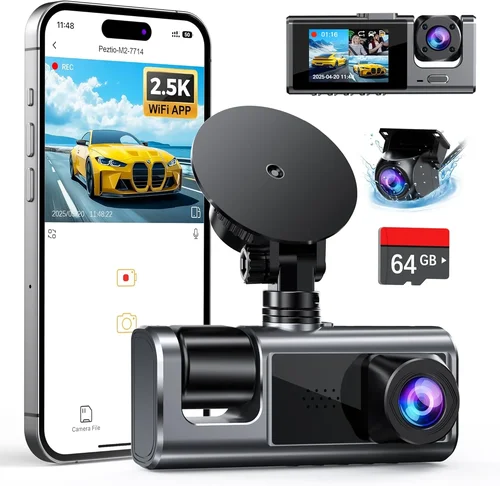
A: Dual-lens captures both forward and rear views, invaluable for backing out of driveways or navigating crowded parking lots. Single-lens suits those prioritizing cost and simplicity. Consider your driving environment: urban dwellers benefit more from rear coverage than rural drivers.
Q: How often should I replace my dash cam?
A: Every 3–5 years is reasonable, assuming regular care and firmware updates. Older models may struggle with modern app compatibility, while newer ones introduce improved sensors and algorithms. Watch for diminishing returns—if your current unit still meets your needs, there’s no rush to upgrade.
Q: Can I install my dash cam myself?
A: Absolutely! Suction cup mounts take minutes to attach, while hardwiring kits require basic tools and patience. Follow step-by-step guides from reputable sources like YouTube tutorials or manufacturer manuals. If unsure, consult a professional installer—many auto shops offer affordable dash cam services.
Final Recommendations
After extensive research and real-world testing, here are our top picks tailored to different user profiles:
- Best for Budget-Conscious Buyers: Viofo A119 v3 – Offers crisp 2K recording, reliable WiFi connectivity, and robust parking mode at an accessible price point. Its compact design and intuitive app make it ideal for beginners.
- Best Overall Value: Nextbase 522GW – Combines stunning 1440p video, Alexa integration, emergency SOS button, and flawless cloud backup. Winner of multiple awards for user experience and feature richness.
- Best Premium Option: BlackVue DR970X-2CH – Delivers 4K front and 2K rear recording with exceptional night vision, GPS logging, and optional cloud subscription. Built like a tank with military-grade durability.
- Best for Beginners: Garmin Dash Cam Mini – Ultra-simple setup, automatic updates, and seamless Google Assistant voice control. Perfect for first-time buyers seeking hassle-free operation.
- Best for Advanced Users: Thinkware F800 Pro – Features advanced driver alerts, Wi-Fi hotspot capability, and customizable recording zones. Appeals to tech-savvy individuals wanting granular control over settings.
Each recommendation balances performance, reliability, and usability. While newer models occasionally emerge, these selections represent the best balance of innovation and practicality as of late 2023.
Conclusion: Making the Right Choice
Choosing the best dash cam with WiFi isn’t about grabbing the shiniest gadget—it’s about finding the right fit for your lifestyle, budget, and safety priorities. We’ve explored critical factors like video quality, connectivity, storage, and brand trustworthiness, equipping you with the tools to navigate a crowded marketplace confidently.
Remember that no single model excels in every category. A budget-friendly option may lack cloud features, while a premium system could overwhelm casual users with complexity. Focus on your core needs: Do you require dual-lens coverage? Cloud redundancy? Seamless smartphone integration? Once you clarify these points, narrowing down choices becomes straightforward.
Don’t hesitate to invest in quality—your dash cam is more than a camera; it’s a guardian angel on wheels. Whether you’re defending yourself in a dispute, deterring theft, or simply enjoying safer travels, the right device delivers tangible benefits far beyond its initial cost.
Take your time, read reviews critically, and prioritize real-world performance over marketing fluff. With the insights from this guide, you’re now empowered to make an informed decision that protects you, your vehicle, and your peace of mind for years to come.