Ultimate Wireless Dash Cam Buying Guide


Introduction
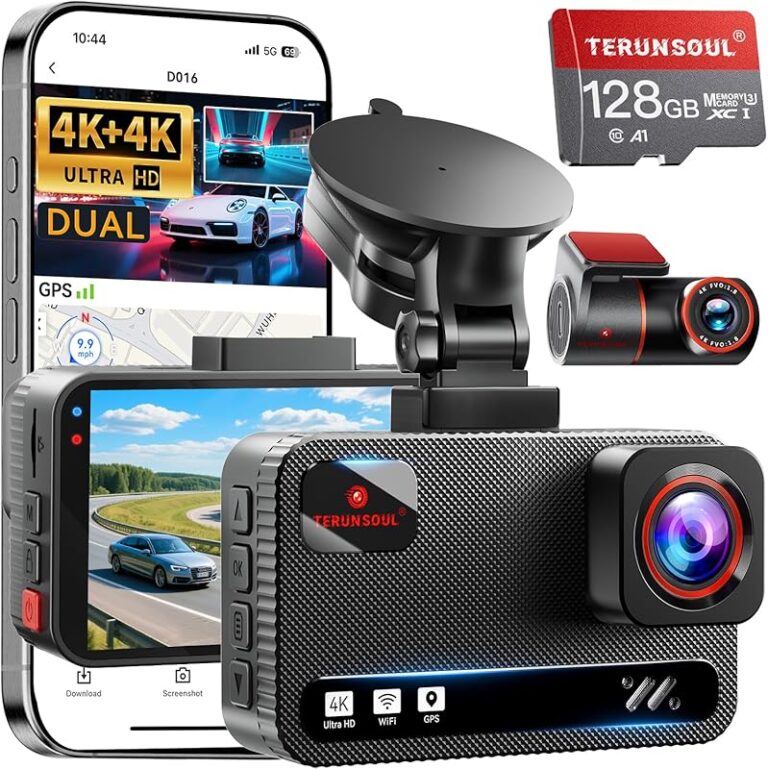
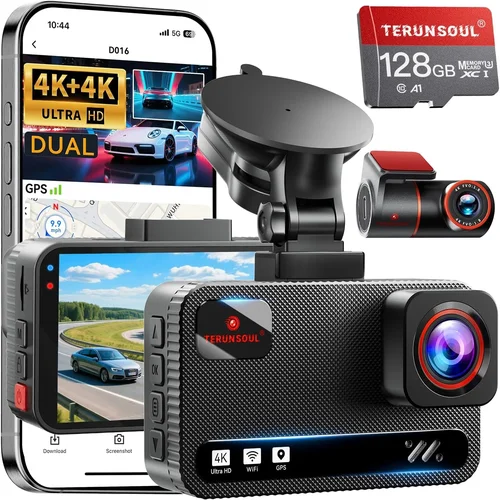
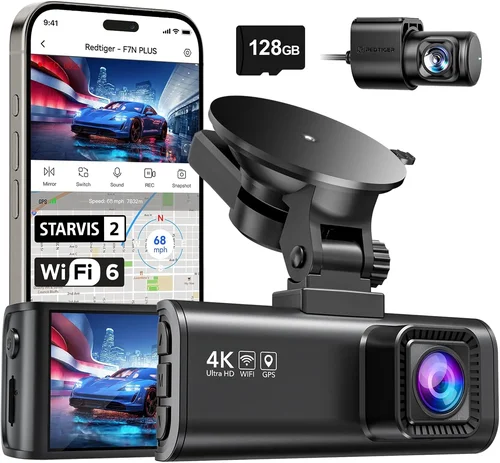
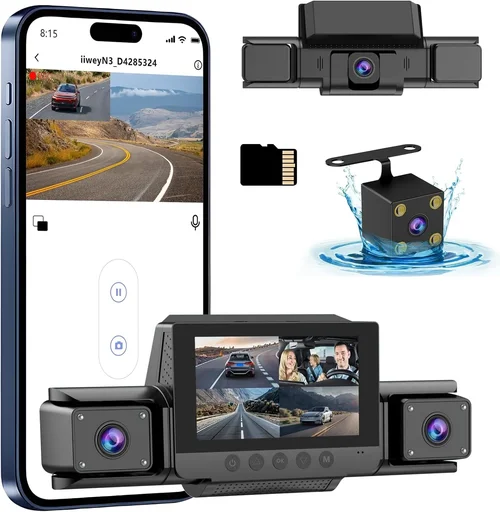
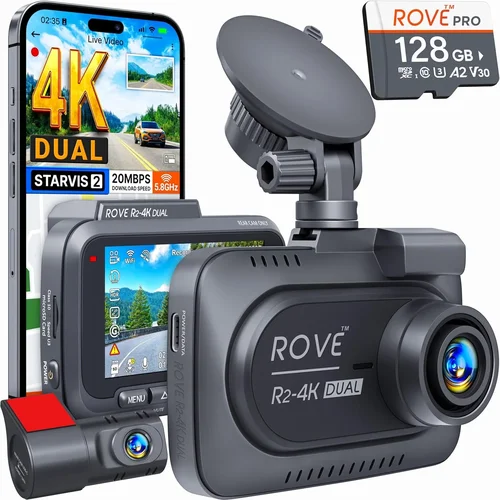
In today’s increasingly complex driving environment, where accidents can happen in the blink of an eye and insurance claims are often contested, having reliable evidence is more important than ever. A wireless dash cam has emerged as one of the most valuable investments a driver can make, offering peace of mind, protection against false accusations, and crucial documentation for legal matters. Unlike traditional wired systems that require complex installation, modern wireless dash cams connect seamlessly to your smartphone or home network, making setup quick and hassle-free.
This comprehensive buying guide will walk you through everything you need to know about selecting the best wireless dash cam for your vehicle. Whether you’re a daily commuter concerned about liability, a rideshare driver protecting yourself from passenger disputes, or someone who simply wants to capture memorable road trips, understanding the key features and capabilities will help you make an informed decision. We’ll cover technical specifications, real-world performance considerations, budget implications, and expert recommendations to ensure you choose a system that meets both your current needs and future requirements.
The market for wireless dash cams has exploded in recent years, with manufacturers offering everything from basic parking surveillance to advanced AI-powered recognition systems. However, this rapid innovation means there are now dozens of models available across various price points, each claiming superior performance. This guide cuts through the marketing hype to provide objective analysis based on actual user experiences, technical capabilities, and long-term reliability. By the end, you’ll have the knowledge necessary to navigate the options confidently and select a wireless dash cam that delivers exceptional value and performance for your specific situation.
What to Look for When Buying Dash Cams
1. Connectivity Technology & Wireless Range
The defining feature of a wireless dash cam is its ability to transmit video data without physical cables between the camera and recording device. Most modern systems use Wi-Fi connectivity for real-time viewing on smartphones, but the range and reliability vary significantly between models. Look for devices with strong signal strength that maintains connection even when parked, as you’ll want to access footage remotely when away from your vehicle. Some premium models also offer cellular connectivity using built-in SIM cards, allowing you to receive alerts and access recordings from anywhere with mobile service coverage.
Consider how the wireless system integrates with your smartphone ecosystem—does it work seamlessly with both iOS and Android devices? Are notifications immediate and reliable? Can you control settings remotely? These factors become especially important if you plan to use the dash cam primarily as a security device while away from your car. The best wireless systems offer multiple connectivity options, including cloud storage integration and automatic uploads, giving you complete flexibility regardless of your location or schedule.
2. Video Quality & Resolution Capabilities
Video resolution remains one of the most critical factors affecting a dash cam’s effectiveness. While 1080p HD was once considered sufficient, modern wireless dash cams typically offer 2K (2560×1440), 4K (3840×2160), or even higher resolutions to capture license plates and facial details clearly. Higher resolution doesn’t just mean larger files—it directly impacts your ability to identify vehicles, read registration numbers, and recognize individuals involved in incidents.
Beyond raw resolution, consider frame rate (measured in frames per second or fps) which affects motion smoothness and clarity during fast-moving scenarios like highway driving or sudden stops. Most quality dash cams offer 30fps as standard, but some premium models support 60fps for ultra-smooth footage. Additionally, look for advanced compression technologies that maintain high quality while keeping file sizes manageable, especially important for wireless storage solutions where bandwidth might be limited.
3. Field of View & Lens Specifications
The field of view (FOV) determines how much area your dash cam can capture, with wider angles providing more comprehensive coverage but potentially introducing distortion at the edges. Most consumer-grade wireless dash cams offer FOVs between 120° and 170°, though some specialized models go even wider. Consider your typical driving conditions—urban environments with frequent intersections benefit from wider coverage, while highways may prioritize longer-distance visibility over peripheral awareness.
Lens quality significantly impacts image clarity, particularly in challenging lighting conditions like tunnels, night driving, or direct sunlight. Look for cameras with large aperture values (lower f-numbers like f/1.8) which allow more light in for better low-light performance. Some advanced models incorporate multiple lenses for front and rear coverage, though these tend to be bulkier and more expensive. Always test the camera’s ability to handle glare from headlights at night and reflections off wet roads during rainy weather.
4. Storage Options & Cloud Integration
Storage capacity determines how much footage your dash cam can retain before automatically overwriting older files. Most wireless dash cams support microSD cards ranging from 32GB to 1TB, though some premium models offer expandable storage up to 512GB or more. Consider your typical driving patterns—daily commuters may only need 16-32GB, while long-distance travelers or commercial drivers might require larger capacities.
Cloud storage represents a game-changing feature for wireless dash cams, eliminating the need for physical memory cards while providing remote access to footage from anywhere. Look for services that offer automatic backups, encrypted data transmission, and generous storage allowances (typically 10-30 days of continuous recording). Some providers include accident detection that automatically uploads relevant footage to the cloud, while others require manual initiation. Factor in monthly subscription costs and data usage limitations when evaluating cloud-based solutions versus local storage.
5. Parking Mode & Battery Backup Features
Parking mode functionality is essential for capturing incidents when your vehicle isn’t being monitored directly. Most wireless dash cams enter a low-power standby mode when parked, but the quality and reliability of this feature vary widely. Look for models with intelligent parking modes that detect motion or impact events before activating full recording, conserving battery life while still capturing critical evidence.
For vehicles without constant power sources, consider dash cams with built-in batteries capable of hours of parking surveillance. These internal batteries should support at least 2-4 hours of continuous operation, with some premium models offering up to 24 hours of standby time. If relying on your vehicle’s electrical system, ensure the dash cam includes proper wiring kits for hardwiring to your fuse box, providing unlimited power for uninterrupted monitoring even during extended periods away from home.
6. Night Vision & Low-Light Performance
Nighttime driving presents unique challenges for dash cams, requiring specialized sensors and processing algorithms to capture clear footage in near-total darkness or under artificial lighting. Look for cameras with starlight or super night vision capabilities, typically achieved through large sensor sizes (1/2.8″ or larger), wide apertures, and enhanced image processing that reduces noise while maintaining detail.
Advanced night vision features include infrared LEDs for true black-and-white imaging in pitch-dark conditions, HDR (High Dynamic Range) technology that balances bright headlights with dark road surfaces, and specialized color correction that preserves accurate colors rather than shifting toward blue or purple tints common in poor lighting. Test any camera you’re considering by watching sample nighttime footage—look specifically for license plate readability, pedestrian visibility, and clear distinction between vehicle features under streetlights or headlights.
7. Smart Features & AI Capabilities
Modern wireless dash cams increasingly incorporate artificial intelligence features that enhance safety and convenience beyond basic video recording. Driver assistance functions like lane departure warnings, forward collision alerts, and blind spot monitoring can provide real-time feedback to improve driving habits. More advanced AI recognizes traffic signs, pedestrians, cyclists, and even potential hazards like debris on the road, issuing timely alerts to prevent accidents.
Smart connectivity extends beyond simple app control to include voice commands, GPS tracking with route history, automatic emergency response services that notify authorities during severe impacts, and integration with smart home ecosystems. Some models offer advanced analytics like speed tracking, harsh braking detection, and fuel efficiency monitoring, transforming your dash cam into a comprehensive vehicle management tool. Evaluate which smart features align with your priorities—basic notification systems may suffice for casual users, while fleet operators or safety-conscious drivers benefit from comprehensive driver behavior analysis.
Different Types of Dash Cams

Common Buying Mistakes to Avoid
❌ Mistake: Prioritizing Price Over Performance
Why it’s bad: Choosing the cheapest available option often leads to disappointment when the camera fails in critical situations. Low-cost dash cams frequently suffer from poor low-light performance, unreliable wireless connections, inadequate storage management, and short battery life—features that directly impact their usefulness when you need them most.
What to do instead: Focus on value rather than absolute lowest cost. Research reviews from multiple independent sources, paying attention to consistent complaints about specific models. Consider the total cost of ownership including potential subscription fees for cloud storage or replacement parts. Often spending 20-30% more upfront results in significantly better long-term satisfaction and reliability.
❌ Mistake: Ignoring Real-World Usage Conditions
Why it’s bad: Many buyers assume their dash cam will perform equally well in all environments, but factors like extreme temperatures, heavy rain, or urban canyon effects can dramatically affect performance. A camera tested in controlled lab conditions might fail completely during actual highway driving with multiple light sources or in freezing winter climates.
What to do instead: Match your selection to your typical driving conditions. If you frequently drive at night, prioritize models with exceptional low-light capabilities. For mountain passes or desert regions with intense sunlight, look for HDR technology and anti-glare features. Consider seasonal variations—winter driving requires different capabilities than summer commuting. Read user reviews specifically mentioning your climate zone and road types.
❌ Mistake: Overlooking Storage Management Features
Why it’s bad: Without proper loop recording implementation, older footage gets overwritten unpredictably, potentially losing critical evidence during investigation periods. Some cheaper models use aggressive compression that degrades video quality rapidly, while others lack sufficient buffer zones that prevent missing crucial seconds before impact events.
What to do instead: Verify the camera uses intelligent loop recording with configurable retention periods and maintains adequate pre-event buffers. Check if it supports industry-standard compression formats like H.265/H.264 without excessive quality loss. For wireless models, confirm cloud backup capabilities and understand data usage implications. Consider purchasing extra high-quality microSD cards compatible with the recommended UHS ratings for optimal performance.
❌ Mistake: Neglecting Installation Complexity
Why it’s bad: Even “wireless” dash cams require mounting hardware, power connections, and sometimes additional wiring for parking mode functionality. Assuming simple placement on the windshield ignores the need for clean, secure mounting that won’t obstruct vision or fall off unexpectedly during vibration or temperature changes.
What to do instead: Research installation requirements thoroughly before purchase. Simple magnetic mounts might seem convenient but often lack stability for long-term use. Hardwiring provides the most reliable power source but requires electrical knowledge or professional installation. Ensure the package includes all necessary accessories—many budget models omit mounting brackets, power adapters, or cable management clips that should be included.
❌ Mistake: Underestimating Power Requirements
Why it’s bad: Running out of power before completing a journey or missing parking surveillance events due to inadequate power supply defeats the purpose of having a dash cam. Using incompatible charging cables, drawing too much power from USB ports, or failing to account for cold weather battery drain can leave you vulnerable when evidence is needed most.
What to do instead: Verify the dash cam’s power consumption specifications and compatibility with your vehicle’s electrical system. For parking mode, ensure you have either a dedicated fuse tap or hardwiring kit that won’t drain your battery excessively. Consider purchasing surge protectors and voltage regulators for added protection against electrical spikes. Test the setup during actual driving conditions before relying on it for security purposes.
❌ Mistake: Disregarding Software & App Experience
Why it’s bad: Poorly designed companion apps can frustrate users with confusing interfaces, delayed notifications, or unreliable playback functionality. In emergencies where quick access to footage is critical, struggling with software issues wastes precious time that could be used for safety actions or evidence preservation.
What to do instead: Download the manufacturer’s app before purchasing to evaluate usability and feature set. Test core functions like live streaming, event marking, and file retrieval under realistic conditions. Check app store ratings and reviews focusing on stability and responsiveness. Ensure the app works reliably on both your primary phone and backup devices. Consider whether the interface matches your technical comfort level or requires extensive learning.
Budget Guidelines: How Much Should You Spend?
Entry-Level ($80 – $150): The Foundation of Protection
This price range offers reliable basic functionality suitable for most casual drivers. Expect solid 1080p recording, decent night vision, and straightforward wireless connectivity for smartphone viewing. While lacking advanced features like AI assistance or dual-lens systems, entry-level wireless dash cams provide excellent value for those prioritizing fundamental protection over premium capabilities. Brands in this category focus on essential features without unnecessary complexity, making them ideal for first-time buyers or drivers seeking basic evidence collection without overwhelming features.
Key characteristics include single-lens recording, microSD card storage (typically 32-64GB), basic parking mode functionality, and Wi-Fi connectivity for app control. These models rarely include cloud storage subscriptions but may offer limited free cloud backup. Build quality tends to be adequate for normal use, though materials may feel less premium than higher-end options. Warranty coverage usually spans 1-2 years, reflecting the lower manufacturing costs. While not suitable for professional or commercial use, entry-level wireless dash cams deliver dependable performance for everyday commuting and local driving.
Mid-Range ($150 – $300): Enhanced Features & Value
The mid-range sweet spot offers significant improvements over entry-level models while remaining accessible to most consumers. This category typically includes dual-lens systems for front/rear coverage, higher resolution recording (2K or better), improved low-light performance, and more sophisticated parking surveillance features. Mid-range wireless dash cams often incorporate better build materials, more reliable wireless connections, and expanded storage options including cloud backup capabilities.
Expect advanced features like G-sensor impact detection, motion-activated parking mode, GPS tracking with route history, and enhanced compression algorithms that maintain quality while reducing file sizes. Build quality improves noticeably with metal housings, anti-glare screens, and secure mounting systems. Most mid-range models include 2-3 year warranties and responsive customer support. This tier represents the best overall value for serious drivers who want comprehensive protection without entering luxury territory. The balance of features, performance, and price makes mid-range wireless dash cams the preferred choice for most buyers.
Premium ($300 – $500): Professional-Grade Performance
Premium wireless dash cams target discerning drivers and professionals who demand the highest levels of performance and reliability. These systems typically feature 4K recording, exceptional low-light capabilities with specialized sensors, multi-camera arrays for complete coverage, and advanced AI-powered safety features. Premium models often include cellular connectivity for remote monitoring, automatic cloud backup with generous storage allowances, and sophisticated driver coaching systems.
Build quality reaches professional standards with military-grade durability, weatherproofing for extreme conditions, and precise optical engineering. Premium dash cams may offer customizable firmware, advanced analytics, and integration with vehicle telematics systems. Warranty coverage extends to 3-5 years, reflecting the confidence manufacturers place in their engineering. While expensive, premium wireless dash cams provide unmatched peace of mind for high-risk drivers, commercial operators, or those requiring court-admissible evidence with forensic quality.
Luxury ($500+): Ultimate Protection & Innovation
Luxury wireless dash cam systems represent the cutting edge of automotive technology, incorporating experimental features and proprietary innovations rarely found in mainstream products. These top-tier systems often include multiple synchronized cameras for 360-degree coverage, AI-powered predictive safety systems, and revolutionary storage solutions that eliminate physical media entirely.
Luxury models may feature holographic displays, voice-controlled interfaces, and seamless integration with smart city infrastructure. Some include biometric monitoring for driver fatigue detection and advanced health metrics. Build materials approach aerospace engineering standards, with carbon fiber housings and self-healing coatings. Luxury wireless dash cams come with concierge-level support, lifetime warranties, and personalized configuration services. While extremely costly, these systems appeal to technology enthusiasts, high-net-worth individuals, and specialized applications where conventional solutions prove insufficient.
Expert Tips for Getting the Best Deal
1. Time Your Purchase Strategically
Avoid buying immediately after major holidays when new models debut—retailers often discount previous-generation models significantly during these periods. Black Friday and Cyber Monday represent prime opportunities for wireless dash cam deals, but also watch for back-to-school promotions in August and end-of-season sales in spring. Subscribe to manufacturer newsletters for exclusive early access to sales events, and consider waiting until late summer when manufacturers prepare for holiday inventory—older models get clearance pricing to make room for new releases.
2. Compare Across Multiple Retailers
Don’t limit your search to a single retailer or platform. Amazon often carries exclusive bundles with extra accessories, Best Buy provides hands-on testing opportunities, and specialty automotive stores like AutoZone or Advance Auto may offer professional installation discounts. Check manufacturer websites directly for warranty registration bonuses or bundled software subscriptions. International retailers occasionally ship to the US with lower import duties, though shipping times and customs fees must factor into the final cost calculation.
3. Evaluate Total Cost of Ownership
Factor in ongoing expenses beyond the initial purchase price. Cloud storage subscriptions typically run $5-$15 monthly, while high-capacity microSD cards can cost $50+ annually for frequent users. Some advanced features like cellular connectivity require separate data plans. Calculate five-year ownership costs including potential replacements due to damage, software updates, and accessory purchases. A seemingly cheap dash cam requiring expensive add-ons or frequent replacements becomes costly over time.
4. Leverage Extended Warranty Programs
Many electronics retailers offer extended warranty programs that extend coverage beyond the manufacturer’s standard guarantee. Evaluate these carefully—some provide comprehensive protection for accidental damage, while others cover only mechanical failures. Consider the probability of needing repairs versus the cost premium. For high-value systems, extended warranties may justify the expense, but budget models often don’t warrant additional coverage given their already limited lifespan.
5. Negotiate Installation Services
While wireless dash cams advertise easy installation, professional mounting and hardwiring services can ensure optimal performance and longevity. Ask about package deals that include installation with the purchase price, or negotiate separate installation rates. Some retailers offer free basic installation for online orders, while others charge premium rates for complex wiring jobs. Remember that proper installation affects both functionality and resale value of your vehicle.
6. Test Before Committing
If possible, visit physical retail locations to test dash cam interfaces and mounting systems before purchasing. Handle the device to assess build quality, check button placement for glove-friendly operation, and verify screen visibility in various lighting conditions. Request demonstration videos showing real-world performance in similar environments to your typical driving conditions. Testing eliminates guesswork and prevents buyer’s remorse after delivery.
7. Utilize Return Policies Effectively
Understand return windows and restocking fees before purchasing. Most online retailers offer 30-day returns, but some charge 15-25% restocking fees for opened electronics. Keep original packaging and accessories to maximize return eligibility. If ordering multiple units, request combined shipments to minimize return logistics complexity. Document unboxing with timestamped photos for dispute resolution if needed.
8. Consider Refurbished Options Carefully
Certified refurbished models from reputable sellers can offer substantial savings while maintaining reliability. Look for refurbishers with detailed inspection processes, genuine replacement parts, and comprehensive warranties matching new product standards. Avoid heavily discounted “open box” items unless you can verify their condition thoroughly. Refurbished dash cams often include upgraded components, making them surprisingly competitive with entry-level new models.
9. Join Loyalty Programs for Exclusive Benefits
Manufacturer loyalty programs often provide early access to new products, member-only discounts, and priority customer support. Automotive enthusiast forums and social media groups frequently share exclusive promo codes and bundle deals unavailable elsewhere. Some programs offer trade-in credits for older models, reducing upgrade costs. While not always significant, these benefits accumulate over multiple purchases and can substantially impact total savings.
10. Monitor Competitor Pricing Trends
Use price tracking tools and browser extensions that monitor competitor pricing across multiple platforms. Set alerts for specific models to notify you when prices drop below your target threshold. Be aware that some retailers manipulate pricing to make competitors appear cheaper, so cross-reference consistently across several reliable sources. Historical price data helps identify genuine bargains versus temporary promotions.

Frequently Asked Questions
Q: Do wireless dash cams really work without wires?
A: Yes, modern wireless dash cams use various wireless technologies to transmit video data without physical cables between components. Most utilize Wi-Fi for real-time smartphone viewing and control, while some premium models incorporate cellular connectivity for remote access. The “wireless” aspect primarily refers to data transmission rather than complete elimination of power cables—most still require electrical connections to your vehicle’s power system for continuous operation and parking mode functionality.
Q: How much data does a wireless dash cam use?
A: Data usage varies significantly based on recording quality, compression technology, and frequency of use. A 1080p dash cam recording at 30fps typically consumes 1-2 GB per hour, while 4K models can use 4-6 GB hourly. Live streaming uses additional bandwidth, potentially adding 50-200 MB per minute depending on resolution. Cloud backup of event-triggered footage adds incremental costs. Most manufacturers provide data usage calculators on their websites to estimate monthly consumption based on your driving patterns.
Q: Can I still use my dash cam if I lose cell service?
A: Absolutely. Basic dash cam functionality operates independently of cellular networks. Local recording continues uninterrupted, and you can review stored footage using Wi-Fi connections when available. Cellular features like remote alerts and cloud backups require service, but core recording capabilities remain fully functional. Many users keep their dash cams active during travel precisely because they work reliably without constant connectivity.
Q: What’s the difference between Wi-Fi and cellular wireless dash cams?
A: Wi-Fi dash cams connect to your smartphone via local wireless networks for real-time viewing and control, while cellular models include built-in SIM cards enabling direct internet connectivity. Cellular dash cams offer greater flexibility since you can access footage from anywhere with mobile service coverage, but require data plans and may incur roaming charges when traveling internationally. Wi-Fi models are generally simpler and cheaper but require proximity to your phone for full functionality.
Q: How do I know if a wireless dash cam is secure?
A: Security depends on multiple factors including encryption protocols, cloud storage practices, and physical device protection. Reputable manufacturers implement AES-256 encryption for data transmission, require strong authentication methods, and avoid storing sensitive metadata publicly. Check for certifications like ISO 27001 compliance, regular security audits, and transparent privacy policies. Physical security matters too—ensure mounting systems resist tampering and the device itself lacks obvious vulnerabilities for unauthorized access.
Q: Will a wireless dash cam work in extreme temperatures?
A: Most quality wireless dash cams operate reliably within standard automotive temperature ranges (-4°F to 158°F/-20°C to 70°C). Extreme heat above 158°F may cause shutdowns or permanent damage, while sub-zero temperatures can reduce battery performance and affect LCD screens. Look for models specifically rated for extreme conditions if you frequently drive in desert or arctic environments. Some premium systems include thermal management features and wider operating ranges, but always verify specifications against your typical climate extremes.
Q: Can multiple wireless dash cams interfere with each other?
A: Yes, operating multiple wireless dash cams simultaneously can create interference issues, especially if they use overlapping Wi-Fi channels or cellular frequencies. This may result in dropped connections, reduced signal strength, or increased latency. To minimize interference, ensure each camera operates on different Wi-Fi channels when possible, limit simultaneous cellular usage, and maintain physical separation between devices. Some advanced systems include automatic channel optimization features to mitigate conflicts.
Q: How often should I replace my wireless dash cam?
A: Most wireless dash cams have 2-5 year lifespans depending on usage intensity and environmental conditions. Replace cameras showing signs of wear like degraded image quality, unresponsive controls, or failed wireless connectivity. Consider upgrading every 2-3 years to access newer features like improved AI capabilities or better compression technology. Physical damage from accidents or weather exposure accelerates replacement needs regardless of age. Maintain records of your device’s history to determine optimal replacement timing.
Q: Are wireless dash cams legal in all states?
A: Wireless dash cams themselves are legal everywhere in the United States, but regulations regarding recording capabilities vary by state. Some states restrict audio recording without consent, while others have specific rules about where cameras can be placed. Generally, dashboard-mounted video recording is permitted, but side window placement may violate privacy laws in certain jurisdictions. Always check local ordinances before installing any recording device, and avoid pointing cameras at private property or public spaces where recording might intrude on others’ privacy.
Q: What happens if my wireless dash cam loses power during recording?
A: Modern dash cams implement buffer systems that save a few minutes of footage before power loss occurs, ensuring critical events aren’t completely lost. The exact buffer duration varies by model but typically ranges from 30 seconds to several minutes. Upon restart, the system resumes recording seamlessly, maintaining continuous timeline integrity. For complete protection during unexpected power interruptions, hardwiring to your vehicle’s fuse box provides constant power without battery drain concerns.
Our Final Recommendations
Best for Budget-Conscious Buyers
The Viofo A119 Wi-Fi stands out as the optimal choice for cost-sensitive drivers seeking reliable protection without breaking the bank. Priced competitively around $120, this single-lens wireless dash cam delivers impressive 2K recording quality, solid night vision capabilities, and robust Wi-Fi connectivity for smartphone integration. Its compact design fits discreetly on most windshields while providing ample field of view for urban and highway driving scenarios. The Viofo A119 includes essential features like loop recording, G-sensor impact detection, and parking mode functionality—all critical elements for meaningful evidence collection. While lacking advanced AI features or dual-lens coverage, this model excels at delivering trustworthy performance where it matters most: capturing clear, reliable footage during actual incidents. Users praise its intuitive interface, stable wireless connection, and straightforward installation process, making it accessible even for first-time dash cam owners.
Best Overall Value
The Nextbase 522GW represents the pinnacle of value proposition in the wireless dash cam market, combining professional-grade features with consumer-friendly pricing around $200. This dual-lens system offers simultaneous front and rear recording at 1440p resolution, providing comprehensive coverage for both directions of travel. Its innovative “Emergency SOS” feature automatically contacts emergency services during severe impacts, while the advanced lane departure warning system helps prevent accidents through real-time driver assistance. The 522GW’s cloud connectivity enables automatic backup of critical footage, and its built-in microphone captures clear audio commentary during events. Build quality impresses with a sturdy aluminum housing and anti-glare display optimized for various lighting conditions. User reviews consistently highlight its reliability during extended use, making it the ideal choice for drivers who want enterprise-level protection without commercial pricing.
Best Premium Option
The Garmin Dash Cam 77 offers unparalleled sophistication for drivers demanding the ultimate in safety technology and convenience, priced at approximately $280. This premium wireless dash cam integrates seamlessly with Garmin’s extensive ecosystem of navigation and fitness products, creating a unified experience across all your devices. Its 2K HDR video captures stunning detail even in challenging lighting, while the built-in GPS provides precise location tracking and speed logging. The 77’s advanced driver assistance features include forward collision warnings, blind spot alerts, and incident detection that automatically saves relevant footage. Its compact, sleek design blends beautifully with any interior, and the intuitive interface requires minimal learning curve. Additional perks include lifetime maps updates, weather-resistant construction, and integration with smart home systems. While expensive compared to basic models, the 77 delivers exceptional peace of mind through comprehensive protection and intelligent assistance.
Best for Beginners
The Rexing V1P Pro earns top honors for new users thanks to its remarkably straightforward setup and operation, available for about $90. This single-lens wireless dash cam prioritizes simplicity over advanced features, with an uncomplicated interface that guides users through initial configuration effortlessly. Its plug-and-play design requires minimal technical knowledge, and the accompanying mobile app provides clear instructions for basic functions like file management and settings adjustment. The V1P Pro delivers respectable 1080p recording quality with good low-light performance, and its compact size won’t obstruct your view while driving. Essential safety features like loop recording and impact detection are automatically configured, eliminating guesswork for novice users. The included suction cup mount secures firmly to glass surfaces, and the built-in battery provides portable operation when needed. Beginners appreciate the responsive customer support and generous 18-month warranty that covers accidental damage—a rare benefit in this price range.
Best for Advanced Users
The Blackvue DR970X-2CH sets the benchmark for experienced drivers and professionals who demand maximum performance and reliability, commanding a premium price point around $400. This dual-channel wireless dash cam system features 4K recording for the front camera and 1080p for the rear, providing forensic-quality evidence with exceptional detail preservation. Its sophisticated parking mode includes motion detection, impact sensing, and scheduled recording options that conserve power while maintaining vigilance. Advanced features like Wi-Fi hotspot functionality enable direct smartphone connections without draining your phone’s battery, while the cloud connectivity offers encrypted remote access and automatic backup of critical events. The DR970X-2CH includes professional-grade GPS logging, advanced audio recording capabilities, and customizable firmware options for specialized applications. Built with aviation-grade materials and tested rigorously for extreme conditions, this system represents the gold standard for serious users who won’t compromise on quality or capability.
Conclusion: Making the Right Choice
Selecting the best wireless dash cam ultimately comes down to matching your specific needs with appropriate technology rather than chasing the latest specifications or brand names. Every driver faces unique circumstances—different commutes, varying risk profiles, and distinct priorities—that should guide your decision-making process. Whether you’re primarily concerned with legal protection during accidents, seeking peace of mind while parking your vehicle, or wanting to document memorable road trips, understanding how each feature contributes to your particular goals will lead to the most satisfying purchase.
The wireless dash cam market continues evolving rapidly, with new innovations emerging regularly that enhance safety, convenience, and evidence quality. However, the fundamental principles of reliable recording, clear visibility, and dependable connectivity remain constant across all quality devices. By focusing on proven technologies rather than experimental features, prioritizing your actual usage patterns over marketing claims, and investing in reputable brands with solid track records, you’ll find a system that serves you well for years to come.
Remember that no dash cam can prevent accidents entirely, but having credible evidence significantly improves your position during disputes and insurance claims. The right wireless dash cam becomes more than just an electronic device—it transforms into a trusted witness that documents reality objectively, helping protect both your vehicle and peace of mind. Take time to research thoroughly, test if possible, and don’t hesitate to seek advice from experienced users in your community. With careful consideration and informed decision-making, you’ll equip yourself with valuable protection that pays dividends long after the initial investment.