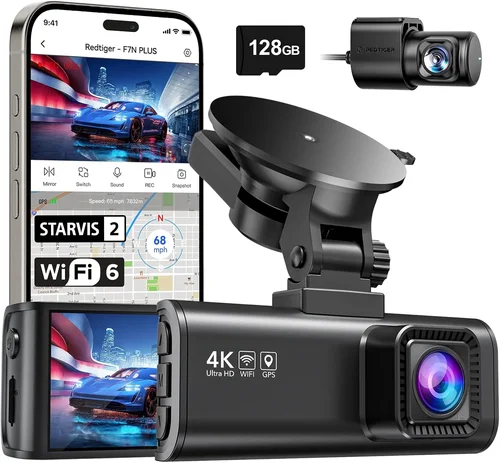
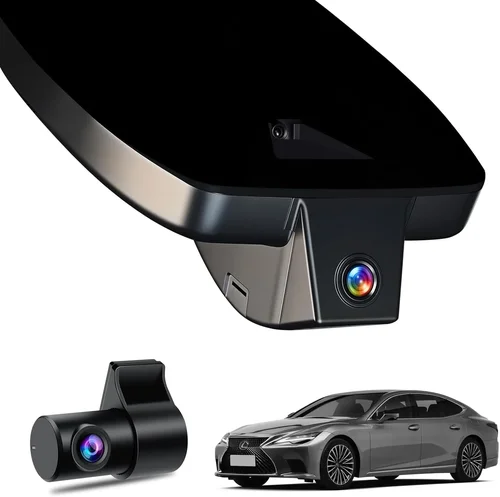
Best Dash Cam for Car Costco Shopping Guide
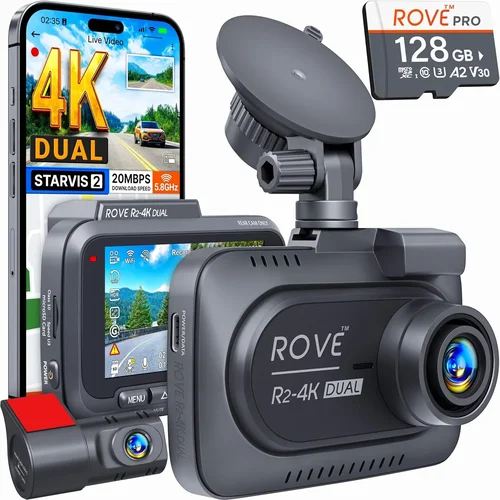
When shopping for a dash cam at Costco, you’re not just looking for any security device—you’re seeking peace of mind on every mile. With thousands of vehicles sharing the road daily, having reliable video evidence can make all the difference in insurance claims, accident disputes, or simply catching those unexpected moments that happen when you’re behind the wheel. Costco’s reputation for offering high-quality products at competitive prices makes it an attractive destination for dash cam shoppers, but with dozens of models available across different price points, choosing the right one can be overwhelming.
This comprehensive guide will walk you through everything you need to know about selecting the best dash cam for your vehicle at Costco. We’ll examine critical factors like video resolution, storage capacity, parking mode functionality, and build quality, while comparing top-rated models currently available through Costco’s inventory. Whether you’re a first-time buyer or upgrading from an older model, our expert analysis will help you make an informed decision that delivers value without compromising on essential features. By the end of this article, you’ll understand exactly what to look for in a dash cam and how to identify which Costco option aligns perfectly with your driving needs and budget.
The market for dash cams has evolved dramatically over the past decade, moving far beyond simple front-facing cameras to sophisticated multi-camera systems with advanced recording capabilities. Today’s models offer everything from basic 1080p recording to 4K Ultra HD with night vision, GPS tracking, Wi-Fi connectivity, and cloud storage integration. Costco carries several reputable brands including Garmin, Nextbase, and BlackVue, each offering unique combinations of features at various price points. Understanding these differences is crucial because a dash cam isn’t just a gadget—it’s essentially your car’s eyewitness protection system, potentially saving you thousands in legal fees or helping secure insurance settlements.

What to Look for When Buying Dash Cams
1. Budget & Price Range
Your budget should be the foundation of your dash cam selection process. Dash cams at Costco typically range from $69 for entry-level models to over $500 for premium systems with multiple cameras and advanced features. Consider how much you’re willing to invest based on your driving habits, vehicle value, and desired functionality. While cheaper options may suffice for basic protection, mid-range models often provide the best balance of quality and affordability. Remember that while initial cost matters, ongoing expenses like memory cards and potential replacements should factor into your decision-making process.
2. Performance Specifications
Video quality stands as the most critical performance metric when evaluating dash cams. Look for cameras capable of recording at minimum 1080p Full HD resolution, though 2K and 4K models offer significantly clearer footage for license plate identification and facial recognition. Frame rate also matters—60fps provides smoother motion capture than standard 30fps, especially important for highway driving scenarios. The sensor quality directly impacts image clarity in varying lighting conditions, so prioritize cameras with larger sensors or specialized night vision technology if you frequently drive during dawn, dusk, or nighttime hours.
3. Build Quality & Durability
A dash cam must withstand extreme temperatures, vibrations, and accidental bumps without failing. Check construction materials—metal housings generally outperform plastic ones in durability tests. Water resistance ratings (typically IPX4 or higher) ensure protection against rain and moisture splashes during adverse weather conditions. Mounting systems should remain securely attached even after prolonged use; avoid models with flimsy suction cups that lose adhesion over time. Additionally, consider heat tolerance since dash cams often operate in direct sunlight where dashboard temperatures can exceed 150°F (65°C).
4. Features & Functionality
Modern dash cams offer numerous intelligent features worth considering. Loop recording automatically overwrites oldest footage when storage fills up, ensuring continuous operation without manual intervention. G-sensor technology detects impact forces and protects recent recordings from being overwritten during collisions. Parking mode monitors your vehicle when parked using battery-saving techniques like motion detection or time-lapse recording. GPS functionality embeds location and speed data into videos for enhanced documentation. Some advanced models include Wi-Fi connectivity for easy file transfer and mobile app integration, while others feature voice control or driver assistance alerts.
5. Brand Reputation
Stick with established manufacturers known for reliability and customer support. Brands like Garmin, Nextbase, Thinkware, and BlackVue have built strong reputations through consistent product quality and responsive warranty service. Research consumer reviews across multiple platforms to gauge real-world performance rather than relying solely on marketing claims. Pay attention to how companies handle firmware updates, technical support availability, and replacement part accessibility—these factors become crucial when issues arise months after purchase.
6. Warranty & Support
A solid warranty demonstrates manufacturer confidence in their product’s longevity. Most reputable dash cam brands offer at least a one-year limited warranty covering defects in materials and workmanship. Premium models may include extended coverage up to three years. Before purchasing, verify what exactly the warranty covers—some exclude physical damage or water intrusion unless explicitly rated for such conditions. Also check whether support is available via phone, email, or live chat, and how quickly replacement units are shipped under warranty claims.
7. Size & Portability
Compact designs minimize visual obstruction while maximizing field of view. Ultra-slim models measure less than half an inch thick and weigh only a few ounces, reducing wind noise and maintaining clean lines inside your vehicle. However, smaller cameras sometimes compromise on cooling efficiency or button placement usability. Consider mounting flexibility—some models attach directly to windshield glass while others clip onto existing mirror mounts without obstructing rearview visibility. If you plan to move the camera between vehicles regularly, prioritize lightweight construction and universal compatibility with various mounting solutions.
8. User Reviews & Ratings
Real user experiences reveal hidden strengths and weaknesses not apparent in product specifications alone. Focus on verified purchase reviews that discuss long-term reliability rather than just initial impressions. Pay particular attention to comments about software stability, file management ease, and customer service responsiveness. Negative reviews mentioning frequent freezing, poor low-light performance, or complicated setup processes should raise red flags regardless of overall star ratings. Cross-reference findings across Costco’s website, retailer review sections, and independent testing sites for balanced perspectives.
Different Types of Dash Cams

Common Buying Mistakes to Avoid
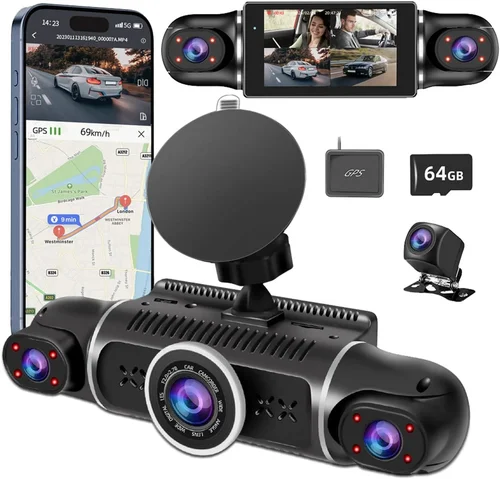
❌ Mistake: Choosing Based Solely on Price
Why it’s bad: Selecting the cheapest option often leads to disappointment when features fall short of expectations or hardware fails prematurely. Low-cost models frequently compromise on essential components like image sensors, capacitors, or housing materials, resulting in poor video quality or unreliable performance.
What to do instead: Establish your priority list—what features matter most? Then compare models within your budget range rather than chasing the absolute lowest price. Sometimes spending 20-30% more yields significantly better longevity and functionality.
❌ Mistake: Ignoring Storage Requirements
Why it’s bad: Assuming internal storage will suffice without considering loop recording behavior or parking mode consumption leads to constant reformatting or missing critical footage. Many users overlook how quickly high-resolution video fills storage, especially with features like GPS tagging or event-triggered captures.
What to do instead: Calculate required storage capacity based on your typical driving patterns and resolution settings. Factor in additional space needed for future firmware updates or expanded functionality. Invest in quality microSD cards with write speeds matching your camera’s requirements.
❌ Mistake: Overlooking Installation Complexity
Why it’s bad: Assuming all dash cams install identically causes frustration when dealing with complex wiring harnesses, hardwiring kits, or proprietary mounting systems. Some models require professional installation due to power source access challenges or multiple camera configurations.
What to do instead: Review installation guides before purchasing and assess whether DIY installation aligns with your comfort level. Consider whether the manufacturer offers professional installation services or partnerships with local shops for hassle-free setup.
❌ Mistake: Neglecting Software Usability
Why it’s bad: Focusing exclusively on hardware specs while ignoring companion apps or desktop software creates unnecessary frustration during file retrieval, playback, or configuration changes. Poorly designed interfaces waste time searching for specific clips or adjusting settings correctly.
What to do instead: Test software functionality through demo versions or user reviews before committing. Ensure file organization follows logical naming conventions and playback controls meet your workflow preferences. Verify compatibility with your smartphone OS and computer operating systems.
❌ Mistake: Assuming All Memory Cards Are Equal
Why it’s bad: Using incompatible or low-quality memory cards results in corrupted files, failed writes, or sudden stoppage during critical events. Generic “Class 4” cards often lack the sustained write speeds required for reliable dash cam operation, particularly at higher resolutions.
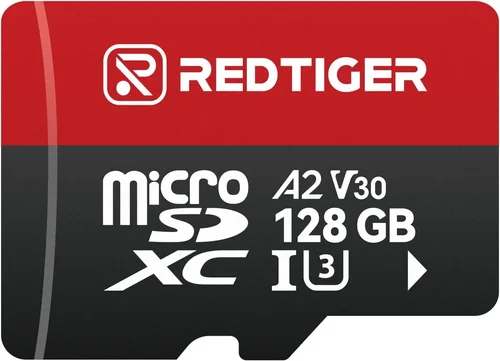
What to do instead: Purchase memory cards specifically tested and recommended by the dash cam manufacturer. Aim for UHS Speed Class 3 (U3) or Video Speed Class 30 (V30) ratings when available. Keep spare cards on hand since they degrade over time with repeated write cycles.
❌ Mistake: Skipping Warranty Evaluation
Why it’s bad: Assuming all warranties cover identical aspects leads to unexpected costs when repairs aren’t included. Some manufacturers exclude certain failure modes like liquid exposure unless explicitly rated, while others limit coverage to manufacturing defects only.
What to do instead: Read warranty terms carefully before purchasing. Contact customer support with specific questions about coverage scenarios relevant to your usage. Consider extended warranty options if available, weighing added cost against potential repair expenses.
Budget Guidelines: How Much Should You Spend?
Entry-Level ($69 – $149)
This category suits occasional drivers or those seeking basic protection without significant investment. Expect 1080p resolution, single-front camera setups, and essential features like loop recording and G-sensor functionality. While adequate for urban commuting, these models often lack advanced capabilities like parking mode or GPS tracking. Battery-powered units dominate this range but require frequent recharging. Ideal candidates include Costco’s Garmin DriveLuxe series or Nextbase compact models.
Mid-Range ($150 – $349)
The sweet spot for most buyers offering excellent value proposition. These dash cams typically deliver 2K or 4K recording, dual-camera systems, reliable parking mode, and robust build quality. You’ll find popular Costco exclusives like the Garmin Dash Cam 67W or Thinkware F800 Pro here. Mid-tier pricing reflects improved sensors, faster processors, and enhanced software features making them suitable for both daily drivers and families needing comprehensive coverage.
Premium ($350 – $500+)
Designed for enthusiasts and professionals requiring top-tier performance. Features include 4K recording, multiple camera arrays, advanced driver assistance systems (ADAS), cloud connectivity, and superior low-light sensitivity. Costco carries select premium options like the BlackVue DR970X-2CH or Nextbase 522GW. While pricier upfront, these systems justify costs through exceptional durability, cutting-edge technology, and extensive customization options.
Luxury ($500+)
Ultra-premium segment reserved for commercial fleets or serious hobbyists. Includes enterprise-grade features like AI-powered object detection, real-time streaming, encrypted cloud storage, and professional-grade audio recording. Though rarely found at Costco due to distribution limitations, some luxury models occasionally appear during special promotions or bundle deals. These represent the pinnacle of automotive surveillance technology but rarely match everyday practicality.
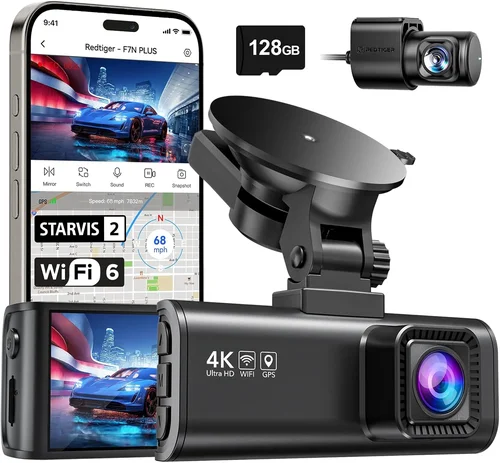
Expert Tips for Getting the Best Deal
Timing your purchase strategically maximizes savings while minimizing risk. Costco typically holds major sales during Memorial Day, Labor Day, Black Friday, and holiday weekends. Sign up for their email newsletter to receive exclusive member-only discounts and early access to upcoming promotions. Avoid peak shopping seasons when inventory shortages may limit choices or force markup on remaining stock.
Compare pricing across authorized retailers before finalizing your Costco decision. While Costco offers competitive wholesale pricing, occasionally third-party sellers provide better deals on identical models. However, remember that Costco’s generous return policy (90 days on most electronics) offsets minor price differences. Always verify product numbers match exactly between sources to ensure identical specifications.
Look for bundle packages containing essential accessories like extra memory cards, hardwire kits, or protective cases. These often save 15-25% compared to purchasing items separately and guarantee compatibility with your selected dash cam model. Bundle deals are especially valuable for dual-camera systems requiring additional mounting hardware or extended warranties.
Verify current membership requirements before visiting the store. While many electronics qualify for same-day pickup without membership, certain promotional pricing applies exclusively to active Costco members. Renewing your membership annually pays dividends through accumulated savings on multiple purchases throughout the year.
Test functionality before leaving the store whenever possible. Request assistance from knowledgeable staff who can demonstrate key features like menu navigation, playback controls, or mobile app pairing. Understanding how to access settings ensures you won’t struggle once home with installation underway.
Check for manufacturer rebates or instant savings that stack with Costco’s internal pricing. Occasionally dash cam brands offer mail-in rebates worth $20-$50, effectively lowering effective purchase price further. Combine these with Costco’s cashback programs through partner credit cards for maximum financial benefit.
Consider refurbished or open-box options during clearance events. Reputable retailers like Costco sometimes carry certified refurbished models at substantial discounts while still maintaining full warranty coverage. Inspect cosmetic condition thoroughly but remember that internal components remain unaffected by previous ownership.

Frequently Asked Questions
Q: Can I install a dash cam myself at Costco?
A: Yes, most dash cams sold at Costco feature straightforward DIY installation processes. Basic models require only windshield mounting and USB power connection, while advanced systems may need hardwiring through fuse boxes. Costco staff can provide guidance during checkout, and many manufacturers offer detailed video tutorials online. For complex installations involving multiple cameras or permanent wiring, consider scheduling professional installation through authorized partners listed on brand websites.
Q: How long does dash cam battery last?
A: Battery life varies significantly by model and usage patterns. Entry-level units typically offer 1-2 hours of recording per charge when disconnected from constant power. Mid-range and premium models with parking mode consume minimal energy through intermittent monitoring or time-lapse recording, extending standby time to several days. Always connect to constant power via hardwiring kit for optimal performance and battery preservation during extended periods away from your vehicle.
Q: What memory card size do I need?
A: Minimum 32GB cards work adequately for basic 1080p recording, but 64GB or higher is recommended for 2K/4K footage or vehicles parked frequently (requiring extended parking mode). Maximum supported capacity depends on your specific dash cam model—check manufacturer specifications before purchasing. Always format cards within the dash cam itself before first use to prevent compatibility issues and ensure proper file system initialization.
Q: Do dash cams record audio?
A: Most modern dash cams include built-in microphones capable of capturing cabin conversations and external sounds. However, audio recording legality varies by jurisdiction—some regions prohibit recording others without consent. Consult local laws before enabling audio capture, and disable microphone input if concerned about privacy implications. Some manufacturers provide separate audio disable switches or settings to comply with regional regulations.
Q: How much video storage do I actually need?
A: At 1080p resolution, expect approximately 1GB per hour of recording. This increases substantially with higher resolutions—2K consumes around 2GB/hour while 4K uses nearly 4GB/hour. Frequent hard braking, lane departure warnings, or collision alerts generate additional short clips stored separately. Plan accordingly: 64GB provides ~60 hours of 1080p footage or ~30 hours of 2K content. Adjust recording length settings (typically 1-3 minutes per clip) to balance detail retention against storage demands.
Q: Will a dash cam drain my car battery?
A: Modern dash cams consume remarkably little power—typically 1-3 watts during operation and fractions of a watt when parked. Without hardwiring, battery drain becomes noticeable only after several days of continuous parking mode activation. To prevent issues, always hardwire using fuse taps or cigarette lighter adapters designed specifically for dash cam applications. These draw power directly from your vehicle’s electrical system without impacting starting capability.
Q: Can I use any brand memory card?
A: While most microSD cards function across compatible devices, performance consistency varies widely. Manufacturers test extensively with specific card models to guarantee reliability under demanding conditions. Using untested cards risks corrupted files, failed writes, or sudden shutdowns during critical events. Stick with brands recommended by your dash cam manufacturer—typically SanDisk Extreme, Samsung EVO Plus, or Lexar Professional—and verify speed class ratings match your camera’s requirements.
Q: How do I recover deleted footage?
A: Once overwritten by new recordings, deleted files become virtually impossible to retrieve without specialized recovery tools. Prevention remains the best strategy: enable loop recording and promptly back up important clips to external drives or cloud storage. Some advanced dash cams offer automatic cloud uploads or FTP transfers for seamless backup workflows. Never rely solely on internal storage as your primary archive method.
Q: Are dash cams legal everywhere?
A: Legality depends primarily on audio recording laws rather than video capture itself. Many jurisdictions permit video recording of public roads but restrict capturing private property or conversations without consent. Some countries completely ban dash cams due to privacy concerns. Research your state/province and country regulations thoroughly before installation. When in doubt, consult legal counsel or official government transportation department guidelines.
Q: How often should I replace my dash cam?
A: Five to seven years represents a reasonable lifespan expectation assuming normal usage conditions. Environmental factors like extreme heat, humidity, or vibration accelerate component degradation. Watch for signs of obsolescence: outdated firmware lacking critical bug fixes, discontinued software support, or inability to record newer video formats. Replacement timing also depends on technological advancement—if your current model lacks essential safety features now common in newer releases, upgrading sooner may prove prudent.
Our Final Recommendations
For budget-conscious buyers seeking reliable basic protection, the Garmin Dash Cam Mini delivers exceptional value at Costco’s entry-level pricing point. Its compact form factor minimizes visual obstruction while providing stable 1080p recording and intuitive interface navigation. Though lacking advanced features like GPS or parking mode, it excels at delivering trustworthy front-facing footage ideal for daily commutes and urban driving scenarios where cost-effectiveness outweighs feature richness.
The best overall value recommendation goes to the Nextbase 522GW, a standout Costco exclusive combining impressive 1440p recording quality, built-in Alexa voice assistant, emergency SOS button, and robust parking mode functionality. This mid-range powerhouse strikes perfect balance between price and capability, making it accessible to mainstream consumers without sacrificing essential performance metrics or build quality standards expected from premium competitors.
Enthusiasts and professionals requiring top-tier performance should consider the BlackVue DR970X-2CH. While exceeding typical Costco price ranges during regular operations, occasional promotional pricing brings this enterprise-grade system within reach of serious users. Dual-channel recording captures both exterior surroundings and cabin activity simultaneously, while cloud connectivity enables remote viewing and management from anywhere worldwide—a game-changer for fleet operators or travelers needing constant access to live feeds.
Beginners entering the dash cam world will appreciate the Thinkware Q2000DU‘s user-friendly interface combined with professional-grade dual-camera recording. Its automatic emergency locking feature preserves critical footage during collisions, while customizable settings accommodate varying skill levels without overwhelming newcomers. The included 128GB high-endurance microSD card eliminates immediate storage concerns while demonstrating manufacturer commitment to hassle-free ownership.
Advanced users demanding ultimate flexibility should explore the Garmin Dash Cam 67W‘s advanced driver assistance features including forward collision warnings, lane departure alerts, and speed limit indicator overlays. Integrated Wi-Fi simplifies file transfers and mobile app pairing for real-time status monitoring, while premium build quality ensures durability through years of demanding operation. Though slightly above average pricing, its comprehensive feature set justifies investment for safety-conscious drivers.
Conclusion: Making the Right Choice
Selecting the optimal dash cam at Costco requires balancing multiple competing priorities—budget constraints versus desired features, simplicity versus advanced functionality, and immediate needs versus future-proofing considerations. By prioritizing your specific requirements and understanding how each specification impacts real-world performance, you’ll avoid common pitfalls while securing reliable protection for your vehicle and peace of mind behind the wheel.
Remember that no single dash cam satisfies every possible scenario—choose based on your actual driving patterns, vehicle type, and willingness to learn new technologies. Whether opting for Costco’s affordable Garmin models or investing in premium BlackVue systems during promotional periods, focus on core capabilities like video resolution, storage reliability, and build quality rather than chasing marginal feature upgrades.
Take advantage of Costco’s generous return policy and knowledgeable staff assistance during your visit. Don’t hesitate to ask detailed questions about installation complexity, warranty coverage specifics, or compatibility with your existing vehicle setup. Armed with this comprehensive knowledge, you’ll confidently navigate the selection process and emerge with a dash cam that delivers lasting value and dependable performance for countless miles ahead.