Best Dash Cam Buying Guide
Why this guide matters
Choosing the right dash cam is more important than many drivers realize. With thousands of models flooding the market, it’s easy to feel overwhelmed by technical specifications, brand promises, and marketing claims that don’t always translate to real-world performance. A dash cam isn’t just another gadget—it’s a critical safety device, an insurance asset, and potentially your best defense in a traffic dispute. The wrong choice could mean poor recording quality, frequent malfunctions, or features you’ll never actually use. This comprehensive buying guide cuts through the noise to give you the knowledge you need to make an informed decision based on your specific needs, driving habits, and budget.
What readers will learn
This expert-level guide will walk you through every aspect of selecting the perfect dash cam for your vehicle and lifestyle. You’ll understand how different technologies work, what features truly matter, and how to avoid common pitfalls that lead to buyer’s remorse. Whether you’re a first-time driver looking for basic protection or a seasoned commuter wanting advanced capabilities like parking mode or cloud connectivity, you’ll find practical advice tailored to your situation. We’ll explore everything from video resolution and storage requirements to installation challenges and legal considerations across different regions.
Brief overview of the market
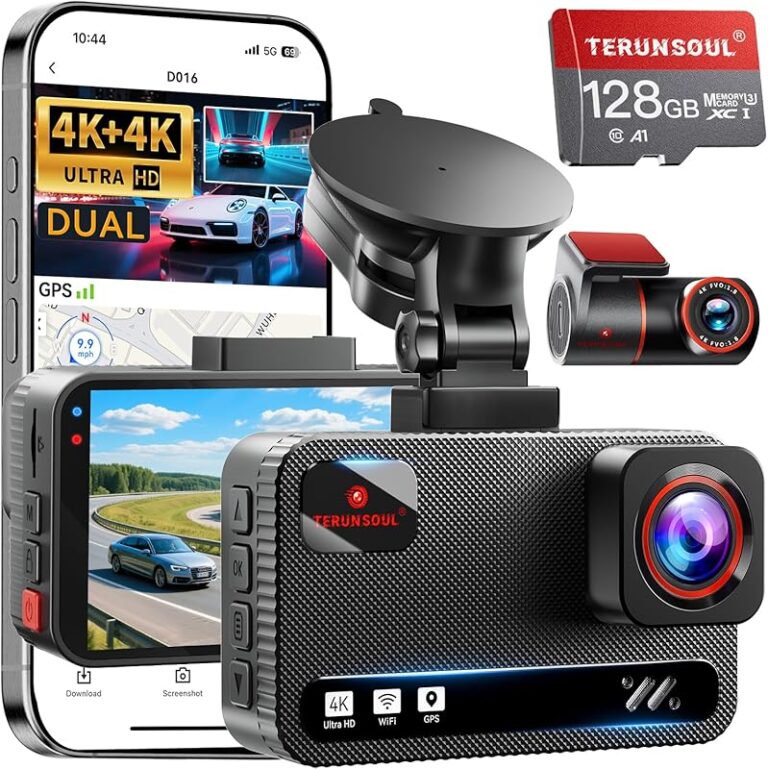
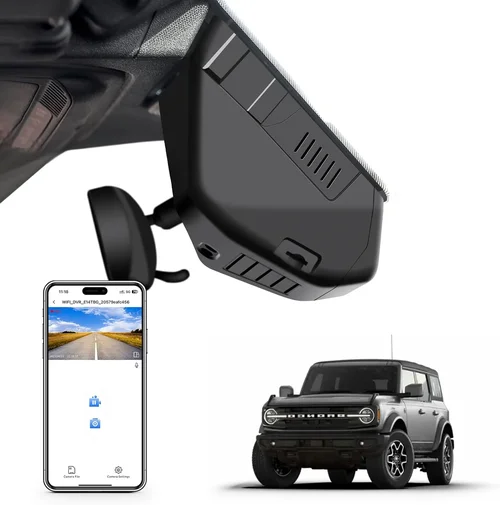
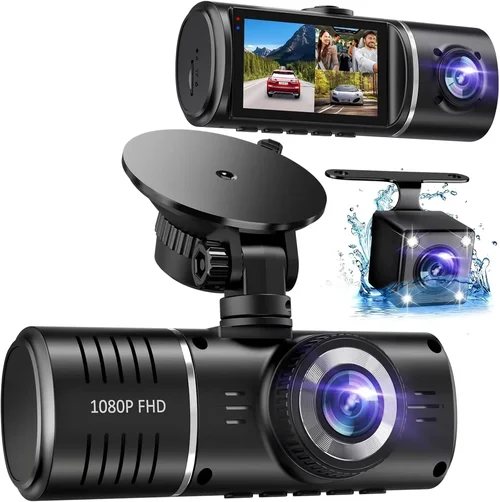
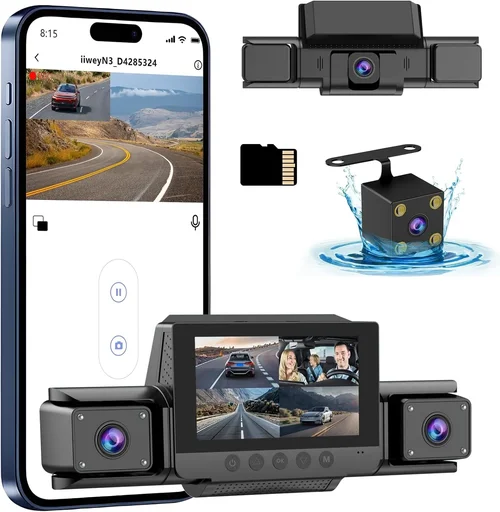
The dash cam industry has matured significantly over the past decade, evolving from simple single-lens devices to sophisticated multi-camera systems with AI-powered features. Today’s market offers everything from ultra-affordable entry-level models under $50 to professional-grade systems exceeding $500. Major brands like BlackVue, Garmin, Nextbase, and Thinkware dominate the premium segment, while Chinese manufacturers provide cost-effective alternatives with varying reliability. The landscape includes traditional front-only cameras, dual-channel systems (front + interior), 360-degree views, and even dash cams integrated with smartphone apps for remote monitoring. Understanding where each category fits in terms of value, functionality, and longevity will help you navigate this diverse market effectively.

What to Look for When Buying Dash Cams
1. Budget & Price Range
The price of a dash cam can vary dramatically, from less than $40 for basic models to over $500 for professional systems. Your budget should align with your usage expectations and vehicle value. Entry-level dash cams typically offer 720p or 1080p recording with minimal features, making them suitable for casual drivers who want basic evidence collection. Mid-range options ($80-$200) usually include better sensors, wider viewing angles, GPS tracking, and sometimes parking mode functionality. Premium dash cams ($200+) often feature superior image processing, higher frame rates, multiple camera inputs, cloud connectivity, and robust build quality. Consider not just the initial purchase price but also ongoing costs like memory cards and potential subscription fees for cloud services.
2. Video Quality & Resolution
Video resolution remains one of the most important factors when evaluating dash cam performance. Most quality dash cams now offer at least 1080p Full HD recording, but higher resolutions like 2K (1440p) or even 4K are becoming more common in premium models. However, resolution alone doesn’t guarantee good footage—sensor size, low-light performance, and image stabilization all contribute significantly to overall video quality. Look for dash cams with large sensors (at least 1/2.7″ or better) and advanced image signal processors (ISPs) that enhance detail retention in challenging lighting conditions. Night vision capability is particularly crucial since most accidents occur during low-light hours. Some manufacturers claim “night vision” features, but real-world testing shows significant variation in actual performance between models.
3. Field of View (FOV)
The field of view determines how much of the road ahead your dash cam can capture. A wider FOV provides more coverage but may introduce distortion at the edges of the frame. Typical dash cams offer anywhere from 90 degrees to over 170 degrees horizontal viewing angle. For city driving with frequent intersections and lane changes, a 120-150 degree FOV is generally ideal. In highway situations where following distance is critical, slightly narrower angles around 130-140 degrees work well without excessive distortion. Be wary of marketing claims like “170° ultra-wide angle”—extremely wide fields often come with significant fisheye distortion that makes license plates and vehicle identification difficult to read. Many high-end models use multiple lenses with software correction to minimize distortion while maintaining broad coverage.
4. Storage & Memory Card Requirements
Dash cams rely on microSD cards for video storage, and choosing the right card is essential for reliable operation. Most dash cams require Class 10 or UHS-I/UHS-II cards with minimum write speeds of 10MB/s. Larger capacity cards (64GB+) are recommended to accommodate longer recording sessions and prevent premature overwrite of important footage. Always purchase reputable brands like SanDisk Extreme, Samsung EVO, or Lexar rather than generic no-name cards, which often fail silently or cause recording interruptions. Format the card in the dash cam itself before initial use to ensure proper file system compatibility. Some advanced models support dual-card slots for backup recording or extended loop recording without interruption.
5. Parking Mode Functionality
Parking mode allows your dash cam to monitor your vehicle while parked and automatically record if it detects motion or impacts. This feature is invaluable for protecting against hit-and-runs, vandalism, or unauthorized towing attempts. However, parking mode requires careful consideration of power sourcing—direct wiring to your car’s battery is necessary for true 24/7 protection, as cigarette lighter adapters drain your car battery quickly. Look for dash cams with built-in capacitors or supercapacitors instead of lithium batteries, as they handle temperature extremes better and have longer lifespans. Motion detection sensitivity settings vary by model; some offer adjustable thresholds to reduce false triggers from passing vehicles or street sweepers.
6. Build Quality & Durability
A dash cam must withstand extreme temperatures, vibrations, dust, and moisture exposure inside a vehicle cabin. Cheaper models often use flimsy plastic housings that crack under heat or fail after months of sun exposure. Premium dash cams typically feature aluminum alloy bodies, anti-glare glass, and IP-rated sealing against water and dust intrusion. Consider the operating temperature range—some industrial-grade models function reliably from -20°C to 70°C (-4°F to 158°F). Mounting systems also matter; suction cup mounts can lose adhesion over time, while adhesive-based mounts may leave residue or fail in hot weather. Professional installations using hardwiring kits provide the most secure attachment but require some electrical knowledge or professional assistance.
7. Features & Functionality
Modern dash cams offer numerous advanced features beyond basic recording. GPS tracking embeds location data into video files, allowing you to replay routes and speed history. G-sensor automatically saves clips when sudden movements or collisions occur, preventing overwrite of critical evidence. Wi-Fi connectivity enables wireless transfer of files to smartphones via companion apps. Cloud services provide remote access, backup, and alerts but often require monthly subscriptions. Advanced models may include voice control, driver assistance warnings, or integration with ADAS (Advanced Driver Assistance Systems). While these extras add convenience, prioritize core functionality first—poor video quality ruins any additional feature benefits.
8. Brand Reputation & Customer Support
Reliability extends beyond hardware quality to customer service responsiveness and firmware update policies. Established brands like BlackVue, Garmin, and Thinkware have dedicated support teams and regular firmware improvements addressing bugs and security vulnerabilities. Smaller manufacturers may disappear overnight, leaving users stranded without updates or repairs. Check online forums and consumer reports for real-world reliability data rather than relying solely on product descriptions. Warranty length and coverage details matter too—premium dash cams often come with 2-3 year warranties compared to 1-year terms on budget models. International shipping availability becomes relevant if you plan to travel frequently or live outside the manufacturer’s home country.
9. Size & Portability
While dash cams are designed to be discreet, size affects both visibility and obstruction of the driver’s view. Compact designs measuring around 1.5″ x 1.5″ x 1″ are common, but larger models housing bigger sensors or extra components may protrude more noticeably. Some drivers prefer ultra-thin profiles that sit flush against the windshield, while others prioritize maximum recording area regardless of bulkiness. If you frequently switch vehicles or rent cars, consider portable models that don’t require hardwiring. These typically connect via USB but lack true parking mode unless paired with external battery packs—a trade-off worth considering based on your mobility needs.
10. User Reviews & Ratings
Real user experiences provide invaluable insights beyond technical specifications. Pay attention to recurring complaints about battery life, connectivity issues, or unexpected shutdowns during cold starts. Positive reviews highlighting consistent performance over months of daily use carry more weight than isolated glowing testimonials. Be cautious of fake review clusters—authentic feedback tends to show balanced pros and cons rather than uniformly positive or negative sentiment. Online communities like Reddit’s r/dashcam or specialized automotive forums host detailed discussions comparing specific models under various driving conditions. Manufacturer response to user concerns also indicates their commitment to product improvement and customer satisfaction.
Different Types of Dash Cams

Common Buying Mistakes to Avoid
❌ Mistake: Choosing Based Solely on Lowest Price
Why it’s bad: The cheapest dash cam often means compromised quality, unreliable performance, and hidden costs like frequent replacements or poor resale value. Budget models frequently suffer from inconsistent video quality, short battery life, and inadequate build materials that fail within months under normal usage conditions.
What to do instead: Establish your budget range first, then compare models within that bracket focusing on core performance metrics rather than just sticker price. Read professional reviews and user feedback about long-term reliability before deciding.
❌ Mistake: Ignoring Parking Mode Requirements
Why it’s bad: Assuming all dash cams offer true 24/7 parking surveillance leads to disappointment when important incidents go unrecorded due to insufficient power management or false trigger prevention that skips valuable footage.
What to do instead: Verify whether the model supports continuous parking monitoring and understand its power consumption requirements. Choose capacitor-based systems over lithium batteries for better longevity and temperature tolerance.
❌ Mistake: Overlooking MicroSD Card Compatibility
Why it’s bad: Using incompatible or low-quality memory cards causes recording failures, corruption of evidence files, and premature card failure—potentially losing critical incident documentation.
What to do instead: Purchase high-endurance cards specifically rated for dash cam use. Test the card immediately after formatting in the device to confirm proper functionality before relying on it for evidence preservation.
❌ Mistake: Skipping Installation Considerations
Why it’s bad: Poor mounting choices result in obstructed views, accidental disengagement, or damage to vehicle surfaces. Adhesive mounts may fail in extreme heat while suction cups lose grip after repeated temperature cycles.
What to do instead: Research mounting options compatible with your windshield type and climate conditions. Consider professional installation for hardwiring setups requiring electrical knowledge.
❌ Mistake: Neglecting Legal Compliance
Why it’s bad: Recording audio without consent violates wiretapping laws in many jurisdictions. Some regions restrict dash cam placement affecting field of view or obstructing other required safety equipment displays.
What to do instead: Research local regulations regarding dash cam usage including audio recording permissions and acceptable mounting positions before purchasing and installing your device.
❌ Mistake: Assuming All Brands Are Equal
Why it’s bad: Generic Chinese-manufactured models marketed as premium alternatives often lack firmware updates, responsive customer service, or reliable supply chains leading to obsolescence or abandonment by manufacturers.
What to do instead: Prioritize established brands with proven track records for product support and community engagement. Check warranty terms and international service availability if traveling frequently.
Budget Guidelines: How Much Should You Spend?
Determining the right investment level depends heavily on your specific circumstances—from occasional weekend drives to daily commuting in high-risk environments. Here’s a breakdown of what different budget tiers typically deliver:
Entry-Level ($40 – $80): Essential Protection
This range covers basic dash cams offering adequate 1080p recording for everyday scenarios. Expect modest sensor sizes, limited feature sets, and shorter warranties. Ideal for secondary vehicles, rental cars, or drivers seeking foundational evidence collection without significant investment. Common limitations include reduced night performance, smaller fields of view, and absence of advanced functionalities like GPS or parking mode. While sufficient for basic needs, these models rarely excel in challenging conditions or demanding usage patterns.
Mid-Range ($80 – $200): Sweet Spot for Most Buyers
The mid-tier represents excellent value where performance, features, and reliability converge. You’ll find superior image processing, wider viewing angles, built-in GPS tracking, and often parking mode capabilities. These models typically use better sensors and durable construction materials suitable for long-term daily use. Many popular consumer favorites fall here including BlackVue DR900X-1CH, Garmin Dash Cam 67W, and Nextbase 522GW. This bracket balances cost-effectiveness with professional-grade functionality making it the recommended choice for the majority of drivers seeking comprehensive protection without unnecessary complexity.
Premium ($200 – $400): Enthusiast & Professional Grade
High-end dash cams deliver exceptional video quality, robust build standards, and extensive feature suites. Expect 2K/4K recording, superior low-light performance, multiple camera inputs, advanced driver assistance integrations, and enterprise-grade durability. Brands like Thinkware, BlackVue, and Viofo dominate this segment with models supporting dual recording, cloud connectivity, and sophisticated parking monitoring algorithms. Perfect for rideshare drivers, delivery personnel, or anyone requiring courtroom-ready evidence with minimal post-processing needs. Additional considerations include subscription fees for cloud services and potential installation complexity requiring professional assistance.
Luxury ($400+): Top-Tier Performance
Ultra-premium dash cams represent the pinnacle of automotive surveillance technology featuring cutting-edge sensors, AI-enhanced processing, and specialized applications. These systems often include 4K recording with HDR, thermal imaging capabilities, multi-spectral sensors, and integration with vehicle telematics. Target users include fleet managers, law enforcement agencies, and serious enthusiasts demanding absolute reliability and forensic-grade evidence quality. While offering unmatched capabilities, the marginal benefit over premium models diminishes rapidly beyond certain price points unless specific professional requirements justify the extraordinary investment.
Expert Tips & Pro Advice
When to Buy: Timing Your Purchase Strategically
Seasonal sales present significant opportunities to secure discounts on dash cams. Black Friday/Cyber Monday events typically offer 20-40% off premium models, while back-to-school periods see clearance deals on older inventory. New model launches create downward pressure on previous generation pricing—often yielding substantial savings on last year’s top performers. Avoid impulse purchases during holiday gift seasons when retailers inflate prices expecting higher margins.
Where to Buy: Retailer Selection Matters
Authorized dealers provide genuine warranties and technical support but may carry higher markups. Online marketplaces like Amazon offer competitive pricing with convenient returns but require careful vetting of seller ratings and authenticity guarantees. Specialty automotive electronics stores often employ knowledgeable staff who can demonstrate products and advise on installation specifics. Direct manufacturer websites frequently include bundle deals with accessories like extra memory cards or mounting kits.
How to Spot Real Deals vs. Marketing Tricks
Beware of “limited time offers” used to pressure quick decisions. Compare prices across multiple retailers for at least 48 hours before committing. Check if advertised discounts require mailing in rebates or meeting obscure conditions. Authentic promotions reflect genuine cost reductions rather than artificially inflated original prices. Read fine print regarding return windows, restocking fees, and warranty transferability.
Warranty Considerations Beyond the Sticker
Length isn’t everything—coverage terms dictate actual protection value. Some manufacturers offer longer warranties covering only manufacturing defects while excluding wear items like batteries or consumables. International warranty validity affects travelers needing repairs abroad. Transferable warranties increase resale value for shared vehicles. Request written confirmation of all warranty provisions before purchasing.
Return Policies: Protecting Your Investment
Opt for retailers with generous return windows (minimum 30 days) and free return shipping. Inspect packaging and included accessories upon delivery. Test basic functionality immediately including video playback, audio recording, and connection interfaces. Keep original boxes and documentation until fully satisfied with performance. Document any issues with photos/videos before initiating returns.
Testing Before Committing Long-Term
If possible, request store demonstrations or borrow friends’ units for trial periods. Evaluate real-world performance under your typical driving conditions including night driving, highway speeds, and urban navigation. Assess ease of menu navigation, button responsiveness, and file management workflows. Verify compatibility with your smartphone OS version and existing accessories.
Future-Proofing Through Firmware Updates
Choose brands with demonstrated commitment to regular firmware improvements addressing security vulnerabilities and adding new features. Subscribe to manufacturer newsletters for update notifications. Maintain current firmware versions through automatic update settings when available. Avoid models abandoned by developers after initial launch—these become obsolete quickly despite pristine hardware condition.
Installation Best Practices
Position the unit at eye level but below the dashboard to avoid glare while maintaining clear sightlines. Center placement maximizes road coverage without obstructing instrument cluster visibility. Use high-quality mounting hardware rated for your windshield angle and climate conditions. Route cables neatly away from airbag deployment zones and steering column mechanisms. Secure connections with zip ties rather than tape for easier future removal.
Storage Management Strategies
Implement intelligent file retention policies balancing evidence preservation with storage constraints. Set appropriate G-sensor sensitivity thresholds to capture relevant incidents without filling memory with insignificant bumps. Regularly review and archive important clips to secondary storage devices. Format cards in-device rather than computer to maintain proper file structure and prevent corruption.
Legal Preparedness Documentation
Maintain logs of all recordings including timestamps, locations, and event types when possible. Preserve raw footage in tamper-proof containers if anticipating litigation. Understand chain-of-custody requirements for evidence submission. Consult legal counsel familiar with traffic law precedents regarding dash cam evidence admissibility in your jurisdiction.

Frequently Asked Questions
Q: Do I really need a dash cam?
A: While not legally mandatory in most regions, dash cams provide substantial benefits beyond legal protection. They document accidents objectively, deter theft and vandalism, record road conditions for insurance claims, and even improve driving awareness through playback review. For frequent drivers or those in high-risk areas, the peace of mind and potential financial protection justify the modest investment regardless of legal requirements.
Q: What’s the difference between parking mode and battery backup?
A: Parking mode refers to the dash cam’s ability to monitor while powered down, either through direct vehicle wiring or external battery packs. Battery backup specifically describes internal power sources enabling temporary operation during power interruptions. True parking surveillance requires hardwiring to prevent battery drain; portable battery packs offer flexibility but limit recording duration and require recharging between uses.
Q: Can dash cams record audio?
A: Yes, but legality varies significantly by location. In the United States, federal law permits recording one-party conversations, meaning only your side needs consent. However, several states prohibit recording other people without their knowledge including California, Florida, Illinois, Maryland, Massachusetts, Michigan, Montana, Nevada, Pennsylvania, and Washington D.C. Always verify local regulations before enabling audio recording features.
Q: How much storage space do I actually need?
A: Storage requirements depend on recording quality, compression efficiency, and desired retention period. At 1080p resolution with H.264 encoding, a 64GB card typically stores 2-3 hours of footage. Higher resolutions like 2K may reduce this to 1-2 hours per 64GB. Consider your driving frequency and incident likelihood when sizing storage—more frequent drivers benefit from larger capacities or cloud backup solutions.
Q: Will a dash cam affect my car insurance?
A: Generally no—dash cams themselves don’t impact premiums directly. However, some insurers offer discounts for vehicles equipped with dash cams as part of comprehensive safety packages. More importantly, dash cams provide objective evidence that can expedite legitimate claims while disproving fraudulent ones, ultimately benefiting both policyholders and insurers through reduced disputes.
Q: How do I install a dash cam myself?
A: Basic installation involves mounting the unit on your windshield, connecting power via USB cable to the cigarette lighter socket, and securing the memory card. Hardwiring kits route power directly to your fuse box for true parking mode functionality and cleaner appearance. While DIY installation is feasible for simple setups, complex wiring requires electrical knowledge or professional assistance to avoid damaging vehicle electronics or voiding warranties.
Q: What happens if my dash cam runs out of power?
A: Without hardwired power, portable dash cams shut down when disconnected from ignition. Hardwired systems continue recording until battery depletion unless configured with smart cutoffs that preserve essential functions. Some advanced models enter low-power standby modes while maintaining motion detection capabilities. Always monitor battery levels during extended parking periods and recharge external battery packs regularly.
Q: Can I use any microSD card in my dash cam?
A: While technically possible, not all cards perform equally well in dash cam environments. Look for cards specifically labeled “high endurance” or “dash cam optimized” featuring write speeds of at least 10MB/s. Avoid counterfeit cards from unknown sellers as these often fail silently or corrupt files unexpectedly. Popular reliable brands include SanDisk Extreme Pro, Samsung PRO Endurance, and Lexar Professional.
Q: How do I protect my dash cam from theft?
A: Concealed mounting minimizes visual appeal to thieves. Remove the unit completely when parked in high-theft areas—most models support portable battery operation for temporary use. Consider locking mechanisms or anti-theft cables for permanent installations. Register your device with manufacturer databases linking ownership to serial numbers for recovery purposes.
Q: Should I get a single lens or dual lens dash cam?
A: Single-lens cameras suffice for basic front-facing protection during everyday driving. Dual-lens systems add interior monitoring useful for rideshare drivers, parents watching children/pets, or recording passenger interactions. Three-lens and 360-degree systems suit commercial fleets requiring complete vehicle surveillance. Match camera count to your specific monitoring needs rather than defaulting to maximum coverage.
Our Final Recommendations
Best for Budget-Conscious Buyers
The Viofo A119 V3 delivers outstanding value with crisp 1440p recording, reliable performance, and intuitive controls at an accessible price point. Its compact design sits flush against windshields while providing adequate coverage for most driving scenarios. While lacking advanced features like GPS or parking mode in base configurations, this model excels at delivering consistent video quality that holds up in court proceedings. Regular firmware updates ensure ongoing reliability and security improvements.
Best Overall Value
The Nextbase 522GW strikes the perfect balance between affordability and functionality. It features Alexa voice control, emergency SOS functionality, and impressive 1440p recording quality alongside robust build standards. The built-in GPS tracks your journeys while the advanced parking mode prevents battery drain through intelligent motion detection. User-friendly interface and straightforward installation make this ideal for first-time dash cam owners seeking comprehensive protection without technical complexity.
Best Premium Option
For discerning drivers demanding professional-grade performance, the BlackVue DR900S-1CH represents the gold standard. It captures stunning 2K HDR footage with superior low-light handling thanks to Sony STARVIS sensor technology. Built-in Wi-Fi enables wireless file transfers and live streaming while the cloud connectivity option provides remote access and alerts. Robust aluminum casing withstands extreme temperatures and vibrations. Regular firmware updates and responsive Korean-based support ensure long-term reliability and feature enhancements.
Best for Beginners
Newcomers to dash cam technology will appreciate the Garmin Dash Cam 67W‘s simplicity and reliability. Its compact form factor barely registers on the dashboard while delivering dependable 1080p recording with forward collision and lane departure warnings. Automatic update functionality ensures you always have the latest features and security patches without manual intervention. Clear menus and helpful prompts guide users through setup and operation seamlessly.
Best for Advanced Users
Power users seeking maximum flexibility should consider the Thinkware U1000. This 4K-capable powerhouse combines exceptional image quality with extensive customization options including adjustable bitrates, multiple exposure profiles, and advanced parking mode configurations. Dual-band Wi-Fi supports simultaneous file uploads and live viewing while the rugged construction handles harsh environments. Professional-grade features like HDMI output and FTP server functionality cater to tech-savvy individuals requiring granular control over recording parameters.
Conclusion: Making the Right Choice
Selecting the ideal dash cam ultimately comes down to aligning device capabilities with your personal needs, driving habits, and budget constraints. No single model serves every purpose perfectly—what works brilliantly for a daily commuter might overwhelm someone seeking basic protection, while professional-grade systems offer unnecessary complexity for casual drivers. Focus on core requirements first: adequate video quality for evidence clarity, reliable operation under real-world conditions, and sufficient storage for your usage patterns. Don’t get distracted by gimmicky features that compromise primary functionality or add hidden costs through subscriptions and accessories.
Remember that dash cams represent investments in safety and peace of mind rather than mere gadgets. Proper research, realistic expectations, and thoughtful consideration of installation logistics will yield significantly better outcomes than impulsive purchases based solely on promotional pricing or brand recognition. Take time to test different models if possible, consult independent reviews from trusted sources, and verify local legal compliance before finalizing your decision. With the right dash cam properly installed and maintained, you’ll gain valuable documentation capabilities that could prove invaluable in resolving disputes, recovering from accidents, or simply enhancing your driving experience through objective journey review.
Whether you choose an affordable entry-level model or invest in a premium surveillance system, the key is consistency—ensuring your chosen device remains functional, updated, and properly positioned throughout its lifespan. Regular maintenance including memory card rotation, firmware updates, and periodic visual inspections will maximize your investment’s effectiveness when it matters most. By approaching dash cam selection with the same care you’d apply to tire purchases or brake inspections, you position yourself to benefit fully from this increasingly essential automotive accessory.