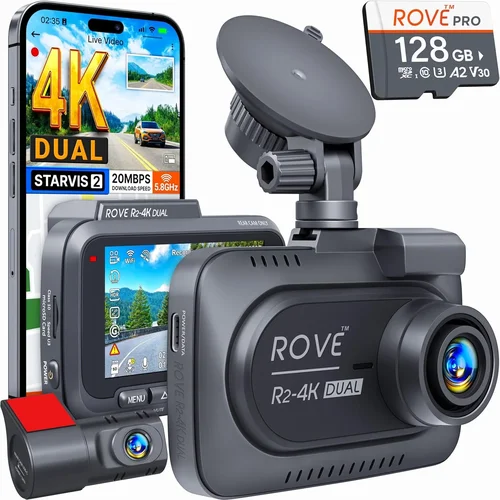
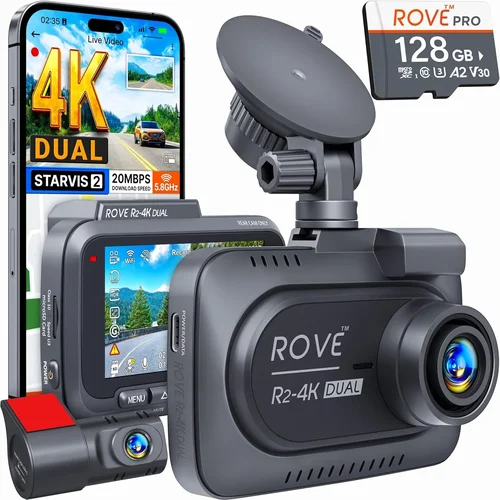
Best BMW Dash Cam Buying Guide
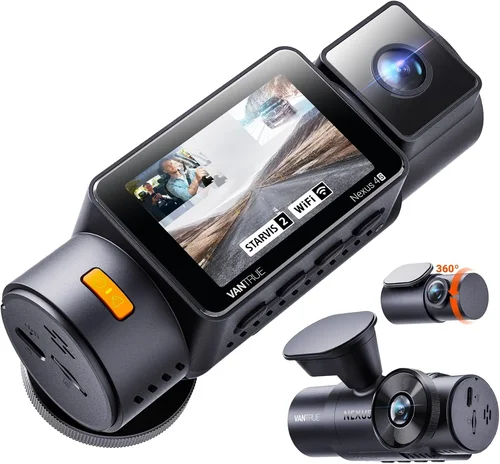
When it comes to protecting your investment and ensuring peace of mind on the road, a dash cam is an essential accessory for BMW owners. With the rising number of incidents on highways and city streets, having reliable video evidence can make all the difference in insurance claims, legal disputes, or simply keeping your driving experience secure. This comprehensive guide is designed to help you navigate the vast market of dash cams and find the perfect match for your BMW, whether you’re looking for a simple parking mode solution or a high-end recording system with advanced features.
Throughout this article, you’ll learn about the key factors that differentiate quality dash cams from basic models, including resolution, storage options, build quality, and compatibility with BMW-specific requirements. We’ll walk you through the types of dash cams available, explain common mistakes people make when purchasing one, and provide expert tips to ensure you get the best value for your money. By the end of this guide, you’ll have a clear understanding of how to choose a dash cam that not only fits your BMW perfectly but also delivers reliable performance in real-world conditions.
The market today offers everything from budget-friendly single-camera setups to multi-channel systems with GPS tracking, night vision, and cloud connectivity. But with so many options, how do you know which one is right for you? That’s exactly what we’re here to clarify. Whether you drive a classic BMW E30 or a modern M4, this guide will help you make an informed decision based on your vehicle, driving habits, and long-term needs.

What to Look for When Buying Dash Cams
1. Compatibility with BMW Models
One of the first things to consider is whether the dash cam will work seamlessly with your BMW. Unlike standard sedans, BMW vehicles often come with specific electrical systems, mounting locations, and aesthetic considerations. Some dash cams are designed specifically for European cars and offer plug-and-play installation using existing cigarette lighter adapters or hardwiring kits. Others may require additional wiring harnesses or professional installation.
For example, newer BMW models with iDrive systems may support dash cams that integrate with the infotainment display for playback and settings control. If you own a BMW 5 Series or X5, look for models compatible with OBD-II ports or those that can be discreetly mounted under the rearview mirror without obstructing the driver’s view. Always check the manufacturer’s compatibility list before purchasing.
2. Video Quality and Resolution
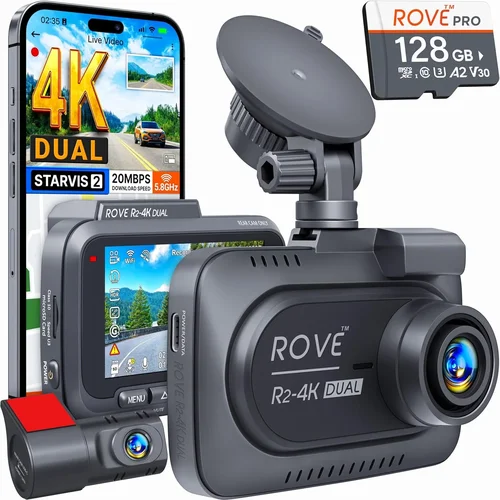
The primary purpose of a dash cam is to capture clear, usable footage in case of an incident. For BMW owners who demand precision and clarity, resolution is non-negotiable. Most entry-level models offer 1080p resolution, but mid-range to premium dash cams now support 2K, 4K, and even 5K recording. Higher resolution means sharper details, especially important for identifying license plates or facial features.
However, higher resolution doesn’t always mean better performance. Consider the frame rate as well—30 frames per second (fps) is standard, but 60 fps provides smoother motion, particularly useful for highway driving. Also, look at the sensor quality; larger sensors perform better in low light, which is crucial for nighttime driving in urban areas.
3. Field of View (FOV)
The field of view determines how much of the road ahead and surroundings are captured. A wider FOV reduces blind spots but may introduce distortion at the edges. For BMW drivers, a horizontal FOV between 120° and 140° is ideal—wide enough to cover multiple lanes but narrow enough to maintain image clarity.
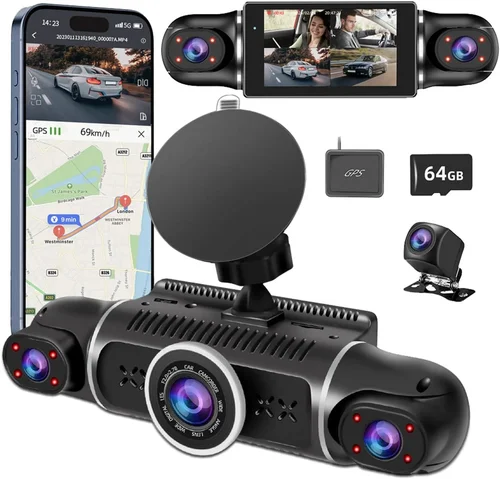
Some dash cams offer dual-lens systems, capturing both front and rear views. While these are excellent for fleet use or commercial vehicles, they may be overkill for most BMW owners unless you frequently drive in busy city environments or park in tight spaces. Always test the angle before finalizing your purchase.
4. Storage and Loop Recording
Dash cams rely on loop recording to continuously overwrite old footage, saving only new recordings. The length of each clip depends on the file size and storage capacity. Most models use microSD cards ranging from 32GB to 256GB. A 64GB card typically stores about 2–3 hours of 1080p footage, while a 256GB card can hold up to 10+ hours.
Ensure the dash cam supports automatic file management—when the G-sensor detects sudden movement, it locks the current file so it won’t be overwritten. Some models also allow you to set manual save points or trigger alerts via smartphone app.
5. Night Vision and Low-Light Performance
Driving at night increases accident risks, and poor visibility can compromise dash cam effectiveness. High-quality night vision relies on infrared (IR) LEDs, starlight sensors, or enhanced CMOS technology. Many top-tier dash cams use f/1.8 or lower aperture lenses to let in more light, significantly improving nighttime clarity.
If you frequently drive on unlit rural roads or commute late at night, invest in a model with dedicated night mode or HDR (High Dynamic Range) processing. These technologies balance bright headlights and dark shadows, preventing overexposure or underexposure.
6. Parking Mode and Battery Protection
Parking mode is a must-have feature for BMW owners who want continuous surveillance while parked. This function keeps the dash cam powered (via hardwired connection or battery backup) and records when motion or impact is detected. Without proper power management, constant parking mode can drain your car battery.
Look for models with intelligent voltage protection—they automatically shut off when the battery drops below a safe threshold. Some dash cams also support time-lapse recording during parked hours, conserving storage while still providing evidence of potential break-ins or vandalism.
7. Build Quality and Weather Resistance
BMW owners appreciate premium materials and finishes. A dash cam should withstand temperature extremes, humidity, and vibrations typical of high-performance vehicles. Aluminum alloy housings, anti-glare screens, and tempered glass protectors enhance durability and optical clarity.
Check for IP rating certifications if you live in areas with heavy rain, snow, or dust. An IP67 rating means the device is dustproof and can survive temporary immersion in water—ideal for long drives through stormy weather.
8. Smartphone App Integration
Modern dash cams often pair with mobile apps for remote viewing, playback, settings adjustment, and firmware updates. For BMW users who value convenience, app-based controls allow you to review clips without removing the SD card. Some models even offer real-time GPS tracking, speed logging, and geofencing alerts.
Ensure the app works smoothly with your smartphone OS (iOS or Android) and supports Wi-Fi or Bluetooth connectivity. Avoid models with buggy software—read user reviews to verify app reliability and customer support responsiveness.
Different Types of Dash Cams

Common Buying Mistakes to Avoid
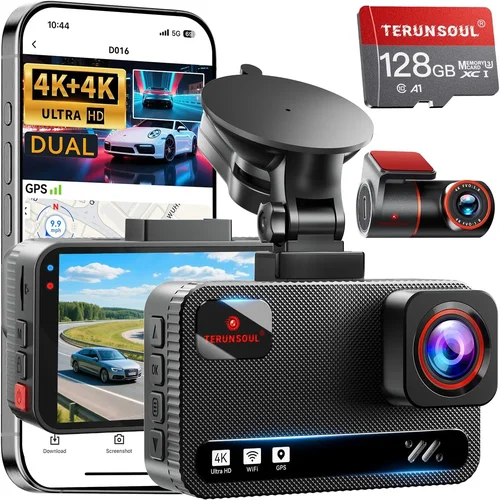
❌ Mistake: Ignoring Compatibility with Your BMW Model
Why it’s bad: Installing a generic dash cam that doesn’t fit your BMW’s dashboard layout or electrical system can lead to poor placement, obstructed views, or even damage to your vehicle’s interior. Some older BMW models lack the necessary power outlets or space for certain mounts.
What to do instead: Research your specific BMW year, model, and trim level. Look for dash cams labeled “BMW-compatible” or check forums like BimmerPost for verified recommendations. Consider professional installation services if hardwiring is required.
❌ Mistake: Choosing Based Solely on Price
Why it’s bad: A cheap dash cam might seem appealing, but low-cost models often sacrifice video quality, durability, and reliability. You could end up with grainy footage that’s useless in court or a device that fails after a few months of use.
What to do instead: Balance cost with essential features. Spend slightly more on a reputable brand with good reviews rather than opting for the lowest-priced option. Remember, this is an investment in safety and security.
❌ Mistake: Overlooking Storage Requirements
Why it’s bad: Running out of storage mid-drive means losing critical footage. If your dash cam doesn’t support large microSD cards or lacks efficient file management, you risk missing important events due to automatic overwrites.
What to do instead: Calculate your average recording time per day and choose a card size accordingly. Opt for models that support 128GB or higher and offer loop recording with event locking.
❌ Mistake: Skipping Night Vision Capabilities
Why it’s bad: Many drivers assume daytime performance translates to nighttime usability. However, poor low-light sensitivity renders a dash cam ineffective during evening commutes or poorly lit intersections.
What to do instead: Prioritize models with wide apertures (f/1.6 or lower), IR illumination, or HDR technology. Test night footage samples from product videos or user reviews.
❌ Mistake: Not Checking Warranty and Support
Why it’s bad: If your dash cam malfunctions and the company offers no warranty or slow customer service, you’re left with a paperweight. Reputable brands stand behind their products with at least a one-year warranty.
What to do instead: Buy from authorized retailers and check the return policy. Look for companies with responsive support teams and easy replacement processes.
❌ Mistake: Forgetting About Parking Mode Power Source
Why it’s bad: Relying solely on the car battery for parking mode can drain it, leaving you stranded. Without proper power management, the dash cam won’t function when needed most.
What to do instead: Use a hardwired kit or a dedicated capacitor/battery pack. Ensure the device has low-voltage cut-off functionality to prevent battery drain.
❌ Mistake: Assuming All Dash Cams Have Equal Build Quality
Why it’s bad: Cheaper models may use plastic casings that crack in cold weather or foggy interiors. In extreme climates, thermal expansion and contraction can damage internal electronics.
What to do instead: Read material specifications. Choose aluminum or metal housings with tempered glass lenses. Avoid flimsy designs advertised as “ultra-thin.”
Budget Guidelines: How Much Should You Spend?
Entry-Level ($50 – $120): Budget-Conscious Beginners
If you’re new to dash cams or just want basic protection, entry-level models offer decent 1080p recording with loop functionality. These are ideal for occasional drivers or those on a tight budget. Expect limited features like single-lens recording, basic motion detection, and smaller storage support. While they may lack advanced tech like GPS or night vision, they fulfill the core purpose of capturing evidence.
Recommended for: Daily commuters who rarely drive at night or in adverse weather.
Mid-Range ($120 – $250): Sweet Spot for Most BMW Owners
This tier strikes the perfect balance between affordability and performance. Mid-range dash cams often include 2K resolution, wider FOVs, improved low-light sensors, and reliable parking modes. Many support dual-lens setups, app connectivity, and larger microSD cards. Brands like BlackVue, Garmin, and Thinkware dominate this segment with proven track records.
Recommended for: Enthusiasts who drive regularly and want dependable, feature-rich protection.
Premium ($250 – $500): For Enthusiasts and Professionals
Top-tier dash cams deliver 4K recording, superior build quality, cloud integration, and AI-enhanced features like collision detection and emergency SOS alerts. Some models offer seamless BMW integration, including OBD-II diagnostics and iDrive compatibility. These devices are built to last and perform flawlessly under demanding conditions.
Recommended for: BMW M-series owners, track day participants, or those needing courtroom-ready evidence.
Luxury ($500+): Top-Tier Technology and Customization
Luxury dash cams represent the pinnacle of automotive safety technology. They may include multi-camera arrays, thermal imaging, satellite-linked tracking, and professional-grade audio recording. While expensive, they provide unmatched peace of mind and future-proof capabilities. Examples include next-gen Garmin Dash Cam 77 or integrated OEM solutions like BMW’s own ConnectedDrive cameras.
Recommended for: Collectors, luxury fleet managers, or anyone who demands absolute reliability and cutting-edge innovation.
Expert Tips for Getting the Best Deal
1. Time Your Purchase Wisely
Avoid buying during peak seasons like summer holidays when prices rise. Instead, shop during Black Friday, Cyber Monday, or end-of-season sales in spring and fall. Retailers often discount older models to make room for new releases.
2. Compare Retailers Carefully
Online platforms like Amazon, Best Buy, and specialized auto shops offer competitive pricing. Check third-party sellers carefully—opt for verified vendors with high ratings. Local auto accessory stores may provide hands-on testing and immediate support.
3. Look for Bundle Deals
Many manufacturers sell dash cams with accessories like extra batteries, suction cups, or hardwire kits at a discount. Bundles save money and ensure you have everything needed for installation.
4. Verify Return Policies
Choose retailers with generous return windows (30 days or more). Test the dash cam immediately upon receipt—check video quality, app connectivity, and ease of use before committing long-term.
5. Read Recent Reviews
Product specs change frequently. Focus on reviews from the last 6–12 months to avoid outdated information. Pay attention to recurring complaints about software bugs or hardware failures.
6. Consider Refurbished Options
Certified refurbished dash cams from reputable brands can offer significant savings while still coming with warranties. Inspect condition details and confirm return eligibility.
7. Ask About Firmware Updates
Choose brands that regularly update firmware to fix bugs and add features. Outdated software can limit functionality and expose security vulnerabilities.
8. Install Properly from Day One
Improper installation leads to false triggers, poor angles, or electrical issues. Follow manufacturer guidelines closely, or hire a certified technician familiar with BMW systems.

Frequently Asked Questions
Q: Can I install a dash cam myself in my BMW?
A: Yes, most single-lens dash cams are designed for DIY installation. Simply mount it behind the rearview mirror using the included adhesive or suction cup, connect it to a power source (cigarette lighter or hardwire kit), and insert a microSD card. For hardwiring, consult a professional or follow detailed guides from BMW enthusiast communities.
Q: Will a dash cam drain my BMW’s battery?
A: It can, especially if using parking mode without proper voltage protection. Modern dash cams include low-voltage cut-off circuits that shut off power when the battery drops below ~11.8V. Always use a hardwired kit or capacitor-based backup to minimize risk.
Q: Do I need a dash cam if my BMW has a built-in camera?
A: Built-in cameras serve navigation and parking assistance but aren’t designed for continuous recording or legal evidence. They typically don’t record audio, lack night vision enhancements, and aren’t activated during accidents. A standalone dash cam provides independent, admissible proof.
Q: What resolution should I choose for my BMW dash cam?
A: At minimum, go with 1080p for clear license plate recognition. For superior detail and future-proofing, consider 2K or 4K models. Higher resolutions require more storage, so factor that into your budget and card selection.
Q: How do I access footage from my dash cam?
A: Most dash cams allow direct playback via the built-in screen. Alternatively, remove the microSD card and view files on a computer. Premium models offer Wi-Fi connectivity and mobile apps for remote access and downloading clips instantly.
Q: Are dash cams legal in my area?
A: In most countries, including the U.S., Canada, and EU nations, dash cams are legal as long as they don’t record audio without consent (where prohibited) or obstruct the driver’s view. Check local regulations to ensure compliance.
Q: Can I use the same dash cam across multiple cars?
A: Absolutely. Many dash cams are universal and work with any vehicle. Just ensure the power adapter fits and the mounting method suits each car’s interior. Some brands even offer interchangeable lenses for different setups.
Q: Should I buy a single or dual-lens dash cam for my BMW?
A: Start with a single-lens model unless you frequently park in tight spots or drive in congested urban areas. Dual-lens systems add complexity and cost but provide complete coverage—ideal if you frequently reverse into driveways or parallel park in cities.
Q: How long does a microSD card last in a dash cam?
A: A 64GB card typically holds 2–3 hours of 1080p footage. Larger cards (128GB+) store more data, reducing the frequency of overwrites. Use Class 10 or UHS-I/UHS-II cards for smooth, uninterrupted recording.
Q: What’s the difference between a capacitor and a battery backup?
A: Capacitors handle short bursts of power better and last longer in extreme temperatures—ideal for dash cams. Batteries store more energy but degrade faster and may leak. Most experts recommend capacitor-based systems for automotive use.
Our Final Recommendations
Best for Budget-Conscious Buyers: Viofo A119 v3
The Viofo A119 v3 offers outstanding value at around $120. It delivers 1440p recording, a 130° FOV, excellent night vision, and reliable loop recording. Its compact size fits perfectly behind BMW mirrors without distraction. While it lacks GPS and app connectivity, its solid performance makes it a favorite among budget-aware drivers.
Best Overall Value: Garmin DriveSmart D2 Digital Dash Cam
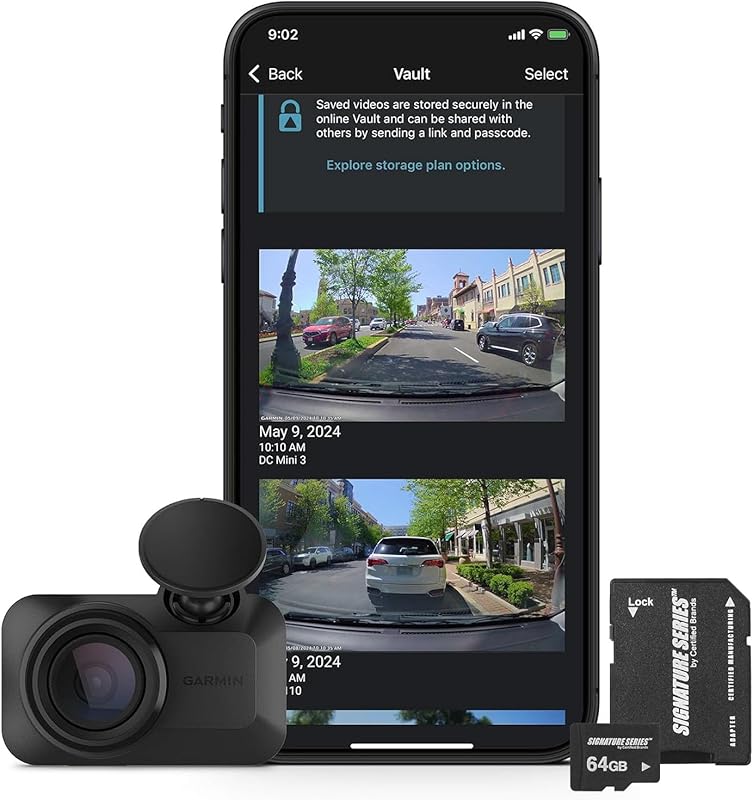
At approximately $200, the Garmin DriveSmart combines sleek design, 1080p recording, voice-activated controls, and seamless smartphone pairing. It integrates well with BMW infotainment systems and includes advanced safety features like forward collision warnings. Garmin’s reputation for reliability ensures long-term satisfaction.
Best Premium Option: BlackVue DR970X-2CH Cloud
For serious BMW owners, the BlackVue DR970X-2CH offers 4K front and 2K rear recording, cloud connectivity, GPS tracking, and military-grade durability. Its smart parking mode, remote access via BlackVue Over-the-Red (BVR), and robust build make it ideal for high-performance vehicles and professionals who demand nothing less than perfection.
Best for Beginners: Thinkware U1000
The Thinkware U1000 is beginner-friendly yet powerful, featuring 4K recording, HDR, and a user-friendly interface. It supports dual-lens setups and includes a built-in gyroscope for automatic file protection. Thinkware’s excellent customer support and regular firmware updates ensure a smooth experience for new users.
Best for Advanced Users: Nextbase 622GW
The Nextbase 622GW stands out with Alexa integration, 4K recording, emergency SOS alerting, and crisp audio. Its intuitive touchscreen and smart parking features cater to tech-savvy BMW drivers who want cutting-edge functionality without compromising style or usability.
Conclusion: Making the Right Choice
Choosing the best dash cam for your BMW isn’t just about picking the shiniest gadget—it’s about finding a reliable companion that enhances your driving safety, protects your investment, and gives you confidence behind the wheel. Whether you opt for a simple, affordable model or a sophisticated multi-lens system with cloud connectivity, the key is matching your choice to your driving habits, environment, and long-term goals.
Remember to prioritize compatibility, video quality, and build integrity above flashy extras. Take advantage of expert advice, read recent reviews, and don’t hesitate to invest in professional installation if needed. With the right dash cam, your BMW becomes not just a luxury vehicle, but a fortress of security on every journey.
By following this guide, you’re well-equipped to make a smart, informed decision. Drive safely, stay protected, and enjoy the peace of mind that comes with knowing you’ve chosen wisely.