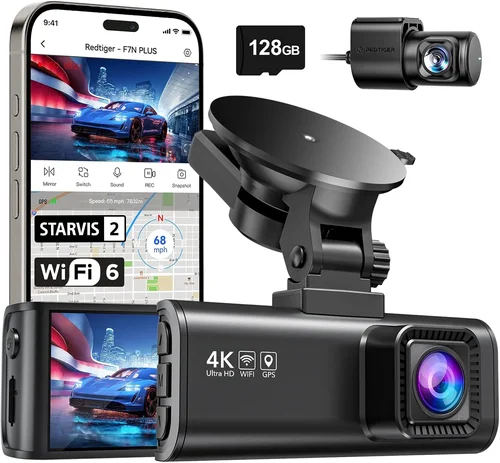
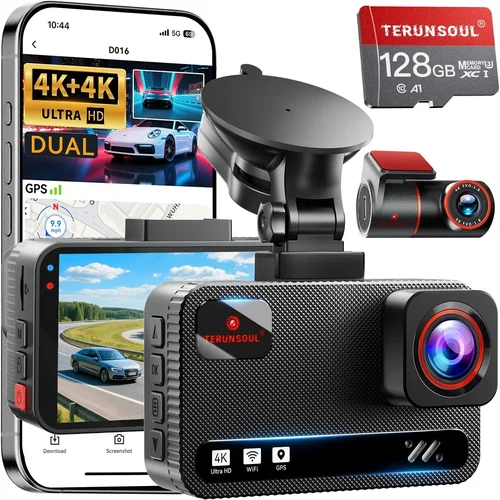
Smart Dash Cam Buying Guide for ADAS Cars
When it comes to protecting your vehicle and ensuring maximum safety on the road, choosing the right dash cam for ADAS-equipped cars is more important than ever. Advanced Driver Assistance Systems (ADAS) have revolutionized modern driving with features like lane departure warnings, automatic emergency braking, and adaptive cruise control. However, while these systems offer tremendous benefits, they aren’t infallible—and having a reliable dash cam can provide crucial evidence in the event of an accident or dispute. This comprehensive guide will walk you through everything you need to know about selecting the best dash cam for ADAS cars, from understanding technical specifications to evaluating real-world performance.
By the end of this article, you’ll have a clear understanding of how dash cams integrate with ADAS technology, what features truly matter, and how to make an informed decision that fits both your budget and driving needs. Whether you’re a tech-savvy driver looking for cutting-edge capabilities or someone who simply wants peace of mind behind the wheel, this guide is designed to help you navigate the complex landscape of dash cam options with confidence.
The market for dash cams has exploded in recent years, with dozens of models offering everything from basic recording to sophisticated AI-powered alerts. But not all dash cams are created equal—especially when it comes to compatibility with ADAS features such as forward collision warning, blind spot monitoring, and parking assistance. In fact, many standard dash cams lack the processing power, sensor precision, or software integration required to work seamlessly alongside your car’s existing safety systems. That’s why choosing the right device isn’t just about resolution or loop recording—it’s about finding a solution that enhances, rather than interferes with, your vehicle’s intelligent capabilities.
What to Look for When Buying Dash Cams
1. Budget & Price Range
One of the first decisions you’ll face is setting your budget. Dash cams vary widely in price, from under $50 to over $500, depending on features, build quality, and brand reputation. While it may be tempting to go for the cheapest option available, remember that lower-priced models often skimp on critical components like image sensors, storage reliability, and firmware updates. For most drivers, the sweet spot lies between $100 and $250, where you get solid performance without breaking the bank. If you’re serious about safety and evidence preservation, investing a bit more upfront can save you significant headaches down the road.
2. Performance Specifications
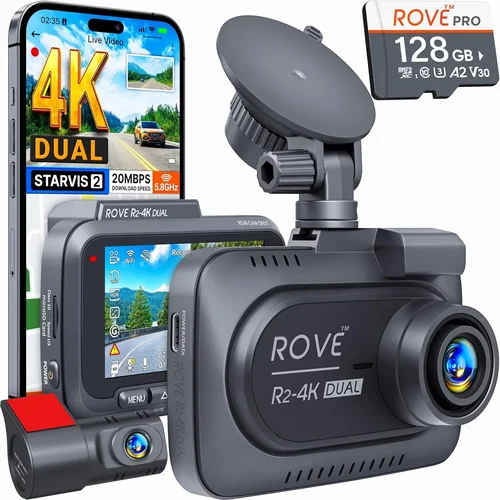
The heart of any dash cam is its imaging system. Key specs to evaluate include resolution (typically 1080p, 2K, or 4K), field of view (FOV), frame rate, and low-light sensitivity. A wider FOV captures more of the road ahead and around corners, reducing blind spots—ideal for city driving or highway merges. Higher resolutions offer crisper detail, especially useful for identifying license plates or facial features. Frame rates above 30fps ensure smooth video during rapid movements or emergency braking events. Additionally, look for HDR (High Dynamic Range) support, which balances bright headlights with dark shadows in nighttime footage.
3. Build Quality & Durability
A dash cam must withstand extreme temperatures, vibrations, and even impacts. Housing should be made from shock-resistant materials like polycarbonate or aluminum. The lens assembly needs anti-reflective coating to prevent glare from oncoming traffic. Internal components must be rated for operation in hot summer interiors or freezing winter conditions. Waterproofing (IP67 or higher) ensures protection against rain splashes and accidental spills. Also consider whether the unit includes a secure mounting bracket that won’t detach during sudden stops or collisions.
4. Features & Functionality
Modern dash cams offer far more than just video recording. Look for essential smart features such as:
- G-sensor technology: Automatically locks files during sudden deceleration or impacts.
- Parking mode: Uses motion detection or time-lapse to record while parked.
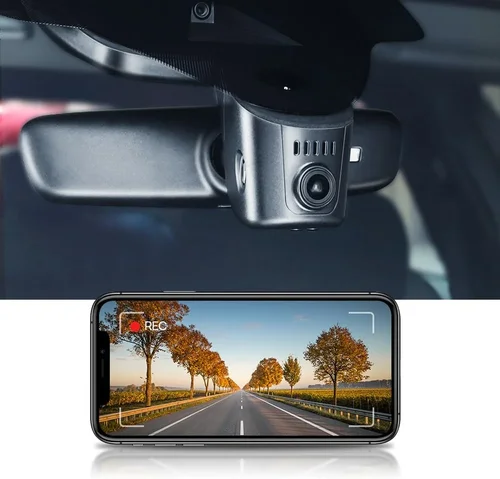
- Wi-Fi connectivity: Allows wireless transfer of clips to smartphones via dedicated apps.
- Voice commands: Hands-free operation reduces distractions.
- Night vision enhancement: Infrared LEDs or starlight sensors improve visibility after dark.
For ADAS-compatible models, verify that the dash cam doesn’t interfere with radar signals used by your car’s collision avoidance system. Some brands collaborate directly with automakers to ensure seamless integration.
5. Brand Reputation
Stick with established manufacturers known for reliability and customer service. Brands like Garmin, BlackVue, Nextbase, and Thinkware have built strong reputations over years of consistent product development. Check independent lab tests (such as those from Euro NCAP or Consumer Reports) and read verified user reviews across multiple platforms. Avoid obscure private-label brands sold exclusively on Amazon—they often cut corners on firmware updates and warranty claims.
6. Warranty & Support
A robust warranty reflects manufacturer confidence in their product. Most reputable companies offer at least a one-year parts-and-labor guarantee. Premium models may extend coverage to two or three years. Ensure the warranty covers both hardware defects and software failures. Equally important is responsive customer support—ideally accessible via phone, email, or live chat within business hours. Before purchasing, test the return policy: if the unit fails basic functionality tests, you should be able to exchange it quickly without hassle fees.
7. Size & Portability
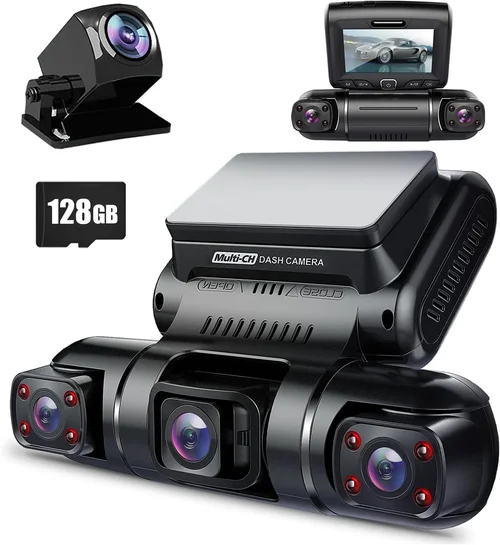
Compact designs minimize wind noise and visual obstruction while maintaining full functionality. Ultra-thin units (under 1.5 inches thick) blend into the windshield profile better than bulky alternatives. Consider dual-camera setups if you want rear-facing coverage—but ensure both cameras share the same app ecosystem for easy management. Magnetic mounts offer flexibility for temporary installations, though adhesive pads provide stronger long-term adhesion.
8. User Reviews & Ratings
Real-world feedback reveals hidden flaws and unexpected strengths. Pay attention to recurring complaints about battery life, Wi-Fi pairing issues, or inconsistent parking mode activation. Positive reviews highlighting durability, ease of use, and effective customer service are equally telling. Be wary of fake five-star ratings—look for detailed comments with dates and photos. Cross-reference with third-party review sites like Wirecutter, PCMag, or Autoblog for unbiased assessments.
Different Types of Dash Cams
Common Buying Mistakes to Avoid
❌ Mistake: Ignoring Storage Requirements
Why it’s bad: Using microSD cards below Class 10 or UHS-I standards leads to dropped frames, corrupted files, and failed recordings—especially during high-speed events. Many cheap dash cams don’t clearly specify supported card types, resulting in compatibility issues.
What to do instead: Always pair your dash cam with a high-endurance microSD card (SanDisk Extreme or Samsung Pro Endurance recommended). Format the card using the dash cam itself before first use, and replace it every 6–12 months due to write-cycle limits.
❌ Mistake: Overlooking Power Management
Why it’s bad: Relying solely on cigarette lighter adapters risks power fluctuations that cause reboots or data loss. Without proper surge protection, electrical spikes from other devices can damage internal circuitry.
What to do instead: Choose models with built-in capacitors or supercapacitors for graceful shutdowns during ignition cycles. For permanent installs, hardwiring kits with fused circuits provide the most reliable power source.
❌ Mistake: Assuming All 4K Models Are Equal
Why it’s bad: True 4K recording demands massive bandwidth and storage—many “4K” dash cams actually record at lower resolutions internally then upscale digitally, producing grainy, unusable footage.
What to do instead: Verify native sensor resolution and bitrate (aim for at least 100 Mbps). Accept that 4K requires frequent file transfers unless you invest in cloud sync or large-capacity cards.
❌ Mistake: Skipping Firmware Updates
Why it’s bad: Outdated firmware introduces bugs, security vulnerabilities, and missing features. Some manufacturers stop supporting older models after 12–18 months.
What to do instead: Regularly check the official website or app for updates. Enable automatic notifications if available. Never skip critical security patches.
❌ Mistake: Neglecting Privacy Concerns
Why it’s bad: Cloud-connected dash cams collect location data, possibly exposing sensitive travel patterns to hackers or unauthorized access.
What to do instead: Disable cloud features unless absolutely necessary. Use local-only storage with encrypted SD cards. Review privacy policies carefully before enabling remote viewing.
❌ Mistake: Installing Without Testing
Why it’s bad: Mounting upside-down, blocking airbag deployment zones, or positioning lenses too close to mirrors creates blind spots or violates safety regulations.
What to do instead: Test placement in daylight first. Ensure no part obstructs driver visibility or emergency equipment. Follow manufacturer guidelines strictly regarding minimum distances from windshield edges.
Budget Guidelines: How Much Should You Spend?
Entry-Level ($50–$100)
This range suits occasional drivers who want basic insurance against minor incidents. Expect 1080p recording, fixed-lens optics, and minimal smart features. Battery-operated models dominate here but require frequent charging. While adequate for short trips, these units lack robustness for daily use or harsh climates. Avoid if your car has ADAS—compatibility is rarely guaranteed at this price point.
Mid-Range ($150–$250)
The ideal balance between capability and cost. These dash cams typically offer dual-lens setups (front + rear), 2K resolution, built-in GPS, and reliable parking surveillance. Brands like Viofo, Papago, and Rexing excel in this segment. Most include Wi-Fi apps for clip retrieval and firmware upgrades. Hardwire kits are often included or readily available. Perfect for commuters and families prioritizing value without sacrificing essential functionality.
Premium ($300–$500)
Designed for professionals, fleet managers, and safety advocates. Features include 4K recording, HDR imaging, radar-triggered event capture, encrypted storage, and direct ADAS integration (e.g., Garmin’s Driver Safety App). BlackVue DR970X-2CH and Thinkware U1000 represent industry benchmarks. Subscription-based cloud services add convenience but incur ongoing costs. Justify the investment only if you frequently drive in high-risk areas or require courtroom-admissible evidence.
Luxury ($500+)
Ultra-premium models target automotive enthusiasts and commercial users. Capabilities extend to thermal imaging, multi-camera arrays, AI-powered threat detection, and seamless OBD-II integration with ADAS modules. Examples include the Garmin Dash Cam 77 and next-generation BlackVue Cloud Elite. While overkill for personal vehicles, these systems deliver unmatched reliability and forensic-grade documentation for insurance or legal purposes.
Expert Tips for Getting the Best Deal
- Time Your Purchase Strategically: Major sales occur annually around Black Friday, Cyber Monday, and early December. Early spring (March–April) also sees clearance markdowns on last year’s models.
- Compare Retailers Carefully: Online giants like Amazon often bundle accessories, while specialty stores (Crutchfield, B&H Photo) offer expert advice and generous return windows. Local auto shops may provide professional installation services.
- Read Return Policies Thoroughly: Some sellers impose restocking fees or require original packaging. Opt for retailers with 30-day hassle-free returns—even if unopened.
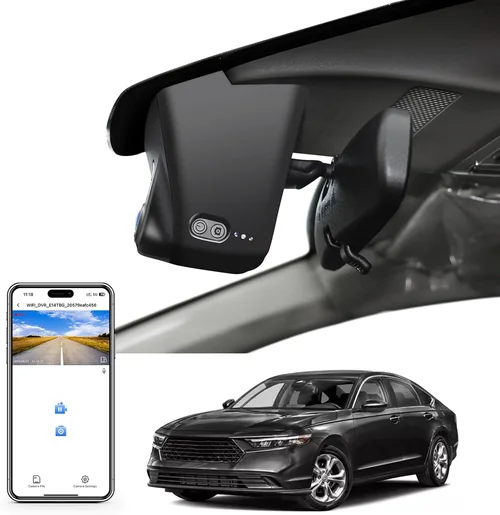
- Verify Compatibility First: Cross-check your vehicle’s make, model, and year against the manufacturer’s compatibility list. ADAS interference is rare but possible with poorly shielded units.
- Test Before Committing: If buying in-store, request a demo unit. Check menu navigation, audio clarity, and button responsiveness. Ensure the mount securely grips your specific windshield type.
- Extend Warranty Wisely: Third-party extended warranties (SquareTrade, TechShield) rarely match factory coverage terms. Only purchase if the base warranty is short or the product lacks repair centers nearby.
- Leverage Loyalty Programs: Earn points redeemable toward future purchases. Credit card rewards can offset initial cost if you maintain good credit.
Frequently Asked Questions
Q: Do dash cams work with ADAS systems?
A: Yes, but compatibility varies by brand and model. Reputable manufacturers like Garmin, BlackVue, and Thinkware design their dash cams to coexist with common ADAS protocols such as radar and camera-based warnings. However, some aftermarket units may emit electromagnetic interference that disrupts ADAS performance. Always consult your vehicle’s manual and the dash cam’s compatibility chart before installation.
Q: Can I use any microSD card with my dash cam?
A: No. Use only cards rated for continuous write operations (high endurance). Standard consumer cards wear out quickly under constant recording loads. Recommended brands include SanDisk High Endurance, Samsung PRO Endurance, and Lexar Industrial. Cards larger than 256GB may exceed the dash cam’s buffer capacity—check manufacturer specifications.
Q: Is parking mode safe for my battery?
A: Modern dash cams draw minimal power in parking mode (typically 1–3 watts). Most include voltage cutoff settings to prevent deep discharge. Hardwiring to the fuse box via a capacitor or parking light circuit is safest. Avoid relying on the 12V accessory outlet unless you have a dedicated fuse tap and inline fuse.
Q: Will my dash cam record during an accident?
A: Provided the G-sensor triggers correctly and power remains stable, yes—but only if the impact occurs after the unit powers on. Sudden collisions may cause instant shutdown. For maximum reliability, hardwire the dash cam and enable continuous recording with event file locking.
Q: How do I recover deleted footage?
A: Deleted files remain on the microSD card until overwritten. Use recovery software like Recuva or PhotoRec immediately after deletion. Avoid saving new data to the card during recovery attempts. Cloud-synced models may retain backups for a limited time (usually 30 days).
Q: Can I watch live footage remotely?
A: Many Wi-Fi-enabled dash cams support real-time streaming via smartphone apps—but only when connected to Wi-Fi networks, not mobile data. Streaming consumes significant bandwidth and drains the dash cam’s internal battery rapidly. Most manufacturers limit live view to 720p resolution and disable it automatically when the engine isn’t running.
Q: Are dash cams legal everywhere?
A: Generally yes, but regulations differ by country and state. In the U.S., federal law permits dash cams as long as they don’t block driver visibility or record audio without consent (varies by state). Europe allows dash cams but prohibits storing personal data without anonymization. Always research local laws before installing.
Q: Should I buy a single or dual-lens dash cam?
A: Dual-lens models (front + rear) provide complete situational awareness, especially valuable in urban environments or parking lots. Single-lens units suffice for highway driving but miss rear-end scenarios. Consider your primary usage: daily commuting favors dual-lens; weekend errands may justify a simpler setup.
Q: How often should I clean the lens?
A: Wipe gently with microfiber cloths weekly to remove dust and fingerprints. Avoid paper towels or abrasive cleaners that scratch coatings. For stubborn grime, dampen the cloth slightly with distilled water. Never spray liquid directly onto the lens.
Q: What happens if my dash cam fills up?
A: Loop recording automatically overwrites oldest files once storage reaches capacity. Ensure loop intervals align with your typical commute duration. Event-triggered files (from G-sensors or parking mode) are prioritized and preserved longer. Manual file management via apps helps avoid surprises.
Our Final Recommendations
Best for Budget-Conscious Buyers
The Viofo A119 V3 delivers excellent 2K resolution, reliable loop recording, and solid build quality at an accessible price. It includes a suction cup mount, built-in GPS, and optional Wi-Fi connectivity. While lacking advanced ADAS integration, its performance rivals pricier models. Ideal for drivers seeking dependable evidence capture without premium markup.
Best Overall Value
The Nextbase 622GW stands out with 4K recording, built-in Alexa voice control, and emergency SOS features. Its sleek design, intuitive interface, and robust cloud backup make it a favorite among reviewers. Compatible with most modern vehicles and includes free 32GB high-endurance card. The perfect blend of innovation and practicality.
Best Premium Option
For true ADAS harmony, the Garmin DriveSmart 66 integrates flawlessly with compatible vehicles’ safety systems. Offering 1080p recording, live traffic updates, and collision reporting to emergency contacts, it transforms your dashboard into a proactive safety hub. Slightly higher cost justified by peace of mind and regulatory compliance features.
Best for Beginners
The Rexing V1P Pro simplifies setup with plug-and-play operation, automatic night vision, and one-touch recording. Its compact size and affordable price make it stress-free for first-time users. Includes a 12-month warranty and responsive customer support—great for learning dash cam basics.
Best for Advanced Users
The BlackVue DR970X-2CH sets the benchmark for professionals. With dual 2K lenses, cloud connectivity, radar detection, and military-grade encryption, it’s engineered for demanding environments. Subscription plans unlock remote playback and AI-enhanced analytics. Overkill for casual drivers, indispensable for fleet operators.
Conclusion: Making the Right Choice
Choosing the best dash cam for ADAS cars isn’t merely about picking the shiniest gadget—it’s about aligning technology with your unique driving habits, safety priorities, and financial comfort. By now, you understand that factors like resolution, build quality, ADAS compatibility, and post-purchase support collectively determine real-world effectiveness. Remember that even the most expensive model fails if improperly installed or inadequately maintained.
Start by assessing your risk profile: Do you drive in congested cities? Frequently park in sketchy neighborhoods? Own a newer car with integrated safety tech? These questions shape your feature requirements. Then prioritize based on non-negotiables—whether that’s parking mode reliability, cloud storage, or seamless smartphone pairing.
Don’t rush the decision. Read verified reviews, compare side-by-side specs, and leverage seasonal discounts. Most importantly, remember that a dash cam serves one purpose above all else: protecting you, your passengers, and your property. When that mission is fulfilled consistently, every dollar spent becomes an investment in security—not just pixels on a screen.