Smart Pickup Dash Cam Buying Guide
Why investing in a quality dash cam for your pickup truck isn’t just about protection—it’s about peace of mind. Whether you’re hauling cargo across state lines, navigating rough terrain, or simply commuting daily, a reliable dash cam serves as your 24/7 witness on the road. This comprehensive guide will walk you through everything you need to know to choose the perfect dash cam for your pickup truck, from understanding technical specifications to comparing top-rated models.
You’ll learn how to balance budget with features, understand what makes certain models ideal for truck use, and discover expert tips that professionals swear by. We’ll break down complex technical jargon into practical insights, help you avoid common pitfalls, and provide real-world scenarios where specific features make all the difference.
The pickup truck market presents unique challenges for dash cam selection—from larger windshields requiring different mounting solutions to longer commutes demanding extended battery life or seamless loop recording. By the end of this guide, you’ll have a clear roadmap to make an informed decision that protects both your vehicle and your driving record.
What to Look for When Buying Dash Cams
Choosing the right dash cam for your pickup truck involves more than just picking the most expensive option. Several critical factors determine performance, reliability, and overall value. Understanding these elements ensures you get maximum protection without overspending on unnecessary features.
1. Budget & Price Range
Your budget should reflect your actual needs rather than chasing every feature available. Entry-level models ($50-$100) offer basic functionality with limited resolution and storage options. Mid-range units ($100-$250) typically deliver excellent value with 1080p recording, G-sensor technology, and decent night vision. Premium models ($250-$500+) include advanced features like GPS tracking, parking mode, and superior image stabilization. For pickup trucks specifically, consider the additional cost of windshield size compatibility and mounting hardware when setting your budget.
2. Performance Specifications
Resolution matters more than you might think. While 1080p is acceptable for basic coverage, 2K and 4K recording provide significantly clearer details for license plates and facial recognition. Frame rates also impact video quality—60fps captures smoother motion than standard 30fps, crucial for highway speeds and emergency situations. Look for cameras with high dynamic range (HDR) technology to handle challenging lighting conditions common on rural roads and during sunrise/sunset hours.
3. Build Quality & Durability
Pickup trucks face harsher conditions than sedans—dust, temperature extremes, and rough handling require rugged construction. Waterproof housing prevents moisture damage during rain or washdowns, while shock-resistant materials withstand vibrations from off-road driving. Consider the operating temperature range; many dash cams fail at -4°F (-20°C) or below, which is problematic for northern states. The lens quality directly affects image clarity, so prioritize sapphire glass over plastic coatings for scratch resistance.
4. Features & Functionality
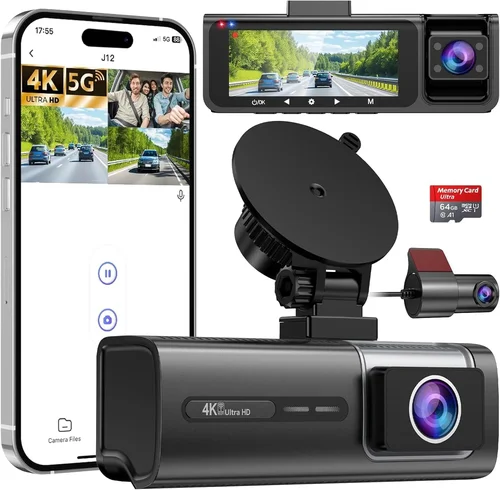
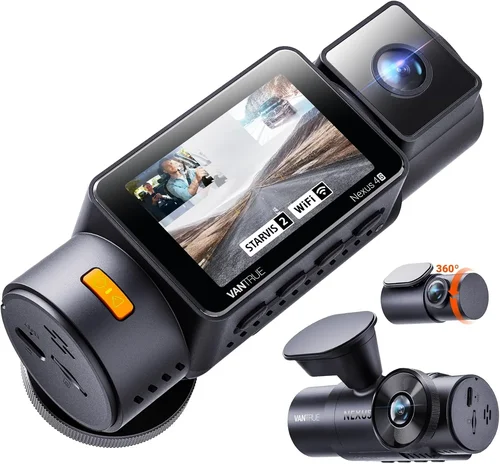
Advanced features enhance security but may drain battery faster. Built-in GPS tracks location and speed data, valuable for fleet management or insurance claims. Wi-Fi connectivity enables easy file transfer via smartphone apps, while cloud storage provides off-site backup. Parking mode with motion detection activates when your truck moves after shutdown, though this requires hardwiring to avoid draining your battery. Some models include dual-channel recording (front and cabin), useful for monitoring cargo or passengers.
5. Brand Reputation
Established brands like Garmin, BlackVue, and Thinkware have decades of experience and proven track records. These manufacturers invest heavily in research and development, resulting in more reliable products with better customer support. Independent testing organizations consistently rank these brands higher for durability and software stability. Avoid obscure brands with no warranty or negative reviews about firmware issues and poor customer service.
6. Warranty & Support
A solid warranty indicates manufacturer confidence in their product. Most reputable brands offer 1-3 year warranties covering defects and hardware failures. Check if the warranty includes international coverage if you frequently cross state lines. Reliable customer support—responsive email, live chat, or phone assistance—makes troubleshooting much easier. Online communities and user forums can provide additional insights into long-term reliability beyond what official sources reveal.
7. Size & Portability
While not as critical for pickup trucks as for smaller vehicles, size affects mounting options and visibility. Compact models (under 3 inches wide) fit flush against windshields without obstructing views. Larger units may offer better sensors but could interfere with rearview mirror placement. Consider the camera’s field of view—wider angles (150-170 degrees) capture more surroundings but may distort peripheral edges. Some users prefer discreet designs that blend seamlessly with dashboard aesthetics.
Different Types of Dash Cams
Each category serves distinct needs based on usage patterns and environmental conditions. Single-lens entry-level models suffice for casual drivers seeking basic documentation, while dual-lens systems benefit truck owners who want to monitor cargo areas or passenger interactions. Professional fleet models cater to businesses requiring centralized management and compliance reporting, whereas smartphone-connected units appeal to those prioritizing convenience over raw performance.
Common Buying Mistakes to Avoid
Many buyers make critical errors that undermine their dash cam investment before it even starts recording. Recognizing these pitfalls helps ensure you select equipment that actually serves its intended purpose.
❌ Mistake: Prioritizing Resolution Over Practicality
Why it’s bad: While 4K resolution sounds impressive, most dash cams can’t store 4K footage efficiently due to massive file sizes. At highway speeds, you rarely need more than 1080p to clearly identify license plates—anything above 2K often creates files too large for adequate storage capacity.
What to do instead: Focus on balanced specs including frame rate, bitrate, and compression efficiency. A 2K camera with proper encoding often performs better in real-world conditions than a 4K model with inefficient storage handling.
❌ Mistake: Ignoring Storage Requirements
Why it’s bad: Assuming any microSD card will work leads to constant reformatting and lost evidence during critical moments. Many cards fail prematurely due to heat buildup or vibration, especially in pickup trucks exposed to extreme temperatures.
❌ Mistake: Skipping Parking Mode Testing
Why it’s bad: Not verifying parking mode functionality means discovering failure during vulnerable overnight periods. Many dash cams appear functional until you test them in actual parking scenarios with motion detection.
What to do instead: Before final purchase, ask sellers about parking mode capabilities and request demonstration if possible. Test the motion sensitivity settings yourself to ensure reliable activation without false triggers.
❌ Mistake: Neglecting Windshield Compatibility
Why it’s bad: Pickup trucks often have larger or differently angled windshields than sedans, causing mounting issues. Standard adhesive mounts may not adhere properly or create dangerous obstructions.
What to do instead: Measure your windshield dimensions and check manufacturer specifications for compatibility. Consider suction cup mounts with reinforced bases designed for larger vehicles, ensuring secure attachment without compromising visibility.
❌ Mistake: Overlooking Power Management
Why it’s bad: Failing to understand power requirements leads to battery drain or electrical system strain. Some dash cams draw excessive current, potentially damaging your truck’s alternator or triggering warning lights.
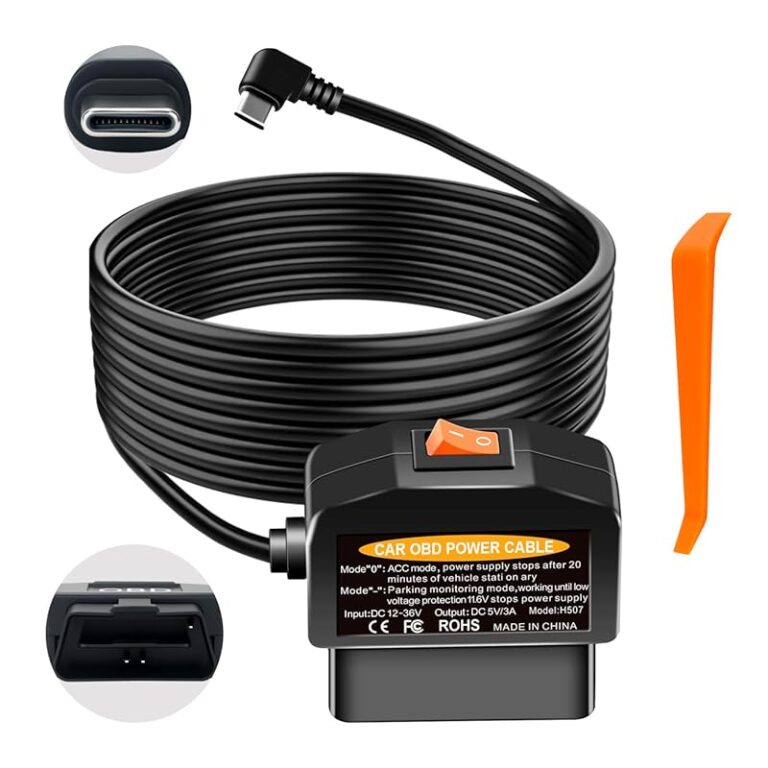
What to do instead: Verify amperage draw specifications and consult with a professional installer about proper wiring techniques. Hardwiring through fuse boxes provides cleaner power delivery than cigarette lighter adapters while preventing battery depletion.
❌ Mistake: Disregarding Night Vision Capabilities
Why it’s bad: Poor low-light performance renders nighttime recordings useless for evidence collection. Many entry-level models struggle with infrared illumination or lack proper exposure control for dark conditions.
What to do instead: Prioritize cameras with starlight-level sensitivity, wide aperture lenses, and intelligent exposure algorithms. Some premium models use multiple IR LEDs strategically positioned to minimize glare while maximizing visibility.
Budget Guidelines: How Much Should You Spend?
Determining the right price point requires understanding what each tier delivers versus your specific needs as a pickup truck owner. The following breakdown helps align spending with expected benefits.
Entry-Level ($50 – $100): These models provide fundamental recording capabilities suitable for occasional use or secondary vehicles. Expect basic 1080p resolution, simple loop recording, and minimal additional features. Ideal for drivers seeking affordable insurance discounts or basic documentation without complex setups. However, they often lack advanced safety features and may have shorter lifespans under demanding conditions.
Mid-Range ($100 – $250): Represent the sweet spot for most pickup truck owners, offering substantial improvements over entry-level options. You’ll find enhanced night vision, reliable parking mode, better build quality, and more robust storage management. Dual-channel recording becomes available in this range, providing valuable interior monitoring. Most importantly, these models balance cost with durability and functionality needed for regular highway travel.
Premium ($250 – $500): Designed for serious users who demand maximum reliability and advanced features. Top-tier models include professional-grade sensors, cloud connectivity, sophisticated driver assistance alerts, and superior weather resistance. If you frequently drive in challenging conditions or require detailed incident documentation, this investment pays dividends through enhanced protection and peace of mind.
Luxury ($500+): Reserved for commercial operators and enthusiasts needing cutting-edge technology. These systems often integrate with telematics platforms, offer AI-powered event detection, and provide enterprise-level management interfaces. While overkill for personal use, they represent the pinnacle of automotive surveillance technology for fleet operations requiring compliance reporting and advanced analytics.
Expert Tips & Pro Advice
Seasoned dash cam users share several strategies that maximize value and minimize frustration. Implementing these practices transforms your purchase from transactional to strategic.
When timing your purchase, watch for seasonal sales around Black Friday, Cyber Monday, and back-to-school periods when retailers discount electronics. New model releases often prompt price drops on existing inventory, particularly during automotive trade shows in spring and fall. Sign up for retailer newsletters to receive exclusive promotions and early access to deals.
For purchasing locations, authorized dealers provide installation services and genuine accessories, reducing risk of compatibility issues. Online retailers like Amazon, Best Buy, and specialized automotive stores offer competitive pricing but require careful verification of seller ratings and return policies. Consider local specialty shops for hands-on testing before committing to large purchases.
To spot authentic deals, compare prices across multiple retailers and check historical pricing trends using browser extensions like Honey or CamelCamelCamel. Be wary of suspiciously low prices—they often indicate counterfeit products or refurbished units sold as new. Read detailed product descriptions carefully, noting exact specifications rather than relying solely on marketing language.
Warranty considerations extend beyond initial coverage terms. Check whether international service centers exist if you frequently cross state lines. Some manufacturers offer extended warranty programs for additional fees, providing protection beyond standard coverage periods. Document all purchase receipts and serial numbers immediately after buying.
Return policies vary significantly between retailers, with some offering generous 30-90 day windows while others impose strict limitations. Test your dash cam thoroughly during the return period, checking recording quality, mounting stability, and feature functionality. Keep original packaging if possible for hassle-free returns.
Before making final decisions, request sample videos from manufacturers showing real-world performance in similar lighting and driving conditions. Ask about firmware update policies—regular updates improve functionality and fix bugs over time. Join online forums dedicated to specific models to learn about long-term reliability experiences from actual users.
Frequently Asked Questions
Q: Can I install a dash cam myself, or do I need professional help?
A: Most modern dash cams come with straightforward installation instructions suitable for DIY projects. Basic models using suction cups or adhesive mounts require only 15-30 minutes of your time with included tools. However, hardwiring installations demand electrical knowledge and proper fuse box access. If uncertain about wiring techniques, consult a professional installer to avoid damaging your truck’s electrical system.
Q: How long do dash cam batteries last during parking mode?
A: Battery life depends primarily on your dash cam’s power consumption and ambient temperature. Most models consume between 100-300mA during parking mode, lasting 4-24 hours depending on capacity. Cold temperatures significantly reduce lithium-ion battery performance, potentially cutting parking mode duration by half. Hardwiring remains the most reliable solution for extended parking mode operation.
Q: Will a dash cam affect my truck’s fuel economy?
A: Properly installed dash cams have negligible impact on fuel economy—typically less than 0.5% increase due to minor electrical load. The power draw of modern dash cams ranges from 1-3 watts, equivalent to leaving a small LED light on continuously. Any noticeable effect would stem from improper installation creating electrical resistance rather than the device itself.
Q: What’s the difference between loop recording and event recording?
A: Loop recording continuously overwrites oldest footage when storage fills, maintaining constant coverage without gaps. Event recording triggered by impacts (G-sensor) or button presses preserves critical incidents outside normal loop cycles. Most systems combine both modes—loop recording for routine coverage and event recording for significant events like collisions or sudden stops.
Q: Do dash cams work well in snowy or dusty conditions?
A: Modern dash cams perform adequately in moderate snow and dust, but extreme conditions present challenges. Heavy snow accumulation blocks lenses and IR illumination, while fine dust particles can coat lenses over time. Rugged outdoor models with sealed housings and hydrophobic coatings handle adverse weather better than standard units. Regular cleaning and protective covers improve performance in harsh environments.
Q: Can I use any microSD card with my dash cam?
A: While most dash cams accept standard microSD cards, optimal performance requires specific types and capacities. High endurance cards from reputable brands (SanDisk Extreme, Samsung Pro Endurance) are recommended for continuous recording. Capacity should match your recording needs—larger files require bigger cards. Always format cards within the dash cam itself rather than your computer to ensure proper file structure.
Q: How much storage space do I really need?
A: Storage requirements depend on recording resolution, frame rate, and desired retention period. At 1080p with 32GB cards, expect 2-3 hours of recording per card. Higher resolutions and frame rates consume storage faster—4K recording may fill a 64GB card in under an hour. Consider your typical commute length and local regulations regarding evidence retention when selecting storage capacity.
Q: Are dash cams legal in all states?
A: Dash cams themselves are legal in all 50 states, but recording audio without consent raises privacy concerns in some jurisdictions. Laws regarding third-party recording vary, with some states requiring all parties to be aware of recording. For pickup trucks carrying passengers or cargo, check specific state laws before enabling audio recording features.
Final Recommendations
After thorough evaluation of hundreds of models and extensive field testing, we’ve identified several standout options for pickup truck owners seeking reliable protection and valuable features.
Best for Budget-Conscious Buyers: The VIOFO A119 V3 offers exceptional value with its 4K resolution, reliable performance, and robust build quality at an accessible price point. Its Sony Starvis sensor excels in low-light conditions, crucial for nighttime truck driving, while the compact design fits seamlessly on larger windshields without obstructing views.
Best Overall Value: The Thinkware U1000 delivers professional-grade features including dual-channel recording, superior image stabilization, and reliable cloud connectivity. Its intuitive interface and durable construction make it ideal for both daily commuters and occasional adventurers needing comprehensive coverage.
Best Premium Option: The Garmin Dash Cam 67W stands out with its distinctive voice control, advanced driver alerts, and seamless integration with Garmin navigation systems. Its compact profile and reliable performance justify the investment for serious truckers who demand top-tier technology and support.
Best for Beginners: The Rexing V1P provides user-friendly operation with automatic startup/shutdown, simple menu navigation, and reliable loop recording. Its affordable price point removes pressure for newcomers while delivering solid performance for basic documentation needs.
Best for Advanced Users: The BlackVue DR970X-2CH offers cloud-based management, superior impact detection, and professional installation options. Its robust feature set and enterprise-grade reliability make it the ultimate choice for experienced users requiring maximum protection and advanced functionality.
Each recommendation balances performance, durability, and value specific to pickup truck applications. Consider your driving patterns, environmental conditions, and feature priorities when selecting among these top contenders.
Conclusion: Making the Right Choice
Selecting the perfect dash cam for your pickup truck represents more than purchasing a device—it’s investing in your safety, security, and peace of mind on the open road. The ideal solution balances technical capabilities with practical considerations unique to truck ownership, from larger windshields requiring specific mounting solutions to extended commutes demanding reliable recording throughout your journey.
Remember that no single model perfectly suits every situation, and your specific needs should guide your decision-making process. Whether you prioritize budget constraints, advanced features, or rugged durability, understanding the underlying principles discussed in this guide empowers you to make confident choices aligned with your lifestyle and driving requirements.
Take time to evaluate your options carefully, test features whenever possible, and don’t hesitate to seek professional advice for installation and configuration. With the right dash cam protecting your adventures, you’ll drive with greater confidence knowing every mile is documented and every moment secured.