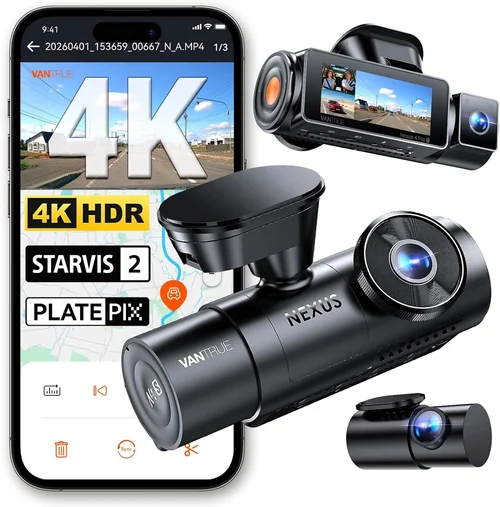
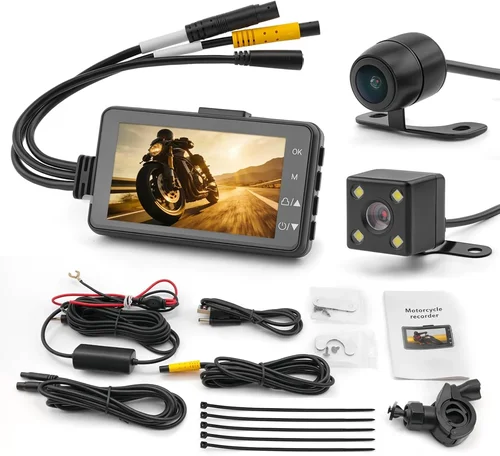
Best 4Runner Dash Cam Buying Guide
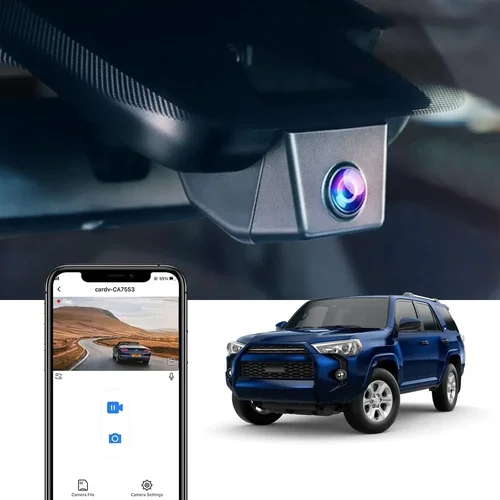
When you’re behind the wheel of a Toyota 4Runner, you’re not just driving an SUV—you’re navigating roads that test your vehicle’s capabilities day after day. Whether you’re tackling rugged trails, commuting through city traffic, or cruising down scenic highways, having reliable documentation of your journeys can make all the difference. A dash cam isn’t just a luxury anymore; it’s a smart investment in safety, security, and peace of mind. But with so many options flooding the market, choosing the right dash cam for your 4Runner can feel overwhelming.
This comprehensive buying guide is designed specifically for 4Runner owners who want to make an informed decision. We’ll walk you through everything you need to know—from understanding technical specifications to evaluating real-world performance in off-road conditions. You’ll learn how to identify features that matter most, avoid common pitfalls, and find a dash cam that fits both your budget and your driving lifestyle. By the end of this article, you’ll have all the tools necessary to select a dash cam that enhances your driving experience without compromising on quality or reliability.
The dash cam market has evolved dramatically over the past decade. What started as simple front-facing cameras with basic recording capabilities has transformed into sophisticated systems offering dual-channel recording, GPS tracking, night vision, parking mode, and even cloud storage integration. For 4Runner drivers, these advancements are especially valuable given the vehicle’s popularity among adventure seekers and daily commuters alike. However, not every dash cam performs equally well under demanding conditions—especially when mounted on the windshield at angles that expose them to heat, glare, and vibration.
In this guide, we’ll break down the essential factors to consider, compare different types of dash cams tailored to your needs, highlight frequent mistakes people make during purchase, provide budget-friendly recommendations across various price points, and share expert tips from professionals who’ve tested dozens of models in real-world scenarios. Whether you’re looking for something compact and discreet or a feature-packed powerhouse capable of capturing high-definition footage in low light, we’ve got you covered. Let’s dive in and discover the best dash cam for your 4Runner.

What to Look for When Buying Dash Cams
1. Budget & Price Range
Your budget plays a pivotal role in determining what kind of dash cam you can afford and how many advanced features you’ll get. Dash cams vary widely in pricing—from entry-level models under $50 to premium units exceeding $300. While it might be tempting to go for the cheapest option available, remember that cheaper doesn’t always mean better value. Many budget dash cams sacrifice critical components like image sensors, video stabilization, or build quality, which can compromise recording clarity and longevity.
For most 4Runner owners, a mid-range dash cam offers the ideal balance between cost and functionality. These typically range from $80 to $150 and include solid Full HD recording, decent night vision, and reliable loop recording. If you’re an avid off-roader or frequently drive in challenging weather conditions, investing in a higher-end model may be worth considering due to improved durability and enhanced low-light performance.
2. Performance Specifications
Performance specs determine how well your dash cam captures footage under different lighting and driving conditions. The three key metrics to focus on are resolution, frame rate, and sensor quality.
- Resolution: Look for at least 1080p (Full HD) recording. While 720p is technically acceptable, it produces grainy footage unsuitable for identifying license plates or facial details in disputes.
- Frame Rate: A minimum of 30 frames per second (fps) ensures smooth motion capture. Models supporting 60 fps offer superior clarity during fast-moving scenes like highway merges or sudden braking events.
- Sensor Quality: CMOS sensors with larger pixel sizes perform significantly better in low light compared to older CCD chips. Check reviews specifically mentioning nighttime visibility.
Additionally, consider whether the dash cam supports wide dynamic range (WDR), which balances exposure in high-contrast situations such as driving from bright sunlight into shaded areas.
3. Build Quality & Durability
The 4Runner is known for its robust construction and ability to handle rough terrain, so why should your dash cam be any different? Since dash cams are often exposed to extreme temperatures inside your cabin—especially when parked in direct sunlight—the materials used must withstand heat buildup without warping or malfunctioning.
Look for dash cams made from high-grade plastics or aluminum housings with reinforced mounts. Sealed connectors prevent moisture ingress, which is crucial if you live in humid climates or frequently wash your vehicle. Vibration resistance is another factor—off-road driving generates constant jostling that can dislodge poorly secured devices.
4. Features & Functionality
Modern dash cams come packed with features beyond basic video recording. Here’s what to prioritize based on your usage:
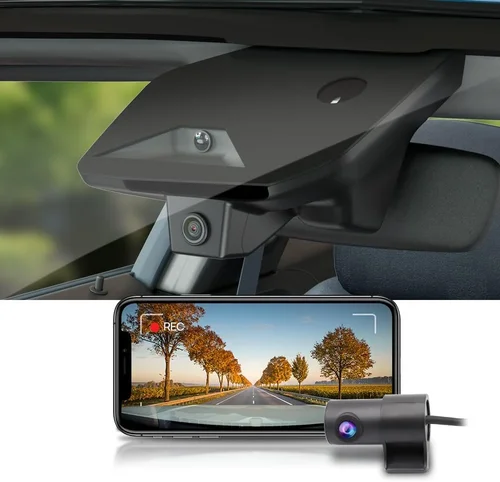
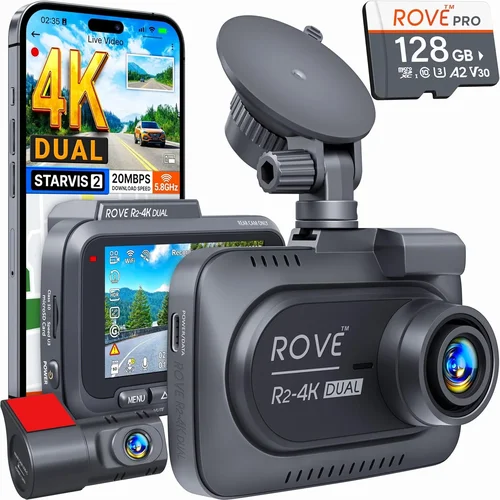
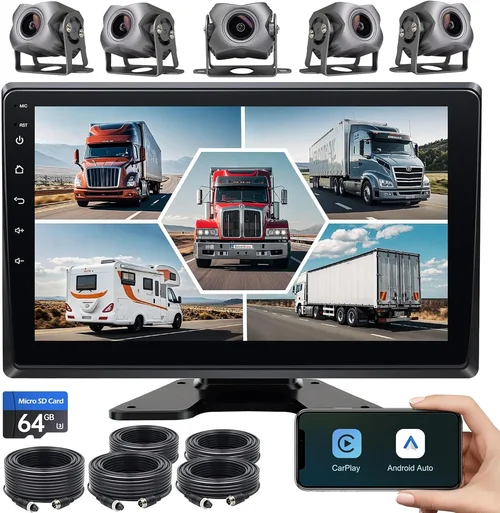
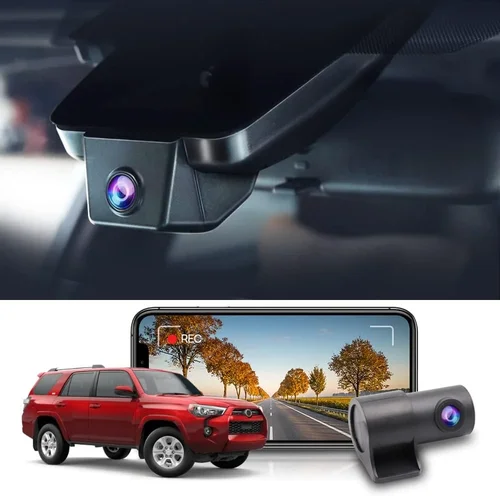
- Dual Recording: Front and rear cameras allow full coverage of your vehicle’s surroundings. This is particularly useful for 4Runners equipped with rooftop cargo racks or those frequently traveling in convoys.
- GPS Tracking: Embedded GPS logs speed, location, and route history directly onto footage—ideal for verifying accident claims or monitoring reckless driving behavior.
- Parking Mode: Motion-activated recording while your car is off helps document incidents like hit-and-runs or attempted break-ins. Ensure your selected model supports hardwiring for continuous power supply.
- Wi-Fi Connectivity: Allows seamless transfer of clips to smartphones via companion apps for quick sharing or evidence submission.
- Emergency Locking: G-sensor technology automatically saves critical moments before impact to prevent overwriting.
5. Brand Reputation
Stick with established brands that have proven track records in customer satisfaction and product reliability. Companies like Garmin, BlackVue, Thinkware, and Nextbase consistently rank highly in independent tests and user forums. These manufacturers invest heavily in R&D, offer responsive support teams, and provide transparent warranties.
Avoid purchasing from unknown private-label sellers selling generic clones under flashy brand names. While they may appear cheaper initially, their lack of technical documentation and poor return policies can leave you stranded when issues arise.
6. Warranty & Support
A solid warranty demonstrates confidence in product quality and gives you recourse if defects occur. Most reputable brands offer at least a one-year limited warranty covering manufacturing flaws. Some extend this to two or three years, especially for core components like lenses and image processors.
Customer service responsiveness is equally important. Before buying, check online reviews for how quickly companies address technical questions or replace faulty units. Email response times exceeding 48 hours can indicate inefficient support structures.
7. Size & Portability
Compactness matters, especially if you plan to move the dash cam between vehicles or remove it periodically for cleaning. Smaller units (under 2 inches tall) stay out of sight while still capturing clear footage. However, ultra-thin designs sometimes sacrifice battery life or internal cooling, leading to overheating during extended use.
Consider the mounting style too—adhesive mounts work well for permanent installations but may damage paintwork upon removal. Magnetic or clamp-based solutions offer flexibility without leaving residue.
8. User Reviews & Ratings
Real-world feedback from fellow 4Runner owners provides invaluable insights into long-term performance. Pay attention to recurring complaints about false alarms, poor Wi-Fi connectivity, or difficulty accessing stored files. Positive comments regarding ease of installation, software usability, and consistent recording quality are strong indicators of reliability.
Cross-reference multiple sources—Amazon, Best Buy, specialty automotive retailers, and enthusiast forums—to get a balanced perspective.
Different Types of Dash Cams

Common Buying Mistakes to Avoid
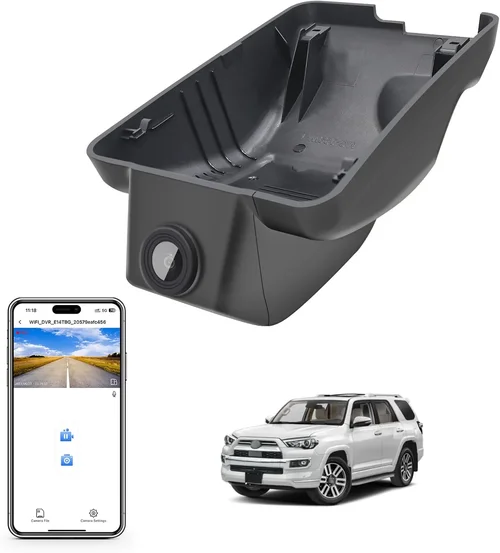
❌ Mistake: Ignoring Parking Mode Capabilities
Why it’s bad: Many buyers assume dash cams only record while driving, overlooking the importance of parking surveillance. Without motion-triggered recording, you lose protection against vandalism or collisions when unattended.
What to do instead: Verify that your chosen model supports hardwired power and has adjustable sensitivity settings. Some advanced units even integrate with your car’s alarm system for added deterrence.
❌ Mistake: Overlooking Storage Requirements
Why it’s bad: Loop recording deletes old files automatically, but insufficient memory card capacity leads to frequent interruptions. Using incompatible or counterfeit SD cards results in corruption and loss of critical evidence.
What to do instead: Purchase a Class 10 microSD card from trusted brands (SanDisk, Samsung, Lexar). Aim for at least 64GB if you want 2–3 hours of continuous recording. Always format cards within the dash cam before first use.
❌ Mistake: Choosing Based Solely on Price
Why it’s bad: Ultra-low-cost dash cams often use outdated chips, produce blurry footage, and lack essential safety features like emergency locking. Their plastic casings degrade quickly under sun exposure.
What to do instead: Prioritize performance over pennies saved. Spend a bit more upfront for a dependable unit that won’t fail when you need it most.
❌ Mistake: Skipping Firmware Updates
Why it’s bad: Manufacturers regularly release firmware patches to fix bugs, improve compatibility, and add new functionalities. Neglecting updates leaves your device vulnerable to glitches and missing out on optimizations.
What to do instead: Enable automatic update notifications through the companion app or manually check manufacturer websites monthly.
❌ Mistake: Poor Mounting Location
Why it’s bad: Placing the dash cam near airbags or obstructing driver visibility compromises safety. Incorrect positioning also causes lens distortion or glare from dashboard lights.
What to do instead: Install centrally above the rearview mirror, angled slightly downward to capture the road ahead without reflecting cabin interiors. Use anti-glare coatings if necessary.
❌ Mistake: Not Testing Before Finalizing Purchase
Why it’s bad: Reading specs alone doesn’t reveal real-world performance nuances like audio quality, touchscreen responsiveness, or file organization logic.
What to do instead: Visit physical stores whenever possible to handle devices, review sample footage, and ask staff about setup procedures.
Budget Guidelines: How Much Should You Spend?
Entry-Level ($40 – $80)
This tier suits casual drivers seeking basic protection without breaking the bank. Expect 1080p recording, loop functionality, and simple menus. Brands like Viofo and Jusfun dominate this space. While these models rarely include extras like GPS or Wi-Fi, they deliver reliable daytime footage and adequate build quality for standard commutes. Avoid units below $40—they typically skimp on critical components and lack warranties.
Mid-Range ($80 – $150)
The sweet spot for most 4Runner owners! Here, you’ll find robust dual-lens systems, enhanced night vision, and user-friendly interfaces. Notable picks include the Garmin Dash Cam Mini and BlackVue DR-CF770L-S. These devices strike an excellent balance between affordability and feature richness, making them ideal for families, rideshare drivers, and weekend adventurers alike.
Premium ($150 – $300)
For serious enthusiasts or professionals requiring top-tier performance, premium dash cams offer cutting-edge tech like 4K recording, HDR, and advanced parking modes. Models such as the Thinkware U1000 or Nextbase 522GW fall here. They’re built to endure harsh environments and provide forensic-grade clarity—perfect for documenting off-road excursions or commercial fleet operations.
Luxury ($300+)
Ultra-high-end dash cams blur the line between automotive electronics and home security systems. Think cloud-connected networks, artificial intelligence-powered alerts, and multi-camera ecosystems. While overkill for average drivers, luxury options appeal to tech-savvy users wanting maximum customization and integration with smart homes or insurance providers.
Expert Tips for Getting the Best Deal
Seasonal sales aren’t your only opportunity. Keep an eye on flash deals from Amazon Prime Day or back-to-school promotions, which often include automotive categories. Sign up for newsletters from trusted retailers—many send exclusive coupons to subscribers.
Compare prices across multiple platforms before committing. Online marketplaces like eBay occasionally list open-box returns at steep discounts, though verify seller ratings carefully. Local auto shops sometimes match online rates if asked politely.
Don’t overlook refurbished models from certified sellers. Companies like Back Market or manufacturer-certified outlets sell gently used dash cams with full warranties, offering savings of 40% or more versus new units.
Always read the fine print regarding return policies. Opt for stores offering 30-day money-back guarantees—this lets you test drive the dash cam risk-free and ensure it meets your expectations.
If possible, schedule a hands-on demo at a local dealership or specialty store. Seeing how intuitive the interface is and checking build quality firsthand prevents buyer’s remorse later.
Finally, register your device immediately after purchase. Many brands offer extended warranty upgrades or free accessory bundles when you complete registration online.

Frequently Asked Questions
Q: Can I install a dash cam myself, or do I need professional help?
A: Most modern dash cams are designed for DIY installation and take less than 15 minutes to set up. Basic models simply stick to the windshield using included adhesive mounts. Dual-lens systems require routing cables to the rear, which can be tricky without experience—but detailed video tutorials exist for nearly every vehicle make/model.
Q: Will a dash cam drain my 4Runner’s battery?
A: Yes, but minimally. In standby mode, dash cams consume roughly 0.5 watts. With proper hardwiring (using a fuse tap or dedicated circuit), total drain remains negligible even after days of parking. Always disconnect when jump-starting or servicing electrical systems to avoid accidental shorts.
Q: How much storage do I really need?
A: It depends on recording length and compression. A 64GB card typically holds 2–3 hours of Full HD footage at standard settings. Off-roaders capturing longer trips may prefer 128GB+. High-bitrate 4K recordings demand larger capacities—plan accordingly and rotate cards weekly.
Q: Are there legal restrictions on using dash cams in my state?
A: Generally, no—dash cams are legal nationwide since they record public roads where privacy rights don’t apply. However, some states prohibit recording inside private property without consent. Stick to exterior views only and respect others’ privacy by avoiding close-ups of pedestrians or other vehicles’ occupants.
Q: Do dash cams work well in snowy or rainy conditions?
A: Yes, provided the lens stays clean. Raindrops and snowflakes appear as minor obstructions rather than total blockages. Wipers help maintain visibility, and modern sensors adjust exposure dynamically. Still, avoid driving into deep puddles where water spray could temporarily obscure the view.
Q: Can I use my dash cam while parked?
A: Absolutely—if it has parking mode and receives power. Motion-activated recording captures intrusions or impacts when the engine is off. Hardwiring ensures uninterrupted operation, while built-in batteries last only a few hours. Set sensitivity levels appropriately to reduce false triggers from passing traffic or animals.
Q: How do I recover deleted footage?
A: Once overwritten, permanently lost data cannot be restored. To prevent this, enable emergency lock for critical events and back up important clips regularly to external drives or cloud services. Some advanced models retain locked files until manually cleared.
Q: Should I buy a dash cam with or without GPS?
A: GPS adds contextual data like speed and location, useful for insurance claims or verifying traffic violations. If you frequently travel remote areas or want detailed trip logs, opt for GPS-enabled models. Otherwise, non-GPS units save costs without sacrificing core functionality.
Our Final Recommendations
Best for Budget-Conscious Buyers
The Viofo A119 V3 delivers exceptional value with crisp 1440p recording, reliable loop functionality, and robust build quality—all under $100. Its compact size fits seamlessly into any 4Runner interior, and user reviews praise consistent performance across seasons.
Best Overall Value
The Garmin Dash Cam Mini stands out with crystal-clear visuals, seamless smartphone pairing, and intuitive voice commands. Though lacking rear coverage, its sleek design and hassle-free operation make it ideal for daily drivers prioritizing simplicity and reliability.
Best Premium Option
For off-road warriors needing comprehensive protection, the BlackVue DR-CF770L-S offers dual 1080p recording, cloud connectivity, and military-grade durability. Its advanced parking mode and GPS logging justify the investment for serious adventurers.
Best for Beginners
The Thinkware Q800D provides plug-and-play installation, easy menu navigation, and automatic firmware updates—perfect for first-time buyers. Included accessories like suction cups and wiring kits simplify setup without additional purchases.
Best for Advanced Users
Power users craving maximum control will love the Nextbase 522GW’s customizable settings, Alexa integration, and emergency SOS button. Its 4K resolution captures minute details, while Wi-Fi enables instant social media sharing straight from the device.
Conclusion: Making the Right Choice
Choosing the best dash cam for your 4Runner ultimately hinges on aligning features with your unique driving habits and priorities. Whether you’re a city commuter, weekend explorer, or full-time adventurer, there’s a solution tailored to your needs. Remember to weigh trade-offs between price, performance, and convenience—and never compromise on essential qualities like image clarity or build integrity.
Take advantage of expert advice, leverage customer feedback, and don’t hesitate to invest in quality over quantity. A well-chosen dash cam becomes more than just a gadget; it transforms into a trusted companion safeguarding your journeys, preserving memories, and providing peace of mind behind every wheel.
Ready to hit the road with confidence? Browse our curated selections above, apply the tips shared here, and select the perfect dash cam to elevate your 4Runner experience today.