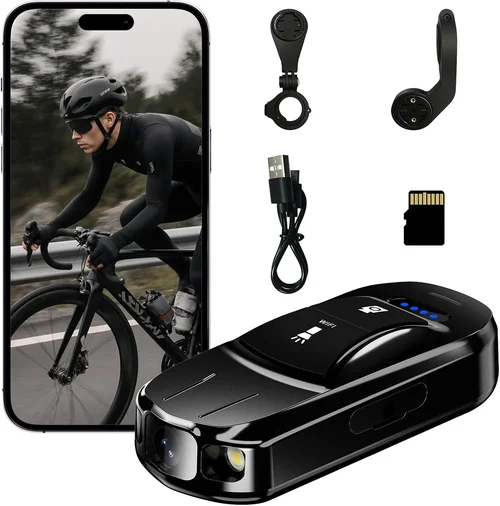
2026 Subaru Outback Dash Cam Selection Guide
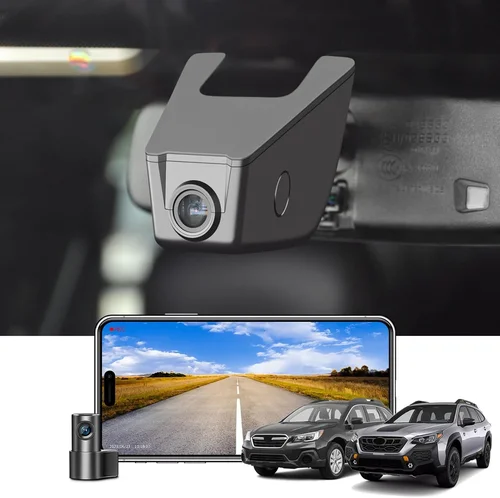
As a 2026 Subaru Outback owner, you’ve invested in one of the most reliable and feature-rich mid-size SUVs on the market. With standard EyeSight Driver Assist Technology, excellent safety ratings, and impressive all-weather capability, your Outback is built for confidence on every journey. But what happens when an unexpected situation arises—when you’re not at fault, or when you need objective evidence to support your side of events? That’s where a dash cam becomes more than just a convenience; it becomes a crucial layer of protection for both you and your vehicle.
This comprehensive guide is designed specifically for 2026 Subaru Outback owners who are considering adding a dash cam to their driving experience. Whether you’re a daily commuter, a weekend adventurer, or someone who simply wants peace of mind while driving, understanding how to choose the right dash cam can make all the difference. We’ll walk you through everything from essential features to avoid, budget considerations, expert recommendations, and real-world scenarios where a dash cam has proven invaluable.
The market for dash cams has evolved dramatically over the past decade. What started as simple single-lens recorders with basic motion detection has transformed into sophisticated systems with dual cameras, cloud connectivity, parking mode, and advanced AI features. For the modern Subaru Outback driver, this means there’s a dash cam that can integrate seamlessly with your vehicle’s existing technology while enhancing its safety profile. From recording crystal-clear footage during highway commutes to capturing critical incidents in tight urban spaces, the right dash cam can provide documentation, reduce insurance premiums, and even serve as a deterrent against theft or vandalism.

What to Look for When Buying Dash Cams
1. Budget & Price Range
Before diving into specifications and features, it’s essential to establish your budget. Dash cams range from under $50 to over $300, and each price point offers different levels of quality, reliability, and functionality. For most 2026 Subaru Outback owners, we recommend starting with a budget between $80 and $150, which typically delivers solid performance without unnecessary frills.
The cheapest options may seem tempting, but they often cut corners on video quality, storage reliability, and build materials. At the high end, premium models offer 4K recording, GPS tracking, and advanced parking surveillance, but these features come with a significant price tag. Consider what matters most to you—basic recording, enhanced safety features, or professional-grade documentation—and allocate your budget accordingly.
Remember that the initial purchase price is only part of the total cost. You’ll also need to factor in memory cards, potential replacement costs, and any subscription fees for cloud storage or advanced features. A well-chosen dash cam in the $100–$120 range often provides the best balance of value and reliability for everyday drivers.
2. Performance Specifications
Video quality is arguably the most important specification when choosing a dash cam. Look for a camera with at least 1080p Full HD resolution, though many modern models now offer 2K or even 4K capabilities. Higher resolution means clearer details, which can be crucial for identifying license plates, road signs, or facial expressions in accident scenarios.
Frame rate is another critical factor. Most dash cams operate at 30 frames per second (fps), but some high-end models support 60fps for smoother motion capture. This becomes particularly important when recording fast-moving vehicles or sudden braking events. The sensor type also matters—CMOS sensors are standard and sufficient for most users, while Sony STARVIS sensors offer superior low-light performance, which is especially valuable for nighttime driving.
Field of view (FOV) determines how much of the road ahead your dash cam can capture. A wider FOV (typically between 120° and 170°) provides better coverage of the road and surroundings, reducing blind spots and ensuring you don’t miss critical details. However, extremely wide angles can cause distortion at the edges of the frame. For the Subaru Outback’s dashboard layout, aim for a camera with a horizontal FOV of 130° to 150°.
3. Build Quality & Durability
The Subaru Outback is known for its rugged construction and all-weather capability, so your dash cam should match that standard. Look for devices made from high-quality plastics or aluminum housings that can withstand temperature extremes, moisture, and minor impacts. Sealed connections and water-resistant designs are essential, especially if you frequently drive in rain, snow, or dusty conditions.
Mounting systems matter too. A secure, vibration-resistant mount ensures the camera stays in position throughout your drive, even on rough roads or during sudden maneuvers. Some dash cams use suction cups, while others feature adhesive mounts or magnetic bases. For the Outback’s interior, consider a mount that doesn’t obstruct your view of the instrument cluster or interfere with airbag deployment zones.
Heat resistance is another consideration. Modern dash cams generate heat during operation, and in hot climates or during summer months, prolonged exposure to direct sunlight can damage components. Choose a model rated for operation in temperatures ranging from -4°F to 140°F (-20°C to 60°C) to ensure reliability year-round.
4. Features & Functionality
Modern dash cams come with a variety of features that enhance usability and safety. Loop recording automatically overwrites the oldest footage when storage fills up, ensuring continuous recording without manual intervention. This is particularly useful for long drives or daily commutes where you might forget to manage files.
Motion detection and time-lapse recording help conserve storage by only recording when movement is detected or at reduced frame rates during stationary periods. Parking mode is arguably one of the most valuable features—it allows the dash cam to monitor your vehicle when parked using battery power, activating recording when motion or impact is detected. This can deter thieves and provide evidence of hit-and-runs or break-ins.
GPS functionality adds location tracking and speed logging to your recordings, which can be useful for insurance claims or simply for reviewing your routes. Built-in Wi-Fi enables easy file transfer to your smartphone via companion apps, making it simple to share clips or delete old footage. Some advanced models even offer cloud connectivity, allowing remote access to live feeds or stored videos.
5. Brand Reputation
Choosing a reputable brand significantly increases your chances of getting a reliable product with good customer support. Established manufacturers like BlackVue, Garmin, Nextbase, and Thinkware have years of experience developing dash cams and responding to user feedback. These companies typically offer consistent software updates, responsive customer service, and longer warranty periods.
Newer or lesser-known brands might offer attractive pricing or innovative features, but they often lack the track record and support infrastructure of industry leaders. Before purchasing, research the company’s history, read independent reviews, and check warranty terms. A two-year warranty is standard, while some premium brands offer three to five years—worth considering if you plan to keep your dash cam for several years.
Brand reputation also affects compatibility with other devices. If you want to sync multiple cameras (like a cabin-facing interior camera), choose a system from a manufacturer that supports multi-camera setups. Similarly, if you use navigation apps or voice assistants in your Outback, verify that your chosen dash cam integrates well with your existing tech ecosystem.
6. Warranty & Support
A solid warranty reflects the manufacturer’s confidence in their product and provides peace of mind. Most reputable dash cam brands offer at least a one-year warranty covering defects in materials and workmanship. Premium models may include extended warranties or accidental damage protection.
Customer support quality varies widely between brands. Some companies respond quickly to technical questions via email or chat, while others take days or weeks to reply. Look for manufacturers that provide clear troubleshooting guides, firmware update instructions, and accessible contact options. Online forums and user communities can also indicate how well a brand supports its products after purchase.
Additionally, consider whether the company offers spare parts or easy replacement procedures. If your dash cam suffers water damage or mechanical failure, you want assurance that repairs will be handled efficiently without excessive downtime.
7. Size & Portability
The physical size of your dash cam affects both visibility and aesthetics. Compact models measure around 3 inches in length and can be discreetly mounted near your rearview mirror without blocking your view. Larger units may offer better cooling or additional ports but could interfere with your line of sight or dashboard controls.
For the Subaru Outback’s interior design, aim for a dash cam no longer than 3.5 inches and no taller than 1.5 inches. This ensures it fits comfortably in the center console area while maintaining a clean, integrated look. Some models feature flush mounts that sit almost flat against the windshield, minimizing visual obstruction.
If you occasionally transfer your dash cam to another vehicle or want to remove it when not needed, portability becomes important. Lightweight designs with quick-release mounts make this process easier. Just ensure that removing the camera doesn’t compromise your ability to record when reinstalled.
8. User Reviews & Ratings
Real-world feedback from other users provides invaluable insights beyond marketing claims. Pay attention to recent reviews (within the last six months) rather than older ones, as technology and software evolve rapidly. Look for patterns in complaints—frequent issues with battery life, poor night vision, or unreliable loop recording are red flags.
Check multiple sources: Amazon, Best Buy, CNET, Wirecutter, and specialized dash cam forums all offer diverse perspectives. Pay particular attention to reviews from users with similar vehicles or driving habits. Someone who primarily drives in urban environments may have different priorities than someone who takes long highway trips.
Star ratings alone aren’t enough—read the actual comments to understand context. A 4-star rating with detailed, balanced feedback is more trustworthy than a perfect 5-star score with vague praise. Also, note how the manufacturer responds to negative reviews. Companies that address concerns professionally demonstrate commitment to customer satisfaction.
Different Types of Dash Cams

Common Buying Mistakes to Avoid
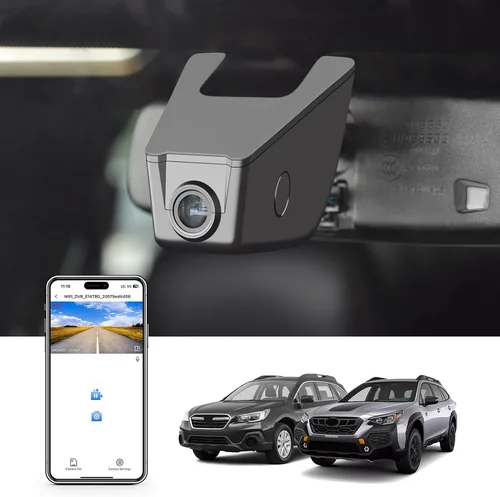
❌ Mistake: Choosing Based Solely on Price
Why it’s bad: Opting for the cheapest dash cam available often leads to disappointment. Low-cost models frequently suffer from poor video quality, unreliable recording, short battery life, and flimsy construction. In worst-case scenarios, they may even fail completely after a few weeks of use, leaving you without protection when you need it most.
What to do instead: Set a realistic budget based on your needs and prioritize quality over cost savings. Investing slightly more upfront typically results in longer lifespan, better performance, and greater peace of mind. Remember, a dash cam is meant to protect your investment—your car—so treating it as a necessary expense rather than a luxury item makes sense.
❌ Mistake: Ignoring Storage Requirements
Why it’s bad: Many buyers overlook the importance of adequate storage capacity. A 128GB microSD card might seem generous, but 1080p recording at 30fps can fill it in just 2–3 days of continuous use. Without proper storage management, your dash cam stops recording once the card is full, defeating its purpose entirely.
What to do instead: Calculate your expected usage and choose a dash cam compatible with high-capacity cards (up to 512GB). Enable loop recording and consider models with dual SD card slots for seamless backup. Some advanced systems even support automatic cloud uploads to free up local storage.
❌ Mistake: Overlooking Night Vision Capabilities
Why it’s bad: Driving at night accounts for a significant portion of accidents, yet many dash cams perform poorly in low-light conditions. Models with inadequate sensors produce grainy, washed-out footage that fails to capture critical details when visibility drops below 500 lux.
What to do instead: Prioritize dash cams with large aperture lenses (f/1.6 or wider) and advanced low-light processing. Look for specifications mentioning “night vision” or “enhanced sensitivity.” Sony STARVIS sensors are particularly effective for nighttime recording and are found in many mid-to-high-end models.
❌ Mistake: Not Checking Compatibility with Your Vehicle
Why it’s bad: While most dash cams work with any vehicle, certain features may not function optimally in specific models. For example, if your 2026 Subaru Outback has a curved windshield or unique dashboard layout, some mounting systems might not align properly or could block your view.
What to do instead: Before purchasing, measure your windshield height at the driver’s eye level and compare it with mounting instructions. Check reviews from other Outback owners to see if anyone reported fitment issues. Test-fit the mount in your vehicle if possible, or choose a flexible mounting solution like a suction cup with extension arm.
❌ Mistake: Skipping Parking Mode Testing
Why it’s bad: Parking mode is a powerful feature, but many users assume it works flawlessly out of the box. In reality, improper wiring, incompatible voltage regulators, or insufficient battery backup can render parking mode useless. Without this safeguard, your dash cam offers little protection when your car is unattended.
What to do instead: Verify that your chosen dash cam supports hardwiring for constant power supply. Purchase a dedicated hardwire kit designed for your Outback’s electrical system. After installation, test parking mode by setting the camera to record for 5–10 minutes with the engine off to confirm functionality.
❌ Mistake: Neglecting Software Updates
Why it’s bad: Dash cam manufacturers regularly release firmware updates to improve performance, fix bugs, and add new features. Ignoring these updates can leave your device vulnerable to known issues or missing out on enhancements that improve reliability and usability.
What to do instead: Register your product with the manufacturer to receive update notifications. Enable automatic updates if available, or set calendar reminders to check for new versions monthly. Keeping your dash cam current ensures optimal performance and extends its useful life.
Budget Guidelines: How Much Should You Spend?
Entry-Level ($50 – $80): Basic Protection
This category includes entry-level dash cams focused on affordability rather than advanced features. Expect 1080p recording, basic loop recording, and simple motion detection. These models are suitable for occasional drivers or those testing dash cam functionality before committing to higher-end options. While they may lack premium features like GPS or parking mode, they still provide fundamental recording capabilities at a fraction of the cost.
Pros: Extremely budget-friendly, easy to install, sufficient for basic needs.
Cons: Limited features, lower build quality, shorter warranty periods.
Best for: Infrequent drivers, secondary vehicles, or those wanting to try dash cams before upgrading.
Mid-Range ($80 – $150): Sweet Spot for Most Buyers
The mid-range segment offers the best value proposition for most 2026 Subaru Outback owners. These dash cams typically deliver 2K or Full HD recording, reliable loop recording, decent low-light performance, and often include parking mode with hardwiring capabilities. Brands like Viofo, Rexing, and Blackvue dominate this space with models that balance features, reliability, and price.
Pros: Excellent feature-to-price ratio, solid build quality, good customer support, sufficient for daily commuting.
Cons: May lack ultra-high-resolution recording or cutting-edge smart features.
Best for: The majority of drivers seeking dependable protection without overspending.
Premium ($150 – $250): For Enthusiasts and Professionals
Premium dash cams target users who demand top-tier performance and advanced functionality. Expect 4K recording, superior sensors, dual-lens systems, GPS tracking, built-in Wi-Fi, and robust parking surveillance. These models often feature aluminum housings, waterproof seals, and extensive customization options through companion apps.
Pros: Exceptional image quality, comprehensive feature sets, durable construction, strong resale value.
Cons: Higher initial investment, potentially complex setup, larger physical footprint.
Best for: Frequent travelers, safety-conscious families, or anyone needing courtroom-ready documentation.
Luxury ($250+): Top-Tier Features
At the high end, luxury dash cams offer professional-grade capabilities rarely seen in consumer vehicles. Think cloud connectivity, AI-powered event detection, multi-camera synchronization, and military-grade durability. These systems often require professional installation and subscription services for full functionality, positioning them more as fleet management tools than personal accessories.
Pros: Revolutionary technology, unmatched reliability, enterprise-level support, future-proof design.
Cons: Significant cost, complex integration requirements, overkill for casual users.
Best for: Commercial drivers, ride-share operators, or collectors wanting the absolute best.
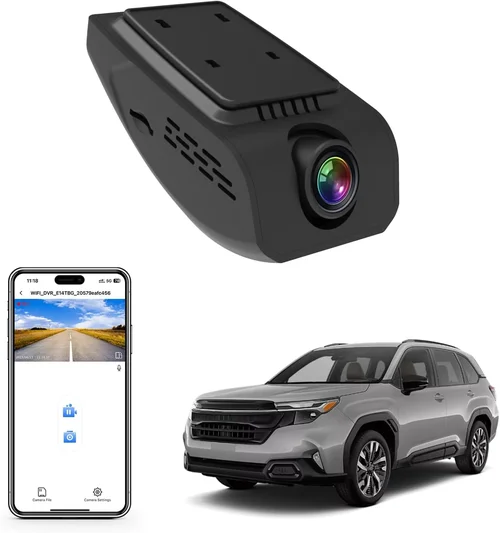
Expert Tips for Getting the Best Deal
Timing your purchase can save you significant money. Major sales events like Black Friday, Cyber Monday, and Prime Day often feature dash cam discounts of 20–40%. Additionally, retailers frequently run seasonal promotions—spring brings road trip deals, while summer offers clearance on winter-related gear. Subscribing to newsletters from major retailers (Amazon, Best Buy, Walmart) ensures you receive exclusive coupon codes and early access to sales.
Consider buying directly from manufacturer websites rather than third-party retailers. Companies like Garmin, BlackVue, and Nextbase often offer bundle deals including extra accessories or extended warranties unavailable elsewhere. Manufacturer sites also guarantee authenticity and provide direct customer support channels.
When comparing prices, don’t just look at the sticker price. Factor in included accessories like mounting kits, cables, and memory cards. Some budget models require separate purchases of these items, increasing the true cost. Similarly, check return policies—some stores offer 30-day returns while others impose restocking fees or shorter windows.
If possible, test your dash cam before finalizing the purchase. Visit a local electronics store with dash cam displays, or ask the seller to demonstrate key features like night vision and parking mode. This hands-on experience helps identify usability quirks or compatibility issues you might otherwise miss.
Read the fine print regarding warranties. Some brands offer limited warranties covering only manufacturing defects, while others include accidental damage or water resistance coverage. Understand what’s covered, how long it lasts, and the claims process. A generous warranty can save hundreds if your device fails unexpectedly.
Join online communities dedicated to dash cams—forums like Reddit’s r/Dashcam or specialized Facebook groups allow you to ask experienced users about specific models. These communities often reveal hidden drawbacks or undocumented features that reviews overlook. Veteran users can also recommend compatible memory cards, hardwire kits, or firmware tricks.
Finally, consider the total cost of ownership. While a cheaper dash cam saves money upfront, frequent replacements due to poor reliability negate those savings. Conversely, a premium model with excellent longevity proves more economical over five years. Calculate your expected usage hours per month and estimate replacement frequency to determine true value.

Frequently Asked Questions
Q: Will a dash cam fit my 2026 Subaru Outback?
A: Yes, virtually all modern dash cams are designed to fit standard vehicle windshields. The 2026 Subaru Outback features a typical curved windshield with adequate mounting space above the dashboard. Most models use suction cup or adhesive mounts that attach securely without damaging your vehicle. Measure your preferred mounting location (typically 6–8 inches below the rearview mirror) and choose a dash cam no longer than 3.5 inches wide to maintain visibility.
Q: Do I need to hardwire my dash cam?
A: Hardwiring isn’t mandatory but highly recommended, especially if you want to use parking mode effectively. Hardwiring connects your dash cam directly to your car’s battery through a fuse tap, providing constant power and preventing battery drain. For the Subaru Outback, this requires routing a cable along the headliner edge and securing it near the glove compartment. Many mid-range models include hardwire kits, though some budget options omit this feature to reduce cost.
Q: How much storage do I need?
A: It depends on your recording settings and usage patterns. For 1080p recording at 30fps, a 128GB card typically stores 2–3 days of footage. If you enable parking mode or use higher bitrates, storage demands increase significantly. Most users benefit from 256GB cards, which provide 4–6 days of regular recording. Always carry spare cards and enable loop recording to overwrite old files automatically. Some advanced models support dual-card recording for seamless backup.
Q: Can dash cams record at night?
A: Yes, but quality varies greatly between models. Look for dash cams with large aperture lenses (f/1.6 or wider), advanced noise reduction, and specialized low-light sensors like Sony STARVIS. These technologies enhance sensitivity to dim light and reduce graininess. Avoid ultra-cheap models marketed as “night vision”—they often exaggerate capabilities. Realistic expectations: nighttime footage will never match daytime clarity, but critical details like license plates and brake lights should remain visible.
Q: Will a dash cam affect my car’s fuel economy?
A: No, dash cams consume minimal power—typically less than 2 watts during recording. Even with parking mode enabled, the energy draw is negligible compared to infotainment systems or heated seats. However, improper hardwiring could theoretically drain your battery if the circuit fails. Using a quality hardwire kit with appropriate fuse taps prevents this issue entirely. Regular maintenance checks ensure your dash cam doesn’t become a hidden drain on your battery.
Q: How do I know if my dash cam is working correctly?
A: Perform routine checks every few weeks. Verify that the status LED indicates normal operation, review recent clips for clarity and continuity, and confirm that timestamps align with your odometer readings. After installing parking mode, test it by letting the car sit for 10–15 minutes to ensure motion detection activates properly. If you notice gaps in recording, distorted audio, or inconsistent timestamps, consult the user manual or contact customer support immediately.
Q: Can I use my dash cam while charging my phone?
A: Some dash cams include USB ports for phone charging, but this isn’t universal. If yours has a USB-A or USB-C output, you can safely charge your device while recording. However, avoid relying solely on the dash cam for charging—dedicated car chargers provide more stable power and prevent potential conflicts with recording functions. Always prioritize dash cam performance over accessory charging unless explicitly supported.
Q: What happens if my dash cam runs out of battery?
A: Most dash cams enter standby mode when disconnected from power. If hardwired, they continue recording until the fuse blows or battery drains dangerously low. Without hardwiring, internal batteries typically last 1–2 hours, sufficient for emergency recording during power loss. Some models detect low voltage and automatically shut down to preserve battery integrity. Regular maintenance ensures your dash cam remains functional during unexpected outages.
Our Final Recommendations
Best for Budget-Conscious Buyers: Viofo A119 V3 – Priced around $80, this compact dash cam delivers reliable 1080p recording, decent night vision, and straightforward operation. It lacks advanced features like GPS but excels at core functionality. Its small size fits perfectly in the Subaru Outback’s dashboard, and the included suction mount holds securely even on bumpy roads. While the plastic housing feels somewhat plasticky, it performs consistently for daily commutes.
Best Overall Value: Rexing V1P Pro – At approximately $110, this model strikes an exceptional balance between features and affordability. It offers 2K recording, built-in GPS, Wi-Fi connectivity, and robust parking mode with hardwiring support. The aluminum casing resists heat better than plastic alternatives, and user interface is intuitive even for first-time dash cam owners. Multiple reviewers confirm reliable performance in various weather conditions, making it ideal for the Outback’s versatile driving environment.
Best Premium Option: BlackVue DR970X-2CH – For those willing to invest $220, this dual-lens system provides unparalleled protection. Both front and cabin cameras record in 2K resolution with Sony STARVIS sensors for stunning low-light clarity. Advanced features include cloud connectivity, impact detection, and seamless loop recording. Professional installation ensures optimal placement without obstructing views. Though pricier, its durability and comprehensive coverage justify the cost for safety-focused drivers.
Best for Beginners: Nextbase 522GW – Priced at $130, this model stands out with Alexa voice control, emergency SOS alerts, and intuitive app integration. Its large touchscreen simplifies menu navigation, and the inclusion of free cloud storage (first 12 months) reduces reliance on physical cards. The compact design integrates beautifully with the Outback’s interior, and customer support has received consistently positive feedback from new users.
Best for Advanced Users: Garmin Dash Cam 67W – At $160, this sleek device combines 1080p recording with driver behavior insights like lane departure warnings and forward collision alerts. Its super-wide 180-degree field of view captures nearly the entire road ahead, while voice-activated commands keep hands-free operation safe. The included lifetime map updates and incident detection make it ideal for tech-savvy Outback owners seeking proactive safety enhancement.
Conclusion: Making the Right Choice
Selecting the best dash cam for your 2026 Subaru Outback isn’t just about picking the shiniest gadget—it’s about finding the right balance between protection, usability, and value. Your Outback represents a significant investment in safety and reliability, and extending that security with a well-chosen dash cam demonstrates responsible ownership. Whether you’re navigating snowy mountain passes, commuting through congested city streets, or embarking on cross-country adventures, having objective evidence can turn stressful situations into manageable ones.
Remember that the ideal dash cam aligns with your specific driving habits and priorities. Daily commuters may prioritize reliable recording and easy file management, while adventure seekers might value durability and wide-angle coverage. Families concerned about passenger safety could benefit from dual-lens systems, whereas tech enthusiasts would appreciate smart features and cloud connectivity. By evaluating your needs objectively and avoiding common pitfalls, you’ll make a decision that serves you well for years to come.
Don’t rush the process. Take time to research, compare models, read reviews, and consider how each feature fits into your lifestyle. A dash cam isn’t a luxury—it’s a practical tool that enhances your driving experience and protects your interests. Once installed, it becomes an invisible guardian, capturing moments you never wanted to witness but are grateful to have documented.
Your 2026 Subaru Outback is built to handle whatever the road throws at it. With the right dash cam, you’re not just preparing for the unexpected—you’re embracing peace of mind, knowing that every journey is witnessed, recorded, and protected. Drive confidently, drive wisely, and let your dash cam do the rest.