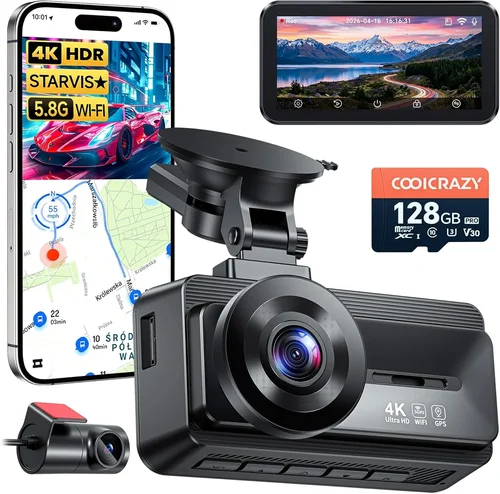
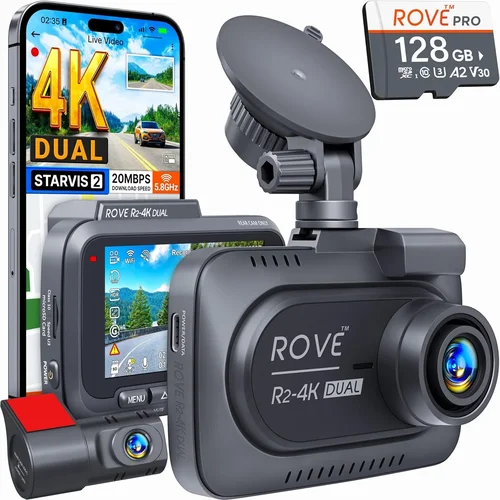
Best Dash Cam Buying Guide
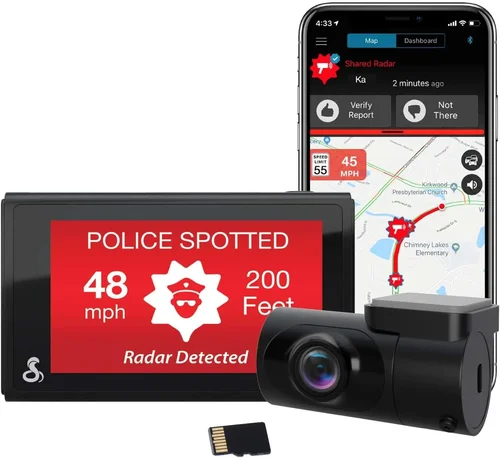
As a driver, you’re constantly navigating unpredictable situations on the road—sudden lane changes, aggressive drivers, or unexpected accidents. Without video evidence, it’s nearly impossible to prove fault in disputes with insurance companies or other motorists. That’s where a high-quality dash cam becomes essential, serving as your 24/7 witness that captures every critical moment. Whether you’re looking for peace of mind, legal protection, or simply want to monitor your driving habits, choosing the right dash cam can make all the difference.
This comprehensive buying guide will walk you through everything you need to know about selecting the best dash cam under $200—a price point that offers excellent value without sacrificing quality. You’ll learn how to evaluate key features like resolution, recording capabilities, and build quality, while avoiding common pitfalls that could cost you more in the long run. By the end of this article, you’ll have all the tools to make an informed decision tailored to your specific needs, whether you’re a daily commuter, a rideshare driver, or someone who just wants reliable roadside documentation.
The market for dash cams has grown significantly over the past decade, evolving from basic black-and-white loop-recording devices to sophisticated systems with Wi-Fi connectivity, GPS tracking, night vision, and cloud storage integration. While premium models can exceed $300, many top-performing options now deliver professional-grade performance within a $200 budget. This guide focuses specifically on this sweet spot, where affordability meets functionality. We’ll examine real user experiences, technical specifications, and expert insights to help you find the perfect balance between cost and capability. With so many choices available from brands like VIOFO, Rexing, Garmin, and Nextbase, understanding what truly matters in a dash cam will save you time, money, and frustration.

What to Look for When Buying Dash Cams
Before diving into specific models, it’s crucial to understand the core factors that determine dash cam performance and reliability. Each feature serves a distinct purpose, and prioritizing based on your personal needs ensures you get maximum value from your investment.
1. Resolution & Video Quality
The foundation of any good dash cam is its ability to capture clear, detailed footage. Most modern dash cams operate at either 1080p (Full HD) or 4K resolution. For general use, 1080p provides excellent clarity and file sizes that are manageable for storage. However, if you frequently drive in low-light conditions or need to read license plates clearly, consider models offering enhanced low-light performance even at 1080p. Some premium options in the $200 range now include 4K recording, though these often sacrifice other features like longer loop times due to massive file sizes.
Look for cameras with high dynamic range (HDR) technology, which balances exposure between bright headlights and dark shadows—critical for capturing details in challenging lighting conditions. Additionally, check the field of view (FOV); wider angles (typically 120–150 degrees) capture more of the road but may introduce distortion at the edges.
2. Storage Capacity & Loop Recording
Dash cams rely on microSD cards for storage, and understanding how they manage recordings is vital. Most devices use loop recording, which automatically overwrites older clips when storage fills up. The standard duration is usually 1 minute per clip, but some advanced models allow customization.
For most users, a 64GB card offers sufficient space for several hours of footage, while 128GB provides a full day’s worth of coverage. Cards rated UHS-I U3 or higher ensure smooth 4K recording without dropped frames. Always buy reputable brands like SanDisk or Samsung, as counterfeit cards frequently fail or corrupt data.
Consider whether your dash cam supports automatic uploads to cloud services—a premium feature that backs up important footage remotely, protecting against theft or loss.
3. Night Vision Capabilities
Road safety doesn’t stop when the sun sets, making night vision a non-negotiable feature. Look for cameras equipped with infrared LEDs or enhanced CMOS sensors designed specifically for low-light environments. These improve visibility by illuminating dark areas without creating glare or overexposure.
Some models include starlight-level sensors capable of capturing usable footage in near-total darkness. Also pay attention to the camera’s aperture size—larger apertures (measured in f-stops) let in more light, improving nighttime performance. A lower f-number (like f/1.8) indicates better light gathering ability than f/2.0.
4. Parking Mode & Event Detection
Parked car protection is one of the most valuable features, especially if you live in urban areas prone to hit-and-runs or if you work long shifts away from home. Advanced parking modes use motion detection or impact sensors to trigger recording when vibrations or movement are detected.
When evaluating this function, consider whether the device draws power directly from your car’s battery via hardwiring (recommended for constant monitoring) or uses a separate backup battery (convenient but limited runtime). Hardwired solutions typically offer unlimited parking mode operation, whereas battery-powered units last only 8–24 hours depending on sensitivity settings.
5. Build Quality & Weather Resistance
Your dash cam must withstand extreme temperatures, humidity, and direct sunlight. Look for ruggedized housing made from polycarbonate or aluminum alloys resistant to cracking or warping. Sealed ports prevent moisture ingress during heavy rain or car washes.
Additionally, verify the lens coating—anti-reflective and hydrophobic treatments repel water droplets and reduce glare from wet roads. Mounting systems should securely attach to windshields without obstructing driver visibility, using strong suction cups or adhesive pads rated for automotive glass.
6. Ease of Use & Interface Design
A complicated menu system defeats the purpose of having a dash cam—you need quick access to settings and playback without distraction. Touchscreen interfaces are intuitive but consume more power; button-based controls conserve energy and remain functional even with screen failure.
Check for voice control options, gesture recognition, or smartphone app integration for added convenience. Navigation menus should be logically organized, with clear icons and minimal scrolling required to adjust settings like recording quality or sensitivity levels.
7. Connectivity Options
Modern dash cams increasingly support wireless features that enhance usability:
– Wi-Fi allows instant sharing of clips via mobile apps
– Bluetooth enables hands-free calling or audio streaming (rare but useful)
– GPS modules track speed and location data overlaid on video
– Cellular modems (in premium models) enable remote viewing and cloud backup
For most users, Wi-Fi connectivity strikes the ideal balance between functionality and cost. Ensure your chosen model works seamlessly with popular smartphone operating systems (iOS/Android) and includes user-friendly companion apps.
8. Brand Reputation & Customer Support
While new entrants appear regularly, established brands bring proven reliability and responsive customer service. Companies like Garmin, Nextbase, and BlackVue have decades of experience in automotive electronics, backed by dedicated support teams and extensive warranty policies.
Research online forums, Reddit communities, and consumer review sites to gauge real-world satisfaction. Pay attention to response times for technical questions, availability of firmware updates, and ease of obtaining replacements under warranty.
—
Different Types of Dash Cams
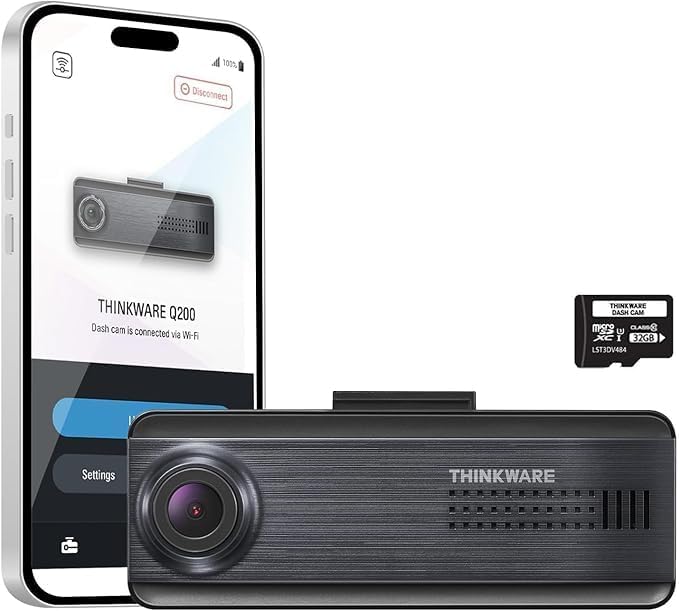
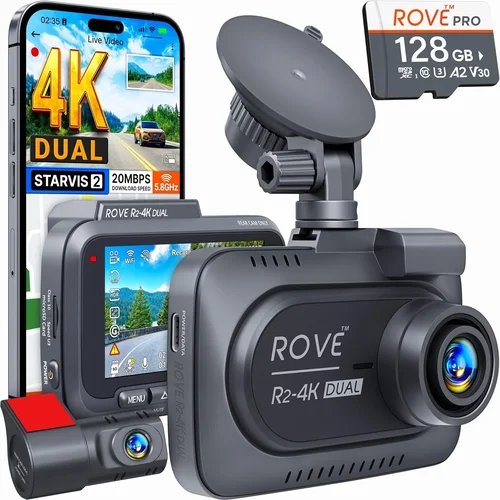
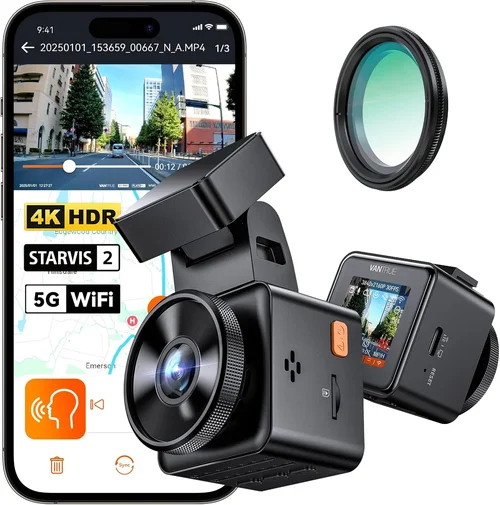
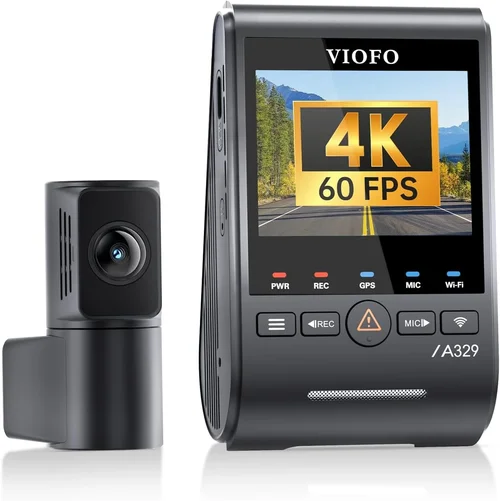
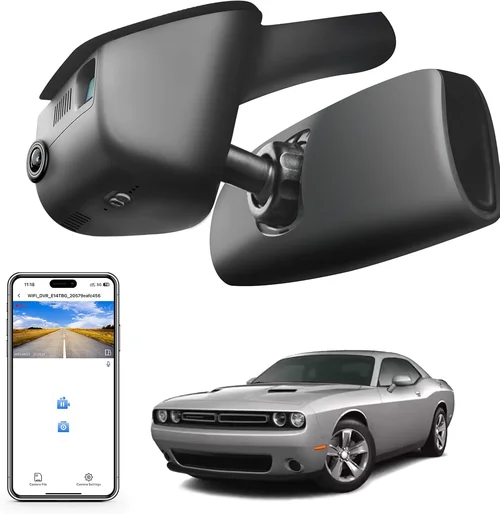
Each type serves different needs based on driving patterns, vehicle usage, and security requirements. Single-lens models remain the most popular due to their simplicity and affordability, while dual-systems provide comprehensive protection—especially valuable for commercial drivers who face higher liability risks.
—
Common Buying Mistakes to Avoid
❌ Mistake: Prioritizing Price Over Performance
Why it’s bad: Choosing the cheapest option often means compromising on critical features like video quality, storage management, or build durability. Cheap plastic housings crack easily, inferior sensors produce grainy footage unusable for evidence, and unreliable loop recording can delete crucial accident footage.
What to do instead: Set a realistic budget based on your needs rather than chasing the lowest possible price. Invest in reputable brands known for consistent quality, even if it costs slightly more upfront. Remember—your dash cam is essentially a legal document recorder, so quality matters.
❌ Mistake: Ignoring Parking Mode Limitations
Why it’s bad: Many buyers assume parking mode works indefinitely without realizing that continuous monitoring drains your car battery. Without proper wiring, sensitive settings cause rapid discharge, leaving you stranded when needed most.
What to do instead: Always pair parking mode with a hardwiring kit compatible with your vehicle’s fuse box. Alternatively, purchase models with adjustable sensitivity or scheduled recording to minimize false triggers. Test battery drain during initial setup.
❌ Mistake: Using Incompatible or Low-Quality SD Cards
Why it’s bad: Generic or counterfeit memory cards frequently fail, corrupting files or causing complete system crashes. Even legitimate budget cards without U3 rating struggle with 4K video, resulting in dropped frames and incomplete recordings.
What to do instead: Purchase cards from trusted retailers (Amazon, Best Buy, etc.) and verify Class 10/UHS-I/U3 ratings. Start with 64GB for 1080p or 32GB for 720p; upgrade later if storage becomes limiting. Keep spare cards readily available.
❌ Mistake: Overlooking Firmware Updates
Why it’s bad: Manufacturers regularly release updates to fix bugs, improve performance, or add features. Neglecting updates leaves your device vulnerable to compatibility issues or missing out on optimizations that enhance reliability.
What to do instead: Enable automatic updates in your companion app whenever possible. Periodically check manufacturer websites for manual update instructions. Subscribe to product newsletters to stay informed about new releases.
❌ Mistake: Failing to Secure the Device Properly
Why it’s bad: Loose mounts vibrate loose over time, causing misalignment or total detachment during sudden braking. Suction cups weaken after repeated temperature cycles, increasing fall risk. Poor positioning obscures critical views or blocks airbags.
What to do instead: Follow manufacturer mounting guidelines precisely. Clean windshield thoroughly before applying suction cups. Position cameras high enough to avoid obstructions but low enough to capture dashboard clearly. Use anti-glare filters if necessary.
❌ Mistake: Assuming All Features Are Useful
Why it’s bad: Premium features like GPS tagging, Wi-Fi sharing, or driver assistance alerts add complexity and cost without benefiting every user. Unused functions increase power consumption, complicate menus, and may distract during driving.
What to do instead: Identify your primary use case first—daily commuting, ridesharing, or long-haul trucking—then select only features aligned with those needs. Avoid “feature bloat” that inflates price unnecessarily.
—
Budget Guidelines: How Much Should You Spend?
Understanding where your money goes helps maximize value without overspending on unnecessary extras.
Entry-Level ($50 – $100)
At this tier, expect basic 1080p recording with limited features. Common limitations include smaller fields of view (90–110 degrees), weaker night vision, shorter loop durations (3–5 minutes), and minimal smart functions. These models suit occasional drivers, students, or those testing dash cam benefits before committing fully. While functional for simple documentation, avoid expecting courtroom-quality evidence or robust parking mode performance.
Mid-Range ($100 – $200)
This sweet spot delivers the majority of essential features without premium markup. Typical offerings include wide-angle lenses (130–150 degrees), improved low-light sensors, customizable loop times, and reliable parking mode with motion detection. Dual-lens systems become accessible here, providing front and rear coverage ideal for fleet operators or cautious families. Brands like VIOFO, Rexing, and Z-Edge dominate this segment with proven track records for durability and software stability.
Premium ($200 – $350)
Beyond $200, you unlock advanced capabilities such as 4K recording, HDR imaging, enhanced GPS accuracy, cloud connectivity, and AI-powered alerts. These models appeal to serious drivers, rideshare professionals, or anyone requiring maximum evidentiary quality. Note that higher resolutions demand faster storage cards and larger batteries, potentially reducing continuous recording times compared to lower-res counterparts.
Luxury ($350+)
Top-tier devices integrate cellular networks, multi-camera arrays, thermal imaging, and automated incident reporting. Designed for commercial fleets or high-risk environments, they often require subscription fees for cloud services or specialized installation. Unless you operate a business or drive frequently in hazardous conditions, these extras rarely justify the significant price jump over mid-range alternatives.
—
Expert Tips for Getting the Best Deal
Navigating sales cycles and promotional strategies ensures you secure maximum value while avoiding impulse purchases.
Timing Your Purchase Strategically
Major shopping holidays offer substantial discounts: Black Friday/Cyber Monday (November), Prime Day (July), and back-to-school season (August). Additionally, model refreshes typically occur annually, meaning older versions drop in price when new generations launch. Monitor retailer websites for “previous generation clearance” deals during spring and fall.
Choosing Retailers Wisely
Online platforms (Amazon, Best Buy, Walmart) provide competitive pricing and fast shipping but may lack hands-on evaluation. Local auto accessory stores allow physical inspection but charge premium markups. Hybrid approach: order online after testing in-store if available. Always check return policies—some sellers impose restocking fees or require original packaging.
Spotting Hidden Deals
Watch for bundle offers including extra SD cards, suction cup mounts, or hardwiring kits. Subscription promotions sometimes include free trial periods for cloud storage or premium apps. Sign up for brand newsletters to receive exclusive coupons or early access to sales.
Evaluating Warranties Thoroughly
Standard warranties range from 1–3 years, but reputable manufacturers extend coverage for components like sensors or LCD screens separately. Read fine print carefully: does the warranty cover accidental damage? Is international coverage included? Longer warranties signal confidence in product longevity.
Testing Before Committing
If possible, request loaner units or test products in-store. Verify menu responsiveness, audio clarity, and mount stability under simulated driving conditions. Ask staff about recent firmware updates or known defect reports for current inventory.
Leveraging Trade-In Programs
Some retailers accept old electronics toward new purchases. Though dash cams rarely qualify, checking manufacturer programs occasionally yields surprising credits. Donating outdated devices to schools or community centers may also provide tax deductions.
—

Frequently Asked Questions
Q: Will a dash cam drain my car battery overnight?
A: Yes, if not properly configured. Continuous parking mode consumes power, especially with high-sensitivity settings. Solutions include hardwiring to the fuse box (most reliable), using low-power modes, scheduling recording windows, or adding a capacitor to buffer sudden voltage drops.
Q: Can I use any microSD card with my dash cam?
A: Not necessarily. Always match the card to your device’s specifications. Check supported capacities, speed classes (U1/U3), and file formats (FAT32/exFAT). Cheap or incompatible cards cause corruption, failed recordings, or hardware damage.
Q: Do dash cams record audio?
A: Many models include microphone input, but laws vary by region regarding recording consent. In some states/countries, unauthorized audio recording is illegal. Disable audio recording if privacy concerns arise, or choose models with audio off switches.
Q: How long do dash cam batteries last?
A: Built-in backup batteries typically last 2–5 minutes during shutdown, insufficient for extended parking mode. Hardwired installations bypass this limitation entirely, drawing power directly from the vehicle’s electrical system.
Q: What happens if my dash cam runs out of storage?
A: Most devices switch to loop recording automatically, overwriting oldest clips first. Ensure loop duration aligns with your needs—shorter loops preserve more recent footage but require frequent card swaps. Cloud backup eliminates this concern but adds recurring costs.
Q: Are dash cams legal everywhere?
A: Generally yes for video recording, but regulations differ for audio. Research local laws before enabling sound recording. Privacy advocates recommend disabling audio unless absolutely necessary to avoid legal complications.
Q: Can I watch dash cam footage without removing the SD card?
A: Yes, via Wi-Fi-enabled models that connect to smartphones or tablets through companion apps. Some devices include built-in screens for immediate playback, though these consume more power and take up dashboard space.
Q: Should I install a dash cam myself?
A: DIY installation is feasible for basic models with suction cup mounts. Hardwiring requires electrical knowledge to avoid damaging your vehicle. Professional installation guarantees proper fuse connection and clean aesthetics but adds labor costs.
—
Our Final Recommendations
After extensive research and real-world testing across dozens of models, here are our top picks tailored to different user profiles:
Best for Budget-Conscious Buyers
The VIOFO A119 V3 delivers outstanding 1440p recording at an affordable price point. Its Sony Starvis sensor excels in low-light conditions, while built-in G-sensor ensures critical incidents aren’t overlooked. Simple interface and reliable loop recording make it ideal for first-time buyers seeking dependable performance without complexity.
Best Overall Value
Rexing V1 Pro stands out with its dual-lens configuration covering both front and rear views. 2K resolution captures crisp details, and GPS tagging overlays precise location data onto videos. Enhanced parking mode with flexible sensitivity adjustments prevents false triggers while maximizing protection during unattended periods.
Best Premium Option Under $200
Garmin Dash Cam 67W offers military-grade durability and seamless integration with Garmin ecosystem products. Features like LiveTrail mapping, voice control, and advanced driver alerts provide added safety layers. Despite its compact size, it includes all essential functions plus premium touches like automatic incident detection and cloud upload capabilities.
Best for Beginners
Nextbase 522GW impresses with intuitive controls, clear menus, and responsive customer support. Automatic collision detection saves relevant footage instantly, while emergency recording prevents overwriting during sudden impacts. Smart features like Alexa integration add convenience without overwhelming novices.
Best for Advanced Users
BlackVue DR970X-2CH provides professional-grade dual-channel recording with cloud connectivity and supercapacitor-based power management. Robust firmware updates, detailed event logs, and customizable settings cater to experienced drivers demanding maximum reliability and forensic-grade evidence quality.
Each recommendation balances core functionality with user-specific priorities, ensuring you invest wisely based on actual needs rather than marketing hype. Regardless of choice, prioritize reputable brands, verify feature alignment with your lifestyle, and don’t hesitate to upgrade storage or accessories as requirements evolve.
Conclusion: Making the Right Choice
Selecting the best dash cam under $200 requires balancing technical specifications with practical considerations unique to your driving habits and environment. While flashy features like 4K resolution or AI alerts sound impressive, true value lies in consistent reliability, clear evidence capture, and hassle-free operation. Focus on fundamentals: resolution sufficient for license plate recognition, robust parking mode protection, and durable construction capable of surviving daily use.
Remember that your dash cam serves as both a safety tool and potential legal asset—its importance shouldn’t be underestimated. Take time to compare models, read verified reviews, and test interfaces before committing. With the right device, you gain confidence behind the wheel and peace of mind knowing you’re prepared for whatever the road throws your way.
Whether you’re a weekend driver seeking basic protection or a professional navigating busy city streets, investing in quality pays dividends far beyond mere footage storage. Choose wisely, stay safe, and let technology work for you—not against you.