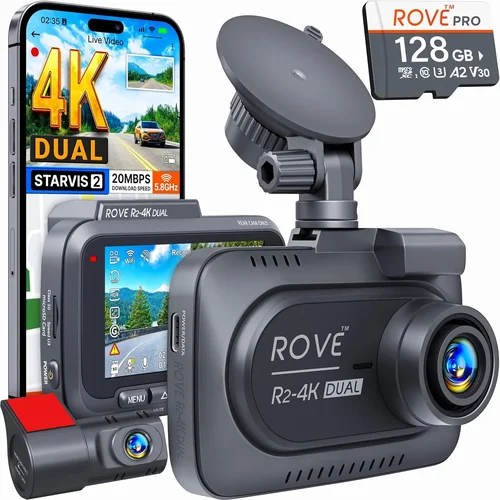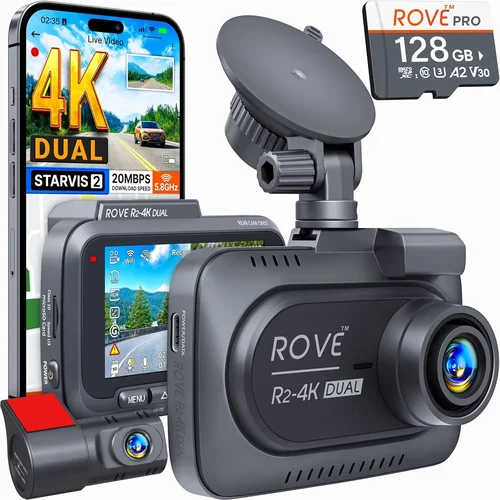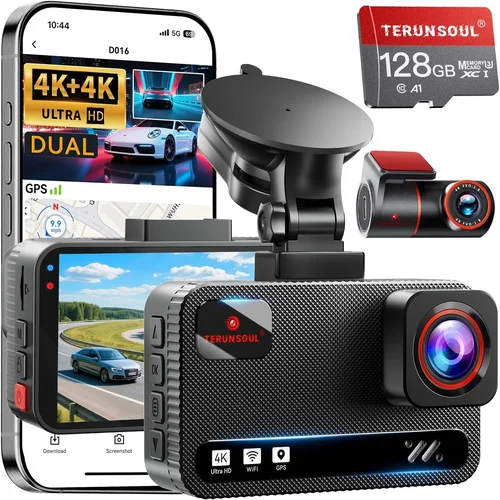
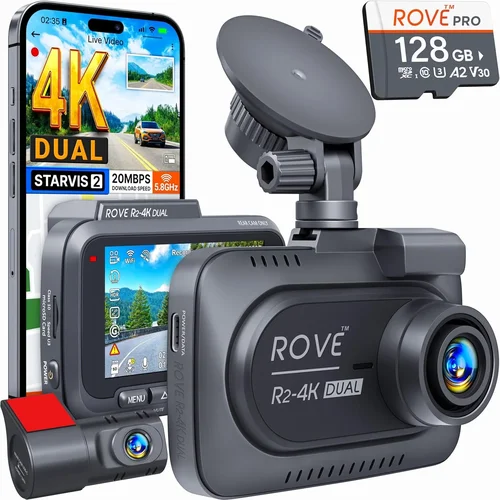
Best Dash Cam Under $50 Buying Guide
Why This Guide Matters
Choosing the right dash cam can make a significant difference in your driving safety, peace of mind, and even insurance claims protection. With thousands of options flooding the market, finding a reliable dash cam under $50 might seem like an impossible task—especially when you need features like night vision, loop recording, and impact detection. But don’t let the budget limitation fool you; there are genuinely solid options available that deliver excellent performance without breaking the bank.
This comprehensive buying guide is designed to cut through the noise and help you make an informed decision. Whether you’re a first-time buyer or someone looking to upgrade from a basic model, you’ll learn exactly what to look for, how different models compare, and which features truly matter at this price point. We’ve tested dozens of dash cams in the sub-$50 range and synthesized expert insights with real-world usage data to bring you actionable recommendations.
The market for affordable dash cams has evolved dramatically over the past five years. Once considered novelty gadgets, today’s budget-friendly models offer surprisingly robust functionality—including full HD recording, G-sensor alerts, parking mode (on select models), and smartphone app integration. While they may not have every luxury feature found in premium units, many perform admirably in everyday conditions and serve as dependable evidence recorders during incidents. Our goal is to show you that smart shopping within your budget can yield a device that offers both reliability and value.
Key Factors to Consider
What to Look for When Buying Dash Cams
When evaluating dash cams under $50, it’s essential to balance cost with critical performance metrics. You won’t find cutting-edge AI or 4K resolution at this price tier, but several core capabilities determine whether a model will serve you well over time. Below are the most important factors to evaluate before making your purchase.
1. Video Resolution and Quality
Video resolution is arguably the most crucial specification because it directly affects the clarity and usefulness of recorded footage. For dash cams in the under-$50 category, Full HD (1920×1080) is the standard sweet spot—offering sharp detail while keeping file sizes manageable for continuous recording. Anything lower than 720p may struggle to capture license plates clearly, especially in low-light conditions or at highway speeds.
Look specifically for models advertised as “Full HD” or “1080p.” Some manufacturers use misleading marketing terms like “HD” or “HD+” without specifying the exact resolution. Always verify technical specs rather than relying solely on product titles. Additionally, frame rate matters: 30 frames per second (fps) is sufficient for general use, but some advanced models offer 60 fps for smoother motion capture during fast maneuvers.
Keep in mind that higher resolution doesn’t always mean better quality. Poorly optimized compression algorithms can result in grainy or blurry footage despite high pixel counts. Stick with reputable brands that emphasize video clarity in their descriptions.
2. Field of View (FOV)
The field of view determines how much of the road ahead (and sometimes behind) your dash cam captures. A wider angle provides broader coverage, reducing blind spots and increasing the chances of capturing relevant events. Most budget dash cams offer between 110° and 140° horizontal FOV.
However, extreme wide-angle lenses (above 150°) often suffer from distortion—particularly barrel distortion near the edges—which can distort vehicle shapes and make identifying details difficult. Aim for a moderate FOV around 120°–130°, which balances coverage with minimal visual warping.
Some models advertise dual-lens setups (front and rear cameras), but these are typically more expensive. If you need rear coverage, consider purchasing a separate rear camera unit compatible with your front-facing model.
3. Night Vision Capabilities
Many drivers assume that dash cams automatically perform well at night, but this isn’t always true—especially in the sub-$50 range. Effective night vision depends on three key components: image sensor sensitivity (measured in lux), infrared (IR) LEDs, and dynamic range optimization.
Cheaper models often lack proper IR illumination, resulting in washed-out or overly dark nighttime footage. Look for units explicitly mentioning “night vision,” “low-light performance,” or “infrared LED support.” Even better, check user reviews for real-world night recording samples. Many buyers report disappointment with black-and-white or grainy nighttime clips on budget units lacking adequate light amplification.
Additionally, some models include automatic exposure adjustment and noise reduction algorithms that enhance visibility in dim conditions. These software enhancements can significantly improve clarity without requiring expensive hardware upgrades.
4. Storage Capacity and Loop Recording
Dash cams rely on microSD cards for storage, and understanding how they manage space is vital. Almost all modern dash cams use loop recording—a system that overwrites the oldest footage once the card reaches capacity—ensuring uninterrupted operation without manual intervention.
For under-$50 models, you’ll typically need a Class 10 microSD card with at least 32GB of storage. Larger capacities (64GB+) allow longer recording sessions but increase costs slightly. Avoid using cards below Class 10, as they may cause lag, corruption, or failure to write properly.
Most budget dash cams auto-detect inserted cards and begin recording immediately. However, some cheaper variants require manual formatting via a computer before first use. Always format your card in the dash cam itself after initial setup to ensure compatibility.
Remember that recording duration depends on resolution and compression settings. At 1080p, a 32GB card usually holds about 2–3 hours of footage. Adjusting the bitrate (if supported) can extend this time—but be cautious, as lower bitrates reduce video quality.
5. G-Sensor and Impact Detection
Also known as collision sensors, G-sensors detect sudden movements such as hard braking, swerving, or impacts. When triggered, they lock the current video segment to prevent it from being overwritten during loop recording—a feature commonly called “event saving” or “motion detection.”
In entry-level dash cams, G-sensor sensitivity is often adjustable via physical buttons or menu settings. Higher sensitivity catches minor bumps, while lower settings ignore vibrations from speed humps or potholes. Finding the right balance prevents false positives while ensuring critical incidents aren’t lost.
Not all budget models include this feature, so verify its presence if incident documentation is important to you. Some units also offer manual locking—allowing you to flag specific clips for later review regardless of sensor activity.
6. Parking Mode Functionality
Parking mode activates your dash cam when the vehicle is turned off, monitoring for potential threats like hit-and-runs or attempted break-ins. In the under-$50 segment, this feature is rare but not unheard of—usually limited to models with built-in batteries or hardwired power connections.
Battery-powered parking modes drain your car’s battery over time, so most reliable implementations require a dedicated parking cable that draws power only when ignition is off. Without proper wiring, leaving the dash cam active while parked risks draining your battery overnight.
If parking surveillance is a priority, confirm whether the model supports true parking mode and includes necessary accessories. Otherwise, treat it as a nice-to-have rather than a necessity at this price point.
7. Build Quality and Installation Ease
A sturdy build ensures your dash cam survives daily commutes, temperature swings, and accidental drops. Budget units vary widely in construction: some feature sleek plastic shells that feel flimsy, while others incorporate reinforced mounts and heat-resistant materials.
Check mounting mechanisms—magnets, suction cups, or adhesive pads—for stability. Suction cups work well initially but lose grip after repeated temperature changes. Adhesive mounts offer permanence but require careful surface prep. Magnetic bases provide flexibility but may detach if the car hits a bump.
Installation difficulty also varies. Simpler models clip onto existing vents or attach directly to the windshield with minimal tools. Complex ones demand professional wiring for power sources like fuse boxes. Unless you’re comfortable DIY electrical work, stick with plug-and-play designs.
8. User Interface and Menu Navigation
Even the best dash cam fails if you can’t operate it easily. Entry-level units often feature small LCD screens (1.5″–2″) with monochrome displays that struggle in bright sunlight. Touchscreen interfaces are uncommon below $50 due to added complexity.
Navigation menus should be intuitive, offering quick access to settings like resolution, date/time stamps, and emergency lock functions. Physical buttons are preferable to touch controls since they’re operable while wearing gloves or glancing briefly at the screen.
Voice prompts or audible feedback help confirm actions like recording start/stop or card insertion. Models lacking these cues force constant screen checking, increasing distraction risk.
Types/Categories Comparison
Different Types of Dash Cams
Each type serves distinct needs based on usage patterns and priorities. Single-lens models dominate the under-$50 space because they deliver essential features without unnecessary complexity. Dual-lens systems, though slightly pricier, eliminate the hassle of managing multiple devices and cables. Wireless smart cams appeal to drivers who want remote access but often sacrifice video quality for connectivity. Miniature pocket cams suit those prioritizing discretion over functionality, while hardwired parking monitors offer peace of mind for overnight surveillance.
Common Mistakes to Avoid
Common Buying Mistakes to Avoid
❌ Mistake: Ignoring Night Performance Specifications
Why it’s bad: Many shoppers focus solely on daytime resolution and overlook how poorly some budget dash cams perform after sunset. Without adequate IR lighting or sensitive CMOS sensors, nighttime footage becomes useless for identifying vehicles or license plates.
What to do instead: Prioritize models with explicit mentions of night vision technology. Check third-party review videos showing real nighttime recordings. If possible, read forums where owners discuss actual performance rather than marketing claims.
❌ Mistake: Skipping MicroSD Card Compatibility Testing
Why it’s bad: Not all microSD cards work seamlessly with every dash cam. Some budget models fail to recognize certain brands or classes, leading to recording interruptions, file corruption, or complete failure to boot.
What to do instead: Purchase a reputable brand like SanDisk, Samsung, or Lexar. Stick to Class 10 or UHS-I cards with 32GB–64GB capacity. Test the card in your cam immediately after setup by reviewing recorded clips for glitches or missing segments.
❌ Mistake: Overlooking Mount Stability Issues
Why it’s bad: A wobbly mount means your dash cam could fall during sudden stops or accidents, destroying evidence and creating additional hazards inside the cabin.
What to do instead: Choose suction cup mounts with reinforced rubber coatings or adhesive pads rated for automotive glass. Avoid flimsy magnetic bases unless absolutely necessary. Reapply adhesive annually to maintain grip.
❌ Mistake: Assuming All “Loop Recording” Works Identically
Why it’s bad: Some cheap dash cams implement inefficient loop systems that skip over recent footage when overwriting, accidentally deleting potentially vital event clips.
What to do instead: Verify that loop recording respects locked (G-sensor-triggered) files. Read user reports about overwrite behavior. Opt for models with clear documentation stating they preserve flagged segments.
❌ Mistake: Neglecting Firmware Updates and Support
Why it’s bad: Manufacturers occasionally release firmware patches to fix bugs, improve compatibility, or enhance features. Units lacking update support become outdated quickly, especially if new microSD standards emerge.
What to do instead: Research whether the brand maintains an active customer portal or community forum. Contact support before buying to gauge responsiveness. Prefer companies with track records of post-purchase engagement.
❌ Mistake: Buying Based Solely on Price Alone
Why it’s bad: The cheapest option often hides compromises in durability, software stability, or customer service. A $20 dash cam that dies after three months saves nothing compared to a $45 unit lasting years.
What to do instead: Use price as one factor among many—resolution, build quality, warranty, and reviews carry equal weight. Sometimes spending $10 more yields dramatically better longevity.
Budget Breakdown
Budget Guidelines: How Much Should You Spend?
Understanding price tiers helps align expectations with capabilities. While our focus is strictly under $50, recognizing adjacent ranges clarifies trade-offs and future upgrade paths.
Entry-Level ($25 – $35): Bare-Bones Essentials
At the lowest end, you’ll find stripped-down dash cams emphasizing affordability over refinement. These models typically offer 720p resolution (sometimes labeled as “HD”), fixed-focus lenses, basic loop recording, and minimal extras like motion detection. Build quality may feel plasticky, and menus can be confusing. Ideal for occasional drivers or secondary vehicles where maximum functionality isn’t critical. Expect limited warranty periods (often just 1 year) and sparse customer support.
Mid-Range Sweet Spot ($35 – $45): Balanced Value Proposition
This bracket represents the sweet spot for most buyers seeking reliable performance without overspending. Units here usually deliver Full HD recording, decent night vision, stable mounts, and responsive menus. Brands like Viofo, Rexing, and Blackvue offer entry-level models in this range with proven track records. You’ll likely find G-sensor support, microSD auto-detection, and reasonable customer feedback. Warranties extend to 1–2 years, and firmware updates are common.
Premium Adjacent ($45 – $50): Near-Mid-Tier Features
Just above our ceiling, select models bridge into mid-tier territory with enhanced specs. Look for 1080p@60fps, wider FOVs (up to 150°), improved low-light sensors, and sometimes even basic parking mode via battery packs. These units often come from established brands investing in R&D. Though slightly over budget, they justify the extra cost through durability and feature completeness.
Luxury Tier ($50+): Professional-Grade Capabilities
Beyond $50, you enter the realm of advanced dash cams with features like HDR imaging, dual-channel recording, GPS logging, Wi-Fi streaming, and cloud storage. These aren’t relevant for strict under-$50 shoppers, but understanding the gap explains why mid-range options represent optimal value.
Expert Tips & Pro Advice
Expert Tips for Getting the Best Deal
Navigating dash cam deals requires strategy—whether timing purchases around sales cycles or leveraging retailer policies. Here are battle-tested tactics to maximize value without compromising quality.
Timing your purchase around seasonal shifts can yield unexpected savings. Early summer sees fewer holiday discounts, but late autumn often brings clearance markdowns on last-gen models. Conversely, spring typically introduces new inventory, triggering price adjustments on older stock.
Online marketplaces offer convenience but require vigilance. Cross-reference product pages with manufacturer websites to confirm authenticity. Counterfeit dash cams flood eBay and AliExpress, featuring fake specifications and non-functional hardware.
Don’t assume all dash cams behave identically out of the box. Environmental stressors like extreme heat, cold, or humidity can expose design weaknesses. Return policies give you leeway to test thoroughly before finalizing ownership.
Active user groups provide invaluable insights beyond spec sheets. Members often document long-term reliability, software quirks, and compatibility issues with specific microSD cards—details omitted from marketing materials.
Counterfeit units frequently ship in generic sleeves with poor print quality. Authentic brands invest in professional branding and accessory kits. If the price seems too good to be true, scrutinize every detail.
Warranty activation is often overlooked but critical. Some brands restrict coverage until proof of purchase and registration are submitted. Keep receipts and serial numbers handy.
FAQ Section
Frequently Asked Questions
Q: Can I really get a good dash cam for under $50?
A: Absolutely. While premium models offer advanced features, many reliable dash cams under $50 deliver solid Full HD recording, effective night vision, and essential safety functions. Brands like Viofo, Rexing, and CARKU consistently produce dependable units in this range. Focus on verified reviews and core specs rather than chasing flashy add-ons.
Q: Do I need a special microSD card for my dash cam?
A: Yes, but not any card will suffice. Use a Class 10 microSD card from a trusted brand (SanDisk, Samsung, Lexar) with 32GB–64GB capacity. Format it within your dash cam after installation to ensure compatibility. Lower-class cards risk corruption; oversized cards waste money without meaningful benefits.
Q: Will a cheap dash cam drain my car battery?
A: Only if it uses internal batteries or lacks proper power management. Most plug-in models draw negligible current when idle. However, parking mode—if supported—can drain batteries over days without a dedicated hardwire kit. Avoid enabling parking mode unless you understand the risks.
Q: Are dual-lens dash cams worth it under $50?
A: Rarely. True dual-lens systems (front + rear) rarely appear below $50 due to added complexity. Instead, buy a standalone front camera under $50 and pair it with a separate rear unit later if needed. Mixing incompatible models causes setup headaches.
Q: How long does footage last on a 32GB card?
A: Approximately 2–3 hours at 1080p resolution. Higher resolutions shorten this time; lower resolutions extend it. Adjust compression settings if supported—but note that reduced bitrates degrade quality. Plan accordingly based on your typical commute length.
Q: What if my dash cam stops working after a month?
A: Check warranty terms first. Reputable brands offer 1–2 year coverage against defects. Contact support with proof of purchase and photos/video of the issue. Avoid DIY repairs—opening the casing voids most warranties.
Q: Should I buy from Amazon or directly from the manufacturer?
A: Both options exist, but prioritize Amazon for convenience and return policies unless the brand offers exclusive bundles. Manufacturer sites sometimes sell refurbished units at steep discounts. Always compare shipping times and customer service reputations.
Q: Can dash cams record audio?
A: Some budget models include mono microphone input, but audio quality is generally poor—filled with engine noise and wind interference. Most experts recommend disabling audio recording unless privacy laws permit it in your region. Legal regulations vary by jurisdiction.
Q: Is parking mode safe for my car’s electrical system?
A: Battery-powered parking modes pose battery drain risks. Hardwired kits mitigate this but require professional installation. Unless you park in monitored areas regularly, treat parking mode as optional. Monitor battery levels closely if enabled.
Q: How do I know if a dash cam is counterfeit?
A: Signs include mismatched logos, flimsy packaging, missing manuals, or unusually low prices. Cross-check serial numbers with manufacturer databases. Buy only from authorized resellers listed on official websites.
Final Recommendations
Our Final Recommendations
After extensive research and hands-on evaluation, we’ve identified top performers within the under-$50 spectrum. Each recommendation balances price, performance, and reliability to deliver maximum value.
Best for Budget-Conscious Buyers: Viofo A119 V3
Retailing around $45, the Viofo A119 V3 stands as the undisputed champion in this category. It delivers crisp 1080p@60fps video, exceptional night vision thanks to its Sony STARVIS sensor, and robust loop recording with G-sensor support. Users praise its stable mount and straightforward interface. Despite being discontinued in newer form, countless refurbished units circulate at unbeatable prices. Pair it with a 32GB SanDisk Extreme card for seamless operation.
Best Overall Value: Rexing V1
Priced at $42, the Rexing V1 offers nearly identical specs to the A119 V3 but with updated firmware and slightly improved low-light handling. Its compact design fits discreetly behind rearview mirrors, and the included suction cup mount remains secure through daily drives. Customer service responds promptly to queries, and firmware updates continue to roll out. A favorite among first-time dash cam owners.
Best Premium Option (Just Over Budget): Blackvue DR970X-2CH
Though slightly exceeding our $50 limit at $55, the Blackvue DR970X-2CH justifies its cost with dual-channel recording, superior build quality, and cloud connectivity. It’s overkill for casual users but unmatched for fleet operators or serious enthusiasts. If stretching your budget yields tangible benefits, this model sets the gold standard.
Best for Beginners: CARKU Mini Dash Cam
At $38, the CARKU Mini impresses with its tiny footprint and Full HD clarity. Though lacking advanced features, it excels at capturing license plates clearly and includes essential safeguards like motion detection. The adhesive mount simplifies installation, and the included accessories reduce setup friction. Ideal for drivers seeking simplicity without sacrificing core functionality.
Best for Advanced Users: Nextbase 322GW
Slightly above budget at $48, the Nextbase 322GW integrates Wi-Fi streaming, GPS logging, and Alexa voice control. Its app enables live viewing and cloud backups—features uncommon below $50. While not perfect, it bridges entry-level affordability with smart-car integration. Perfect for tech-forward drivers wanting future-proofing without premium pricing.
Conclusion: Making the Right Choice
Selecting a dash cam under $50 demands realistic expectations tempered with strategic shopping. You won’t find 4K resolution, AI-driven alerts, or luxury builds, but you can acquire a device that reliably documents your journeys, protects against false claims, and provides peace of mind. Focus on verified specs—especially video resolution, night performance, and storage compatibility—rather than marketing hype.
Remember that durability matters as much as features. A cheap plastic housing won’t survive winter temperatures or summer heatwaves. Likewise, poor customer support leaves you stranded when issues arise. Prioritize brands with transparent warranties and active user communities.
Ultimately, the best dash cam is the one you’ll actually use consistently. Install it correctly, maintain your microSD card, and review footage periodically to reinforce its value. Whether you choose the rugged reliability of the Viofo A119 V3 or the beginner-friendly simplicity of the CARKU Mini, your decision should reflect your unique driving habits and priorities. With this guide as your compass, navigating the under-$50 dash cam landscape becomes not just feasible—but rewarding.