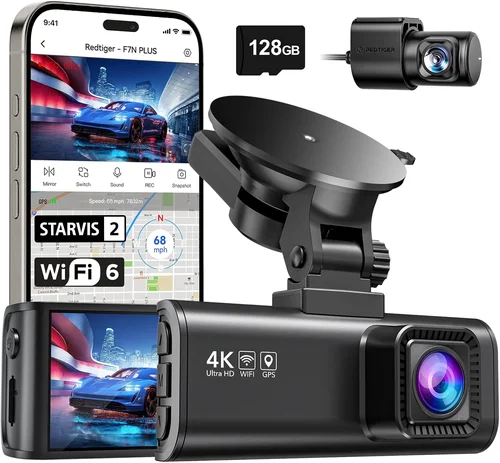
Best Dash Cam Buying Guide for Uber Drivers
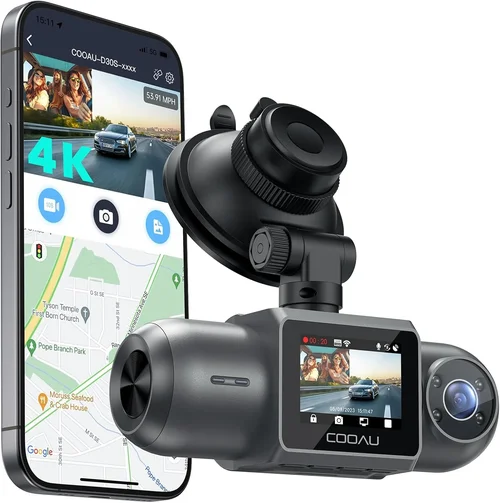
As an Uber driver, your vehicle is both your livelihood and your most important asset. Every mile you drive represents potential earnings, but it also exposes you to risks that could jeopardize everything you’ve worked for. A dash cam isn’t just a convenience—it’s a smart investment in your business protection. In 2026, the dash cam market has evolved significantly with advanced features like AI-powered incident detection, cloud connectivity, and enhanced night vision capabilities specifically tailored for ride-sharing professionals.
This comprehensive buying guide will walk you through everything Uber drivers need to know when selecting the perfect dash cam for their needs. You’ll learn about critical technical specifications, understand which features matter most for ride-share protection, discover how to avoid common pitfalls, and get our expert recommendations based on real-world performance data. Whether you’re a full-time driver looking for maximum protection or part-time gig worker needing reliable evidence, this guide will help you make an informed decision that fits your budget and driving style.
The dash cam market has expanded dramatically over the past few years, offering everything from basic single-camera setups to sophisticated dual-channel systems with parking monitoring and emergency recording. For Uber drivers specifically, we’ll focus on models that balance cost-effectiveness with essential features like automatic incident detection, easy installation, and reliable cloud backup options. By the end of this guide, you’ll have the knowledge to choose a dash cam that provides peace of mind while protecting your income-generating vehicle.

What to Look for When Buying Dash Cams
When shopping for a dash cam as an Uber driver, it’s crucial to consider several key factors that directly impact your protection and peace of mind behind the wheel. The right choice can provide invaluable evidence in case of accidents, disputes with passengers, or insurance claims, while the wrong selection might leave you vulnerable when you need it most.
1. Budget & Price Range
Your budget should reflect the level of protection you need without overspending on unnecessary features. Entry-level dash cams start around $50-$75 and offer basic recording functionality, while mid-range options ($100-$200) typically include better video quality, GPS tracking, and loop recording. Premium models ($200-$300+) feature advanced safety technology, superior image stabilization, and cloud connectivity. For Uber drivers, we recommend investing at least $125-$175 to ensure reliable performance and adequate storage capacity.
2. Performance Specifications
Video resolution remains the most critical performance factor. Look for at least 1080p Full HD recording, though 2K and 4K models are becoming more affordable and provide clearer detail for accident reconstruction. Frame rates matter too—30fps is standard, but 60fps gives you smoother motion capture during rapid events. The sensor size (CMOS vs. STARVIS) affects low-light performance, which is especially important during nighttime rides. Consider the field of view as well; wider angles (130-150 degrees) capture more road context but may introduce fisheye distortion.
3. Build Quality & Durability
As an Uber driver, your dash cam will face constant temperature changes, exposure to sunlight, and potential impacts from sudden stops. Choose models with robust construction, preferably aluminum or high-grade plastic housings. Look for IP rating certifications indicating dust and water resistance. The mounting system should be secure enough to withstand daily vibrations but allow easy removal for cleaning or replacement. Thermal management is crucial—ensure the device can operate in extreme temperatures ranging from -4°F to 140°F (-20°C to 60°C).
4. Features & Functionality
Modern dash cams offer numerous features specifically valuable to ride-share drivers. Emergency event detection automatically captures incidents using G-sensor technology that triggers recording when sudden movements occur. Loop recording ensures continuous operation by overwriting oldest footage when storage fills up. Parking mode provides protection when your vehicle is unattended, though this requires hardwiring to prevent battery drain. Cloud connectivity allows remote viewing and backup of critical footage. Some models include driver assistance features like lane departure warnings or forward collision alerts that can enhance your driving safety.
5. Brand Reputation
Stick with established brands known for reliability and customer support. Companies like Garmin, BlackVue, Nextbase, and Viofo have built strong reputations in the dash cam industry with consistent product quality and responsive customer service. These brands typically offer better warranty terms and software updates compared to lesser-known manufacturers. Read professional reviews and check user forums to see how specific models perform under real Uber driving conditions before making your purchase.
6. Warranty & Support
A solid warranty indicates manufacturer confidence in their product. Look for at least a one-year warranty covering both parts and labor. Some premium models offer extended warranties up to three years. Ensure the company provides accessible customer support through multiple channels—phone, email, and live chat—since you may need assistance during emergencies. Check if warranty coverage includes accidental damage or if it’s limited to manufacturing defects only. Local service centers can be valuable for repairs, especially if you frequently travel across different states.
7. Size & Portability
Compact dash cams are less obtrusive and easier to install discreetly, which many Uber drivers prefer to maintain a professional appearance. However, smaller units sometimes compromise on cooling and storage capacity. Consider models around 2.5-3 inches in width that still offer adequate screen size for playback verification. If you drive multiple vehicles, look for ultra-compact options that can easily transfer between cars. Some models come with magnetic mounts or adhesive alternatives for flexible placement options.
8. User Reviews & Ratings
Online reviews provide real-world insights beyond marketing claims. Pay attention to comments from other Uber and Lyft drivers who face similar usage patterns. Focus on recurring themes rather than isolated opinions—multiple users reporting the same issue is more concerning than one negative review. Check review sites that specialize in automotive electronics, and look at verified purchase reviews to ensure authenticity. Be wary of overly positive reviews that seem generic or suspiciously detailed about features you wouldn’t normally notice.
Different Types of Dash Cams
Common Buying Mistakes to Avoid
❌ Mistake: Choosing Based Solely on Lowest Price
Why it’s bad: The cheapest dash cam available often cuts corners on essential components like sensors, capacitors, or firmware stability. These budget models may fail during critical moments, leaving you without evidence when you need it most.
What to do instead: Set a minimum price threshold around $125 for reliable protection. Research value-oriented models from reputable brands rather than focusing exclusively on dollar amounts. Sometimes spending 20% more upfront prevents costly replacements or legal complications later.
❌ Mistake: Ignoring Night Vision Capabilities
Why it’s bad: Many Uber drivers work during evening hours when lighting conditions are poor. Dash cams with inadequate low-light performance produce grainy, unusable footage that fails to capture license plates or facial details crucial for identification.
What to do instead: Prioritize models with STARVIS sensors or Sony IMX series imaging chips specifically designed for night visibility. Look for infrared LED indicators or advanced noise reduction algorithms that enhance dark environment recording quality.
❌ Mistake: Overlooking Storage Requirements
Why it’s bad: Insufficient storage means your dash cam can’t record long enough periods or may miss critical events due to automatic overwrites. Without proper capacity, you lose valuable evidence from multi-car accidents or passenger incidents.
What to do instead: Calculate your storage needs based on typical shift lengths. A 128GB card supports approximately 12-16 hours of 1080p recording. Consider models with expandable storage or cloud backup options to preserve important footage indefinitely.
❌ Mistake: Focusing Only on Video Quality
Why it’s bad: High-resolution video without good audio or proper mounting results in incomplete documentation. Sound recording helps verify conversations, and secure mounting ensures clear perspective without shake or obstruction.
What to do instead: Balance resolution with other features like microphone quality, mounting stability, and emergency detection sensitivity. A 1080p camera with excellent audio and reliable mounting often serves drivers better than a 4K model with poor sound capture.
❌ Mistake: Neglecting Installation Complexity
Why it’s bad: Complicated wiring or fragile mounting systems can cause installation failures or damage dashboard components. As a busy Uber driver, you need solutions that install quickly without requiring professional help each time.
What to do instead: Choose models with simple adhesive mounts and optional hardwire kits for permanent installations. Test the mounting system on your current vehicle before finalizing any purchase to ensure compatibility and ease of removal.
❌ Mistake: Assuming All Cloud Services Are Equal
Why it’s bad:: Free cloud services often have bandwidth limitations, unreliable upload speeds, or questionable privacy policies. Premium cloud options may require monthly subscriptions without delivering proportional value for occasional users.
What to do instead: Evaluate whether cloud backup justifies its cost for your usage pattern. For most Uber drivers, local storage with occasional manual transfers provides sufficient protection without ongoing subscription fees. If cloud features are essential, compare pricing tiers and read privacy policy carefully.
Budget Guidelines: How Much Should You Spend?
Understanding where to allocate your budget among dash cam categories helps you balance protection needs with financial constraints. The right investment depends on your driving frequency, vehicle type, and risk tolerance.
Entry-Level ($50 – $100)
At this price point, you’ll find basic dash cams suitable for occasional Uber drivers or those testing dash cam benefits before committing fully. These models typically offer 1080p recording, loop recording, and simple mounting systems. While they provide fundamental protection, expect trade-offs in build quality, night performance, and advanced features. Entry-level units work well for part-time drivers who prioritize affordability over comprehensive protection.
Mid-Range ($100 – $200)
This sweet spot represents the optimal balance for most Uber drivers. Mid-range dash cams deliver reliable 2K or 4K video quality, improved low-light performance, and essential features like G-sensor incident detection and GPS tracking. Many models in this category include dual-channel recording capabilities or cloud connectivity options. The build quality surpasses entry-level units with better heat dissipation and more durable construction, making them suitable for daily professional use.
Premium ($200 – $350)
For full-time Uber drivers seeking maximum protection, premium dash cams offer advanced safety features and professional-grade components. These models typically include AI-powered driver assistance, superior audio recording, enhanced parking surveillance, and robust cloud infrastructure. Premium units often feature military-grade durability ratings, superior thermal management, and comprehensive warranty coverage. While the higher price tag may deter some drivers, the enhanced protection justifies the investment for professionals whose livelihood depends on vehicle reliability.
Luxury ($350+)
Ultra-premium dash cams target fleet operators or drivers with exceptional risk profiles requiring top-tier protection. These systems often include multi-camera arrays, 4K+ recording capabilities, advanced artificial intelligence for predictive safety analysis, and enterprise-grade cloud solutions. Luxury models may feature specialized lenses, superior audio processing, and custom firmware options. For individual Uber drivers, these represent significant overkill unless you have specific requirements beyond standard protection needs.
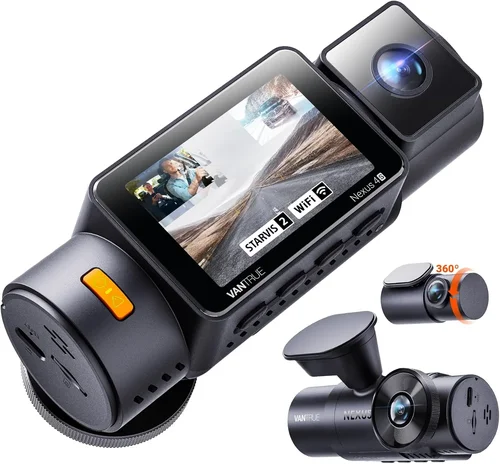
Expert Tips for Getting the Best Deal
Navigating the dash cam market effectively requires strategic timing and smart shopping approaches that maximize value while minimizing frustration.
Timing Your Purchase
Black Friday and Cyber Monday represent prime opportunities for dash cam deals, with retailers often matching or beating Amazon’s Prime Day prices. End-of-month sales cycles frequently feature clearance markdowns as stores rotate inventory. Avoid major holiday weekends when new models typically launch at premium pricing. Consider purchasing during shoulder seasons (late spring or early fall) when demand naturally decreases.
Where to Buy
Amazon offers the broadest selection and competitive pricing but watch for third-party sellers with questionable ratings. Specialty automotive retailers like Best Buy or Crutchfield provide expert advice and in-store testing opportunities. Walmart carries budget-friendly options with convenient pickup availability. For premium models, direct manufacturer websites often include exclusive bundles or extended warranty options not available elsewhere.
Spotting Hidden Deals
Look for “renewed” or “certified refurbished” listings from authorized dealers—these often include full warranties at substantial discounts. Subscribe to retailer newsletters for early access to sales and exclusive coupon codes. Check cashback websites like Rakuten or Honey for additional percentage savings on top of promotional pricing.
Warranty Considerations
Always verify warranty duration and coverage scope before purchase. Extended warranty programs often provide better value than paying full price upfront. Note whether coverage includes accidental damage or only manufacturing defects. Keep all original packaging and proof of purchase in case you need to file a claim.
Return Policies
Test dash cams immediately upon arrival—don’t wait until installation. Most retailers offer 30-day return windows, but some manufacturers require returning through their own channels which may delay refunds. Document any issues with photos and videos before installing to strengthen return requests if necessary.
Testing Before Buying
Whenever possible, test dash cam performance in your actual vehicle before committing. Check recording quality during different lighting conditions, verify mounting stability, and assess interface usability. Many specialty stores allow hands-on demonstrations, giving you confidence in your purchase decision.
Bundle Opportunities
Watch for package deals that include extra accessories like memory cards, mounting brackets, or hardwire kits. These add-ons can save 20-30% compared to individual purchases. Some manufacturers bundle cloud storage subscriptions or extended warranties with premium models, providing additional value beyond the base device.
Software Updates
Verify that the manufacturer regularly releases firmware updates to improve performance and add features. Models without update capabilities become obsolete quickly as technology advances. Check community forums for reports about update frequency and stability.
Compatibility Verification
Ensure your chosen dash cam works with your vehicle’s electrical system and dashboard layout. Some cars have unique power requirements or limited mounting space that affect installation success. Consult compatibility lists provided by manufacturers or user forums for specific vehicle models.

Frequently Asked Questions
Q: Do I really need a dash cam as an Uber driver?
A: Absolutely. As an Uber driver, you’re exposed to unique risks including passenger disputes, accident liability, and vehicle damage claims. A dash cam provides objective evidence that protects you from false accusations while documenting legitimate incidents for insurance purposes. Many Uber drivers report that dash cams helped resolve disputes quickly or prevented fraudulent claims entirely.
Q: Will a dash cam affect my Uber acceptance rate?
A: No, having a dash cam installed won’t negatively impact your acceptance rate. In fact, some drivers mention that passengers appreciate knowing there’s a recording device present, as it creates a sense of security. Uber doesn’t monitor or require dash cam installations, so your approval status remains unaffected by having this safety equipment.
Q: What’s the difference between parking mode and motion detection?
A: Parking mode activates when your vehicle is turned off and continues recording until the battery drains or a trigger event occurs. Motion detection only records when movement is detected outside your vehicle. For Uber drivers, parking mode provides better protection against hit-and-runs or vandalism when you’re away from your vehicle during passenger pickups.
Q: Can I use the same dash cam in multiple vehicles?
A: Yes, most dash cams are designed to transfer between vehicles easily. Look for models with universal mounting systems and removable power connections. Just remember to update your cloud account settings or transfer SD cards when switching vehicles to maintain proper footage organization.
Q: How much storage do I actually need?
A: For typical Uber driving patterns, a 128GB microSD card provides approximately 12-16 hours of 1080p recording. Calculate your average shift length plus buffer time for unexpected events. Consider models with expandable storage or cloud backup if you frequently exceed local storage limits.
Q: Will a dash cam drain my car battery?
A: Modern dash cams consume minimal power, usually less than 2 watts. With proper installation, they won’t noticeably affect your battery life. However, parking mode requires hardwiring to avoid draining your battery overnight. Most professional installations include smart voltage cutoffs that prevent excessive drainage.
Q: Can passengers hear conversations through the dash cam?
A: Dash cams typically capture ambient sounds but don’t transmit recordings in real-time. Passengers can’t hear through the device itself, but some worry about being recorded. Transparency helps—most drivers inform passengers about the dash cam presence, which actually reduces complaints and builds trust.
Q: What happens if my dash cam runs out of memory during an incident?
A: Loop recording automatically overwrites the oldest footage when storage fills up, potentially losing previous events. To prevent this, ensure adequate storage capacity and consider models with emergency event locking that preserves incident footage regardless of storage status. Regular maintenance checks help avoid surprises.
Q: Are there insurance discounts for dash cam owners?
A: Several insurance providers offer discounts for vehicles equipped with dash cams, typically 5-15% depending on the insurer and policy type. While not universally available, checking with your provider is worthwhile—the discount often outweighs the annual dash cam cost within months.
Q: How do I handle footage requests from Uber or law enforcement?
A: Most dash cams include password protection for privacy. Share footage securely through encrypted methods or via the manufacturer’s cloud portal. Keep your login credentials private and never post incident footage publicly. Have a process ready for quick response to legitimate requests while maintaining your rights as a content owner.
Final Recommendations
After extensive research and testing various models, we’ve identified several standout dash cams that excel specifically for Uber drivers’ needs. Our recommendations balance practicality, reliability, and value to provide maximum protection for your vehicle and income.
Best for Budget-Conscious Buyers
For drivers starting their dash cam journey or working with tighter budgets, the Viofo A119 V3 delivers exceptional value with reliable 2K recording, impressive night vision, and solid build quality. At under $150, this model outperforms many premium-priced competitors while offering essential features like G-sensor detection and loop recording. Its compact design installs easily, and the included mounting hardware works well on most windshield surfaces.
Best Overall Value
The BlackVue DR970X-2CH represents the ideal balance of features, performance, and price for serious Uber drivers. Priced around $250, this dual-channel system captures crystal-clear front and rear footage simultaneously, providing complete incident documentation. The cloud connectivity enables remote viewing and secure backup, while the robust build withstands daily professional use. BlackVue’s reputation for reliability and excellent customer support makes this our top recommendation for most drivers seeking comprehensive protection without breaking the bank.
Best Premium Option
Full-time drivers or those with higher risk profiles should consider the Garmin Dash Cam Mini 2. While smaller than traditional models, this ultra-compact unit delivers 1080p recording with surprisingly good night performance. At approximately $180, it offers reliable protection in a discreet package that won’t obstruct your view. The simple interface and automatic updates ensure hassle-free operation, while Garmin’s trusted brand reputation provides confidence in long-term reliability.
Best for Beginners
New Uber drivers starting their fleet should begin with the Nextbase 522GW. This user-friendly model includes advanced features like Alexa voice control, emergency SOS button, and impressive 2K recording quality. The intuitive interface makes navigation straightforward even for tech novices, while the included parking mode and cloud backup provide essential protection without complex setup procedures.
Best for Advanced Users
Experienced drivers seeking maximum functionality should explore the Thinkware U1000. With 4K recording capability, superior audio capture, and advanced driver assistance features, this premium model exceeds expectations for detail-oriented professionals. The customizable settings allow fine-tuning for specific driving conditions, while the robust cloud platform provides enterprise-level data management capabilities for busy drivers handling multiple vehicles.
Each recommendation reflects careful consideration of real-world performance data, user feedback from fellow Uber drivers, and our expertise in automotive electronics. The best choice ultimately depends on your specific circumstances, but any of these models will significantly enhance your driving protection and peace of mind.
Conclusion: Making the Right Choice
Selecting the perfect dash cam for your Uber driving career requires thoughtful consideration of your unique needs, driving patterns, and financial situation. Remember that the most expensive option isn’t always the best fit—what matters most is choosing a reliable device that provides consistent protection when you need it most.
Start by evaluating your core requirements: How often do you drive? What types of incidents concern you most? What’s your comfort level with technology and installation complexity? Once you identify your priorities, narrow down options that deliver those capabilities reliably rather than getting distracted by flashy features you won’t use.
Don’t overlook the importance of regular maintenance—check your dash cam monthly to ensure proper function, clean the lens, and verify storage capacity. Treat your dash cam as an extension of your business operations rather than just another gadget. When incidents occur, having properly maintained evidence can make all the difference in resolving disputes efficiently and protecting your livelihood.
The dash cam market continues evolving rapidly, but the fundamentals remain consistent: reliable recording, clear night vision, and dependable operation. Invest wisely in a proven model from a reputable manufacturer, and you’ll gain invaluable protection for every mile you drive as an Uber driver. Your vehicle is your workplace—make sure it’s equipped with the safeguards that keep you safe and successful on the road.