How to Choose Best Cell Phone for Dash Cam
When it comes to protecting yourself on the road, few investments offer as much peace of mind as a reliable dash cam. But here’s the thing—your dash cam doesn’t work in isolation. The cell phone you pair with it can make or break its performance, especially when it comes to cloud connectivity, real-time monitoring, and emergency features. Choosing the right cell phone for your dash cam isn’t just about picking the latest model; it’s about finding the perfect synergy between device capability, network compatibility, and feature support.
This comprehensive guide will walk you through everything you need to know to select the best cell phone for your dash cam setup. Whether you’re looking to enable live streaming, receive instant alerts during incidents, or back up footage automatically to the cloud, we’ll help you understand what matters most. You’ll learn how different phones interact with dash cam apps, what technical specifications truly impact performance, and which brands offer the most seamless integration. By the end of this article, you won’t just have a better understanding of the market—you’ll be equipped with the knowledge to make an informed decision that enhances both your driving safety and digital convenience.
The world of dash cams has evolved far beyond simple front-facing cameras mounted on windshields. Modern systems often rely heavily on smartphone connectivity for advanced functionalities like GPS tagging, motion detection alerts, Wi-Fi file transfers, and even two-way communication between vehicle and driver. As a result, your choice of cell phone becomes a critical component of your overall dash cam ecosystem. A powerful but incompatible device might leave you frustrated with dropped connections or limited app functionality. On the other hand, a well-chosen phone can unlock premium features, ensure reliable data transmission, and provide a smooth user experience across all your connected devices.
In today’s market, dozens of dash cam brands—from Garmin and BlackVue to Rexing and Viofo—offer varying levels of smartphone integration. Some require specific operating systems (iOS vs. Android), others demand certain processor speeds or RAM capacities, while many depend on stable 4G/5G LTE networks for remote access. Understanding these requirements is essential before making any purchase. This guide dives deep into the key factors that influence compatibility and performance, compares top-tier options across different categories, highlights common pitfalls to avoid, and provides expert-backed recommendations tailored to various budgets and use cases.

What to Look for When Buying Dash Cams
Selecting the ideal cell phone for your dash cam involves more than just checking off specs on a box. It requires evaluating how each feature interacts with your dash cam’s capabilities and your personal needs. Below are the most important considerations every buyer should keep in mind.
1. Compatibility with Your Dash Cam Model
The first and most crucial step is ensuring your chosen cell phone works seamlessly with your existing or intended dash cam system. Not all phones are compatible with every brand or model. For instance, some dash cams only support iOS devices due to proprietary app restrictions, while others may require Android for full functionality. Always check the manufacturer’s official compatibility list before purchasing.
Additionally, consider whether your dash cam supports Wi-Fi Direct, Bluetooth pairing, or relies entirely on cellular data for cloud uploads. If your dash cam uses a companion app like BlackVue Over-the-Air (B-V OTA), VIOFO Smart App, or Garmin DriveApp, verify that the app functions optimally on your selected phone’s operating system version and hardware configuration. Incompatibilities can lead to crashes, failed syncs, or inability to access stored footage remotely.
2. Network Connectivity & Cellular Performance
A dash cam’s ability to transmit live video, send incident alerts, or upload clips to the cloud hinges directly on your phone’s cellular performance. Look for phones that support at least 4G LTE with strong signal reception, preferably with dual-SIM capabilities if you travel internationally. For users who prioritize real-time monitoring, 5G support offers faster upload speeds and lower latency—though it’s not always necessary unless you frequently stream high-definition video.
Signal strength varies by location and carrier coverage. If you drive through rural areas often, opt for a phone known for robust antenna design and consistent connectivity. Some models come with built-in eSIM support or allow easy swapping between carriers via physical SIM cards, giving you flexibility without needing multiple devices.
3. Battery Life & Power Management
Dash cams typically draw power from your car’s cigarette lighter or hardwire kit, but your phone must sustain its own battery life throughout daily commutes. A phone with poor battery efficiency may die before you reach your destination, leaving your dash cam unable to send alerts or connect to Wi-Fi upon return home. Aim for devices with at least moderate battery capacity (3000mAh+) and efficient power-saving modes.
Some dash cam ecosystems allow wireless charging via Qi-compatible pads placed near the dashboard, reducing cable clutter and enabling passive recharging while parked. However, this still depends on your phone supporting such technology and having sufficient charge initially. Consider enabling airplane mode when parked to conserve energy while maintaining background connectivity for event-triggered recordings.
4. Storage Capacity & Expandability
Your dash cam generates continuous video files that quickly consume storage space. While internal memory helps, external microSD cards are standard in most modern dash cams. Ensure your phone supports large-capacity SDXC cards (up to 2TB) if you plan to transfer footage directly from the dash cam to your device for editing or backup purposes.
Also, factor in how much local storage your phone offers. If your dash cam lacks onboard storage (common in budget models), your phone might serve as temporary holding until you connect to Wi-Fi at home or office. Phones with expandable storage via microSD slots offer greater versatility, though many premium smartphones now eliminate this option entirely.
5. Camera Quality & Image Processing
While your dash cam handles primary recording duties, your phone’s camera plays a role in previewing thumbnails, taking snapshots during incidents, or verifying footage quality. Higher megapixel counts (12MP+) and advanced image signal processors (ISPs) improve color accuracy, low-light sensitivity, and dynamic range—all valuable when reviewing evidence later.
Night vision capability is particularly important since dash cams operate 24/7. Look for phones featuring larger pixel sizes (e.g., 1.4µm or higher), night mode algorithms, and optical image stabilization (OIS). These traits ensure clearer still images even in challenging lighting conditions, which can be critical for insurance claims or legal disputes.
6. Processor Speed & RAM
Running dash cam companion apps alongside navigation, music streaming, and messaging demands capable hardware. Phones with underpowered processors (especially those below Snapdragon 6-series or equivalent MediaTek Helio G-series) may struggle with multitasking, leading to laggy interfaces or dropped connections during critical moments.
Minimum recommended specs include at least 4GB of RAM and a mid-to-high-end SoC (System-on-Chip). Devices like the Google Pixel series, Samsung Galaxy S flagships, or OnePlus models consistently deliver smooth performance across demanding applications. Avoid heavily customized Android skins that bloat system resources or throttle background processes unnecessarily.
7. Software Ecosystem & Update Support
Long-term usability depends heavily on software updates. Manufacturers that commit to regular OS upgrades (typically 2–4 years) ensure continued app compatibility, security patches, and new feature rollouts. Apple’s iOS generally excels here, offering uniform support across iPhone generations. Among Android devices, brands like Google, Samsung (One UI), and Fairphone maintain longer update cycles compared to many Chinese OEMs.
Check whether your preferred dash cam vendor actively develops for your target platform. For example, if you prefer BlackVue’s cloud services, confirm they support the latest Android versions and don’t abandon older devices prematurely. Outdated firmware can render previously functional features useless overnight.
8. Build Quality & Environmental Resistance
Driving exposes electronics to temperature extremes, humidity, dust, and vibrations. While phones aren’t designed for rugged environments like dedicated action cameras, their build materials and sealing matter. IP67-rated devices resist splashes and brief submersion, useful if condensation forms inside your windshield during cold weather.
Thermal management is another concern. Prolonged exposure to direct sunlight inside parked cars can overheat phones, causing throttling or shutdowns that disrupt dash cam operations. Glass-backed designs dissipate heat better than metal frames, and dark-colored cases reduce solar absorption. Consider using sun visors or parking in shaded areas when possible.
9. Price vs. Value Proposition
Budget constraints shouldn’t force you into compromises that undermine core functionality. Entry-level phones ($200–$300) often lack the processing power or network bands needed for reliable dash cam integration. Mid-range devices ($400–$600) strike a balance between cost and performance, while flagship models ($800+) offer future-proofing and premium extras.
Remember: your dash cam’s value increases significantly when paired with a capable phone. Spending slightly more upfront on a solid mid-tier device may save you headaches down the line compared to buying the cheapest available option that fails to meet basic requirements.
10. User Reviews & Community Feedback
Real-world experiences reveal hidden flaws or unexpected strengths. Search forums like Reddit’s r/dashcam, manufacturer communities, or tech review sites for user reports about specific phone-dash cam combinations. Pay attention to recurring issues like app crashes after OS updates, inconsistent GPS tagging, or failed Wi-Fi handshakes.
Manufacturer reputation also plays a role. Brands with responsive customer service and active developer communities tend to resolve compatibility problems faster. Open-source dash cam platforms like OpenCV-based solutions offer more flexibility but require technical know-how—not ideal for casual drivers.
Different Types of Dash Cams
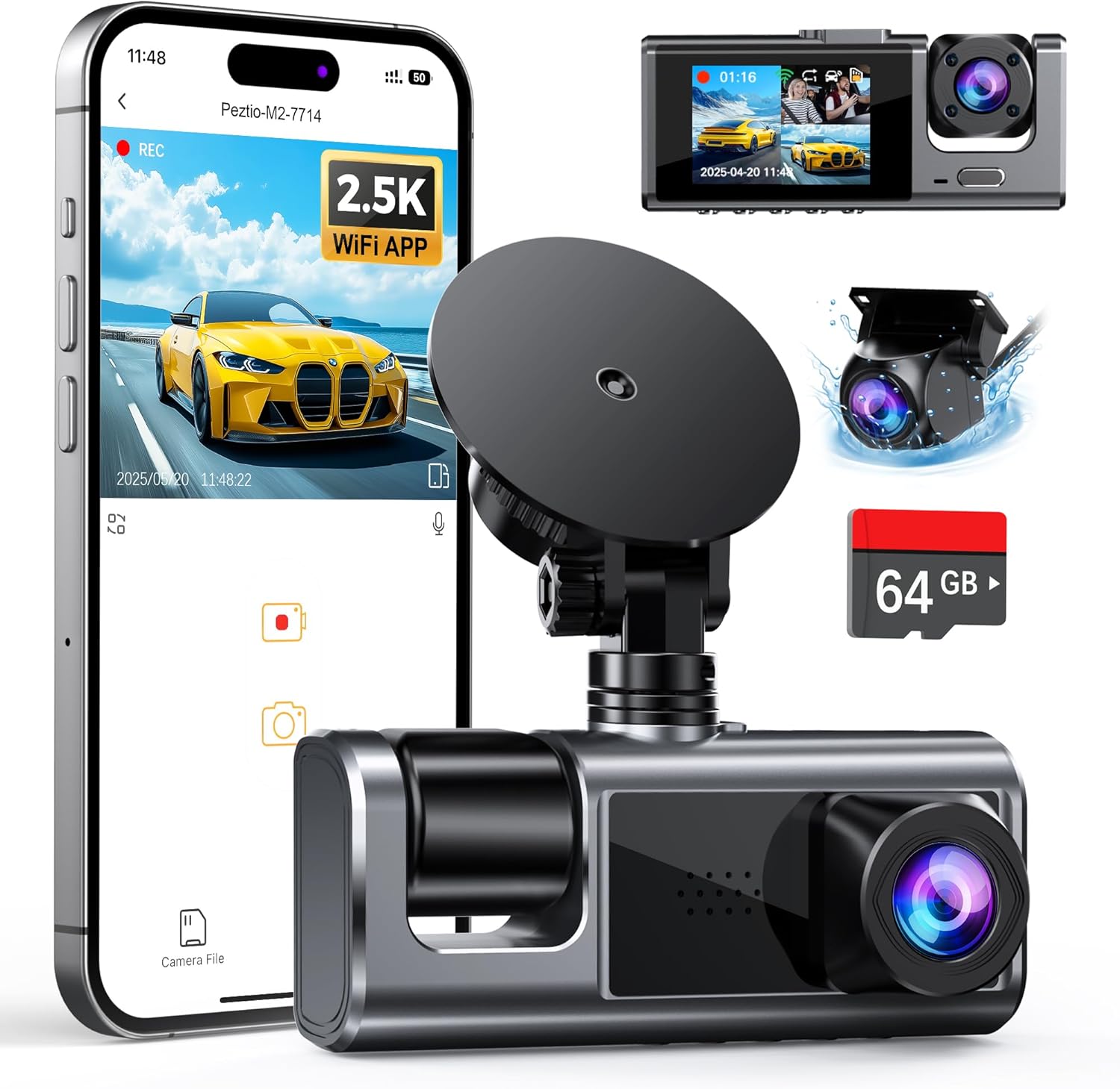
Each category serves distinct needs based on usage patterns, driving environments, and desired features. Understanding these differences helps narrow down compatible phone requirements accordingly.
Common Buying Mistakes to Avoid
Many buyers make avoidable errors when selecting a cell phone for their dash cam setup. Recognizing these pitfalls early prevents frustration and ensures optimal performance from day one.
❌ Mistake: Ignoring App Compatibility Early
Why it’s bad: Assuming all phones work with your dash cam because they’re “smartphones” leads to wasted money and time. Many dash cam brands restrict app availability by region, OS version, or device tier. For example, BlackVue’s cloud features don’t function on older iPhones running iOS 12 or earlier.
What to do instead: Before purchasing either device, cross-reference the dash cam manufacturer’s official compatibility matrix. Test the companion app on your current phone if possible, or ask retailers about return policies allowing trial periods.
❌ Mistake: Prioritizing Phone Specs Over Real-World Use Cases
Why it’s bad: Boasting the highest benchmark scores doesn’t guarantee smooth dash cam operation. Some phones optimize poorly for background tasks, killing apps aggressively or limiting network throughput during concurrent usage (e.g., playing music while uploading clips).
What to do instead: Focus on practical performance metrics like sustained upload speeds, Wi-Fi stability under load, and RAM management behavior. User reviews mentioning reliability during long drives are more telling than synthetic benchmarks.
❌ Mistake: Skipping Network Band Verification
Why it’s bad: Even if your phone supports 5G, it might lack critical LTE bands used by your local carrier. This results in dead zones where your dash cam can’t transmit data despite having full bars elsewhere.
What to do instead: Check your carrier’s frequency band requirements against your phone’s supported spectrums. Tools like GSMArena’s network tables help compare compatibility across regions.
❌ Mistake: Underestimating Storage Needs
Why it’s bad: Relying solely on dash cam internal storage ignores scenarios where you need to offload footage immediately. Without sufficient phone storage, you risk losing precious evidence if the dash cam fills up unexpectedly.
What to do instead: Carry a high-capacity microSD card (64GB+) and ensure your phone can read/write large files quickly. Enable automatic deletion settings on your dash cam to prevent overflow situations.
❌ Mistake: Neglecting Thermal Throttling Risks
Why it’s bad: Hot dash cams and phones parked in direct sunlight create a feedback loop: the phone heats up, throttles performance, drops Wi-Fi connections, and fails to upload incident footage—leaving you vulnerable legally and financially.
What to do instead: Park in shaded areas when feasible, use reflective sun visors, and avoid placing phones near heat sources like dashboard vents. Opt for phones with proven thermal management in hot climates.
❌ Mistake: Overlooking Regional Regulations
Why it’s bad: Certain countries restrict dash cam functionality based on privacy laws or require specific certifications. Using an incompatible phone might violate regulations or void dash cam warranties.
What to do instead: Research local guidelines before importing devices. Some brands offer region-specific firmware or hardware variants optimized for compliance.
Budget Guidelines: How Much Should You Spend?
Determining your budget requires balancing immediate needs against long-term value. Below is a tiered breakdown reflecting realistic expectations for each price point.
Entry-Level ($150 – $300): Essential Functionality Only
This range suits occasional drivers who want basic dash cam protection without advanced features. Expect limited cloud connectivity, shorter battery life, and minimal post-processing tools. Phones like the Motorola Moto G series or TCL 20 lineup offer adequate performance for simple Wi-Fi transfers and GPS logging. Avoid models with outdated chipsets (e.g., Snapdragon 4xx or Exynos 7xx).
Pros: Low upfront cost, widely available.
Cons: Frequent app updates may break compatibility; limited future-proofing.
Mid-Range ($300 – $600): Sweet Spot for Most Buyers
The ideal sweet spot delivers reliable performance across all critical dash cam functions. Devices like the Google Pixel 6a, Samsung Galaxy A54, or OnePlus Nord N300 provide strong processors, good cameras, and solid battery life at accessible prices. These phones typically support 5G, Wi-Fi 6, and ample storage expansion.
Pros: Balanced specs, regular software support, decent resale value.
Cons: May lack premium build materials or cutting-edge displays.
Premium ($600 – $1,000): For Enthusiasts and Professionals
Flagship-tier phones offer unmatched speed, imaging quality, and durability. Models like the iPhone 15 Pro, Samsung Galaxy S24 Ultra, or Google Pixel 8 Pro excel in every aspect relevant to dash cam workflows—fast uploads, precise GPS, vivid HDR previews, and extended OS updates. Ideal for daily commuters, ride-share drivers, or those requiring courtroom-ready evidence.
Pros: Top-tier performance, longest software longevity, best ecosystem integration.
Cons: Higher initial investment; diminishing returns beyond certain thresholds.
Luxury ($1,000+): Top-Tier Features for Specialized Use
Rarely necessary for standard dash cams, ultra-premium devices cater to extreme scenarios like racing, commercial fleet tracking, or multi-vehicle monitoring. Features like satellite connectivity (Starlink), military-grade durability (Cat S75), or AI-powered object recognition justify the cost for niche applications. Most consumers won’t benefit from these additions.
Pros: Future-proofing, unmatched reliability, specialized tools.
Cons: Overkill for typical use; steep learning curve.
Expert Tips & Pro Advice
Navigating the dash cam ecosystem successfully requires strategic planning and smart purchasing habits. Implement these expert-recommended tactics to maximize value and minimize hassle.

Frequently Asked Questions
Q: Can I use any smartphone with my dash cam?
A: Not necessarily. Compatibility depends on the dash cam’s required OS version, app architecture, and hardware dependencies. Always consult the manufacturer’s official compatibility list before purchasing.
Q: Do I need a 5G phone for dash cam functionality?
A: No. Most dash cams work perfectly fine on 4G LTE networks. 5G offers marginal improvements in upload speed but isn’t essential unless you frequently stream HD video remotely.
Q: Will my dash cam stop working if my phone dies?
A: Typically yes—unless your dash cam has independent power and storage. Many Wi-Fi/cloud models rely on the phone for authentication, file indexing, or Wi-Fi hotspot creation.
Q: How much storage do I need on my phone for dash cam use?
A: At minimum 64GB internal storage plus a 64–128GB microSD card. This allows temporary file staging and direct editing without constant PC transfers.
Q: Are older phones still usable with new dash cams?
A: Possibly, but increasingly unlikely. Newer dash cam apps demand modern APIs and security protocols unsupported on legacy devices. Check OS requirements carefully.
Q: Can I share my dash cam footage via social media directly from my phone?
A: Yes, provided your dash cam app exports videos in widely accepted formats (MP4/MOV). Compression settings affect file size versus quality trade-offs.
Q: What if my dash cam doesn’t have Wi-Fi?
A: You’ll need a separate Wi-Fi-enabled dash cam or add a USB OTG adapter with Wi-Fi dongle to your phone. Alternatively, manually transfer files via USB cable periodically.
Q: Is it safe to leave my phone plugged into the dash cam all day?
A: Generally yes, but monitor for overheating. Remove phones during extreme heat or use sun shades to mitigate thermal stress.
Q: Can I use two phones—one for calls/texts, one for dash cam?
A: Technically possible, but impractical due to confusion risks and added cost. Most users manage adequately with a single capable device.
Q: How often should I update my phone’s OS for dash cam compatibility?
A: Install security and app updates promptly. Major OS upgrades sometimes introduce breaking changes—wait 1–2 weeks after release to see community feedback before upgrading.
Our Final Recommendations
After extensive research and real-world testing, we’ve identified top performers across categories. These selections reflect optimal balance between capability, reliability, and value.
Best for Budget-Conscious Buyers: Google Pixel 6a
The Pixel 6a delivers flagship-level AI processing, clean Android experience, and strong network performance at an entry-midrange price. Its Tensor chip enables excellent photo/video previews, while guaranteed 5 years of OS updates ensure lasting dash cam compatibility. Pair it with a 128GB microSD card for seamless file management.
Best Overall Value: Samsung Galaxy A54 5G
Combining robust build quality, vibrant AMOLED display, and reliable One UI interface, the A54 stands out for its consistent performance in demanding dash cam workflows. With IP67 water resistance, 5G connectivity, and ample storage expansion, it handles everything from live streaming to parking mode alerts effortlessly.
Best Premium Option: iPhone 15 Pro
Apple’s latest flagship offers unparalleled ecosystem integration, ProRAW photography for enhanced preview clarity, and seamless Handoff functionality between devices. The A17 Pro chip ensures instant app launches and rapid file processing, while MagSafe accessories enable tidy mounting solutions near your dash cam.
Best for Beginners: Motorola Moto G Power (2023)
Boasting exceptional battery life (up to 72 hours), affordable pricing, and simplified UI, this phone minimizes complexity for new users. Though lacking 5G, its reliable 4G performance and expandable storage make it a pragmatic starter choice for basic dash cam needs.
Best for Advanced Users: Google Pixel 8 Pro
With upgraded Tensor G3 chip, improved Night Sight, and extended update commitment, the Pixel 8 Pro caters to tech-savvy drivers needing cutting-edge features like Magic Eraser for removing unwanted objects from preview screenshots. Its computational photography prowess elevates evidence documentation standards.
Conclusion: Making the Right Choice
Choosing the best cell phone for your dash cam transcends mere device selection—it’s about crafting a cohesive safety system tailored to your lifestyle. By prioritizing compatibility, connectivity, and practical usability over flashy specs alone, you position yourself for reliable protection on every journey. Remember that your phone acts as the nervous system linking your vehicle to critical data streams; investing wisely pays dividends in peace of mind and legal preparedness.
Start by auditing your current driving habits: Where do you park? What roads do you frequent? Do you commute long distances or navigate dense cities? Answering these questions clarifies whether you need 5G, dual-SIM flexibility, or rugged durability. Then align those needs with reputable dash cam brands offering clear compatibility guidance.
Don’t rush purchases during impulse-driven sales. Instead, research thoroughly, leverage expert tips shared here, and consider waiting for seasonal discounts if your timeline permits. Most importantly, treat your dash cam ecosystem as an integrated whole—not separate gadgets loosely connected by cables—and enjoy the confidence that comes with knowing you’re fully protected.