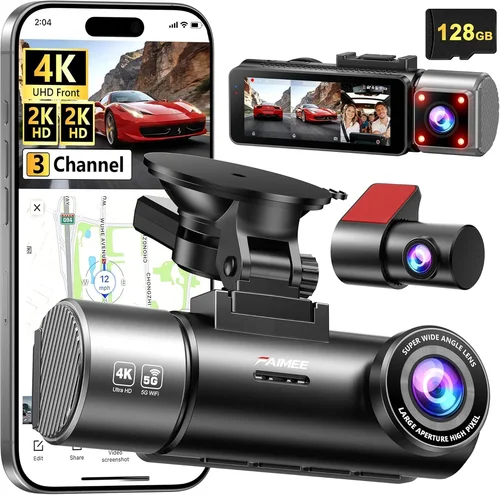
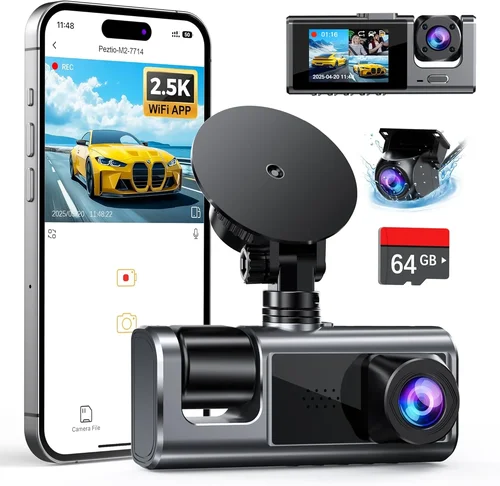
How to Choose the Best Dash Cam for New Teens
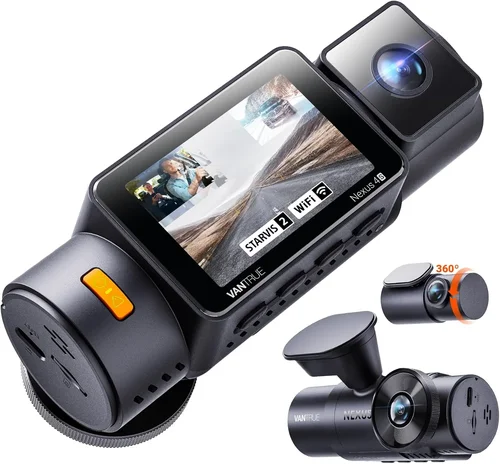
When you’re shopping for a dash cam to protect your new teen driver, you’re not just buying a piece of technology—you’re making an investment in their safety, your peace of mind, and potentially your financial future. A good dash cam can serve as an objective witness in the event of an accident, help prevent fraud from insurance companies, and even encourage safer driving habits through monitoring and feedback. With so many options on the market today, ranging from basic single-lens models to advanced dual-camera systems with parking mode and cloud connectivity, it’s easy to feel overwhelmed. This comprehensive guide cuts through the noise to help parents make informed decisions based on real-world needs, not marketing hype.
In this detailed buying guide, you’ll learn exactly what features matter most for teen drivers, how different types of dash cams compare, and which models deliver the best value without sacrificing reliability or essential functionality. We’ll walk through critical factors like video quality, storage capacity, installation ease, and smart features—plus share expert tips on avoiding common pitfalls and getting the best deal. Whether you’re looking for something simple and affordable or a high-end system with GPS tracking and emergency alerts, we’ve got you covered. By the end of this article, you’ll have all the knowledge needed to choose the right dash cam that fits your teen’s lifestyle, your budget, and your family’s expectations for safety and accountability.
The market for dash cams has exploded over the past decade, evolving from a niche accessory into a mainstream automotive necessity. Today’s devices are far more sophisticated than early models that recorded grainy footage at 480p resolution and required manual retrieval of memory cards. Modern dash cams now offer Full HD or even 4K recording, built-in Wi-Fi for instant review, loop recording with intelligent G-sensor crash detection, wide dynamic range (WDR) for better visibility in challenging lighting, and sometimes even AI-powered driver assistance features like lane departure warnings or distracted driving alerts. Some models double as rear cameras, while others integrate with smartphones via companion apps for live viewing, playback, and cloud backup. However, this rapid innovation also means there are countless options—and some genuinely poor-quality products—that promise more than they deliver. As a parent, understanding which capabilities truly benefit teen drivers versus those that are unnecessary extras will save you money and ensure your investment pays off when it matters most.

What to Look for When Buying Dash Cams
1. Budget & Price Range
Before diving into specifications, it’s crucial to establish a realistic budget. Dash cams vary dramatically in price, from under $50 for basic entry-level models to over $300 for premium systems with multiple lenses, advanced sensors, and professional-grade features. For most families with new teen drivers, we recommend starting in the mid-range ($75–$150) where you get reliable performance without overspending. Entry-level units below $50 often cut corners on image quality, build materials, and firmware updates, making them unreliable during critical moments. Meanwhile, ultra-premium models may include features like facial recognition or automatic incident reporting that simply aren’t necessary for everyday use by average drivers.
Consider how long you plan to keep the vehicle and whether resale value affects your decision. If your teen is only using the car for a few years before moving up to a newer model, spending $200+ might not be justified. On the other hand, if this is a long-term family vehicle, investing in a higher-quality unit could provide better protection and longevity. Also remember that additional costs—like extra SD cards, hardwiring kits, or extended warranties—should factor into your total cost calculation.
2. Performance Specifications
The heart of any dash cam is its ability to capture clear, usable footage under real-world conditions. Three key technical specs determine performance: resolution (measured in pixels), frame rate (FPS), and sensor type. Most reputable brands now offer Full HD (1920×1080) as the minimum standard; anything lower than 1080p struggles to read license plates clearly or distinguish important details during fast-moving incidents. Higher resolutions like 2K or 4K exist but require larger storage files and faster write speeds—often making them overkill unless you specifically need extreme detail for legal evidence.
Frame rate should be at least 30 FPS; 60 FPS is ideal for capturing smooth motion without motion blur during sudden braking or collisions. Look for CMOS sensors rather than older CCD types—CMOS provides better low-light sensitivity and power efficiency. Equally important is the camera’s field of view (FOV): too narrow (<100°) leaves blind spots, while too wide (>150°) distorts peripheral images. A 130–140° FOV strikes a good balance between coverage and realism. Finally, check if the device supports HDR (High Dynamic Range) or WDR (Wide Dynamic Range), which helps retain detail in both bright headlights and dark shadows simultaneously—a common challenge during night drives.
3. Build Quality & Durability
A dash cam spends its entire life exposed to temperature extremes, vibrations, dust, moisture, and direct sunlight. Cheap plastic housings crack easily, lenses fog up, and internal components fail prematurely. Reputable manufacturers use military-grade ABS plastic, UV-resistant coatings, and shock-absorbing mounts designed to withstand impacts up to 10G force (equivalent to being dropped from waist height). Waterproof ratings (IP67 or higher) ensure operation in rain or snow, while heat dissipation designs prevent overheating during summer commutes.
Pay attention to mounting hardware: suction cups degrade over time and lose grip, especially when heated by the sun. Magnetic or adhesive mounts offer more secure attachment but must still meet vibration resistance standards. Internal battery quality matters too—lithium polymer cells last longer and charge faster than nickel-based alternatives. Avoid units that claim “infinite battery life” or rely solely on weak built-in batteries; instead, prioritize models compatible with external power sources or hardwired installations for continuous operation.
4. Features & Functionality
Modern dash cams come packed with bells and whistles, but not all features enhance safety for teen drivers. Essential functionalities include:
- Loop Recording: Automatically overwrites oldest footage when storage fills up, ensuring continuous coverage without manual intervention.
- G-Sensor (Impact Detection): Saves clips automatically when sudden deceleration occurs (e.g., collision, hard braking), preventing accidental deletion.
- Parking Mode: Monitors the vehicle when parked and records events like hits, scratches, or attempted break-ins. Requires motion detection or impact sensitivity settings.
- Time-Lapse/Event Mode: Records shorter clips at reduced frame rates during non-critical periods to conserve space while maintaining awareness.
- GPS Logging: Embeds speed, location, and direction data into video files—useful for reconstructing accidents or verifying alibis.
- Wi-Fi/App Connectivity: Allows wireless transfer of clips to smartphones for quick sharing or backup. Enables remote configuration changes.
- Voice Control/Display: Some premium models offer touchscreens or voice commands, though these add cost and complexity without proportional benefits for basic users.
For teen drivers specifically, consider features that promote responsible behavior: speed limit alerts, forward collision warnings, or even parental monitoring dashboards that let you view driving patterns remotely. However, avoid overly intrusive surveillance tools that undermine trust—balance safety with privacy concerns.
5. Brand Reputation
Stick with established brands known for reliability and customer support. Companies like Garmin, Viofo, BlackVue, Nextbase, and Rexing have decades of experience in automotive electronics and consistently receive positive reviews from both consumers and professional installers. These manufacturers invest heavily in research, rigorous testing, and regular firmware updates—critical for fixing bugs and improving performance over time.
Avoid obscure Chinese brands selling on Amazon for less than $40 unless thoroughly vetted through independent reviews. Many budget sellers lack responsive customer service, refuse returns, or disappear after selling defective units. Check forums like Reddit’s r/dashcam or dedicated dash cam communities for real user experiences. Also verify warranty terms: reputable brands typically offer at least one year of coverage, while knockoffs rarely provide more than 90 days.
6. Warranty & Support
A solid warranty reflects manufacturer confidence in product quality. Aim for at least a 1-year limited warranty covering defects in materials and workmanship. Some brands extend coverage to 2–3 years if registered within 30 days. Read fine print carefully: does the warranty cover accidental damage? What’s the return policy if dissatisfied?
Customer support responsiveness is equally vital. Test email or chat availability before purchasing. Brands offering phone support, live chat, and multilingual assistance score higher. Check if replacement parts (like suction mounts or cables) are readily available—this indicates commitment to long-term usability.
7. Size & Portability
Compact designs minimize visual distraction inside the cabin while fitting discreetly behind rearview mirrors. Ultra-thin profiles (<1 inch thick) reduce glare but may compromise cooling or button accessibility. Larger models with built-in screens offer convenience but take up valuable dashboard real estate and increase theft risk.
If you anticipate switching vehicles frequently (e.g., borrowing family cars), look for universal mounting systems or magnetic bases that work across makes/models. Portability also matters for rental cars or temporary installations.
8. User Reviews & Ratings
Never rely solely on star ratings—they can be manipulated. Instead, analyze detailed user comments for recurring themes: complaints about false alarms, praise for night vision, or notes about firmware issues. Pay attention to how recent the reviews are; outdated feedback doesn’t reflect current product versions. Cross-reference across multiple platforms (Amazon, Best Buy, B&H Photo, manufacturer websites) to identify consensus opinions.
Different Types of Dash Cams

Common Buying Mistakes to Avoid
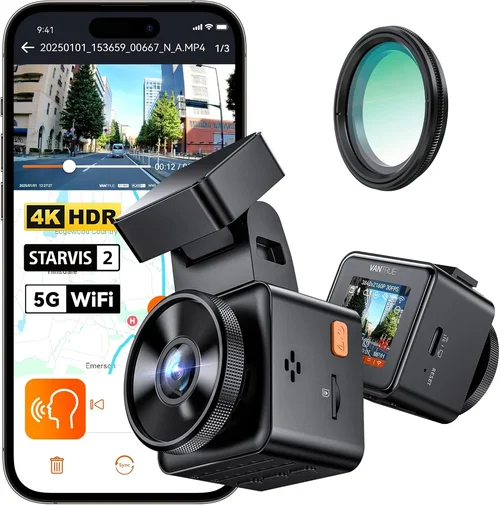
❌ Mistake: Prioritizing Price Over Quality
Why it’s bad: Choosing the cheapest option often leads to frequent failures, poor footage, and wasted money. Low-cost dash cams may freeze during recording, lose files due to unstable firmware, or fail completely after a minor impact—leaving you vulnerable in an accident scenario.
What to do instead: Allocate at least $80–$120 for dependable performance. Spend slightly more upfront to avoid replacing broken units repeatedly. Read verified reviews focusing on long-term reliability rather than flashy features.
❌ Mistake: Ignoring Storage Requirements
Why it’s bad: Assuming included microSD cards are sufficient is a common error. A 32GB card lasts only 2–4 hours at 1080p/30fps. Without proper loop management or G-sensor prioritization, critical incident footage gets overwritten before you can access it.
What to do instead: Purchase a high-endurance microSD card (SanDisk Extreme, Samsung EVO Select) rated for dash cam use. Set recording intervals appropriately (1–3 minutes) and enable auto-delete of non-essential clips. Consider models with cloud storage plans for automatic backups.
❌ Mistake: Overlooking Installation Complexity
Why it’s bad: DIY installation seems easy, but improper wiring or placement causes glitches: suction cups fall off, wires block visibility, or devices overheat. Some teens modify installations themselves, creating fire hazards or voiding warranties.
What to do instead: Opt for models with clear mounting instructions and universal compatibility. If unsure, hire a professional installer ($50–$100) for hardwiring and clean routing. Test functionality immediately after setup.
❌ Mistake: Neglecting Night Vision Capabilities
Why it’s bad: Many drivers assume daytime performance equals nighttime capability. In reality, cheap units produce washed-out, grainy footage at night due to inadequate low-light sensors and lack of infrared enhancement.
What to do instead: Choose models explicitly rated for night driving with WDR/HDR, f/1.8 or wider apertures, and starlight-grade CMOS sensors. Watch sample night videos in reviews before purchasing.
❌ Mistake: Assuming All Features Are Useful
Why it’s bad: Adding GPS, Wi-Fi, or parking mode increases cost and complexity without guaranteed benefit. Unused features consume battery, slow down boot times, and distract from core functionality.
What to do instead: Focus on must-have capabilities: reliable loop recording, impact detection, and clear daytime/nighttime video. Skip extras unless they directly address your specific needs (e.g., parking mode for street-parked vehicles).
❌ Mistake: Failing to Update Firmware
Why it’s bad: Manufacturers release firmware updates to fix bugs, improve stability, and enhance performance. Ignoring updates leaves vulnerabilities unpatched and may cause compatibility issues with new OS versions or SD cards.
What to do instead: Regularly check manufacturer websites or app notifications for updates. Enable automatic downloads if supported. Keep devices connected to stable power during updates to prevent corruption.
Budget Guidelines: How Much Should You Spend?
Entry-Level ($50–$80)
This tier suits occasional users or secondary vehicles where absolute reliability isn’t critical. Expect basic 1080p recording, modest build quality, and limited feature sets. Ideal for testing dash cam usefulness before committing to pricier models. Avoid if your teen drives frequently or faces high-risk routes (school zones, highways). Brands like JOYROOM or Z-Edge fall here but require careful vetting.
Mid-Range ($80–$150)
The sweet spot for most families. Units like Viofo A119 or Blackvue DR900X-1CH deliver excellent 1080p/60fps video, robust construction, and essential features like G-sensor and loop recording. Often include Wi-Fi for easy clip transfers and parking mode compatibility. Perfect balance of affordability, durability, and functionality for new drivers.
Premium ($150–$250)
For tech enthusiasts or those needing advanced capabilities. Models like Nextbase 622GW or Garmin Dashcam Mini offer 2K resolution, GPS logging, voice control, and seamless smartphone integration. May include dual cameras or enhanced night vision. Justified if you demand top-tier image clarity or want granular driving analytics.
Luxury ($250+)
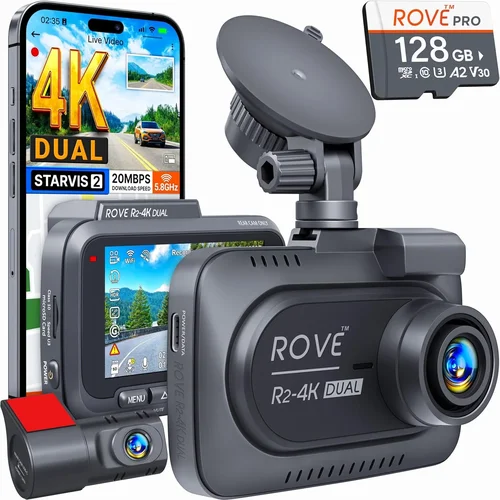
Reserved for professionals or extreme use cases. BlackVue DR970X-2CH or Thinkware U1000 provide 4K recording, cloud connectivity, ADAS alerts, and military-grade housing. Overkill for average teen drivers unless you operate a commercial fleet or require courtroom-ready evidence quality.
Expert Tips for Getting the Best Deal
Timing Your Purchase: Shop during holiday sales (Black Friday, Cyber Monday), back-to-school promotions, or end-of-season clearances (late summer for summer-reliant accessories). Subscribe to retailer newsletters for exclusive discounts.
Where to Buy: Prefer authorized retailers like Amazon (with Prime returns), Best Buy, B&H Photo, or manufacturer sites. Avoid third-party sellers with low ratings. Compare prices across platforms—sometimes Walmart or Target offers bundle deals including mounts or extra cards.
Spotting Deals: Use price-tracking tools like Honey or CamelCamelCamel to monitor historical trends. Set alerts for drops below your target range. Be wary of “limited-time” claims on suspiciously low-priced items—they may be counterfeits.
Warranty Considerations: Register products immediately to activate extended warranties. Keep original packaging and receipts for hassle-free returns. Check if international shipping or repair centers exist in your region.
Return Policies: Choose stores with generous return windows (30+ days). Test units thoroughly: record sample clips, verify night mode, confirm G-sensor triggers correctly. Don’t wait until after installing wires to discover flaws.
Testing Before Buying: Visit physical stores if possible. Handle devices to assess weight, button feel, and screen readability. Ask staff about demo units or return policies. Online buyers should watch unboxing/unboxing videos on YouTube for real-world impressions.
Bundle Smart: Look for starter kits containing dash cam, extra SD card, suction mount, and cable organizer. These save money versus buying separately and ensure compatibility.

Frequently Asked Questions
Q: Do I need a dash cam if my teen has liability insurance?
A: Insurance covers financial responsibility after an accident but doesn’t prevent disputes over fault or injuries. A dash cam provides undeniable evidence to counter fraudulent claims, exaggerated injuries, or false accusations—potentially saving thousands in legal fees or settlements. It’s an added layer of protection beyond standard coverage.
Q: Can a dash cam help improve my teen’s driving habits?
A: Yes! Many modern dash cams sync with mobile apps that generate driving reports showing speed, hard braking, sharp turns, and time-of-day patterns. Parents can review these together constructively, turning data into coaching opportunities rather than punishment. Over time, awareness often leads to safer choices.
Q: Will a dash cam drain my car battery?
A: Only if improperly installed or left in parking mode indefinitely. Hardwiring eliminates battery drain by drawing power from the fuse box. If using battery-only mode, set motion detection sensitivity low and limit parking mode duration to 8–12 hours max. Most models enter sleep mode after inactivity.
Q: How much storage do I actually need?
A: One hour of 1080p/30fps video occupies ~1GB. A 64GB card (~6 hours) suffices for daily commutes, while 128GB offers ~12 hours. Adjust recording intervals (shorter clips = more footage) and enable auto-delete of non-G-sensor clips to optimize space. Cloud backup plans eliminate local storage limits.
Q: Are dash cams legal everywhere?
A: Generally yes, but regulations vary by state/country. Most allow dash cams as long as they don’t obstruct the driver’s view or record audio without consent (in private spaces). Check local laws regarding audio recording—some jurisdictions prohibit two-way audio capture even in vehicles.
Q: Should I buy a front-only or front-and-rear camera?
A: For new teens, a single front camera is usually adequate since they primarily drive forward. However, if your teen parks on busy streets or frequents tight parking lots, adding a rear camera protects against hit-and-runs or accidental backing incidents. Dual systems cost more but offer fuller coverage.
Q: Can I use the same dash cam in multiple cars?
A: Absolutely! Removeable magnetic mounts or universal suction cups allow swapping between vehicles. Ensure firmware remains updated and SD cards are formatted consistently. Label each unit’s settings to avoid confusion.
Q: What if the dash cam fails during an accident?
A: While rare with quality brands, catastrophic failure is possible. Mitigate risk by keeping a spare microSD card, storing recent clips in your phone via Wi-Fi, and considering cloud backup subscriptions. Always maintain comprehensive insurance alongside the dash cam for layered protection.
Our Final Recommendations
Best for Budget-Conscious Buyers: Viofo A119 Mini – Reliable 1080p/60fps recording, compact size, and affordable price point make it ideal for first-time dash cam owners. Includes G-sensor, loop recording, and works with most microSD cards.
Best Overall Value: Nextbase 522GW – Stellar image quality, intuitive app interface, emergency SOS button, and Alexa integration. Offers everything a parent could reasonably want without overwhelming complexity.
Best Premium Option: Garmin Dashcam Mini – Sleek design, superb night vision, and seamless Google Maps integration. Excellent customer support and regular firmware improvements justify the higher cost.
Best for Beginners: Rexing V1P Pro – Simple controls, plug-and-play setup, and affordable hardwire kit inclusion. Great entry point for families new to dash cam technology.
Best for Advanced Users: BlackVue DR970X-2CH – Dual 4K recording, cloud connectivity, and rugged build. Professional-grade features at a consumer-friendly price for those demanding maximum detail and reliability.
Conclusion: Making the Right Choice
Choosing the best dash cam for your new teen driver isn’t about chasing the latest gimmicks—it’s about finding the perfect blend of reliability, clarity, and practicality that aligns with your family’s lifestyle and priorities. Prioritize proven performance over flashy extras, invest in durable construction, and always test before committing fully. Remember, a dash cam is meant to serve as your silent guardian, not a surveillance tool. Use it wisely, maintain it regularly, and leverage its insights to foster open conversations about safe driving. By following this guide’s recommendations and avoiding common traps, you’ll equip your teen with invaluable protection while gaining tranquility knowing you’ve made an informed, responsible choice.