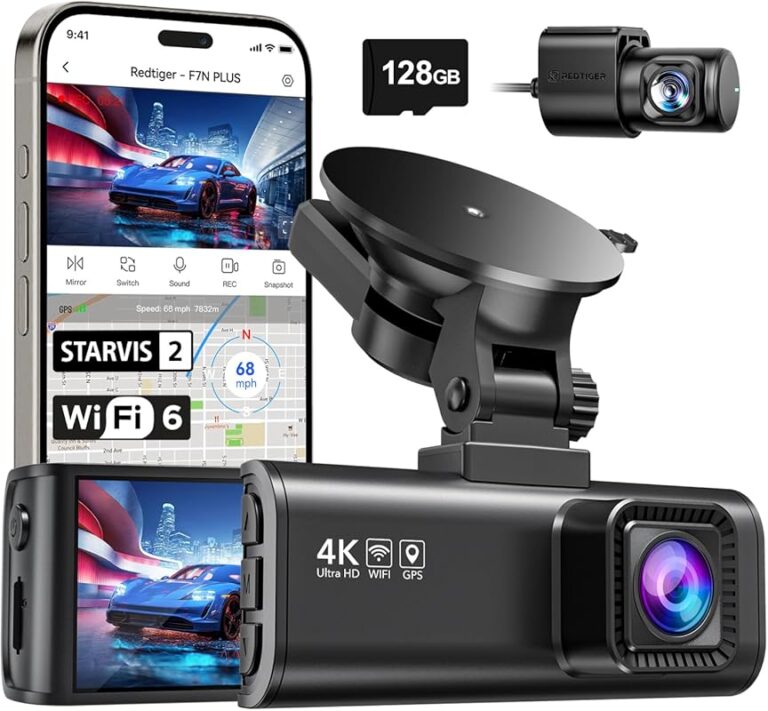
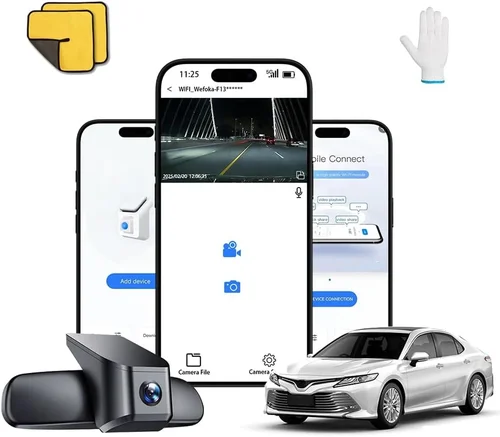
Best Dash Cam Buyer’s Guide
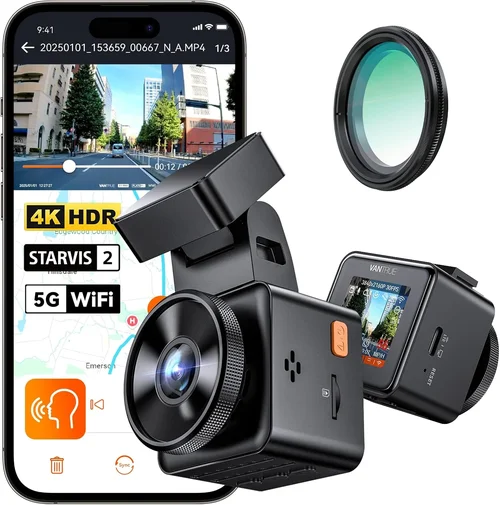
Why choosing the right dash cam can be a game-changer for your driving safety and peace of mind. In today’s world, where road accidents are unfortunately common and insurance claims can be complicated, having reliable evidence from your vehicle can make all the difference. A quality dash cam doesn’t just capture footage—it provides documentation that can protect you in disputes, support insurance claims, and even help improve driving habits over time.
This comprehensive buying guide will walk you through everything you need to know about selecting the best dash cam for your car. Whether you’re a first-time buyer looking for basic protection or a seasoned driver seeking advanced features, this guide covers the critical factors, technical specifications, and real-world considerations that matter most. You’ll learn how to balance performance with budget, understand what features truly add value, and avoid common pitfalls that many buyers encounter.
The dash cam market has evolved dramatically in recent years, offering everything from simple single-camera setups to sophisticated multi-sensor systems with parking monitoring, cloud connectivity, and AI-powered detection. With so many options available across different price ranges, understanding which features align with your specific needs becomes essential. This guide cuts through the marketing noise to give you practical, expert advice based on real usage scenarios and industry standards.

What to Look for When Buying Dash Cams
1. Budget & Price Range
Before diving into features and specifications, it’s crucial to establish your budget range. Dash cams vary dramatically in price, from under $50 entry-level models to premium systems costing several hundred dollars. Understanding your budget upfront prevents disappointment when you realize a feature you want isn’t available at your target price point.
Entry-level dash cams ($50-$100) typically offer basic 1080p recording with limited storage capacity and minimal additional features. These are suitable for occasional use or as backup cameras. Mid-range models ($100-$200) provide better video quality, larger storage, improved low-light performance, and more reliable build quality. Premium options ($200-$400) include advanced features like GPS tracking, superior night vision, multiple camera angles, and enhanced stabilization.
2. Resolution & Video Quality
Video resolution is arguably the most important specification since it directly affects how much detail you’ll have if you need to review footage later. Most modern dash cams offer at least 1080p Full HD resolution, but higher resolutions provide significantly better clarity.
1080p (1920×1080): The current standard for most dash cams. Provides clear footage for basic incident documentation and is sufficient for most daily driving scenarios. However, during rapid movements or poor lighting conditions, details may become blurry.
1440p (2560×1440): Increasingly common in mid-to-high-end models. Offers approximately 50% more pixels than 1080p, resulting in sharper images with better license plate readability and facial recognition capabilities. Ideal for areas with high-speed traffic or frequent incidents.
720p: Only recommended for very basic needs or extremely tight budgets. Footage may be insufficient for identifying vehicle details or license plates clearly.
Beyond resolution, consider frame rates (typically 30fps or 60fps). Higher frame rates capture smoother motion, especially important for highway driving where vehicles move quickly past the camera.
3. Field of View (FOV)
The field of view determines how much of the road and surrounding environment your dash cam captures. A wider FOV means more area is recorded simultaneously, reducing blind spots but potentially affecting image quality due to lens distortion.
Standard FOV ranges from 100° to 170°, with ultra-wide options reaching 190° or more. For city driving, a 120°-150° FOV works well, while highway driving benefits from wider angles to capture lane changes and passing vehicles effectively.
Consider the aspect ratio as well—most dash cams use a 16:9 widescreen format, but some offer adjustable FOV settings to balance coverage versus detail. Some models also provide narrow, standard, and wide mode selections.
4. Storage Capacity & Loop Recording
Storage is a critical consideration since dash cams continuously record in a loop, overwriting old footage when storage fills up. Most dash cams require microSD cards ranging from 32GB to 1TB depending on your needs.
32GB: Suitable for basic use with 1080p recording, storing approximately 2-3 hours of footage at medium compression.
64GB-128GB: Recommended for most users, providing 4-8 hours of recording depending on settings and quality.
256GB+: Ideal for extended recording needs or higher resolution footage, though these cards can be expensive.
Ensure your chosen model supports the latest SD card standards (UHS-I or UHS-II) for optimal performance. Also verify compatibility with high-capacity cards since some older models have limitations.
Loop recording automatically deletes the oldest files when storage is full, ensuring continuous operation without manual intervention. Look for models with G-sensor (impact detection) that automatically saves triggered events to prevent them from being overwritten.
5. Night Vision & Low-Light Performance
Night driving presents unique challenges for dash cams since reduced visibility requires specialized sensors and processing capabilities. Effective night vision depends on several factors including sensor sensitivity, aperture size, and image processing algorithms.
CMOS sensors with backside illumination (BSI) technology perform significantly better in low light compared to traditional CMOS sensors. Look for models specifically mentioning “night vision,” “low-light enhancement,” or “starlight technology.”
Aperture size (measured in f-stops) affects how much light enters the sensor. Smaller numbers (like f/1.8 or f/1.6) indicate larger apertures that gather more light, improving nighttime performance. However, extremely wide apertures can cause overexposure during daytime driving.
Additional features enhancing night performance include:
– HDR (High Dynamic Range) processing
– Noise reduction algorithms
– Infrared LEDs (though these typically illuminate only the immediate area)
– Enhanced contrast and color reproduction in darkness
6. Build Quality & Durability
Since dash cams are exposed to extreme temperatures, vibrations, and potential impacts, build quality directly affects reliability and lifespan. Look for models with robust housing materials, secure mounting systems, and proper sealing against moisture and dust.
Metal housings generally outperform plastic ones in terms of durability and heat dissipation. Ensure the device has adequate heat resistance since dashboard temperatures in direct sunlight can exceed 150°F (65°C), potentially causing thermal shutdowns.
Mounting systems should be secure enough to withstand normal driving conditions without coming loose, yet allow easy removal for maintenance or theft prevention. Magnetic mounts offer convenience but may lack the stability of suction cup or adhesive mounts.
Waterproof ratings (IPX rating) indicate protection against moisture intrusion. While most dash cams don’t require waterproof certification, some models designed for harsh weather conditions include this feature.
7. Features & Functionality
Modern dash cams offer numerous features beyond basic recording. Consider which capabilities would genuinely benefit your driving situation:
GPS Tracking: Records location, speed, and direction data alongside video footage. Useful for verifying route accuracy or documenting speed-related incidents.
Wi-Fi Connectivity: Allows wireless transfer of footage to smartphones via dedicated apps, eliminating the need to physically remove memory cards.
Parking Mode: Continues recording when the vehicle is parked using battery power (hardwired installation required). Some models include motion detection or impact sensors to trigger recording only when necessary.
Emergency Recording: Automatically saves footage when sudden deceleration or impacts are detected via G-sensor.
Voice Control: Enables hands-free operation during driving, though this feature varies significantly between manufacturers.
Cloud Storage: Uploads footage automatically to remote servers for backup and access from anywhere. Subscription-based services often apply.
8. Brand Reputation & Reliability
While brand names don’t guarantee quality, established manufacturers typically invest more in research, testing, and customer support. Research brands thoroughly before purchasing, considering factors like product longevity, software update frequency, and community feedback.
Well-regarded dash cam manufacturers include:
– BlackVue: Known for excellent app integration and cloud features
– Garmin: Reliable GPS integration and rugged construction
– Thinkware: Strong build quality and advanced parking modes
– Viofo: Good balance of features and affordability
– Nextbase: User-friendly interface and regular firmware updates
Check independent review sites, professional testing results, and user forums to assess real-world performance rather than relying solely on manufacturer claims. Pay attention to how long the company has been operating in the dash cam space and whether they offer ongoing software support.
9. Warranty & Customer Support
Quality dash cams come with varying warranty periods and support structures. Most reputable brands offer at least a one-year warranty covering manufacturing defects, with some providing extended coverage up to three years.
Consider the ease of contacting customer support, response times, and availability of technical assistance. Online communities and forums can also serve as valuable resources when troubleshooting issues.
Some manufacturers provide additional benefits like:
– Free software updates
– Replacement programs for failed units
– Comprehensive online documentation and FAQs
– Local service centers in major markets
10. Size & Portability
Dash cam size affects both visibility and potential theft risk. Compact designs integrate discreetly behind rearview mirrors or mount flush against windshields, while larger models may create visual distractions or obstruct views.
Ultra-compact models measure less than 3 inches diagonally and can be hidden behind mirrors without affecting visibility. Standard sizes range from 3-5 inches, suitable for most vehicles while maintaining good mounting positions.
Portability matters if you plan to transfer the dash cam between vehicles or use it in rental cars. Models with magnetic mounts or universal brackets offer greater flexibility across different vehicle types.
11. Power Source & Installation
Power requirements significantly impact installation complexity and vehicle compatibility. Most dash cams draw power from the cigarette lighter socket, but hardwiring options exist for permanent installations.
Cigarette lighter power offers simplicity but may interfere with other accessories and drains the battery over time. Hardwired installations connect directly to the vehicle’s electrical system, typically drawing power from the fuse box. This approach provides cleaner aesthetics and prevents battery drain issues.
Consider whether your chosen model includes necessary cables, adapters, and mounting hardware. Professional installation services are available for hardwiring but add to the overall cost.
Battery-powered models (with built-in rechargeable batteries) offer portability but have limited recording time per charge and require periodic recharging. These suit temporary installations or secondary vehicles.
12. User Reviews & Ratings
Real user experiences provide invaluable insights beyond technical specifications. Pay attention to recurring themes in reviews, particularly regarding reliability issues, software bugs, or unexpected limitations.
Look for balanced reviews that discuss both strengths and weaknesses. Be cautious of overly promotional content that lacks critical evaluation. Independent review sites and YouTube channels specializing in automotive electronics often provide more objective assessments than manufacturer websites.
Consider the recency of reviews since dash cam technology evolves rapidly. Older models may lack newer features or have known compatibility issues that have since been resolved.
Different Types of Dash Cams

Common Buying Mistakes to Avoid
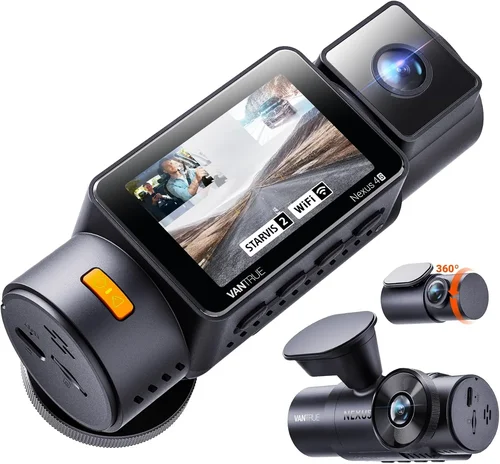
❌ Mistake: Choosing Based Solely on Price
Why it’s bad: Opting for the cheapest available option often leads to disappointment when the device fails to meet basic requirements or breaks within months. Low-cost models frequently compromise on essential components like sensors, lenses, and internal circuitry, resulting in poor video quality, short lifespans, and unreliable operation.
What to do instead: Establish your budget range first, then focus on finding the best value within that bracket. Research thoroughly to ensure the model meets your core needs before considering minor savings. Remember that investing slightly more upfront often provides better long-term value through durability and performance.
❌ Mistake: Overlooking Storage Requirements
Why it’s bad: Insufficient storage causes constant footage overwrites, potentially losing critical incident recordings. Users often underestimate how much storage high-resolution dash cams actually consume, leading to frustration when important videos are lost due to automatic deletion.
What to do instead: Calculate your storage needs based on recording quality, desired retention period, and typical usage patterns. For 1080p recording, plan for 32-128GB depending on usage frequency. Always purchase high-quality, reputable SD cards from trusted manufacturers to ensure compatibility and reliability.
❌ Mistake: Ignoring Night Performance
Why it’s bad: Many buyers assume all dash cams perform equally at night, but this assumption leads to poor evidence quality during low-light conditions when incidents are more likely to occur. Cheap models with inadequate sensors produce grainy, unusable footage after dark.
What to do instead: Specifically research night vision capabilities before purchasing. Look for models with BSI sensors, wide apertures, and explicit mentions of low-light performance. Check sample footage from night driving scenarios in reviews and product demonstrations.
❌ Mistake: Skipping Warranty Research
Why it’s bad: Assuming all products come with adequate protection leads to financial stress when devices fail unexpectedly. Some manufacturers offer surprisingly short warranty periods or restrictive terms that leave buyers vulnerable to repair costs.
What to do instead: Compare warranty lengths, coverage terms, and customer support responsiveness across multiple models. Read the fine print regarding what’s covered and what constitutes abuse or normal wear. Consider extended warranty options for premium models.
❌ Mistake: Neglecting Installation Complexity
Why it’s bad: Underestimating installation requirements can result in improper mounting, electrical hazards, or voided warranties. Simple-looking setups sometimes involve complex wiring or precise positioning that inexperienced users struggle with.
What to do instead: Review installation instructions carefully before purchasing. Choose models with clear documentation and available professional installation services if needed. Test-fit mounting hardware in your vehicle if possible before finalizing the purchase.
❌ Mistake: Forgetting About Legal Considerations
Why it’s bad: Some jurisdictions have specific regulations regarding dash cam usage, recording consent laws, or privacy restrictions. Using dash cams illegally can lead to fines, evidence being inadmissible, or privacy violations.
What to do instead: Research local laws regarding dash cam usage in your area before purchasing. Be aware of recording consent requirements, especially if capturing audio or interior cabin footage. Adjust settings accordingly to comply with regional regulations.
❌ Mistake: Not Testing Before Committing
Why it’s bad: Buying without hands-on experience risks receiving a device that doesn’t meet expectations or has compatibility issues with your specific vehicle. Features advertised online may not work as expected in real-world conditions.
What to do instead: Whenever possible, test drive models at retail locations or borrow from friends. Pay attention to button placement, menu navigation, and overall user experience during actual driving conditions. Verify compatibility with your vehicle’s electrical system and mounting surface.
Budget Guidelines: How Much Should You Spend?
Entry-Level Dash Cams ($40 – $100)
This price range offers basic dash cam functionality suitable for occasional use or budget-conscious buyers. Expect 1080p recording quality, 128GB maximum storage support, and minimal additional features. Entry-level models typically include loop recording, G-sensor for emergency footage saving, and straightforward installation procedures.
These devices work well for infrequent drivers, secondary vehicles, or those primarily concerned with basic incident documentation. Common limitations include average night vision performance, plastic construction prone to cracking, and limited warranty coverage. While they provide fundamental protection, serious concerns about reliability and advanced features should prompt reconsideration.
Recommended use cases: Occasional city driving, backup for existing dash cam, temporary installation while traveling.
Mid-Range Dash Cams ($100 – $200)
The sweet spot for most buyers, mid-range dash cams deliver excellent value by balancing performance, features, and reliability. You’ll find superior video quality (often 1440p), better low-light capabilities, enhanced build materials, and more sophisticated functionality within this range.
Typical features include GPS tracking, Wi-Fi connectivity for smartphone integration, improved night vision with BSI sensors, and more robust mounting systems. Storage capacities usually reach 256GB, supporting longer recording sessions. These models often come with two-year warranties and responsive customer support.
Recommended use cases: Daily commuting, mixed urban/highway driving, families needing reliable documentation, tech-savvy individuals wanting advanced features.
Premium Dash Cams ($200 – $400)
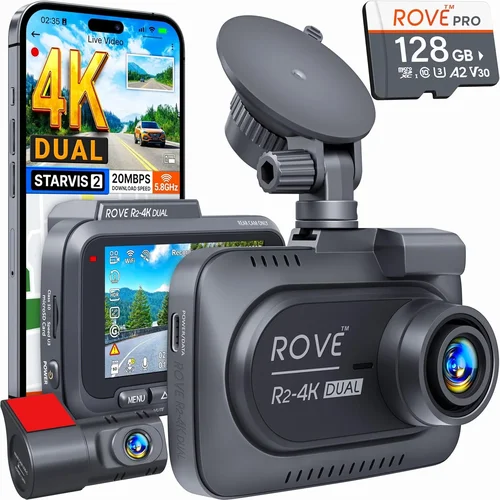
For drivers who demand top-tier performance and comprehensive protection, premium dash cams offer cutting-edge technology and professional-grade reliability. This category includes dual-camera systems, advanced parking monitoring, superior image stabilization, and enhanced security features.
Expect high-resolution recording (up to 4K), exceptional night vision capabilities, metal construction, cloud connectivity, and sophisticated software ecosystems. Premium models often include additional sensors, voice control, and integration with vehicle telematics systems. Warranties typically extend to three years or more.
Recommended use cases: High-risk driving environments, fleet operators, ride-sharing services, enthusiasts wanting maximum protection and features.
Luxury Dash Cams ($400+)
Luxury dash cams represent the pinnacle of automotive recording technology, combining industrial-grade components with intelligent automation features. These systems often serve commercial applications but are increasingly available for private use.
Features include AI-powered object detection, real-time alerts, multi-sensor arrays, professional-grade image processing, and comprehensive fleet management platforms. Storage solutions extend to terabyte-scale capacity with automatic cloud backup and encryption. Installation requires professional expertise due to complex wiring and calibration requirements.
Recommended use cases: Commercial fleet management, professional transportation services, extreme driving conditions, maximum security and compliance requirements.
Expert Tips for Getting the Best Deal
Timing Your Purchase Strategically
Seasonal sales significantly affect dash cam pricing throughout the year. Major shopping events offer substantial discounts:
- Black Friday/Cyber Monday: Typically provides 20-30% off premium models, often including free accessories or extended warranties
- New Year’s Resolutions Period: January-February sees clearance sales on previous year’s models
- Back-to-School Season: August-September offers deals as retailers refresh inventory
- Holiday Weekend Sales: Memorial Day, Labor Day, and Veterans Day weekends often feature competitive pricing
- End-of-Quarter Promotions: March, June, September, and December frequently include special financing or bundle offers
Monitor price trends using price tracking tools and set up alerts for your desired models. Retailers often adjust prices based on competitor offerings and inventory levels, creating opportunities for savvy shoppers.
Choosing the Right Retailer
Different purchasing channels offer distinct advantages and disadvantages:
Online Retailers (Amazon, Best Buy, Newegg): Generally offer wider selection, competitive pricing, detailed specifications, and customer reviews. Prime membership benefits include fast shipping and return privileges. However, shipping delays and potential counterfeit products require careful verification.
Specialty Automotive Stores (AutoZone, O’Reilly, Advance Auto): Provide hands-on testing, knowledgeable staff, and immediate availability. Often carry installation services and compatible accessories. Prices tend to be higher than online alternatives.
Direct Manufacturer Websites: May offer exclusive bundles, direct warranty registration, and customer support. Sometimes include free shipping or extended return policies unavailable elsewhere. Limited to single-brand selection.
Big Box Electronics Stores (Best Buy, Walmart, Target): Offer in-store pickup options, price matching guarantees, and comprehensive return policies. Staff training varies significantly between locations.
Identifying Genuine Deals vs. Marketing Scams
Savvy shoppers can distinguish authentic savings from misleading promotions:
- Research Original MSRP: Know the manufacturer’s suggested retail price before evaluating discounts
- Compare Across Multiple Retailers: Use price comparison websites to identify true bargains
- Watch for Bundle Deals: Value-added packages (extra memory cards, mounts, etc.) often provide better overall savings
- Verify Warranty Coverage: Ensure deals don’t reduce or eliminate warranty protection
- Read Fine Print: Hidden fees, restocking charges, or limited return windows can negate apparent savings
Be wary of “limited time” offers that appear repeatedly and excessively discounted items lacking customer reviews or professional testing validation.
Warranty and Return Policy Considerations
Thorough warranty evaluation protects your investment and ensures peace of mind:
- Length Comparison: Industry standard is 1-2 years; premium brands often offer 2-3 years
- Coverage Details: Confirm what constitutes covered defects versus normal wear or misuse
- Claim Process: Evaluate ease of initiating warranty claims and required documentation
- Return Window: Most retailers offer 30-day return policies; specialty stores may provide shorter periods
- Restocking Fees: Some online purchases incur 10-15% restocking charges
Consider extended warranty options for premium models, but calculate the probability of needing repairs versus the cost of additional coverage.
Testing Before Committing to Purchase
Hands-on evaluation prevents buyer’s remorse and ensures product suitability:
- In-Store Demonstrations: Visit electronics stores with dash cam displays to test interfaces and build quality
- Compatibility Verification: Ensure mounting systems work with your windshield angle and vehicle type
- Button Layout Assessment: Evaluate tactile feedback and logical organization during simulated driving conditions
- Sample Footage Review: Request demonstration videos showing various lighting and motion scenarios
- Battery Life Testing: For portable models, verify actual runtime matches advertised specifications
If in-person testing isn’t possible, leverage generous return policies to evaluate products in your actual driving environment.
Negotiating Better Terms
Even at major retailers, negotiation opportunities exist for experienced shoppers:
- Bundle Requests: Ask about package deals including extra accessories or extended warranties
- Price Matching: Many stores match competitors’ advertised prices, sometimes with additional discounts
- Trade-In Programs: Some manufacturers accept trade-ins of older dash cams for credit toward new purchases
- Membership Discounts: Amazon Prime, Costco, and other loyalty programs frequently offer exclusive pricing
- Corporate Partnerships: Employee discounts through workplaces or professional associations can provide significant savings
Polite persistence often yields better results than aggressive bargaining, especially at large chain retailers with trained sales staff.

Frequently Asked Questions
Q: Do I really need a dash cam, or is this just hype?
A: While not legally required in most regions, dash cams provide tangible benefits that justify their cost for responsible drivers. They serve multiple purposes: protecting against false insurance claims, documenting traffic violations committed by others, capturing evidence of hit-and-runs, and providing peace of mind knowing your driving is documented. Studies show dash cam owners report feeling safer and more confident behind the wheel, potentially influencing safer driving behaviors over time.
Q: What’s the difference between a single camera and dual camera dash cam?
A: Single camera dash cams record only the forward view from your vehicle, capturing license plates, traffic signals, and road conditions ahead. Dual camera systems include an additional rear-facing camera that simultaneously records what happens behind your vehicle. This provides complete coverage of incidents involving rear-end collisions, backing maneuvers, or objects entering your lane from behind. Dual cameras typically require more storage capacity and power consumption but offer comprehensive protection for both directions.
Q: Can dash cams record audio, and is it legal?
A: Many modern dash cams include microphone capabilities to capture ambient sounds and conversations inside the vehicle. However, audio recording regulations vary significantly by jurisdiction. Some countries and states prohibit recording audio without all parties’ consent due to wiretapping laws. Before enabling audio recording, research local regulations regarding electronic surveillance. Some manufacturers provide audio recording toggles to comply with regional requirements, allowing users to disable microphone functions where prohibited.
Q: How often should I replace my microSD card?
A: MicroSD card lifespan depends on write cycles, quality, and usage patterns. Consumer-grade cards typically endure 10,000-100,000 write cycles, but dash cams constantly overwrite footage, accelerating wear. Signs indicating replacement time include corrupted files, unreadable footage, slow write speeds, or cards failing to initialize. As a general guideline, replace cards every 1-2 years or immediately if experiencing performance issues. Always purchase high-endurance cards specifically designed for continuous writing applications rather than standard consumer cards.
Q: Will a dash cam drain my car battery?
A: Yes, dash cams continuously draw small amounts of power from your vehicle’s electrical system. A typical dash cam consumes 1-3 watts, equivalent to 0.5-1.5 amps at 12 volts. While this seems minimal, constant drainage can eventually deplete a parked vehicle’s battery over weeks or months. Solutions include hardwiring to the fuse box (drawing only when ignition is on), using parking mode with motion/impact detection (reducing unnecessary recording), or installing a dedicated deep-cycle auxiliary battery for extended parking monitoring. Modern dash cams often include intelligent power management features to minimize battery drain.
Q: How do I choose the right field of view for my needs?
A: Selecting appropriate field of view depends on your driving environment and preferences. Wider angles (150°+) capture more surroundings but increase lens distortion and reduce detail resolution. Narrower angles (100°-120°) provide sharper central images but leave more blind spots. Urban drivers facing frequent intersections and pedestrian crossings benefit from wider FOVs to see crosswalks and approaching vehicles. Highway drivers prioritize detail over coverage since passing vehicles move quickly past the camera. Most manufacturers provide adjustable FOV settings to balance these competing priorities based on specific situations.
Q: Are cloud-connected dash cams worth the subscription cost?
A: Cloud connectivity transforms dash cams from passive recording devices into active security systems. Subscriptions typically range from $2-$10 monthly and provide benefits including automatic backup, remote viewing, event notifications, and tamper alerts. These features justify the cost for high-risk occupations (delivery drivers, rideshare operators), valuable vehicles, or individuals living in areas with high theft rates. However, for occasional drivers or those with reliable home networks, local storage may suffice without recurring costs. Evaluate subscription benefits against actual usage patterns and risk exposure before committing.
Q: What resolution should I choose for the best license plate readability?
A: License plate identification requires sufficient pixel density to capture fine details at typical viewing distances. At highway speeds, license plates are approximately 10-15 feet away during passing maneuvers. 1080p resolution provides acceptable readability for most situations, but 1440p delivers significantly clearer results with easier character recognition. For urban environments with frequent stops and close encounters, 1440p or higher becomes increasingly valuable. Consider your primary driving conditions when selecting resolution—highway-focused drivers may prioritize smooth motion capture while city drivers benefit from enhanced detail resolution.
Q: How do I properly install and maintain my dash cam?
A: Proper installation ensures optimal performance and longevity. Begin by cleaning the mounting surface thoroughly with isopropyl alcohol to remove oils and debris. Position the camera to maximize windshield coverage while avoiding glare from dashboard elements. For hardwiring installations, locate appropriate fuse taps in the fuse box using a wiring diagram specific to your vehicle model. Maintenance includes regular memory card checks, cleaning the lens with microfiber cloths, verifying mounting security after long trips, and updating firmware when available. Store spare memory cards in protective cases to prevent damage and always format cards through the dash cam interface rather than computer systems.
Q: Can I use my existing phone instead of buying a dedicated dash cam?
A: Smartphone apps claim to provide dash cam functionality, but dedicated devices offer significant advantages. Dash cams have optimized sensors, stable mounting systems, continuous power management, and specialized software tailored for automotive environments. Phones lack the ruggedized construction, thermal stability, and consistent performance required for reliable recording. Additionally, phone dash cam apps often violate carrier terms of service and may drain battery life excessively. For serious documentation needs, dedicated dash cams remain the superior choice despite the convenience of smartphone alternatives.
Our Final Recommendations
Best for Budget-Conscious Buyers
The Viofo A119 v3 represents outstanding value for drivers seeking reliable basic protection without breaking the bank. Priced around $80, this 1080p dash cam delivers consistent performance with a 140° field of view, G-sensor for emergency recording, and loop recording functionality. Its compact design integrates seamlessly behind rearview mirrors while maintaining excellent visibility. The included parking mode with motion detection provides added security without excessive battery drain. Despite its affordable price point, the A119 v3 uses quality components and receives regular firmware updates, ensuring longevity and improved functionality over time. Users consistently praise its straightforward operation and dependable recording quality, making it ideal for everyday commuting and moderate driving needs.
Best Overall Value
The BlackVue DR970X-2CH stands as the undisputed champion for drivers wanting premium features at reasonable prices. Priced around $250, this dual-channel system captures stunning 4K front footage and 2K rear recording with exceptional dynamic range handling. Advanced features include built-in GPS, Wi-Fi connectivity, and cloud integration with BlackVue’s intuitive app ecosystem. The DR970X-2CH excels in low-light conditions thanks to its starlight sensor technology, producing remarkably clear nighttime footage. Its metal construction ensures durability while the smart parking mode with impact detection prevents unnecessary battery drain. Regular software updates continue adding features years after purchase, demonstrating BlackVue’s commitment to ongoing improvement. This comprehensive solution handles every aspect of modern dash cam needs with professional-grade reliability.
Best Premium Option
For discerning drivers demanding absolute excellence, the Garmin Dash Cam 67W delivers unmatched integration with superior build quality. Priced around $300, this 1080p dash cam features Garmin’s renowned GPS precision, voice control capabilities, and seamless smartphone pairing. Its distinctive design includes a 180-degree adjustable lens for flexible mounting options and excellent low-light performance. The included voice commands allow hands-free operation, while the built-in safety features provide timely alerts about nearby red light cameras and speed traps. Garmin’s commitment to reliability shows through comprehensive 2-year warranties and responsive customer support. The 67W integrates perfectly with Garmin’s ecosystem of navigation devices, providing unified functionality for drivers already invested in the brand. Its rugged construction withstands extreme temperatures and vibrations while maintaining consistent recording quality.
Best for Beginners
New dash cam users will appreciate the Nextbase 522GW‘s user-friendly interface and comprehensive feature set. Pricing at $150, this 1080p model includes everything beginners need: automatic emergency recording, Alexa voice control, and crisp night vision. The intuitive touchscreen interface makes navigation effortless, while the built-in GPS accurately tracks location and speed data. Nextbase’s commitment to safety includes automatic accident detection and instant emergency call capabilities through their 3G/4G network. The 522GW’s magnetic mount allows quick installation and removal, perfect for trying different mounting positions. Regular firmware updates continuously improve functionality, adding new features like advanced parking monitoring. Beginners benefit from Nextbase’s extensive online tutorials and responsive support team, ensuring smooth setup and operation from day one.
Best for Advanced Users
Experienced drivers seeking maximum customization and functionality will love the Thinkware U1000. Priced around $220, this 4K dash cam offers unparalleled image quality with exceptional detail retention even in challenging lighting conditions. Advanced users appreciate its granular control over recording parameters, including customizable compression ratios and frame rate adjustments. The U1000 includes multiple parking mode options, from constant recording to intelligent motion-triggered monitoring, preventing battery drain while maximizing security. Its robust build quality includes military-grade durability testing, ensuring reliable performance in extreme environments. Thinkware’s commitment to privacy includes local-only storage options and encrypted file transfers, appealing to security-conscious users. Regular software updates introduce new features like advanced collision detection and customizable alert thresholds, keeping the U1000 relevant years after purchase.
Conclusion: Making the Right Choice
Selecting the best dash cam for your car ultimately depends on balancing your specific needs against available options and budget constraints. Rather than chasing every latest feature, focus on identifying which capabilities genuinely enhance your driving safety and peace of mind. Consider your typical driving patterns, environmental conditions, and risk tolerance when evaluating models. A modestly priced dash cam that reliably captures clear footage during your daily commute may prove far more valuable than an expensive system you rarely use or cannot operate effectively.
Remember that dash cams serve as passive witnesses, not active safety devices. Their true value emerges when you actually need them—during disputes, insurance claims, or unfortunate incidents. Invest time researching thoroughly, reading multiple reviews from diverse sources, and testing products whenever possible. Don’t hesitate to seek professional installation for complex setups or hardwiring requirements.
The automotive recording market continues evolving rapidly with new technologies emerging regularly. Stay informed about developments while focusing on proven, reliable solutions rather than experimental features. Your chosen dash cam should complement your driving experience, providing reassurance without becoming an obsession. With thoughtful consideration and realistic expectations, you’ll find a dash cam that enhances your journey while delivering lasting value through improved documentation and enhanced confidence behind the wheel.