Expert Miata Dash Cam Buying Guide
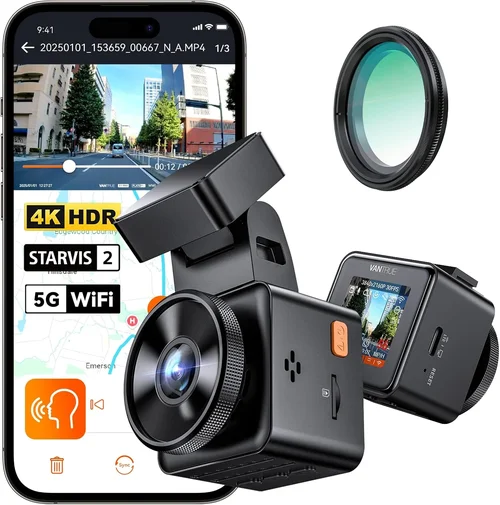
Why choosing the right dash cam for your Miata matters more than you might think. This isn’t just about capturing footage of your spirited drives through twisty backroads – though that’s certainly a bonus. For Miata owners, a quality dash cam serves multiple critical purposes: protecting yourself in potential accidents, documenting mechanical issues that may arise during spirited driving, providing evidence in insurance claims, and even helping track performance metrics on track days. The compact size of the Miata presents unique challenges for mounting and wiring, while its often-open-top design requires special consideration for weather protection.
In this comprehensive guide, you’ll learn exactly what to look for when selecting the perfect dash cam for your beloved roadster. We’ll walk through every important factor from video quality and storage options to installation considerations specific to the Miata’s layout. Whether you’re a weekend cruiser, track day enthusiast, or daily commuter who loves taking corners with flair, understanding how different features impact your driving experience will help you make an informed decision. By the end, you’ll have clear criteria to evaluate any dash cam against your specific needs.
The market offers dozens of options ranging from basic single-camera setups to sophisticated multi-channel systems. However, not all dash cams work equally well in the constrained space of a Miata’s cabin. Factors like windshield curvature, limited mounting locations, and the need for clean wire routing all influence which models will serve you best. This guide cuts through the marketing noise to focus on practical considerations that actually matter for real-world use behind the wheel of your Miata.

What to Look for When Buying Dash Cams
When evaluating dash cams specifically for your Miata, several key factors deserve careful consideration. Each element impacts how well the device performs its intended functions while fitting seamlessly into your driving experience.
1. Budget & Price Range
Your budget should guide your feature selection rather than determine your options entirely. Entry-level models under $100 can provide adequate recording quality for basic needs, while mid-range cameras ($100-250) typically offer the best balance of features and reliability. Premium options ($250+) deliver professional-grade performance with advanced capabilities. Consider how frequently you drive, whether you take your car to track events, and what level of documentation you actually need. Remember that cheaper models may lack essential features like G-sensor protection or loop recording, while overpaying for features you’ll never use makes little sense.
2. Performance Specifications
Video resolution is arguably the most important spec – aim for at least 1080p Full HD, though 2K and 4K models capture significantly more detail. Frame rate matters too; 60fps provides smoother motion compared to standard 30fps, crucial for capturing fast-moving vehicles during highway incidents. Field of view (FOV) ranges from ultra-wide 170° to narrower 120°, with wider angles covering more area but potentially introducing distortion at edges. Low-light performance affects nighttime recording quality, so look for cameras with good starlight sensitivity or night vision capabilities. Storage capacity determines how long you can record before overwrite, with internal memory cards ranging from 32GB to 256GB or more.
3. Build Quality & Durability
Given the Miata’s open-top nature and frequent exposure to weather elements, build quality becomes especially important. Look for cameras with IPX rating for water resistance, preferably IPX4 or higher. Temperature tolerance matters since cars can get extremely hot inside or cold at night. Housing materials should resist UV degradation from sun exposure and maintain flexibility without cracking. Mounting hardware must securely attach to the Miata’s curved windshield without interfering with driver visibility. Some models include suction cup mounts designed specifically for curved surfaces, while others use adhesive pads that bond permanently but require careful placement.
4. Features & Functionality
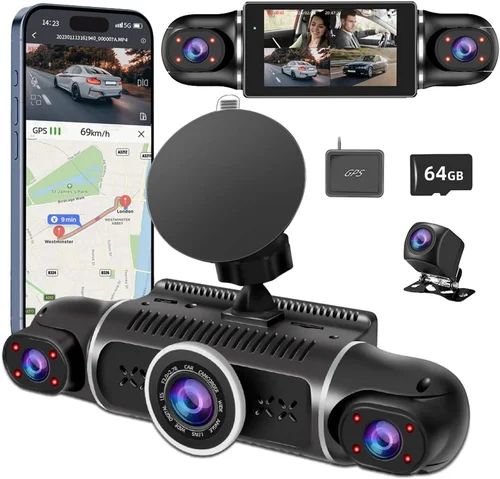
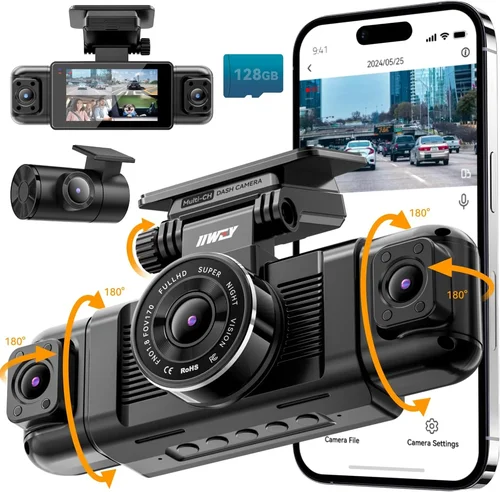
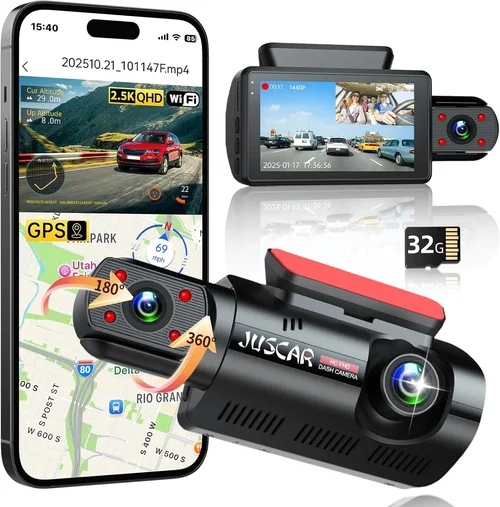
Essential features include automatic recording, loop recording (overwrites oldest files), G-sensor (detects collisions and saves footage), and parking mode (records while parked using motion detection or time-lapse). Advanced capabilities might include Wi-Fi connectivity for smartphone app control, GPS tracking of location/speed, voice commands, emergency SOS buttons, or dual-channel recording (front and rear). Consider whether you need cloud storage backup, remote viewing capabilities, or integration with other vehicle systems. Some Miata-specific considerations include whether the camera blocks your view of the instrument cluster or dashboard controls.
5. Brand Reputation
Well-established brands like BlackVue, Thinkware, Garmin, Viofo, and Nextbase generally offer better support, longer warranties, and more reliable firmware updates. Research customer service responsiveness, warranty terms, and community feedback before purchasing. Avoid obscure brands with minimal online presence or poor review ratings. Check forums dedicated to Miata enthusiasts for real-world experiences with specific models. Brands known for automotive electronics tend to understand the unique demands placed on dash cams during spirited driving sessions.
6. Warranty & Support
A solid warranty indicates manufacturer confidence in their product. Most reputable brands offer 1-3 year coverage against defects. Check if the warranty covers accidental damage or just manufacturing flaws. Customer support availability varies greatly between brands – some provide toll-free phone support, others only email assistance. Read return policies carefully, especially if buying online where testing isn’t possible. Consider how easily replacement parts are available if something breaks down after the warranty period expires.
7. Size & Portability
Compact size matters in the Miata’s limited interior space. Bulky cameras may obstruct your view of the gauges or dashboard controls. Slim designs slide under air vents or fit discreetly near the top of the windshield without interfering with visibility. Some models come with magnetic mounts allowing easy removal when not needed. Portability also affects whether you can transfer footage easily between vehicles. Very small cameras may sacrifice image quality or battery life for size, so find the right balance for your priorities.
8. User Reviews & Ratings
Real user experiences reveal practical insights that specifications alone cannot provide. Pay attention to consistent complaints about battery life, mount stability, or software bugs across multiple reviews. Positive comments about ease of installation, clear video quality, or responsive customer service are encouraging signs. Be wary of reviews that seem overly promotional or contain suspiciously identical phrasing. Focus on detailed reviews from verified purchasers who describe actual usage scenarios similar to yours.
9. Installation Complexity
Consider how much effort you’re willing to invest in setup. Simple plug-and-play models connect directly to the cigarette lighter socket, while hardwired options require routing wires along door frames and under carpets. Some Miata owners prefer completely hidden installations using OBD-II port power instead of visible wiring. Evaluate whether you want permanent installation or removable convenience. Professional installation services exist but add significant cost. Choose complexity level based on your comfort with DIY projects and desire for clean aesthetics.
10. Power Source Options
Power source flexibility affects both installation options and reliability. Battery-powered cameras operate independently but require recharging. Car chargers draw power from the cigarette lighter or OBD-II port. Hardwired solutions connect directly to the fuse box for constant power. Parking mode functionality depends heavily on power source – continuous connection enables event-triggered recording while parked, whereas intermittent charging may limit parking mode duration. Consider your typical usage patterns when selecting power configuration.
Different Types of Dash Cams

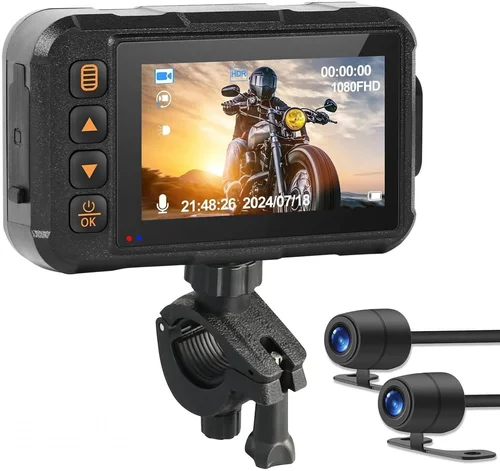
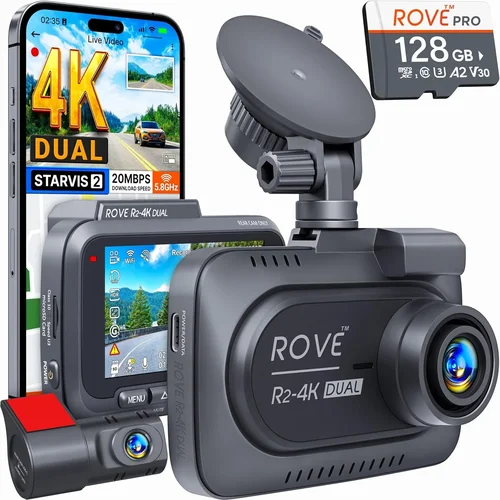
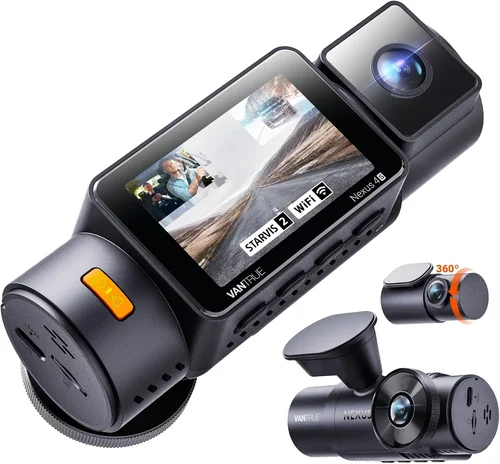
Each category serves different needs based on your driving habits and priorities. Single front-facing cameras remain the most popular choice due to their simplicity and affordability while still providing essential protection. Dual-channel systems appeal to those who frequently encounter rear-end situations or want complete situational awareness during spirited driving sessions. Wireless models offer convenience through smartphone integration but depend on cellular coverage for full functionality. Action camera-style devices satisfy aesthetic preferences while maintaining core dash cam capabilities. Professional grade equipment delivers unmatched quality but rarely justified for personal Miata use.
Common Buying Mistakes to Avoid
❌ Mistake: Choosing Based Solely on Price
Why it’s bad: Selecting the cheapest option often leads to disappointment when basic features like proper mounting, decent video quality, or reliable operation fail. Low-cost cameras may lack essential protections against heat buildup, vibration, or moisture exposure common in convertible driving conditions. Additionally, they often come with limited warranties and poor customer support.
What to do instead: Establish your priority list first – what features matter most? Then compare models within reasonable price brackets. A slightly more expensive camera with proven reliability may save money long-term by avoiding replacement costs and downtime.
❌ Mistake: Ignoring Installation Requirements
Why it’s bad: Assuming all dash cams install identically overlooks the Miata’s unique interior layout. Poor placement can obstruct your view of gauges or create distracting glare. Improper wiring may damage interior trim or create fire hazards. Attempting complex hardwire installations without proper knowledge risks electrical system damage.
What to do instead:: Research installation requirements thoroughly before purchasing. Consider whether you need simple vent mounting, windshield adhesive mounting, or professional hardwire installation. Watch unboxing videos or read detailed installation guides for your specific model before committing.
❌ Mistake: Overlooking Weather Protection Needs
Why it’s bad:: Convertibles face greater exposure to rain, snow, ice, and temperature extremes than enclosed vehicles. Cameras without adequate sealing may fog up, develop condensation, or suffer component failure from thermal stress. Moisture intrusion can permanently damage electronics and void warranties.
What to do instead:: Prioritize IP-rated water resistance (ideally IPX4 or higher) and check temperature operating ranges. Look for models with rubber gaskets, sealed connectors, and conformal coating on circuit boards. Consider additional protective measures like hydrophobic lens coatings or secondary housing covers.
❌ Mistake: Neglecting Storage Capacity Planning
Why it’s bad:: Running out of storage during extended trips means missing critical footage. Smaller cards (under 64GB) quickly fill up during high-resolution recording, forcing frequent off-car transfers. Without loop recording properly configured, important events get overwritten immediately.
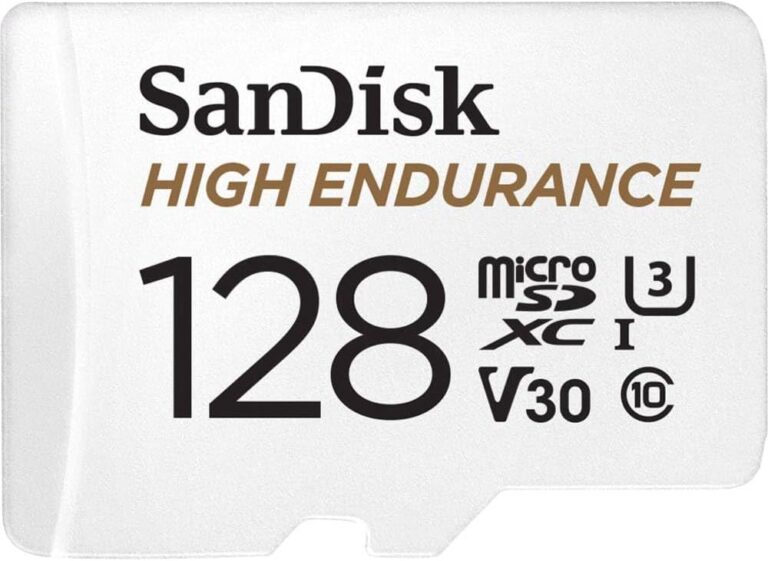
What to do instead:: Calculate required storage based on your typical trip length, recording resolution, and whether you need event-triggered file retention. Choose cards with sufficient capacity (64GB minimum, 128GB+ recommended) and verify compatibility with your chosen model.
❌ Mistake: Focusing Only on Video Resolution
Why it’s bad:: Higher megapixels don’t guarantee better footage if other factors suffer. Poor sensor quality, inadequate low-light performance, or unstable frame rates can produce blurrier results than lower-resolution alternatives. Many cheap 4K cameras actually perform worse than competent 1080p models.
What to do instead:: Balance resolution with sensor quality, lens optics, and overall system performance. Read objective reviews comparing real-world footage rather than trusting marketing claims. Consider that 1080p at 60fps often captures clearer motion than 4K at 30fps.
❌ Mistake: Assuming All Mounts Work Equally Well
Why it’s bad:: Suction cup mounts may lose adhesion during spirited driving or extreme temperatures. Adhesive pads can damage paint or leave residue during removal. Some Miata windshields curve too sharply for standard mounts to maintain secure contact throughout all driving conditions.
What to do instead:: Test mount types before final purchase if possible. Look for models with adjustable arms or flexible mounting systems designed for curved surfaces. Consider magnetic mounts that allow repositioning without damaging surfaces. Read owner reports about mount reliability specifically for convertibles.
Budget Guidelines: How Much Should You Spend?
Understanding appropriate spending levels helps avoid overspending on unnecessary features while ensuring adequate protection for your investment. The right budget allocation depends heavily on your driving frequency, risk tolerance, and desired capabilities.
Entry-Level ($50 – $100)
This tier includes basic functionality suitable for occasional drivers who primarily need documentation for insurance purposes. Expect 1080p recording, fixed lens, simple mounting, and basic loop recording. Models in this range often lack advanced features like parking mode or GPS tracking but provide acceptable video quality for general use. While these cameras won’t survive extreme abuse, they handle normal driving conditions reasonably well. Ideal candidates include the VIOFO A119 V3 or similar budget-friendly options. Note that entry-level models may have shorter warranties and limited customer support compared to premium brands.
Mid-Range ($100 – $250)
Representing the sweet spot for most Miata owners, this category offers excellent value by combining reliable performance with essential features. You’ll find 1080p or 2K recording, wide dynamic range (WDR), decent low-light performance, parking mode capability, and robust build quality. Popular choices like the Thinkware U1000 or BlackVue DR900S series fall here. These models typically include sturdy mounts, reliable firmware, and responsive customer service. The mid-range represents the best balance between cost and capability for everyday driving combined with occasional spirited sessions.
Premium ($250 – $400)
For enthusiasts who demand maximum reliability and advanced functionality, premium models deliver professional-grade performance. Expect 4K recording, superior sensors, enhanced night vision, cloud connectivity, GPS logging, and extensive metadata capture. Systems like the BlackVue DR970X-2CH or Thinkware Q800PRO offer dual-channel recording, Wi-Fi remote viewing, and robust mobile apps. While exceeding typical Miata owner needs, these represent excellent investments for those who drive frequently, participate in track events, or require forensic-quality documentation for legal or insurance purposes.
Luxury ($400+)
Top-tier dash cams target racing teams and commercial fleets requiring absolute reliability and maximum data capture. These systems feature redundant storage, military-grade components, specialized mounting solutions, and extensive telemetry integration. For individual Miata owners, luxury pricing rarely justifies the marginal benefits over premium models unless specific professional requirements dictate otherwise. However, even within the luxury category, some brands offer exceptional value propositions worth considering for dedicated enthusiasts.
Remember that your budget shouldn’t dictate your safety – prioritize reliability and essential features over flashy extras. A well-chosen mid-range model often outperforms cheaper alternatives while lasting years longer than entry-level options.
Expert Tips for Getting the Best Deal
Navigating the dash cam market effectively requires strategic timing and research. These expert recommendations will help you maximize value while minimizing frustration.
Timing your purchase around new model releases can yield significant savings as manufacturers clear inventory. Major brands typically announce new models six months before release, creating opportunities to buy last-generation versions at reduced prices. Keep an eye on tech review sites for upcoming announcements and set Google Alerts for your preferred brands.
Research authorized retailers versus third-party sellers carefully. While Amazon offers convenience, brand-direct purchases often include better warranties and authentic products. Verify seller ratings and read recent reviews before buying from lesser-known platforms. Authorized dealers sometimes bundle accessories or offer free installation services unavailable elsewhere.
Compare prices across multiple reputable sources using price tracking tools like Honey or CamelCamelCamel. Set price drop alerts for your desired model and monitor fluctuations over weeks before deciding. Some retailers offer price-matching guarantees worth leveraging when negotiating.
Read return policies thoroughly before purchasing, especially for online orders. Test periods vary widely – some brands offer 30-day returns while others restrict exchanges. Understand restocking fees and return shipping responsibilities. Physical stores allow immediate testing but may charge higher prices than online deals.
Consider bundled packages that include essential accessories like extra batteries, microSD cards, or mounting kits. Standalone purchases often require separate ordering and shipping. Verify included items match advertised specifications rather than upsold add-ons.
Join Miata-specific forums and Facebook groups to discover local deals or group buys. Enthusiast communities frequently share exclusive discounts, trade opportunities, or bulk purchase advantages unavailable to general consumers. Experienced owners can also provide valuable installation tips and troubleshooting advice.
Check warranty registration processes immediately after purchase. Some brands require online activation within 30 days for full coverage. Register your product promptly to ensure eligibility for repairs or replacements if issues arise later. Keep proof of purchase readily accessible for warranty claims.
Evaluate whether financing options suit your budget better than outright purchase. Retailer credit programs occasionally offer interest-free periods for qualified buyers. Compare APR rates against your expected usage frequency and resale value projections.
Finally, consider refurbished or certified pre-owned options from reputable sources. Inspected units often carry extended warranties comparable to new purchases while offering substantial savings. Verify refurbishment standards and return privileges before committing to used equipment.

Frequently Asked Questions
Q: What resolution should I choose for my Miata dash cam?
A: For most Miata applications, 1080p Full HD at 60fps provides the optimal balance of detail and smooth motion capture. While 4K models exist, they typically consume excessive storage and offer diminishing returns for typical driving scenarios. Reserve 4K for professional documentation needs or if you frequently encounter fast-moving traffic situations where minute details matter.
Q: Can I install a dash cam myself in my Miata?
A: Yes, many models feature simple plug-and-play installation using the cigarette lighter socket or USB ports. Basic setup involves placing the camera on the windshield and connecting power. More advanced hardwired installations require routing wires along door frames and connecting to fuse boxes – best left to experienced DIYers or professionals unless you’re comfortable with automotive electrical work.
Q: Will a dash cam interfere with my Miata’s radio signal?
A: Modern dash cams use digital technology that doesn’t affect analog AM/FM radios. However, some older models with poor shielding might introduce minor interference on certain frequencies. If experiencing issues, try relocating the camera or switching to a different power source. Most current models meet electromagnetic compliance standards that prevent such problems.
Q: How much storage do I really need?
A: For 1080p recording, allocate approximately 3GB per hour. Plan accordingly based on your longest anticipated recording session. A 64GB card provides about 20 hours of footage, while 128GB offers nearly 40 hours. Always carry spare cards or establish regular transfer routines to avoid missing important events due to full storage.
Q: Do I need parking mode in my Miata?
A: Parking mode proves valuable if you regularly leave your car unattended in public spaces or parking lots. It activates when motion or impact is detected while the engine isn’t running. However, implementing parking mode requires either constant power connection (hardwiring) or frequent battery replacement – consider your convenience versus benefit tradeoff carefully.
Q: What’s the best mounting position for a Miata?
A: Position the camera near the top center of the windshield, angled downward to capture license plates and road signs without obstructing instrument cluster visibility. Avoid mounting directly behind the steering wheel where it might block airbag deployment paths. Test various positions during daylight hours to ensure optimal coverage and minimal glare.
Q: How do I protect my dash cam from extreme temperatures?
A: Miatas experience dramatic interior temperature swings. Choose models rated for -20°C to 70°C operation range. Apply anti-glare film to lenses and use ventilation gaps when possible. Never cover the camera with seat covers or other materials that trap heat. Consider parking in shaded areas when feasible to reduce thermal stress.
Q: Are wireless dash cams reliable for Miata use?
A: Wireless connectivity works well for most urban environments with strong cell coverage. However, remote viewing and cloud uploads may fail in rural areas or during poor signal conditions. Local storage remains essential regardless of wireless capabilities. Test connectivity in your typical driving locations before relying solely on cloud features.
Q: Should I choose front-only or dual-channel recording?
A: Front-only recording suffices for most Miata drivers focused on highway incidents and general protection. Dual-channel adds rear coverage valuable for tracking sessions, parking lot encounters, or situations where rear-end impacts occur less frequently than frontal collisions. Consider adding a separate rear camera if you frequently drive with passengers who might need rear documentation.
Q: How often should I clean my dash cam lens?
A: Clean the lens whenever you notice reduced visibility or smudges affecting image quality. In dusty environments or during rainy conditions, cleaning may be necessary every few weeks. Use microfiber cloths and approved cleaning solutions – avoid household glass cleaners that leave residues. Regular maintenance preserves image clarity and prevents permanent scratches.
Final Recommendations
After thorough evaluation of available options and careful consideration of Miata-specific requirements, these recommendations reflect the best combinations of performance, reliability, and value for different user profiles.
For budget-conscious buyers seeking reliable protection without breaking the bank, the VIOFO A119 V3 stands out as an excellent choice. This model delivers crisp 2K recording, robust build quality, and essential features like parking mode and GPS logging at an accessible price point. Its compact size fits comfortably in the Miata’s limited interior while providing sufficient coverage for everyday driving scenarios.
Those desiring the best overall value should consider the Thinkware U1000. This mid-range champion offers professional-grade performance including dual-channel recording, exceptional low-light sensitivity, and intuitive smartphone app integration. While slightly pricier than entry-level options, the U1000’s reliability and feature set justify the investment for frequent drivers and track day enthusiasts alike.
Premium users needing maximum documentation quality will appreciate the BlackVue DR900S-2CH. This top-tier model combines 4K front recording with 1080p rear coverage, cloud connectivity, and military-grade durability. Its sophisticated software suite provides extensive metadata capture and remote management capabilities unmatched by competitors – ideal for serious enthusiasts demanding forensic-quality evidence.
Beginners starting their dash cam journey should begin with the Nextbase 522GW. This user-friendly option features automatic updates, collision detection, and straightforward installation while maintaining respectable video quality. Its intuitive interface and responsive customer support make it perfect for those transitioning from no dash cam to having one without technical overwhelm.
Advanced users seeking cutting-edge functionality will find the Garmin Dash Cam 67W compelling. This innovative model incorporates advanced driver assistance features like forward collision warnings and lane departure alerts alongside solid dash cam capabilities. Its unique positioning appeals to tech-savvy Miata owners who appreciate integrated safety systems beyond basic recording.
Ultimately, the best dash cam for your Miata depends on your specific driving habits, risk tolerance, and desired features. Prioritize reliability and essential functionality over unnecessary extras, and always consider how the device integrates with your existing driving experience rather than disrupting it.
Conclusion: Making the Right Choice
Selecting the perfect dash cam for your Miata involves balancing technical specifications with practical realities of convertible ownership. The compact interior, open-top design, and frequent spirited driving all influence which features matter most for your situation. Rather than chasing the latest technological marvels, focus on finding a reliable system that enhances your driving experience without becoming another distraction behind the wheel.
Remember that even the most advanced dash cam cannot replace defensive driving skills or good judgment. However, quality documentation provides peace of mind, protects your interests in disputes, and preserves memories of your favorite roads. Approach your decision thoughtfully by identifying your true priorities – whether that’s basic insurance protection, track day documentation, or simply capturing scenic drives through twisty backroads.
Take time to research thoroughly, compare real user experiences, and test installation options before making your final selection. The investment pays dividends in both safety and enjoyment of your beloved roadster. With the right dash cam properly mounted and maintained, you’ll be ready for whatever adventures await on your next drive.