Best Dash Cam for F150 Purchase Guide
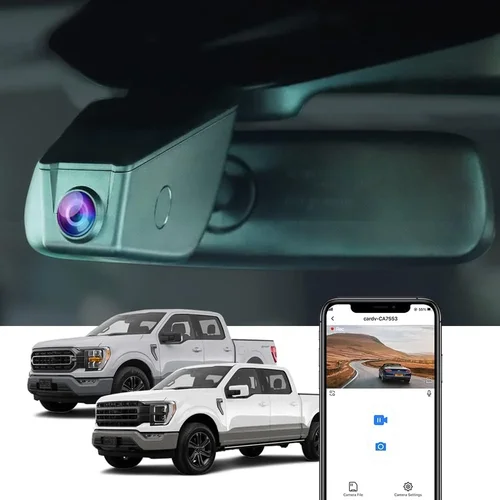
Why choosing the right dash cam for your Ford F-150 can make all the difference in protecting yourself, your vehicle, and ensuring peace of mind on the road. Whether you’re a daily commuter, an off-road enthusiast, or someone who values safety and security, a quality dash cam serves as your 24/7 witness, recording every moment inside and outside your truck. With countless models flooding the market, it’s easy to feel overwhelmed by technical specifications, brand promises, and marketing jargon. This comprehensive guide cuts through the noise, offering expert-level insights tailored specifically to the unique needs of F-150 owners.
In this detailed buying guide, you’ll learn how to evaluate dash cams based on performance, durability, features, and value—all while keeping your specific driving habits and vehicle setup in mind. We’ll walk you through the essential factors to consider, compare different types of dash cams, highlight common pitfalls to avoid, and provide budget-friendly recommendations that don’t compromise on quality. You’ll also gain access to expert tips on where and when to buy, what warranties to look for, and how to test your device before making a final decision. By the end, you’ll have the knowledge needed to confidently select the best dash cam for your F-150—one that fits your lifestyle, protects your investment, and delivers reliable footage when it matters most.
The market for automotive cameras has exploded in recent years, driven by rising insurance costs, increased traffic incidents, and growing awareness of personal safety. From basic single-camera systems to advanced dual-channel units with GPS tracking, night vision, and cloud connectivity, the options are vast. However, not all dash cams are created equal—especially when it comes to compatibility with larger vehicles like the Ford F-150. These trucks often have extended windshields, larger interiors, and unique mounting challenges that demand specialized attention. This guide addresses those nuances head-on, ensuring your choice works seamlessly with your truck’s layout and your driving environment.

What to Look for When Buying Dash Cams
1. Resolution & Video Quality
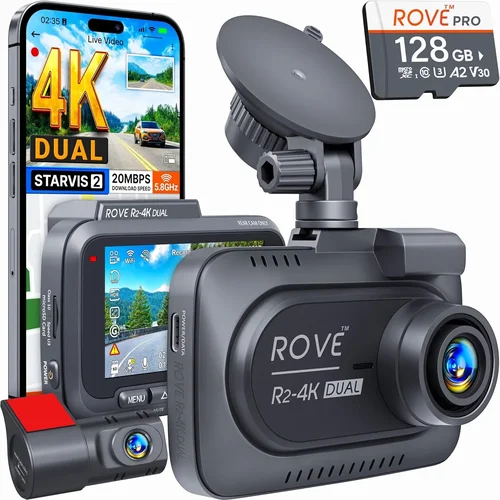
Resolution is the foundation of any good dash cam experience. For F-150 owners, where visibility can be affected by heavy rain, fog, or nighttime driving, high-resolution video ensures critical details—like license plates, facial expressions, and road signs—are captured clearly. Most modern dash cams offer at least 1080p Full HD resolution, but many now go beyond to 2K (1440p) or even 4K Ultra HD.
While 4K provides stunning detail, it’s important to balance resolution with storage capacity and processing power. Higher resolutions generate large files quickly, which may require more frequent file overwrites if your loop recording isn’t managed properly. For everyday F-150 use—commuting, highway travel, rural roads—2K resolution strikes an excellent balance between clarity and efficiency. Additionally, look for cameras with HDR (High Dynamic Range), which enhances contrast in bright sunlight or deep shadows, giving you clearer footage during sudden shifts from tunnel to open road.
Frame rate also plays a role: 30fps is standard, but some models support 60fps for smoother motion capture during fast-paced scenarios like lane changes or accidents. Always check real-world reviews to see how the camera performs in low light, as many manufacturers exaggerate specs in ideal conditions.
2. Field of View (FOV)
The field of view determines how much of the road ahead (and sometimes behind) your dash cam can record. A wider angle captures more surroundings, which is especially useful for F-150 drivers who frequently navigate tight parking lots, construction zones, or multi-lane highways. Typical FOV ranges from 110° to 170°, with ultra-wide lenses pushing toward 180°. However, extreme angles can introduce distortion at the edges—known as “fish-eye effect”—which may obscure important details.
For most F-150 applications, a 140°–150° FOV offers the sweet spot: wide enough to catch lane departures or blind-spot activity without excessive warping. If you opt for a dual-camera system (front and rear), ensure both units maintain consistent FOV to avoid mismatched perspectives when reviewing clips. Some advanced models allow you to adjust FOV settings digitally, letting you narrow the view slightly if you notice edge distortion.
Keep in mind that windshield size matters—F-150 SuperCrew and Extended Cab models have larger glass surfaces than regular cabs, so you may need longer suction cups or adjustable arms to position the camera effectively across the full width.
3. Night Vision & Low-Light Performance
Driving at dusk, dawn, or through poorly lit areas is inevitable, especially for long-haul truckers or those commuting in urban environments with minimal street lighting. Night vision capabilities directly impact your ability to gather usable evidence after an incident. Modern dash cams use several technologies to improve nighttime clarity: larger image sensors (like Sony STARVIS), infrared LEDs, and enhanced noise reduction algorithms.
Look for cameras rated for “night vision” or “low-light optimization.” While no camera can match daytime clarity in total darkness, models with f/1.6 or lower aperture numbers let in significantly more light. Some premium units include built-in IR illuminators that cast invisible red light onto objects—perfect for capturing faces or license plates without blinding other drivers. However, these are usually limited to short distances and aren’t effective beyond 50–60 feet.
Another consideration: color vs. black-and-white recording. During true darkness, most dash cams switch to B&W mode automatically. Ensure your chosen model retains sufficient detail in this mode—grainy or blurry footage won’t help in legal disputes or insurance claims. Reading user feedback about nighttime performance is crucial; theoretical specs rarely tell the whole story.
4. Storage Capacity & Loop Recording
Dash cams rely on microSD cards (typically Class 10 or UHS-I/UHS-II) for storing video. The size you choose depends on recording duration, resolution, and whether you enable extra features like G-sensor-triggered event locking or audio recording. A 32GB card might last just 2–3 hours at 1080p, while a 256GB card could store up to 24+ hours—but remember, larger cards cost more and fill up faster with high-bitrate 4K content.
Loop recording is non-negotiable: it overwrites old footage automatically once your card is full, ensuring continuous operation without manual intervention. Make sure your dash cam supports the SD card size you plan to use—some older models cap out at 64GB despite newer standards allowing much higher capacities. Also verify write speeds: slower cards may cause dropped frames or failed recordings during sudden impacts detected by the built-in accelerometer (G-sensor).
Pro tip: Format your card in the dash cam itself before first use—this prevents formatting conflicts and ensures optimal performance. Avoid cheap or rebranded SD cards; stick with reputable brands like SanDisk Extreme, Samsung EVO Select, or Lexar Professional.
5. Build Quality & Weather Resistance
Your F-150 endures harsh conditions—extreme heat, freezing cold, direct sun exposure, dust, and vibrations from rough terrain. A flimsy dash cam may detach mid-journey, fail to mount securely, or suffer internal damage from thermal expansion. Invest in a ruggedized model with military-grade certification (e.g., MIL-STD-810G) if you drive frequently in desert climates or participate in off-road adventures.
Key durability indicators include:
• Vibration resistance: Essential for trucks carrying heavy loads or driving on gravel roads.
• Temperature tolerance: Look for ratings between -4°F to 149°F (-20°C to 65°C). Interior cabin temperatures can exceed 160°F in summer!
• Waterproofing: Not all dash cams are fully sealed, but splash-resistant designs prevent moisture ingress during rainstorms or car washes.
• Suction cup strength: Tested pull forces should exceed 50 lbs; weaker mounts slip easily on curved or textured windshields.
Aluminum alloy housings beat plastic enclosures every time—they dissipate heat better and resist cracking under stress. Always clean your windshield thoroughly before installation and consider using a backup adhesive strip as a secondary hold.
6. Power Supply & Installation Options
Most dash cams connect via USB-C or micro-USB to your F-150’s cigarette lighter or 12V accessory port. However, constant power draw can drain your battery over time—especially if you park in hot climates and leave the device running. Many modern units feature intelligent parking modes that shut down after detecting inactivity, or they enter low-power surveillance mode that records only when motion or impact is detected.
Hardwiring kits are highly recommended for permanent installations. They route power through your fuse box, drawing electricity only when the ignition is on—eliminating battery drain concerns. Brands like Viofo, BlackVue, and Garmin offer professional-grade harnesses compatible with F-150 wiring diagrams. Hardwired setups also allow for delayed start-up, so your dash cam begins recording minutes after you turn off the engine, capturing potential hit-and-runs or vandalism.
Consider whether you want a plug-and-play solution (easy removal for charging elsewhere) versus a fixed system. If you share your F-150 or tow frequently, removable units offer flexibility. Just ensure the mounting hardware stays secure across different configurations.
7. Additional Features & Smart Capabilities
Beyond core recording, today’s dash cams come packed with extras that enhance usability:
• GPS logging: Tracks speed, location, and direction—useful for proving you weren’t speeding during an incident.
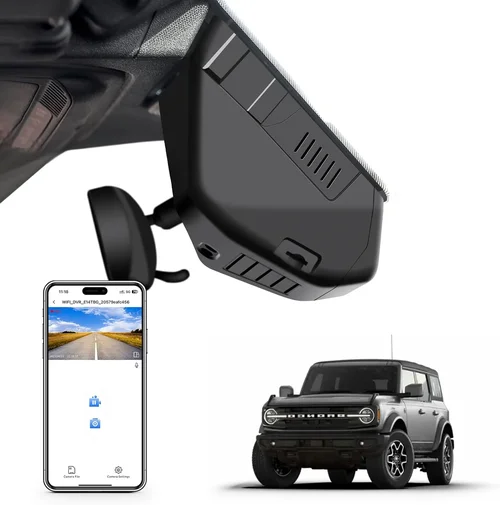
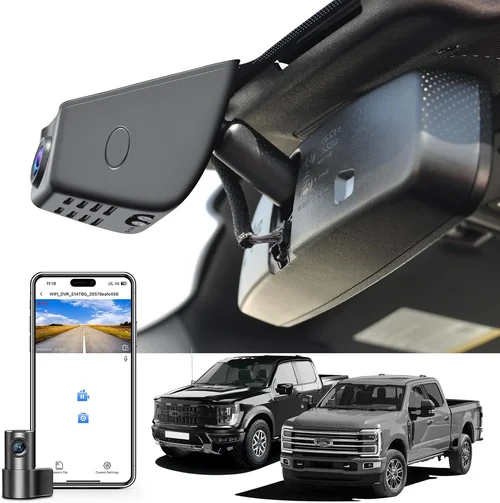
• Wi-Fi & smartphone app integration: Lets you view, download, and share clips instantly without removing the SD card.
• Parking surveillance mode: Uses built-in sensors or external triggers (like OBD-II dongles) to detect movement or shocks while parked.
• Driver fatigue alerts: Some advanced models monitor steering patterns or lane departure warnings.
• Voice control: Hands-free operation reduces distraction—ideal for busy parents or commercial drivers.
Be cautious with overly complex menus. Too many features can distract from driving, and software bugs may disable critical functions. Prioritize reliability over flashy tech. For example, if you don’t need Wi-Fi, skip it—it consumes battery and increases vulnerability to hacking.
8. Brand Reputation & Customer Support
Not all brands prioritize customer satisfaction equally. Established names like Garmin, BlackVue, Nextbase, and Viofo have decades of experience and responsive support teams. Smaller startups may offer tempting prices but lack warranty coverage or repair networks. Check third-party review sites (not just manufacturer pages) for real user experiences regarding firmware updates, return policies, and troubleshooting assistance.
Warranties typically range from one to three years. A solid guarantee reflects confidence in product longevity. Also ask about firmware update frequency—regular improvements fix bugs, add features, and boost performance. Outdated software can render expensive dash cams obsolete within months.
Different Types of Dash Cams

Common Buying Mistakes to Avoid
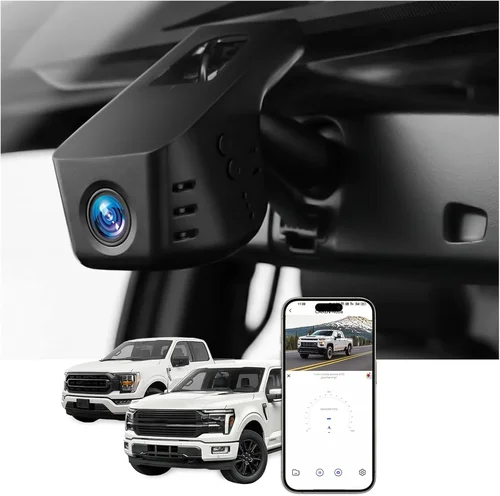
❌ Mistake: Ignoring Compatibility with Your F-150 Model
Why it’s bad: Every F-150 generation (from 1997 to 2024) has subtle differences in dashboard layout, windshield curvature, and mounting points. A dash cam designed for a compact sedan might not fit snugly on an F-150’s large, slanted windshield, leading to poor visibility or accidental detachment during bumpy drives.
What to do instead: Research your exact F-150 year, trim level, and cab size before purchasing. Read installation guides or watch YouTube tutorials showing real-world mounts. Consider adjustable arms or extendable suction cups that accommodate taller windshields.
❌ Mistake: Overlooking Parking Mode Requirements
Why it’s bad: Many buyers assume all dash cams support parking surveillance. In reality, most only record while the engine runs. Without proper hardwiring or a dedicated parking mode trigger, your device remains off overnight—leaving you unprotected against hit-and-runs or theft.
What to do instead: Verify that your chosen model includes robust parking features. Look for motion-activated recording, shock detection, or compatibility with OBD-II dongles (like the Viofo PA11). Always pair it with a hardwiring kit for uninterrupted protection.
❌ Mistake: Choosing Based Solely on Price
Why it’s bad: The cheapest dash cam may lack essential features like G-sensor, loop recording, or decent night vision. You risk spending more later on replacements, lost evidence, or even liability in accidents due to poor-quality footage.
What to do instead: Set a realistic budget based on your usage—not just the lowest number. Allocate funds for a reliable brand, adequate storage, and professional installation if needed. Remember: this device could save thousands in legal fees.
❌ Mistake: Skipping Firmware Updates
Why it’s bad: Manufacturers release updates to fix bugs, improve performance, and add security patches. Neglecting updates can lead to crashes, corrupted files, or compatibility issues with newer smartphones or operating systems.
What to do instead: Enable automatic updates in your dash cam’s settings (if available). Regularly check the manufacturer’s website for manual downloads. Subscribe to user forums to stay informed about known issues.
❌ Mistake: Not Testing Before Committing
Why it’s bad: Buying online without seeing the interface or testing recording quality risks disappointment. What looks great on paper may have unintuitive menus, laggy playback, or inconsistent focus.
What to do instead: Visit local auto electronics stores to demo models. Ask staff to show you live recording, Wi-Fi connectivity, and menu navigation. Record sample footage and review it immediately to assess clarity and stability.
Budget Guidelines: How Much Should You Spend?
Entry-Level ($50 – $120): Budget-Conscious Drivers
If you’re new to dash cams or primarily drive short distances in well-lit areas, entry-level models deliver solid baseline protection. Expect 1080p recording, basic loop functionality, and simple mounting. Brands like Apeman, Rexing, or AUTO-VOX offer reliable options within this range. While they may lack advanced features like GPS or Wi-Fi, they handle everyday scenarios competently. Ideal for occasional highway trips or urban errands.
Mid-Range ($120 – $250): Sweet Spot for Most F-150 Owners
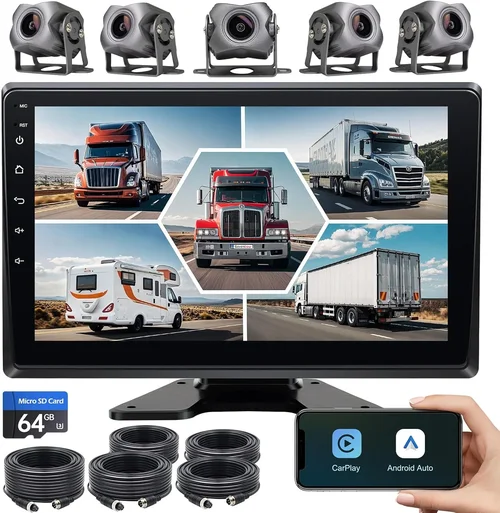
This tier represents the best balance of performance, durability, and smart features. You’ll find 2K or 4K resolution, improved night vision, dual-channel capability, and often Wi-Fi connectivity. Models from Viofo AK70 Pro, Blackvue DR900S-1CH, or Nextbase 522GW fall here. Perfect for families, delivery drivers, or anyone wanting peace of mind without overspending.
Premium ($250 – $500): Enthusiasts & Professionals
Top-tier dash cams boast cutting-edge tech: starlight sensors, cloud storage, driver monitoring, and superior build quality. Think Garmin Z-M100, Thinkware U1000, or Blackvue Cloud-enabled units. These suit serious truck owners, ride-share operators, or those requiring courtroom-ready evidence. Investment pays off in reliability and forensic detail.
Luxury ($500+): Top-Tier Performance
Ultra-premium systems offer enterprise-grade features: multi-camera arrays, AI-powered alerts, encrypted data, and professional installation services. Rarely necessary for personal use but justified for commercial fleets or high-risk occupations. Examples include Halo 10 or Owlstone Nano, though their complexity may overwhelm casual users.
Expert Tips for Getting the Best Deal
- Buy During Holiday Sales: Black Friday, Prime Day, and Memorial Day offer steep discounts on dash cams. Retailers like Amazon, Best Buy, and CarMD often bundle free accessories (memory cards, mounts).
- Compare Retailers Carefully: Online marketplaces provide convenience, but local shops allow hands-on testing. Sometimes, Costco or Sam’s Club offer exclusive member pricing on trusted brands.
- Watch for Bundle Deals: Many sellers package dash cams with SD cards, suction cups, and hardwiring kits at a slight discount. This avoids buying incompatible parts separately.
- Check Return Policies: Opt for retailers with 30-day returns or in-store exchanges. Dash cams can be finicky—what works in theory may fail in practice.
- Read Return Reviews: Look for customers who mention ease of returns or warranty claims. Negative experiences with support indicate potential trouble down the line.
- Test Before Installing Permanently: Mount temporarily using tape or removable adhesives first. Drive around to check stability, glare, and recording quality before committing.
- Subscribe to Newsletter Alerts: Brands like Garmin and BlackVue send early access to sales or firmware updates. You’ll spot deals before they sell out.
- Consider Refurbished Units: Certified refurbished models from official stores carry full warranties and undergo rigorous testing. Savings can reach 30% off retail.
Frequently Asked Questions
Q: Will a dash cam drain my F-150’s battery?
A: Yes, if left plugged in constantly. However, modern dash cams feature intelligent power management. When hardwired, they draw electricity only when the ignition is on. Parking mode uses minimal power unless triggered by motion or impact. Always use a quality hardwiring kit to prevent drain.
Q: Can I use two dash cams on my F-150?
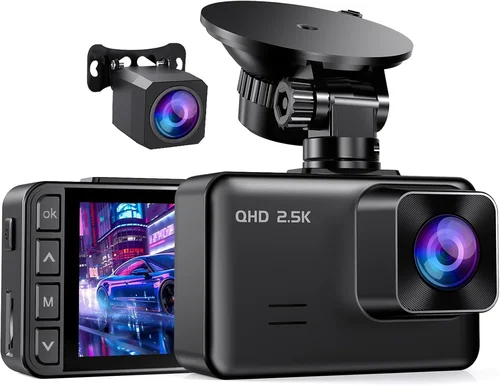
A: Absolutely. Dual-camera systems (front + rear) are popular for trucks. Ensure your model supports synchronized recording and doesn’t overload your electrical system. Most F-150s handle dual devices easily with proper wiring.
Q: Do dash cams record audio?
A: Some models include microphone input for cabin audio, but privacy laws vary by state. California, Connecticut, and Illinois ban recording conversations without consent. Check local regulations before enabling audio. Many users disable it for legal compliance.
Q: How long does dash cam footage last?
A: It depends on resolution, bitrate, and storage size. At 1080p/30fps, a 32GB card holds ~3 hours; 256GB extends to ~24 hours. Loop recording overwrites oldest files first. Event-triggered clips (due to G-force) are locked and preserved until manually deleted.
Q: Are dash cams legal everywhere?
A: Generally yes, but restrictions exist. Never point cameras at private property without permission. Avoid recording pedestrians or sensitive areas. Laws change—always verify current statutes in your jurisdiction.
Q: Can I access my dash cam remotely?
A: Yes, if it has Wi-Fi and a companion app (e.g., BlackVue Over-the-Cloud). You can view live feed, download clips, or adjust settings from your phone. Requires stable cellular data or home Wi-Fi.
Q: What’s the difference between 1080p, 2K, and 4K?
A: Resolution measures pixel density. 1080p = 1920×1080 pixels; 2K ≈ 2560×1440; 4K ≈ 3840×2160. Higher resolution captures finer details but demands more storage and processing power. For F-150 use, 2K often suffices without overwhelming your system.
Q: Should I buy a brand-name or generic dash cam?
A: Brand names (Garmin, BlackVue, etc.) offer better support, reliability, and future-proofing. Generics may seem cheaper but risk obsolescence, poor build quality, or hidden costs (replacement mounts, corrupted files). Invest in trustworthiness.
Our Final Recommendations
Best for Budget-Conscious Buyers: Apeman C450
At under $80, the Apeman C450 delivers impressive 2K resolution, wide 150° FOV, and reliable loop recording. Though lacking Wi-Fi or GPS, it excels at capturing clear daytime footage and survives minor bumps thanks to its sturdy aluminum body. Ideal for F-150 owners prioritizing value over frills.
Best Overall Value: Viofo A119 V3
Priced around $130, this dual-channel dash cam combines 2K front/rear recording, starlight sensor technology, and seamless smartphone integration. Its compact design fits neatly on F-150 dashboards, while the built-in G-sensor ensures critical events aren’t overwritten. A favorite among truck enthusiasts for its rock-solid performance.
Best Premium Option: BlackVue DR900S-2CH LTE
For $350, the DR900S-2CH offers 4K front + 2K rear recording, cloud connectivity, and LTE cellular backup. Built like a tank, it withstands extreme temperatures and vibrations common in F-150 adventures. Includes parking guard, driver behavior analysis, and encrypted storage—perfect for professionals needing forensic-grade evidence.
Best for Beginners: Nextbase 422GW
With intuitive controls, Alexa voice commands, and crisp 2K video, the 422GW removes technical barriers. Its magnetic rear camera simplifies installation, and emergency SOS button adds safety layers. Great starter unit that grows with your skills.
Best for Advanced Users: Garmin Z-M100
At $400+, this premium dash cam integrates with Garmin navigation systems, offering lane departure warnings and collision avoidance alerts. Its ruggedized design suits demanding F-150 owners who demand top-tier reliability and seamless ecosystem integration.
Conclusion: Making the Right Choice
Selecting the best dash cam for your F-150 isn’t about chasing the latest spec sheet—it’s about matching technology to your lifestyle, driving habits, and protection needs. Whether you’re a weekend warrior exploring muddy trails or a parent commuting through rush hour chaos, your ideal dash cam should blend seamlessly into your routine while standing guard when trouble arises.
Remember, the most expensive model isn’t always the best fit. Focus on core pillars: resolution, durability, parking features, and ease of use. Prioritize brands with proven track records and responsive customer service. And never underestimate the importance of proper installation—secure mounting and correct wiring ensure your device works exactly when you need it.
Take your time, research thoroughly, and don’t hesitate to seek second opinions. The right dash cam becomes invisible during normal drives but springs to life the instant danger approaches. It’s not just a gadget; it’s your silent protector on four wheels. Equip your F-150 wisely, and drive with confidence knowing you’ve done everything possible to safeguard yourself, your cargo, and your loved ones.