How to Choose a Commercial Dash Cam
Choosing the right dash cam for your commercial vehicle is one of the most important investments you can make for fleet safety, liability protection, and operational efficiency. Unlike personal vehicles where a basic dash cam might suffice, commercial fleets require robust systems that can withstand harsh driving conditions, provide continuous monitoring, and deliver reliable evidence in legal disputes. The stakes are higher when protecting drivers, customers, and company assets.
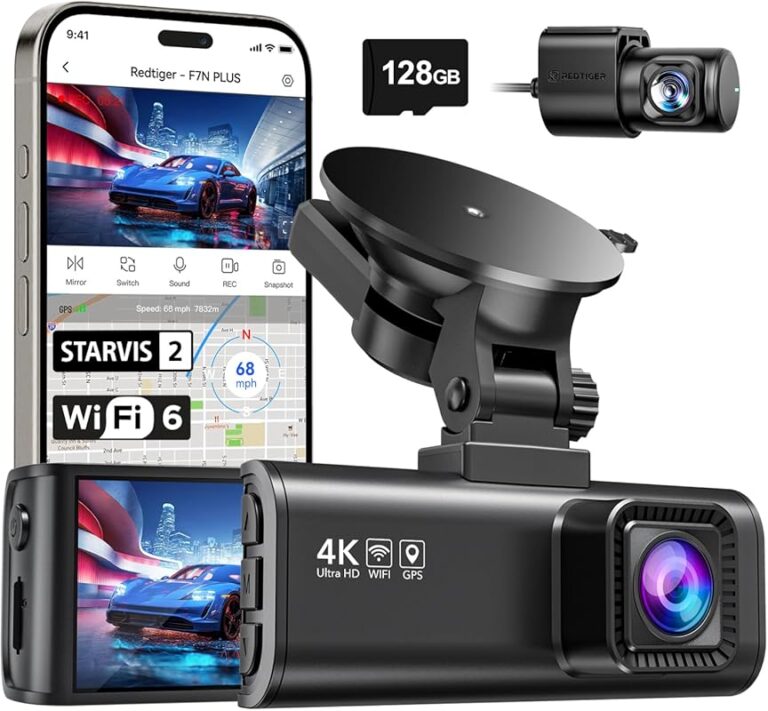
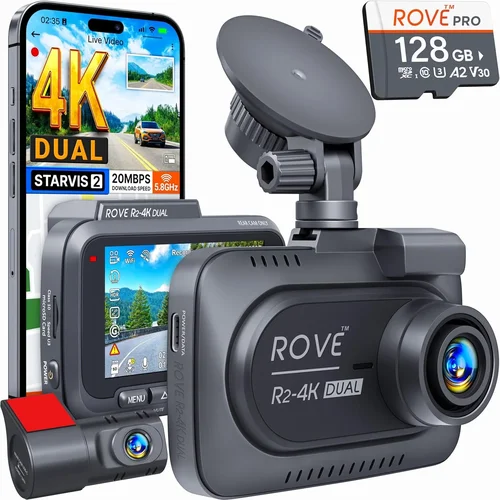
This comprehensive guide will walk you through every critical factor to consider when selecting the best dash cam for your commercial front and rear setup. You’ll learn about performance specifications, build quality, storage solutions, GPS tracking, night vision capabilities, and advanced features like cloud connectivity and driver behavior monitoring. We’ll also cover common pitfalls to avoid, budget considerations, and expert recommendations tailored specifically for fleet operators, trucking companies, delivery services, and any business that relies on commercial vehicles.
Whether you’re managing a small delivery operation with three vans or overseeing a large fleet of 50+ trucks, understanding these key elements will help you make an informed decision that enhances safety, reduces insurance costs, and provides valuable documentation for incident investigations.

What to Look for When Buying Dash Cams
When evaluating dash cams for commercial use, several critical factors determine whether a system will perform reliably over years of demanding service. These considerations go far beyond just recording video—they encompass durability, functionality, integration capabilities, and long-term value.
1. Performance Specifications
Performance specs are the technical foundation that determines how well your dash cam captures footage under real-world conditions. For commercial applications, resolution is paramount—look for at least 1080p Full HD recording, though many modern systems now offer 4K capabilities. Higher resolution means clearer details, which is crucial for identifying license plates, facial expressions, and road conditions.
Frame rate matters significantly too; 30 frames per second (fps) is standard, but 60fps provides smoother motion capture, especially during rapid movements or emergency braking events. Commercial vehicles often travel at high speeds, so you need sufficient frame rates to maintain clarity during fast-paced scenarios.
Another essential specification is the sensor size and type. Larger sensors generally perform better in low-light conditions, which is vital since commercial drivers operate across varying times of day. CMOS sensors are the industry standard, offering excellent balance between cost and performance.
The field of view (FOV) should be carefully considered based on your vehicle type and driving patterns. A wider angle captures more of the road ahead but may introduce some distortion at the edges. Most commercial dash cams offer dual-lens systems with approximately 120-150 degrees combined FOV—enough to see both traffic ahead and adjacent lanes without excessive distortion.
2. Build Quality & Durability
Commercial dash cams face extreme conditions that consumer models simply aren’t designed to handle. Temperature fluctuations from -4°F to 140°F, constant vibration from rough roads, dust exposure, moisture from weather changes, and potential impacts during accidents all challenge device reliability.
Look for devices with ruggedized housings made from polycarbonate or aluminum alloys that meet military-grade standards (MIL-STD-810G). These materials resist cracking, fading, and corrosion better than plastic alternatives. Sealed ports and gaskets prevent water intrusion during heavy rain or car washes.
Vibration resistance is equally important since commercial vehicles often traverse unpaved roads, construction zones, or mountainous terrain where engine vibrations can dislodge poorly secured equipment. Mounts should be designed to absorb shock and maintain camera alignment even after repeated jostling.
Heat dissipation features help prevent overheating during extended highway drives or hot climate operations. Some premium models include active cooling fans or heat-resistant internal components that maintain optimal operating temperatures regardless of ambient conditions.
3. Features & Functionality
Modern commercial dash cams offer numerous advanced features beyond basic recording. Loop recording allows continuous operation by automatically overwriting older footage once storage fills up—essential for fleets that need uninterrupted monitoring without manual intervention.
G-sensor technology detects sudden impacts, rapid acceleration, hard braking, or sharp turns. When triggered, it locks the current footage segment to prevent accidental deletion during loop cycles. This creates a tamper-proof evidence trail for incidents while conserving storage space.
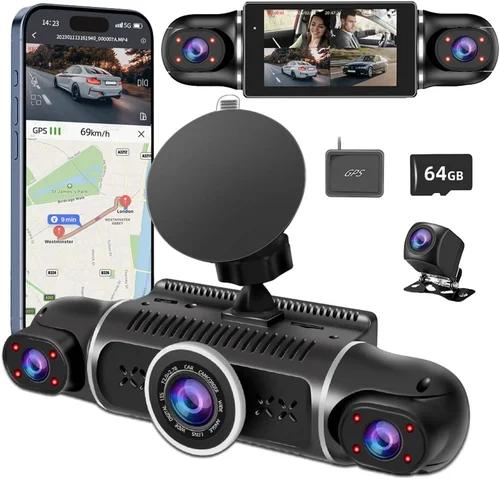
GPS tracking records location data alongside video timestamps, providing precise route verification and speed monitoring. This feature helps verify delivery routes, investigate speeding violations, and create accurate incident timelines for insurance claims or legal proceedings.
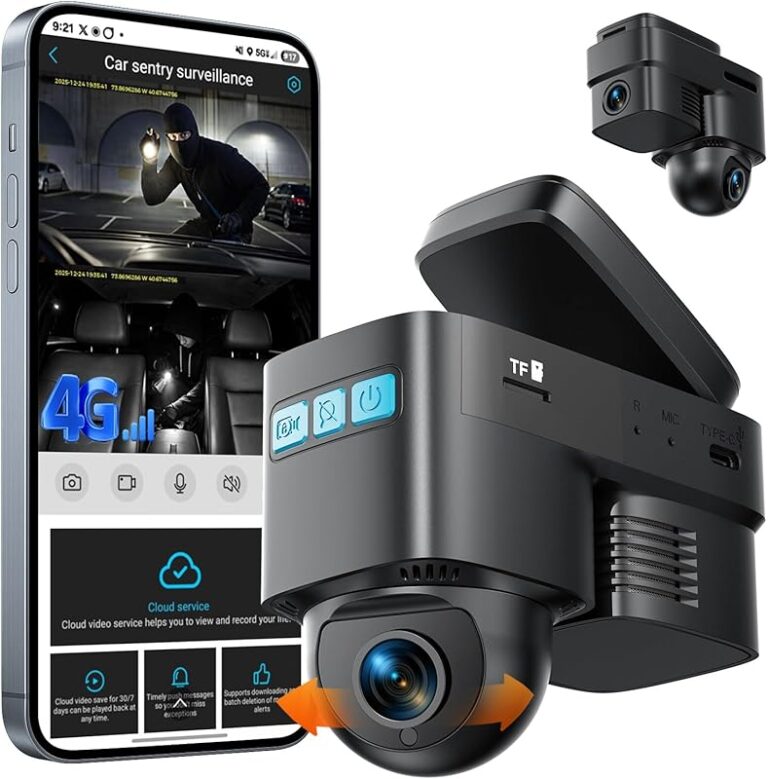
Wi-Fi connectivity enables wireless firmware updates, remote viewing, and cloud backup options. Many commercial systems integrate with mobile apps that allow supervisors to monitor live feeds, download clips, or configure settings from anywhere using smartphones or tablets.
Some advanced models include parking mode with motion detection or impact sensors that activate recording when your vehicle is unattended. This protects against hit-and-run incidents or vandalism while minimizing unnecessary battery drain through intelligent power management systems.
4. Storage Solutions & Data Management
Reliable storage is non-negotiable for commercial operations where missing critical footage could mean the difference between winning or losing a liability case. MicroSD cards are common, but their lifespan varies dramatically based on quality and write cycles. Industrial-grade cards rated for 24/7 operation typically last longer than consumer versions.
Most commercial dash cams support multiple storage tiers: onboard memory for immediate access plus optional cloud backup for redundant off-site storage. Cloud solutions encrypt footage and automatically upload critical events, ensuring you never lose important evidence due to hardware failure or theft.
Many fleet managers prefer centralized management platforms that aggregate data from multiple vehicles into a single dashboard. These systems allow bulk downloads, automated tagging, and compliance reporting—streamlining the process of reviewing thousands of hours of footage across your entire operation.
5. Brand Reputation & Support
Reputable brands invest heavily in research, testing, and customer service infrastructure. Established manufacturers often publish detailed technical specifications, offer transparent warranty terms, and provide responsive technical support through phone, email, or live chat channels.
Research independent lab tests, third-party reviews, and industry certifications before committing to any brand. Look for companies that participate in fleet safety programs or partner with insurance providers—signs they understand commercial requirements rather than just selling consumer products.
6. Warranty & Support
Commercial buyers should prioritize extended warranty coverage beyond the standard one-year period. Many reputable brands offer three to five-year warranties on hardware failures, covering parts and labor without hidden deductibles or usage restrictions.
Support responsiveness matters greatly when dealing with fleet downtime issues. Check average response times, available support hours, and whether local service centers exist in your region. Some manufacturers guarantee same-day troubleshooting for critical outages affecting multiple vehicles.
7. Size & Portability
While less critical than other factors, physical dimensions affect installation flexibility and aerodynamics. Compact units fit neatly behind mirrors or dashboard surfaces without obstructing visibility. Slim designs reduce wind resistance on high-speed routes, potentially improving fuel economy.
Modular systems allow swapping cameras between vehicles if you operate mixed fleets, though this requires compatible mounting accessories and software licenses. Consider future expansion plans when evaluating size constraints versus feature richness trade-offs.
8. User Reviews & Ratings
Real-world feedback from fleet operators provides invaluable insights not found in marketing materials. Pay attention to recurring complaints about reliability issues, software bugs, or poor customer service experiences. Positive reviews mentioning longevity under heavy use indicate products engineered specifically for commercial demands rather than casual users.
Cross-reference multiple sources including industry forums, trade publications, and professional review sites specializing in fleet technology. Independent testing organizations sometimes publish comparative analyses that highlight performance differences across similar models under standardized conditions.
Different Types of Dash Cams

Common Buying Mistakes to Avoid
❌ Mistake: Prioritizing Price Over Quality
Why it’s bad: Cutting corners on dash cam purchases leads to frequent failures, unreliable footage, and increased long-term costs. Cheap models often lack proper sealing, use inferior sensors, or fail within months under commercial stress.
What to do instead: Allocate sufficient budget for durable industrial-grade equipment. Remember that replacing multiple broken units costs more than investing in proven reliable models upfront.
❌ Mistake: Ignoring Compatibility Requirements
Why it’s bad: Assuming all dash cams work with any vehicle ignores electrical system differences, mounting challenges, and software integration needs. Some trucks require additional power converters or specialized mounts unavailable elsewhere.
What to do instead: Verify compatibility with your specific vehicle make/model/year before purchasing. Consult manufacturer documentation or contact support directly about installation requirements.
❌ Mistake: Underestimating Storage Needs
Why it’s bad: Insufficient storage capacity forces premature footage deletion before incidents occur. Without adequate space, critical evidence gets overwritten during normal loop cycles, defeating the purpose of having surveillance.
What to do instead: Calculate required storage based on recording duration, compression ratios, and retention policies. Factor in cloud backup subscriptions if using remote storage solutions.
❌ Mistake: Neglecting Driver Training
Why it’s bad: Even the best dash cam becomes useless if drivers don’t know how to access footage properly or understand its limitations. Untrained staff may mishandle evidence or fail to recognize when recordings capture relevant events.
What to do instead: Implement mandatory training sessions covering operation procedures, privacy protocols, and incident reporting workflows. Create simple checklists for quick reference during emergencies.
❌ Mistake: Choosing Incompatible Software Platforms
Why it’s bad: Fragmented ecosystems requiring multiple login credentials or incompatible file formats waste time and frustrate users. Disparate systems hinder efficient fleet-wide analysis and compliance reporting.
What to do instead: Select unified platforms supporting standardized formats like MP4 with embedded metadata. Ensure cross-platform compatibility between desktop, mobile, and web interfaces.
❌ Mistake: Overlooking Maintenance Schedules
Why it’s bad: Dust accumulation, lens smudges, or failing batteries degrade performance over time without routine checks. Neglected maintenance leads to gradual decline in image quality and reliability.
What to do instead: Establish preventive maintenance routines including monthly visual inspections, quarterly cleaning schedules, and annual professional servicing as recommended by manufacturers.
Budget Guidelines: How Much Should You Spend?
Entry-Level ($80 – $200)
At this price point, expect basic single-lens systems suitable for small businesses with minimal requirements. These typically offer 1080p recording, loop playback, and simple motion detection. While affordable initially, they often lack advanced features like GPS tracking, cloud connectivity, or robust build quality needed for daily commercial use. Ideal for startups testing dash cam adoption or supplementing existing security measures.
Mid-Range ($200 – $600)
This sweet spot represents the majority of commercial purchases—dual-lens systems with enhanced durability, improved low-light performance, and essential fleet management tools. You’ll find reliable brands offering 4K recording options, comprehensive warranty coverage, and integration with third-party telematics platforms. Mid-range models balance cost-effectiveness with professional-grade functionality perfect for growing fleets seeking maximum value.
Premium ($600 – $1,500)
Professional operators and enterprise clients should consider premium systems featuring military-grade construction, AI-powered analytics, multi-camera synchronization, and enterprise-level cybersecurity. These include advanced driver assistance features like lane departure warnings, collision alerts, and fatigue detection algorithms. Premium solutions often come bundled with dedicated support teams, priority firmware updates, and customizable deployment packages.
Luxury ($1,500+)
Ultra-premium offerings target mission-critical operations requiring absolute reliability and cutting-edge technology. Examples include thermal imaging capabilities, satellite-linked global positioning, encrypted end-to-end communications, and autonomous incident response protocols. Luxury dash cams frequently integrate with broader IoT ecosystems including smart warehouses, predictive maintenance systems, and advanced fleet optimization platforms.
Expert Tips for Getting the Best Deal
– Timing Your Purchase: Black Friday, Cyber Monday, and end-of-year clearance periods often feature substantial discounts on professional-grade dash cams. Subscribe to manufacturer newsletters for exclusive early access to sales events.
– Direct vs Retailer Pricing: Manufacturer websites frequently offer better deals than big-box retailers due to reduced markup percentages. However, authorized dealers sometimes bundle free installation services or extended warranties that add significant value.
– Fleet Volume Discounts: Most reputable brands provide tiered pricing structures where larger orders receive percentage-based discounts. Contact account representatives directly to negotiate custom quotes for 10+ unit purchases.
– Trade-In Programs: Some manufacturers accept old dash cam systems as partial payment toward new purchases. This reduces upgrade costs while responsibly recycling electronic components.
– Insurance Partnerships: Certain insurers partner with specific dash cam brands to offer policy discounts for equipped vehicles. Inquire about these programs during renewal discussions—they can substantially offset hardware and subscription expenses.
– Lease-to-Own Options: For cash-strapped operations, financing arrangements allow spreading payments over 12-24 months without interest charges. Evaluate APR rates carefully before committing to long-term debt obligations.
– Warranty Extensions: Third-party warranty providers often sell additional coverage beyond standard manufacturer terms for lower premiums than buying directly from vendors. Compare pricing structures and claim processes before purchasing.
– Refurbished Units: Certified refurbished dash cams undergo rigorous testing and come with full warranties comparable to new devices. Reputable sellers clearly disclose refurbishment history and provide transparent return policies.

Frequently Asked Questions
Q: Can dash cams work in extreme weather conditions?
A: Yes, but only if they meet specific environmental standards. Look for IP65 or higher ingress protection ratings indicating resistance to dust and water jets. Operating temperature ranges should accommodate your local climate extremes—most commercial-grade units function between -4°F to 140°F (-20°C to 60°C).
Q: Do I need separate dash cams for each vehicle or shared systems?
A: Shared systems require compatible mounts and software licenses that may increase complexity. Dedicated units per vehicle simplify installation and eliminate cross-contamination risks between drivers. Most fleets prefer individual assignments for accountability purposes.
Q: What’s the difference between analog and digital dash cam connections?
A: Analog systems use coaxial cables transmitting raw video signals requiring external recorders, while digital models connect directly via USB or Ethernet delivering compressed files instantly. Digital solutions offer easier integration with existing infotainment systems and reduced wiring complexity.
Q: How long should dash cam footage be retained?
A: Retention periods vary by jurisdiction and industry regulations. Many commercial operators retain footage for 30-90 days minimum, extending to 6-12 months for high-risk operations or pending litigation. Cloud storage simplifies compliance by automatically enforcing retention rules based on configurable policies.
Q: Will dash cams drain my vehicle’s battery?
A: Modern systems include intelligent power management preventing deep discharges. Parking mode uses motion detection or impact triggers to minimize idle consumption. Hardwired installations bypass battery concerns entirely by drawing power directly from the fuse box.
Q: Are dash cam recordings admissible in court?
A: Generally yes, provided they meet chain-of-custody requirements and aren’t altered. Courts typically accept timestamped, uncompressed footage showing clear identification of involved parties. Consult legal counsel about state-specific evidentiary standards before relying solely on recorded evidence.
Q: Can I use consumer-grade dash cams for commercial purposes?
A: Technically possible, but discouraged due to durability limitations and lack of compliance features. Consumer models rarely survive prolonged exposure to commercial demands and often violate terms of service prohibiting business use. Always verify licensing agreements before repurposing personal devices.
Q: How do I ensure consistent footage quality across multiple cameras?
A: Standardize settings including resolution, frame rates, compression levels, and lighting adjustments during installation. Use identical hardware models whenever feasible and calibrate white balance manually if automatic modes produce inconsistent colors between units.
Q: What happens if my dash cam fails during an accident?
A: Modern systems include backup power sources lasting 15-30 minutes post-collision to capture critical moments. Additionally, event-triggered recordings often continue even if primary devices malfunction temporarily. Regular maintenance reduces catastrophic failure risks substantially.
Q: Can dash cams integrate with existing fleet management software?
A: Many professional-grade models support API integrations with popular TMS platforms like Samsara, Geotab, or Omnitracs. Confirm compatibility with your current stack before purchasing to avoid costly migration efforts later.
Our Final Recommendations
For Budget-Conscious Buyers, we recommend the Viofo A119 Mini Dual Lens Dash Cam. Priced around $120, it delivers reliable 1080p front/rear recording with impressive low-light performance and compact design. While lacking some advanced features, its solid build quality and straightforward operation make it ideal for small delivery operations needing basic surveillance without breaking the bank.
The Best Overall Value goes to the Garmin Dash Cam Tandem, priced at approximately $300. This dual-lens system offers exceptional image stabilization, seamless smartphone pairing, and robust GPS logging—all housed in a ruggedized case built for commercial environments. Its intuitive interface and reliable performance justify the moderate price premium for medium-sized fleets prioritizing ease of use and dependability.
For those seeking Premium Options, the BlackVue DR970X-2CH stands out at around $500. Featuring 4K front recording, cloud connectivity, and advanced driver assistance features, this system excels in demanding conditions. Its military-grade construction and comprehensive warranty package make it worth the investment for serious operators handling high-value cargo or operating in challenging terrains.
Beginners starting their dash cam journey should consider the Nextbase 522GW, available for about $180. Despite its consumer-friendly price point, it includes surprisingly strong commercial features like emergency SOS alerts, Alexa integration, and reliable loop recording. Its user-friendly app interface helps new fleet managers quickly adopt the technology without extensive training.
Advanced users managing complex multi-vehicle operations will appreciate the Wyze Dash Cam Pro ecosystem priced between $800-$1,200 depending on configuration. This scalable platform supports unlimited cameras per gateway, integrates with existing IoT infrastructure, and offers granular control over recording policies and data retention rules—perfect for enterprises scaling rapidly while maintaining compliance standards.
Conclusion: Making the Right Choice
Selecting the optimal dash cam for your commercial front and rear setup involves balancing technical capabilities, operational requirements, and financial constraints. Remember that the cheapest option rarely delivers the best long-term value when considering total cost of ownership, reliability demands, and potential liability exposures.
Focus first on core requirements matching your specific use cases—whether prioritizing extreme durability, comprehensive coverage, or seamless integration with existing systems. Then evaluate secondary features like cloud connectivity, driver analytics, or advanced safety alerts based on your growth projections and risk tolerance levels.
Don’t overlook practical considerations including installation logistics, driver acceptance, and ongoing maintenance routines. Successful deployments combine appropriate hardware selection with proper training protocols and clear usage guidelines that maximize ROI while enhancing overall fleet safety culture.
By approaching your decision systematically and prioritizing proven technologies backed by solid warranties and responsive support networks, you’ll equip your vehicles with reliable surveillance systems capable of standing up to the rigors of commercial operations while providing invaluable peace of mind for everyone involved.