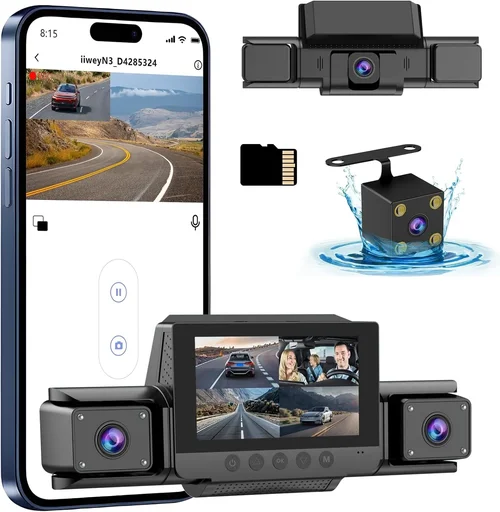
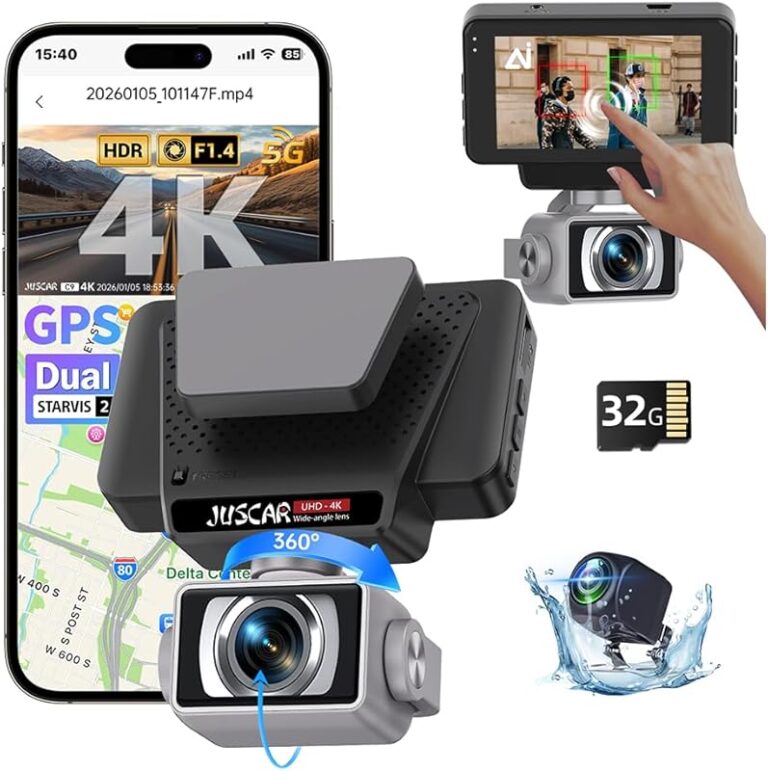
Best Dash Cam Selection Guide
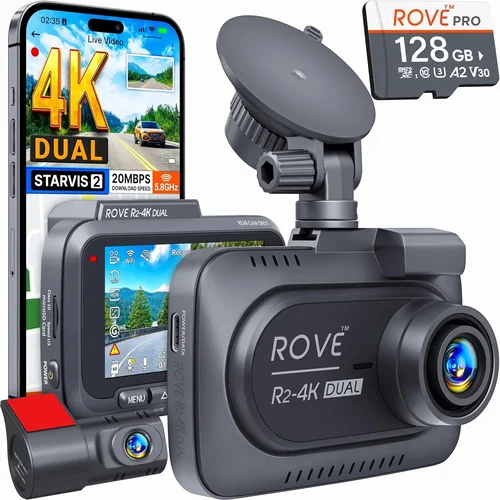
Why choosing the right dash cam can be a game-changer for your driving experience—and peace of mind. Whether you’re dealing with insurance claims, documenting road incidents, or simply wanting to protect yourself from false accusations, a quality dash cam serves as an objective eyewitness on every journey. This comprehensive guide will walk you through everything you need to know about selecting the best dash cam for your car, helping you make an informed decision that matches your specific needs and budget.
In this detailed buying guide, you’ll learn about the essential features that matter most, understand different types of dash cams available in today’s market, discover common pitfalls to avoid, and get expert recommendations tailored to various user profiles. We’ll also break down pricing tiers and provide insider tips on where and when to buy. By the end of this article, you’ll have all the knowledge necessary to confidently select a dash cam that offers reliable performance, valuable features, and long-term durability.
The dash cam market has exploded in recent years, offering everything from basic single-camera setups to sophisticated multi-camera systems with advanced AI capabilities. With so many options available across different price points, it’s easy to feel overwhelmed. Our goal is to cut through the noise and give you practical, actionable advice based on real-world usage scenarios and professional insights. Let’s dive into the world of dash cams and find the perfect match for your vehicle and lifestyle.

What to Look for When Buying Dash Cams
When shopping for a dash cam, several critical factors determine whether you’ll get good value for your money and reliable performance over time. Understanding these key considerations will help you narrow down your options and avoid common purchasing mistakes. Let’s examine each factor in detail.
Budget & Price Range
Your budget plays a crucial role in determining what features and quality you can expect. Dash cams range from under $50 for basic models to several hundred dollars for premium systems with advanced capabilities. While it might be tempting to choose the cheapest option available, investing a bit more often means better build quality, superior video resolution, and longer-lasting components. Consider how frequently you drive, the value of your vehicle, and the importance of having reliable footage for legal protection when setting your budget.
Performance Specifications
Video resolution remains one of the most important technical specifications. Most dash cams offer at least 1080p recording, but higher-end models provide 2K, 4K, or even 8K video capabilities. Resolution directly affects how clearly details like license plates and facial expressions appear in recordings. Frame rate is equally important—higher frame rates (60fps vs 30fps) capture smoother motion, which can be crucial during fast-moving incidents. Low-light performance matters significantly since most accidents occur at dawn, dusk, or in poorly lit areas. Look for sensors with good low-light sensitivity and consider models with infrared or night vision capabilities if you frequently drive after dark.
Build Quality & Durability
A dash cam must withstand the harsh environment inside a vehicle—extreme temperatures, vibrations, dust, and potential impacts during collisions. High-quality dash cams feature sturdy housing materials like aluminum or reinforced plastic, shock-resistant mounting systems, and weather-sealed connectors. The camera lens should have scratch-resistant coating to maintain clarity over time. Additionally, consider how well the device handles temperature extremes; some models can function reliably between -4°F to 140°F (-20°C to 60°C), while others may struggle in hot climates. Water resistance ratings (IPX rating) are also worth checking if you live in rainy regions.
Features & Functionality
Modern dash cams come packed with useful features beyond basic recording. Loop recording automatically overwrites older footage when storage fills up, ensuring continuous operation without manual intervention. G-sensor technology detects sudden impacts and automatically saves relevant clips to a protected folder. Parking mode allows the dash cam to monitor your vehicle while parked, drawing minimal power from your car battery. GPS tracking records location data alongside video, while Wi-Fi connectivity enables easy file transfer to smartphones. Some advanced models include lane departure warnings, forward collision alerts, and blind spot monitoring—essentially turning your dash cam into a driving assistance system.
Brand Reputation
Choosing a reputable brand can save you headaches down the road. Established manufacturers typically offer better customer support, more reliable software updates, and genuine replacement parts. Research brands by reading professional reviews, checking consumer feedback on multiple platforms, and looking at how long they’ve been in business. Well-known companies often invest more in research and development, resulting in more innovative features and improved product reliability. However, don’t dismiss newer brands outright—some innovative startups are creating excellent products at competitive prices.
Warranty & Support
A solid warranty demonstrates the manufacturer’s confidence in their product. Most quality dash cams come with at least a one-year warranty covering defects in materials and workmanship. Premium models may offer extended coverage up to three years. Check what exactly the warranty covers—does it include accidental damage? What’s the process for making a claim? Reliable customer support is just as important; responsive technical assistance can resolve issues quickly before they become major problems. Online forums and user communities can also serve as valuable resources for troubleshooting and getting tips from experienced users.
Size & Portability
While dash cams are primarily mounted on windshields, size still matters for aesthetics and functionality. Compact designs take up less visual space and may be less obtrusive during normal driving. Some users prefer smaller units that can be easily transferred between vehicles or hidden when not needed. On the other hand, larger screens provide better visibility of recorded content without needing to connect to a phone or computer. Consider how you plan to use the dash cam—if you switch cars frequently, portability becomes more important than screen size.
User Reviews & Ratings
Real-world experiences from other buyers provide invaluable insights that specifications alone cannot convey. Pay attention to recurring complaints about battery life, software glitches, or build quality issues. Positive reviews highlighting reliability, ease of installation, and helpful customer service are equally telling. Be wary of overly generic praise or suspiciously high ratings that seem manufactured. Focus on detailed reviews that discuss specific scenarios and long-term performance rather than just initial impressions.
Different Types of Dash Cams

Common Buying Mistakes to Avoid
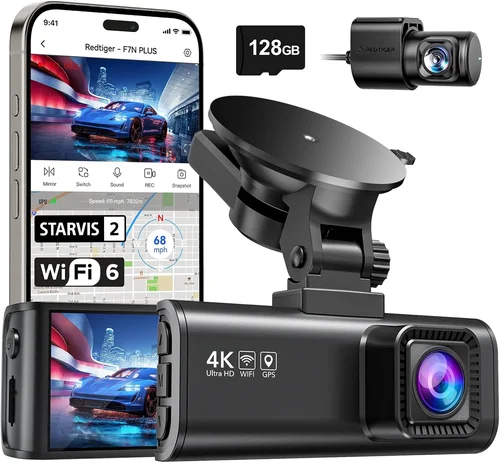
❌ Mistake: Ignoring Storage Requirements
Why it’s bad: Many buyers underestimate how much storage space they’ll need based on recording quality and retention requirements. A basic 1080p dash cam recording at 32GB capacity might last only 2-3 hours, while 4K footage consumes storage much faster. Without adequate storage planning, you risk missing critical events due to full memory cards.
What to do instead: Calculate your expected storage needs based on average daily driving distance and desired retention period. Consider using high-capacity microSD cards (64GB or 128GB) and enabling loop recording to automatically overwrite old files. Some dash cams also support dual-card recording for added security.
❌ Mistake: Overlooking Power Source Options
Why it’s bad: Relying solely on hardwiring without considering backup power options can leave you vulnerable during extended outages or when parking for long periods. If your dash cam loses power unexpectedly, you might miss important events or have to replace expensive batteries.
What to do instead: Choose a model that offers flexible power solutions including cigarette lighter adapters, hardwiring kits, and optional battery packs. This ensures your dash cam remains operational even when the engine is off, especially important for parking mode functionality.
❌ Mistake: Skipping Build Quality Assessment
Why it’s bad: Cheaper dash cams often use flimsy materials that crack under normal stress or fail prematurely in extreme temperatures. A poorly built unit might stop working after just a few months of regular use, wasting your investment and leaving you unprotected.
What to do instead: Read detailed reviews focusing on durability testing and long-term reliability reports. Look for specifications mentioning temperature ranges, water resistance ratings, and shock resistance. Physical inspection if possible, or watching unboxing videos can reveal construction quality.
❌ Mistake: Neglecting Software Compatibility
Why it’s bad: Assuming all dash cams work seamlessly with your smartphone or operating system leads to frustration when trying to view, download, or manage recordings. Incompatible apps or outdated firmware can render valuable footage inaccessible.
What to do instead: Verify compatibility with your current devices before purchasing. Check if the manufacturer provides dedicated mobile apps, whether they support your operating system version, and if file formats are widely supported. Consider models with USB direct connection capabilities for easier transfers.
❌ Mistake: Focusing Only on Video Resolution
Why it’s bad: While high resolution sounds impressive, it doesn’t guarantee good performance if other critical factors suffer. A 4K dash cam with poor low-light sensitivity or unstable frame rates will produce grainy, blurry footage unsuitable for identifying details in accident scenarios.
What to do instead: Evaluate overall image quality holistically including sensor size, aperture, dynamic range, and special features like HDR or WDR (Wide Dynamic Range). Test sample videos from the manufacturer’s website or professional reviews to assess real-world performance rather than just technical specifications.
❌ Mistake: Choosing Based Solely on Price
Why it’s bad: The cheapest option often lacks essential features like G-sensor protection, parking mode, or reliable customer support. You might end up spending more money replacing faulty units or purchasing additional accessories to compensate for missing functionality.
What to do instead: Create a prioritized list of must-have features and compare options within your budget that meet those criteria. Sometimes paying slightly more upfront results in better long-term value due to improved reliability and fewer replacements needed.
❌ Mistake: Not Considering Installation Complexity
Why it’s bad: Complex installations requiring professional wiring or permanent modifications can deter regular use or void vehicle warranties. DIY-friendly setups encourage consistent usage, which maximizes protection benefits.
What to do instead: Choose models designed for easy DIY installation with clear instructions and intuitive mounting systems. Look for features like adhesive mounts instead of drill-based installations, and ensure power cable lengths accommodate your preferred placement without excessive routing through awkward spaces.
Budget Guidelines: How Much Should You Spend?
Understanding where different price points fit in the dash cam landscape helps you allocate your budget wisely based on your specific needs and priorities. Here’s a breakdown of what to expect at each level:
Entry-Level ($50 – $100)
At this price range, you’ll find basic single-lens dash cams suitable for occasional drivers or those wanting minimal protection. These models typically offer 1080p recording, loop recording, and automatic file management. Expect limited features like no parking mode or basic G-sensor functionality. Build quality may be adequate but not exceptional, and customer support could be hit-or-miss. This tier works well for people who rarely drive, use rental cars frequently, or want backup coverage without major investment.
Mid-Range ($100 – $200)
This sweet spot delivers significant improvements across the board—better build quality, higher resolution (often 2K), improved low-light performance, and more useful features. Most mid-range models include parking mode with impact detection, GPS tracking, and reliable app connectivity. You’ll find reputable brands represented here with solid warranties and customer service. Dual-camera systems also enter this category, providing both front and interior views. For the average driver, this range offers excellent value with professional-grade features at consumer prices.
Premium ($200 – $400)
High-end dash cams in this bracket deliver top-tier performance with advanced imaging technology, robust construction, and comprehensive feature sets. Expect 4K recording capability, excellent night vision, sophisticated parking surveillance modes, cloud storage integration, and sometimes even driving assistance alerts. Multi-camera systems begin appearing here too, allowing for complete vehicle coverage. Premium models often include professional-grade accessories like enhanced wiring kits, high-capacity batteries, and premium mounting solutions. This range suits serious commuters, delivery drivers, or anyone needing maximum protection and evidence quality.
Luxury ($400+)
Top-of-the-line dash cams represent the cutting edge of automotive safety technology. These systems combine ultra-high-resolution recording (often 8K), artificial intelligence-powered event detection, advanced driver monitoring, and seamless integration with smart home ecosystems. Luxury models frequently feature military-grade durability, global positioning synchronization, encrypted cloud backups, and customizable alert systems. Professional fleet operators and automotive enthusiasts typically justify the high cost through comprehensive protection and advanced analytics capabilities. While most drivers won’t need this level of sophistication, luxury dash cams demonstrate what’s currently possible in personal vehicle safety technology.
Expert Tips for Getting the Best Deal
Seasoned dash cam shoppers know there are smarter ways to purchase than simply going with the first option that meets your minimum requirements. These insider strategies can save you money while ensuring you get reliable, feature-rich equipment.
Timing Your Purchase
Black Friday and Cyber Monday consistently offer the deepest discounts on dash cams, often matching or beating Amazon Prime Day deals. Early summer sees reduced demand as people focus on vacation planning rather than vehicle accessories. Avoid holiday weekends like Memorial Day or Labor Day when retailers tend to raise prices before anticipated sales events. Signing up for brand newsletters often gives subscribers early access to exclusive promotions unavailable to the general public.
Choosing Retailers Wisely
Online marketplaces like Amazon provide convenience and fast shipping but may lack knowledgeable staff for hands-on demonstrations. Specialized automotive electronics stores offer expert guidance and sometimes same-day installation services. Direct manufacturer websites frequently include bundle deals, extended warranties, or free accessories not available elsewhere. Local auto shops might carry dash cams but charge significantly more for installation labor. Consider ordering the unit online and having a local installer mount it if professional installation is required.
Spotting Hidden Deals
Watch for “price match” guarantees from major retailers—this lets you purchase elsewhere and get the difference refunded if a lower price appears later. Subscribe to price alert services that notify you when your desired model drops below target thresholds. Refurbished units from certified sellers often come with full warranties at substantial discounts. Bundle packages that include extra accessories like additional memory cards, wiring kits, or protective cases frequently offer better value than buying items separately.
Warranty Strategy
Always verify warranty length and coverage details before purchasing. Some manufacturers offer surprisingly generous policies—one company provides lifetime warranties on certain components. Read fine print carefully; some warranties exclude water damage or accidental drops. Register your product immediately to activate warranty benefits and receive notifications about software updates. Keep original packaging and receipts in case you need to return or exchange the unit within the return window.
Return Policy Awareness
Newegg and Best Buy typically offer 30-day return windows compared to Amazon’s standard 30 days (longer for Prime members). Electronics retailers sometimes impose restocking fees (usually 15-20%) for opened items. Test your dash cam thoroughly upon arrival—check video quality, app connectivity, and feature functionality—before the return deadline expires. Document any issues with photos or videos to streamline the return process if necessary.
Testing Before Committing
If possible, visit an electronics store with physical displays of dash cams. Compare screen sizes, button layouts, and overall ergonomics side-by-side. Watch demonstration videos on large screens to assess image clarity and feature responsiveness. Ask staff about common complaints or recurring issues with specific models. Some stores allow temporary installation in customer vehicles so you can test performance under real driving conditions.
Future-Proofing Your Investment
Consider models with upgradeable firmware and modular designs that allow adding cameras or sensors later. Choose units supporting multiple recording resolutions so you can adjust quality settings based on storage availability. Select dash cams with standardized mounting systems compatible with third-party accessories. This approach extends the useful life of your investment and provides flexibility as your needs evolve over time.

Frequently Asked Questions
Q: Do I really need a dash cam, or are they mostly hype?
A: While not essential for everyone, dash cams provide tangible benefits beyond mere paranoia. They serve as objective witnesses in accident disputes, help resolve parking lot incidents, discourage fraudulent insurance claims against drivers, and even capture memorable moments during road trips. Statistics show that drivers with dash cams are far less likely to be held liable in accidents due to clear video evidence. Even if you never use the footage for legal purposes, the psychological reassurance of knowing you’re protected can reduce stress behind the wheel.
Q: What’s the difference between 1080p, 2K, 4K, and 8K dash cams?
A: These numbers refer to vertical pixel resolution in the video recording. Higher resolution captures more detail, which becomes crucial for identifying license plates, faces, or small objects during investigations. However, resolution isn’t everything—sensor size, lens quality, and processing algorithms also affect image clarity. Most accidents involve recognizable details at distances beyond what even 4K can reliably capture, so 1080p often provides sufficient evidence quality. Higher resolutions consume exponentially more storage space and require faster processors, potentially affecting battery life and heat generation in compact dash cam designs.
Q: How much storage space do I actually need?
A: It depends on recording quality and retention requirements. A typical 1080p dash cam at 32GB capacity records approximately 2-3 hours of footage, while 4K models may only record 30-60 minutes per card. If you drive 30 miles daily on average highways, you might need 128GB or larger for a month’s worth of continuous recording. Loop recording automatically overwrites oldest files when storage fills, ensuring uninterrupted operation. For most drivers, a 64GB or 128GB high-speed microSD card provides adequate balance between storage duration and cost.
Q: Can dash cams drain my car battery?
A: Yes, but modern designs address this concern effectively. Parking mode features use minimal power by activating only when detecting movement or impact via the built-in G-sensor. Most dash cams draw less than 5 watts during active recording and significantly less in standby mode. Hardwiring eliminates battery concerns entirely by drawing power directly from your vehicle’s electrical system. Smart models often include low-power modes that reduce recording frequency during extended stationary periods to conserve energy.
Q: Will installing a dash cam void my car warranty?
A: Generally no, as long as installation follows proper procedures. Using adhesive mounts or suction cups without drilling doesn’t typically affect factory warranties. Hardwiring requires accessing your vehicle’s electrical system, which could theoretically void warranties if done incorrectly or by unauthorized personnel. However, manufacturers recognize dash cams as legitimate accessories, and dealerships usually honor warranties regardless of aftermarket installations. Always document your installation method and keep receipts in case questions arise during warranty service.
Q: How do I know if my dash cam is recording properly?
A: Most dash cams provide visual indicators like LED lights showing power status and recording activity. Audible beeps confirm file saving operations. Connecting to the companion app or viewing footage directly from the device itself allows verification of recording quality and functionality. Test your setup during daylight hours first, then again in low-light conditions to ensure night recording performs adequately. Regularly checking stored footage helps catch technical issues early before they compromise protection during critical situations.
Q: Can I use multiple dash cams in one vehicle?
A: Technically yes, but it’s generally unnecessary and potentially problematic. Multiple cameras create redundant coverage that doubles storage requirements and power consumption without adding meaningful value for most drivers. Fleet operators might benefit from separate cameras for different vehicles or specialized monitoring needs, but individual car owners typically achieve sufficient protection with one high-quality front-facing unit. Some advanced systems integrate multiple lenses into single housing units rather than requiring separate devices.
Q: Are dash cam recordings admissible as evidence?
A: Yes, dash cam footage is commonly accepted in court proceedings and insurance claims when properly authenticated. Police departments routinely accept dash cam videos as supplementary evidence alongside officer reports and witness statements. To ensure admissibility, maintain chain-of-custody documentation showing uninterrupted storage and preservation of original files. Never edit or alter recordings—even minor modifications can compromise their credibility in legal contexts. Store raw footage securely and consider keeping backup copies off-site in case primary evidence is compromised.
Q: How often should I clean my dash cam lens?
A: Regular cleaning prevents smudges, fingerprints, and grime from degrading image quality over time. Most users benefit from monthly cleaning using microfiber cloths and appropriate lens-safe cleaning solutions. Avoid abrasive materials or household cleaners that might scratch delicate coatings. During winter months, condensation buildup may require more frequent wiping as temperature fluctuations occur between cold outside air and warm cabin interiors. Clean the lens whenever you notice reduced visibility or suspect debris interference with recording clarity.
Q: What happens if my dash cam falls off during an accident?
A: Modern dash cams incorporate protective features to minimize damage during impacts. Many models feature breakaway mounts designed to detach safely during collisions, preventing the device from becoming a projectile hazard while still maintaining connection to power and data storage. Shock-resistant internal components and reinforced housing materials help preserve critical footage even when the unit sustains visible damage. GPS-enabled models continue transmitting location data until power loss occurs, providing valuable information about the incident circumstances regardless of physical integrity.
Our Final Recommendations
After extensive research and analysis of current market offerings, we’ve identified several standout dash cam models that excel in different categories. These selections balance performance, features, reliability, and value to address diverse user needs and preferences.
For Budget-Conscious Buyers
The Viofo A119 V3 represents outstanding value for drivers wanting reliable protection without breaking the bank. Priced around $80-$100, this compact dash cam delivers crisp 1080p recording with impressive low-light performance thanks to its Sony STARVIS sensor. It includes essential features like G-sensor protection, loop recording, and parking mode functionality. The straightforward installation process and durable construction make it ideal for beginners or those switching between multiple vehicles. While lacking advanced connectivity options, the A119 V3 proves its worth through consistent performance and positive user feedback regarding reliability and ease of use.
Best Overall Value
The Thinkware U1000 strikes the perfect balance between price and capability for most drivers. At approximately $180-$220, it offers 2K recording quality with exceptional clarity, dual-band Wi-Fi for convenient file transfers, and robust build quality from a reputable Korean manufacturer. The included remote control adds convenience during parking surveillance mode, while the advanced video processing ensures readable license plate details in various lighting conditions. Thinkware’s reputation for customer support and regular firmware updates further enhances the overall package, making the U1000 our top recommendation for balanced performance and affordability.
Best Premium Option
For those demanding the absolute best in dash cam technology, the Garmin Dashcam Mini delivers premium performance with sleek design and intelligent features. Priced around $250-$300, it combines 1440p recording quality with built-in voice commands, automatic incident detection, and cloud storage integration through Garmin Drive app connectivity. The compact form factor minimizes visual obstruction while maximizing recording angles thanks to its wide lens coverage. Garmin’s established reputation in navigation and automotive electronics provides confidence in long-term reliability and software support, making this an excellent choice for discerning drivers who prioritize cutting-edge features and seamless integration with existing smart devices.
Best for Beginners
The Rexing V1P Pro offers an excellent entry point for new dash cam users thanks to its intuitive interface and comprehensive feature set. Available for $90-$120, it includes 2K recording capability, built-in GPS tracking, and dual-channel recording options expandable to three cameras. The included suction cup mount and wiring kit simplify installation, while the mobile app provides user-friendly controls for playback and settings adjustment. Rexing’s responsive customer service and active user community make troubleshooting easier for newcomers, reducing the learning curve associated with dash cam operation and maintenance.
Best for Advanced Users
The Blackvue DR900X-2CH represents the pinnacle of consumer dash cam technology for serious enthusiasts and professionals. Priced between $300-$400, it delivers stunning 4K front recording combined with full HD rear camera coverage, ensuring complete situational awareness. Advanced features include cloud connectivity with real-time live view, super capacitor power management for safer shutdown during power interruptions, and sophisticated AI-powered event detection. Blackvue’s industry-leading reputation among fleet operators and law enforcement agencies attests to the DR900X-2CH’s reliability and forensic-grade recording quality, making it the ultimate choice for drivers who demand nothing but the best in evidence capture and vehicle protection.
Conclusion: Making the Right Choice
Selecting the best dash cam ultimately comes down to aligning your specific needs with available features and budget constraints. No single model fits every situation perfectly, but understanding the trade-offs between price, performance, and functionality empowers you to make an educated decision. Remember that a dash cam serves as your silent witness on the road—its value extends far beyond mere video recording to encompass peace of mind, legal protection, and potentially life-changing evidence in challenging circumstances.
Start by assessing your driving habits, vehicle type, and how much protection you truly need. If you’re a daily commuter facing heavy traffic, investing in a mid-range model with reliable GPS tracking and impact detection makes sense. Occasional drivers or those with rental cars might prioritize portability and ease of transfer between vehicles. Consider how frequently you park in questionable areas or drive through adverse weather conditions when evaluating build quality requirements.
Don’t overlook the importance of ongoing maintenance and support. Choose brands with responsive customer service and clear warranty terms before making your final purchase. Take advantage of return policies to test your selection under real-world conditions, and establish a routine for checking footage and updating firmware to ensure optimal performance over time.
Ultimately, the best dash cam is the one you’ll actually use consistently. Prioritize usability alongside technical specifications, and remember that even basic models provide significant benefits over having no protection whatsoever. By following the guidelines outlined in this comprehensive guide, you’ll be well-equipped to select a dash cam that enhances your driving experience while safeguarding your interests on every journey.