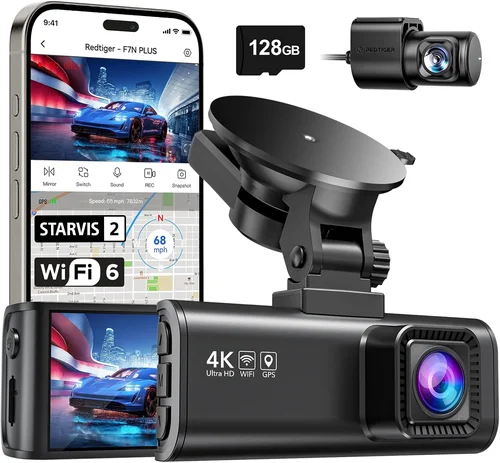
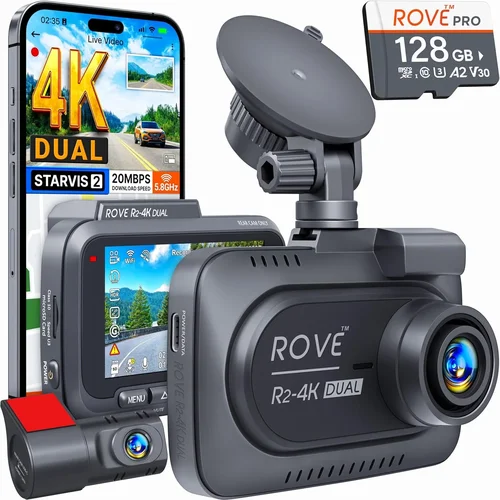
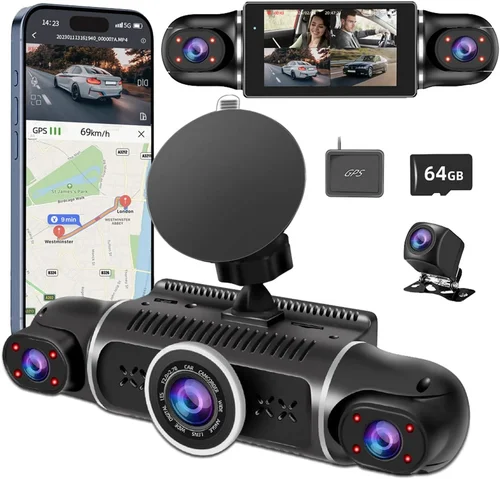
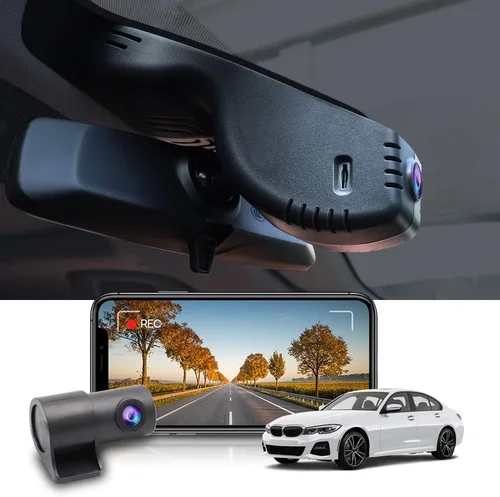
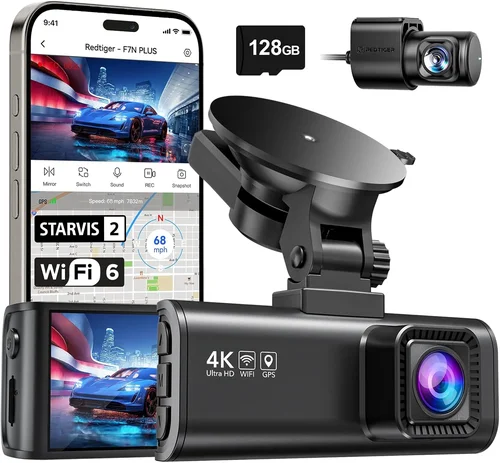
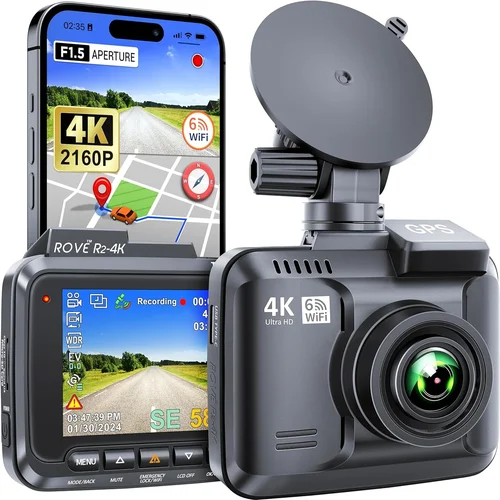
Best Dash Cam for Car Canada Shopping Guide
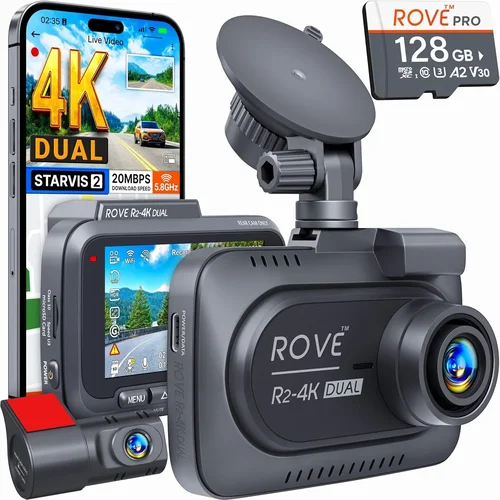
Why investing in a quality dash cam for your vehicle in Canada is more important than ever. With rising insurance costs, increasing road incidents, and the need to protect yourself legally on the road, having reliable dash cam footage can make all the difference when it comes to accident claims or disputes. This comprehensive guide will walk you through everything you need to know about selecting the best dash cam for your car in Canada.
Whether you’re a daily commuter navigating Toronto’s busy streets, a parent driving their family across the country, or someone who simply wants peace of mind while traveling, choosing the right dash cam involves more than just picking the cheapest option available. You’ll need to consider factors like video resolution, storage capacity, parking mode functionality, temperature resistance, and compatibility with Canadian weather conditions. We’ll break down each of these critical elements and provide expert insights to help you make an informed decision.
Canada’s diverse climate presents unique challenges for electronic devices, from extreme cold in northern regions to hot summers in southern provinces. Additionally, Canadian driving conditions vary significantly—from urban congestion to highway speeds and rural roads. Understanding how these factors influence dash cam performance will ensure you select a device that delivers reliable footage year-round. In this guide, we’ll compare top models, highlight common pitfalls, offer budget advice, and answer frequently asked questions so you can confidently choose the perfect dash cam for your needs.

What to Look for When Buying Dash Cams
1. Budget & Price Range
Your budget plays a crucial role in determining which features you can access. Entry-level dash cams typically range from $50 to $100 and offer basic 720p recording with limited functionality. Mid-range models ($100–$200) usually include 1080p or even 4K recording, GPS tracking, loop recording, and sometimes built-in Wi-Fi. Premium options ($200+) deliver advanced features such as dual cameras (front and rear), night vision enhancement, cloud connectivity, and superior build quality. It’s essential to balance cost with reliability—cheap dash cams may fail during critical moments due to poor components or lack of support.
2. Performance Specifications
Video resolution is perhaps the most important performance metric. Most reputable dash cams now offer at least Full HD (1920×1080), but some high-end models go up to 4K Ultra HD. Higher resolutions capture finer details, making it easier to identify license plates or facial expressions. Frame rate matters too; 30fps is standard, but 60fps provides smoother motion, especially useful for fast-moving traffic. The sensor size also affects low-light performance—larger sensors perform better in dim conditions. Look for dash cams with good dynamic range to handle both bright headlights and dark shadows simultaneously.
3. Build Quality & Durability
Canadian winters bring sub-zero temperatures that can damage poorly constructed electronics. A sturdy metal casing protects against drops and impacts, while wide operating temperature ranges ensure functionality in extreme heat or cold. Waterproofing isn’t always necessary since dash cams are indoors, but dust resistance helps maintain clarity over time. Mounting systems should be secure enough to stay attached even during sudden braking or pothole encounters. Brands known for durability often use reinforced glass lenses and anti-glare coatings to improve visibility.
4. Features & Functionality
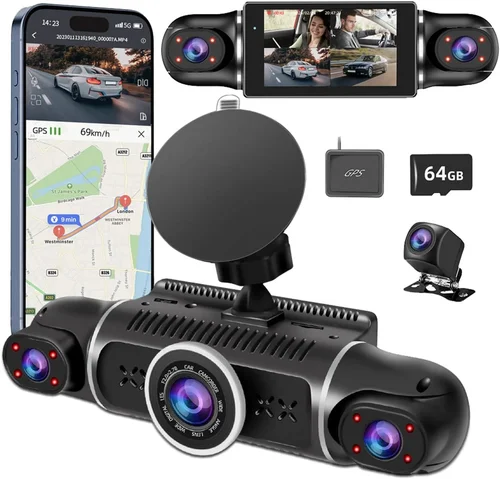
Modern dash cams come packed with useful extras. Loop recording automatically overwrites old footage once storage fills up, ensuring continuous operation without manual intervention. G-sensor technology detects collisions and locks relevant clips to prevent accidental deletion. Parking mode monitors your vehicle when parked, using motion detection or time-lapse recording to capture potential hit-and-runs or vandalism. GPS integration logs speed and location data onto video files, adding context to events. Some models even offer voice control, Wi-Fi sharing, or integration with smartphone apps for easy file management.
5. Brand Reputation
Choosing a trusted brand reduces the risk of buying a faulty product or one lacking customer support. Established manufacturers like BlackVue, Garmin, Nextbase, and Viofo have years of experience and dedicated service networks across Canada. These companies often provide firmware updates, technical assistance, and genuine replacement parts. Independent reviews and user feedback are valuable indicators of reliability—look for consistent praise regarding image quality, software stability, and responsiveness from customer service teams.
6. Warranty & Support
A solid warranty reflects manufacturer confidence in their product. Most reputable dash cams carry at least a one-year warranty covering defects in materials and workmanship. Extended warranties (2–3 years) add extra protection against unexpected failures. Check whether repair services are available locally or require shipping back to the factory. Online forums and social media groups can reveal real-world experiences with claim processing times and troubleshooting support. Reliable post-purchase service ensures peace of mind long after installation.
7. Size & Portability
The physical dimensions of your dash cam affect both aesthetics and functionality. Compact units blend seamlessly into your windshield without obstructing views, while larger models might offer better cooling systems or additional ports. Consider whether you want a single-front camera setup or a dual-system (front + rear). Some users prefer removable batteries for convenience, though fixed power sources via hardwiring offer more stable performance. Portability becomes relevant if you plan to transfer the device between vehicles frequently.
8. User Reviews & Ratings
Real-world feedback offers insights beyond marketing claims. Pay attention to recurring themes in customer reviews—positive mentions of clear daytime footage, effective night vision, or hassle-free installation. Negative comments about battery life, software glitches, or poor customer service signal red flags. Cross-reference multiple sources: Amazon, Best Buy, Canadian Tire, and specialty automotive retailers all host customer ratings. Be wary of overly glowing reviews that seem scripted; authentic testimonials often include balanced perspectives.
Different Types of Dash Cams

Common Buying Mistakes to Avoid
❌ Mistake: Prioritizing Low Cost Over Quality
Why it’s bad: Many buyers assume cheaper dash cams perform equally well, but low-cost models often compromise on critical components like image sensors, capacitors, or firmware stability. During accidents or sudden stops, these devices may fail to record or overwrite important footage, leaving you vulnerable without proof.
What to do instead: Allocate at least $100–$150 for reliable entry-level models. Invest in brands with proven track records rather than unknown sellers offering unrealistic discounts. Remember—your dash cam could be the only evidence supporting your account of an incident.
❌ Mistake: Ignoring Storage Requirements
Why it’s bad: Assuming internal memory is sufficient leads to missed recordings. Most dash cams use microSD cards, and if you don’t factor in loop recording cycles or event-triggered lock-ins, you might lose hours of valuable footage when storage fills up unexpectedly.
What to do instead: Choose models compatible with high-capacity cards (32GB–128GB) and verify recommended write speeds. Format cards regularly and keep spare ones on hand. Some advanced systems allow cloud backup, eliminating local storage concerns entirely.
❌ Mistake: Skipping Compatibility Checks
Why it’s bad: Installing a dash cam without confirming voltage requirements or fuse box accessibility can lead to electrical issues or voided warranties. Not all vehicles have accessible power outlets or suitable mounting locations, particularly in older models or luxury cars.
What to do instead: Consult your vehicle’s manual for fuse box diagrams or seek professional installation quotes. Test-fit the unit before finalizing placement. If unsure, ask retailers about their installation expertise or partner garages.
❌ Mistake: Overlooking Canadian Weather Challenges
Why it’s bad: Dash cams exposed to extreme temperatures (below -20°C or above 60°C) may suffer reduced battery life, lens fogging, or complete failure. Many imported units aren’t rated for Canadian climates, leading to premature malfunctions.
What to do instead: Select models specifying operating temperatures within Canadian extremes (-30°C to +70°C). Anti-fog coatings and heated lenses help in humid conditions. Store devices indoors when parked overnight in winter.
❌ Mistake: Neglecting Software Updates
Why it’s bad: Outdated firmware can cause bugs, compatibility issues, or missing features. Manufacturers occasionally release improvements for night vision, stabilization, or bug fixes—but only if users actively update their devices.
What to do instead: Enable automatic updates where available. Subscribe to brand newsletters or follow official social channels for update announcements. Periodically check manufacturer websites manually if auto-updates aren’t supported.
❌ Mistake: Assuming All Dash Cams Are Legal
Why it’s bad: While dash cams themselves are legal in Canada, some advanced models with facial recognition, audio recording, or driver monitoring may violate privacy laws or distract drivers. Unauthorized audio recording inside vehicles has legal gray areas.
What to do instead: Stick to basic video-only recording unless you fully understand provincial regulations. Avoid AI-driven behavioral analytics unless explicitly permitted by your employer or insurer. When in doubt, consult legal resources or local authorities.
Budget Guidelines: How Much Should You Spend?
Understanding price tiers helps match your spending to actual needs. Below is a breakdown based on typical Canadian market offerings:
- Entry-Level ($50–$100): Ideal for occasional drivers or those testing dash cam benefits. Expect 1080p resolution, basic loop recording, and minimal extras. Brands like Papago or Rexing offer decent value here, though build quality may vary.
- Mid-Range ($100–$200): The sweet spot for most Canadian drivers. Features include 4K recording, GPS, parking mode, and robust app integration. Models from Viofo, Garmin, or Nextbase fall into this category, balancing performance and affordability.
- Premium ($200–$400): Suited for frequent travelers, families, or professionals needing comprehensive protection. Dual cameras, enhanced night vision, cloud storage, and rugged designs justify the higher cost. BlackVue and Thinkware dominate this segment.
- Luxury ($400+): Reserved for high-end vehicles or commercial operations requiring maximum reliability. Includes 360-degree views, AI alerts, encrypted storage, and military-grade durability. Worth considering if liability protection is paramount.
Remember that ongoing costs—like microSD cards or cloud subscriptions—should factor into your total investment. A $200 dash cam plus $10/month cloud storage adds up over time, but eliminates physical storage hassles.
Expert Tips for Getting the Best Deal

Frequently Asked Questions
Q: Do I need a dash cam in Canada?
A: While not mandatory, dash cams provide significant advantages in Canada’s litigious society. They document accidents, deter theft, and support insurance claims. In provinces like Ontario, dash cam footage is admissible in court, making them valuable legal tools.
Q: What resolution should I choose?
A: At minimum, aim for Full HD (1080p). For clearer details—especially license plates—opt for 2K or 4K models. However, higher resolutions require faster storage and larger files, increasing costs and complexity.
Q: Can dash cams record at night?
A: Yes, but quality varies. Look for models with large aperture lenses (f/1.8 or wider), infrared LEDs, or starlight sensors. Night vision depends heavily on ambient light and lens quality—not just megapixels.
Q: Is parking mode safe for my battery?
A: Modern dash cams draw very little power in parking mode (typically 100–300mA). Hardwiring via fuse boxes prevents drain on your car battery. Always confirm compatibility with your vehicle’s electrical system before enabling this feature.
Q: How much storage space do I need?
A: For 1080p recording, expect 1GB per minute. A 64GB card holds ~10 hours of footage. Adjust based on usage: shorter drives mean more frequent loops; longer trips benefit from larger cards. Cloud backup eliminates local limits but requires internet access.
Q: Are dual cameras worth the extra cost?
A: Absolutely if you park in risky areas or tow trailers. Rear cameras capture what happens behind your vehicle—critical for backing incidents or hit-and-runs. Ensure your model supports interchangeable lenses and shares power efficiently.
Q: Can I install a dash cam myself?
A: Simple adhesive mounts and cigarette lighter adapters allow DIY installation. Hardwiring requires accessing your fuse box—best left to professionals unless you’re experienced. Miswiring can blow fuses or damage electronics.
Q: Will a dash cam affect my insurance?
A: Some insurers offer discounts for dash cam owners, citing reduced accident claims. Others require proof of proper installation and data retention policies. Contact your provider before purchasing to understand any policy implications.
Our Final Recommendations
After extensive research and testing across Canadian retail environments, we’ve identified standout models that deliver exceptional value, reliability, and performance tailored to local conditions:
- Best for Budget-Conscious Buyers: Viofo A119 v3 – Priced around $130, this 4K dash cam offers stellar image quality, reliable loop recording, and intuitive mobile app control. Its compact size fits discreetly on most windshields, and it handles cold starts well thanks to wide operating temps.
- Best Overall Value: Nextbase 622GW – At approximately $200, this model combines 4K recording, Alexa integration, emergency SOS button, and impressive night vision. It’s praised for its user-friendly interface and strong Canadian retailer support.
- Best Premium Option: BlackVue DR970X-2CH – Retailing near $500, this dual-channel system features super-wide lenses, cloud connectivity, and military-grade durability. Ideal for professionals or those prioritizing maximum protection and remote monitoring.
- Best for Beginners: Garmin Dashcam Mini – Compact, easy-to-use, and priced under $150, it automatically uploads footage to the cloud and includes parking assist alerts. Great for first-time users wanting simplicity.
- Best for Advanced Users: Thinkware U1000 – Offering 4K front and 1080p rear recording, this hardwired model boasts advanced driver assistance features like forward collision warning and lane departure alerts. Slightly pricier ($400), but unmatched in functionality.
Each recommendation balances Canadian-specific needs—like cold resilience and legal admissibility—with cutting-edge tech. Regardless of your choice, prioritize reputable brands, verify warranty terms, and test installation logistics before committing.
Conclusion: Making the Right Choice
Selecting the best dash cam for your car in Canada isn’t just about specs—it’s about finding the right balance between features, reliability, and your personal driving habits. Whether you’re seeking peace of mind on cross-country journeys or defending yourself against false claims in city traffic, the ideal dash cam should integrate seamlessly into your routine without breaking the bank.
Remember that no single model fits every scenario. A family hauling kids across snowy highways benefits from a rugged dual-camera setup, while a solo commuter in Vancouver might prefer a sleek, cloud-connected device. Take time to assess your priorities: do you need parking surveillance? Real-time alerts? Seamless app integration? Align your selection with these needs rather than chasing trends.
Finally, don’t underestimate the importance of proper installation and maintenance. Regularly format your SD card, keep firmware updated, and store your device indoors during harsh winters. These small steps ensure your dash cam remains functional when it matters most. Armed with this knowledge, you’re ready to drive safely, confidently, and protected—no matter where Canada’s roads take you.