Smart Dash Cam Buying Guide
When you’re shopping for a dash cam, it’s easy to get overwhelmed by the sheer number of options on the market. From basic single-lens models to sophisticated dual-camera systems with built-in GPS and emergency recording features, the choices seem endless. The problem is that not all dash cams deliver what they promise—especially when you’re looking for the best value without breaking the bank.
This comprehensive buying guide cuts through the marketing noise and gives you the practical knowledge you need to make an informed decision. Whether you’re a first-time buyer concerned about price, a seasoned driver who wants advanced safety features, or someone who simply values quality footage for peace of mind, this article will walk you through every critical factor to consider. You’ll learn exactly what specifications matter most, how to spot hidden costs, and which brands consistently deliver reliability without premium pricing.
The modern dash cam market spans everything from ultra-affordable $30 models to professional-grade units costing over $500. But the sweet spot for most drivers lies somewhere in the middle—offering solid video quality, essential safety features, and dependable performance at reasonable prices. In this guide, we’ll focus specifically on identifying the best bang-for-buck options across different categories, helping you avoid common pitfalls while maximizing your investment.
What to Look for When Buying Dash Cams
Budget & Price Range
Let’s start with the most obvious but often misunderstood aspect: cost. Many people assume that spending more guarantees better quality, but that’s not always true—especially when comparing entry-level versus mid-range models. A $150 dash cam can offer significantly better image stabilization, night vision, and loop recording than a $60 model, even though both fall within the “budget” category.
That said, you don’t need to spend $300 to get reliable protection. Entry-level dash cams ($50–$120) are perfect for basic accident documentation, while mid-range units ($120–$250) typically include extras like parking mode, Wi-Fi connectivity, and improved low-light performance. Premium models ($250+) add features such as 4K resolution, superior audio capture, and cloud integration—but these come with diminishing returns for average drivers.
When setting your budget, ask yourself: How much am I willing to risk financially without insurance coverage? Most experts recommend spending at least enough to ensure clear footage in both daytime and nighttime conditions. Also consider indirect costs: some cheap models require frequent microSD card replacements or fail to record during minor fender benders due to poor motion detection algorithms.
Performance Specifications
Video quality is arguably the single most important specification. After all, if your dash cam can’t capture usable evidence, its other features become irrelevant. Here’s what to prioritize:
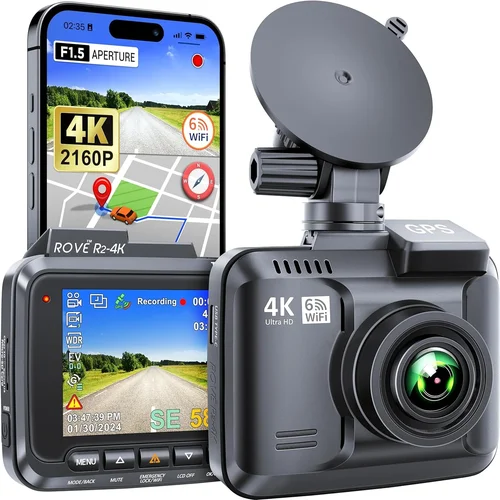
Resolution matters—but don’t chase numbers blindly. While 4K (3840×2160) looks impressive on paper, most car dash cams struggle to maintain consistent 4K recording in real-world driving scenarios due to heat buildup and power limitations. For most users, 1080p Full HD at 30 frames per second strikes the ideal balance between clarity and file size. Some high-end models offer 2.5K or 1440p as a compromise, providing sharper detail than 1080p without overwhelming storage demands.
Frame rate affects smoothness. Most dash cams run at 30fps, which is perfectly adequate for standard driving footage. However, if you frequently drive in stop-and-go traffic or urban environments where sudden maneuvers occur, look for models supporting 60fps—this doubles the temporal resolution and helps preserve critical details during fast movements.
Field of view (FOV) determines how much of the road ahead you capture. Wide-angle lenses (140°–170° diagonal) give you broader coverage but may introduce fish-eye distortion at the edges. Narrower FOVs (around 120°) reduce distortion but leave blind spots. Most mid-range dash cams now use wide-dynamic range (WDR) technology to compensate for bright headlights or harsh shadows, so even moderately wide lenses can produce balanced images.
Low-light performance hinges on sensor sensitivity and image processing. CMOS sensors with larger pixels (like those using Sony STARVIS technology) perform dramatically better in darkness. If you commute during dawn or dusk regularly, or park in poorly lit areas overnight, invest in a model explicitly rated for night vision capability.
Build Quality & Durability
A dash cam isn’t just software and sensors—it’s also physical hardware exposed to extreme conditions. Temperature fluctuations from -4°F to 158°F, vibrations from rough roads, dust, moisture, and direct sunlight can all degrade performance or cause failure.
Look for ruggedized housing made from polycarbonate or aluminum alloy rather than flimsy plastic. Sealed connectors prevent water ingress during heavy rain or car washes. Internal capacitors (rather than batteries) ensure reliable startup even after prolonged power loss—critical if your car experiences voltage drops during ignition cycles.
Mounting systems should be secure yet adjustable. Suction cup mounts work well on smooth surfaces but lose grip over time; adhesive pads last longer but can damage paint if removed improperly. Some premium models include magnetic mounts or dual-sided tape with residue-free removal strips.
Features & Functionality
Beyond core recording capabilities, modern dash cams pack useful extras that enhance usability:
Loop recording automatically overwrites older footage once your microSD card fills up, ensuring continuous operation without manual intervention. This is non-negotiable unless you have unlimited storage—which you don’t.
G-sensor (impact detection) triggers emergency locking of current footage when sudden deceleration occurs—say, during a collision or near-miss. Without this feature, your most important clips could be overwritten before you even notice something happened.
Parking surveillance uses motion or impact detection to record while your vehicle is off, protecting against hit-and-runs or vandalism. Most models draw minimal standby power (under 50mA), but check manufacturer specs to avoid draining your battery overnight.
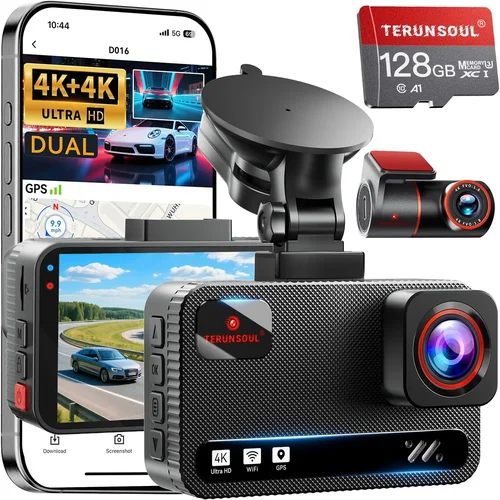
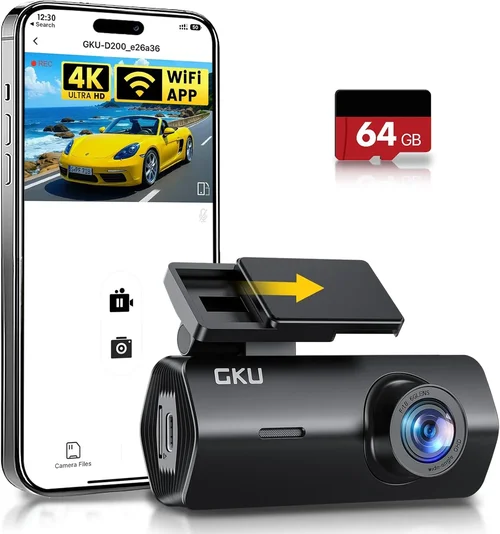
Wi-Fi and smartphone app integration allow remote viewing, downloading, and sharing clips via Bluetooth or hotspot. This eliminates fumbling with cables and makes managing large video files much easier.
GPS logging adds location data and speed metrics to each clip, useful for verifying routes during disputes or analyzing driving patterns. Not all dash cams include internal GPS—some rely on external USB dongles.
Voice commands and touchscreen interfaces improve usability while driving, reducing distraction. However, overly complex menus can offset these benefits—opt for intuitive designs with physical buttons as backups.
Brand Reputation
Not all brands are created equal. Established manufacturers like Garmin, BlackVue, and Thinkware have decades of experience refining dash cam technology, investing heavily in R&D, and offering responsive customer support. Their products tend to undergo rigorous testing and receive firmware updates long after initial purchase.
Conversely, many budget brands source components from the same factories (often in Shenzhen, China) but cut corners on build materials, software stability, and post-purchase service. These “white-label” devices may look identical to reputable models online but lack reliability under real-world stress.
Research user forums, Reddit threads, and verified purchaser reviews before committing. Pay attention to recurring complaints—not just isolated negatives—and note how companies respond to feedback. Brands that offer generous warranties (typically 1–3 years) usually stand behind their products more confidently.
Warranty & Support
Even the most durable dash cam can fail unexpectedly. A solid warranty protects your investment and reflects confidence in product quality. Look for minimum 1-year coverage covering both parts and labor. Some premium brands extend this to 3 years or include worldwide service centers.
Customer support responsiveness varies wildly. Email inquiries from lesser-known brands might go unanswered for weeks, while established companies provide live chat, phone assistance, and detailed troubleshooting guides. Check whether manuals and software updates remain available for several years post-release—a sign of ongoing commitment.
Size & Portability
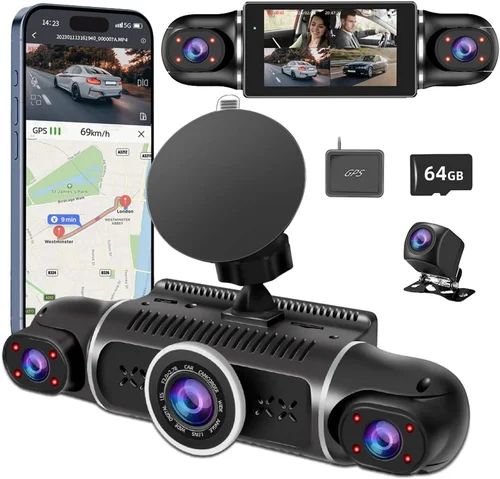
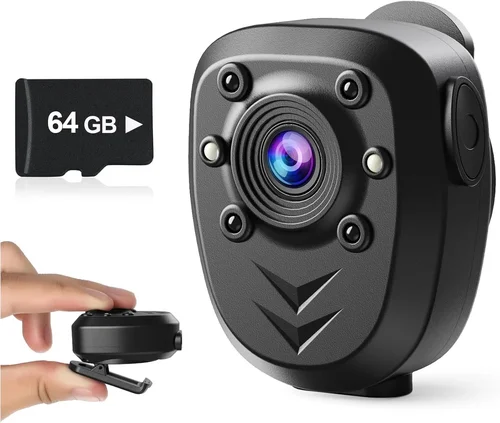
Dash cams come in various form factors: ultra-compact (credit-card sized), slim prosumer models, and bulky professional units with dual cameras. Compact sizes reduce visibility to other drivers but may limit mounting flexibility or cooling efficiency.
If you plan to transfer videos frequently between vehicles or share footage across multiple cars, consider portability. Some models come with carrying cases or interchangeable mounts. Others integrate seamlessly into existing infotainment systems via OBD-II ports, drawing power without cluttering the cabin.
User Reviews & Ratings
Never ignore real user experiences. Amazon, Best Buy, B&H Photo, and specialty automotive retailers aggregate thousands of verified reviews—filter by “most helpful” and read both 5-star and 1-star comments. Notice patterns: Do multiple buyers mention battery drain? Is image quality inconsistent between batches?
Also explore independent review sites like Wirecutter, PCMag, and TechRadar, which conduct hands-on testing beyond spec sheets. They often uncover nuances like inconsistent night performance across firmware versions or unexpected compatibility issues with certain smartphones.
Different Types of Dash Cams
Common Buying Mistakes to Avoid
❌ Mistake: Ignoring Storage Requirements
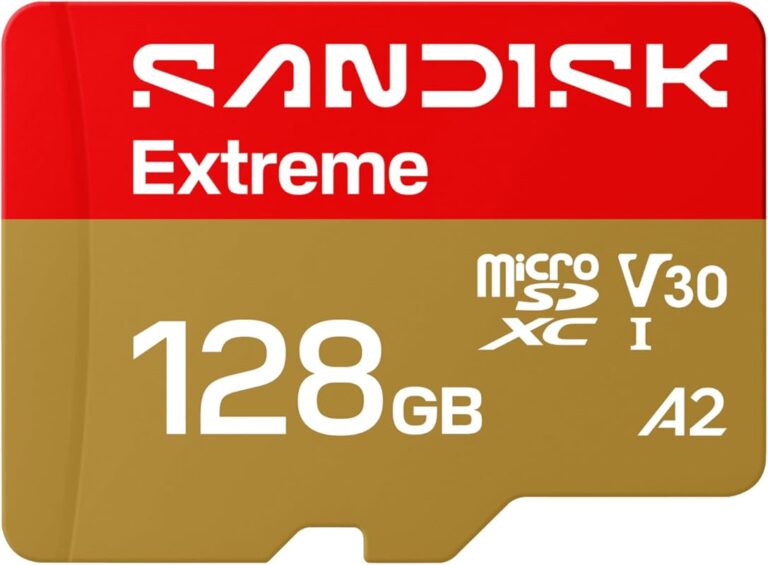
Why it’s bad: Assuming any microSD card will work leads to constant reformatting, lost footage, or premature failure. Cheap cards (<100MB/s write speed) corrupt easily during high-bitrate recording, especially at night or in 4K mode.
What to do instead: Invest in high-endurance cards rated for dash cams—SanDisk Extreme, Samsung Pro Endurance, or Lexar Professional. Aim for Class 10/U3/V30 speeds with at least 64GB capacity. Replace annually as wear accumulates.
❌ Mistake: Overlooking Power Management
Why it’s bad: Using external batteries or improper wiring causes voltage spikes that fry circuits or trigger false recordings. Some cars have erratic ignition cycles that confuse dash cams expecting steady 12V input.
What to do instead: Choose models with capacitor-based power systems instead of internal batteries. If hardwiring, buy dedicated dash cam wiring kits with fuse taps and voltage stabilizers. Test overnight parking mode briefly before full deployment.
❌ Mistake: Prioritizing Resolution Over Real-World Performance
Why it’s bad: Marketing claims like “4K HDR” sound great but rarely translate to usable evidence. Many 4K dash cams drop frames, overheat, or compress footage aggressively—making faces unrecognizable or license plates blurry.
What to do instead: Focus on consistent 1080p/30fps with good dynamic range. Read sample videos from independent reviewers, not manufacturer demos. Night vision and stabilization often matter more than raw pixel count.
❌ Mistake: Skipping Firmware Updates
Why it’s bad: Outdated firmware introduces bugs, reduces performance, or breaks compatibility with newer phones. Some brands stop updating after 6–12 months, leaving security flaws unpatched.
What to do instead: Download official update tools before installation. Subscribe to brand newsletters for alerts. Avoid discontinued models where future support is uncertain.
❌ Mistake: Neglecting Mounting Strategy
Why it’s bad: Poor placement creates glare, obstructs airbags, or results in shaky footage. Suction cups fail on textured dashboards; adhesive mounts peel in extreme heat.
What to do instead: Position the lens centered above the rearview mirror, angled slightly downward. Use OEM-style mounts if available for your windshield type. Test stability by gently tugging after setup.
❌ Mistake: Assuming All Brands Are Equal
Why it’s bad: White-label sellers copy popular designs but skimp on components, resulting in inconsistent quality batches. Return policies may exclude “damage from normal use,” leaving you stranded after a real accident.
What to do instead: Stick to recognized brands with transparent manufacturing origins. Buy from authorized dealers offering manufacturer warranties. Check BBB ratings and consumer protection records.
❌ Mistake: Forgetting About Data Privacy
Why it’s bad: Cloud-connected dash cams collect location data, possibly exposing sensitive travel habits. Free tiers often sell anonymized metadata to third parties without clear consent mechanisms.
Budget Guidelines: How Much Should You Spend?
Entry-Level ($50–$120): The Foundation Tier
This range covers solid performers with 1080p recording, decent night vision, and essential safety features like G-sensor and loop recording. You’ll find reliable options from brands like Viofo A119 Mini, Rexing V1, or AUTO-VOX S03. Expect basic Wi-Fi, no GPS, and plastic construction. Ideal for occasional drivers or secondary vehicles.
Mid-Range ($120–$250): The Sweet Spot
Here’s where most drivers find their perfect balance. Models like Garmin Dashcam Mini, BlackVue DR-Series, or Thinkware U1000 deliver 1440p/1080p switching, superior low-light imaging, parking mode, and robust app ecosystems. Build quality improves significantly, and many include GPS or dual-channel recording. Perfect for daily commuters and families.
Premium ($250–$400): For Enthusiasts & Professionals
These units push boundaries with 4K recording, HDR, superior audio, and advanced parking features. Examples include Nextbase 522GW, Papago GO Force X2, or BlackVue DR970X-2CH. Often feature cloud connectivity, voice control, and enhanced impact detection. Best suited for rideshare drivers, delivery services, or those needing courtroom-ready evidence.
Luxury ($400+): Top-Tier Excellence
Rarely necessary for average drivers, luxury dash cams offer military-grade durability, AI-powered object recognition, thermal imaging, or multi-car monitoring suites. Brands like Garmin Zumo, Magellan RoadMate, or specialized fleet solutions dominate this tier. Only consider if you operate commercial vehicles or require forensic-level documentation.
Expert Tips & Pro Advice
Timing Your Purchase Strategically
Avoid buying immediately after major holidays (Black Friday, Cyber Monday) when inventory is tight and prices inflate. Instead, target seasonal lulls: early spring (March–April) and late summer (August–September) see fewer new releases and deeper discounts on last-gen models. Subscribe to retailer newsletters for flash sales and clearance alerts.
Choosing Retailers Wisely
Online giants like Amazon and Best Buy offer convenience but limited hands-on testing. Specialty automotive stores (AutoZone, O’Reilly) let you inspect builds physically and consult knowledgeable staff. For international buyers, consider regional leaders like Crutchfield (US), Carphonewarehouse (UK), or Amazon Japan for localized support and shipping.
Spotting Hidden Deals
Check outlet sections for refurbished units from certified sellers—these often carry full warranties. Sign up for price-tracking tools like Honey or CamelCamelCamel to monitor historical trends. Watch for “bundle” promotions combining dash cam + SD card + mount at 15–20% savings versus individual purchases.
Understanding Warranty Terms
Beware of “limited lifetime” warranties that exclude common failures like button malfunctions or screen cracks. Prefer explicit 1–3 year coverage covering all components. Verify whether shipping costs and labor are included—some brands charge for returns even under warranty.
Leveraging Return Policies
Most electronics retailers offer 30-day return windows. Keep original packaging and accessories to avoid restocking fees. Test thoroughly: record test clips, simulate parking mode, and verify smartphone pairing before relying on the device permanently.
Testing Before Committing
If possible, demo units at auto shows or local dealerships. Compare image quality side-by-side under similar lighting. Note menu responsiveness, voice command accuracy, and clip download speeds. Ask about known firmware bugs affecting recent batches.
Maximizing Longevity
Clean the lens weekly with microfiber cloths to prevent smudges from degrading footage. Store in cool, dry places when not mounted. Update firmware quarterly and replace microSD cards every 12–18 months regardless of capacity usage.
FAQs Section
Q: Do I really need a dash cam, or will my insurance cover accidents?
A: While liability insurance protects others, comprehensive coverage doesn’t pay out for your own damages unless you have collision coverage. Dash cams help prove fault, speeding up claims and potentially reducing premiums. In hit-and-run cases or disputed collisions, video evidence is often decisive.
Q: Can dash cams record while parked?
A: Yes—but only if the model includes parking surveillance mode and proper power setup. Most draw small amounts of standby current (20–50mA). Without hardwiring or an external battery, extended parking drains your car battery. Always test briefly before relying on overnight recording.
Q: What’s the difference between a capacitor and a battery in dash cams?
A: Capacitors store short bursts of energy for startup and shutdown, handling voltage fluctuations safely. Internal lithium batteries risk swelling or leakage over time, especially in hot climates. Capacitor-based systems last longer and survive power surges better—look for this feature in reliable models.
Q: How long do dash cam batteries last?
A: Internal backup batteries typically last 2–3 years before needing replacement. External power banks can extend parking mode but add bulk. Most modern dash cams use capacitors instead, eliminating battery concerns entirely.
Q: Will a dash cam work in cold weather?
A: Yes, but performance drops below freezing. LCD screens become sluggish, and condensation forms inside lenses during rapid temperature shifts. Modern units withstand -4°F to 140°F, but avoid leaving them in direct sunlight while parked—interior temps can exceed 160°F.
Q: Can I use any microSD card with my dash cam?
A: No—low-quality cards corrupt during high-bitrate recording. Use endurance-rated cards (SanDisk, Samsung, Lexar) with Class 10/U3/V30 speeds and at least 64GB capacity. Replace annually as NAND flash wears down.
Q: Do dash cams record audio?
A: Many do, but regulations vary by state/country. In the US, California and Connecticut ban recording without consent; other states allow it. Check local laws before enabling audio. Even where legal, consider privacy implications when recording passengers or pedestrians.
Q: How do I install a dash cam without drilling holes?
A: Use suction cup mounts for temporary installs or adhesive pads for permanent ones. For power, choose OBD-II plug-in models or professional hardwire kits that tap into cigarette lighter circuits safely. Avoid DIY splices that void warranties or create fire hazards.
Q: Can two dash cams record simultaneously in one car?
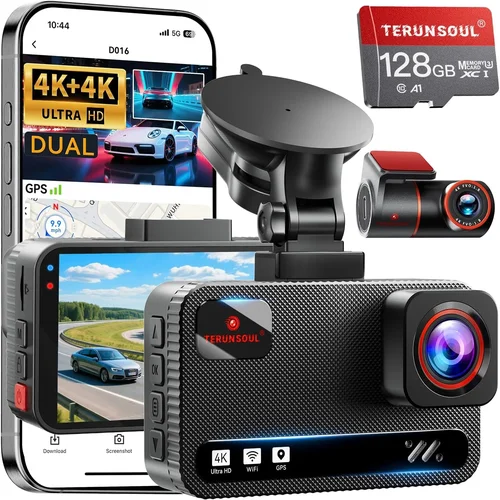
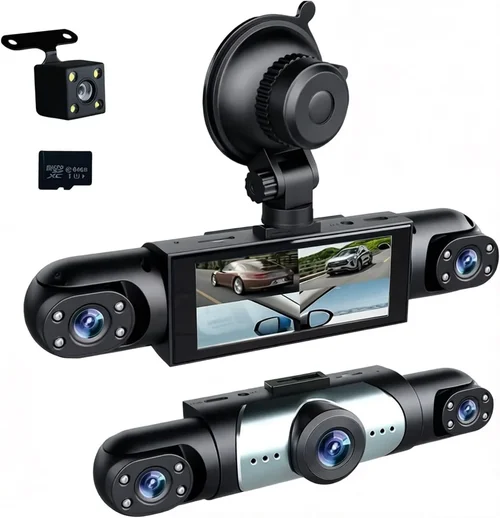
A: Technically yes, but overlapping coverage creates redundant data and complicates management. Dual-lens models solve this by integrating front and cabin/rear cameras into one unit. Adding separate units increases costs and power demands without proportional benefits for most drivers.
Q: Are dash cams legal everywhere?
A: Generally yes—dash cams are legal in most countries as long as they don’t block airbag deployment or violate privacy laws regarding audio recording. However, some European nations restrict audio capture strictly. Research local regulations before installing.
Final Recommendations
Best for Budget-Conscious Buyers
The Viofo A119 Mini delivers exceptional 1080p recording, reliable night vision, and robust build quality at under $100. Its compact size fits discreetly above mirrors, and the included suction mount holds securely on glass. Despite its affordability, it includes G-sensor, loop recording, and decent parking mode—making it our top pick for cost-sensitive drivers seeking dependable protection.
Best Overall Value
The Garmin Dashcam Mini strikes perfection with 1440p resolution, crystal-clear audio, and seamless smartphone integration via Wi-Fi. It features automatic incident detection, GPS logging, and a sleek design that blends into any dashboard. While priced higher than entry-level options, its reliability, regular firmware updates, and excellent customer support justify the investment for serious drivers.
Best Premium Option
For those wanting ultimate peace of mind, the Nextbase 522GW offers 1440p recording, HDR, and Alexa voice control. Its cloud connectivity allows remote viewing, and the built-in GPS tracks speed and location. The included 32GB high-endurance microSD card and robust app ecosystem make it ideal for rideshare drivers or anyone needing courtroom-ready evidence.
Best for Beginners
Newcomers should start with the AUTO-VOX S03. It provides hassle-free installation, intuitive controls, and reliable performance without overwhelming features. At around $80, it includes everything needed for basic accident documentation—plus a generous 1-year warranty and responsive US-based support.
Best for Advanced Users
Experienced drivers will appreciate the BlackVue DR-Series lineup, particularly the DR970X-2CH dual-channel model. With 2K front and 1080p cabin recording, cloud connectivity, and military-grade durability, it’s engineered for demanding conditions. Though pricier, its professional-grade features and unmatched reliability make it worth every penny for fleet operators or enthusiasts.
Conclusion: Making the Right Choice
Selecting the best dash cam for your needs doesn’t require chasing the latest specs or spending lavishly. By focusing on core requirements—clear video in all conditions, dependable power management, and useful safety features—you’ll find outstanding value without compromise. Remember that the most expensive model isn’t always the best fit; match capabilities to your actual driving habits and risk tolerance.
Take time to research, compare real user experiences, and prioritize brands with proven track records. Don’t overlook indirect costs like storage cards or mounting hardware, and always verify local laws regarding audio recording. Once installed, maintain your dash cam properly: clean the lens, update firmware, and replace storage media regularly.
Ultimately, a quality dash cam is more than electronic equipment—it’s a guardian angel for your vehicle, offering invaluable protection when moments turn stressful. Whether you choose a compact $80 solution or a feature-rich $300 system, the peace of mind you gain far exceeds the initial investment. Drive safely, stay vigilant, and let technology work for you.