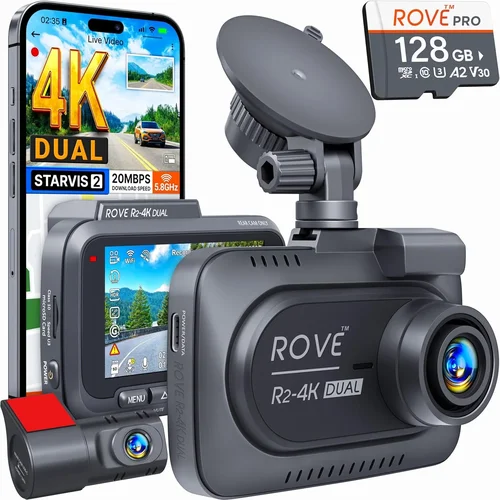
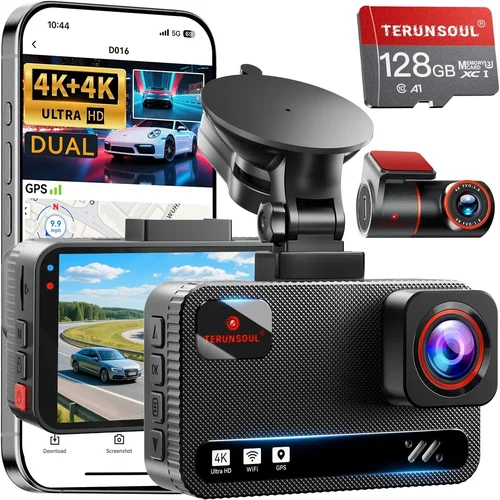
Smart Dash Cam Buying Guide for Photos
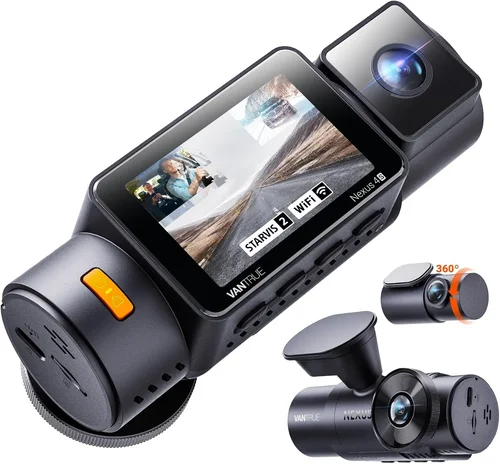
When it comes to protecting yourself on the road and preserving important moments behind the wheel, dash cameras have become an essential tool for drivers. While most people immediately think of video recording capabilities when considering a dash cam, the ability to capture still photographs is equally valuable—especially in situations where you need to document an incident, record scenic drives, or simply preserve memories during road trips. This comprehensive buying guide will walk you through everything you need to know about selecting the best dash cam for photos, helping you make an informed decision that matches your specific needs and budget.
By the end of this guide, you’ll understand how photo-quality dash cams work, what technical specifications matter most for image clarity, and how to evaluate different features beyond just video resolution. We’ll explore everything from sensor technology and lens quality to storage solutions and connectivity options, giving you the knowledge needed to choose a device that delivers crisp, reliable photos when it matters most.
The market for dash cams has evolved significantly in recent years, with modern devices offering far more than simple rear-view monitoring. Today’s advanced models can capture high-definition photos alongside continuous video recording, feature GPS tracking, offer cloud connectivity, and even integrate with smartphone apps for easy photo sharing. Understanding these capabilities and how they apply to your driving habits will help you select the right device that balances functionality with affordability.

What to Look for When Buying Dash Cams
1. Image Quality and Resolution
When evaluating dash cams specifically for photo capabilities, image quality should be your top priority. Most dash cams advertise their front camera resolution, but many also include rear-facing cameras for capturing what’s happening behind your vehicle. For photo purposes, look for cameras with at least 12-megapixel (MP) sensors, though higher megapixels don’t always guarantee better images—sensor size and processing power matter more.
The key metrics to examine are sensor size (larger sensors generally perform better in low light), aperture width (measured as f-stop values—lower numbers like f/1.8 indicate better light gathering capability), and whether the camera uses CMOS or CCD sensors. CMOS sensors typically offer better low-light performance and faster readout speeds, making them ideal for dash cam applications where quick capture times are crucial.
Additionally, consider whether the dash cam offers manual photo modes versus automatic settings. Manual controls allow you to adjust exposure, white balance, and focus for optimal results in different lighting conditions. Some premium models even provide RAW photo capture, giving you maximum editing flexibility later.
2. Storage Capacity and Management
Photo storage requirements differ significantly from video files. A single high-resolution photo might take up 5-8MB of space, meaning you could fill a 32GB card with just a few hundred images. Consider how frequently you plan to take photos and whether you’ll need continuous coverage while parked.
Most dash cams use microSD cards ranging from 32GB to 128GB capacity. For pure photo usage without video recording, smaller cards may suffice, but if you want both functionalities, opt for at least 64GB. Remember that larger cards don’t necessarily mean better performance—check compatibility and speed class ratings. Class 10 or UHS-I cards ensure smooth operation without dropped frames or missed shots.
Also consider built-in storage options like internal flash memory or cloud integration. Some models automatically upload photos to cloud services when connected to Wi-Fi, providing off-site backup and eliminating the need for physical media management. However, this requires consistent internet access and may incur data charges depending on your provider.
3. Night Vision Capabilities
One of the biggest challenges for dash cam photography is capturing clear images in low-light conditions. Streetlights, headlights from other vehicles, and interior cabin lighting all present unique illumination scenarios that affect photo quality.
Look for dash cams featuring specialized night vision technologies such as infrared LEDs, enhanced dynamic range (HDR), or noise reduction algorithms. Infrared systems work by emitting invisible light that reflects off objects, allowing the camera to see in complete darkness—though this works best for close-range subjects. HDR combines multiple exposures to maintain detail in both bright and shadowed areas, crucial for nighttime urban driving where headlights create harsh contrasts.
CMOS sensors with backside illumination (BSI) technology perform particularly well in low light by positioning the light-sensitive layer closer to the lens, increasing photon collection efficiency. This results in cleaner, less grainy photos when visibility is limited.
4. Build Quality and Durability
Dash cams endure extreme environmental conditions—from blistering summer heat to freezing winter temperatures, plus constant vibration from road surfaces. Poor build quality leads to premature failures, distorted lenses, or unreliable operation when you need it most.
Check materials used in construction: aluminum housings resist corrosion better than plastic, while tempered glass lenses withstand impacts more effectively than polycarbonate alternatives. Sealed designs prevent moisture intrusion during heavy rain or car washes, which can fog lenses or damage internal components.
Mounting systems also deserve attention. Suction cups work well initially but may lose adhesion over time due to temperature changes or vibrations. Hardwire kits offer permanent installation but require professional installation expertise. Magnetic mounts provide flexibility but may not hold securely on certain surfaces.
5. Connectivity and App Integration
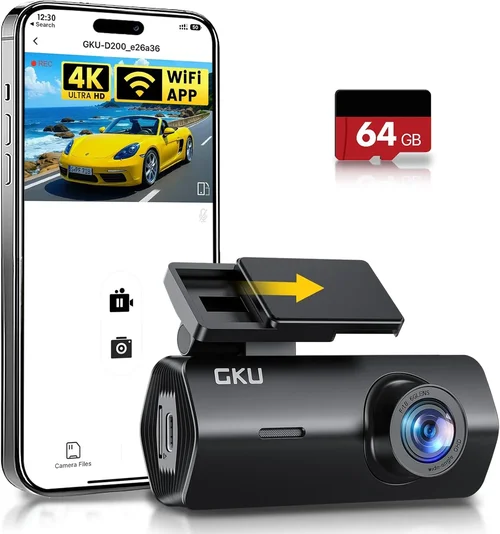
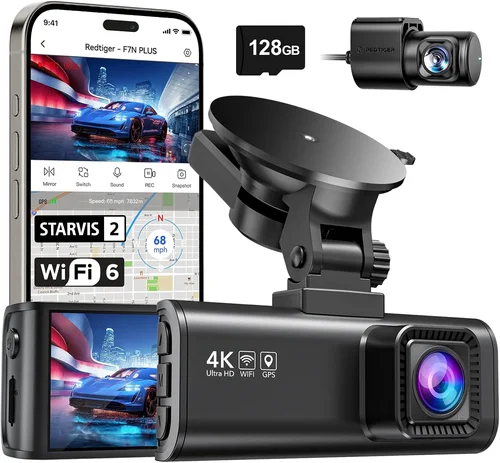
Modern dash cams increasingly rely on smartphone connectivity for photo management, remote viewing, and firmware updates. Wi-Fi and Bluetooth capabilities enable instant photo transfers directly to your mobile device, eliminating the need to remove memory cards manually.
Consider whether the companion app offers useful features beyond basic file transfer. Cloud sync allows secure off-site backup, while geotagging adds location metadata to photos automatically. Some apps let you trigger remote photo captures using your phone—useful when someone else is driving or you’re unable to reach the dash cam physically.
Bluetooth pairing simplifies setup and provides hands-free calling capabilities if the dash cam includes microphone/speaker hardware. However, Wi-Fi generally offers faster transfer speeds and more robust feature sets, especially for photo-centric users who need quick access to captured images.
6. Power Source and Installation Options
Reliable power supply is critical for uninterrupted operation. Hardwired systems draw power directly from your car’s electrical system, typically via the fuse box, enabling parking mode that records continuously while the engine is off. This feature is invaluable for capturing hit-and-run incidents or vandalism overnight.
USB-powered dash cams connect to cigarette lighters or OBD-II ports, offering plug-and-play convenience but limited parking mode functionality unless paired with a separate battery pack. Battery-only units provide maximum portability but require frequent recharging and lack hardwired reliability.
Installation complexity varies widely. Professional hardwiring ensures clean aesthetics and maximum safety but costs extra. DIY suction mounts save money but may fail under stress. Magnetic bases offer reusability across multiple vehicles but compromise stability during sudden maneuvers.
7. Additional Features Impacting Photo Quality
Several secondary features indirectly enhance photographic performance. G-sensor technology detects impacts and automatically saves relevant footage or photos, ensuring critical moments aren’t overwritten during loop recording cycles. Time-lapse photography creates compressed timelapses suitable for scenic drives without consuming excessive storage space.
G-sensor sensitivity settings determine how much impact triggers recording—too low and you miss minor collisions; too high and you get false positives from potholes or speed bumps. Adjustable settings let you fine-tune this balance for your driving environment.
Loop recording automatically deletes oldest files when storage fills up, maintaining continuous coverage without manual intervention. Manual photo triggers bypass automatic modes entirely, giving you full control over capture timing. Some models combine both approaches, allowing scheduled automatic photos plus emergency manual snapshots.
8. Brand Reputation and Customer Support
Established brands typically invest more in research and development, resulting in superior product reliability and customer service. Companies like Garmin, BlackVue, and Thinkware have decades of experience in automotive electronics, while newer entrants may prioritize marketing over engineering excellence.
Research warranty terms carefully—some manufacturers limit coverage to original purchase dates, excluding wear items like batteries or memory cards. Read return policies before buying, especially if you’re unsure about specific features. Online communities and owner forums provide real-world insights into long-term performance beyond official specifications.
Different Types of Dash Cams

Common Buying Mistakes to Avoid
❌ Mistake: Prioritizing Video Over Photo Capabilities
Why it’s bad: Many buyers assume dash cams designed primarily for video will deliver excellent photos, but this isn’t always true. Video optimization focuses on motion smoothness and compression efficiency rather than still-image sharpness or detail retention.
What to do instead: Research dedicated photo specifications like sensor size, aperture width, and whether the device supports manual shooting modes. Look for reviews that specifically test photographic performance under various lighting conditions.
❌ Mistake: Ignoring Low-Light Performance
Why it’s bad: Driving at dawn, dusk, or in poorly lit urban environments presents significant challenges for photo quality. Without adequate low-light capabilities, your images will appear grainy, blurry, or completely dark—rendering them useless for documentation purposes.
What to do instead: Test night vision performance through online sample galleries or request demonstrations from retailers. Check if the model includes infrared illuminators, HDR processing, or noise reduction algorithms designed specifically for dim conditions.
❌ Mistake: Choosing Based Solely on Price
Why it’s bad: Ultra-cheap dash cams often skimp on critical components like sensor quality, lens coatings, or build materials. You might save $20 upfront but end up with a device that fails within months or produces unusable photos when needed most.
What to do instead: Establish a realistic budget based on your intended use case rather than chasing the lowest possible price. Allocate more funds toward proven brands with good track records in photographic performance.
❌ Mistake: Overlooking Storage Requirements
Why it’s bad: Assuming that because you only want photos, you won’t need much storage leads to frequent card full notifications and lost opportunities. High-resolution images consume space quickly, especially if you plan to take frequent snapshots or enable continuous parking mode.
What to do instead: Calculate your expected storage needs based on average photo count per day multiplied by desired retention period. Factor in loop recording behavior and whether cloud backup is available to reduce local storage demands.
❌ Mistake: Neglecting Installation Practicalities
Why it’s bad: Poor mounting choices lead to unstable positioning, blocked views, or accidental detachment during drives. Suction cups failing in hot weather or magnetic bases sliding off metal surfaces are common problems caused by inadequate planning.
What to do instead: Assess your vehicle’s dashboard material before purchasing—textured plastics grip better than smooth glass surfaces. Consider hardwiring for permanent installations requiring maximum security and aesthetics.
❌ Mistake: Focusing Only on Front Camera Quality
Why it’s bad: If your dash cam has a rear-facing camera (which many dual-lens models include), ignoring its photo quality means missing out on valuable documentation opportunities. Rear views help verify accidents, record parking incidents, or capture scenic routes behind your vehicle.
What to do instead: Verify both front and rear camera specifications match each other in terms of resolution, sensor type, and low-light performance. Ensure the unit supports simultaneous capture from both angles without sacrificing image quality.
Budget Guidelines: How Much Should You Spend?
Entry-Level ($40 – $80)
This category includes basic single-lens dash cams focused on essential functionality. Expect 1080p video with modest photo capabilities around 8-12MP resolution. These devices suit occasional drivers or those needing simple documentation without advanced features. Brands like Viofo B11 or Rexing V1 represent typical examples in this range.
Pros include affordability and straightforward operation. Cons involve limited low-light performance, shorter warranties, and fewer smart features. While sufficient for casual use, entry-level models may struggle with detailed evidence capture in challenging conditions.
Mid-Range ($80 – $150)
The sweet spot for most buyers seeking balanced performance and value. Dual-lens systems dominate this tier, offering front and rear recording with improved photo quality thanks to larger sensors and better optics. Models like Garmin Dashcam Mini or Blackvue DR970X-2CH exemplify mid-tier excellence.
This bracket typically includes Wi-Fi connectivity, decent night vision, and reliable build quality. You’ll find adequate megapixel counts for legal documentation while maintaining reasonable file sizes for manageable storage requirements. Parking mode and impact detection become standard fare here.
Premium ($150 – $300)
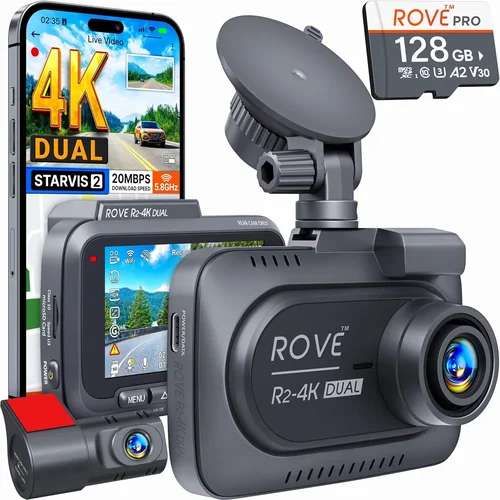
Designed for serious users demanding top-tier performance. Expect 4K video capability with corresponding high-resolution photos exceeding 20MP. Advanced features like cloud storage, GPS tagging, and sophisticated driver assistance functions appear regularly. Thinkware U1000 or Nextbase 522GW represent premium benchmarks.
Investment pays off through superior image stabilization, enhanced low-light algorithms, and robust protection against theft or damage. Professional-grade durability ensures longevity even under heavy usage conditions. Cloud integration eliminates manual backups and provides peace of mind regarding data security.
Luxury ($300+)
Ultimate performance with cutting-edge technology. AI-powered dash cams analyze traffic patterns, recognize license plates, and even detect potential hazards before human reaction times allow. Facial recognition software identifies passengers and adjusts settings accordingly. Brands like Snooper or some custom-built systems occupy this exclusive segment.
While overkill for most daily drivers, luxury models appeal to fleet operators, investigators, or tech enthusiasts wanting maximum functionality. Costs reflect proprietary software development, premium materials, and extensive testing protocols. ROI depends heavily on specific use cases and required feature sets.
Expert Tips for Getting the Best Deal
Timing Your Purchase Strategically: Major shopping events like Black Friday, Cyber Monday, or back-to-school sales often yield significant discounts on dash cams. Electronics retailers frequently bundle accessories like extra memory cards or hardwire kits during these periods, adding further value to your investment.
Comparing Retailer Policies: Online marketplaces like Amazon offer competitive pricing but may lack local support options. Specialty automotive stores provide expert installation services yet charge premium prices. Consider hybrid approaches—purchase online with expedited shipping then schedule professional mounting locally.
Identifying Authentic Discounts: Watch for “limited-time” offers that actually run for weeks—these are marketing tactics rather than genuine urgency. Compare prices across multiple platforms before committing. Sign up for brand newsletters to receive exclusive promo codes unavailable elsewhere.
Evaluating Warranty Terms Carefully: Read fine print regarding coverage duration, what constitutes normal wear versus defects, and whether international travel voids guarantees. Some companies require proof of purchase within specified timeframes to activate warranty benefits.
Understanding Return Windows: Standard return policies range from 30-90 days depending on retailer. Test basic functions immediately upon unboxing—check photo quality, connectivity, and ease of use. Keep original packaging if possible to facilitate hassle-free returns if issues arise.
Testing Before Committing: Whenever feasible, visit brick-and-mortar stores to handle devices physically. Assess button placement, screen readability, and overall ergonomics before purchasing. Request demo videos or photo samples to evaluate real-world performance firsthand.
Negotiating Bundle Deals: Ask sales representatives about package discounts when buying multiple items like extra memory cards, windshield mounts, or extended warranties. Sometimes bundling increases total savings compared to individual purchases.
Leveraging Trade-In Programs: Some manufacturers accept old dash cams as credit toward new purchases. While amounts vary widely, every bit helps offset initial costs. Research participating programs before shopping to maximize potential rebates.

Frequently Asked Questions
Q: Can I use my existing dash cam for taking photos?
A: Yes, virtually all modern dash cams support photo capture alongside video recording. However, photo quality varies significantly between models based on sensor technology, lens quality, and processing capabilities. Older devices might prioritize video compression over still-image detail, resulting in lower-resolution photos unsuitable for documentation purposes.
Q: What’s the difference between megapixels and photo quality?
A: Megapixels measure pixel count within an image sensor but don’t guarantee superior visuals. Two cameras with identical megapixel counts can produce vastly different results depending on sensor size, pixel pitch (distance between pixels), and image processing algorithms. Larger sensors gather more light, yielding cleaner, less noisy images regardless of megapixel number.
Q: Do I need special software to view dash cam photos?
A: Most dash cam photos save in standard formats like JPEG, readable by any computer or mobile device with basic image viewers. Some manufacturers provide proprietary software for organizing files, enhancing images, or extracting metadata like GPS coordinates. These tools aren’t mandatory but can streamline workflow if frequently accessing archived photos.
Q: How often should I replace my memory card?
A: Replacement frequency depends on usage intensity and card quality. Industrial-grade cards designed for dash cams last longer than consumer versions due to superior error correction and endurance ratings. As a rule, replace cards every 2-3 years or sooner if experiencing corruption errors, slow write speeds, or frequent full-card warnings.
Q: Will dash cam photos hold up in court?
A: Legally admissible evidence requires meeting chain-of-custody standards and demonstrating authenticity. Photos alone rarely suffice without corroborating details like timestamps, GPS locations, or witness statements. Ensure your chosen model timestamps all files automatically and maintains consistent metadata integrity throughout recording sessions.
Q: Can I remotely trigger photos from my smartphone?
A: Many Wi-Fi-enabled dash cams support remote triggering via companion apps. This feature proves useful when someone else drives your vehicle or you’re unable to physically access the device. Verify app compatibility and latency issues beforehand—some systems introduce noticeable delays between command and capture.
Q: Are there privacy concerns with dash cam photography?
A: Recording public roads generally falls under reasonable expectation of privacy laws, but capturing private property (like driveways or neighbors’ yards) raises ethical and legal considerations. Familiarize yourself with local regulations regarding surveillance and consent requirements. Avoid pointing cameras toward sensitive areas unless absolutely necessary for safety reasons.
Q: How do I clean my dash cam lens properly?
A: Use microfiber cloths specifically designed for optical surfaces—never paper towels or abrasive materials that scratch coatings. For stubborn smudges, apply minimal drops of lens cleaning solution directly onto cloth rather than spraying onto the lens itself. Wipe gently in circular motions until residue disappears.
Q: Can I edit dash cam photos for better quality?
A: Basic adjustments like brightness, contrast, and cropping improve appearance but cannot add detail lost during capture. Post-processing enhances existing information but doesn’t compensate for poor initial exposure or focus errors. Shoot in RAW format when available to maximize editing flexibility without degrading original data.
Q: What happens if my dash cam runs out of storage during recording?
A: Loop recording automatically overwrites oldest files once storage fills up, maintaining continuous coverage. However, manually saved photos or those flagged by g-sensors remain protected until manually deleted. Configure overwrite settings according to your needs—prioritize evidence preservation by minimizing automatic deletion of important clips.
Final Recommendations
Best for Budget-Conscious Buyers
The Viofo B11 Pro offers exceptional value at under $70, delivering 1440p video with 12MP photos through its Sony STARVIS sensor. Despite its affordable price point, this single-lens model performs admirably in daylight conditions and includes essential features like parking mode and impact detection. While low-light performance lags behind premium competitors, it remains a solid choice for occasional photographers needing reliable documentation without breaking the bank.
Best Overall Value
The Garmin Dashcam Mini strikes an impressive balance between price, performance, and usability. Priced around $130, this compact device captures 1080p video with 14MP still images using advanced noise reduction algorithms. Its intuitive interface, reliable Wi-Fi connectivity, and seamless smartphone integration make it accessible even for non-tech-savvy users. Combined with Garmin’s reputation for quality electronics, this model represents peak value proposition in the mid-range segment.
Best Premium Option
For discerning users demanding top-tier performance, the Thinkware U1000 justifies its $280 asking price with 4K recording capability and 20MP photo capture. Dual-channel operation provides comprehensive coverage while cloud connectivity ensures secure off-site backups. Advanced driver assistance features like collision avoidance alerts and lane departure warnings add layers of safety beyond basic recording. Professional-grade durability and extensive customization options cater perfectly to fleet operators and serious enthusiasts alike.
Best for Beginners
The Rexing V1P welcomes newcomers with its user-friendly design and generous 32GB microSD card inclusion. At approximately $90, this dual-lens system delivers 2K video resolution with 16MP photos through its Starlight Night Vision sensor. Automatic settings simplify operation while manual overrides accommodate growing skill levels. Clear LCD display and responsive touch controls ensure comfortable navigation during setup and daily use.
Best for Advanced Users
Power users seeking ultimate flexibility will appreciate the Blackvue DR970X-2CH‘s comprehensive feature set priced around $200. Simultaneous front/rear recording at 2K resolution captures every angle with crystal clarity. Built-in LTE module enables real-time streaming and remote monitoring capabilities unmatched by WiFi-only competitors. Customizable recording intervals and sophisticated impact sensitivity tuning empower experienced drivers to tailor functionality precisely to their needs.
Conclusion: Making the Right Choice
Selecting the optimal dash cam for photography requires careful consideration of multiple interrelated factors rather than focusing exclusively on price or brand name. By prioritizing image quality metrics like sensor size and aperture width, understanding storage implications of high-resolution photos, and evaluating build quality against expected usage conditions, you position yourself for long-term satisfaction with your purchase decision.
Remember that no single device excels at everything—trade-offs between features, cost, and complexity are inevitable realities of consumer electronics markets. Define your core requirements first: Do you need basic incident documentation or cinematic-quality travel photography? Will you primarily drive during daylight hours or frequently encounter nighttime conditions? Answers to these questions guide appropriate category selection within your established budget parameters.
Don’t hesitate to leverage community resources like online forums, review aggregators, and manufacturer support channels when researching options. Real-world experiences from fellow drivers often reveal nuances absent from official marketing materials. Finally, embrace the learning curve associated with new technology—mastering advanced settings takes practice but ultimately unlocks maximum potential from your chosen dash cam.