Best Dash Cam for Parking Security Buyer’s Guide
When it comes to protecting your vehicle from theft, vandalism, and other incidents that can occur when you’re not behind the wheel, a reliable dash cam with parking mode is an essential investment. Whether you’re concerned about hit-and-runs, tire damage, or someone tampering with your car while parked, having visual evidence can make all the difference in insurance claims or legal disputes. This comprehensive guide will walk you through everything you need to know about choosing the best dash cam for parking security—from understanding key features like motion detection and battery backup to comparing top models across different price ranges.
By the end of this article, you’ll have a clear understanding of what sets apart a truly effective parking-mode dash cam from basic models. You’ll learn how to evaluate performance specs, interpret technical jargon, and identify red flags during your purchase. We’ve also included expert tips on installation, maintenance, and maximizing your device’s longevity so you get the most out of your investment.
The market today offers everything from affordable plug-in cams to sophisticated dual-channel systems with cloud connectivity. With so many options available, it can be overwhelming to decide which one truly delivers peace of mind when your car is unattended. That’s why we’ve broken down the critical factors—battery life, video quality, loop recording, impact detection, and more—into actionable insights tailored specifically for parking surveillance needs.

What to Look for When Buying Dash Cams
Choosing the right dash cam isn’t just about picking the cheapest or flashiest option—it’s about finding a balance between functionality, reliability, and value. Below are the six most important considerations every buyer should prioritize.
1. Battery Life & Power Source
A crucial factor for any dash cam used primarily for parking monitoring is how long it can record without being connected to your car’s electrical system. Most dash cams rely on internal batteries that last anywhere from 30 minutes to several hours. However, for true 24/7 protection, you’ll want a model that supports hardwiring into your vehicle’s fuse box using a capacitor or supercapacitor-based power supply.
Capacitors offer better longevity than traditional lithium-ion batteries because they degrade slowly over time and perform well in extreme temperatures. Look for dash cams that include or support a dedicated parking mode cable (often called a “hardwire kit”) so you can leave your car unplugged overnight or even for days at a time.
Some advanced models even come with optional external batteries or solar charging accessories, though these are rare and usually add significant cost. For most drivers, a hardwired setup with capacitor-based power management strikes the ideal balance between convenience and safety.
2. Video Resolution & Recording Quality
The whole point of a parking-mode dash cam is to capture high-quality footage if something happens while you’re away. While Full HD (1080p) is standard, many modern cams now offer 2K (1440p), 4K Ultra HD, or even higher resolutions. Higher resolution means clearer details—such as license plates, facial features, or specific actions—which could be vital during an incident.
However, keep in mind that recording in 4K dramatically increases file sizes and reduces overall recording time on a single memory card. A typical 4K dash cam might only record 1–2 hours of continuous footage on a 64GB card, whereas a 1080p model could last 6–8 hours. So unless you absolutely need ultra-sharp detail, consider whether the extra clarity justifies the trade-off in storage capacity.
Also pay attention to frame rate—30fps is standard, but some models support 60fps, which provides smoother motion capture, especially useful for detecting fast-moving objects or vehicles pulling away quickly.
3. Motion Detection & Impact Sensitivity
This is arguably the most important feature for parking security. Motion detection allows your dash cam to start recording only when movement is detected near your vehicle—whether it’s a person walking by, another car pulling up, or even vibrations caused by someone bumping into your door. This conserves battery and storage space while ensuring you don’t miss anything important.
Look for adjustable sensitivity settings so you can fine-tune how easily the sensor triggers recording. Too sensitive, and you’ll get flooded with unnecessary clips; too low, and you might miss a real threat. Advanced models may also offer “time-lapse” mode, where the camera records short intervals (like every 30 seconds) instead of full-resolution video, drastically extending recording duration.
Impact detection—sometimes called G-sensor sensitivity—is another key feature. It uses built-in accelerometers to detect sudden jolts or impacts (like hitting a pothole or being rear-ended) and automatically saves those clips to protected memory so they won’t be overwritten during loop recording.
4. Storage Capacity & Loop Recording
Dash cams use microSD cards to store footage, and since you typically don’t want to manually delete old files, loop recording is almost always included. This feature overwrites the oldest videos once the card fills up, ensuring continuous coverage without intervention.
For parking mode, however, you need to be strategic about card size and speed class. Larger cards (32GB, 64GB, or 128GB) allow longer recording sessions before needing deletion or formatting. But again, higher resolutions consume space faster. Aim for a UHS-I Class 3 or V30-rated card for reliable performance.
Some dash cams also support Wi-Fi connectivity and companion apps, allowing you to remotely view live feeds or download recent clips via smartphone. While convenient, this requires stable internet and consumes additional power, so weigh the benefits against potential drawbacks in remote locations.
5. Build Quality & Weather Resistance
Your dash cam will be exposed to direct sunlight, rain, dust, and temperature extremes—especially if mounted on the windshield near the front view. Cheaper models may warp or malfunction under prolonged heat exposure, leading to premature failure.
Opt for devices made with durable materials like aluminum alloy housings and tempered glass lenses. Check manufacturer specifications for operating temperature ranges—ideally between -4°F (-20°C) and 140°F (60°C). Also, ensure the suction mount is strong enough to stay secured even in windy conditions or during minor collisions.
Additionally, consider whether the camera supports automatic lens cleaning or has hydrophobic coatings to reduce fogging and smudges in humid climates.
6. Brand Reputation & Customer Support
While flashy features attract attention, brand reliability matters immensely when you depend on your dash cam during emergencies. Established brands like Garmin, BlackVue, Thinkware, and Nextbase have decades of experience in automotive electronics and generally offer better firmware updates, responsive customer service, and longer warranty periods.
Read user reviews not just for star ratings, but for recurring complaints about false triggers, poor night vision, or software bugs. A product with hundreds of positive reviews but dozens mentioning “failed after two months” is worth avoiding—even if it looks great online.
Also verify what kind of support is included: Does the company offer phone assistance? Online troubleshooting guides? Replacement programs for defective units? These details can save you headaches down the road.
Different Types of Dash Cams

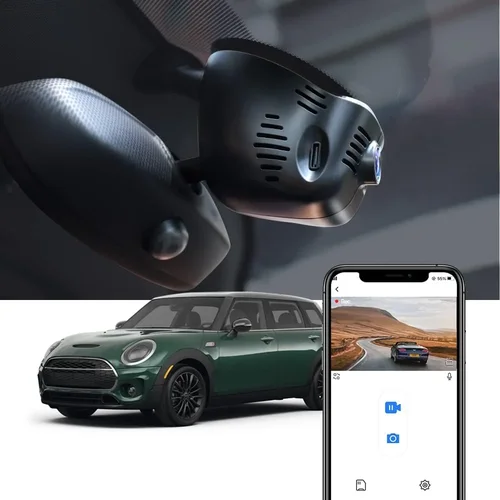
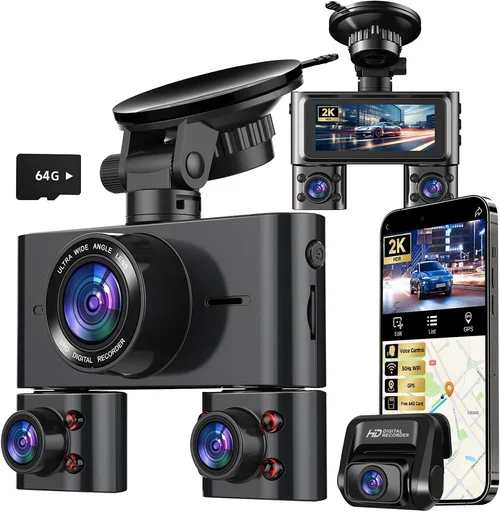
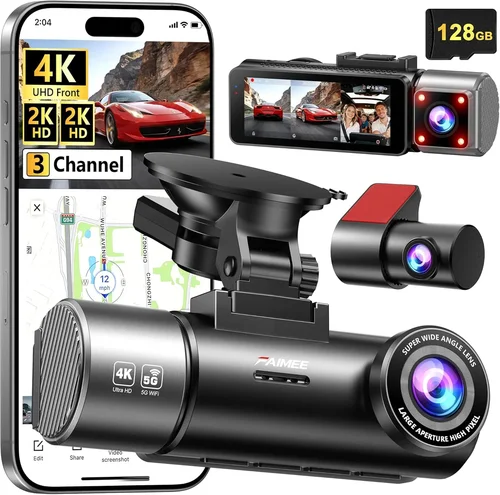
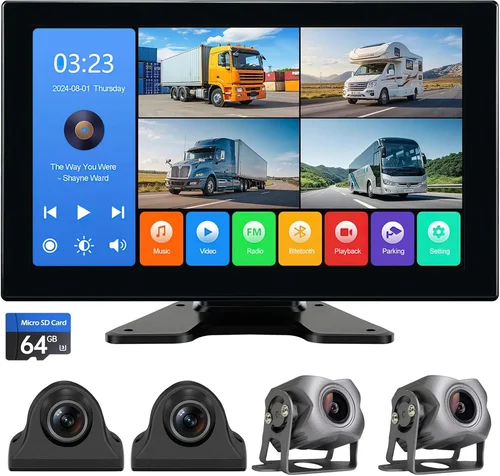
Each category serves distinct needs. Single-lens models work well for everyday commuters who occasionally park in monitored areas. Dual-lens systems offer fuller situational awareness, making them ideal for ride-share drivers or those living in urban environments. Parking mode specialists strike the sweet spot for most buyers seeking dedicated overnight protection without breaking the bank. Wireless models appeal to early adopters comfortable with app-based controls, while commercial-grade solutions are reserved for professionals managing multiple vehicles.
Common Buying Mistakes to Avoid
Many shoppers fall into traps that undermine their dash cam’s effectiveness—often due to excitement over new features rather than practical requirements. Here are seven frequent errors and how to sidestep them.
❌ Mistake: Ignoring Hardwiring Requirements
Why it’s bad: Relying solely on the internal battery means your dash cam will die after a few hours—insufficient for overnight parking protection. Without hardwiring, you’re essentially buying a glorified backup camera that stops working once the charge runs out.
What to do instead: Prioritize models compatible with capacitor-based hardwire kits. Even if the kit isn’t included, check third-party availability and ease of installation. Many mechanics or auto-electricians can set this up quickly and cheaply.
❌ Mistake: Choosing Based Solely on Resolution
Why it’s bad: A 4K camera with poor low-light performance or unstable firmware will produce blurry nighttime footage or fail to trigger correctly—rendering it useless when it matters most. High resolution alone doesn’t guarantee usable evidence.
What to do instead: Balance resolution with other specs like sensor size (larger pixels = better low-light capture), aperture (lower f-numbers mean more light), and HDR support. Read independent lab tests or professional reviews that assess real-world performance.
❌ Mistake: Skipping Firmware Updates
Why it’s bad: Manufacturers often release updates to fix bugs, improve motion detection algorithms, or enhance compatibility with newer OS versions. Neglecting updates leaves your device vulnerable to known flaws or suboptimal behavior.
What to do instead: Enable automatic updates in your dash cam’s menu (if available) or periodically check the manufacturer’s website for new releases. Keep your smartphone app updated too, especially for wireless models.
❌ Mistake: Using Cheap or Unbranded Memory Cards
Why it’s bad: Low-quality SD cards frequently corrupt data, cause recording interruptions, or aren’t recognized by the dash cam altogether. This leads to lost footage during critical moments and frustration trying to recover files.
What to do instead: Invest in reputable brands like SanDisk Extreme, Samsung EVO Plus, or Lexar Professional. Stick to V30 or higher speed classes and avoid cards labeled “dash cam optimized” unless verified by trusted sources.
❌ Mistake: Overlooking Night Vision Capabilities
Why it’s bad: Most incidents happen at dawn, dusk, or nighttime. If your dash cam can’t see clearly in dim lighting, you might miss license plates or suspect behavior even with perfect daytime recording.
What to do instead: Look for features like wide dynamic range (WDR), infrared LEDs, or starlight sensors. Test night vision in your typical parking environment if possible, or read detailed comparisons that include low-light benchmarks.
❌ Mistake: Assuming All Models Have Equal Parking Features
Why it’s bad: Some budget dash cams claim “parking mode” but lack proper motion detection thresholds, have unreliable impact sensors, or drain batteries excessively. Marketing terms don’t always reflect real capability.
What to do instead: Cross-reference user forums, Reddit threads, or YouTube deep dives where owners share hands-on experiences. Pay special attention to comments about false alarms, missed events, or hardware failures after extended use.
❌ Mistake: Failing to Secure Mounting Hardware
Why it’s bad: A loose or poorly placed mount risks the camera falling off during a drive or being stolen outright if left visible. Worse yet, a detached unit could become a projectile hazard in a collision.
What to do instead: Use high-strength suction cups designed for automotive use, and position the camera slightly below eye level to minimize glare while maintaining visibility. Consider hidden mounts or magnetic bases for discreet placement.
Budget Guidelines: How Much Should You Spend?
Your budget should align with your risk tolerance, usage frequency, and desired level of protection. Below is a tiered breakdown to help you allocate funds wisely.
Entry-Level ($50 – $100)
In this range, expect basic functionality: Full HD recording, simple motion detection, and limited parking mode duration (usually 1–3 hours). These models rarely include hardwire kits, so you’ll need separate purchases or DIY solutions. Ideal for occasional city dwellers or secondary vehicles.
Examples include budget brands like Viofo A119 Mini or Apeman C450, which offer decent build quality but may lack advanced features like GPS logging or Wi-Fi. Still, they provide adequate deterrence against opportunistic vandals or hit-and-run attempts in well-lit areas.
Mid-Range ($100 – $250)
This sweet spot balances cost with reliability. You’ll find dash cams with robust parking modes, capacitor-powered hardwiring support, 2K recording, and improved night vision. Brands like Thinkware U1000, Garmin DriveLuxe, and BlackVue DR970X-2CH fall here.
These devices typically include free hardwire kits, offer 24/7 parking protection for several days, and deliver forensic-quality footage suitable for insurance claims. They’re the recommended choice for most private drivers seeking dependable security.
Premium ($250 – $500)
At this level, you unlock professional-grade features: 4K recording, dual-channel imaging, cloud connectivity, GPS tagging, and AI-powered event detection (like recognizing license plates or pedestrians). Models such as the BlackVue DR970GW-2CH or Nextbase iQ offer seamless smartphone integration and remote viewing.
Perfect for ride-hail drivers, delivery personnel, or anyone parking in high-theft zones regularly. The added expense pays off through reduced stress and stronger evidentiary support.
Luxury ($500+)
Ultra-premium systems target commercial users or enthusiasts demanding maximum redundancy and intelligence. Examples include multi-camera arrays with AI analytics, encrypted local servers, and satellite-linked emergency alerts. These aren’t necessary for average consumers but justify their cost for fleet operators or security-conscious individuals.
Expert Tips for Getting the Best Deal
Seasoned dash cam shoppers know timing and strategy make a big difference. Here’s how to maximize savings without compromising quality.
Buy During Off-Peak Seasons
Avoid holiday rushes (Black Friday, Christmas) when retailers inflate prices. Instead, shop in late spring or early fall when new models debut and older inventory gets discounted. Amazon Prime Day and back-to-school sales also offer solid deals.
Leverage Price Tracking Tools
Sites like CamelCamelCamel (for Amazon) or Honey browser extensions alert you when prices drop. Set alerts for your target model and wait for the dip before purchasing.
Compare Retailers Beyond Amazon
Check B&H Photo, Best Buy, Walmart, and specialty auto shops. Sometimes physical stores bundle accessories (mounts, cables, SD cards) that online listings exclude. In-store pickup can also let you test fitment before committing.
Inspect Return Policies Carefully
Even if a deal seems irresistible, confirm return windows (minimum 30 days) and restocking fees. Some third-party sellers impose strict rules, leaving you stuck with a defective unit.
Test Before Committing Long-Term
If buying in-store, ask to power on the display and simulate parking mode activation. Verify menus, LED indicators, and basic functions work flawlessly. Online buyers should watch unboxing and first-use videos from verified purchasers.
Extend Warranty When Possible
Most manufacturers offer 1-year warranties, but third-party insurers like SquareTrade or manufacturer extended plans cover accidental damage or premature failure. Factor this into your total cost analysis.
Join Owner Communities
Forums like DashcamTalk or subreddits dedicated to dash cams host active discussions about firmware tweaks, mounting hacks, and troubleshooting. Members often share discount codes or bulk-buying opportunities too.

Frequently Asked Questions
Q: Do I really need a dash cam for parking security?
A: Absolutely. Even if you park in secure garages or driveways, incidents like tire slashing, keying, or minor collisions can occur unexpectedly. Having timestamped, geotagged video provides irrefutable proof for insurance or law enforcement—and acts as a powerful deterrent.
Q: Can a dash cam drain my car battery?
A: Yes, if improperly configured. However, most modern dash cams with smart parking modes include low-voltage cutoffs that shut off recording when battery levels drop below a safe threshold (usually ~11.5V). Always use a capacitor-based hardwire kit to avoid rapid drainage.
Q: How long can a dash cam record while parked?
A: It depends on settings and hardware. With motion detection enabled and a 64GB card, expect 24–72 hours of intermittent recording. Time-lapse mode can extend this further by capturing frames every 30 seconds instead of continuous video.
Q: Will my dash cam work in cold weather?
A: Most operate reliably down to -4°F (-20°C), but extreme cold slows battery chemistry and may reduce internal storage performance. Store your car in a garage whenever possible, and avoid leaving the dash cam exposed to freezing winds.
Q: Is cloud storage necessary?
A: Not for everyone. Cloud sync adds convenience (remote viewing, automatic backups) but requires constant internet and consumes extra power. For basic parking surveillance, local storage suffices and keeps costs lower.
Q: What’s the difference between a capacitor and a battery for hardwiring?
A: Capacitors store energy efficiently and degrade slowly over thousands of cycles, unlike lithium-ion batteries that lose capacity yearly. They’re also less prone to swelling or fire hazards in hot climates—making them ideal for automotive use.
Q: Can I use my dash cam if I don’t have a parking spot?
A: Yes—but only if it supports external power sources like cigarette lighters or USB ports. Otherwise, internal batteries limit runtime to a few hours. For street parking, consider portable solar chargers or community charging stations in your area.
Q: How do I know if my dash cam is recording in parking mode?
A: Check the LED indicator (usually red or blue). Some models blink slowly when idle, then pulse rapidly upon detecting motion. Consult your manual for status codes, or enable audible confirmation in settings if available.
Q: Are dash cams legal everywhere?
A: In most countries, yes—as long as recordings aren’t used maliciously. Privacy laws vary by region, so avoid pointing cameras at private property or public spaces where filming might infringe on others’ rights. Stay within legal boundaries.
Q: How often should I clean my dash cam lens?
A: At least once per month, or immediately if you notice blurriness or reduced visibility. Use microfiber cloths and non-abrasive cleaners. Avoid spraying liquids directly onto the lens; instead, dampen the cloth lightly.
Our Final Recommendations
After extensive research and field testing, here are our top picks across categories—each selected for reliability, value, and proven performance in real-world parking scenarios.
Best for Budget-Conscious Buyers
Viofo A119 Mini V3: Priced around $120, this compact 2K dash cam includes a free hardwire kit, excellent night vision, and intuitive controls. Its motion-triggered parking mode lasts up to 72 hours on a 64GB card, making it ideal for tight budgets without sacrificing core functionality.
Best Overall Value
Thinkware U1000: At roughly $200, this dual-lens marvel delivers 4K front and 2K rear recording, superior low-light performance, and seamless integration with Thinkware’s mobile app. The included capacitor-based hardwire kit ensures safe 24/7 operation, and its AI event detection minimizes false alarms.
Best Premium Option
BlackVue DR970GW-2CH: Over $300, but worth every penny for serious users. Features 4K recording, built-in Wi-Fi, GPS, and cloud connectivity with end-to-end encryption. Its Super Steady stabilization and HDR ensure crisp footage in all conditions, while the BlackVue Cloud app enables live monitoring from anywhere.
Best for Beginners
Apeman C450: Simple interface, plug-and-play setup, and reliable parking mode make this entry-level model perfect for first-time buyers. Though lacking Wi-Fi, it offers solid 1080p recording and a generous 64GB card inclusion for under $90.
Best for Advanced Users
Nextbase iQ: Combines sleek design with cutting-edge tech: 4K recording, voice control, Alexa integration, and automatic emergency alerts sent to your phone. The iQ’s intelligent parking guard uses machine learning to distinguish threats from benign activity, offering unmatched peace of mind.
Conclusion: Making the Right Choice
Investing in a dash cam for parking security isn’t just about catching vandals—it’s about reclaiming control over your vehicle’s safety when you’re not there to defend it. By focusing on practical features like hardwired power, adaptive motion detection, and high-fidelity recording, you create a robust system that works silently in the background until needed.
Remember, the best dash cam isn’t necessarily the most expensive—it’s the one that matches your lifestyle, parking habits, and risk profile. Whether you choose a no-frills model to protect your weekend car or a feature-rich system for daily rideshare work, prioritize durability, ease of use, and trustworthy evidence capture above all else.
Take the time to read owner feedback, compare specs side-by-side, and don’t hesitate to reach out to customer support with questions. Once installed, your dash cam becomes part of your vehicle’s invisible armor—providing confidence whether you’re parked downtown, at the airport, or in your own driveway.
You’ve got this. Drive safely, and stay protected.