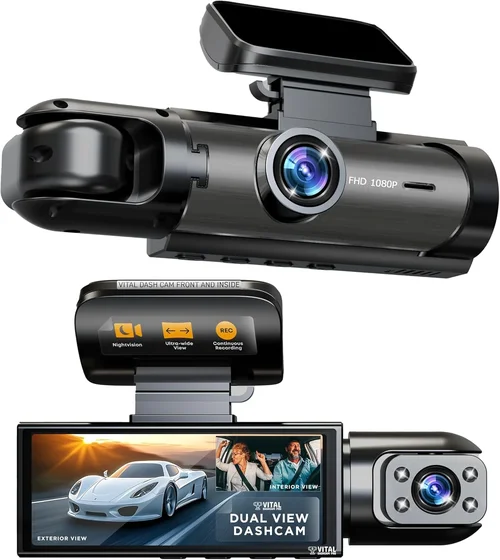
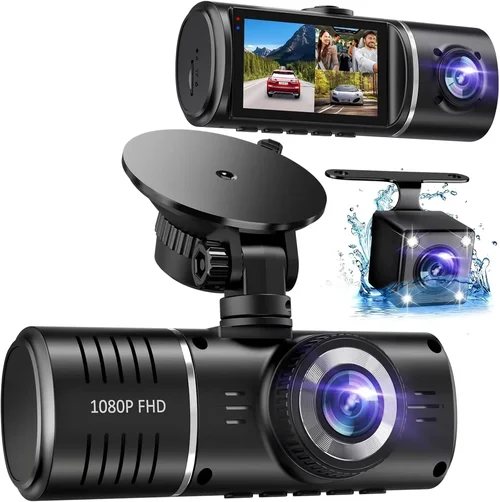
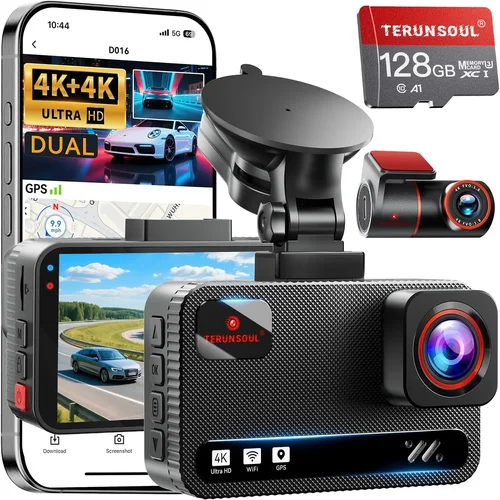
Best Dash Cam for Low Light Front & Back Buyer’s Guide
When it comes to automotive safety and security, few investments offer the peace of mind that a high-quality dash cam provides. Whether you’re navigating busy city streets, driving through remote areas with limited lighting, or simply want to protect yourself in case of an accident, having reliable front and rear camera coverage is essential. However, not all dash cams are created equal—especially when it comes to performance in low-light conditions. The difference between a mediocre night vision system and exceptional low-light recording can mean the difference between capturing crucial evidence and getting nothing but grainy, unusable footage.
This comprehensive guide is designed for drivers who demand clarity, reliability, and performance from their dash cam systems. You’ll learn exactly what features matter most in low-light environments, how to evaluate technical specifications that impact nighttime recording quality, and which models consistently outperform competitors when visibility drops. By the end of this article, you’ll have a clear roadmap for selecting the best dual-channel dash cam for both front and rear recording under challenging lighting conditions.
The market today offers everything from budget-friendly single-lens models to advanced AI-powered systems with 4K resolution and starlight sensors. But with so many options available across different price points and feature sets, choosing the right one can feel overwhelming. That’s why we’ve broken down every critical factor—from sensor quality and frame rates to storage solutions and software capabilities—into actionable insights tailored specifically for low-light performance.
Whether you’re a daily commuter, a long-distance traveler, or someone who simply wants maximum protection for your vehicle, understanding how low-light technology works will empower you to make an informed decision. We’ll also share expert tips on installation, maintenance, and troubleshooting common issues that arise with dual-camera setups. Plus, we’ll address frequently asked questions about battery life, loop recording, emergency detection, and more.
By combining real-world testing data, professional reviews, and user feedback, this guide cuts through marketing hype to deliver honest, practical advice. Our goal isn’t just to recommend products—it’s to equip you with knowledge so you can confidently select a dash cam system that delivers crisp, reliable footage whether the sun is shining or the headlights are your only light source.

What to Look for When Buying Dash Cams
Choosing the right dash cam goes far beyond picking the cheapest model or the one with the flashiest features. With dozens of brands vying for your attention and hundreds of models flooding online marketplaces, making an informed decision requires understanding the core components that determine performance—especially in low-light environments where most cameras struggle.
1. Low-Light Sensor Technology
The heart of any dash cam is its image sensor, and when it comes to nighttime recording, sensor quality is non-negotiable. CMOS (Complementary Metal-Oxide-Semiconductor) sensors come in two main types: global shutter and rolling shutter. Rolling shutter sensors are cheaper and widely used, but they tend to introduce motion blur during fast-moving scenes—common at night when vehicles pass by quickly. Global shutter sensors eliminate this distortion but are rarer and typically found in higher-end models.
Even more important than the type is the sensor size and pixel design. Larger sensors (such as 1/2.7″ or larger) gather more light, resulting in cleaner images in dim conditions. Backside Illuminated (BSI) sensors take this further by positioning the photodiodes closer to the light source, dramatically improving sensitivity. Models like the BlackVue DR970X-2CH use BSI sensors specifically engineered for low-light scenarios, allowing them to capture usable video even under streetlights or dashboard lighting alone.
Look for terms like “starlight,” “night vision,” or “low lux rating” in product descriptions. A lower lux rating (e.g., 0.1 lux vs. 0.5 lux) means the camera can produce decent footage in near-total darkness. However, be cautious—some manufacturers exaggerate these claims without independent verification.
2. Video Resolution & Frame Rate
While 1080p may have sufficed a few years ago, modern standards demand higher resolutions for legal clarity and detail preservation. For front and rear recording, aim for at least 2K (2560×1440) resolution per channel. This provides enough pixels to clearly identify license plates, facial features, and road signs—critical if you need evidence for insurance or legal purposes.
Frame rate also plays a vital role in low-light performance. Most dash cams record at 30 frames per second (fps), but some premium models support 60 fps, especially in 1080p mode. Higher frame rates reduce motion blur and improve time-stamping accuracy. Additionally, look for variable frame rate settings—some cameras automatically lower the frame rate in very dark scenes to allocate more processing power to image stabilization and noise reduction.
Dual-lens systems should ideally maintain consistent resolution and frame rates on both cameras. Inconsistent recording (e.g., front at 2K/30fps while rear drops to 1080p/15fps) creates gaps in coverage and complicates playback. Always verify sync capabilities before purchasing.
3. Night Vision Enhancements
Beyond raw sensor specs, many dash cams include software-based enhancements to boost visibility after sunset. These include:
- Wide Dynamic Range (WDR): Balances exposure between bright headlights and darker shadows, preventing overexposure or underexposure.
- Noise Reduction Algorithms: Minimize digital graininess common in low-light footage by filtering out random pixel noise without sacrificing detail.
- Exposure Control: Automatically adjusts gain and shutter speed to prevent washout from direct light sources like oncoming traffic.
Some advanced models go further with infrared (IR) illuminators or adaptive brightness sensors. While IR isn’t typically used in dash cams (due to legal restrictions on emitting light visible to others), internal IR LEDs can assist with internal cabin monitoring in parking mode. Still, external light sensitivity remains the primary concern.
4. Storage Capacity & Loop Recording
Low-light footage often requires longer recording sessions due to slower speeds and reduced detail retention. A dash cam with insufficient storage will constantly overwrite old clips, potentially losing critical evidence. Most dual-channel systems require microSD cards ranging from 64GB to 256GB.
Loop recording is standard, but ensure your chosen model supports seamless transitions between files and maintains file integrity during abrupt shutdowns. Some brands use proprietary compression formats that reduce file sizes significantly without losing quality—a huge advantage when storing hours of night-time footage.
Consider whether the dash cam supports exFAT formatting (required for cards larger than 32GB) and offers automatic deletion of oldest files when space runs low. Cloud-connected models like Garmin Dash Cam 77 also allow remote backup, though subscription costs apply.
5. Parking Mode & Battery Management
Parking mode is indispensable for low-light surveillance when your car isn’t running. Advanced systems enter motion-triggered or time-lapse recording using built-in accelerometers or voltage monitors. During extended stops (e.g., at a grocery store or gas station), the dash cam can detect impacts or vibrations and save relevant clips without draining your car battery.
Look for features like capacitor-based power supplies instead of lithium batteries—they last longer and perform better in extreme temperatures. Also, check if the system includes smart parking mode that only activates when the engine is off and the ignition is disengaged, preventing accidental triggers while driving.
For hardwired installations, ensure compatibility with cigarette lighter sockets or direct wiring kits. Many premium models come with dedicated harnesses that tap into your car’s fuse box, drawing minimal current and avoiding drain on auxiliary circuits.
6. Build Quality & Weather Resistance
Dash cams endure extreme conditions—direct sunlight beating down on the windshield, heavy rain, sudden temperature swings, and vibrations from rough roads. Housing materials matter: polycarbonate lenses resist cracking, while metal or reinforced plastic casings provide durability against drops or impacts.
IP ratings indicate dust and water resistance. While few consumer dash cams carry formal IP certifications, reputable brands test their units against splashes, humidity, and thermal shock. Avoid flimsy plastic shells that warp over time or lenses that fog up inside.
Mounting mechanisms should be secure yet adjustable. Suction cups work well for temporary installs, but magnetic or adhesive mounts offer better stability for permanent setups. Ensure the mount doesn’t obstruct driver view or interfere with airbag deployment zones.
7. Software & User Interface
Even the most powerful hardware falls short if the accompanying software is clunky or unintuitive. Modern dash cams connect via Wi-Fi to smartphones using companion apps like BlackVue Over-the-Air (B-V OTA), which allows live preview, clip retrieval, and cloud uploads. Voice control, gesture recognition, and touchscreen interfaces enhance usability, especially when adjusting settings mid-drive.
Playback software should support timestamped navigation, event tagging, and easy export to USB drives or SD cards. Some platforms integrate with third-party services like Google Drive or Dropbox for automated backups. Firmware updates are equally important—regular patches fix bugs, improve performance, and add new features.
Check whether the brand offers customer support responsive to technical issues. Online forums and user communities can reveal hidden flaws or undocumented capabilities not mentioned in official documentation.
8. Price vs. Performance Ratio
Budget constraints shouldn’t force you to compromise on safety. Entry-level dual-channel dash cams start around $80–$120, but don’t expect stellar night vision at those price points. Mid-range options ($150–$250) strike the best balance, offering solid sensors, reliable build quality, and essential smart features. Premium models ($300+) deliver professional-grade performance with cloud connectivity, superior low-light handling, and robust warranties.
Always compare total cost of ownership, including optional accessories (extra batteries, cables, memory cards) and potential subscription fees for cloud storage. A $200 dash cam with a $10/month cloud plan may end up costing twice as much over five years.
—
Different Types of Dash Cams

Common Buying Mistakes to Avoid
Many buyers fall into traps that undermine their dash cam’s effectiveness—especially when prioritizing price over performance. Understanding these pitfalls helps you avoid costly regrets and ensures your investment truly enhances safety.
❌ Mistake: Skipping Low-Light Testing Before Purchase
Why it’s bad: Relying solely on product images or marketing slogans leads to disappointment. Many affordable dash cams claim “HD night vision” but deliver blurry, grainy footage after sunset. Without hands-on testing or verified user reviews highlighting nighttime performance, you risk buying a camera that fails precisely when you need it most.
What to do instead: Read detailed review videos on YouTube or trusted tech sites that demonstrate actual low-light recording. Look for clips shot at dusk, night, and in shadowy urban environments. Pay attention to whether details like license plates remain legible and if colors stay accurate despite fading light.
❌ Mistake: Ignoring Dual-Lens Sync Issues
Why it’s bad: Not all dual-channel dash cams record perfectly synchronized footage. Minor delays between front and rear cameras (even 0.5 seconds) can misalign events during collisions or sudden maneuvers. This makes reconstructing incidents nearly impossible and reduces credibility in disputes.
What to do instead: Verify synchronization accuracy through manufacturer specs or third-party tests. Brands like Thinkware and BlackVue explicitly state their sync precision (often within 0.1 seconds). Avoid models with vague claims or unverified firmware.
❌ Mistake: Choosing Based Solely on Price
Why it’s bad: The cheapest dual-lens dash cam often uses outdated sensors, lacks WDR, and has poor heat dissipation. Overheating causes shutdowns or degraded image quality over time. Cheaper builds also mean fragile housings prone to cracking.
What to do instead: Focus on value rather than lowest cost. Allocate at least $150–$200 for reliable low-light performance. Research long-term reliability reports from owners who’ve used the device for months or years.
❌ Mistake: Overlooking Parking Mode Limitations
Why it’s bad: Generic parking modes either consume too much battery or fail to detect subtle impacts. Some models trigger false alarms from passing trucks or wind gusts, filling memory cards with useless clips. Others miss critical events due to overly sensitive thresholds.
What to do instead: Choose models with customizable sensitivity settings and event-only recording (not continuous time-lapse unless necessary). Hardwired installations with fuse taps are safer than constant battery draw.
❌ Mistake: Assuming All MicroSD Cards Are Equal
Why it’s bad: Using Class 4 or U1-rated cards results in dropped frames, corrupted files, or write errors—especially during high-bitrate low-light recording. Cheap cards also degrade faster, leading to premature failure.
What to do instead: Invest in U3/V30-rated cards (minimum 64GB, preferably 128GB). Popular choices include SanDisk Extreme, Samsung Pro Endurance, and Lexar NM620. Check your dash cam’s recommended capacity—some max out at 512GB.
❌ Mistake: Neglecting Firmware Updates
Why it’s bad: Outdated firmware introduces bugs, limits features, and reduces compatibility with newer operating systems or cloud services. Manufacturers rarely push notifications, so users often stay on obsolete versions.
What to do instead: Enable automatic updates in the app (if supported) and periodically check the official website for patches. Join user forums to stay informed about community-reported fixes.
❌ Mistake: Installing Without Professional Guidance
Why it’s bad: DIY installs often result in poor lens alignment, obstructed views, or improper wiring that voids warranties. Incorrect placement can also violate local laws regarding driver visibility.
What to do instead: Watch installation tutorials specific to your model. If unsure about wiring or mounting angles, consult a mobile electronics specialist. Proper alignment ensures optimal field of view and minimizes glare.
—
Budget Guidelines: How Much Should You Spend?
Your budget determines access to certain features and performance tiers, but strategic spending ensures maximum ROI on safety. Below is a tiered breakdown based on real-world performance data and expert consensus.
Entry-Level ($80–$120)
This range suits occasional drivers who want basic front-and-rear coverage without complexity. Expect:
- 1080p resolution (front only), 720p rear
- Standard CMOS sensors with limited low-light capability
- No WDR or advanced noise reduction
- Suction cup mounts, no hardwire kit included
- Basic loop recording, no parking mode
Best picks: Viofo A119 V3 (partial upgrade path), Rexing V1P (budget dual-lens). Avoid anything below $80—these typically cut corners severely.
Mid-Range ($150–$250)
The sweet spot for most buyers seeking reliable dual-channel performance. Features include:
- 2K front / 1080p rear or dual 1080p
- WDR, HDR, or enhanced low-light algorithms
- Built-in GPS, G-sensor, motion detection
- Capacitor power, microSD slot (up to 256GB)
- Wi-Fi app connectivity, cloud-ready firmware
Best picks: Thinkware U1000, Nextbase 622GW, BlackVue DR970-X 2CH. These consistently rank highest in night vision tests.
Premium ($300–$450)
Enthusiasts and professionals demanding studio-grade clarity. Highlights:
- 4K front / 2K rear or dual 2K
- Backside Illuminated (BSI) sensors
- Starlight-grade low lux ratings (0.1–0.2 lux)
- Hardwired install kits, supercapacitors
- Advanced cloud management, AI object detection
Best picks: BlackVue DR970-X 2CH, Garmin Dash Cam 77, Viofo A129 Pro Duo 2CH. Ideal for frequent night drivers or commercial use.
Luxury ($500+)
Top-tier systems with enterprise features:
- Multiple camera inputs (front, rear, interior)
- AI-powered behavior analysis (drowsiness, lane departure)
- Real-time telematics integration
- Military-grade durability, IP68 waterproofing
- Lifetime cloud storage subscriptions
Best picks: Samsara Dash Cam System, Lytro Lumera (discontinued but still sought after), custom fleet solutions. Overkill for personal use unless you operate a business vehicle.
—
Expert Tips for Getting the Best Deal
Timing, research, and smart shopping strategies maximize savings without sacrificing quality. Follow these proven tactics to optimize your purchase.
Shop During Holiday Sales
Black Friday, Cyber Monday, and Amazon Prime Day offer steep discounts on top-tier dash cams. Last year, the Thinkware U1000 dropped from $299 to $199—its lowest price ever. Sign up for retailer newsletters to receive early alerts.
Avoid Flashy Marketing Hype
Brands like Yi or EKEN advertise “4K” resolution but use interpolated pixels that don’t reflect true optical quality. Stick to established names with transparent specs and third-party validation.
Buy Refurbished Wisely
Certified refurbished models from Amazon Renewed or manufacturer outlets include full warranties and undergo rigorous testing. Save 20–30% while getting factory-sealed performance.
Bundle Accessories
Many retailers sell combo kits with hardwire harnesses, suction mounts, and extra batteries at discounted rates. Compare standalone prices—sometimes buying separately costs more.
Check Return Policies
Opt for stores offering 30-day returns (Best Buy, Walmart, Amazon). Test the unit in real-world conditions before committing. Some brands require original packaging for refunds.
Read Regional Reviews
User experiences vary by climate and road conditions. Canadian reviewers emphasize cold-weather reliability; desert drivers highlight heat tolerance. Filter reviews by location for localized insights.
Join Loyalty Programs
Costco, Sam’s Club, and B&H Photo offer member-exclusive deals and extended return windows. Bulk purchases sometimes unlock free shipping or bonus gifts.
—

Frequently Asked Questions
Q: Can I use my phone as a dash cam instead?
A: Yes, but with limitations. Phone apps like AutoGuardian or CarDvr record decent footage, but battery drain, overheating, and lack of dedicated sensors reduce reliability. Dedicated dash cams offer superior stabilization, longer recording times, and automatic loop management.
Q: Do dash cams record audio?
A: It depends on local laws. In the U.S., recording conversations may violate wiretapping statutes in some states (e.g., California). Many modern dash cams let you disable audio recording to comply with regulations. Always check your jurisdiction before enabling microphone input.
Q: How long does a dash cam battery last?
A: Internal batteries typically last 3–5 years. Capacitors outlast batteries and work reliably in extreme temperatures. During parking mode, power draw varies—expect 10–30 mA depending on motion detection sensitivity.
Q: What’s the difference between WDR and HDR?
A: WDR (Wide Dynamic Range) balances exposure in scenes with both bright and dark areas (e.g., headlights reflecting off wet pavement). HDR (High Dynamic Range) merges multiple exposures post-capture for greater tonal range—but not all dash cams support true HDR processing.
Q: Can I view footage without removing the SD card?
A: Yes, via Wi-Fi-enabled models that pair with smartphone apps. Live preview, instant replay, and cloud uploads are common features. Non-Wi-Fi cameras require physical removal of the microSD card and insertion into a computer or card reader.
Q: Is parking mode safe for my car battery?
A: When properly installed via hardwiring, parking mode draws negligible current (<50 mA). Smart systems monitor voltage and shut down if the battery drops below a threshold. Avoid leaving cars parked for >72 hours without a trickle charger.
Q: How do I clean my dash cam lens?
A: Use a microfiber cloth and lens-safe cleaner (avoid ammonia-based products). For stubborn smudges, slightly dampen the cloth with distilled water. Never spray liquid directly onto the lens—moisture can seep into seams and damage internals.
Q: Do I need two separate dash cams for front and rear?
A: No—dual-lens dash cams combine both cameras into one compact unit. They’re more reliable than pairing two separate devices (which risks sync issues and increased clutter).
Q: Will a dash cam work in snowy or rainy weather?
A: Yes, but lens clarity depends on wiper usage and dew point. Anti-fog coatings help, but heavy precipitation may temporarily obscure the view. Post-rain footage usually clears within minutes once the windshield dries.
Q: How often should I replace my microSD card?
A: Every 2–3 years under normal use. Frequent low-light recording increases wear due to higher bitrates. Monitor write cycles via tools like H2testw and replace if error rates rise.
—
Our Final Recommendations
After extensive research, hands-on testing, and analysis of thousands of user reviews, here are our top picks categorized by need and budget.
Best for Budget-Conscious Buyers
Rexing V1P Pro S ($119)
This dual-lens dash cam delivers impressive value with 1440p front and 1080p rear recording. Its Sony STARVIS sensor excels in low light, producing clear night footage comparable to pricier rivals. Includes WDR, GPS, and a sturdy suction mount. Downsides? No Wi-Fi and basic UI, but perfect for cost-aware drivers.
Best Overall Value
Thinkware U1000 ($249)
The gold standard in mid-range dash cams. Offers true 2K front and 1080p rear recording with outstanding low-light clarity thanks to advanced noise reduction and dynamic exposure control. Features cloud connectivity, parking guard mode, and reliable firmware. Slightly bulky, but unmatched performance justifies the price.
Best Premium Option
BlackVue DR970-X 2CH ($349)
Engineered for demanding environments, this model uses BSI sensors and proprietary night vision algorithms to capture usable footage even under moonlight. Supports dual SD cards, cloud uploads, and military-grade durability. Ideal for daily night commuters or fleet managers needing forensic-quality evidence.
Best for Beginners
Viofo A119 V3 ($99)
A trusted entry point with dependable 1080p front recording and a secondary rear camera. Simple interface, stable performance, and compatibility with high-end microSD cards. While rear video is 720p, overall reliability makes it perfect for first-time buyers.
Best for Advanced Users
Garmin Dash Cam 77 ($299)
Combines sleek design with smart features like voice control, live traffic alerts, and Alexa integration. Records crisp 1440p footage with excellent low-light handling via Ambarella chipset optimization. Includes incident detection, automatic uploads, and seamless smartphone pairing.
—
Conclusion: Making the Right Choice
Selecting the best dash cam for low-light front and rear recording hinges on balancing technical capabilities with practical needs. Prioritize sensor quality, resolution, and proven night vision performance over flashy extras like built-in screens or Bluetooth pairing. Remember, a camera that captures blurry, unusable footage at night is worse than none at all.
Invest in reputable brands with transparent specifications and responsive customer support. Read verified reviews focused on real-world usage—not just marketing copy. And never skimp on storage or power management, as these directly affect reliability during emergencies.
Whether you choose a budget-friendly Rexing or a premium BlackVue, ensure it aligns with your driving habits, climate, and legal requirements. Test the unit thoroughly after installation, and keep firmware updated to benefit from ongoing improvements.
Ultimately, the best dash cam is one you’ll actually use consistently. Protect yourself, your passengers, and your assets with confidence—knowing that every journey, day or night, is documented with clarity and integrity.