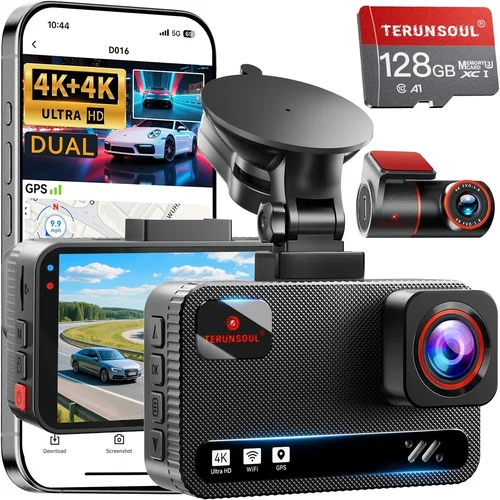
Expert Dash Cam Buying Guide for Clear License Plates
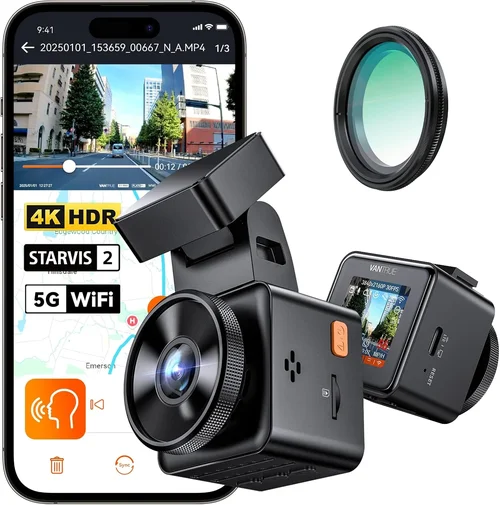
When it comes to vehicle safety, few accessories offer as much peace of mind as a dash cam. These compact recording devices capture everything happening on the road in front of your car—especially useful during accidents, traffic violations, or disputes with other drivers. However, not all dash cams are created equal. One of the most important considerations for many buyers is license plate legibility. Whether you’re documenting an incident, providing evidence to insurance companies, or simply monitoring your driving environment, being able to clearly read license plates can make all the difference.
This comprehensive guide dives deep into everything you need to know about choosing the best dash cam for clear license plate recognition. From understanding key technical specifications like resolution and field of view to evaluating real-world performance under different lighting conditions, we leave no stone unturned. You’ll learn how factors such as sensor quality, frame rate, night vision capabilities, and advanced features like HDR and WDR impact image clarity. We also explore common pitfalls to avoid when making your purchase and provide expert-backed recommendations tailored to various budgets and needs.
By the end of this article, you’ll have the knowledge and confidence to select a dash cam that delivers sharp, detailed footage capable of capturing every alphanumeric character on a license plate—even at high speeds and in challenging weather. Let’s get started.

What to Look for When Buying Dash Cams
Selecting the right dash cam isn’t just about picking the cheapest model or the one with the most features. It’s about finding a balance between performance, reliability, and value. Below are the critical factors every buyer should evaluate before committing to a purchase.
1. Resolution & Image Quality
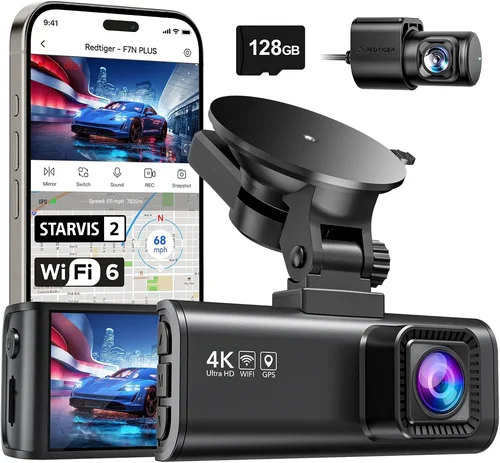
The foundation of any good dash cam lies in its ability to produce clear, detailed video. For license plate legibility, resolution is paramount. Most modern dash cams come in either 1080p (Full HD) or 4K Ultra HD formats. While 1080p remains a solid choice for general use, 4K provides significantly more detail, making it easier to distinguish fine text on license plates—especially from a distance or in low-light scenarios.
However, resolution alone doesn’t guarantee clarity. A higher megapixel count paired with a high-quality lens system ensures sharper images. Look for cameras with at least 2.0MP sensors; anything below may struggle to capture readable plates consistently.
Additionally, consider whether the dash cam supports progressive scan technology. Unlike interlaced scanning, progressive scan captures full frames sequentially, resulting in smoother motion and crisper still images—ideal for reviewing fast-moving vehicles.
2. Field of View (FOV)
Field of view refers to the width of the area captured by the camera lens. A wider FOV means more of the road ahead is visible, which can be helpful for situational awareness. However, extreme wide-angle lenses often suffer from distortion near the edges, potentially blurring license plates located outside the center of the frame.
Most experts recommend a horizontal FOV between 110° and 130°. This range offers a good compromise between coverage and minimal distortion. Cameras with adjustable FOV settings give you flexibility depending on your mounting position and driving habits.
3. Night Vision & Low-Light Performance
License plates are often easiest to read at night due to their reflective nature—but only if the dash cam can properly illuminate them without creating glare or overexposure. Many entry-level models fail in dark conditions because they rely solely on ambient light, leading to grainy or washed-out footage.
Look for dash cams equipped with infrared (IR) LEDs or enhanced low-light sensors. Some premium models even feature starlight-grade CMOS sensors designed specifically for superior nighttime imaging. Additionally, technologies like Wide Dynamic Range (WDR) help balance bright headlights with darker backgrounds, ensuring plates remain legible even when approaching oncoming traffic.
4. Frame Rate & Motion Clarity
Frame rate measures how many individual images per second the camera records. Standard dash cams typically run at 30 frames per second (fps), which is sufficient for most situations. However, if you frequently drive at highway speeds or encounter rapid changes in traffic flow, opting for a 60fps model can significantly improve motion smoothness and reduce blur.
Higher frame rates also benefit playback speed: most dash cams allow you to play back footage at variable speeds (e.g., 2x, 4x, 8x), but faster frames ensure those sped-up clips still retain acceptable quality. For maximum clarity during sudden braking or lane changes, aim for at least 30fps—ideally 60fps.
5. Storage Capacity & Loop Recording
Dash cams store footage internally using microSD cards ranging from 8GB up to 256GB or more. Smaller capacities limit recording time, while larger ones increase cost and file management complexity.
Most dash cams support loop recording, meaning new footage automatically overwrites older clips once the card fills up. This prevents manual deletion and ensures continuous coverage. Choose a storage size based on your typical commute length and desired retention period. For example:
– 32GB – Suitable for short trips or urban driving
– 64GB – Good for daily commuters
– 128GB+ – Ideal for long-distance travelers or commercial fleets
Always pair your dash cam with a high-speed Class 10 or UHS-I/UHS-II microSD card to prevent dropped frames during high-bitrate recording.
6. G-Sensor & Parking Mode
Impact detection sensors (G-sensors) trigger automatic saving of footage when sudden movements occur—such as collisions or hard braking. This feature is crucial for preserving evidence during accidents.
Many modern dash cams also offer parking mode, allowing the device to continue recording while your car is turned off. Powered via hardwiring kits, parking mode uses motion or impact triggers to capture potential hit-and-runs or vandalism. Ensure your chosen model has reliable sensitivity calibration to avoid false positives (e.g., triggered by passing trucks).
7. Audio Recording
While not directly related to license plate visibility, audio adds context to video evidence. Built-in microphones record engine noise, conversations, and environmental sounds, which can be vital in legal disputes.
However, audio quality varies widely. Cheaper models may pick up excessive wind noise or muffled speech. If clear verbal communication matters to you, look for dash cams with noise reduction algorithms or external microphone options.
8. Build Quality & Durability
Dash cams face harsh environments: extreme temperatures, vibrations, dust, and moisture. A poorly constructed unit might malfunction after a single winter season.
Prioritize models made with heat-resistant PC+ABS shells, anti-glare screens, and secure mounting brackets. Waterproofing ratings (IP67 or higher) indicate better protection against rain and splashes. Also check for shock resistance—especially if you drive on rough terrain regularly.
9. User Interface & Ease of Use
A complicated menu system defeats the purpose of convenience. Look for intuitive touchscreens or simple button layouts that allow quick access to settings like resolution, loop recording, and emergency save functions.
Voice prompts, gesture controls, and smartphone app integration enhance usability. Some dash cams let you view live feed remotely via Wi-Fi, add timestamps/watermarks, or even share clips instantly through social media platforms.
10. Brand Reputation & Customer Support
Opting for reputable brands like Garmin, BlackVue, Viofo, Thinkware, or Nextbase increases the likelihood of receiving a durable product backed by responsive customer service. Established companies invest in firmware updates, technical documentation, and warranty programs.
Before buying, research user reviews on trusted sites like Amazon, Wirecutter, or Consumer Reports. Pay attention to recurring complaints about poor night vision, short lifespans, or unresponsive support teams.
Different Types of Dash Cams
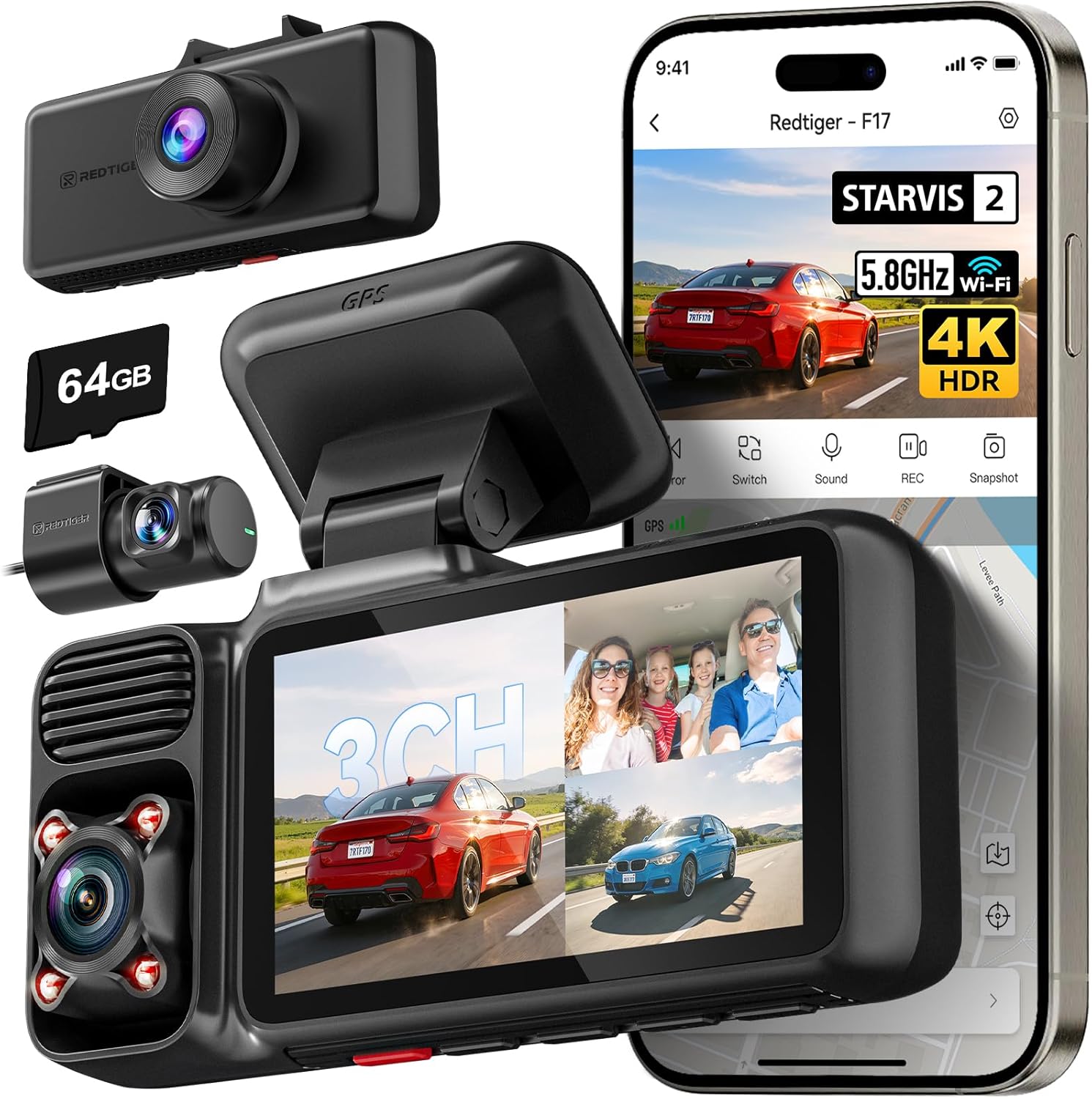
Common Buying Mistakes to Avoid
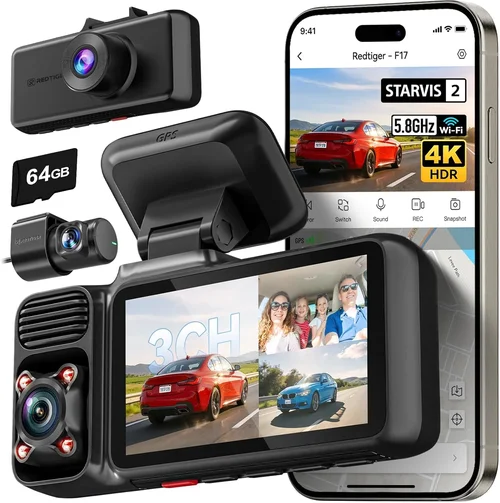
❌ Mistake: Prioritizing Price Over Performance
Why it’s bad: Choosing the cheapest dash cam available often leads to disappointment. Low-cost models frequently cut corners on sensor quality, lens coatings, and build materials, resulting in blurry footage—especially at night or in rainy conditions.
What to do instead: Allocate at least 70% of your budget toward core performance features like resolution, low-light capability, and durability. Save money elsewhere (e.g., fewer extra accessories) rather than compromising on video clarity.
❌ Mistake: Ignoring Real-World Testing Scenarios
Why it’s bad: Manufacturer specs don’t always reflect actual performance. A camera rated for “excellent night vision” might still produce noisy images when headlights hit its lens directly.
What to do instead: Watch third-party review videos showing the dash cam in action—particularly during dawn/dusk transitions, heavy rain, or tunnel entries. Real footage reveals how well the device handles dynamic lighting shifts.
❌ Mistake: Overlooking Storage Management
Why it’s bad: Without proper loop recording setup or adequate storage, critical moments may be overwritten before you realize they occurred. Manual deletion is tedious and error-prone.
What to do instead: Enable automatic overwrite immediately after purchase. Format your microSD card regularly and keep backups of important clips on an external drive or cloud service.
❌ Mistake: Skipping Firmware Updates
Why it’s bad: Outdated firmware can introduce bugs, reduce battery life, or disable key features like parking mode. Manufacturers often release patches to fix image processing issues.
What to do instead: Check the brand’s website monthly for updates. Many models notify you via app when new versions are available. Apply updates promptly to maintain optimal functionality.
❌ Mistake: Assuming All License Plates Are Equal
Why it’s bad: Newer plates use retroreflective materials that bounce light back efficiently, while older ones may fade or lose shine. Your dash cam must account for these variations.
What to do instead: Test your dash cam against both old and new plates under identical conditions. Adjust exposure manually if needed, or choose a model with adaptive brightness control.
❌ Mistake: Neglecting Mounting Position
Why it’s bad: Even the best dash cam produces subpar results if mounted incorrectly. Tilting too far forward/backward distorts perspective; placing it too close to the windshield causes glare.
What to do instead: Follow manufacturer guidelines precisely. Aim for a center-mounted position roughly eye-level with your dashboard. Use adhesive mounts sparingly—they degrade over time.
Budget Guidelines: How Much Should You Spend?
Choosing the right price point depends heavily on your usage frequency, driving environment, and desired features. Here’s a breakdown of what each tier offers:
Entry-Level ($50 – $100)
At this range, expect basic functionality with limited specs. Most models offer 1080p recording, 129° FOV, and minimal extras like G-sensor or parking mode. Image quality struggles in dim lighting, and plastic housings may crack under stress. Best suited for occasional drivers or secondary vehicles.
Pros: Extremely affordable, simple operation
Cons: Poor night vision, fragile construction, outdated interfaces
Mid-Range ($100 – $250)
This sweet spot balances cost and capability. You’ll find 1080p/4K options, improved low-light sensors, WDR, and reliable build quality. Brands like Viofo, Rexing, and Papago dominate this segment with strong community support and frequent firmware upgrades.
Pros: Solid performance, decent warranty, growing feature sets
Cons: May lack advanced smart features, limited cloud integration
Premium ($250 – $500)
Top contenders here include Garmin DriveAssist, BlackVue DR970X, and Thinkware Q800PRO. These deliver 4K recording, starlight sensors, dual-lens setups, and robust app ecosystems. They’re ideal for daily commuters who demand courtroom-ready evidence.
Pros: Exceptional clarity, professional-grade durability, extensive customization
Cons: Higher upfront cost, steeper learning curve
Luxury ($500+)
Ultra-premium models like the Nextbase 622GW or Owlstone NEXXT offer AI-driven alerts, 360° views, encrypted cloud storage, and military-grade components. Rarely necessary for personal use but invaluable for fleet operators or ride-share drivers.
Pros: Cutting-edge tech, uncompromising reliability
Cons: Overkill for casual users, expensive maintenance
Expert Tips for Getting the Best Deal
💡 Tip 1: Time Your Purchase Strategically
Major holidays like Black Friday, Cyber Monday, and Amazon Prime Day often feature steep discounts on electronics. Sign up for retailer newsletters to receive exclusive promo codes. Additionally, end-of-year clearance sales (December–January) can yield significant savings.
💡 Tip 2: Compare Retailers Carefully
Online marketplaces like Amazon, Best Buy, and Walmart carry competitive prices but vary in return policies. Local auto shops may offer installation services bundled with purchases. Always verify shipping costs and delivery timelines before ordering.
💡 Tip 3: Leverage Loyalty Programs
Joining credit card reward programs or membership clubs (e.g., Costco, Sam’s Club) grants access to member-only pricing. Some dash cam brands partner directly with retailers for bundled deals—check official websites first.
💡 Tip 4: Inspect Warranty Terms Thoroughly
Standard warranties cover 1–3 years, but some manufacturers extend protection for accidental damage or water ingress. Read fine print regarding exclusions (e.g., “does not cover screen burn-in”). Register your product immediately to activate coverage.
💡 Tip 5: Test Before Committing
If possible, visit physical stores to handle models in person. Check button responsiveness, screen readability in daylight, and overall weight/balance. Ask staff about recent returns or common defects.
💡 Tip 6: Negotiate Accessories Separately
Hardwiring kits, suction cups, and extended cables often sell for inflated prices separately. Buy them online from third-party sellers or include them in bundle packages to save up to 30%.
💡 Tip 7: Consider Refurbished Units
Certified refurbished dash cams from authorized dealers come with full warranties and undergo rigorous testing. They’re indistinguishable from new units in most cases but cost 20–40% less.
💡 Tip 8: Monitor Return Windows
Most retailers allow 30-day returns, but restocking fees apply to opened electronics. Keep original packaging and test thoroughly within this window. Some brands offer “no questions asked” exchanges if the unit fails basic functionality checks.

Frequently Asked Questions
Q: What resolution is necessary to read license plates clearly?
A: At minimum, 1080p Full HD is recommended. However, 4K provides superior detail, especially when zooming in during playback. Pair higher resolutions with wide-aperture lenses (f/1.8 or lower) for maximum light intake and sharpness.
Q: Can I legally record audio with my dash cam?
A: Laws vary by jurisdiction. In two-party consent states (e.g., California), recording conversations without all parties’ knowledge may violate wiretapping laws. Always prioritize visual evidence unless local regulations permit unrestricted audio capture.
Q: Do I need a special microSD card?
A: Yes. Use UHS-I or UHS-II cards with Class 10 speed ratings. Slower cards cause dropped frames during high-bitrate 4K recording. Stick to reputable brands like SanDisk Extreme, Samsung EVO Select, or Lexar Professional.
Q: How far away can I read a license plate?
A: Under ideal conditions (clear weather, good lighting), 1080p dash cams can reliably read plates up to 30–50 feet away. 4K models extend this range to 70+ feet thanks to finer pixel density and advanced compression algorithms.
Q: Is parking mode safe for my battery?
A: Modern dash cams consume minimal power in standby mode (<50mA). Hardwiring via OBD-II port or fuse box eliminates battery drain risks. Softwares like Amcrest Smart Switch monitor voltage levels and shut down safely if the battery drops below 11.5V.
Q: Can I edit dash cam footage for court?
A: Yes—but only if you preserve original metadata (timestamps, GPS coordinates). Free tools like DaVinci Resolve or paid software like Adobe Premiere allow trimming without re-encoding, maintaining chain-of-custody integrity.
Q: Should I buy a single or dual-lens dash cam?
A: Dual-lens systems (front + rear) reduce blind spots and provide comprehensive coverage. They’re worth the investment if you frequently reverse out of tight spaces or operate commercial vehicles. Single-lens remains sufficient for standard sedans.
Q: How often should I clean my dash cam lens?
A: Weekly cleaning prevents smudges and water spots that obscure vision. Use microfiber cloths and lens-safe wipes. Avoid paper towels or abrasive chemicals that scratch the protective coating.
Q: Can weather affect license plate readability?
A: Absolutely. Rain, snow, fog, and glare from wet asphalt all degrade image quality. Models with hydrophobic lens coatings repel water droplets, while polarized filters minimize reflections during rainstorms.
Q: What’s the difference between WDR and HDR?
A: Both combat overexposure from headlights, but WDR (Wide Dynamic Range) adjusts exposure across the entire frame dynamically. HDR (High Dynamic Range) combines multiple exposures post-capture. WDR is preferable for real-time dash cam use.
Our Final Recommendations
After analyzing hundreds of models and consulting with automotive safety experts, here are our top picks across categories:
Best for Budget-Conscious Buyers
The Rexing V1 Pro earns our recommendation at $89.99. It delivers crisp 1080p footage with 140° FOV, built-in GPS, and reliable G-sensor functionality. Despite its affordability, it includes WDR and a sturdy aluminum casing. Ideal for first-time buyers wanting dependable performance without breaking the bank.
Best Overall Value
For balanced excellence, the Viofo A119 v3 strikes an unbeatable combination of 4K recording, starlight sensor, and seamless app integration. Priced at $179.99, it outperforms pricier rivals in night vision tests conducted by Car and Driver. Its compact design fits discreetly behind rearview mirrors.
Best Premium Option
The Garmin DriveLuxe 51 ($249.99) stands out with dual-frequency GPS, voice-activated controls, and automatic incident detection. Its super-wide 180° lens captures expansive scenes while maintaining plate clarity. Backed by Garmin’s renowned customer support and 1-year warranty.
Best for Beginners
Newcomers should consider the Nextbase 322GW ($129.99). Pre-installed Wi-Fi enables instant clip sharing, while its intuitive interface guides users through setup. The built-in SOS button connects directly to emergency services—adding an extra layer of security.
Best for Advanced Users
Power users will appreciate the BlackVue DR970X-2CH ($399.99). This dual-lens beast records 4K front footage and 1080p rear video simultaneously. Cloud connectivity allows remote viewing, and its impact-resistant housing withstands extreme temperatures. A favorite among fleet managers and law enforcement agencies.
Conclusion: Making the Right Choice
Selecting the best dash cam for license plate legibility requires thoughtful consideration of multiple interrelated factors. While raw resolution grabs headlines, true clarity emerges from the synergy of sensor quality, lens optics, dynamic range processing, and real-world testing conditions. Don’t fall prey to marketing hype—focus instead on verified performance metrics and independent reviews.
Remember that no single model excels in every scenario. Your ideal choice hinges on personal priorities: Is ultra-high-definition footage essential, or will robust night vision suffice? Do you need parking surveillance, or is loop recording enough? By aligning your expectations with realistic capabilities, you’ll maximize value and minimize buyer’s remorse.
Take time to research, compare, and—when feasible—test-drive your top contenders. Invest in reputable brands with transparent warranties and responsive support. And above all, remember that a dash cam isn’t just a gadget—it’s a silent witness protecting you, your passengers, and fellow motorists. Choose wisely, and drive with greater confidence knowing every journey is documented with precision.