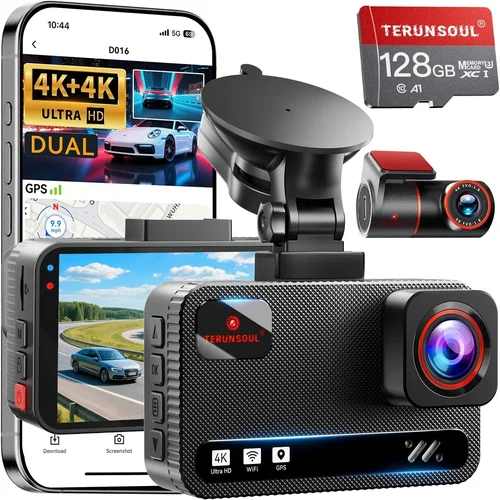
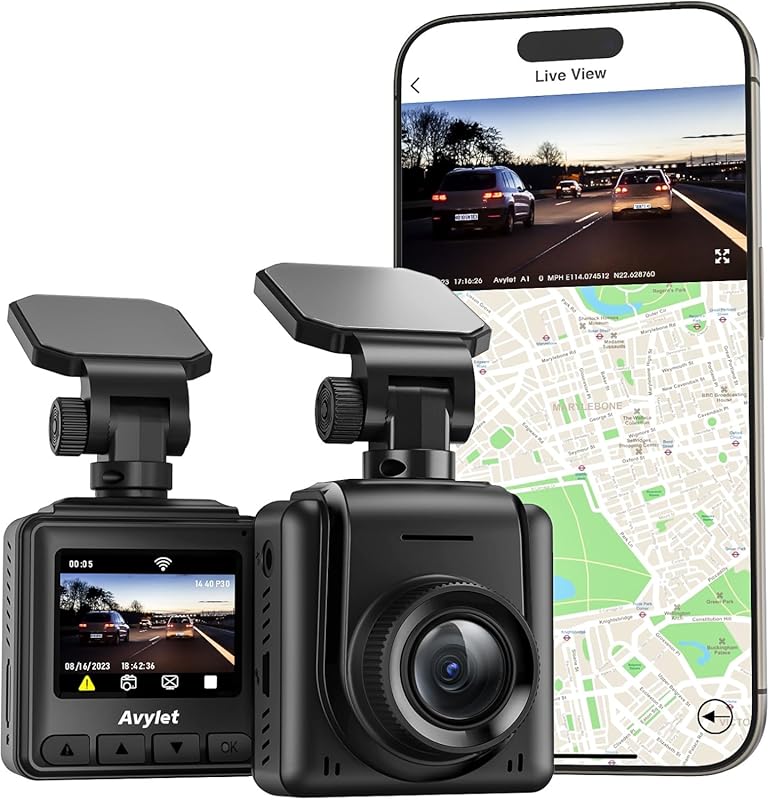
Best Dash Cam for Honda Pilot Selection Guide
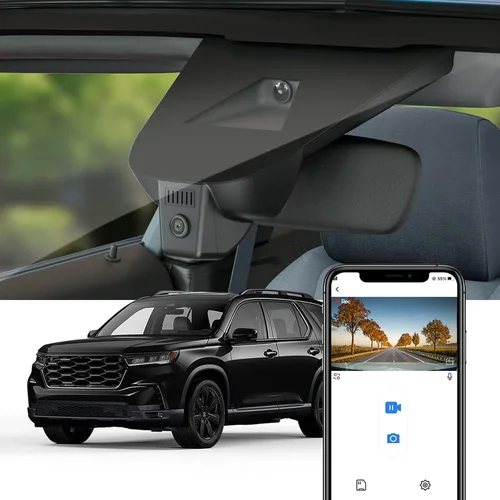
Why choosing the right dash cam for your Honda Pilot isn’t just about recording the road—it’s about peace of mind, legal protection, and capturing those unexpected moments that matter most. The Honda Pilot is a versatile SUV designed for family adventures, daily commutes, and everything in between, making it an ideal candidate for dash cam installation. However, not all dash cams are created equal, and finding one that fits seamlessly into your vehicle’s ecosystem requires careful consideration. This comprehensive guide is crafted specifically for Honda Pilot owners who want to enhance their driving safety and documentation capabilities without overcomplicating their experience.
Whether you’re a first-time dash cam buyer or looking to upgrade from an older model, this article will walk you through every critical decision point. You’ll learn how to match technical specifications with real-world needs, understand which features actually deliver value, and avoid common pitfalls that lead to buyer’s remorse. We’ll examine compatibility issues unique to the Pilot’s interior design, explore power solutions tailored to its electrical system, and evaluate performance across different weather conditions and driving scenarios. By the end, you won’t just know what specs matter—you’ll understand why they matter for your specific driving lifestyle.
The dash cam market has evolved dramatically in recent years, offering everything from basic single-channel recorders to advanced multi-camera systems with AI-powered alerts and cloud connectivity. While this variety sounds exciting, it can also be overwhelming, especially when considering the unique cabin layout and mounting options available in the Honda Pilot. Our goal is to cut through the noise and help you find a dash cam that integrates smoothly with your vehicle while delivering reliable performance when you need it most. From parking mode functionality to night vision clarity, we’ll cover all the essentials so you can make an informed choice backed by expert insight rather than marketing hype.

What to Look for When Buying Dash Cams
1. Compatibility with Honda Pilot Interior Design
The Honda Pilot features a distinctive dashboard layout with a prominent center console and specific windshield angles that influence where and how you can mount a dash cam. Before purchasing any dash cam, verify its physical dimensions and mounting requirements against your Pilot’s interior space. Many modern dash cams come with adjustable mounts designed to fit various windshield angles, but some models may obstruct visibility or interfere with airbag deployment zones if not positioned correctly.
Consider the placement options available in your specific Pilot model year. Early-generation Pilots (2009–2015) have slightly different dashboard contours compared to newer models (2016+), which feature a more integrated infotainment setup. Some dash cams require adhesive mounts that must be positioned at precise angles to maintain optimal lens alignment. Always check manufacturer guidelines regarding mounting locations relative to the rearview mirror and instrument cluster to ensure compliance with safety standards and visual obstruction laws.
2. Power Source and Electrical Integration
One of the most overlooked aspects when selecting a dash cam for the Honda Pilot is how it connects to your vehicle’s electrical system. Unlike portable devices that rely on USB ports, dash cams typically draw continuous power from your car battery—either through hardwiring or via cigarette lighter adapters. Hardwiring offers superior reliability and eliminates voltage drop issues but requires professional installation knowledge or willingness to tackle wiring yourself.
For most Honda Pilot owners, hardwiring is recommended because it ensures consistent operation during long drives and activates parking mode when the engine is off. Parking mode records motion or impact events even when your vehicle is parked—a crucial feature for theft prevention and hit-and-run documentation. When evaluating power options, look for models with built-in capacitors or supercapacitors instead of lithium batteries, as they handle temperature fluctuations better and last longer in extreme climates common in many regions where Pilots are driven.
Additionally, consider whether your chosen dash cam supports low-voltage cutoff protection. This prevents excessive drain on your battery during extended periods of inactivity—especially important if you park your Pilot frequently without running the engine. Some premium models automatically enter ultra-low-power standby mode after detecting no movement for several hours, further conserving energy while still responding quickly to triggers.
3. Video Quality and Resolution Capabilities
Video resolution remains one of the most debated yet essential factors in dash cam selection. While higher megapixels sound impressive on paper, real-world usability depends heavily on lens quality, sensor performance, and software processing algorithms. For Honda Pilot drivers, 1080p Full HD is considered the baseline standard—it provides clear detail for license plate recognition and facial identification without overwhelming storage demands.
However, many modern dash cams now offer 2K or even 4K recording capabilities. These resolutions capture significantly more detail, particularly useful for identifying fine details like traffic signs or pedestrian clothing colors during accident investigations. That said, higher resolution files consume more storage space and require faster write speeds from memory cards—factors that affect overall system reliability if not properly managed.
When comparing video quality across brands, pay attention to frame rate as well. Recording at 30 frames per second (fps) delivers smooth motion capture suitable for everyday driving, while 60 fps improves clarity during rapid maneuvers like emergency braking or lane changes. Night vision performance deserves special emphasis too; look for cameras using Sony STARVIS sensors, which excel in low-light conditions without requiring infrared illumination that can create distracting red glows inside your cabin.
4. Storage Solutions and File Management
Dash cam storage revolves around microSD cards, but not all cards perform equally under continuous write cycles. Class 10 UHS-I or U3-rated cards are recommended for dash cams due to their sustained data transfer rates—critical when recording high-resolution footage continuously. Avoid counterfeit or rebranded cards sold at suspiciously low prices, as they often fail prematurely and risk corrupting valuable evidence.
Most dash cams support loop recording, overwriting the oldest files when storage fills up, ensuring uninterrupted operation. However, this means you’ll need to periodically review and back up important clips manually. Consider models with dual-card slots or cloud backup capabilities if you want automatic offloading of critical incidents. Some advanced systems even integrate with mobile apps that alert you when new recordings are saved, streamlining evidence management after long trips.
File format matters too. H.264 compression strikes a balance between file size and quality, while H.265 (HEVC) offers better efficiency at the cost of potential playback compatibility issues with older devices. Always confirm your dash cam supports FAT32 formatting unless you’re comfortable reformatting cards regularly—NTFS isn’t universally compatible with all playback platforms.
5. Field of View and Lens Placement
The field of view (FOV) determines how much of the road ahead your dash cam captures. Wide-angle lenses (140°–170° diagonal) provide expansive coverage ideal for highway driving and urban intersections, reducing blind spots that could miss critical events. However, extremely wide FOVs can introduce fisheye distortion at the edges, making distant objects appear smaller or stretched—problematic when estimating distances during disputes.
In the context of the Honda Pilot’s relatively tall hood and steep windshield angle, aim for a horizontal FOV of 120°–150° for optimal balance between coverage and geometric accuracy. Mounting height also affects FOV; placing the camera near the top center of the windshield yields broader frontal visibility compared to lower placements that might focus too narrowly on the immediate road surface. Test different angles virtually using online simulators or consult user reviews mentioning specific Pilot installations.
6. Night Vision and Low-Light Performance
Driving at night presents unique challenges for dash cams, including reduced contrast, glare from headlights, and limited ambient light. High-quality night vision relies on specialized image sensors like Sony STARVIS CMOS, which amplify available light without adding noise or artificial coloration. Avoid dash cams marketed as “night vision” that use infrared LEDs—they illuminate only within a few meters and don’t work effectively for license plate reading beyond short ranges.
Look for models with wide dynamic range (WDR) technology, which balances exposure between brightly lit headlights and darker shadows on the road. WDR prevents washed-out highlights while preserving detail in dim areas, crucial during dawn/dusk transitions or tunnel entrances. Some advanced systems also include adaptive brightness control that adjusts gain settings based on ambient lighting conditions automatically.
7. Parking Mode Functionality
Parking mode transforms your dash cam into a vigilant security system that monitors your vehicle even when you’re away. When hardwired, most dash cams enter parking surveillance mode after the ignition turns off, recording motion or sudden impacts triggered by vibrations. This feature protects against hit-and-runs, vandalism, or unauthorized entry—common concerns for SUV owners who park in public garages or unfamiliar neighborhoods.
Not all parking modes are created equal. Time-lapse recording saves battery by capturing frames at reduced intervals (e.g., once per minute), useful for monitoring parked vehicles over extended periods. Impact-based recording responds instantly to shocks or movement, providing immediate evidence of incidents. Some models combine both methods intelligently: time-lapse during long stops and event-triggered recording upon detection of unusual activity.
Be mindful of false triggers caused by passing trucks, strong winds, or animals near your vehicle. Advanced dash cams use AI-powered algorithms to distinguish relevant events from background disturbances, minimizing unnecessary recordings that clutter storage. Always test parking mode in real-world conditions before relying solely on it for security purposes.
8. Audio Recording and Privacy Considerations
While audio enhances situational awareness by capturing conversations or environmental sounds, it also raises privacy concerns. Laws regarding two-party consent vary by state and country, meaning recording others without their knowledge may violate wiretapping statutes in certain jurisdictions. Before enabling audio, research local regulations and inform passengers if necessary.
Many dash cams offer toggle switches to disable microphone input entirely, giving users control over what gets recorded. Audio quality should complement video clarity—look for models with omnidirectional mics that pick up directional speech clearly without amplifying background noise excessively. Wind noise suppression is especially important during highway speeds, where turbulence can drown out important details.
9. Build Quality and Weather Resistance
The Honda Pilot encounters diverse climates—from scorching desert heat to freezing mountain passes—so your dash cam must withstand temperature extremes reliably. Plastic enclosures should resist warping or cracking, while internal components need protection against humidity condensation inside sealed units. IP65-rated seals indicate dust-tightness and water resistance sufficient for splashes and light rain.
Supercapacitor-based power systems outperform traditional lithium batteries in cold weather, maintaining charge integrity down to -20°C (-4°F). Thermal management features like heat sinks or passive cooling prevent overheating during prolonged summer drives when parked in direct sunlight. Physical durability matters too: shock-resistant casings protect against drops or vibrations during rough terrain driving common in SUV applications.
10. Software Features and User Interface
Intuitive menus and responsive touchscreens simplify operation, especially when adjusting settings mid-drive. Look for dash cams with large icons, voice prompts, or gesture controls that minimize distraction from the road. Cloud connectivity enables remote viewing and GPS tagging, allowing you to sync location data automatically—valuable for trip logging or incident reconstruction.
Loop recording, G-sensor sensitivity adjustments, and parking mode timers are standard features, but advanced models add extras like speed limit warnings, forward collision alerts, or lane departure notifications. While these driver assistance functions aren’t legally binding, they enhance safety awareness without replacing defensive driving habits. Mobile app integration lets you preview footage, manage settings, and share clips securely—convenient for fleet managers or frequent travelers.
11. Brand Reputation and Customer Support
Established brands invest more in R&D and customer service, reducing the likelihood of firmware bugs or hardware failures. Research manufacturer history: companies with decades of experience in automotive electronics (like BlackVue, Garmin, or Thinkware) typically offer better long-term reliability compared to lesser-known startups. Check warranty terms—most reputable brands provide 1–3 years coverage against defects, sometimes extendable through registration.
Online forums and owner communities offer real-world insights unavailable in marketing materials. Search for threads discussing specific Pilot installations, noting compatibility issues or firmware updates addressing known problems. Responsive support teams respond promptly to technical inquiries, while detailed FAQs and troubleshooting guides empower DIY repairs without voiding warranties.
12. Installation Complexity and Professional Help
Hardwiring a dash cam into your Honda Pilot’s fuse box requires understanding basic electrical principles or hiring a professional installer. If you’re uncomfortable working with wires, seek certified technicians familiar with automotive electronics—many auto shops offer dash cam installation services for modest fees. Improper wiring risks damaging your vehicle’s electrical system or triggering error codes in the OBD-II port.
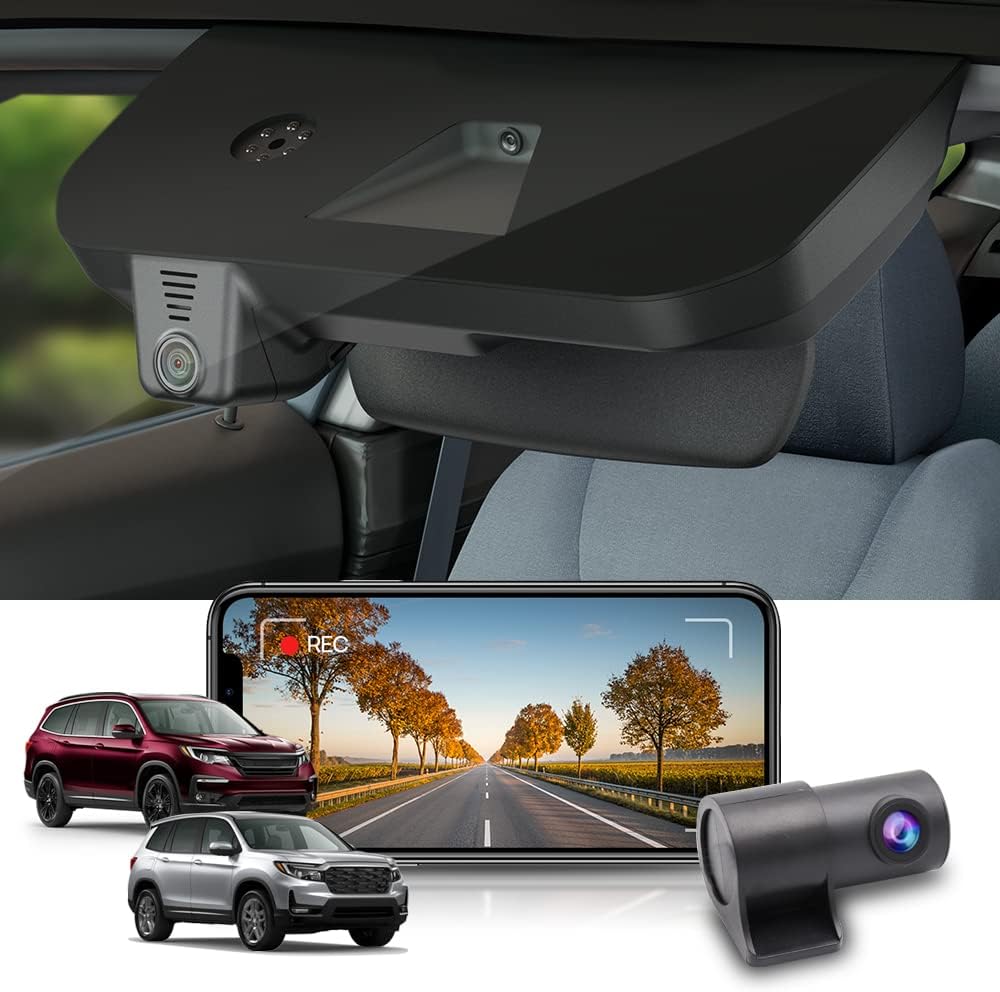
Some dash cams simplify installation with plug-and-play harnesses designed for specific vehicle makes/models. Honda-specific kits exist for certain Pilot trims, ensuring clean connections without splicing wires unnecessarily. Always disconnect the negative battery terminal before beginning work to prevent short circuits. Use heat-shrink tubing or electrical tape to insulate exposed conductors, and route cables away from hot surfaces or moving parts to avoid wear over time.
Different Types of Dash Cams
Common Buying Mistakes to Avoid
❌ Mistake: Ignoring Vehicle-Specific Compatibility
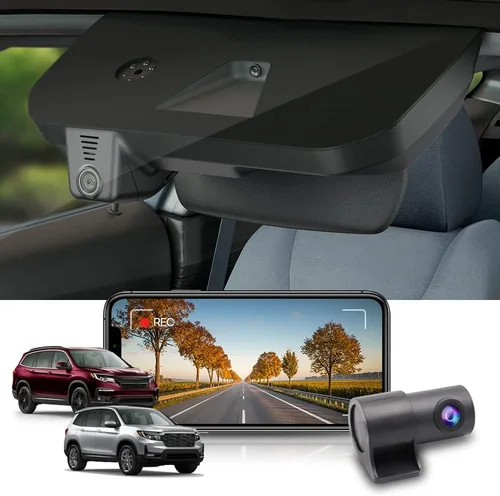
Why it’s bad: Installing a generic dash cam without verifying its fit within your Honda Pilot’s interior can lead to poor mounting angles, visual obstructions, or interference with safety systems. The Pilot’s sloped windshield and prominent A-pillars create unique challenges that off-the-shelf solutions may not address adequately.
What to do instead: Measure your windshield dimensions and test-fit mounting brackets before committing. Consult forums dedicated to Honda owners or contact manufacturer support with your VIN to confirm compatibility. Some brands offer Pilot-specific accessory kits with custom brackets or harnesses.
❌ Mistake: Overlooking Parking Mode Requirements
Why it’s bad: Skipping hardwiring for parking mode defeats the primary purpose of many dash cams—continuous surveillance when unattended. Battery-powered setups drain your Pilot’s electrical system rapidly, potentially leaving you stranded or damaging sensitive electronics during extended periods away from home.
What to do instead: Prioritize models with robust parking mode capabilities and invest in proper hardwiring. Even if you plan minimal use, having this feature ready ensures protection against unexpected incidents. Choose units with low-voltage cutoff to prevent deep discharges that shorten battery life over time.
❌ Mistake: Choosing Low-Quality MicroSD Cards
Why it’s bad: Inexpensive or counterfeit microSD cards frequently fail under constant write cycles, causing lost footage during critical moments. Their inconsistent performance leads to corrupted files, unreadable recordings, or sudden shutdowns that leave gaps in your evidence chain.
What to do instead: Purchase cards from trusted retailers (Amazon, Best Buy, Newegg) and verify authenticity via serial numbers. Stick to reputable brands like SanDisk Extreme, Samsung EVO Plus, or Lexar Professional, which undergo rigorous testing for endurance and reliability. Format cards exclusively in your dash cam before initial use to optimize filesystem structure.
❌ Mistake: Neglecting Night Vision Capabilities
Why it’s bad: Assuming all dash cams perform equally in darkness leads to disappointment during nighttime drives or low-light conditions. Poor night vision results in grainy footage, obscured license plates, or inability to identify key details—compromising usefulness in accident investigations or dispute resolution.
What to do instead: Focus on sensors with proven low-light performance, such as Sony STARVIS CMOS. Avoid IR-based night vision unless you specifically need close-range illumination (rarely practical for highway driving). Enable WDR settings and adjust gain controls based on ambient lighting to maximize clarity without introducing noise artifacts.
❌ Mistake: Underestimating Storage Needs
Why it’s bad:
What to do instead: Calculate required capacity based on average drive length, resolution, and desired retention window. For example, a 1080p dash cam recording 32GB/hour needs a 128GB card for four hours of continuous footage. Set up automated backups to external drives or cloud storage if available, and schedule monthly reviews to archive non-essential files safely. Why it’s bad: Outdated firmware introduces bugs, reduces performance, or creates compatibility issues with newer operating systems. Manufacturers release updates to fix security vulnerabilities, improve stability, or add features—ignoring them leaves your dash cam vulnerable to obsolescence or malfunction. What to do instead:
Why it’s bad:
What to do instead:
This tier caters to budget-conscious Honda Pilot owners seeking basic front-facing recording with reliable loop recording and decent daytime video quality. Expect Full HD resolution, motion-activated parking mode (when hardwired), and straightforward installation. Brands like Viofo A119 Mini, Rexing V1, or Koomus offer trustworthy performance at accessible price points. Avoid ultra-cheap imports lacking warranty support or using inferior sensors prone to overheating. At this level, focus on core functionalities: stable mounting, clear daytime footage, and functional parking surveillance. While advanced features like cloud connectivity or dual cameras are absent, these dash cams fulfill their primary role effectively. Ideal for occasional drivers or those testing dash cam benefits before investing further. Remember to pair your purchase with a high-endurance microSD card—often an additional $20–$30—to maximize longevity. The mid-tier represents the sweet spot for Honda Pilot buyers balancing cost, features, and reliability. Here, you’ll find robust dual-channel systems (front + rear), improved night vision using Sony STARVIS sensors, enhanced build quality, and smarter software integrations. Models like the Thinkware F800 Pro, BlackVue DR900S-1CH, or Garmin Dash Cam 67W shine in this category, offering professional-grade performance without enterprise pricing. Key advantages include wider fields of view, better low-light handling, and intuitive mobile app interfaces. Many mid-range units support GPS tagging, Wi-Fi sharing, and customizable sensitivity settings—features that streamline evidence management and personalize user experience. Parking mode implementations mature significantly here, with intelligent trigger thresholds reducing false positives from environmental noise. This range suits daily commuters, families, and weekend adventurers equally well. For Honda Pilot owners prioritizing top-tier video fidelity, seamless integration, and future-proof capabilities, premium dash cams deliver unmatched value. Expect 2K/4K recording, advanced driver assistance systems (ADAS), superior build materials, and cutting-edge connectivity options. Thinkware U1000, BlackVue DR970X-2CH, or Nextbase 522GW exemplify this segment, combining cinematic visuals with bulletproof reliability. Features like voice control, automatic firmware updates, and encrypted cloud storage elevate these units beyond mere recording devices into comprehensive safety ecosystems. While overkill for casual use, they justify their cost through exceptional performance in demanding conditions—perfect for commercial drivers, long-haul travelers, or those requiring courtroom-ready evidence. Note that premium models may require additional accessories (e.g., extra batteries or specialized mounts) to unlock full potential. Ultra-premium dash cams target fleet operators, security professionals, or tech enthusiasts demanding absolute perfection. These systems boast multi-sensor arrays, AI-powered analytics, redundant storage architectures, and military-grade durability. Examples include the Garmin Rally RS200 power module paired with Dash Cam Pro, or integrated solutions from companies specializing in automotive telematics. Beyond raw specs, luxury units emphasize scalability, centralized management, and regulatory compliance—features irrelevant to individual Honda Pilot owners. Unless you operate a delivery service or transport high-value cargo, this tier represents diminishing marginal utility. Save your budget for practical enhancements like reinforced tires or upgraded suspension instead! Avoid buying during peak seasons like summer vacations or holiday weekends when demand spikes inflate prices. Instead, target post-holiday sales (January–February) or back-to-school promotions (August–September), when retailers discount electronics to clear inventory. Flash sales on Amazon Prime Day, Black Friday, or Cyber Monday offer substantial savings—but verify stock levels immediately, as popular dash cams sell out fast. Seasonal considerations matter too: winter brings discounts on ruggedized models with enhanced cold-weather performance, while spring sees deals on systems optimized for rainy conditions. Sign up for brand newsletters to receive exclusive coupon codes or early access to clearance events. Avoid impulse buys during viral TikTok trends; wait for verified reviews confirming real-world reliability. Online giants like Amazon, Best Buy, and Walmart dominate dash cam sales but don’t always offer the lowest prices. Specialty automotive stores (AutoZone, O’Reilly Auto Parts) carry installation services and bundle deals, while manufacturer-direct sites sometimes provide free shipping or extended warranties. Read return policies thoroughly—some third-party sellers impose restocking fees or restrict returns to opened boxes only. Check price-matching guarantees before purchasing. Stores like Costco, BJ’s Wholesale, and Sam’s Club often honor competitors’ advertised prices, letting you leverage online deals in-store. For international buyers, regional distributors may offer localized support, firmware updates, or language-specific interfaces unavailable elsewhere. Always factor in import duties or shipping delays when ordering abroad. Manufacturers frequently run referral programs rewarding existing customers with credits for friend purchases. Join dash cam enthusiast forums (Reddit r/dashcam, dedicated Facebook groups) where members share unadvertised promo codes or group-buy opportunities. Bundle packages combining dash cams with mounts, cables, or memory cards often yield greater savings than buying items separately. Watch for “clearance” sections on retailer websites—older models get marked down aggressively once newer versions launch. Refurbished units from certified sellers carry full warranties and represent eco-friendly alternatives with minimal quality loss. Student discounts, military benefits, or corporate partnerships occasionally unlock additional savings; inquire directly with manufacturers or authorized resellers. Test return windows rigorously—even if you’re certain about your choice, unboxing the device allows verification of included accessories, manual completeness, and initial setup ease. Keep original packaging until confirmed working to avoid voiding return eligibility. If purchasing locally, inspect physical condition thoroughly before leaving the store. Counterfeit dash cams plague online marketplaces, especially on platforms like eBay or AliExpress. Fake listings mimic legitimate products using stolen images and inflated ratings. Confirm seller reputation through verified purchase reviews and response rates. Cross-check product numbers against official catalogs, and request unboxing videos showing serial tags matching advertised specs. Authorized dealer networks provide peace of mind: major brands maintain directories of certified partners worldwide. Avoid gray-market imports lacking regional certifications (CE, FCC, RoHS), which may violate local laws or void insurance claims. When in doubt, contact customer service with your order number for verification assistance. Consider subscription services wisely: cloud storage plans offer convenience but recurring costs add up quickly. Free tiers rarely suffice for frequent drivers. Instead, prioritize offline solutions like dual-SD setups or portable SSDs for critical footage preservation. Custom enclosures protect against dust and moisture, extending operational lifespans in harsh environments. Join user groups focused on Honda-specific installations. Pilots share insights about optimal mounting positions, power management tricks, and firmware hacks tailored to your vehicle’s quirks. Collective knowledge accelerates troubleshooting and reveals undocumented capabilities, enhancing your ownership experience beyond manufacturer documentation. A: Yes, most dash cams are designed for DIY installation, especially single-channel models requiring only windshield mounting and optional hardwiring. Basic steps include cleaning the glass surface, attaching the suction cup mount, routing power cables along factory conduits, and connecting to your Pilot’s fuse box using a hardwiring kit. However, complex dual-camera setups or professional-grade systems benefit from technician assistance to ensure proper alignment and secure wiring. A: Properly installed dash cams with low-voltage cutoff protection cause negligible drainage. Modern units enter ultra-low-power standby mode after detecting no movement for several hours, consuming less than 5mA. Parking mode itself draws minimal current when triggered by motion or impact, and hardwired systems avoid battery dependency entirely. Avoid leaving standalone USB-powered dash cams plugged into cigarette lighters indefinitely, as constant power draw risks draining the battery over weeks. A: Full HD (1920×1080) is sufficient for most drivers, offering clear license plate recognition and adequate detail for accident documentation. If you drive frequently in challenging light (dawn/dusk, tunnels), consider 2K resolution for improved clarity. Reserve 4K for professional use or if you anticipate needing forensic-level detail rarely justified by file size constraints. Most Honda Pilots handle 1080p smoothly without overburdening storage. A: Dual-channel systems provide fuller coverage, capturing events behind your vehicle—useful for backing collisions or tailgaters. However, single-front cameras suffice for daily commuting unless you park in tight spaces or tow trailers regularly. Assess your driving environment: urban areas with frequent rear-enders justify rear cameras, while rural highways may prioritize front-only setups. Budget permitting, dual-channel adds versatility without sacrificing front visibility. A: Yes, but legality varies by jurisdiction. Two-party consent states prohibit recording others without permission; check local laws before enabling audio. Most dash cams include toggle switches to disable microphones entirely, respecting privacy preferences. Audio enhances situational awareness but isn’t essential—prioritize video quality and parking mode reliability instead. A: Position the camera near the top center of the windshield, angled downward to capture the horizon line. Avoid obstructing the driver’s view or airbag deployment zones. Use anti-glare tempered glass screens if reflections interfere with visibility. Secure cables neatly along factory conduits to prevent snagging, and test mounting stability at highway speeds before finalizing placement. A: Conceal wiring behind dashboard panels or use locking brackets to deter tampering. Parking mode deters opportunistic thieves by documenting intrusions. In extreme climates, park in shaded areas or use sunshades to reduce heat stress on electronics. Regularly inspect mounts and cables for wear, and keep firmware updated to patch security vulnerabilities. A: Yes, but avoid daisy-chaining multiple USB devices from one outlet, as this strains your Pilot’s electrical system. Dedicate separate ports for phones and dash cams, or use hardwired power exclusively for the latter. Monitor dashboard warning lights for voltage irregularities, and never overload circuits with high-draw accessories simultaneously. A: Replace cards every 2–3 years or after 10,000+ write cycles, whichever comes first. Signs of fatigue include slow transfer speeds, corrupted files, or sudden failures. Pair high-endurance cards (SanDisk High Endurance, Samsung PRO Endur❌ Mistake: Disregarding Firmware Updates
❌ Mistake: Overpaying for Unnecessary Features
Budget Guidelines: How Much Should You Spend?
Entry-Level ($50–$120): Essential Protection Without Frills
Mid-Range ($120–$300): Sweet Spot for Most Honda Owners
Premium ($300–$600): Enthusiast-Grade Performance
Luxury ($600+): Professional-Grade Surveillance
Expert Tips for Getting the Best Deal
Time Your Purchase Strategically
Compare Retailers Carefully
Spot Hidden Discounts and Bundles
Prioritize Warranty and Return Policies
Verify Authenticity Before Paying
Maximize Value Through Accessory Upgrades
Stay Updated on Technological Advances
Frequently Asked Questions
Q: Can I install a dash cam myself in my Honda Pilot?
Q: Will a dash cam drain my Honda Pilot’s battery?
Q: What resolution should I choose for my Honda Pilot?
Q: Do I need both front and rear cameras for my Pilot?
Q: How long do dash cam batteries last?
Q: Can dash cams record audio in my Honda Pilot?
Q: What’s the best way to mount my dash cam in my Pilot?
Q: How do I protect my dash cam from theft or damage?
Q: Can I use my dash cam while charging my phone?
Q: How often should I replace my microSD card?