Ultimate Honda CRV Dash Cam Buying Guide
When shopping for a dash cam for your Honda CRV, you’re not just buying another electronic gadget—you’re investing in peace of mind, legal protection, and valuable insurance for one of your most important possessions. The Honda CRV is a popular compact SUV known for its reliability, comfort, and practicality, making it a favorite among families, commuters, and outdoor enthusiasts alike. But with so many dash cam options on the market, choosing the right one can feel overwhelming. That’s where this comprehensive guide comes in.
This article will walk you through everything you need to know about selecting the best dash cam for your Honda CRV. We’ll cover key features to look for, compare different types of dash cams, highlight common mistakes to avoid, provide budget breakdowns, and offer expert tips to help you make an informed decision. Whether you’re a first-time buyer or upgrading from an older model, our goal is to ensure you find a dash cam that fits your vehicle perfectly, delivers reliable performance, and offers excellent value for your investment.
The dash cam market has evolved significantly in recent years, with manufacturers now offering advanced features like night vision, GPS tracking, Wi-Fi connectivity, and even parking mode. However, not all dash cams are created equal, and some may not be compatible with the specific electrical system or dashboard layout of the Honda CRV. In this guide, we’ll focus on models that are proven to work well with the CRV’s 12-volt system, have a clean installation process, and integrate seamlessly into your driving experience. By the end of this article, you’ll have a clear understanding of what to prioritize based on your needs—whether that’s affordability, advanced safety features, or ease of use.

What to Look for When Buying Dash Cams
1. Budget & Price Range
One of the first decisions you’ll need to make is how much you’re willing to spend. Dash cams range from under $50 to over $400, and while price often correlates with quality, it’s not always the case. For a Honda CRV owner, it’s important to balance cost with features that matter most—like recording resolution, loop recording, and durability. Entry-level models can handle basic needs such as front-only recording with 1080p video, but if you want dual-channel (front and rear) recording or enhanced night vision, you’ll likely need to invest in a mid-range model. Consider your long-term needs: do you plan to use the dash cam daily, or only occasionally? A higher upfront cost might save you money in the long run by reducing the need for repairs or replacements.
2. Performance Specifications
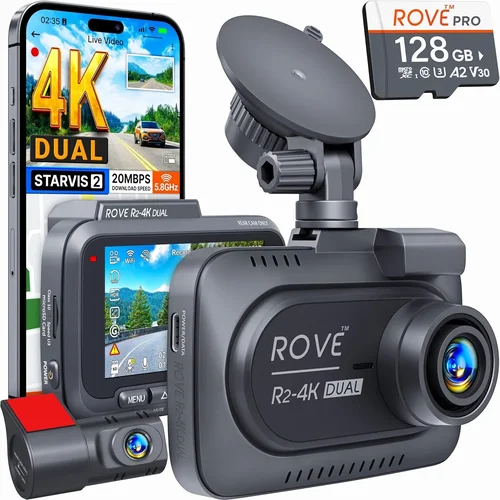
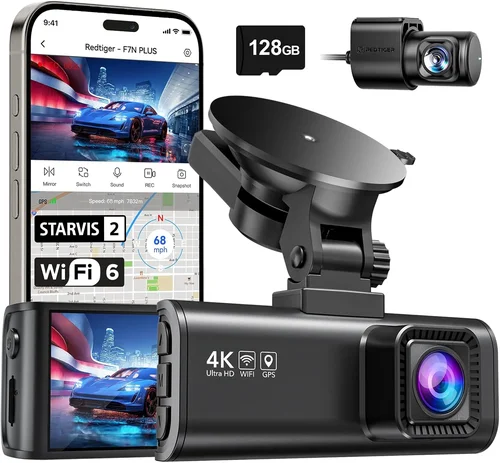
The heart of any dash cam is its performance specs, which determine how well it captures footage in real-world conditions. Key specifications include video resolution, frame rate, sensor type, and low-light performance. For the Honda CRV, we recommend at least 1080p Full HD recording at 30 frames per second (fps), though 1440p or even 4K models are becoming more accessible. Higher resolutions provide clearer details, especially when reviewing footage after an incident. Look for cameras with Sony Starvis sensors, which excel in low-light environments—perfect for nighttime driving. Additionally, consider field of view (FOV): a wider angle (typically 130°–150°) gives you better coverage of the road ahead, but too wide can distort images near the edges. For dual-camera setups, ensure both front and rear units support similar resolutions and frame rates for consistent video quality.
3. Build Quality & Durability
The Honda CRV is built to last, and your dash cam should match that standard. Since dash cams are exposed to temperature fluctuations, vibrations, and potential impacts, build quality is non-negotiable. Look for models made with high-grade plastic or metal housings that resist cracking or warping. Waterproof and dustproof ratings (IP65 or higher) are ideal, particularly if you live in areas with heavy rain or snow. Also, check whether the camera lens is scratch-resistant—scratches can blur important details during playback. Installation matters too; a well-designed mount should stay securely attached even during rough drives. Some dash cams come with adhesive mounts that bond strongly to glass, while others use suction cups that may lose grip over time. For the CRV’s curved windshield, opt for flexible mounts or those designed specifically for curved surfaces.
4. Features & Functionality
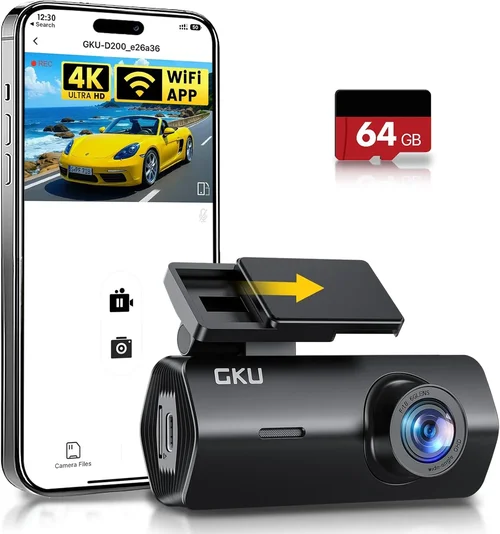
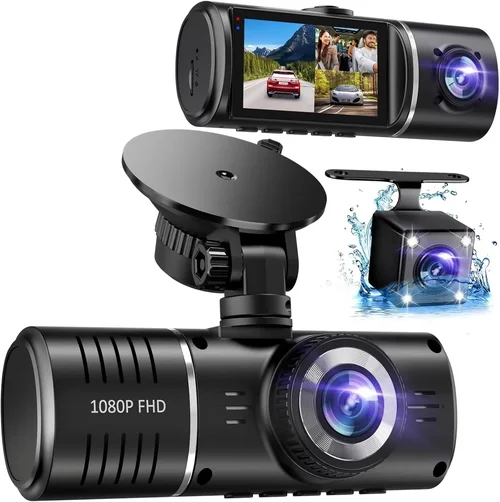
Modern dash cams go far beyond simple video recording. Advanced features can significantly enhance usability and safety. One of the most valuable additions is loop recording, which automatically overwrites older footage when storage fills up—ensuring you always have access to recent events without manually deleting files. G-sensor technology detects sudden impacts and locks the current clip to prevent accidental overwriting, crucial for accident documentation. Parking mode allows the dash cam to monitor your vehicle when parked, drawing power from your car’s battery via hardwiring (recommended for the Honda CRV). This feature uses motion detection to record incidents like hit-and-runs or vandalism. Other useful features include GPS tracking (to log speed and location), Wi-Fi connectivity (for easy file transfer via smartphone app), and night vision enhancement. Dual-lens systems (front and rear) are especially beneficial for the CRV, as they provide complete coverage inside and outside the vehicle.
5. Brand Reputation
Not all brands are created equal when it comes to reliability and customer service. Established names like BlackVue, Garmin, Nextbase, and Thinkware have built strong reputations through consistent product quality and responsive support. These companies often offer firmware updates, detailed user manuals, and active online communities where owners share tips and troubleshoot issues. In contrast, lesser-known brands may cut corners on materials or software stability, leading to frequent malfunctions or poor customer experiences. Before purchasing, read verified reviews on trusted sites like Amazon, Wirecutter, or Reddit’s r/dashcam community. Pay attention to recurring complaints—such as short lifespans, poor customer service, or compatibility issues—and weigh them against positive feedback. For Honda CRV owners, choosing a reputable brand also means better chances of finding compatible accessories, such as hardwiring kits or rear cameras designed for compact SUVs.
6. Warranty & Support
A solid warranty reflects a manufacturer’s confidence in their product and provides peace of mind. Most quality dash cams come with at least a one-year warranty covering defects in materials and workmanship. Premium models may offer two or three years, sometimes including international coverage. Check whether the warranty covers accidental damage or only manufacturing flaws. Equally important is the availability of technical support. Brands with dedicated phone lines, email assistance, or live chat options can resolve issues quickly, especially if you encounter installation challenges or software glitches. For the Honda CRV, consider whether the brand offers region-specific support—US-based buyers should prioritize companies with local customer service centers. Also, verify if firmware updates are provided regularly, as these can improve performance, fix bugs, and add new features over time.
7. Size & Portability
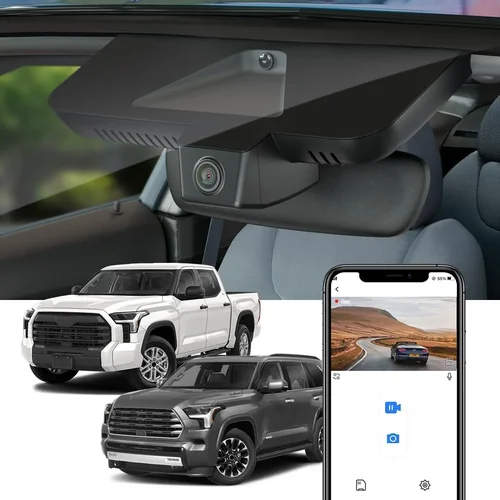
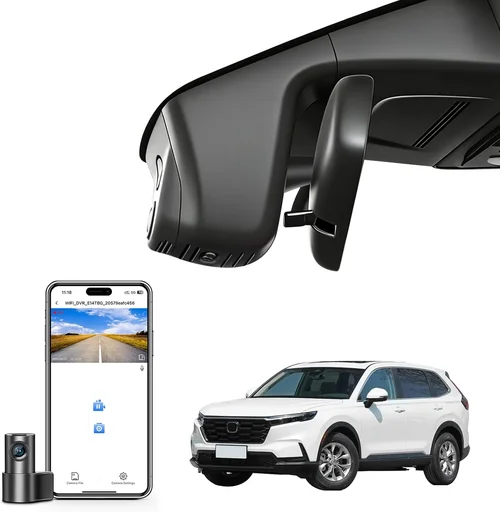
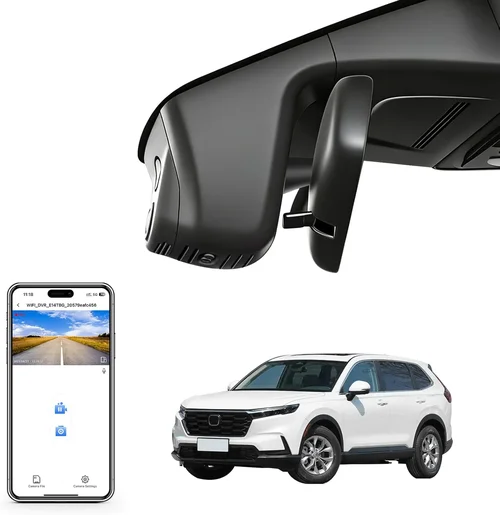
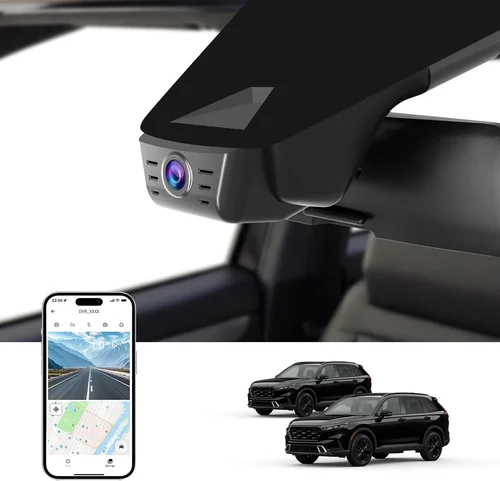
While functionality is key, the physical size of your dash cam can impact both aesthetics and usability. Larger models may offer superior cooling systems or larger batteries, but they can obstruct your view or clash with the CRV’s interior design. Compact dash cams sit flush against the windshield, minimizing visual interference while still capturing clear footage. If you plan to move the camera between vehicles—or frequently remove it for security reasons—look for models with removable mounts or magnetic bases. However, note that removing the unit regularly increases the risk of losing clips due to memory card corruption or power loss. For most Honda CRV owners, a medium-sized dash cam strikes the perfect balance between visibility, performance, and discretion. Some models even include discreet designs that resemble factory-installed electronics, blending naturally into the dashboard environment.
8. User Reviews & Ratings
Real-world feedback from other drivers is invaluable when evaluating a dash cam. Look beyond star ratings and read full-length reviews to understand pros and cons in context. Pay special attention to comments about compatibility with the Honda CRV—some users report issues with voltage drop, flickering screens, or interference with the car’s infotainment system. Community forums like Honda-Tech or DashcamTalk often host threads where owners discuss installation hacks, recommended accessories, and model comparisons. Additionally, watch unboxing and installation videos on YouTube to see how the camera looks in actual CRV interiors. Remember that no product is perfect; even top-rated models may have minor drawbacks. Focus instead on overall satisfaction, reliability trends, and whether the majority of users would recommend the device to others with similar vehicles.
Different Types of Dash Cams

Common Buying Mistakes to Avoid
❌ Mistake: Ignoring Compatibility with Honda CRV Electrical System
Why it’s bad: The Honda CRV uses a 12-volt DC electrical system, and some dash cams draw excessive power, causing voltage drops or draining the battery overnight. This can lead to dimming headlights, error messages, or even a dead battery when you return home.
What to do instead: Always verify that the dash cam includes a hardwiring kit compatible with the CRV’s fuse box. Look for models with low-power consumption (< 2A) and support for parking mode via constant power. Test the setup before finalizing your purchase.
❌ Mistake: Choosing Low Resolution for Legal Protection
Why it’s bad: If you ever need to use footage in court or insurance claims, blurry or compressed video may be deemed unusable. Low-resolution models struggle to capture license plates, faces, or road signs clearly—especially at night or in fast-moving traffic.
What to do instead: Invest in at least 1080p Full HD, preferably with 1440p or 4K if budget allows. Pair high resolution with a wide dynamic range (WDR) to handle bright headlights or shadows.
❌ Mistake: Overlooking Storage Requirements
Why it’s bad: Most dash cams use microSD cards, and using the wrong capacity or speed class can cause crashes, lost footage, or frequent formatting. A 32GB card may fill up within days if set to high-bitrate recording.
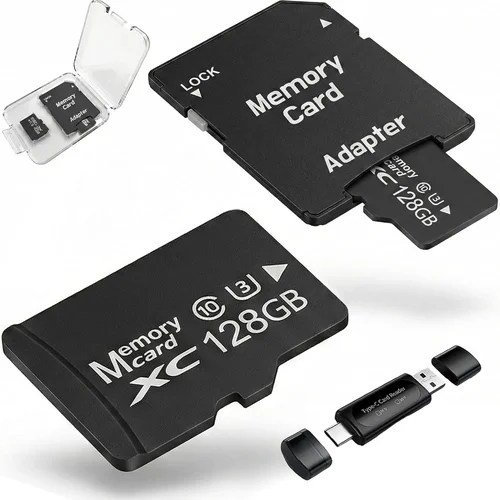
What to do instead: Use a Class 10 or UHS-I/UHS-II microSD card (64GB–256GB recommended). Format the card in the dash cam itself monthly to maintain performance. Enable loop recording to automate storage management.
❌ Mistake: Skipping Parking Mode Without Hardwiring
Why it’s bad: Many dash cams advertise “parking mode” but require the engine to be running. Without a proper hardwiring solution, this feature is useless for protecting your Honda CRV while parked.
What to do instead: Purchase a dash cam with true parking mode and pair it with a reliable hardwiring kit. Ensure your local laws allow dash cam usage while the vehicle is off (some regions restrict this).
❌ Mistake: Installing Without Professional Guidance
Why it’s bad: Incorrect wiring can damage the CRV’s onboard computer, void your warranty, or create fire hazards. DIY installations often result in loose connections, exposed wires, or improper grounding.
What to do instead: Seek professional installation services, especially for hardwiring. Many auto shops or electronics stores specialize in dash cam setups and offer lifetime support.
❌ Mistake: Neglecting Firmware Updates
Why it’s bad: Outdated firmware can introduce bugs, reduce performance, or break compatibility with newer smartphones or operating systems. Manufacturers rarely send update reminders.
What to do instead: Regularly check the manufacturer’s website for firmware downloads. Subscribe to user forums or newsletters to stay informed about updates.
❌ Mistake: Buying Based Solely on Price
Why it’s bad: The cheapest dash cam may lack essential features like G-sensor, WDR, or night vision. You might end up spending more on repairs, replacements, or secondary devices to compensate for shortcomings.
What to do instead: Compare total cost of ownership—not just initial price. Factor in warranty length, accessory costs, and expected lifespan.
Budget Guidelines: How Much Should You Spend?
Entry-Level ($50 – $100)
If you’re new to dash cams or only need basic protection, entry-level models deliver solid performance at an affordable price. These typically feature single-lens 1080p recording, loop recording, and G-sensor functionality. While they may lack advanced features like Wi-Fi or GPS, they’re perfect for everyday drivers who want added security without overspending. Examples include the Viofo A119 Mini or the Rexing V1P. For the Honda CRV, ensure the model supports 12V power input and has a compact form factor to avoid obstructing your view. At this price point, prioritize reliability over extras—opt for brands with good reputations and positive user feedback.
Mid-Range ($100 – $250)
This sweet spot offers the best balance of features, quality, and value. Mid-range dash cams often include dual-lens systems (front and rear), improved low-light performance, GPS logging, and Wi-Fi connectivity. They’re ideal for daily commuters, families, and anyone wanting comprehensive coverage. Models like the Thinkware U1000 or Garmin Dash Cam 67W fall into this category. For the Honda CRV, look for units with flexible mounting options and compatibility with hardwiring kits. This tier ensures you get professional-grade recording without the premium price tag.
Premium ($250 – $400)
For enthusiasts and serious users, premium dash cams deliver top-tier performance and cutting-edge technology. These models usually support 4K recording, HDR, advanced parking monitoring, and cloud integration. They’re built with military-grade materials, offer extended warranties, and include professional-grade apps for data analysis. The BlackVue DR970-2CH or Nextbase 522GW are excellent examples. While overkill for casual drivers, premium options are worth considering if you drive frequently, live in high-risk areas, or want maximum legal protection.
Luxury ($400+)
Luxury dash cams cater to professionals, fleet operators, or those seeking ultimate customization. These devices often feature multi-camera arrays, AI-powered object detection, encrypted storage, and integration with telematics systems. They’re used in commercial settings but can also benefit high-end private vehicles. Examples include the Garmin DriveSmart Cam or custom-built surveillance rigs. For most Honda CRV owners, luxury models offer unnecessary complexity and cost. Only consider this tier if you have specific professional requirements or exceptional security concerns.
Expert Tips for Getting the Best Deal
Shopping smartly can save you hundreds of dollars—without compromising quality. Here are proven strategies to maximize value:
- Buy During Holiday Sales: Major retailers like Amazon Prime Day, Black Friday, and Cyber Monday often slash dash cam prices by 30–50%. Stock up during these events to lock in discounts.
- Compare Retailers: Prices vary widely between Amazon, Best Buy, Walmart, and manufacturer websites. Use price-tracking tools like Honey or CamelCamelCamel to monitor historical lows.
- Check for Bundle Deals: Some brands offer free hardwiring kits, extra memory cards, or extended warranties with purchase. These add-ons can increase value significantly.
- Read Return Policies: Opt for retailers with hassle-free returns (Amazon’s 30-day policy is ideal). Test the dash cam immediately to confirm compatibility and functionality.
- Verify Local Laws: Ensure your chosen model complies with regional regulations regarding audio recording, data retention, and privacy. Some areas restrict dash cam usage entirely.
- Join Loyalty Programs: Stores like Costco or B&H Photo offer member-exclusive pricing and extended return windows. Membership fees are often offset by savings.
- Look for Refurbished Units: Certified refurbished dash cams from reputable sellers come with warranties and undergo rigorous testing—often at 20–30% off retail.
- Ask About Trade-In Options: Some electronics chains accept old dash cams or phones as credit toward new purchases, reducing out-of-pocket costs.

Frequently Asked Questions
Q: Can I install a dash cam myself on my Honda CRV?
A: Yes, most dash cams are designed for DIY installation. The main challenge is routing the power cable to the fuse box for hardwiring. If you’re comfortable with basic wiring, follow the included instructions carefully. Otherwise, seek professional help to avoid damaging your vehicle’s electrical system.
Q: Will a dash cam drain my Honda CRV’s battery?
A: It depends on the model and usage. Continuous parking mode can drain the battery if not properly configured. Using a hardwiring kit with a capacitor or voltage-sensitive relay prevents this by cutting power when the battery drops below a safe threshold.
Q: Do I need a memory card, or does the dash cam include one?
A: Most dash cams do NOT include a microSD card. You’ll need to purchase one separately (64GB–128GB recommended). Make sure it’s fast enough (Class 10 or higher) to handle high-bitrate recording without lag.
Q: Can I use the same dash cam in multiple cars?
A: Yes, portable dash cams with rechargeable batteries or USB power can be moved between vehicles. However, hardwired models tied to a specific fuse box aren’t transferable. Consider dual-purpose units if you own more than one car.
Q: Is it legal to record audio with a dash cam in my state?
A: Audio recording laws vary by region. In the U.S., two-party consent states (like California) prohibit recording conversations without all parties agreeing. Check your local laws before enabling audio. Many dash cams allow you to disable microphone input to comply.
Q: How do I protect my dash cam from theft?
A: Remove the device when parked in high-risk areas, or invest in anti-theft mounts and alarms. Some dash cams have GPS trackers that alert you if the unit is tampered with. Always park in well-lit, secure locations.
Q: What happens if my dash cam runs out of storage?
A: With loop recording enabled (standard on most models), the oldest files automatically overwrite new ones once the memory card is full. This ensures continuous recording without manual intervention. Disable loop recording only if you need to preserve critical footage.
Q: Can I view dash cam footage remotely?
A: Yes, Wi-Fi-enabled models allow you to connect via smartphone app to preview, download, or share clips instantly. This is useful for checking parking incidents or sharing evidence quickly.
Q: Should I buy a 4K dash cam for my Honda CRV?
A: 4K offers stunning detail but requires more storage and processing power. Unless you frequently drive highways or need extreme close-ups, 1080p or 1440p is sufficient. Balance resolution with battery life and card capacity.
Q: How do I choose between a suction cup or adhesive mount?
A: Suction cups work well on flat glass but may loosen over time. Adhesive mounts bond permanently but are harder to remove cleanly. For the CRV’s curved windshield, flexible adhesive pads or hybrid solutions often provide the best hold.
Our Final Recommendations
Best for Budget-Conscious Buyers
The Viofo A119 Mini offers reliable 1080p recording, compact design, and robust build quality—all under $80. Its low profile fits perfectly on the Honda CRV’s dashboard, and it includes a G-sensor and loop recording. While it lacks Wi-Fi or GPS, it’s a dependable choice for everyday use.
Best Overall Value
The Thinkware U1000 strikes an excellent balance between price and performance. It records crisp 2K QHD video, supports dual-lensing, and includes advanced parking mode with impact detection. Its intuitive interface and durable construction make it ideal for CRV owners seeking reliability without extravagance.
Best Premium Option
For those wanting the ultimate in protection, the BlackVue DR970-2CH delivers 4K front recording, cloud connectivity, and military-grade housing. Though pricier, its professional features justify the cost for frequent drivers or families prioritizing safety above all.
Best for Beginners
The Garmin Dash Cam 67W is user-friendly, with voice control and automatic incident detection. It integrates seamlessly with Garmin’s ecosystem and offers clear audio alerts. Easy setup and strong customer support make it perfect for first-time buyers.
Best for Advanced Users
The Nextbase 522GW stands out with Alexa compatibility, emergency SOS button, and crisp 1440p recording. Its smart features and robust app interface cater to tech-savvy users who want maximum control and convenience.
Conclusion: Making the Right Choice
Choosing the best dash cam for your Honda CRV isn’t about picking the shiniest gadget—it’s about finding a reliable companion that enhances your safety, protects your investment, and gives you confidence behind the wheel. By focusing on key factors like resolution, build quality, compatibility, and features, you can narrow down thousands of options to a handful that truly fit your lifestyle.
Remember, the ideal dash cam aligns with your driving habits, budget, and long-term goals. Whether you’re a daily commuter, a weekend adventurer, or a parent protecting a family vehicle, there’s a model out there designed with you in mind. Take your time, research thoroughly, and don’t hesitate to consult fellow CRV owners or experts before deciding.
Once installed, your dash cam becomes more than just a camera—it’s a silent guardian watching over you, your passengers, and your Honda CRV every mile of the way. So invest wisely, drive safely, and enjoy the peace of mind that comes with knowing you’re prepared for whatever the road throws your way.