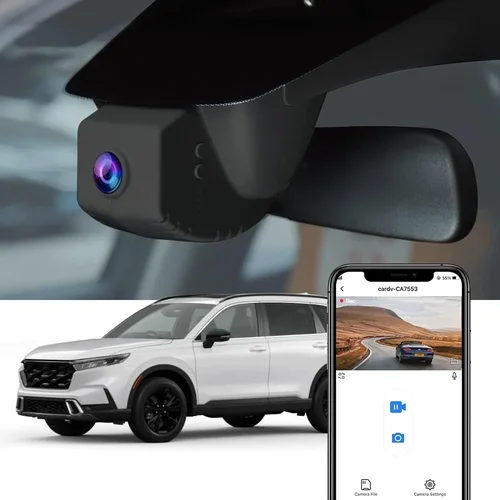
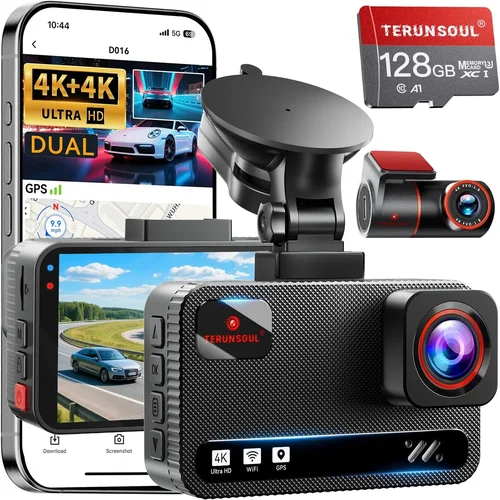
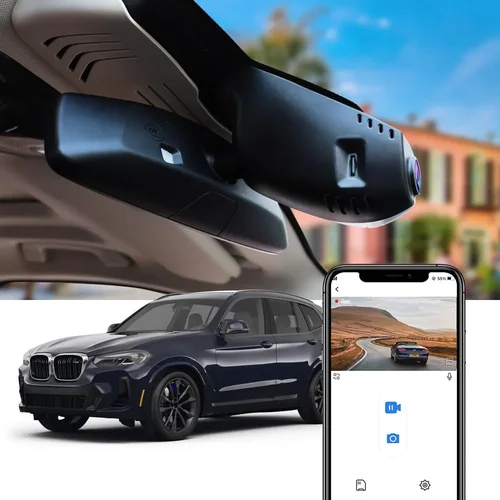
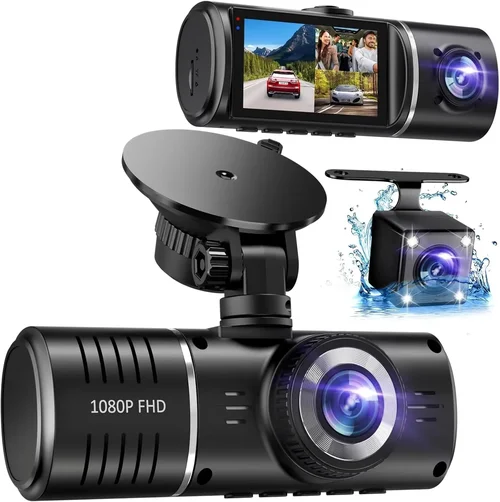
How to Choose Dash Cam for Genesis GV70
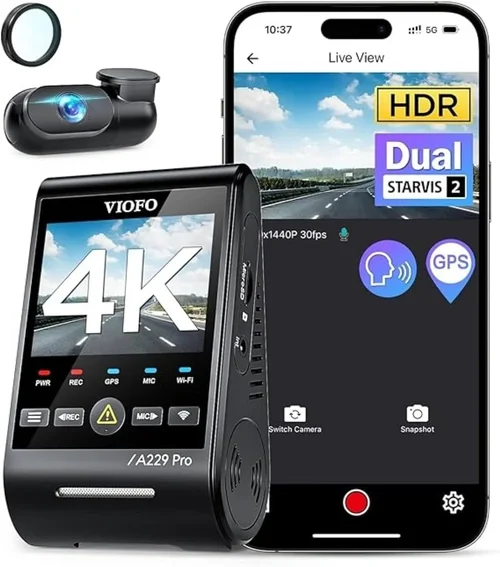
Why this guide matters
Choosing the right dash cam for your Genesis GV70 is about more than just capturing video footage—it’s about protecting yourself, your vehicle, and your peace of mind on every drive. The Genesis GV70 is a premium compact luxury SUV known for its sophisticated design, advanced safety features, and high-end interior. As such, pairing it with a high-quality dash cam ensures you’re matching the vehicle’s level of excellence. Whether you’re commuting through busy city streets or cruising down scenic highways, a reliable dash cam can provide crucial evidence in case of accidents, insurance disputes, or even help monitor your driving habits.
What readers will learn
This comprehensive buying guide walks you through everything you need to know when selecting the best dash cam for your Genesis GV70. You’ll discover how to evaluate key technical specifications, understand different types of dash cams available in today’s market, and identify common pitfalls that many buyers overlook. We’ll also break down price ranges so you can find a model that fits both your needs and budget. By the end of this article, you’ll have the knowledge to make an informed decision confidently and ensure your investment delivers long-term value and reliability.
Brief overview of the market
The dash cam industry has evolved rapidly over the past decade, transitioning from basic single-camera devices to sophisticated multi-sensor systems with cloud connectivity, GPS tracking, parking mode, and AI-enhanced features. Today’s top models offer 4K recording, night vision, loop recording, emergency locking, and even driver monitoring capabilities. With so many options flooding the market—from budget-friendly Chinese brands to premium international manufacturers—navigating the choices can feel overwhelming. That’s where this guide comes in: we cut through the noise and focus specifically on what works best for the Genesis GV70’s unique dashboard layout, power requirements, and integration needs.

What to Look for When Buying Dash Cams
Budget & Price Range
Before diving into technical specs or brand comparisons, it’s essential to establish your budget. Dash cams span a wide spectrum—from under $50 entry-level models to $300+ premium units with cutting-edge features. For most Genesis GV70 owners seeking reliable performance without overspending, a mid-range option between $80 and $150 offers the best balance of quality and affordability. However, if you prioritize ultra-high resolution, superior low-light performance, or extended warranty coverage, be prepared to invest more. Remember, a cheaper dash cam might save money upfront but could fail when you need it most during an accident or incident.
Performance Specifications
Performance is arguably the most critical factor when evaluating any dash cam. Key specs include video resolution (measured in megapixels), frame rate (fps), sensor type, and compression technology. For Genesis GV70 drivers, we recommend aiming for at least 1080p Full HD resolution; anything below this struggles to capture clear details like license plates or road signs. Models offering 2K or even 4K Ultra HD provide noticeably sharper footage and are worth the extra cost if your budget allows. Frame rates should ideally exceed 30 fps to avoid motion blur during fast-moving scenes. Additionally, consider whether the device uses H.265 or H.264 video encoding—H.265 saves storage space while maintaining quality, which extends recording time significantly.
Build Quality & Durability
Given that a dash cam sits directly in front of your windshield—exposed to temperature extremes, vibrations, dust, and potential impacts—build quality cannot be overlooked. Look for devices constructed with sturdy materials like aluminum alloy housings rather than flimsy plastic. A secure suction cup mount is vital; it must withstand sudden jolts from potholes or rough roads without detaching. Many premium dash cams now feature reinforced glass lenses with anti-reflective coatings to minimize glare and distortion. Also check for IP rating certifications (such as IP65 or higher), which indicate resistance to dust and water ingress. In colder climates, ensure the device operates reliably in sub-zero temperatures without freezing or shutting down unexpectedly.
Features & Functionality
Modern dash cams come packed with features designed to enhance usability and protection. Parking mode is one of the most valuable functions—it keeps recording even when your car is turned off, using motion detection or impact sensors to trigger event capture. Loop recording automatically overwrites older files once your memory card fills up, ensuring continuous operation without manual intervention. G-sensor technology locks footage during sudden stops or collisions, preserving crucial evidence. GPS logging adds location and speed data to videos, useful for verifying routes or proving innocence after an accident. Some advanced models even include Wi-Fi connectivity for easy file transfer via smartphone apps, voice control, or live streaming capabilities.
Brand Reputation
Not all brands are created equal. Established names like Garmin, BlackVue, Thinkware, and Nextbase have built strong reputations through consistent product quality, responsive customer service, and regular firmware updates. Newer entrants may offer tempting prices or flashy features, but they often lack the reliability and support networks of veteran manufacturers. Before purchasing, research user forums, professional reviews, and independent test results to gauge real-world performance. Brands that actively address bugs, release software improvements, and honor warranties demonstrate commitment to their customers—a trait especially important for automotive accessories meant to perform under pressure.
Warranty & Support
A solid warranty reflects confidence in product durability and gives you recourse if something goes wrong. Most reputable dash cam brands offer at least a one-year limited warranty covering manufacturing defects. Premium models may extend this to two years or include accidental damage protection. Check whether support is offered via phone, email, or online chat, and how quickly issues are resolved. Some companies even provide lifetime software updates or free replacement parts within the warranty period. Always read the fine print—some warranties exclude certain conditions like extreme temperatures, improper installation, or third-party memory cards.
Size & Portability
While not always a primary concern, size does matter depending on your preferences. Compact dash cams (under 2 inches tall) blend seamlessly into your GV70’s sleek dashboard without obstructing your view. Larger units may offer better cooling systems or larger screens but can appear bulky or distracting. Consider whether you want a discreet setup or a more prominent display unit that doubles as a rearview mirror replacement. If you plan to move the dash cam between vehicles frequently, portability becomes crucial—lightweight designs with quick-release mounts simplify transfers while minimizing wear on your car’s interior.
User Reviews & Ratings
Never underestimate the power of real user feedback. Online reviews from verified purchasers reveal insights that official marketing materials often omit—details like battery life in parking mode, ease of installation, compatibility with specific phone operating systems, or unexpected quirks like false triggering. Pay attention to recurring complaints or praises across multiple platforms. High ratings alone aren’t enough; look for detailed, balanced critiques that discuss both strengths and weaknesses. Sites like Amazon, Best Buy, CNET, and specialized automotive tech blogs aggregate thousands of user experiences, making them invaluable resources for narrowing down your final choice.
Different Types of Dash Cams

Common Buying Mistakes to Avoid
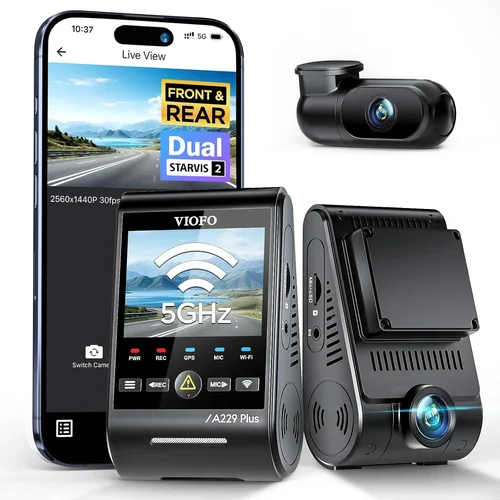
❌ Mistake: Skipping Research on Compatibility
Why it’s bad: Many buyers assume all dash cams fit any car model, but mounting angles, windshield curvature, and power source availability vary widely. Installing a poorly compatible unit can lead to poor visibility, frequent dislodging, or even interference with airbag deployment zones.
What to do instead: Measure your GV70’s dashboard space before ordering. Check manufacturer guidelines for recommended mounting locations and verify that the dash cam’s voltage requirements match your vehicle’s electrical system (typically 12V). Reading user comments about GV70 installations helps spot potential red flags early.
❌ Mistake: Ignoring Storage Capacity Needs
Why it’s bad: Relying on small microSD cards (under 64GB) forces constant manual deletion of footage, defeating the purpose of having a dash cam for passive protection. Without sufficient storage, critical events might get overwritten before you realize they occurred.
What to do instead: Choose a dash cam that supports large-capacity cards (128GB or higher) and uses efficient video codecs like H.265. This allows longer recording sessions—sometimes up to 24 hours—without sacrificing quality. Always carry spare cards if you travel extensively.
❌ Mistake: Overlooking Night Vision Capabilities
Why it’s bad: Low-light performance varies dramatically between models. A dash cam with weak infrared LEDs or inadequate image processing produces grainy, useless footage at night—rendering it ineffective during dawn, dusk, or rainy evenings when incidents are more likely.
What to do instead: Prioritize models with starlight-level sensors, wide dynamic range (WDR), and dedicated night modes. Look for explicit mentions of “night vision” or “enhanced low-light” in product descriptions. Real-world tests show that even modest improvements in nighttime clarity can make the difference between identifying a culprit and facing an unjust claim.
❌ Mistake: Choosing Based Solely on Price
Why it’s bad: The cheapest dash cam often lacks essential features like loop recording, G-sensor sensitivity, or reliable firmware. It may also come with inferior build quality prone to overheating or failure within months, leaving you vulnerable when you need protection most.
What to do instead: Focus on value rather than lowest price. Compare total cost of ownership—including potential replacement expenses—against features and reliability metrics. Mid-range options frequently outperform budget models by offering robust functionality at reasonable costs.
❌ Mistake: Neglecting Ease of Use and Interface
Why it’s bad: Complex menus, tiny buttons, or unintuitive controls frustrate users and discourage regular checks or manual recordings. If you can’t quickly confirm settings or review recent clips, you’re less likely to maintain proper usage habits.
What to do instead: Test interface responsiveness during checkout if possible. Read reviews mentioning “user-friendly,” “clear menu,” or “easy setup.” Simple touchscreen navigation or physical buttons near the lens improve usability during quick glances while driving.
❌ Mistake: Failing to Verify Return Policies
Why it’s bad: Even well-reviewed dash cams sometimes don’t work as expected in real-world conditions. Without a generous return window, discovering flaws post-purchase leaves you stuck with a non-functional device and wasted investment.
What to do instead: Purchase from retailers offering at least 30-day returns (preferably 90 days). Confirm restocking fees apply only if the item is damaged or missing parts. Keep original packaging until you’re certain everything functions correctly.
Budget Guidelines: How Much Should You Spend?
Entry-Level ($50 – $80): What to expect
If you’re new to dash cams or simply want basic coverage for occasional use, entry-level models deliver functional performance without breaking the bank. These typically offer 1080p recording, basic loop recording, and simple motion detection. While they may lack advanced features like GPS or Wi-Fi, they serve well for daily commutes or short trips. Brands like Viofo A119 Mini or Apeman C450 fall into this category. Be cautious about extremely cheap options below $50—they often compromise on sensor quality, battery life, or durability.
Mid-Range ($80 – $150): Sweet spot for most buyers
This range represents the ideal balance between capability and affordability. Most Genesis GV70 owners find their sweet spot here. Models like the Thinkware U1000 or Garmin Dash Cam 67W offer 2K resolution, excellent low-light handling, built-in GPS, and reliable cloud connectivity. They also tend to have stronger build quality, longer warranties, and better customer support. This tier includes dual-channel options for rear coverage, making it perfect for families or those who frequently reverse park in tight spaces.
Premium ($150 – $300): For enthusiasts and professionals
Enthusiasts, fleet managers, or frequent travelers should consider premium dash cams featuring 4K recording, superior image stabilization, enhanced night vision, and robust app ecosystems. Units like the BlackVue DR970X-2CH or Nextbase 522GW provide military-grade durability, automatic firmware updates, and seamless integration with smartphones. Some even include dashcam-to-cloud services for real-time alerts and remote playback. Though pricier, these devices justify the cost through unmatched reliability and forensic-grade video quality.
Luxury ($300+): Top-tier features
Ultra-premium dash cams go beyond traditional recording to include AI-powered driver assistance, facial recognition, lane departure warnings, and advanced collision avoidance. Examples include the Rexing V1P Pro or some high-end BlackVue models with dual cameras and external microphone inputs. These are geared toward serious users who demand maximum protection, legal defensibility, and cutting-edge technology. While overkill for casual drivers, they offer unparalleled peace of mind for high-value assets like luxury vehicles such as the Genesis GV70.
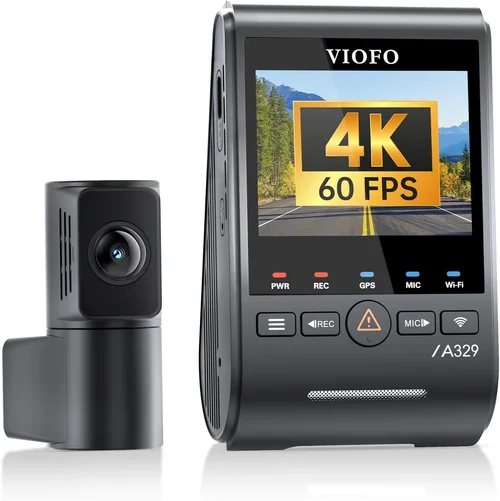
Expert Tips for Getting the Best Deal
When to buy (seasonal sales, timing)
Avoid peak shopping seasons like summer vacations or holiday rushes when inventory gets depleted and prices rise. Instead, target late September through November for the best deals. Also consider waiting after new model releases—older versions frequently drop in price to clear stock. Subscribe to retailer newsletters to catch exclusive promo codes or early access to sales.
Where to buy (retailers, online vs in-store)
Online retailers like Amazon, B&H Photo, or Best Buy generally offer wider selections, competitive pricing, and detailed product comparisons. In-store visits allow hands-on testing but limit selection and negotiation leverage. For complex installations involving hardwiring, certified auto accessory shops may provide professional services at reasonable rates. Always compare shipping times against delivery guarantees—some sellers promise same-day dispatch while others take days.
How to spot deals
Look for bundle packages that include memory cards, suction cups, or wiring kits. These add value without increasing per-unit cost. Sign up for price-drop alerts using browser extensions or apps. Check refurbished sections on manufacturer websites—certified pre-owned dash cams often come with full warranties and undergo rigorous inspection.
Warranty considerations
Opt for brands offering at least one year of coverage, preferably extended through registration. Avoid products sold exclusively through third-party resellers lacking direct manufacturer support. Confirm whether warranties cover accidental drops or water damage—many exclude these unless you purchase additional protection plans.
Return policies
Choose sellers with liberal return windows (90 days minimum). Understand restocking fee structures: legitimate retailers waive fees for unopened items, while opportunistic vendors charge 15–25%. Keep original packaging and accessories until you’re fully satisfied. Document any defects immediately upon unboxing to streamline returns.
Testing before buying
Whenever possible, demo dash cams at local electronics stores or automotive expos. Observe screen brightness, button responsiveness, and menu logic under daylight and dim lighting. Ask staff about compatibility with your GV70’s make/model year. If unavailable locally, watch unboxing or first-use videos on YouTube to assess real-world usability.
Installation guidance
Professional installation isn’t mandatory but highly recommended for hardwired models or those requiring rear camera routing. Improper wiring risks draining your car battery or causing electrical fires. DIY installations save money but require patience and basic tools. Watch tutorial videos specific to your GV70 trim level to anticipate challenges like tight engine bay spaces or obstructed fuse boxes.

Frequently Asked Questions
Q: Can I install a dash cam myself in my Genesis GV70?
A: Yes, most dash cams are designed for DIY installation and require only basic tools like screwdrivers and zip ties. However, hardwiring models that draw power from your fuse box benefit from professional help to avoid electrical issues. Follow manufacturer instructions carefully and consult GV70-specific guides for optimal placement.
Q: Will a dash cam drain my Genesis GV70’s battery?
A: Modern dash cams consume minimal power—usually less than 1 amp—and won’t drain your battery during normal operation. Parking mode uses ultra-low power circuits, but prolonged exposure to extreme cold or faulty wiring could pose risks. Using a capacitor-based parking mode (common in premium models) eliminates battery drain concerns entirely.
Q: Do I need a memory card, or does the dash cam include one?
A: Almost all dash cams require a separate microSD card, though some budget models include 8GB cards that fill up quickly. We strongly recommend investing in a high-endurance card rated for continuous write cycles (e.g., SanDisk MAX Endurance or Samsung PRO Endurance) to prevent corruption or loss of footage.
Q: Are dash cams legal in all states?
A: Dash cams themselves are legal everywhere in the United States, but laws regarding audio recording vary. Some states require consent from all parties recorded; always check local regulations before relying on dash cam footage for legal proceedings.
Q: How long does dash cam footage last on a 128GB card?
A: At 1080p resolution with H.264 compression, a 128GB card stores approximately 8–10 hours of footage. Upgrading to H.265 or lowering bitrates extends this further. Loop recording ensures older clips overwrite automatically, maintaining uninterrupted coverage.
Q: Can I view dash cam footage remotely?
A: Yes, smart dash cams with Wi-Fi and cloud connectivity allow live viewing and playback via smartphone apps. Services like BlackVue Cloud or Thinkware MyCarApp enable real-time alerts, GPS tracking, and secure cloud backups—ideal for fleet management or peace of mind away from home.
Q: Should I choose a single or dual-channel dash cam for my GV70?
A: For most GV70 owners, a dual-channel system (front + rear) provides comprehensive protection, especially given the vehicle’s premium status and frequent use in urban environments. Rear cameras deter tailgaters, capture hit-and-runs, and assist during parking maneuvers—making them well worth the added cost.
Q: What happens if my dash cam runs out of storage?
A: Loop recording automatically deletes the oldest files once your memory card fills up, ensuring continuous operation. Critical events triggered by G-sensors are locked and preserved until manually deleted. Regularly backing up important clips to a computer or cloud service prevents accidental loss.
Our Final Recommendations
Best for Budget-Conscious Buyers
If you’re looking to protect your Genesis GV70 without spending heavily, the Viofo A119 Mini stands out as a top contender. Priced around $70, it delivers crisp 1080p video, reliable loop recording, and a compact form factor that blends into your GV70’s elegant cabin. Its built-in G-sensor ensures vital moments aren’t lost, and the included suction cup mount stays securely attached even on bumpy roads. While it lacks GPS and Wi-Fi, these omissions keep costs low without sacrificing core functionality. Users praise its straightforward setup and consistent performance over months of daily use.
Best Overall Value
For those seeking the sweet spot between features and price, the Thinkware U1000 deserves serious consideration. Priced at roughly $140, it offers stunning 2K resolution, exceptional low-light imaging, and dual-channel support for full 360-degree coverage. Built-in GPS logs precise location data, while cloud connectivity enables remote access and automatic uploads. The rugged aluminum casing withstands harsh conditions, and the intuitive interface simplifies navigation. Owners consistently rate its durability, image clarity, and responsive customer service as game-changing upgrades over lesser-known brands.
Best Premium Option
Luxury-minded GV70 drivers shouldn’t settle for mediocrity. The BlackVue DR970X-2CH represents the pinnacle of dash cam engineering. Priced near $300, it records in breathtaking 4K Ultra HD with HDR enhancement, captures smooth slow-motion clips, and features advanced night vision powered by Sony STARVIS sensors. Its dashcam-to-cloud service sends instant alerts to your phone, while the optional external microphone improves audio fidelity. Military-grade build quality, automatic firmware updates, and a generous three-year warranty reflect BlackVue’s commitment to excellence. This isn’t just a dash cam—it’s a forensic-grade surveillance system.
Best for Beginners
Newcomers to dash cam technology will appreciate the Garmin Dash Cam 67W. Retailing for about $130, it combines simplicity with smart features like voice control, incident detection, and seamless smartphone pairing. The wide-angle lens minimizes blind spots, while the anti-glare coating reduces reflections on your GV70’s curved windshield. Installation takes minutes, and the companion app provides clear instructions and playback tools. Garmin’s reputation for reliability and user-friendly interfaces makes this an ideal entry point for those hesitant about complex setups or unfamiliar tech.
Best for Advanced Users
Tech enthusiasts craving innovation should explore the Rexing V1P Pro. Priced around $180, it packs AI-driven features like driver fatigue alerts, lane departure warnings, and facial recognition alongside 4K recording and Wi-Fi streaming. The modular design allows swapping lenses or adding extra cameras, while the built-in SOS button sends distress signals during emergencies. Customizable settings cater to power users who demand granular control over every aspect of recording. Though slightly steeper learning curve, its versatility and forward-thinking design position it ahead of competitors in the evolving smart dash cam landscape.
Conclusion: Making the Right Choice
Selecting the best dash cam for your Genesis GV70 ultimately hinges on aligning your priorities—whether that’s maximizing protection, embracing cutting-edge tech, or optimizing value. Throughout this guide, we’ve explored critical factors like performance specs, build quality, and budget tiers to empower you with actionable insights. Remember, a dash cam isn’t merely a gadget; it’s a shield for your vehicle, your finances, and your tranquility behind the wheel. By avoiding common pitfalls, leveraging expert tips, and choosing wisely within your means, you’ll equip yourself with a trusted companion ready to defend your interests whenever danger lurks around the corner.
As you finalize your decision, revisit your primary goals: Are you focused on everyday safety, insurance compliance, or future-proofing your investment? Whatever your answer, prioritize proven reliability over fleeting trends. Test candidates if possible, read verified reviews, and don’t hesitate to seek professional installation advice. Your Genesis GV70 deserves nothing less than excellence—and neither do you.