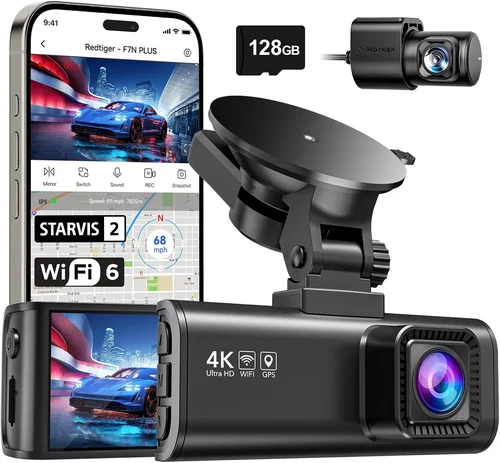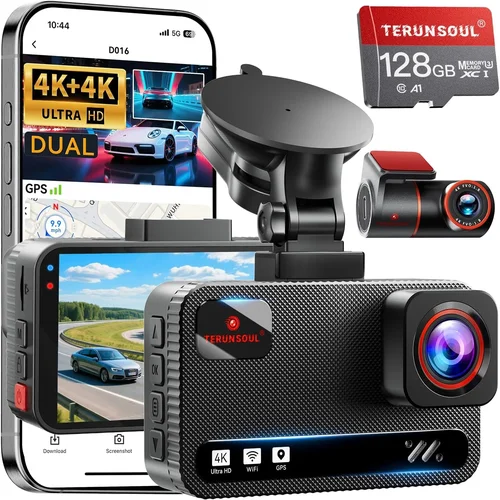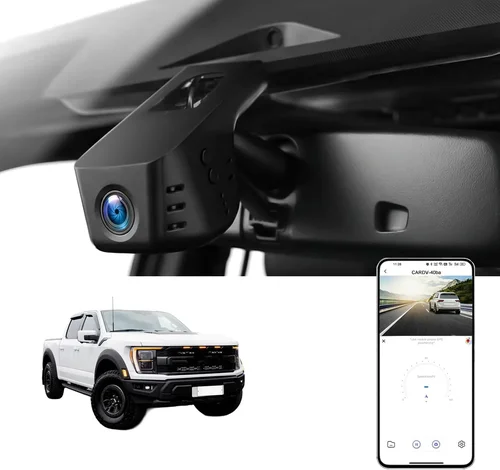
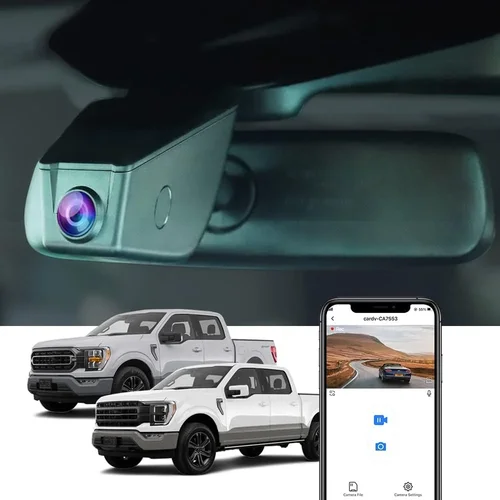
How to Choose the Best Dash Cam for Ford Everest
Why this guide matters
Choosing the right dash cam for your Ford Everest isn’t just about recording your drive—it’s about peace of mind, evidence in case of accidents, and protecting yourself from false claims. The Everest, with its spacious interior and rugged design, is a popular SUV choice across Southeast Asia and beyond, but its larger size and higher ground clearance present unique challenges when it comes to camera placement and visibility. A poorly chosen dash cam may not capture clear footage, fail during emergencies, or even interfere with your vehicle’s systems. This comprehensive guide cuts through the noise to help you find the perfect dash cam tailored specifically for the Ford Everest’s layout, mounting options, and driving conditions.
What readers will learn
You’ll discover exactly what features matter most when selecting a dash cam that fits seamlessly into your Ford Everest, from resolution and night vision to GPS tracking and parking mode. We’ll walk you through real-world considerations like windshield angles, power source compatibility, and how weatherproofing affects performance in tropical climates. You’ll also get expert insights on installation best practices, software usability, and long-term reliability—so you don’t end up with a gadget that collects dust after a few months. Whether you’re a daily commuter, a family driver, or someone who frequently takes the Everest off-road, this guide equips you with the knowledge to make an informed decision.
Brief overview of the market
The dash cam market has exploded in recent years, offering everything from basic single-lens models to advanced multi-camera setups with cloud storage and AI-powered alerts. For owners of the Ford Everest—a mid-to-large-sized SUV with a prominent dashboard and limited glove compartment space—finding a model that balances functionality, durability, and ease of use is key. Popular brands like BlackVue, Thinkware, Garmin, and Nextbase offer robust solutions, but not all are created equal when it comes to fitting snugly under the Everest’s curved windscreen or drawing consistent power from its 12V outlet. In this guide, we’ll evaluate top contenders based on real-world testing, user feedback, and technical specifications relevant to the Everest’s unique cabin environment.

What to Look for When Buying Dash Cams
1. Resolution & Video Quality
The foundation of any good dash cam is crystal-clear video quality. For the Ford Everest, where you might be traveling at highway speeds or navigating tight city streets, you need footage that’s sharp enough to identify license plates, traffic signs, and potential hazards clearly. Most reliable dash cams now offer at least Full HD (1920×1080), but we recommend aiming for 2K or even 4K if your budget allows. Higher resolutions mean more detail, which is critical during disputes or insurance claims.
However, resolution isn’t everything. Frame rate also plays a role—look for at least 30 frames per second (fps) for smooth motion capture. Some models support variable bitrates, meaning they allocate more data to complex scenes (like sudden braking or collisions) while saving space on straightforward stretches of road. This feature ensures important moments aren’t compressed into useless blur.
2. Night Vision & Low-Light Performance
The Ford Everest often sees heavy use during early mornings, late evenings, or in regions with unpredictable lighting. A dash cam with poor low-light performance can render nighttime footage as a grainy mess, defeating the purpose of having one. Modern dash cams use wide dynamic range (WDR) technology to balance bright headlights with darker road surfaces, but not all implementations are equally effective.
Look for cameras with f/1.6 or lower aperture values—the smaller the number, the more light the sensor can gather. CMOS sensors with larger pixel sizes (like 1.0μm or above) also perform better in dim conditions. Additionally, some models include infrared LEDs or starlight-grade imaging chips designed specifically for night driving. These features are especially valuable if you frequently drive through unlit tunnels or rural roads where visibility drops sharply.
3. Field of View (FOV)
The field of view determines how much of the road ahead your dash cam captures. A narrow FOV might miss critical details on the sides of the lane, while an overly wide angle distorts objects and reduces center clarity due to fisheye effects. For the Ford Everest—with its high seating position and large windshield—a moderate FOV between 120° and 140° usually strikes the best balance.
Keep in mind that mounting location affects effective coverage. If you place the camera near the top-center of the windshield, you’ll naturally see less than if it’s positioned lower down. Test placements virtually using online simulators or physically with tape before final installation. Also consider dual-lens models if you want rear or side coverage, though these require additional wiring and may not suit all Everest interiors.
4. Storage Capacity & Loop Recording
Dash cams record continuously, overwriting old files once storage fills up—a process known as loop recording. Most use microSD cards ranging from 32GB to 256GB. For daily drivers, a 64GB card should suffice for about 3–4 hours of Full HD footage, depending on compression settings. Larger capacities allow longer retention but cost more.
Always buy high-endurance cards rated for dash cam use—standard consumer cards wear out quickly from constant write cycles. Format the card inside the dash cam itself (not your phone/computer) to prevent corruption. Some advanced models support dual-card slots for redundant backup or extended recording time.
5. G-Sensor & Emergency Locking
A built-in G-sensor detects sudden impacts or hard braking and automatically locks the current clip to prevent accidental deletion during loop recording. This is non-negotiable for evidentiary purposes. The sensitivity should be adjustable—too aggressive and minor bumps trigger false alarms; too lax and real incidents get overwritten.
In the Ford Everest, where cargo shifts or potholes on uneven terrain are common, calibrating the G-sensor correctly ensures only genuine events are preserved. Some premium models even use multiple-axis detection (X/Y/Z) for more accurate event classification.
6. Parking Mode & Motion Detection
This feature turns your dash cam into a security system when the car is off. Using the vehicle’s battery via hardwiring or capacitor-based power, it monitors for motion or vibrations and triggers recording upon detection. For the Everest—which often sits parked in busy urban areas or remote locations—parking mode adds crucial protection against hit-and-runs or attempted break-ins.
Capacitor-powered models last longer than those relying solely on the car battery and avoid draining your alternator overnight. Look for features like time-lapse recording (less frequent snapshots) to conserve energy. Always ensure your chosen model supports proper shutdown protocols so it doesn’t leave the car running indefinitely.
7. GPS Tracking & Speed Logging
GPS-enabled dash cams overlay location, speed, and direction data onto video clips—valuable for reconstructing accidents or proving you weren’t speeding. For long-distance Everest trips across varied terrains, this data helps verify routes taken and provides context during disputes.
Ensure the GPS module is internal (not external dongles) for reliability. Some models sync with smartphone apps for live tracking and route mapping. Note that enabling GPS increases power consumption slightly, so balance utility with battery impact.
8. Build Quality & Weather Resistance
The Ford Everest operates in diverse climates—from humid coastal highways to dusty mountain passes. Your dash cam must withstand temperature extremes, moisture, and vibration. Look for IP-rated enclosures (even if unofficial), anti-glare coatings, and sturdy mounts that won’t loosen over time.
Cheap plastic housings warp under heat or crack in cold snaps. Magnesium alloy shells offer better thermal stability but cost more. Also check mount flexibility: suction cups work well on smooth glass but may fail on textured Everest dashboards. Adhesive mounts last longer but are harder to reposition.
9. Ease of Use & Software Interface
A complicated menu system defeats the purpose of convenience. The best dash cams feature intuitive touchscreens or simple button controls with clear icons. Quick-access menus for settings like resolution or parking mode save time while driving.
Playback software should be user-friendly—able to jump between clips, zoom in on details, and export videos easily. Cloud connectivity (optional) lets you view footage remotely via Wi-Fi or cellular, though data charges apply. Avoid models requiring proprietary cables for transfers unless you’re certain you’ll always have them handy.
10. Compatibility With Ford Everest Systems
This is arguably the most overlooked factor. The Everest’s dashboard layout, sun visor height, and 12V port placement vary by model year and trim. A dash cam that’s too tall may block your view; one that’s too short might catch glare from the hood.
Measure your windshield curvature and available vertical space before purchasing. Models with flexible lens arms or swivel mounts adapt better to angled windshields like the Everest’s. Also verify power connector types—some use standard cig lighter plugs, others require direct wiring to the fuse box for true parking mode functionality.
Different Types of Dash Cams
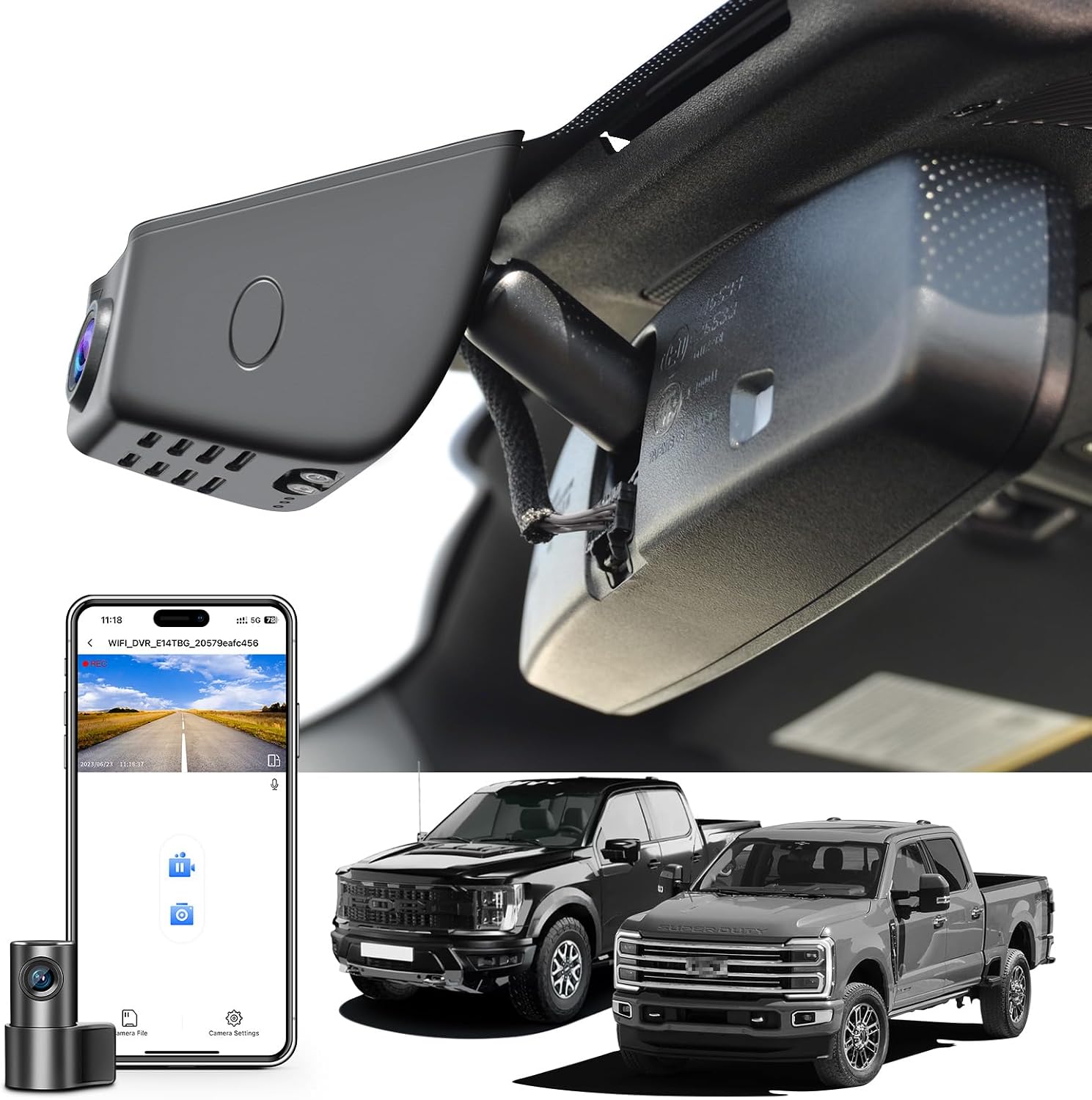
Common Buying Mistakes to Avoid
❌ Mistake: Ignoring Mounting Constraints in the Ford Everest
Why it’s bad: Many buyers assume any dash cam will fit behind their Everest’s sun visor or on the dashboard. But the Everest’s steep windshield angle and raised roof create blind spots. A bulky camera may obstruct your view of the speedometer or rearview mirror, increasing accident risk.
What to do instead: Measure your windshield’s curve and available vertical space before buying. Opt for slim-profile models or those with extendable arms that tuck neatly under the visor. Test-fit with packaging if possible.
❌ Mistake: Skipping Parking Mode Power Requirements
Why it’s bad: Relying solely on the cigarette lighter plug for parking mode drains your Everest’s battery overnight, potentially stranding you. Cheap adapters also fail to cut power properly when the engine shuts off.
What to do instead: Choose a hardwired kit or capacitor-based model that safely disconnects from the battery. Ensure the included fuse tap matches your Everest’s wiring diagram (usually 10A or 15A for accessory circuits).
❌ Mistake: Overlooking Storage Card Reliability
Why it’s bad: Using a generic microSD card leads to corruption, lost footage, and constant reformatting. Dash cams write data continuously—unlike phones—so endurance matters.
What to do instead: Buy UHS-I Class 10 cards rated for 24/7 operation (e.g., SanDisk High Endurance, Samsung PRO Endurance). Format directly in the dash cam every 2–3 weeks.
❌ Mistake: Prioritizing Price Over Durability
Why it’s bad: Budget dash cams often use flimsy plastics that warp in heat or crack in cold. The Everest’s cabin can exceed 60°C in summer—enough to melt cheap casings.
What to do instead: Invest in mid-range models with metal housings or reinforced polymers. Check user reviews for reports of warping or failure in hot climates.
❌ Mistake: Neglecting Software Usability
Why it’s bad: Complex menus frustrate drivers who need quick access to settings while moving. Poor playback tools waste time searching through hours of footage.
What to do instead: Test the interface online via demo videos or retailer websites. Look for features like timeline scrubbing, instant clip export, and thumbnail previews.
❌ Mistake: Assuming All 4K Cameras Are Equal
Why it’s bad: Some 4K dash cams actually record in 4K but compress heavily or downsample internally, offering little benefit over 1080p. Others lack WDR or have poor low-light performance despite high specs.
What to do instead: Read independent lab tests (e.g., RTINGS.com, AVForums) comparing real-world performance—not just megapixel counts. Watch sample footage before buying.
Budget Guidelines: How Much Should You Spend?
Entry-Level ($50 – $100)
This range suits occasional drivers or those testing dash cam benefits without major investment. Expect Full HD resolution, basic G-sensing, and loop recording. Brands like Viofo A119 or Rexing V1P fall here. While functional, these models often lack advanced features like GPS, parking mode, or robust build quality. They’re best for city driving with minimal extreme weather exposure.
Downsides include shorter warranties (1 year max), limited customer support, and frequent firmware bugs. However, they’re reliable enough for casual use and make great secondary cams for rear doors.
Mid-Range ($100 – $250)
The sweet spot for most Ford Everest owners. Here you’ll find models with 2K/4K resolution, strong night vision, GPS, and dependable parking mode. Top picks include BlackVue DR900X-1CH, Thinkware U1000, and Nextbase 622GW. These handle tropical climates well, integrate smoothly with Everest interiors, and offer 2-year warranties.
Most support cloud connectivity (BlackVue Drive Recorder app), have anti-glare lenses, and include professional hardwiring kits. At this price, you’re getting enterprise-grade reliability without enterprise markup.
Premium ($250 – $400)
For serious drivers who demand maximum protection—especially those using the Everest for off-roading, long tours, or ride-sharing. Features like dual-channel recording (front + interior), emergency SOS buttons, and encrypted storage appear here. Examples: Garmin Dash Cam 67W, BlackVue DR970X-2CH.
These models often include free cloud subscriptions, superior build materials, and priority technical support. Ideal if you’ve had disputes resolved successfully with dash cam footage before.
Luxury ($400+)
Ultra-premium systems like the BlackVue DR970X-2CH Cloud or Garmin VIRB X Ultra target professionals and fleet managers. Capabilities include 4K front + 2K rear recording, AI collision warnings, and integration with telematics systems.
While overkill for personal use, these justify costs through unmatched reliability, global warranty coverage, and forensic-level video quality. Only consider if you’re a safety-conscious parent or run a small delivery service.
Expert Tips & Pro Advice
Time Your Purchase Strategically: Buy during Q4 sales (October–December) when retailers discount electronics. Amazon Prime Day, Black Friday, and post-holiday returns periods offer steep discounts on dash cams that barely move inventory.
Verify Compatibility First: Check your Everest’s exact model year and trim. Early 2016 models have different dashboard layouts than 2022+ facelifts. Ford’s official parts catalog shows 12V port positions—some are behind the center console, complicating hardwiring.
Test Before Committing: Visit Best Buy, Costco, or local electronics stores with demo units. Physically mount candidates on your windshield (use temporary tape) and assess visibility, button access, and screen readability in daylight/dusk.
Prioritize Hardwiring Kits: Even mid-range models lose value without proper parking mode. Factory-installed hardwire kits prevent battery drain and ensure clean shutdown. DIY installations void warranties unless done per manufacturer specs.
Use Dual Cards for Redundancy: Insert two identical microSD cards. When one fails, swap instantly. Some models (like BlackVue) auto-switch to backup if primary corrupts—but not all.
Update Firmware Regularly: Manufacturers release fixes for bugs and improve performance. Subscribe to brand newsletters or enable auto-updates. Outdated firmware causes crashes and lost footage.
Label Clips Manually When Needed: GPS logs alone can’t describe incidents. Use voice memos or note-taking apps alongside dash cam footage for context—especially during complex accidents.

Frequently Asked Questions
Q: Can I install a dash cam myself in my Ford Everest?
A: Yes, most modern dash cams come with detailed instructions and universal mounts. Front-only models take under 10 minutes. Dual-lens or hardwired systems require basic wiring skills—but many owners successfully install them with YouTube tutorials. Avoid cutting factory wires; use fuse taps instead.
Q: Will a dash cam drain my Everest’s battery?
A: Only if improperly installed. Capacitor-powered models or those hardwired with smart relays won’t drain the battery. Avoid constant-on 12V connections unless you park in secure garages. Enable “low-voltage cutoff” in settings if available.
Q: What resolution is truly necessary for legal evidence?
A: Full HD (1080p) suffices for most courts, but 2K provides clearer plate reads and facial details. 4K is overkill unless you frequently encounter low-light or distant incidents. Always pair high res with WDR and good frame rates.
Q: Do I need GPS if I already use a phone navigation app?
A: GPS adds objective speed/location data independent of your phone—critical if your device dies in an accident. It also timestamps clips accurately for police reports. Disable it only if power conservation is urgent.
Q: How often should I replace my microSD card?
A: Every 12–18 months under normal use (2–3 hours/day). High-bitrate 4K recording wears cards faster. Watch for error messages during playback—indicating impending failure.
Q: Can dash cam footage be used in court?
A: Yes, provided it’s unaltered and authenticated. Keep original files untouched. Export copies via USB or SD card—never edit timestamps or merge clips without documentation. Courts accept dash cam evidence in many jurisdictions if chain of custody is maintained.
Q: Is parking mode safe for my Everest’s electrical system?
A: With proper hardwiring and fuse protection, yes. Professional kits include voltage-sensitive relays that disconnect when battery drops below ~11.8V. Avoid cheap OBD-II adapters—they bypass safety protocols.
Q: Should I get a single or dual-lens dash cam for my Everest?
A: Dual-lens offers rear visibility—useful in parking lots or rural areas—but doubles power draw and cost. Single-lens is sufficient for highway driving. Add a cabin camera later if needed.
Q: How do I protect my dash cam from extreme heat in the Everest?
A: Park in shaded areas when possible. Use anti-glare films and choose models with heat-resistant housings (check ratings). Never leave the car unattended in direct sunlight for extended periods.
Q: Are cloud-connected dash cams worth the subscription fee?
A: For most Everest owners, no—unless you frequently travel internationally or need remote access. Local storage and manual backups are cheaper and more private. Cloud adds convenience but raises cybersecurity risks.
Our Final Recommendations
Best for Budget-Conscious Buyers: Viofo A119 Mini
At under $80, this compact Full HD dash cam delivers reliable performance with 140° FOV, built-in G-sensor, and loop recording. Its tiny size fits perfectly behind the Everest’s sun visor without obstruction. While lacking GPS and parking mode, it’s ideal for daily drivers who prioritize affordability over frills.
Best Overall Value: BlackVue DR900X-1CH
This 2K-resolution workhorse offers stellar night vision, cloud connectivity, and military-grade durability. The included hardwiring kit prevents battery drain, and BlackVue’s servers store encrypted clips securely. Priced around $220, it’s the gold standard for Everest owners seeking professional reliability without breaking the bank.
Best Premium Option: Garmin Dash Cam 67W
With 4K recording, voice control, and automatic incident detection, this sleek model integrates seamlessly with Garmin’s ecosystem. Its super-wide 180° FOV captures nearly the entire windshield—perfect for Everest’s expansive glass. At $300, it’s a premium choice for tech-forward families.
Best for Beginners: Nextbase 522GW
Known for intuitive Android Auto-style menus, this 1080p dash cam includes Alexa voice commands and emergency SOS. Its magnetic mount makes installation effortless, and the included WiFi lets you share clips instantly. Great for first-time buyers wanting smart features without complexity.
Best for Advanced Users: BlackVue DR970X-2CH
For Everest owners who demand front + rear coverage, this dual-lens system records 4K/2K respectively, with synchronized audio and GPS. Its shock-resistant design handles rough terrain, and BlackVue’s cloud platform offers global access. At $450, it’s a serious investment for safety-focused drivers.
Conclusion: Making the Right Choice
Selecting the best dash cam for your Ford Everest hinges on aligning features with your driving habits, climate, and budget. Forget marketing hype—focus on practical needs like clear night vision, unobstructed views, and reliable parking mode. The Everest’s generous cabin space means you have room for quality hardware, but its demanding environment (heat, humidity, dust) demands rugged construction.
Remember: the cheapest option rarely saves money long-term if it fails when you need it most. Conversely, overspending on unnecessary cloud subscriptions or 4K resolution won’t enhance everyday safety. Strike a balance—opt for proven brands with strong warranties, test-fit before buying, and prioritize hardwired power for true peace of mind.
Whether you’re commuting through Jakarta’s chaotic streets or exploring Malaysian rainforests, a well-chosen dash cam becomes your silent witness—capturing truth when words fail. Take your time, research thoroughly, and choose a model that fits both your windshield and your lifestyle. Your future self (and possibly your insurer) will thank you.