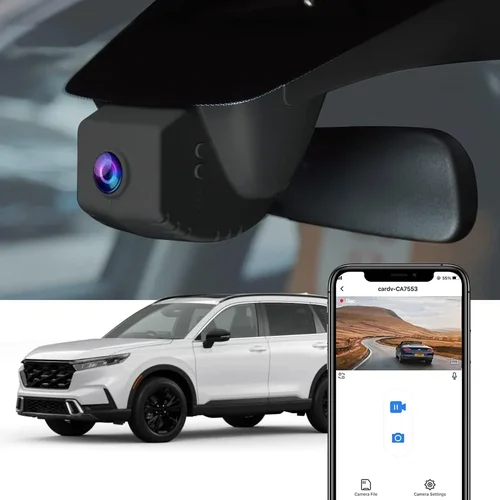
Best Dash Cam for Dump Trucks Selection Guide
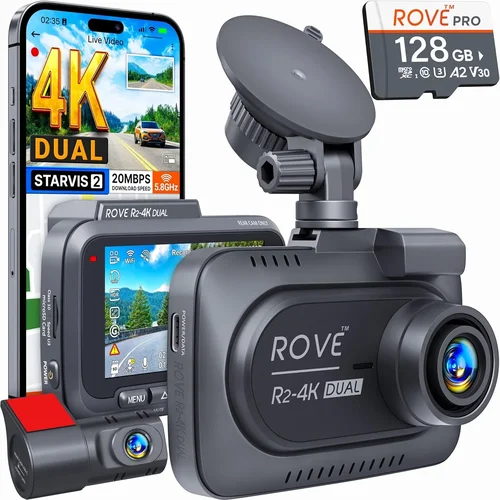
In the demanding world of commercial trucking, particularly for dump trucks that operate in harsh conditions and handle heavy loads, having reliable equipment is not just beneficial—it’s essential. One piece of technology that has become increasingly critical is the dash cam. These devices serve multiple purposes: they provide evidence in case of accidents, help monitor driver behavior, deter theft and vandalism, and can even improve safety through real-time alerts. For dump truck operators, who often work in remote locations or challenging terrains, a dash cam isn’t just a convenience; it’s a vital tool for protecting assets, ensuring compliance, and maintaining operational integrity.
This comprehensive guide is designed to help you navigate the complex landscape of dash cam options specifically tailored for dump trucks. Whether you’re managing a single vehicle or a fleet, understanding what makes a dash cam suitable for heavy-duty applications is crucial. You’ll learn about the unique demands placed on these systems—such as extreme temperature resistance, shock absorption, and high-resolution recording capabilities—and how to choose a model that meets those requirements without breaking your budget. We’ll explore everything from entry-level models with basic functionality to premium systems offering advanced features like GPS tracking, cloud connectivity, and AI-powered incident detection.
The market today offers a wide variety of dash cams, but not all are created equal when it comes to durability and performance under tough conditions. Many consumer-grade models may fail within months due to overheating, lens fogging, or mechanical stress from constant vibration and temperature swings common in dump truck operations. This guide cuts through the marketing noise and provides expert insights into selecting a device that truly stands up to the rigors of construction sites, gravel roads, and long-haul routes where dump trucks frequently operate. By the end of this article, you’ll have a clear understanding of which features matter most, how much you should expect to spend, and which models currently offer the best combination of reliability, functionality, and value for your specific needs.

What to Look for When Buying Dash Cams
1. Build Quality & Durability
For dump trucks operating in some of the harshest environments imaginable, build quality is non-negotiable. Unlike passenger vehicles that cruise on paved highways, dump trucks frequently traverse unpaved roads, encounter extreme weather conditions, and endure constant vibrations from off-road terrain. A poorly constructed dash cam might last only a few months before failing due to cracked lenses, fried circuits, or loose mounting brackets. When evaluating durability, look for models specifically engineered for commercial use with reinforced housings made from polycarbonate or aluminum alloys. These materials resist impacts better than plastic alternatives commonly found in consumer models. Additionally, check if the unit has been tested against military standards (MIL-STD-810G) or similar ruggedization certifications. Such testing ensures resistance to shocks, drops, dust infiltration, and temperature extremes ranging from -40°F to 158°F—conditions routinely faced by dump trucks during winter salt spreading or summer desert operations.
2. Video Resolution & Recording Quality
High-definition video is essential for capturing clear details such as license plates, facial expressions, road signs, and potential accident scenes. Most professional-grade dash cams now offer at least 1080p resolution, but for dump trucks—where incidents often occur at higher speeds and involve large vehicles—you’ll want superior clarity. Look for models supporting 2K (1440p) or even 4K Ultra HD recording. However, keep in mind that higher resolutions require more storage space and processing power, which can impact battery life and file management. The field of view (FOV) is equally important; a wider angle captures more of the road ahead and surroundings, reducing blind spots. Aim for a horizontal FOV between 120° and 160°. Also consider whether the camera supports HDR (High Dynamic Range), which improves image quality in varying lighting conditions like bright sunlight reflecting off wet asphalt or dark tunnels. Night vision capabilities using infrared LEDs or low-light sensors ensure visibility during nighttime hauls, which are common in construction zones or mining operations.
3. Storage Capacity & Loop Recording
Dash cams rely on loop recording to continuously overwrite old footage once the memory card fills up, ensuring uninterrupted operation without manual intervention. For dump trucks that run 12-hour shifts or more, this feature is indispensable. Most systems support microSD cards ranging from 32GB to 256GB, but capacity needs depend heavily on recording settings and desired retention period. Higher frame rates (like 60fps vs 30fps) generate larger files and fill storage faster. If you need to retain footage for several weeks, opt for at least a 128GB card. Some advanced models offer built-in cloud storage integration, allowing automatic upload of critical clips to secure servers—ideal for fleet managers needing centralized access. Be cautious about proprietary memory formats; always verify compatibility with standard microSD cards to avoid vendor lock-in and simplify data recovery if needed.
4. Power Source & Installation Flexibility
5. Weather Resistance & Temperature Tolerance
Dump trucks operate in environments where temperatures swing dramatically—from freezing cold during winter salt application to scorching heat in desert quarries. A dash cam exposed to such extremes risks lens fogging, sensor malfunctions, or complete failure. Seek models rated for operation between -40°F and 185°F (-40°C to 85°C). Look for IP (Ingress Protection) ratings indicating resistance to water and dust; IP67 or higher means the unit can withstand immersion in water up to 1 meter deep and full protection against solid particles. Anti-fog coatings on lenses prevent internal condensation buildup, especially important in humid climates or during rapid temperature changes inside enclosed cabs. Some manufacturers also include thermal management features like heat sinks or active cooling fans to maintain optimal operating temperatures during prolonged exposure to direct sunlight.
6. Audio Capabilities & Communication Features
While many drivers assume audio recording is unnecessary for dash cams, it can be invaluable for documenting conversations, dispatch instructions, or even warning shouts during emergencies. Built-in microphones capture ambient sounds within the cab, though quality varies significantly between models. Noise-canceling technology helps filter out engine rumble and wind noise, preserving intelligible speech. Some advanced units feature two-way communication via Bluetooth headsets or smartphone apps, enabling hands-free calling or voice commands for menu navigation. For fleet operators, integrated intercom systems allow real-time communication between multiple vehicles—useful for coordinating movements on crowded job sites or responding to hazards collaboratively. Voice-activated controls reduce distraction by minimizing touchscreen interactions while driving.
7. GPS Tracking & Data Logging
Global Positioning System (GPS) functionality adds significant value for dump truck fleets by logging location coordinates, speed, and route history alongside video footage. This data proves invaluable for verifying delivery times, investigating disputes, or analyzing driver habits. Real-time GPS tracking enables dispatchers to monitor vehicle positions remotely, improving logistics efficiency and response times for roadside assistance. Some dash cams sync with telematics platforms already used by trucking companies, consolidating fuel consumption, idle time, and maintenance records into a unified dashboard. Speed alerts notify drivers when approaching restricted zones or exceeding posted limits, promoting safer driving practices. Timestamp overlays on video recordings further enhance forensic analysis by correlating events with precise geographic and temporal markers.
8. User Interface & Ease of Use
A cluttered interface or confusing menu system can distract drivers and increase cognitive load during stressful situations. Opt for dash cams with intuitive touchscreens or physical buttons clearly labeled with icons rather than text-heavy menus. Menu navigation should be simple enough for novice users while offering advanced customization options for experienced operators. On-screen prompts guide users through setup processes like adjusting sensitivity levels for G-sensor triggers or configuring recording intervals. Some models feature auto-focus lenses that adapt to changing distances automatically, eliminating manual adjustments. Voice guidance—either spoken alerts or synthesized text-to-speech messages—can announce status updates without requiring visual attention. Compatibility with mobile apps expands usability beyond the cab, letting managers review footage or adjust settings remotely via smartphones or tablets.
Different Types of Dash Cams

Common Buying Mistakes to Avoid
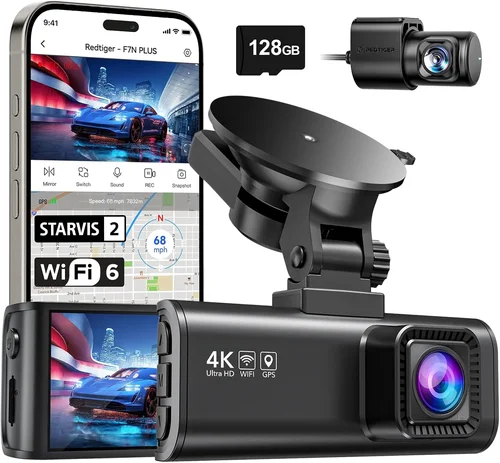
❌ Mistake: Choosing Based Solely on Price
Why it’s bad: While budget constraints are real, prioritizing the cheapest option often leads to frequent replacements and hidden costs. Consumer-grade dash cams marketed at $50–$70 typically lack the ruggedness needed for dump truck operations, resulting in premature failure due to cracked casings, lens fogging, or fried circuitry from temperature extremes. These units may also consume excessive power, draining truck batteries overnight, or fail to record critical incidents because their G-sensors aren’t sensitive enough to detect minor collisions common in construction zones.
What to do instead: Calculate total cost of ownership including installation, replacement parts, and downtime. Invest in mid-range industrial models ($200–$400) proven to withstand vibrations and operate reliably across seasonal temperature swings. Read professional reviews focusing on durability tests rather than just flashy features. Remember, a $50 failure now could cost thousands in lost productivity later.
❌ Mistake: Ignoring Storage Requirements
Why it’s bad: Assuming “loop recording” solves all storage issues is a dangerous assumption. High-resolution video (especially 4K or dual-lens setups) generates enormous files that quickly fill even 128GB cards. Without proper planning, you risk missing crucial footage when the oldest clips get overwritten prematurely. Some cheaper models limit recording duration per file or compress video excessively, sacrificing forensic quality for storage savings—unacceptable when proving liability in accidents involving large commercial vehicles.
What to do instead: Determine your retention needs first: Do you need 7 days of footage? 30? Plan accordingly with adequate microSD capacity (minimum 64GB for dual-lens 1080p). Consider models supporting exFAT formatting for larger files or cloud backup integration. Always carry spare cards and establish a routine for offloading critical clips to external drives or secure servers.
❌ Mistake: Overlooking Power Management
Why it’s bad: Relying solely on USB charging creates operational headaches. Dump trucks often sit idle overnight in remote lots where outlets aren’t available. Plugging into auxiliary power sources drains the main battery, potentially leaving you stranded if the truck won’t start in cold weather. Many portable chargers also lack surge protection, risking damage to delicate electronics during voltage fluctuations common in older truck electrical systems.
What to do instead: Hardwire every dash cam to the ignition circuit using a professional-grade fuse tap. This ensures constant operation regardless of engine state and enables intelligent parking mode that activates only during threats. Consult a certified mechanic to verify wiring doesn’t interfere with existing safety systems like ABS or airbag deployment circuits.
❌ Mistake: Neglecting Software Updates & Support
Why it’s bad: Manufacturers occasionally release firmware updates to fix bugs, improve performance, or add new features. Outdated software can cause compatibility issues with newer memory cards, disable GPS accuracy improvements, or leave security vulnerabilities open. Poor customer support compounds these problems—imagine being unable to recover footage after a crash because the manufacturer’s troubleshooting guides are outdated or unresponsive during emergencies.
What to do instead: Choose brands with transparent update policies and responsive technical teams. Subscribe to their newsletters for firmware announcements. Test customer service responsiveness before purchasing by asking about return windows, repair timelines, and data recovery procedures. Prefer companies offering lifetime software updates rather than one-time purchases.
❌ Mistake: Assuming All Mounts Work Equally
Why it’s bad: Standard suction cups shatter under repeated thermal expansion or fail to adhere properly on textured dashboards common in heavy trucks. Adhesive mounts degrade in UV exposure and lose stickiness within months, sending expensive equipment flying during sudden braking. Universal brackets may not align correctly with windshield angles or obstruct driver views—creating hazardous distractions instead of safety tools.
What to do instead: Purchase vehicle-specific mounting kits designed for commercial interiors. Look for magnetic bases with strong rare-earth magnets capable of holding weight through violent jolts. Ensure mounts don’t interfere with airbag deployment zones or obscure critical instrument clusters. Professional installers familiar with truck cabins can recommend optimal placement avoiding glare and maximizing visibility.
❌ Mistake: Disregarding Legal Compliance
Why it’s bad: Laws governing dash cam usage vary by jurisdiction and purpose. In some states, recording audio without consent violates wiretapping statutes, leading to fines or evidence exclusion in court. Improperly mounted cameras blocking traffic signs or mirrors may violate federal motor vehicle safety standards enforced by the FMCSA. Using non-compliant equipment could void insurance coverage or result in denied claims after accidents.
What to do instead: Research local laws regarding electronic recording devices before installation. Disable audio recording if prohibited unless all parties give explicit consent. Follow FMCSA guidelines for mounting height and field of view requirements. Keep documentation showing compliance efforts during audits or legal proceedings.
Budget Guidelines: How Much Should You Spend?
Entry-Level ($80 – $150): The Bare Minimum
This price range suits small operations or those testing dash cam viability without major investment. Expect basic 1080p front-facing recording, loop playback, and simple motion detection. Units here rarely survive beyond six months in demanding dump truck environments due to flimsy plastics and inadequate sealing against dust and moisture. While tempting for cost-conscious buyers, these models often lack GPS, night vision, or robust mounting solutions. They’re best reserved for short-term rentals, demo fleets, or supplemental backup cams rather than primary safety devices. If choosing this tier, prioritize brands with proven reliability despite lower specs—research user reports about longevity rather than just advertised features.
Mid-Range ($150 – $400): The Sweet Spot for Most Buyers
The majority of responsible dump truck operators find excellent value in this category. Here, you’ll discover dual-lens systems offering front/rear coverage, hardened enclosures rated for industrial use, and smart parking modes powered by hardwired connections. Resolution typically reaches 2K quality with wide-angle lenses capturing expansive highway scenes or tight construction zones. Advanced models include GPS logging, Wi-Fi sharing, and impact-triggered emergency saves—all critical for fleet management and accident reconstruction. At this level, reputable manufacturers invest in rigorous testing against vibration, temperature, and drop scenarios. Warranties usually extend 1–3 years, reflecting confidence in product durability. This bracket represents the optimal balance between capability and affordability for serious commercial use.
Premium ($400 – $800): For Enthusiasts and Professionals
Top-tier dash cams in this range deliver near-industrial-grade performance with cutting-edge enhancements. Features include 4K recording, HDR imaging, AI-driven event detection (e.g., lane departure warnings), and seamless integration with fleet telematics platforms. Build quality approaches military specifications with magnesium alloy bodies, sapphire glass lenses resistant to scratches, and active cooling systems preventing overheating during summer hauls. Cloud storage subscriptions enable automatic backup of critical clips to encrypted servers accessible from anywhere. Professional installers often recommend these for high-risk operations like mining, logging, or municipal snow removal where accountability and data integrity are paramount. Though pricier upfront, reduced insurance premiums and fewer replacement cycles justify the expense for serious operators.
Luxury ($800+): Top-Tier Everything
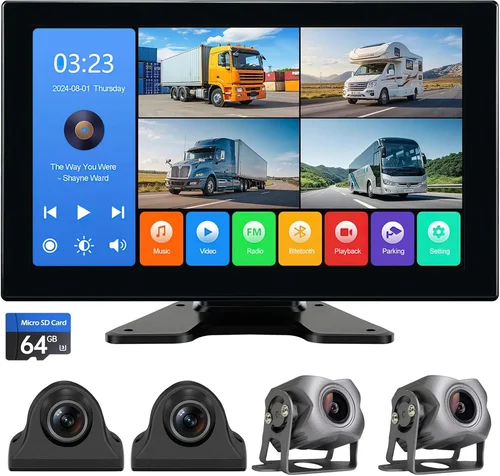
Ultra-premium dash cams cater to specialized niches requiring maximum reliability and functionality. Examples include multi-camera arrays covering blind spots around massive articulated dump trucks, thermal imaging modules detecting wildlife crossings, or drone-like follow-me modes tracking pedestrians. Some incorporate satellite communication for remote areas lacking cellular coverage, transmitting live feeds directly to command centers. These systems often require custom installations by certified technicians and come with concierge-level support including on-site repairs and priority firmware development. While excessive for average dump truck fleets, luxury options shine in extreme conditions like arctic exploration, disaster relief operations, or ultra-high-security cargo transport where conventional solutions fall short.
Expert Tips for Getting the Best Deal
- Timing Your Purchase: Major sales events like Black Friday, Memorial Day, or end-of-season clearances (typically August for trucking tech) offer steep discounts on professional dash cams. Retailers like Amazon Business, Grainger, or Direct Supply often slash prices by 20–40% during these periods. Sign up for brand newsletters to receive exclusive promo codes redeemable for free shipping or bundled accessories.
- Choosing Retailers Wisely: Online marketplaces like Amazon provide convenience but may carry counterfeit goods or outdated stock. Specialty distributors such as TruckersB2B or FleetPride guarantee genuine OEM parts and technical support tailored to commercial vehicles. Local truck accessory shops offer hands-on demonstrations and immediate returns—valuable when assessing fitment issues unique to your vehicle make/model.
- Spotting Hidden Deals: Watch for “bundle” promotions combining dash cams with extra memory cards, protective cases, or installation services at discounted rates. Compare unit-only prices across retailers before accepting bundles to ensure true value. Refurbished models from authorized dealers sometimes appear at 30% off MSRP with full warranties—ideal for secondary vehicles or backup systems.
- Warranty Negotiation: Always request extended warranties beyond the standard 1 year. Reputable brands like BlackVue, Garmin, or Thinkware offer 3-year coverage for an additional fee. Document all communications about warranty terms in writing before purchase. Know your rights under Magnuson-Moss Warranty Act which prohibits deceptive warranty practices.
- Return Policies Matter: Insist on minimum 30-day return windows allowing thorough testing under real operating conditions. Some sellers impose restocking fees (15–25%) so clarify charges upfront. Keep original packaging for easy repackaging if returning. Test recording quality during both day/night cycles and verify compatibility with your truck’s electrical system before finalizing payment.
- Pre-Purchase Testing: Whenever possible, schedule in-person demos at dealerships or trade shows. Observe how easily menus navigate while wearing gloves typical in winter driving. Check microphone clarity by playing audio samples through speakers. Verify mount stability by gently shaking the simulated windshield setup. Ask staff about real-world failure rates among similar customers.
- Leverage Fleet Discounts: Purchasing 5+ units simultaneously qualifies you for volume pricing from manufacturers willing to negotiate bulk rates. Join industry associations like American Trucking Associations (ATA) where members gain access to group buying programs with exclusive savings. Pool orders with other contractors working nearby to meet minimum quantities.
- Consider Leasing Options: Instead of outright purchase, explore equipment leasing through financial partners specializing in transportation tech. Monthly payments spread costs over 12–36 months while retaining tax benefits as business expenses. Leased units often include maintenance contracts reducing unexpected repair bills—critical for mission-critical safety devices.

Frequently Asked Questions
Q: Can I install a dash cam myself without professional help?
A: Yes, but with caveats. Simple plug-and-play models using cigarette lighter adapters or OBD-II ports can be installed by anyone with basic tools within 15 minutes. However, hardwiring for continuous power and smart parking mode requires knowledge of automotive electrical systems. Incorrect wiring risks damaging your truck’s computer or voiding its warranty. If unsure, hire a certified technician—most charge under $100 for dash cam installations and provide wiring diagrams compliant with OEM standards.
Q: Will a dash cam drain my truck’s battery overnight?
A: Only if improperly configured. Modern dash cams consume minimal power (~1–3 watts), but always use hardwired connections with fused circuits rather than auxiliary power sources. Enable “smart parking mode” that activates only upon detecting motion or impact—preventing unnecessary drain while parked. Add a capacitor or voltage-sensing relay if concerned; these cut power automatically when battery drops below 11.8 volts, preserving starting capability.
Q: What’s the difference between loop recording and event locking?
A: Loop recording continuously overwrites oldest footage when storage fills—ideal for uninterrupted operation. Event locking uses accelerometer-based G-sensors to trigger emergency saves when sudden deceleration (collisions), hard braking, or sharp turns occur. Locked clips remain protected from deletion until manually reviewed, ensuring critical moments aren’t lost during routine overwrites. Premium models combine both modes seamlessly.
Q: Are audio recordings legal everywhere?
A: No. Twenty-three U.S. states require two-party consent for audio recording, meaning all recorded individuals must know they’re being listened to. Even in one-party consent states, recording confidential conversations (e.g., between lawyers or doctors) remains illegal. To comply universally, disable audio recording unless explicitly permitted by all parties involved. Carry written consent forms during sensitive operations like law enforcement interactions.
Q: How often should I replace memory cards?
A: Replace every 12–18 months regardless of remaining capacity. Flash memory degrades with write cycles, reducing reliability over time. Format cards monthly using the dash cam itself (not computers) to optimize performance. Backup critical clips quarterly to external drives or cloud storage. Never reuse heavily worn cards—they fail silently during high-stress incidents when needed most.
Q: Do dash cams work in extreme cold or heat?
A: Only if rated for those conditions. Consumer models struggle below freezing due to battery chemistry limitations and LCD freeze-ups. Industrial-grade units withstand -40°F to 185°F thanks to wide-temperature components and anti-condensation coatings. In desert environments, avoid placing cameras in direct sun; use sunshades or relocate to shaded areas. Thermal runaway protection prevents overheating by throttling performance temporarily until temps normalize.
Q: Can I view live footage remotely?
A: Yes, provided the dash cam supports Wi-Fi or 4G/LTE connectivity. Apps like BlackVue Viewer or Garmin Drive allow real-time streaming to smartphones or tablets—useful for dispatchers monitoring routes or parents checking teen drivers. Latency ranges from 1–3 seconds depending on signal strength. Ensure cellular plans include sufficient data caps since continuous streaming consumes bandwidth rapidly.
Q: How do I recover deleted footage?
A: Immediately stop using the device and remove the memory card. Use specialized recovery software like Recuva or PhotoRec before any new data overwrites lost files. Success depends on how quickly action is taken and whether the card was formatted or partially erased. Never attempt DIY fixes involving soldering or chip extraction—these require cleanroom facilities and risk permanent data loss.
Q: Should I buy one dash cam per truck or share between vehicles?
A: One dedicated unit per truck maximizes reliability and accountability. Shared cams create confusion during investigations about which vehicle was involved and complicate maintenance schedules. Dedicated systems allow personalized settings like driver profiles, regional speed limits, or company logos. Plus, swapping units between trucks increases wear on connectors and mounts unnecessarily.
Q: What’s the best way to clean the lens?
A: Use microfiber cloths and isopropyl alcohol (70%+ concentration) sparingly. Avoid household cleaners containing ammonia or abrasives that scratch protective coatings. Wipe gently in circular motions rather than dragging debris across the surface. For stubborn grime, dampen cloth slightly—never spray liquid directly onto the lens. Dry thoroughly with compressed air before reinstallation to prevent internal moisture buildup.
Final Recommendations
Best for Budget-Conscious Buyers
If minimizing initial outlay is your priority, the Viofo A119 V3 delivers exceptional bang-for-buck performance at around $120. This single-lens 1080p model boasts a Sony STARVIS sensor for vivid night vision, built-in GPS, and reliable loop recording. While lacking dual-lens coverage or ruggedized housing, its solid reputation among budget fleet operators makes it a pragmatic choice for light-duty dump trucks operating on maintained roads. Pair it with a ruggedized mount kit ($25) and 64GB Class 10 microSD card ($15) to create a functional starter system without overspending.
Best Overall Value
The BlackVue DR970X-2CH strikes the perfect equilibrium between features, durability, and price ($350–$400). Its dual-lens configuration captures crisp 2K footage front and rear, while the supercapacitor-based power system eliminates battery drain fears. Military-grade aluminum casing survives drops up to 6 feet, and cloud connectivity enables remote viewing via BlackVue’s subscription service. With 3-year global warranty coverage and stellar user reviews praising consistent reliability, this model earns top marks for serious dump truck applications requiring dependable evidence collection.
Best Premium Option
For enterprises demanding maximum capability, the Garmin Dash Cam 67W represents the gold standard ($500–$600). Featuring voice control, driver alerts (including forward collision and lane departure warnings), and automatic incident saving, it integrates seamlessly with existing Garmin fleet management ecosystems. The 2-inch anti-glare display remains readable in direct sunlight, and GPS tagging adds precise location context. Though slightly heavier than competitors, its polished design and responsive customer support justify the premium for high-volume operations.
Best for Beginners
New to dash cams? Start with the Thinkware U1000 ($250–$300). Intuitive menus, automatic exposure adjustment, and robust parking mode make setup effortless even for tech novices. Its sleek profile tucks neatly beneath rearview mirrors without obstructing views, and the included adhesive mount resists UV degradation. Free mobile app tutorials walk users through every function, ensuring confident operation from day one. Excellent for small contractors wanting professional results without complexity.
Best for Advanced Users
Pushing boundaries? The Nextbase 522GW combines AI smarts with rugged practicality ($280–$350). Smart emergency SOS alerts connect directly to emergency contacts during crashes, while Alexa integration enables hands-free commands. Four-channel recording capability allows adding cabin and side cameras later, scaling with your needs. Dual-band Wi-Fi ensures fast file transfers, and the magnesium alloy body handles rough handling gracefully. Ideal for operators seeking future-proof technology ready for evolving safety standards.
Conclusion: Making the Right Choice
Selecting the best dash cam for dump trucks transcends mere gadget selection—it’s a strategic decision impacting safety, liability protection, operational efficiency, and long-term cost savings. By prioritizing durability over aesthetics, functionality over flashy extras, and total cost of ownership over sticker price, you position your operation for success in the demanding world of heavy commercial transport. Remember that no single model fits all scenarios; align your choice with actual usage patterns, environmental challenges, and organizational resources. Conduct pilot tests before full rollout, train drivers on proper usage protocols, and establish regular maintenance routines to maximize ROI. Ultimately, investing in a quality dash cam isn’t an expense—it’s insurance against costly disputes, regulatory penalties, and preventable accidents. Choose wisely, deploy confidently, and reap the peace of mind that comes with knowing every journey is documented, monitored, and protected.