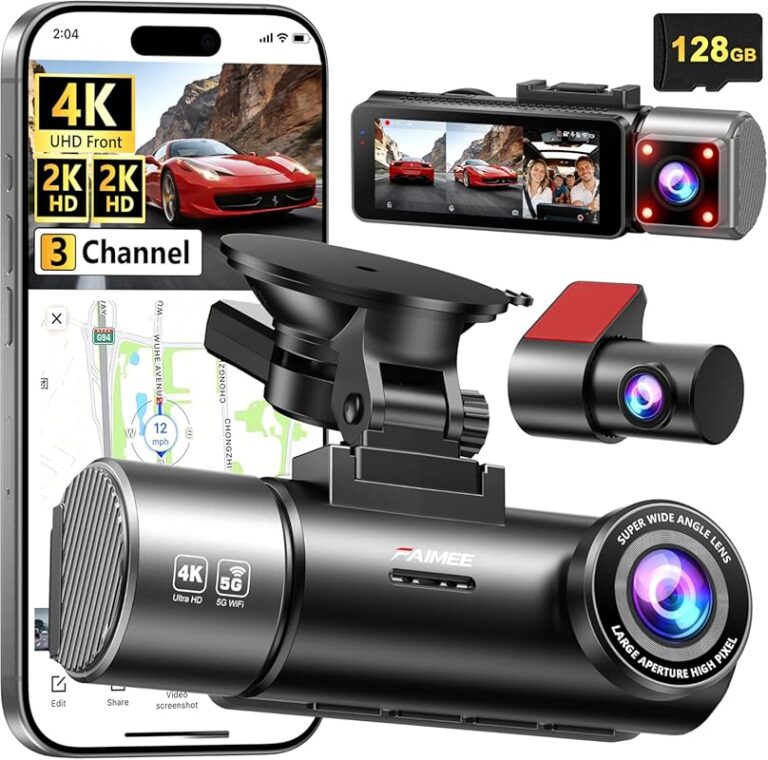
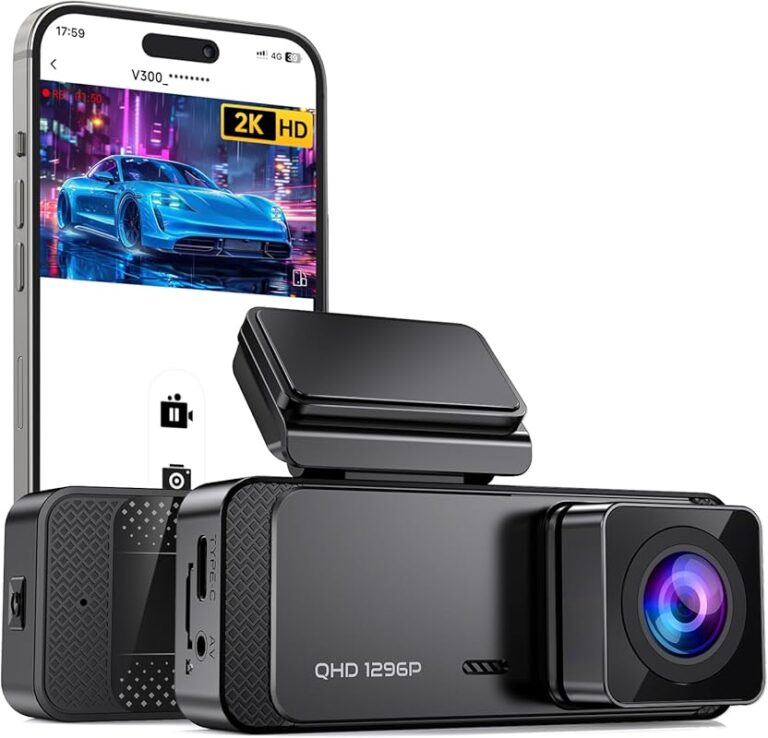
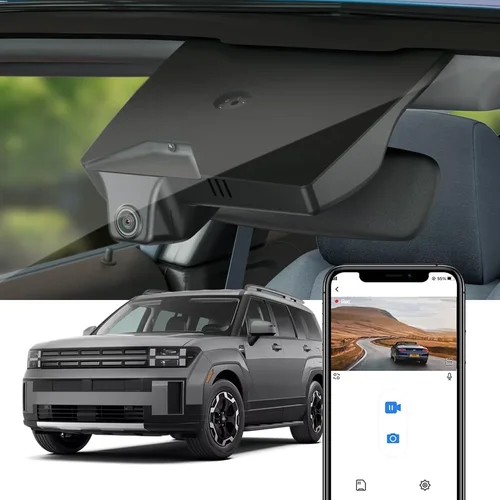
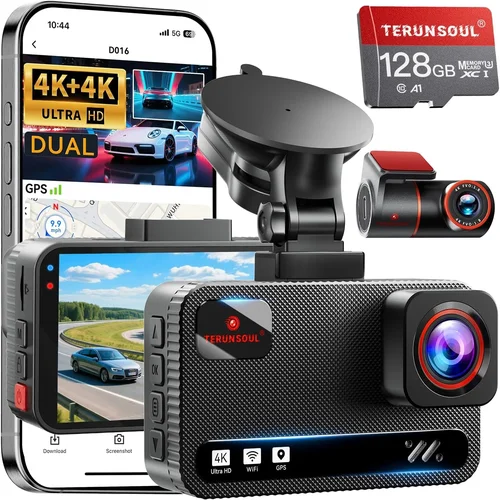
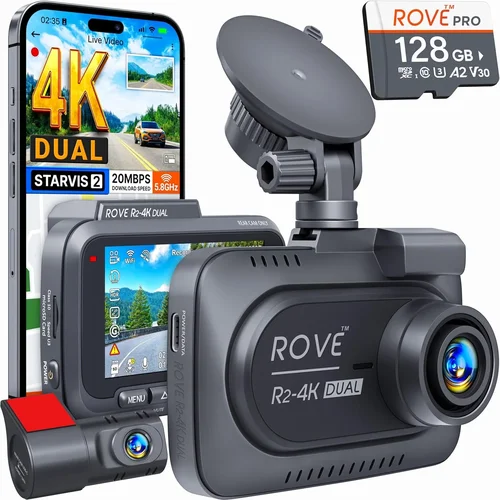
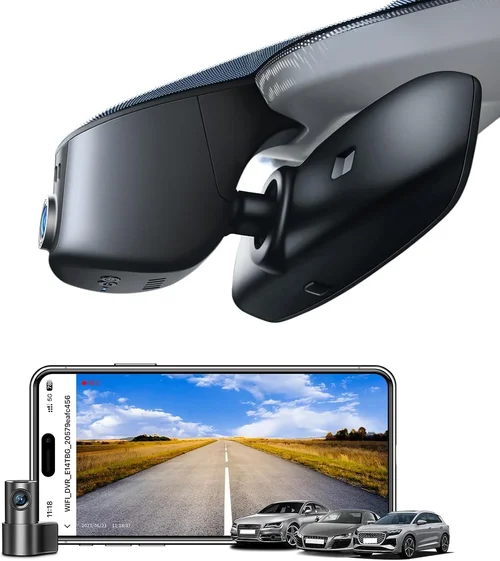
Best Dash Cam Buying Guide
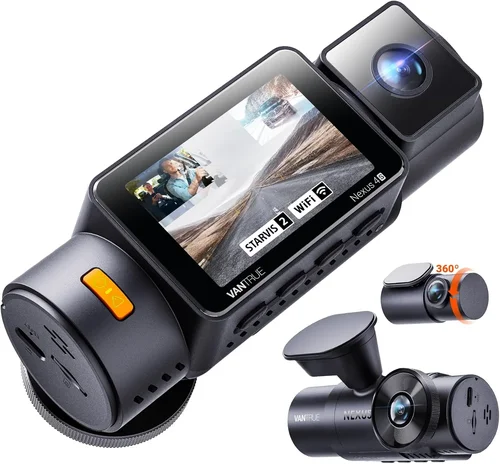
In today’s increasingly complex driving environment, dash cams have evolved from luxury accessories to essential safety tools. Whether you’re a daily commuter, an adventure enthusiast, or simply want peace of mind behind the wheel, having reliable dash cam footage can make all the difference in accident situations, insurance claims, or even just documenting memorable road trips. This comprehensive buying guide will walk you through everything you need to know to choose the perfect dash cam for your vehicle and driving needs.
You’ll learn how to evaluate different types of dash cams, understand the technical specifications that matter most, discover budget-friendly options that don’t compromise on quality, and find features that align with your specific requirements. From understanding resolution capabilities to evaluating storage solutions and connectivity options, we’ll cover all the critical factors that determine which dash cam delivers the best value and performance for your situation.
The dash cam market has expanded dramatically over the past decade, offering everything from basic single-camera units to sophisticated multi-channel systems with advanced AI features. With so many options available across various price points, it’s easy to feel overwhelmed by the choices. That’s why this guide serves as your trusted advisor, helping you navigate through the technical jargon and marketing hype to find the right solution that fits your budget, lifestyle, and driving habits.

What to Look for When Buying Dash Cams
1. Resolution & Video Quality
Video resolution represents one of the most crucial factors when selecting a dash cam, as it directly impacts what you’ll be able to capture during incidents. The standard measurement is expressed in megapixels (MP), but more importantly, you should focus on the actual video resolution. Most reputable dash cams offer at least 1080p Full HD resolution, which provides clear enough detail to identify license plates and facial features if needed. However, if you prioritize superior image quality, consider models that support 2K or even 4K resolution, though these typically come at higher price points and may require more storage space.
When evaluating resolution, also pay attention to the camera sensor type – CMOS sensors are common in dash cams and provide good low-light performance, while newer Sony STARVIS sensors excel in capturing details in challenging lighting conditions. The field of view (FOV) is equally important; wider angles (typically 120-150 degrees) capture more of the road ahead but may introduce some distortion at the edges, while narrower angles provide less coverage but sharper image quality.
2. Storage Capacity & Loop Recording
Storage management is fundamental to dash cam functionality, particularly due to the constant recording nature of these devices. Most dash cams use microSD cards for storage, with capacities ranging from 32GB to 512GB. For typical usage, a 64GB card should suffice for about 2-3 hours of continuous recording at 1080p, while larger cards can store significantly more footage. However, you’ll need to balance capacity against your budget, as high-end cards can cost substantially more than the dash cam itself.
Loop recording automatically overwrites the oldest footage when storage fills up, ensuring you always have recent recordings available without manual intervention. This feature is essential for long-term use, as you don’t want your dash cam filling up and stopping recording before you’ve had a chance to review any important incidents. Some advanced models also offer cloud storage integration or built-in Wi-Fi for easier file transfer and backup.
3. Night Vision Capabilities
Night vision performance can make or break a dash cam’s effectiveness, especially since most driving incidents occur during evening hours. Look for models equipped with infrared LEDs, night vision enhancement technology, or specialized low-light sensors that maintain clarity in dark conditions. The best dash cams use multiple illumination methods including infrared LEDs that work in complete darkness, combined with software algorithms that enhance contrast and reduce noise in low-light scenarios.
Consider the placement of night vision LEDs relative to your windshield position – they should illuminate the road surface without creating glare that could obstruct your own vision while driving. Some premium models also feature adaptive brightness controls that automatically adjust LED intensity based on ambient light conditions, providing optimal visibility without being overly distracting.
4. G-Sensor & Emergency Recording
The G-sensor (gravity sensor) is arguably one of the most valuable safety features in modern dash cams. It detects sudden movements, impacts, or changes in acceleration, automatically locking the current recording to prevent it from being overwritten during loop recording. This ensures that critical evidence from accidents, near-misses, or other incidents is preserved for later review.
Most G-sensors are calibrated to detect impact forces ranging from moderate to severe collisions, but some models allow you to adjust sensitivity levels based on your driving style or local road conditions. Premium dash cams often include additional crash detection features like automatic power-off after impact or emergency alert notifications sent to your smartphone. Understanding how your chosen model’s G-sensor works and testing its sensitivity can help ensure you capture important events without false triggers from normal driving maneuvers.
5. Parking Mode & Motion Detection
Parking mode extends your dash cam’s usefulness beyond active driving by continuing to monitor your vehicle while parked. This feature is invaluable for protecting against hit-and-runs, vandalism, or weather-related damage when you’re not around. Most parking modes operate by detecting motion or sound using built-in sensors, then either continuously recording or capturing short video clips when triggered.
However, parking mode requires special consideration regarding power source and battery life. Many dash cams draw power directly from your car’s electrical system through hardwiring kits, while others use internal batteries that may not last through extended periods. Some models feature supercapacitors instead of lithium batteries, offering better performance in extreme temperatures and longer lifespan. If you plan to use parking mode frequently, investing in a proper hardwiring setup is recommended over relying solely on internal batteries.
6. Audio Recording Options
Built-in microphone capability allows your dash cam to capture audio along with video, providing additional context during incidents. This feature can be particularly useful for documenting conversations between drivers, identifying aggressive behavior, or capturing environmental sounds that might explain unusual situations. However, audio recording comes with privacy considerations – in some regions, recording audio without consent may violate wiretapping laws, so it’s important to understand local regulations before enabling this feature.
Some dash cams offer dual microphones that can record both cabin audio and external sounds separately, giving you more control over what gets captured. Advanced models may include noise cancellation technology to filter out engine noise or wind interference, ensuring clearer audio quality. Consider whether you need audio recording capabilities and weigh them against potential legal implications in your area.
7. Connectivity & Smart Features
Modern dash cams increasingly incorporate smart connectivity features that enhance usability and convenience. Wi-Fi connectivity allows seamless transfer of footage to your smartphone or tablet, often through dedicated mobile apps that let you view, download, and share clips directly from your device. GPS functionality adds location data and speed information to your recordings, providing valuable context for incident analysis.
Cloud storage integration represents another advancement, automatically backing up your footage to remote servers for added security against theft or accidental deletion. Some premium models also feature voice control, driver assistance alerts, or integration with navigation systems. While these smart features add convenience, they typically increase the device’s cost and may require ongoing subscription fees for full functionality.
8. Build Quality & Weather Resistance
Durability is crucial given that dash cams are exposed to constant temperature fluctuations, vibrations from driving, and potential impacts during accidents. High-quality construction includes shock-resistant casings, heat-resistant materials, and reliable seals against moisture intrusion. Look for models with military-grade certifications or IP ratings indicating dust and water resistance.
The mounting system deserves special attention too – secure, vibration-dampening mounts prevent the dash cam from becoming dislodged during rough driving or impacts. Some manufacturers use flexible suction cup mounts that conform to curved surfaces, while others prefer adhesive-based solutions that provide more permanent installation. Consider your vehicle’s interior design and personal preferences when evaluating mounting options, as they can affect both stability and aesthetics.
9. Brand Reputation & Customer Support
Choosing a reputable brand significantly reduces the risk of purchasing a faulty product or dealing with inadequate customer service. Established manufacturers typically offer better build quality, more reliable firmware updates, and responsive support when issues arise. Research user reviews and expert opinions about specific brands to gauge their track record for reliability and customer satisfaction.
Warranty terms vary considerably between brands, with some offering comprehensive coverage including replacement parts and repair services, while others provide limited protection only for manufacturing defects. Extended warranty options may be available for purchase, extending coverage beyond the manufacturer’s standard period. Consider the length and scope of warranty coverage when comparing different models, as it can save significant costs if your device requires repairs or replacement.
10. Ease of Use & Interface Design
User interface quality affects how quickly and effectively you can operate your dash cam’s features. Intuitive menus, clearly labeled buttons, and responsive touchscreens make a significant difference in daily usability. Some models feature simple LED indicators showing recording status, while others include LCD screens displaying time, settings, or preview thumbnails.
Navigation through menus should be straightforward, with logical grouping of functions and minimal steps required to access frequently used features. Voice commands, gesture controls, or smartphone app integration can further simplify operation, particularly when you need to quickly check settings or download footage without taking your eyes off the road. Testing the interface before purchasing or reading detailed reviews about ease of use can help ensure you’ll find the controls familiar and accessible.
11. Size & Mounting Flexibility
Dash cam size influences both visibility and potential obstruction of your rearview mirror or dashboard view. Compact designs integrate seamlessly with factory-installed mirrors, while larger units may require alternative mounting locations. Consider your vehicle’s interior layout and personal preferences regarding aesthetics and functionality when evaluating size options.
Mounting flexibility includes compatibility with various windshield angles, adjustable swivel heads, and the ability to reposition the camera for optimal viewing angles. Some dash cams offer dual-lens configurations that capture both front and rear views simultaneously, requiring more space but providing comprehensive coverage. Evaluate your vehicle’s specific mounting requirements and ensure the chosen model won’t interfere with your driving visibility or comfort.
12. Price vs. Value Analysis
While budget considerations naturally influence purchasing decisions, focusing solely on lowest-cost options may result in compromising on essential features or durability. Instead, analyze the overall value proposition by weighing features against price rather than simply seeking the cheapest option. Entry-level dash cams typically offer basic recording capabilities at lower prices, while mid-range models balance affordability with enhanced functionality, and premium units deliver professional-grade features at higher costs.
Consider your actual usage patterns and priorities to determine which features justify paying extra. For example, if you rarely drive at night, night vision enhancements might not warrant a significant price increase, whereas someone who drives extensively during evening hours would benefit substantially from superior low-light performance. Similarly, if you park in secure locations most of the time, advanced parking mode features may not be necessary.
13. Firmware Updates & Longevity
Regular firmware updates are essential for maintaining optimal performance, adding new features, and addressing security vulnerabilities. Manufacturers committed to long-term support typically release periodic updates that improve stability, enhance existing functions, or introduce compatibility improvements. Check manufacturer websites and user forums to assess update frequency and community feedback about software reliability.
Longevity refers to how long your dash cam will remain functional and supported by the manufacturer. Well-established brands with active development teams tend to provide longer support cycles compared to smaller companies that may discontinue products sooner. Consider the expected lifespan of your vehicle and how long you plan to keep the dash cam installed when evaluating long-term viability.
14. Legal Compliance & Regional Considerations
Different regions have varying regulations regarding dash cam usage, particularly concerning audio recording and data privacy. In some countries, recording audio without explicit consent may violate wiretapping laws, while others permit unrestricted audio capture. Additionally, certain jurisdictions have restrictions on storing personal data or require notification of recording devices in vehicles.
Understanding local laws is crucial before purchasing and installing your dash cam. Some areas also have specific requirements for dash cam positioning, minimum resolution standards, or mandatory disclosure of recording capabilities. Consulting legal resources or contacting local authorities can help ensure compliance and avoid potential penalties or disputes with law enforcement.
Different Types of Dash Cams

Common Buying Mistakes to Avoid
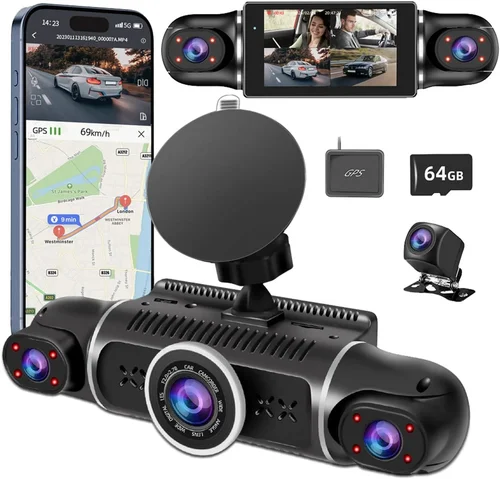
❌ Mistake: Choosing Based Solely on Lowest Price
Why it’s bad: Selecting a dash cam primarily because it’s inexpensive often leads to disappointment when the device fails to meet basic requirements or breaks down prematurely. Cheap dash cams may lack essential features like proper G-sensor calibration, reliable night vision, or sufficient storage management, resulting in poor performance when you need it most.
What to do instead: Focus on value rather than absolute cost. Compare features, build quality, and user reviews across multiple price points to identify models that offer the best combination of reliability and functionality within your budget range. Remember that a slightly higher investment in a quality unit can prevent costly replacements and ensure consistent performance.
❌ Mistake: Ignoring Storage Requirements
Why it’s bad: Underestimating storage needs can cause your dash cam to stop recording when the memory card fills up, potentially missing critical evidence from accidents or incidents. Without proper storage planning, you might find yourself constantly managing files or losing important footage due to automatic overwriting.
❌ Mistake: Overlooking Night Vision Capabilities
Why it’s bad: Many buyers assume all dash cams perform equally well at night, but this assumption can lead to blurry, unusable footage during evening driving when most accidents occur. Poor night vision results in washed-out images, inability to read license plates, or complete loss of visual evidence in low-light conditions.
What to do instead: Prioritize models specifically designed for low-light performance, featuring infrared LEDs, specialized sensors, or enhanced contrast algorithms. Test night vision capabilities if possible, and read detailed reviews focusing on nighttime recording quality before making your decision.
❌ Mistake: Neglecting Installation Considerations
Why it’s bad: Failing to consider installation requirements can result in poor mounting stability, obstructed views, or complicated wiring that detracts from the overall experience. Improper installation compromises both safety and functionality, potentially causing the device to become dislodged or fail during critical moments.
What to do instead: Evaluate your vehicle’s interior layout and mounting options before purchasing. Consider whether you need professional installation services, cable management solutions, or specific power connections. Factor installation complexity into your decision-making process alongside performance specifications.
❌ Mistake: Disregarding Legal Compliance
Why it’s bad: Assuming universal dash cam legality ignores regional variations in recording laws, particularly regarding audio capture and data privacy. Using a dash cam in violation of local regulations could result in fines, legal complications, or evidence being deemed inadmissible in court proceedings.
What to do instead: Research your local laws regarding dash cam usage, especially audio recording permissions and data storage requirements. Choose models with appropriate settings for your jurisdiction and maintain awareness of changing regulations in your area.
❌ Mistake: Overlooking Firmware Update Needs
Why it’s bad: Ignoring the importance of regular firmware updates can leave your dash cam vulnerable to bugs, security issues, or missing new features. Outdated firmware may also cause compatibility problems with newer operating systems or mobile devices used for file transfers.
What to do instead: Select brands known for consistent firmware releases and check update history before purchasing. Enable automatic updates when available and periodically verify your device has the latest software version to ensure optimal performance and security.
Budget Guidelines: How Much Should You Spend?
Entry-Level ($50 – $120): Basic Protection for Everyday Drivers
For those seeking fundamental dash cam functionality without breaking the bank, entry-level models offer surprisingly capable performance. These units typically provide reliable 1080p recording, basic G-sensor functionality, and straightforward operation at affordable prices. While they may lack advanced features like dual-lens recording or sophisticated night vision, entry-level dash cams deliver solid core performance suitable for most daily driving scenarios. Look for reputable brands in this range that offer adequate warranty coverage and positive user feedback regarding reliability.
Mid-Range ($120 – $250): Balanced Performance with Enhanced Features
The sweet spot for most buyers, mid-range dash cams combine affordability with meaningful upgrades over entry-level options. These models typically feature improved video quality, better low-light performance, more robust build materials, and additional safety features like parking mode or enhanced audio recording. Many mid-range units also include convenient connectivity options such as Wi-Fi or Bluetooth for easier file management. This category offers the best value proposition, delivering professional-grade functionality without the premium price tag associated with high-end systems.
Premium ($250 – $500): Professional-Grade Performance and Reliability
For serious drivers or those requiring maximum protection, premium dash cams deliver exceptional performance with cutting-edge technology. These units usually feature 4K recording capabilities, superior night vision with multiple illumination sources, advanced stabilization algorithms, and comprehensive feature sets including GPS tracking, cloud storage integration, or driver assistance alerts. Premium models often include superior build quality, extended warranties, and dedicated customer support. While the higher cost may seem substantial, these features provide peace of mind and professional-grade documentation capabilities that justify the investment for frequent drivers or business users.
Luxury ($500+): Ultimate Protection with Specialized Functionality
Ultra-premium dash cams represent the pinnacle of automotive recording technology, offering features beyond typical consumer needs. These systems may include multiple camera channels, AI-powered incident detection, advanced analytics, or specialized applications for commercial fleets. Luxury models often incorporate premium materials, sophisticated software interfaces, and exclusive features like voice control or integration with navigation systems. While generally unnecessary for casual drivers, luxury dash cams serve professionals, enthusiasts, or businesses requiring maximum protection and functionality for demanding applications.
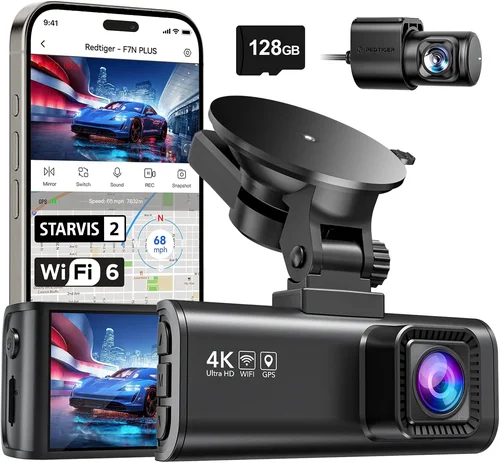
Expert Tips for Getting the Best Deal
Consider seasonal demand patterns when planning your purchase timeline. Retailers typically reduce prices on older models as new versions launch, creating opportunities to acquire feature-rich devices at reduced costs. Subscribe to deal notification services from major electronics retailers to receive alerts about upcoming promotions or clearance events.
Different retailers often carry exclusive bundles or promotional deals that can significantly reduce overall costs. Some manufacturers sell directly to consumers through their websites, bypassing retail markups entirely. Always compare total package costs including any necessary accessories like memory cards, hardwiring kits, or mounting hardware.
Understand what each warranty covers regarding manufacturing defects versus accidental damage, and clarify whether replacement parts or professional repair services are included. Return policies should specify timeframes for returns, restocking fees, and condition requirements for eligible returns. Some retailers offer generous 30-day return windows, while others impose shorter periods or stricter conditions.
Many electronics stores display sample dash cams that customers can examine thoroughly, allowing you to test button responsiveness, screen visibility, and menu navigation. This hands-on evaluation reveals practical aspects that online reviews might miss, such as button placement ergonomics or screen readability under different lighting conditions.
Essential accessories like high-quality microSD cards, hardwiring kits for parking mode functionality, or premium mounting brackets can significantly enhance your dash cam experience. Bundled packages eliminate the hassle of sourcing compatible components separately and typically offer better pricing through volume discounts.
Sign up for email newsletters and loyalty programs offered by electronics retailers to receive early access to sales events, exclusive promotional codes, or special member pricing. These programs often include bonus benefits like free shipping, extended return periods, or complimentary installation services for qualified members.
Price comparison tools and browser extensions can save considerable money by identifying optimal purchasing opportunities without extensive manual research. These automated systems track historical pricing data to determine fair market values and notify you when current prices drop below established thresholds.

Frequently Asked Questions
Q: Do I really need a dash cam, or is this just another car accessory?
A: While not legally required everywhere, dash cams have transitioned from luxury accessories to practical safety tools for several compelling reasons. They provide objective documentation during accidents, protect against false insurance claims, capture evidence of hit-and-runs, and offer peace of mind knowing your driving experiences are recorded. Many drivers find the psychological reassurance valuable enough to justify the investment, especially considering the relatively low cost compared to potential financial losses from uninsured incidents.
Q: What’s the difference between 1080p, 2K, and 4K dash cams, and which should I choose?
A: Resolution differences significantly impact image quality and detail capture capabilities. 1080p Full HD provides adequate detail for most situations and balances file size with clarity, making it suitable for everyday driving. 2K resolution offers noticeably sharper images with improved license plate recognition and facial detail, while 4K provides exceptional clarity ideal for close-up details but generates much larger files requiring more storage space. For most drivers, 1080p offers the best balance of quality and efficiency, though 2K becomes increasingly attractive as storage costs decrease.
Q: How often should I replace my dash cam’s memory card?
A: Memory card replacement frequency depends on usage patterns and card capacity. A 64GB card typically holds 2-3 hours of 1080p footage, meaning you’d need to replace it every few days with regular driving. However, modern dash cams use loop recording to automatically overwrite old footage, eliminating the need for frequent physical card changes. Instead, focus on maintaining adequate free space for new recordings while regularly reviewing and deleting unnecessary files to optimize storage performance.
Q: Can dash cams record audio, and is this legal everywhere?
A: Most dash cams include built-in microphones capable of recording audio alongside video footage. However, legality varies significantly by region – some countries prohibit audio recording without explicit consent due to wiretapping laws, while others permit unrestricted capture. Before enabling audio recording, research your local regulations carefully and consider disabling this feature if required by law. Some manufacturers offer models with removable microphones or settings to disable audio recording entirely.
Q: How do I install a dash cam without professional help?
A: DIY installation is feasible for most single-lens dash cams using basic tools and following manufacturer instructions. Start by selecting an unobtrusive mounting location avoiding airbag deployment zones, then clean the surface thoroughly before applying the included adhesive mount or suction cup. Route the power cable discreetly along your windshield edges toward the fuse box for hardwiring, or use a cigarette lighter adapter for simpler plug-and-play installation. Test all functions before finalizing the setup and consult online tutorials specific to your vehicle model for additional guidance.
Q: What should I do if my dash cam stops working or loses power?
A: First, check the power connection and ensure the device receives adequate voltage through its power source. Verify that the memory card isn’t damaged or improperly seated, and confirm the device hasn’t entered sleep mode due to inactivity. If basic troubleshooting doesn’t resolve the issue, consult the user manual for error code explanations or contact manufacturer support. For hardwired installations, verify fuse integrity and wiring connections, as loose connections often cause intermittent power problems.
Q: Are there any maintenance requirements for keeping my dash cam functioning properly?
A: Regular maintenance involves cleaning the lens with a soft microfiber cloth to remove dirt, fingerprints, or debris that could obstruct visibility. Periodically review stored footage to identify any issues with recording quality or file corruption, and delete unnecessary clips to maintain adequate storage space. Keep firmware updated through manufacturer-provided channels, and ensure the device remains within recommended operating temperature ranges to prevent thermal throttling or component damage.
Q: How can I protect my dash cam footage from tampering or unauthorized access?
A: Secure your digital evidence by implementing multiple protection layers including strong passwords for mobile apps, encrypted cloud storage when available, and regular backups to external devices. Disable Wi-Fi and Bluetooth connections when not actively transferring files to reduce vulnerability to hacking attempts. Store physical memory cards securely when traveling or leaving your vehicle unattended, and consider using dash cam models with automatic file locking during detected incidents to preserve critical evidence.
Our Final Recommendations
Best for Budget-Conscious Buyers: Viofo A119 v3
The Viofo A119 v3 represents exceptional value for drivers seeking reliable performance without excessive costs. Priced competitively in the mid-entry-level range, this single-lens dash cam delivers impressive 2K recording quality that surpasses expectations for its price point. Its compact design integrates seamlessly with most vehicles, while the Sony IMX347 sensor ensures excellent low-light performance uncommon in budget models. The A119 v3 includes essential safety features like advanced G-sensor calibration, parking mode with motion detection, and intuitive operation through a responsive touchscreen interface. Users consistently praise its build quality and reliability, making it an outstanding choice for those prioritizing functionality over flashy extras.
Best Overall Value: Nextbase 522GW
The Nextbase 522GW stands out as the definitive value champion combining premium features with reasonable pricing. This dual-lens system captures both front and rear views simultaneously, eliminating blind spots and providing comprehensive vehicle coverage. Its impressive 2K resolution delivers crystal-clear footage, while the built-in Alexa voice assistant adds unique convenience through hands-free operation. Advanced safety features include emergency SOS alerts, collision detection with automatic cloud backup, and sophisticated parking mode functionality. The 522GW’s intuitive interface, reliable performance, and comprehensive feature set make it the ideal recommendation for drivers wanting professional-grade protection without premium pricing.
Best Premium Option: Garmin Dashcam Mini
For drivers demanding the absolute best in performance and reliability, the Garmin Dashcam Mini represents the pinnacle of consumer dash cam technology. Despite its small footprint, this ultra-compact unit delivers stunning 1440p resolution with exceptional image stabilization and intelligent parking mode that monitors your vehicle while parked. Its sleek design integrates beautifully with modern vehicles, while the reliable performance has earned it widespread acclaim from professional drivers and automotive reviewers alike. Advanced features include voice control, seamless smartphone integration, and robust build quality that withstands years of daily use. While priced at the higher end, the Mini’s combination of compact size, premium features, and proven reliability justifies its premium position among top-tier dash cams.
Best for Beginners: Rexing V1P Pro
New dash cam owners will appreciate the Rexing V1P Pro’s user-friendly design and straightforward operation. This single-lens model offers impressive 2K recording quality at an exceptionally affordable price point, making it accessible to first-time buyers without compromising essential functionality. Its compact form factor minimizes dashboard clutter, while the intuitive interface ensures newcomers can easily navigate settings and access features. Basic but effective safety features include reliable G-sensor response, loop recording management, and adequate night vision capabilities. The V1P Pro’s combination of simplicity, affordability, and solid performance makes it the perfect introduction to dash cam technology for drivers entering this market for the first time.
Best for Advanced Users: Thinkware U1000
Seasoned dash cam enthusiasts seeking maximum functionality will find the Thinkware U1000 exceptionally capable of meeting sophisticated needs. This dual-lens system delivers breathtaking 4K Ultra HD recording from the front camera and crisp 2K footage from the rear, providing unprecedented detail capture capabilities. Advanced users benefit from sophisticated parking mode with multiple trigger options, comprehensive cloud storage integration, and professional-grade stabilization algorithms that maintain clarity during rapid movements. The U1000’s robust build quality, extensive feature set, and proven reliability make it the ultimate choice for drivers who demand nothing less than perfection in their recording equipment, whether for personal security or professional documentation purposes.
Conclusion: Making the Right Choice
Selecting the perfect dash cam ultimately depends on aligning your specific needs, driving patterns, and budget constraints with available options in the marketplace. By understanding the fundamental differences between various types of dash cams and recognizing which features matter most for your situation, you can make an informed decision that provides lasting value and peace of mind behind the wheel.
Remember that no single dash cam represents the perfect solution for everyone – your ideal choice balances practical requirements with personal preferences while accounting for your vehicle’s characteristics and local legal considerations. Take time to evaluate your priorities honestly, whether you value compact design, superior night vision, comprehensive coverage, or advanced connectivity features, and let those priorities guide your selection process.
The investment you make today in quality dash cam protection can yield significant returns through accident prevention, insurance claim support, and simply enjoying greater confidence during your daily commute. Armed with the knowledge from this comprehensive guide, you’re now equipped to navigate the diverse dash cam landscape confidently and select the perfect device that enhances your driving experience while safeguarding your interests on the road.