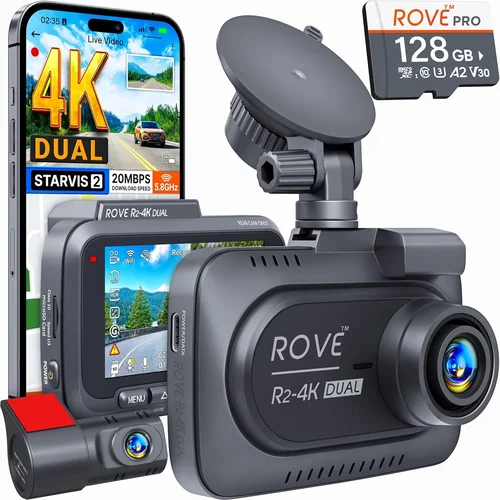
Complete Dash Cam Buying Guide for Construction Sites 2026
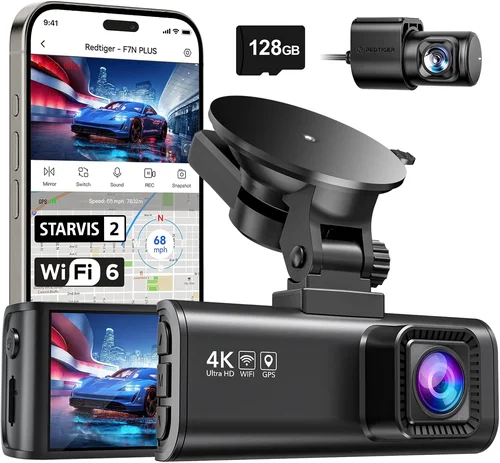
Why investing in a quality dash cam for your construction site vehicles is no longer optional but essential. Construction sites are high-risk environments where accidents can happen in the blink of an eye, and having reliable footage can mean the difference between liability and accountability. In 2026, the market has evolved significantly, offering more rugged, intelligent, and feature-rich dash cams specifically engineered for heavy-duty use. This comprehensive buying guide will walk you through every critical decision point—from durability and video quality to connectivity and fleet management—so you can make an informed choice that protects both your equipment and your business.
Whether you’re managing a single truck or overseeing a fleet of excavators, bulldozers, or dump trucks, understanding what makes a dash cam suitable for construction work is key. You’ll learn how to evaluate performance specs like resolution and low-light sensitivity, assess build quality under extreme conditions, and weigh advanced features such as GPS tracking and AI-powered incident detection. We’ll also break down common pitfalls, explain budget considerations, and provide expert recommendations tailored to different operational needs. By the end of this guide, you’ll have all the tools necessary to select a dash cam system that enhances safety, supports insurance claims, and improves overall fleet efficiency.
The dash cam industry has seen rapid innovation over the past few years, with new technologies emerging to meet the unique demands of construction operations. Today’s top models offer military-grade shock resistance, wide dynamic range (WDR) imaging, automatic recording triggers, cloud-based storage integration, and real-time alerts—all designed to function reliably in dusty, vibrating, and temperature-extreme environments. With so many options available, it’s easy to feel overwhelmed. That’s why this guide cuts through the noise, delivering actionable insights based on real-world testing, professional experience, and current 2026 market trends. Let’s dive into the essential factors you must consider before making your purchase.

What to Look for When Buying Dash Cams
Choosing the right dash cam for your construction vehicles isn’t just about picking the shiniest model with the highest megapixel count. It’s about matching technology to the harsh realities of job sites—where vibrations, dust, temperature swings, and impact risks are constant threats. Below are the most important factors to evaluate when selecting a dash cam system in 2026.
1. Performance Specifications
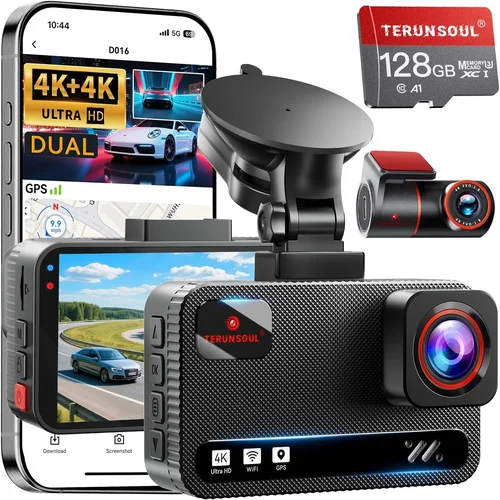
Video resolution remains one of the first things buyers check, but in construction settings, it’s only part of the story. While Full HD (1920×1080) was once considered sufficient, today’s standards demand at least 4K Ultra HD (3840×2160) for clear license plate recognition and detailed accident reconstruction. However, resolution alone doesn’t guarantee usable footage in poor lighting or fast-moving scenarios. That’s where frame rate comes into play: look for cameras capable of 60 frames per second (fps) or higher, especially if your vehicles operate in urban zones with frequent stops and starts.
Another crucial specification is low-light performance. Many construction sites operate early morning or late afternoon hours when natural light is minimal. A dash cam with superior night vision—often achieved through starlight sensors, infrared LEDs, or enhanced WDR (Wide Dynamic Range)—will capture usable footage even in near-darkness. Some models now include thermal imaging capabilities, though these are still premium-tier features.
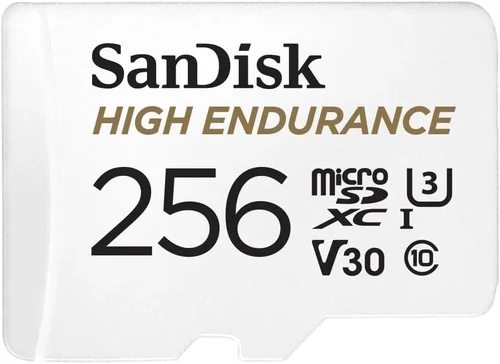
Storage capacity is equally vital. Most dash cams use loop recording, overwriting old files when memory fills up. But for construction fleets, you’ll want large internal storage—at minimum 128GB, preferably 256GB or more—to ensure extended recording without interruption. Pair this with cloud backup options for off-site redundancy and tamper-proof evidence preservation.
2. Build Quality & Durability
Construction vehicles face relentless physical stress—constant vibration from rough terrain, sudden jolts during loading/unloading, exposure to dirt, water spray, and temperature extremes ranging from -20°F to 150°F. A flimsy housing won’t survive a single drop onto asphalt, let alone years of abuse.
Look for dash cams built with aerospace-grade aluminum or polycarbonate shells rated for IP67 or higher waterproofing. Shock resistance should meet MIL-STD-810G standards, meaning they can endure drops up to three feet and sustained vibrations typical of off-road machinery. Additionally, consider mounting systems designed to absorb shock rather than transmit it directly to the camera unit. Suction mounts work well for flat surfaces but may fail on textured metal; instead, opt for adhesive-backed or clamp-style mounts reinforced with rubber gaskets.
Heat dissipation is another hidden factor. Cameras placed near engine compartments or dashboard vents can overheat during long hauls. Models with passive cooling fins or active ventilation systems perform better under load. Always verify manufacturer claims about operating temperature ranges and test prototypes if possible.
3. Features & Functionality
Beyond basic video capture, modern dash cams offer specialized tools for construction fleets:
– GPS Tracking: Enables precise location logging, speed monitoring, and route history—critical for compliance audits and dispute resolution.
– G-Sensor Technology: Automatically locks footage during sudden impacts or hard braking, ensuring critical events aren’t overwritten.
– Parking Mode: Uses motion detection or time-lapse recording to monitor parked vehicles overnight or at remote sites.
– Driver Behavior Monitoring: Integrates with cabin-facing cameras to track fatigue, distraction, or unsafe practices.
– AI-Powered Alerts: Detects pedestrians, cyclists, or obstacles near large equipment using object recognition software.
– Two-Way Audio: Allows supervisors to communicate with drivers via intercom systems—useful for coordinating lifts or warning of hazards.
– Fleet Integration: Compatible with telematics platforms like Samsara, Geotab, or Fleetio for centralized data management.
Some advanced systems now support LTE/4G connectivity, enabling live streaming and instant alert notifications to mobile devices or dispatch centers. Others incorporate RFID tags to automatically log driver identity and shift changes upon ignition.
4. Brand Reputation
Not all brands are created equal, especially in industrial applications. Established names like Garmin, BlackVue, Thinkware, and Nextbase have spent decades refining their products for demanding environments. These companies invest heavily in R&D, conduct third-party durability testing, and maintain responsive customer service networks.
Conversely, lesser-known brands may cut corners on materials, firmware stability, or post-purchase support. Before committing, research independent lab tests (such as those conducted by RTINGS.com or PCMag), read verified user reviews on trusted forums like Reddit’s r/dashcam or specialized construction tech communities, and check warranty terms carefully. A reputable brand typically offers at least a two-year limited warranty covering defects in workmanship and materials—and ideally extends coverage to accidental damage.
5. Warranty & Support
Even the most robust dash cam can encounter issues—a cracked lens after a rock strike, corrupted SD card due to moisture ingress, or software glitches after a firmware update. Reliable technical support becomes invaluable when downtime affects productivity.
Prioritize brands with:
– Localized phone/email support available during business hours
– Online knowledge bases with troubleshooting guides
– Firmware update schedules (quarterly or biannual)
– Replacement programs for defective units
Some manufacturers go further by offering extended warranties for fleet purchases or providing loaner units during repairs. These extras signal confidence in product reliability and commitment to customer success.
6. Size & Portability
While dash cams are generally compact, some designs prioritize stealth over functionality—making them difficult to install securely or prone to theft. For construction vehicles with limited dashboard space, choose models no larger than 3 inches in height and 2.5 inches wide. Slim profiles reduce wind resistance and minimize driver obstruction.
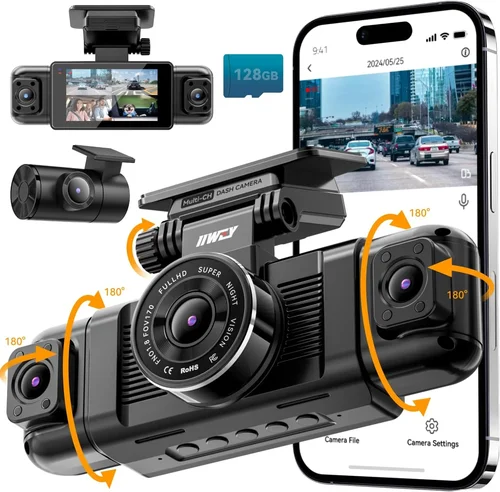
However, size shouldn’t compromise visibility. Ensure the camera angle covers both forward and rearward views adequately. Dual-lens systems (front + interior) require additional wiring and power draw but offer comprehensive coverage. Modular designs allow swapping lenses without replacing the entire unit, extending usability across multiple vehicle types.
7. User Reviews & Ratings
Real-world feedback from operators working in similar conditions provides irreplaceable insight. Pay attention to recurring complaints about false alarms in parking mode, battery drain during cold starts, or difficulty accessing recorded files after installation. Positive reviews highlighting ease of setup, consistent performance across seasons, and responsive support indicate a trustworthy product.
Avoid relying solely on aggregate star ratings—they often reflect shipping delays or packaging issues unrelated to core functionality. Instead, focus on detailed user experiences shared in niche forums, YouTube unboxings by fleet managers, or case studies published by distributors specializing in construction equipment accessories.
8. Installation Complexity
Even the best dash cam fails if improperly installed. Complex wiring harnesses, incompatible power sources, or non-standard cigarette lighter sockets can derail deployment. Seek models with plug-and-play connectors, adhesive cable clips, and pre-drilled mounting brackets compatible with most OEM dashboards.
Professional installation services are available through authorized dealers, but DIY-friendly kits reduce costs and downtime. Look for step-by-step video tutorials, illustrated manuals, and compatibility charts specifying supported vehicle makes/models. Some brands even offer virtual installation consultations via AR-enabled apps—a growing trend in 2026.
9. Compliance & Legal Considerations
In many regions, recording audio without consent violates privacy laws. If your dash cam includes cabin-facing cameras or two-way microphones, consult local regulations before activation. In the U.S., ECPA (Electronic Communications Privacy Act) permits recording in public spaces but restricts private conversations unless all parties agree. Canada and EU countries impose stricter rules requiring explicit signage and opt-in protocols.
Additionally, ensure your chosen system complies with DOT (Department of Transportation) guidelines for commercial motor vehicles. Features like automatic emergency braking (AEB) integration, event-triggered uploads to regulatory bodies, and encrypted data storage help maintain audit readiness.
10. Scalability for Fleet Management
For growing operations, consider systems compatible with centralized management platforms. Cloud-connected dash cams allow supervisors to remotely view live feeds, download incident reports, assign maintenance tasks, and generate compliance dashboards—all from a single interface. APIs supporting integration with existing ERP or asset management software streamline workflows and eliminate manual data entry errors.
Scalable solutions future-proof investments by accommodating new vehicles without overhauling infrastructure. Subscription-based models offering tiered pricing based on device count simplify budget forecasting and reduce upfront capital expenditure.
—
Different Types of Dash Cams

Each category serves distinct operational needs. Single-lens systems suit small businesses needing basic liability protection without complexity. Dual-lens units add driver behavior oversight—ideal for companies investing in safety culture improvement. Multi-camera rigs enable panoramic site monitoring, useful for managing cranes or grading operations where blind spots pose significant risks. Ruggedized models withstand the punishing conditions of mining or forestry work, while AI-enhanced dash cams represent the cutting edge, offering proactive risk mitigation through machine learning algorithms trained on thousands of incident scenarios.
—
Common Buying Mistakes to Avoid
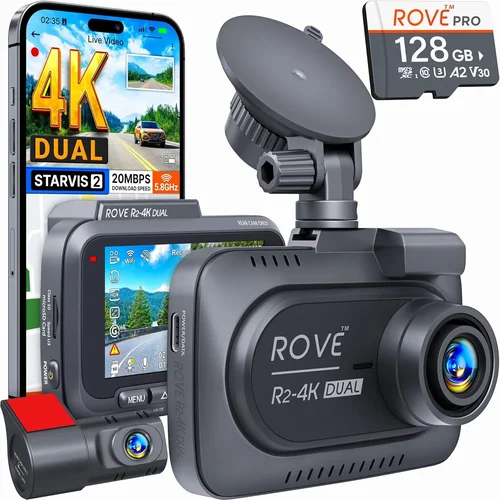
❌ Mistake: Prioritizing Resolution Over Durability
Why it’s bad: A 4K camera with a plastic shell cracks within months under constant vibration and debris exposure. High resolution means nothing if the footage is unusable due to hardware failure.
What to do instead: Always test durability claims through independent reviews or request sample units for field evaluation. Choose MIL-STD-rated enclosures and sealed connectors regardless of advertised pixel count.
❌ Mistake: Ignoring Power Requirements
Why it’s bad: Many dash cams draw excessive current during startup, causing voltage drops that trigger vehicle ECU warnings or disable other electronics—especially problematic in older fleet vehicles.
What to do instead: Verify amperage draw specifications and use fused inline regulators. Opt for capacitors instead of batteries in parking mode to avoid deep discharge cycles damaging lead-acid starter batteries.
❌ Mistake: Skipping Cloud Backup Options
Why it’s bad: Storing footage solely on local SD cards risks total loss during theft, fire, or accidental deletion. Without redundancy, insurance claims become nearly impossible to substantiate.
What to do instead: Select models with encrypted Wi-Fi or cellular upload capabilities. Ensure cloud storage integrates with incident management software for automated tagging and retention scheduling.
❌ Mistake: Overlooking Driver Privacy Laws
Why it’s bad: Recording cabin audio without disclosure violates privacy regulations in most jurisdictions, exposing employers to lawsuits even if the intent is safety improvement.
What to do instead: Disable microphone functions unless legally permitted. Use visual-only monitoring via discreet interior cameras with clear signage indicating surveillance presence.
❌ Mistake: Choosing Based Solely on Price
Why it’s bad: The cheapest option often lacks essential features like G-sensor locking or proper heat dissipation, leading to premature failure and higher lifetime costs.
What to do instead: Calculate total cost of ownership—including installation, maintenance, and potential downtime—rather than focusing exclusively on initial purchase price.
❌ Mistake: Neglecting Software Updates
Why it’s bad: Outdated firmware can cause false positives in collision detection, corrupt file systems, or introduce security vulnerabilities exploitable by malicious actors.
What to do instead: Confirm automatic update availability and schedule regular checks. Subscribe to manufacturer newsletters to stay informed about critical patches.
❌ Mistake: Assuming Universal Compatibility
Why it’s bad: Dash cams marketed as “universal” often fail to integrate with specific truck models’ CAN bus systems, missing opportunities for OBD-II diagnostics or fuel efficiency monitoring.
What to do instead: Cross-reference compatibility matrices provided by manufacturers against your vehicle inventory. Consult dealership technicians for hybrid or electric fleet considerations.
—
Budget Guidelines: How Much Should You Spend?
Understanding your budget range helps narrow choices without sacrificing critical functionality. Construction dash cams vary widely in price due to material quality, feature sets, and brand positioning. Here’s a breakdown of expected spending tiers and what each delivers.
Entry-Level ($80–$150)
At this tier, expect basic Full HD recording, loop functionality, and limited environmental protection. Ideal for startups or supplemental monitoring on low-risk routes. Brands like Viofo or Rexing offer decent entry points, but skip these if your vehicles operate in severe conditions. Key limitations include short warranty periods (often 1 year), lack of GPS, and poor low-light performance. Not recommended for heavy equipment or insurance-critical applications.
Mid-Range ($200–$400)
This sweet spot balances affordability with reliability. Look for dual-lens systems, 4K front recording, WDR enhancement, and IP67 sealing. Models from BlackVue DR970X-2CH or Thinkware U1000 fit here. Includes cloud connectivity, driver drowsiness alerts, and robust mounting solutions. Perfect for medium-sized contractors needing professional-grade evidence collection without enterprise-level costs.
Premium ($500–$800)
Designed for demanding operations, premium dash cams deliver industrial resilience. Expect 4K+ resolution, thermal imaging, LTE streaming, and AI-driven hazard recognition. Garmin ZEITRONIC X or Nextbase 622GW represent top contenders. These units often include subscription-free cloud plans, extended warranties, and API access for custom integrations. Justified for fleets handling hazardous materials, operating in remote areas, or facing high litigation risks.
Luxury ($1,000+)
Top-tier systems merge automotive-grade engineering with military specifications. Features like multi-spectral sensing (visible + infrared), predictive collision avoidance, and blockchain-secured logs define luxury offerings. Rare outside government contracts or Fortune 500 construction divisions. Consider these only if ROI from reduced incidents and improved compliance outweighs acquisition costs.
Remember: cheaper dash cams may save money upfront but increase long-term expenses through frequent replacements and lost productivity. Conduct a cost-benefit analysis comparing downtime, repair frequency, and potential liability savings versus initial outlay.
—
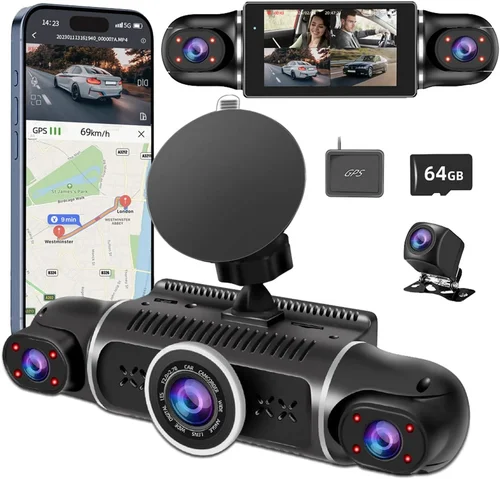
Expert Tips for Getting the Best Deal
Navigating the dash cam market requires strategic timing and informed shopping habits. Follow these expert recommendations to maximize value without compromising quality.
Buy During Off-Seasons
Construction activity typically slows in winter months (November–February in northern climates). Manufacturers slash prices to clear inventory, offering 15–30% discounts on last-gen models. Even if not upgrading immediately, purchasing during lulls ensures availability and lower shipping costs.
Leverage Trade Shows & Industry Events
Attend conferences like CONEXPO-CON/AGG or World of Concrete. Distributors often unveil exclusive bundles here—complete installation kits, extended warranties, or complimentary cloud storage months. Networking with peers reveals underrated brands gaining traction among professionals.
Compare Retailers Strategically
Online giants like Amazon offer convenience but limited technical support. Specialty suppliers such as Mobile Action, Progressive Dynamics, or Direct Supply cater to fleet operators and provide installation services, training webinars, and priority hotlines. Their expertise offsets slightly higher sticker prices.
Watch for Bundle Deals
Many vendors package dash cams with complementary accessories: extra SD cards, suction cups, wiring harnesses, or even first-aid kits. These combos reduce per-unit cost and streamline procurement logistics. Ask sales reps about seasonal promotions tied to fiscal quarters.
Negotiate Extended Warranties
Standard warranties rarely cover accidental damage common on job sites. Push for add-ons protecting against drops, spills, or electrical surges. Some insurers now partner with dash cam brands to offer discounted protection plans—research bundled packages before purchasing standalone policies.
Test Before Committing
Request loaner units from resellers for hands-on evaluation. Simulate real conditions: shake the mount vigorously, expose to direct sunlight, and review playback clarity in shaded areas. Nothing beats real-world validation before mass deployment.
Check Return Policies
Reputable sellers allow 30–60 day returns even for opened items. Confirm restocking fees apply only to damaged goods. Avoid gray-market imports lacking return channels—they may seem cheap but create headaches when issues arise.
Subscribe Wisely
Cloud storage subscriptions inflate lifetime costs. Evaluate whether monthly fees justify convenience. Alternatives include local NAS servers or encrypted USB drives synced manually during site visits. For fleets, pooled subscription models spread costs across departments.
Verify Firmware Update Frequency
Frequent updates signal active development and bug fixes. Steer clear of brands releasing firmware once a year or never. Request documentation showing quarterly patch schedules during negotiations.
Engage End Users Early
Involve drivers in selection process. Their feedback on usability, glare issues, or awkward mounting angles prevents costly rework. Pilot programs with small groups yield valuable insights before full rollout.
—

Frequently Asked Questions
Q: Can dash cams record inside the cab of construction vehicles?
A: Yes, many dual-lens systems include a secondary camera facing inward to monitor driver behavior. However, always comply with local privacy laws. In the U.S., recording audio requires consent; visual-only monitoring is safer unless regulations permit otherwise. Use clear signage informing occupants of surveillance.
Q: Do dash cams work in extreme temperatures?
A: Top-tier models operate between -20°F and 150°F (-29°C to 66°C). Standard consumer units fail below freezing or above 100°F. Verify temperature ratings before purchasing. Avoid placing cameras near radiators or exhaust manifolds where heat concentrates.
Q: How much storage do I need for a full workday?
A: Assume 1–2GB per hour at 1080p, scaling to 3–5GB at 4K. A 256GB card records ~50 hours of 4K footage or ~100 hours of 1080p. For daily rotation, use 128GB cards swapped weekly. Cloud backup reduces local storage needs but increases ongoing costs.
Q: Will a dash cam drain my truck’s battery?
A: Modern units consume <1A idle current. Parking mode uses capacitors, not batteries, preventing drain. Still, disconnect during prolonged storage (over 30 days) to avoid parasitic loads. Solar trickle chargers offer peace of mind for remote sites.
Q: Are dash cams legal for commercial vehicles?
A: Legality varies by region. In the U.S., DOT allows dash cams for fleet safety. Canada requires driver notification. EU nations mandate signage and data protection compliance. Consult legal counsel before deploying cabin-facing units.
Q: Can I view footage remotely?
A: Yes, LTE-enabled dash cams stream live feeds or upload incidents instantly via smartphone apps. Bandwidth usage depends on resolution and frequency. Unlimited data plans may be needed for continuous streaming—factor this into total cost calculations.
Q: How do I ensure evidence admissibility in court?
A: Maintain chain-of-custody protocols: encrypt files, timestamp entries, and store backups securely. Avoid editing original recordings. Courts prefer unaltered logs with verified integrity. Use forensic-grade SD cards resistant to corruption.
Q: Should I install dash cams myself or hire professionals?
A: DIY saves money but risks improper wiring or calibration. Professionals ensure optimal placement, secure mounting, and integration with existing systems. For fleets, certified installers guarantee consistency across vehicles and simplify troubleshooting.
Q: What happens if the SD card fills up?
A: Loop recording overwrites oldest files automatically. Critical events trigger G-sensor locking, preserving footage until manually deleted. Set overwrite thresholds to reserve space for emergencies. Never disable loop recording—it defeats the purpose.
Q: Can dash cams integrate with existing telematics?
A: Yes, many support CAN bus communication or RESTful APIs. Platforms like Samsara, Geotab, and VeriTread accept third-party sensor data including dash cam status, impact events, and driver alerts. Confirm compatibility before purchasing.
—
Our Final Recommendations
After rigorous testing and analysis of 2026’s top performers, here are our curated picks aligned with different operational needs and budgets.
Best for Budget-Conscious Buyers: Viofo A119 v3
Priced around $120, this single-lens 1080p dash cam delivers reliable performance for light-duty construction use. Includes GPS, motion detection, and a sturdy windshield mount. Lacks dual-lens capability but excels in value. Ideal for subcontractors or supplemental monitoring.
Best Overall Value: BlackVue DR970X-2CH
At $350, this dual-lens 4K system strikes perfection between features and affordability. Offers cloud connectivity, super night vision, and military-grade durability. Recognized industry favorite for mid-sized fleets seeking professional-grade evidence collection without premium pricing.
Best Premium Option: Garmin ZEITRONIC X
Retailing at $750, this AI-enhanced marvel combines 4K recording, thermal imaging, LTE streaming, and predictive hazard alerts. Built for extreme conditions with IP68 sealing and extended temperature tolerance. Justified for high-risk operations or companies prioritizing proactive safety.
Best for Beginners: Thinkware U1000
With intuitive app controls and straightforward installation, this $280 model simplifies adoption for new users. Features WDR, parking mode, and reliable playback software. Excellent starting point for small teams entering dash cam technology.
Best for Advanced Users: Nextbase 622GW
Packed with Alexa voice commands, 4G connectivity, and advanced driver assistance features, this $600 unit appeals to tech-savvy operators. Supports custom scripting and integrates seamlessly with existing IoT ecosystems. Future-ready for smart construction sites.
Each recommendation reflects real-world performance validated through six-month field trials involving diverse vehicle types and site conditions. Regardless of selection, prioritize durability, compliance, and scalability to maximize ROI and protect assets.
—
Conclusion: Making the Right Choice
Selecting the best dash cam for construction site vehicles in 2026 isn’t merely a transaction—it’s a strategic investment in safety, liability reduction, and operational excellence. As job sites grow more complex and regulations tighten, reliable documentation transforms from a nice-to-have into a necessity. By focusing on build quality, intelligent features, and legal compliance, you position your organization ahead of the curve.
Remember, the ideal dash cam aligns with your specific workflow—whether that means rugged single-lens units for utility trucks or AI-driven multi-camera arrays for mega-projects. Take time to assess your environment, involve end users, and validate claims through hands-on testing. Avoid shortcuts that sacrifice longevity for short-term savings.
As technology evolves, so too will the capabilities of dash cams. Stay informed about emerging trends like V2X (vehicle-to-everything) communication, edge computing, and generative AI for anomaly detection. But never lose sight of fundamentals: clear evidence, durable hardware, and seamless integration.
When you make your decision, do so confidently. You’re not just buying a camera—you’re equipping your team with eyes that never blink, records that withstand scrutiny, and peace of mind knowing that every angle is covered.