Ultimate Commercial Vehicle Dash Cam Buying Guide
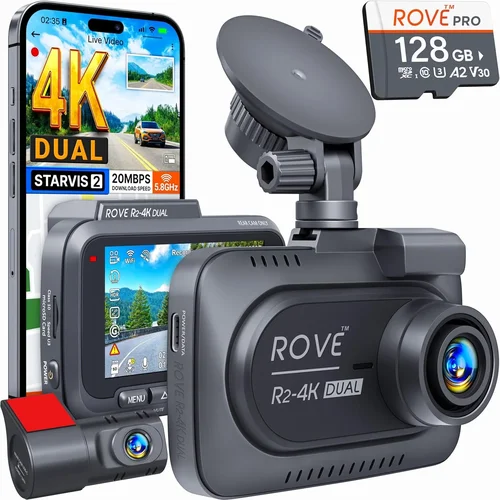
For fleet managers, independent truckers, and commercial vehicle operators, the dash cam isn’t just a piece of equipment; it’s a critical component of safety, security, and operational efficiency. A robust, reliable dash cam system can provide irrefutable evidence in the event of an accident, protect against fraudulent claims, and offer invaluable data for driver coaching and route optimization. With the market flooded with consumer-grade models that simply won’t cut it for the demanding 24/7 environment of commercial driving, making an informed decision is paramount. This comprehensive guide is designed to cut through the noise and provide you with the expert knowledge necessary to select the best dash cam for your commercial vehicle, ensuring maximum protection and value for your investment.
This article will walk you through every crucial aspect of choosing the right dash cam. You’ll learn about the key performance specifications that matter most for fleet operations, such as high-resolution recording, superior low-light performance, and advanced parking mode functionality. We’ll delve into build quality and durability, explaining why ruggedized housings and military-grade components are non-negotiable for long-haul trucks and construction vehicles. Furthermore, we’ll explore essential features like GPS tracking, ADAS (Advanced Driver Assistance Systems), Wi-Fi connectivity for easy file management, and cloud storage capabilities. By the end of this guide, you will have a clear understanding of how to evaluate different brands and models, avoid common pitfalls, and identify the perfect dash cam solution tailored to your specific budget, fleet size, and operational needs.
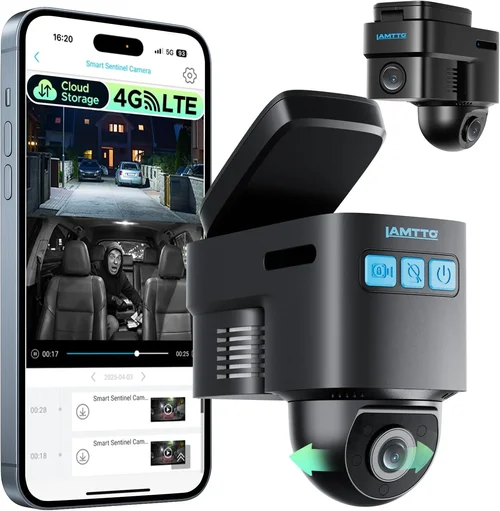
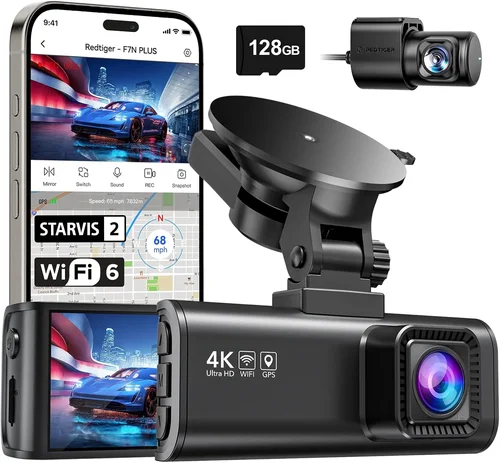
The commercial dash cam market offers a diverse range of options, from simple single-camera setups to complex multi-channel systems with AI-powered analytics. Understanding the distinctions between these categories—such as single-lens, dual-lens, and 360-degree camera arrays—is the first step toward selecting a system that meets your requirements. We’ll break down the pros and cons of each type, compare them in detail, and highlight the most important factors to consider, including price points, warranty offerings, and the reputation of manufacturers known for their reliability and customer support. Whether you’re managing a small fleet of delivery vans or overseeing a large logistics operation with hundreds of tractor-trailers, this guide will equip you with the insights needed to make a confident, cost-effective decision that enhances safety and streamlines your business operations.

What to Look for When Buying Dash Cams
1. Budget & Price Range
Determining your budget is often the first and most practical step when selecting a dash cam for your commercial vehicle. The price of a commercial dash cam can vary dramatically, reflecting differences in build quality, feature sets, and brand reputation. It’s crucial to understand that while a lower price point might seem attractive initially, it could lead to higher costs down the line due to frequent replacements or inadequate performance. For a commercial setting, where the dash cam is a critical tool for fleet management and liability protection, investing in a more expensive model that offers proven reliability and advanced features is often a smarter financial decision in the long run. Consider not just the purchase price but also ongoing costs such as memory card replacements, potential cloud storage fees, and software subscriptions. Most reputable commercial dash cams will fall within a range of $150 to $1,000 per unit, depending on the complexity of the system.
2. Performance Specifications
Performance is paramount for any dash cam, especially in a commercial context. Several technical specifications directly impact what your device can capture and how reliably it functions over time. Resolution is the most obvious starting point; while 1080p Full HD was once considered standard, modern commercial dash cams are now available in 2K and even 4K Ultra HD. Higher resolution provides clearer images, making it easier to identify license plates, facial details, and road signs. However, higher resolution also means larger file sizes, which can quickly fill up your storage capacity. Frame rate is another critical factor; a higher frame rate (e.g., 30fps or 60fps) captures smoother motion, which is invaluable for accurately reconstructing fast-moving incidents. Low-light sensitivity, often measured by the camera’s aperture (f-stop), determines how well the dash cam performs at night or in tunnels and poorly lit areas. Look for cameras with wide dynamic range (WDR) technology, which helps balance bright headlights with darker interior scenes, preventing overexposure and underexposure.
3. Build Quality & Durability
A dash cam for a commercial vehicle must be built to withstand the rigors of daily use. Unlike consumer models that might be tossed into a glove compartment, a commercial dash cam is exposed to constant vibration, temperature extremes, dust, moisture, and potential impacts. The housing material is the first indicator of durability; look for devices made from polycarbonate or aluminum alloy, which offer better resistance to scratches and shocks than plastic. The lens itself should be scratch-resistant, ideally made from sapphire glass or a high-quality polymer. Internal components also need to be robust; ensure the PCB (Printed Circuit Board) is protected against moisture and vibration. For fleet operations, where multiple units will be installed across various vehicle types, the ease of installation and removal is also part of the build quality equation. A durable dash cam will save you money by reducing maintenance and replacement frequency, and it will provide consistent, reliable footage when you need it most.
4. Features & Functionality
Modern commercial dash cams come packed with a suite of features designed to enhance safety, security, and operational insights. Parking Mode is arguably one of the most valuable features for commercial fleets; it allows the dash cam to continue monitoring your vehicle even when it’s powered off, using the parking battery or a hardwired connection. This is crucial for protecting against hit-and-runs or vandalism overnight. GPS tracking is another essential feature, providing precise location data and speed information that gets overlaid onto your video recordings. This data is invaluable for verifying routes taken, proving adherence to schedules, and providing accurate incident reports. Wi-Fi connectivity simplifies the process of downloading footage to a smartphone or computer, making it easier for managers to review events quickly without having to physically remove the memory card. Advanced Driver Assistance Systems (ADAS) features, such as Forward Collision Warning, Lane Departure Warning, and Blind Spot Detection, can provide real-time alerts to drivers, helping to prevent accidents. Cloud storage integration allows for secure backup of footage, ensuring that valuable evidence isn’t lost if the memory card is damaged or stolen.
5. Brand Reputation
When it comes to commercial equipment, brand reputation carries significant weight. Established brands with a history of manufacturing reliable electronic devices are generally a safer bet than unknown newcomers. Research the manufacturer’s track record for customer service, product reliability, and firmware updates. A reputable brand is more likely to offer comprehensive warranties, responsive technical support, and regular software improvements that enhance performance and add new features. Reading reviews from other fleet managers and operators can provide invaluable insights into a brand’s strengths and weaknesses in a real-world commercial setting. While a lesser-known brand might offer a compelling price, the risk of encountering a product with poor build quality or unresponsive customer service can outweigh the initial savings. Investing in a dash cam from a trusted brand often means investing in peace of mind and long-term operational efficiency.
6. Warranty & Support
A strong warranty is a direct reflection of a manufacturer’s confidence in its product’s durability and reliability. For commercial dash cams, which are expected to operate flawlessly for years, a warranty should cover at least one year, but ideally two or three years. Look for warranties that cover both parts and labor, and be aware of the terms regarding accidental damage. Customer support is equally important; consider the availability of phone, email, and live chat support, as well as the responsiveness of the company to queries and issues. Some manufacturers offer specialized support for fleet operators, including dedicated account managers and remote diagnostic tools. Having access to reliable technical assistance can save you significant downtime and frustration if you encounter a problem with your dash cam system. Always read the fine print of the warranty before purchasing to understand exactly what is covered and what the process entails for filing a claim.
7. Size & Portability
While less of a concern for fixed installations in commercial vehicles like trucks and buses, the physical size of a dash cam can still influence your choice. A compact, low-profile design ensures the camera doesn’t obstruct the driver’s view or become a hazard in the event of an accident. For smaller commercial vehicles like delivery vans or service trucks, a smaller form factor is often preferred to fit neatly under the dashboard without taking up too much space. Conversely, larger dash cams might offer better cooling, larger sensors, or additional features that justify their footprint. If you are considering a multi-camera system, portability becomes less relevant since each unit will be permanently installed. However, for operators who frequently switch dash cams between vehicles or need to transport the unit, a more compact and portable design can be beneficial. The goal is to find a balance between a sleek, unobtrusive appearance and the internal components needed to deliver top-tier performance.
8. User Reviews & Ratings
User reviews and ratings are a goldmine of real-world information that can guide your decision-making process. They offer insights that go beyond the manufacturer’s marketing claims, highlighting both the strengths and potential weaknesses of a dash cam model in actual use. Pay close attention to reviews from other commercial vehicle operators and fleet managers, as their experiences are directly relevant to your needs. Look for patterns in the feedback; if multiple users report similar issues, such as poor low-light performance or unreliable Wi-Fi connectivity, it’s a red flag. Conversely, consistently positive reviews praising build quality, ease of use, and reliable customer support can be a strong endorsement. Be wary of overly generic or suspiciously positive reviews, as they may be fabricated. Instead, focus on detailed reviews that describe specific scenarios, such as performance in heavy rain or during long-haul journeys, to get a true sense of how the dash cam performs in the demanding conditions of commercial driving.
Different Types of Dash Cams

Common Buying Mistakes to Avoid
❌ Mistake: Choosing Based Solely on Price
Why it’s bad: Opting for the cheapest dash cam available is a recipe for disappointment. Low-cost models often compromise on critical components like sensor quality, build materials, and software stability. In a commercial setting, where downtime and unreliable footage can lead to significant financial losses and legal complications, a cheap dash cam is an expensive gamble. These models may fail prematurely, lack essential features like GPS or WDR, or produce blurry videos that are useless for insurance claims or incident investigations.
What to do instead: Adopt a value-based approach. Calculate the total cost of ownership, including potential replacement costs, software subscription fees, and the intangible cost of compromised safety. Focus on getting the best performance and reliability for your budget, prioritizing features that align with your specific operational needs. A slightly higher upfront investment in a robust, feature-rich model from a reputable brand will almost always pay for itself over time through reduced maintenance, enhanced safety, and stronger liability protection.
❌ Mistake: Ignoring Storage Capacity and Management
Why it’s bad: Underestimating the storage requirements for dash cam footage is a common error that leads to either running out of space and losing recent critical events, or constantly managing and manually deleting old files. Commercial vehicles generate massive amounts of video data, especially with high-resolution recording and longer loop times. Without proper planning for high-capacity, high-speed memory cards and a robust file management strategy, your dash cam system becomes ineffective, unable to capture vital evidence when an incident occurs.
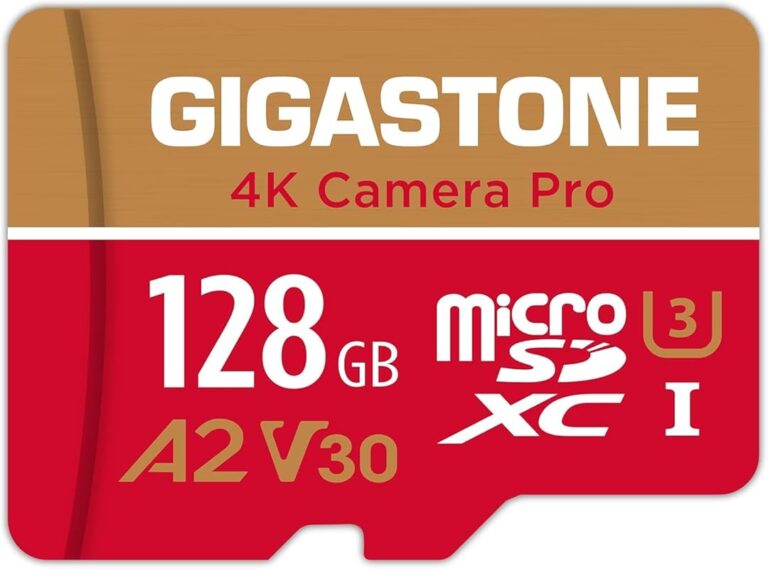
What to do instead: Plan for ample storage. Choose dash cams that support high-capacity UHS-I or UHS-II microSD cards (64GB, 128GB, or even 256GB) and ensure they are formatted correctly for optimal performance. Implement a structured loop recording and file deletion protocol, perhaps using cloud storage for older files. Consider dash cams with built-in cloud connectivity or dedicated fleet management software that automates the upload and archiving process, freeing up local storage and providing off-site backup for all recorded events.
❌ Mistake: Overlooking Installation and Maintenance Complexity
Why it’s bad: Failing to consider the practicalities of installing and maintaining dash cams across a fleet can create significant operational headaches. Complex wiring, multiple power sources, or proprietary software that is difficult to update can lead to installation delays, inconsistent performance across vehicles, and increased downtime. For a fleet manager, time spent troubleshooting individual units is time not spent managing drivers or optimizing routes. Neglecting maintenance can also result in cameras becoming obsolete or failing to function correctly.
What to do instead: Prioritize user-friendly installation and robust maintenance support. Look for dash cams with straightforward wiring kits, clear instructions, and universal compatibility with vehicle power systems. Choose brands that offer excellent customer service, readily available replacement parts, and regular firmware updates. For larger fleets, consider investing in professional installation services or training your own technicians. A system that is easy to install, monitor, and maintain will save countless hours and reduce operational friction.
❌ Mistake: Neglecting the Importance of Night Vision and Low-Light Performance
Why it’s bad: Many buyers focus solely on daytime recording quality, completely overlooking the challenges of night driving. Commercial vehicles operate around the clock, and a substantial portion of driving occurs in low-light conditions. Dash cams with poor night vision will produce grainy, dark, or washed-out footage, making it impossible to identify details in an accident or determine fault. This deficiency renders the dash cam useless for providing critical evidence during nighttime incidents, leaving your fleet vulnerable to false claims and legal disputes.
What to do instead: Make low-light performance a top priority. Research the camera’s low-light sensitivity, measured by its f-stop number (lower numbers indicate better light gathering). Look for technologies like Sony Starvis sensors, Wide Dynamic Range (WDR), and HDR that are specifically designed to enhance clarity in challenging lighting. Test the dash cam’s performance in low-light environments if possible, or rely on reviews from other commercial drivers who frequently operate at night. A dash cam that excels in all lighting conditions is an indispensable asset for any 24/7 operation.
❌ Mistake: Failing to Integrate with Fleet Management Systems
Why it’s bad: Installing standalone dash cams without integrating them into a broader fleet management ecosystem is a missed opportunity for maximizing efficiency and safety. Isolated dash cams generate raw data that must be manually reviewed, creating a bottleneck for managers. This siloed approach prevents the dash cam from contributing meaningfully to driver coaching, route optimization, fuel efficiency analysis, or proactive maintenance scheduling. Without integration, the dash cam remains a reactive tool, only useful after an event has occurred, rather than a proactive instrument for improving overall fleet performance.
What to do instead: Seek dash cams that offer seamless integration with popular fleet management platforms (like Samsara, Geotab, or Verizon Connect) or come with their own comprehensive cloud-based management software. This integration allows for centralized monitoring, automated incident reporting, driver scorecards, and data analytics that can drive meaningful improvements. Choosing a system that speaks the same language as your existing fleet technology stack will unlock a wealth of operational intelligence and significantly enhance your ability to manage a safe and efficient fleet.
❌ Mistake: Not Considering the Specific Needs of Your Vehicle Type
Why it’s bad: Applying a one-size-fits-all approach to dash cam selection can lead to suboptimal performance. Different commercial vehicles present unique challenges. A compact car, a large semi-truck, a delivery van, and a construction excavator all require different camera perspectives, mounting solutions, and feature sets. For instance, a dual-lens dash cam is ideal for a truck cab to see both the road and the driver, but a multi-channel system might be required for an excavator to monitor the bucket and blind spots. Ignoring these nuances results in a dash cam that doesn’t meet your specific operational demands.
What to do instead: Conduct a thorough assessment of your fleet’s diverse vehicle types and their specific operational environments. Consider the size of the vehicle, the presence of blind spots, the typical driving conditions (urban, highway, off-road), and the primary use case (delivery, long-haul, construction). Consult with experienced fleet managers or industry specialists to understand the unique requirements for each vehicle category. This thoughtful, tailored approach ensures that every dash cam you install is perfectly suited to its intended purpose, delivering maximum value and effectiveness.
Budget Guidelines: How Much Should You Spend?
Entry-Level ($150 – $300)
In this price range, you’ll find functional dash cams that provide the absolute essentials for basic commercial use. These models typically offer Full HD 1080p recording, loop recording, and G-sensor for automatic incident detection. They are suitable for small fleets or local delivery operations where budget is a primary constraint, and the need for advanced features is minimal. Key considerations in this tier include build quality; while they may not be as rugged as premium models, look for sturdy housings and reliable lenses. The main trade-offs are often lower low-light performance, limited storage expansion, and fewer smart features like GPS or Wi-Fi. For a solo owner-operator or a very small business looking to establish a baseline level of security and evidence collection, this range offers the best entry point. However, it’s important to scrutinize reviews closely, as some ultra-low-cost options may sacrifice reliability for price.
Mid-Range ($300 – $700)
This sweet spot represents the ideal balance between cost and capability for most mid-sized commercial fleets. Dash cams in this category typically boast superior image sensors (often 2K or 4K resolution), enhanced low-light performance with WDR or HDR technology, and a suite of valuable features. You can expect robust dual-lens systems that capture both the front of the vehicle and the interior cabin, providing comprehensive situational awareness. Other common features include built-in GPS for location tracking, Wi-Fi for easy file transfer, and reliable parking mode functionality. The build quality is generally excellent, with durable housings designed to withstand daily commercial use. Brands in this range often offer solid warranties and responsive customer support. For a fleet manager looking to improve driver safety, protect against false claims, and gain actionable insights into driving behavior, the mid-range offers the most comprehensive set of tools without breaking the bank.
Premium ($700 – $1,500)
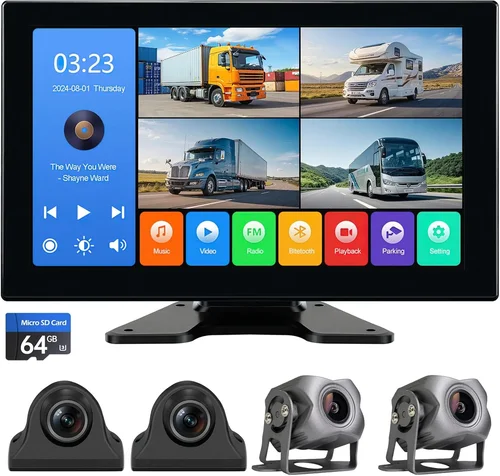
The premium segment caters to large fleets, long-haul operations, and businesses that demand the highest levels of performance, reliability, and advanced functionality. Dash cams here push the boundaries of what’s technically possible, featuring cutting-edge sensors, sophisticated AI algorithms, and seamless integration with enterprise-level fleet management systems. You’ll find multi-channel systems capable of recording from multiple external cameras, providing a complete 360-degree view of the vehicle and its surroundings. Advanced Driver Assistance Systems (ADAS) are standard, offering real-time alerts for collisions, lane departures, and blind spots. Cloud storage integration is robust, allowing for automatic, secure backup of all footage. These systems often come with dedicated fleet management software that provides powerful analytics, driver scoring, and remote management capabilities. While the upfront investment is significant, the return on investment is substantial, offering unparalleled safety, operational efficiency, and liability protection for the most demanding commercial applications.
Luxury ($1,500+)
The luxury tier is for organizations that require absolute top-tier performance and are willing to invest accordingly. This includes specialized industries like high-security transport, emergency services, or companies operating in extreme environments. Dash cams in this category often feature industrial-grade components, military-spec durability, and proprietary technologies that are unmatched in the market. They may offer 4K or even higher resolutions, exceptional thermal management for extreme temperatures, and advanced night vision capabilities. Integration is not just seamless but deeply embedded with other vehicle systems for holistic data collection. The software is highly customizable and scalable, designed for managing thousands of vehicles. While the price point is prohibitive for many, for the right organization, the peace of mind, superior evidence quality, and unparalleled control offered by a luxury dash cam system justify the extraordinary expense. It’s the ultimate tool for mission-critical commercial operations.
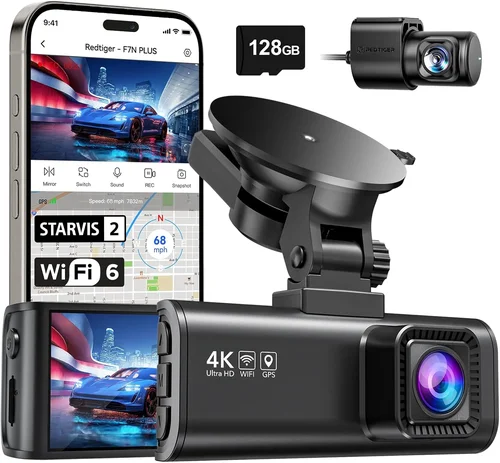
Expert Tips for Getting the Best Deal

Frequently Asked Questions
Q: What is the minimum resolution I should look for in a commercial dash cam?
A: For commercial use, a minimum resolution of 1080p Full HD is recommended. However, for the best possible evidence quality and detail capture, especially for identifying license plates and road signs, 2K or 4K Ultra HD resolution is strongly advised. Higher resolution provides clearer, more detailed footage that is invaluable for insurance claims and incident investigations.
Q: How much storage space do I need for my dash cam?
A: The amount of storage needed depends on several factors, including the resolution, frame rate, and loop recording duration. For a single dash cam, a high-capacity UHS-I microSD card (64GB to 256GB) is typically sufficient. Larger fleets or vehicles that require longer recording times will need more storage. It’s crucial to balance storage capacity with the need to retain critical incident footage. Cloud storage integration is a great way to offload older files and ensure you never lose important evidence.
Q: Is a dual-lens dash cam better than a single-lens one?
A: Yes, for most commercial applications, a dual-lens dash cam is significantly better. It records from both the front of the vehicle and the interior cabin. This provides two critical perspectives: the first captures the road ahead and any potential hazards, while the second captures the driver’s behavior, interactions, and the overall situation inside the cab. This dual viewpoint is invaluable for understanding the full context of an incident and for driver coaching purposes.
Q: Do I need Wi-Fi connectivity on my commercial dash cam?
A: Wi-Fi connectivity is not strictly necessary, but it is a highly valuable feature for commercial fleets. It allows for wireless transfer of video files to a smartphone or tablet, making it much quicker and easier for fleet managers to review footage without having to physically remove and download memory cards. This convenience is especially beneficial for managing large volumes of data across a fleet of vehicles.
Q: What is parking mode and why is it important?
A: Parking mode is a feature that allows the dash cam to continue monitoring your vehicle even when it is turned off and parked. It typically uses the vehicle’s parking battery (hardwired) to power the camera. Its importance cannot be overstated for commercial vehicles; it protects against hit-and-run accidents, vandalism, and theft while the vehicle is unattended, providing critical evidence for insurance claims and legal proceedings.
Q: How should I install my dash cam for optimal performance?
A: For optimal performance and safety, the dash cam should be mounted on the windshield, positioned just below the rearview mirror. This placement offers the best possible field of view without obstructing the driver’s line of sight. The lens should be clean and unobstructed at all times. For hardwiring, ensure the connection is secure and routed away from sharp edges and moving parts. Professional installation is recommended for complex wiring or multi-camera systems.
Q: Can I use my existing dash cam for a larger fleet?
A: It’s generally not advisable to scale up from a single consumer-grade dash cam to a large commercial fleet using the same model. Consumer dash cams lack the durability, advanced features, and robust management software required for 24/7 commercial use across multiple vehicles. Investing in a commercial-grade system designed for fleet management will provide far greater reliability, scalability, and functionality for your growing business.
Q: How often should I update the firmware on my dash cam?
A: Firmware updates are released periodically by manufacturers to fix bugs, improve performance, and add new features. It’s best practice to regularly check the manufacturer’s website or the dash cam’s companion app for firmware updates and install them promptly. This ensures your device operates with the latest enhancements and maintains optimal performance and security.
Our Final Recommendations
Best for Budget-Conscious Buyers
For those operating a small fleet or running a local delivery business with a limited budget, the Viofo A119 V3 Dual Lens Dash Cam stands out as an excellent choice. Priced competitively in the mid-range entry-level category, this model delivers impressive value with its dual-lens setup capturing both the front and interior of the vehicle at Full HD 1080p. It features a reliable Sony IMX323 sensor for decent low-light performance, a built-in GPS module, and a robust G-sensor for automatic incident detection. Its compact design and straightforward installation make it a practical option for businesses looking to implement dash cams without a huge upfront investment. While it may lack some of the advanced AI features found in premium models, the A119 V3 provides the core functionalities needed for effective fleet monitoring and evidence collection, making it a solid foundation for any small-scale commercial operation.
Best Overall Value
When seeking the perfect blend of features, reliability, and price, the Samsung S2 Dash Cam emerges as the top contender. This model is renowned for its exceptional build quality, featuring a metal body and a scratch-resistant sapphire glass lens, ensuring longevity in harsh commercial environments. It boasts a powerful Sony Starvis sensor that delivers outstanding video quality in both day and night, with superior low-light sensitivity thanks to its wide f/1.6 aperture. The Samsung S2 offers a comprehensive feature set including 2K recording, built-in GPS, Wi-Fi, and robust parking mode functionality. Its intuitive user interface and seamless integration with the SmartThings app make managing footage and settings a breeze. For a mid-to-large sized fleet manager looking to maximize safety and operational efficiency without overspending, the Samsung S2 represents the pinnacle of value, offering professional-grade performance at a price point that is accessible to most businesses.
Best Premium Option
For large fleets and long-haul operations that demand the absolute best in performance, reliability, and advanced functionality, the Nextbase 622GW is an outstanding premium choice. This model pushes the boundaries of what a dash cam can do, featuring a stunning 2160p (4K) recording resolution, a 140-degree field of view, and a powerful Sony STARVIS IMX335 sensor that guarantees crystal-clear video quality, even in challenging lighting conditions. Its standout feature is the built-in Alexa voice control, allowing drivers to interact with the dash cam hands-free. The 622GW includes comprehensive ADAS (Advanced Driver Assistance Systems) alerts, built-in GPS, and seamless cloud connectivity for effortless file management and remote access. With its robust construction, advanced features, and unwavering commitment to safety, the Nextbase 622GW is the definitive solution for enterprises that prioritize their drivers’ safety and want to leverage cutting-edge technology for maximum fleet management benefits.
Best for Beginners
New to the world of dash cams or managing a small fleet for the first time? The BlackVue DR970X-2CH is an excellent starting point. Known for its rock-solid reliability and ease of use, this dual-lens dash cam is a favorite among fleet managers. It offers superb 2K recording from both the front and interior cameras, utilizing Sony CMOS sensors for excellent image quality. The BlackVue cloud platform is incredibly user-friendly, providing a web portal and mobile app for real-time viewing, playback, and management of your entire fleet from anywhere. Its robust build, automatic event tagging, and seamless cloud integration make it exceptionally beginner-friendly while still offering the advanced features needed for serious fleet operations. The BlackVue DR970X-2CH is the perfect gateway to the world of professional dash cam management, offering a smooth learning curve and powerful results.
Best for Advanced Users
For tech-savvy fleet managers and operators who require the most advanced features and customization options available, the Verkada CDD-4502W Dome Security Camera is the ultimate tool. While primarily a security camera, its capabilities as a dash cam are exceptional for advanced users. It offers a 4K resolution with an ultra-wide 170-degree field of view, capturing an enormous area in stunning detail. Its advanced AI engine provides intelligent video analytics, including object detection, people counting, and behavioral analysis, offering deep insights into driver and pedestrian activity. The Verkada system is entirely cloud-based, providing unparalleled scalability, remote management, and powerful searchable video archives. With its enterprise-grade security, customizable alerts, and seamless integration with other Verkada devices, this camera is the choice for advanced users who want to leverage AI and cloud computing to transform their fleet management and safety protocols into a data-driven science.
Conclusion: Making the Right Choice
Selecting the best dash cam for your commercial vehicle is a decision that extends far beyond a simple purchase; it’s an investment in the safety of your drivers, the security of your assets, and the overall efficiency of your operations. Throughout this comprehensive guide, we’ve explored the myriad factors that contribute to a successful dash cam implementation, from understanding the critical importance of build quality and performance specifications to appreciating the value of advanced features like parking mode, GPS tracking, and cloud integration. We’ve dissected the various types of dash cams available, from simple single-lens models to complex multi-channel and AI-powered systems, providing a clear roadmap to help you navigate the overwhelming array of options on the market.
The journey to finding the perfect dash cam begins with a clear assessment of your specific needs and operational environment. Are you managing a small fleet of delivery vans, or overseeing a large logistics network with long-haul trucks? What are the primary challenges you face, such as high accident rates, fraudulent insurance claims, or the need for driver coaching? Answering these questions will allow you to prioritize the features that matter most to you, whether it’s superior low-light performance for night drivers, robust GPS tracking for route verification, or seamless integration with your existing fleet management software. Remember, the cheapest option is rarely the wisest choice in a commercial context, as the long-term costs of downtime, poor evidence quality, and inadequate support can far outweigh the initial savings.
As you move forward, leverage the expert tips provided, from timing your purchases for seasonal sales to negotiating bulk pricing and thoroughly testing return policies. Don’t hesitate to reach out to manufacturers and authorized dealers to discuss your fleet’s unique requirements; they often have specialized solutions and volume discounts available that aren’t advertised publicly. Ultimately, the best dash cam for your commercial vehicle is the one that aligns perfectly with your budget, enhances your operational capabilities, and provides you with the peace of mind that comes from knowing you have a powerful tool protecting your business. By making an informed, deliberate decision today, you’re not just buying a piece of equipment; you’re investing in a safer, more secure, and more profitable future for your entire fleet.