Smart Dash Cam Buying Guide for Class A RVs
For Class A RV owners, the dashboard of your home away from home is more than just a control center—it’s your primary line of defense against accidents, insurance disputes, and unexpected situations on the road. A quality dash cam isn’t a luxury; it’s an essential safety investment that can protect you, your vehicle, and your peace of mind. With thousands of options flooding the market, choosing the right dash cam for your massive Class A rig can feel overwhelming.
This comprehensive buying guide cuts through the noise to help you make an informed decision. You’ll learn exactly what features matter most for RVs, understand how dash cams handle the unique challenges of large vehicles, and discover which models deliver the best performance without breaking the bank. Whether you’re a full-time RVer, weekend adventurer, or concerned parent traveling with kids, this guide will walk you through every critical factor to consider.
The Class A RV dash cam market has evolved dramatically in recent years, moving far beyond basic single-lens cameras to sophisticated multi-camera systems with advanced features like GPS tracking, emergency incident detection, and cloud connectivity. Today’s top performers offer crystal-clear 4K recording, wide dynamic range, and rugged construction designed to withstand the vibrations and temperature extremes common in long-haul travel. Understanding these advancements and how they apply to your specific needs is crucial for making the right choice.

What to Look for When Buying Dash Cams
1. Budget & Price Range
Your budget should align with both your financial comfort zone and the level of protection you need. Entry-level dash cams typically range from $50-100 and offer basic functionality like 1080p recording and loop recording. Mid-range models ($100-250) deliver better video quality, enhanced features, and improved build quality suitable for most RV applications. Premium options ($250-500) provide professional-grade performance with multiple camera angles, superior image processing, and advanced safety features. Luxury systems ($500+) are typically custom-installed multi-camera setups with enterprise-level capabilities. Remember that for Class A RVs, investing in higher-quality equipment often pays dividends through reduced insurance premiums and better evidence quality if incidents occur.
2. Performance Specifications
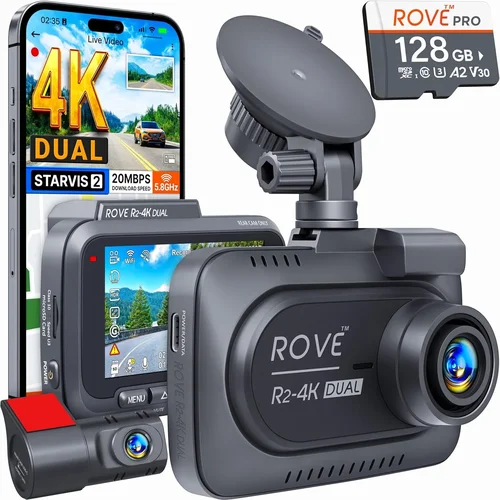
Video resolution is your first consideration—look for at least 1080p Full HD, though 2K or 4K provides significantly clearer detail for identifying license plates and road signs. Frame rate matters too; 30fps is standard while 60fps captures smoother motion. The field of view (FOV) should be at minimum 120 degrees but ideally 140-150 degrees to minimize blind spots around your massive vehicle. Low-light performance is critical since many RV trips involve early morning starts or evening drives, so seek cameras with excellent night vision capabilities. Storage capacity requirements depend on your recording duration preferences—most Class A owners opt for 64GB-256GB cards to balance storage needs with continuous recording capabilities.
3. Build Quality & Durability
Class A RVs experience significant vibrations, temperature swings, and potential impacts during highway driving. Your dash cam must withstand these conditions reliably. Look for models constructed with high-quality materials, shock-resistant housing, and operating temperature ranges that accommodate desert heat and mountain cold. Water resistance ratings (IP rating) are important if you frequently park in areas with rain or snow. Mounting hardware should be sturdy enough to stay securely attached despite road vibrations. Additionally, consider whether the camera includes protective features like automatic shutdown during extreme temperatures to prevent damage.
4. Features & Functionality
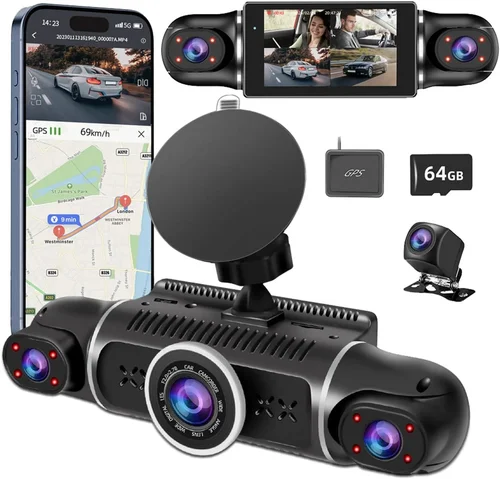
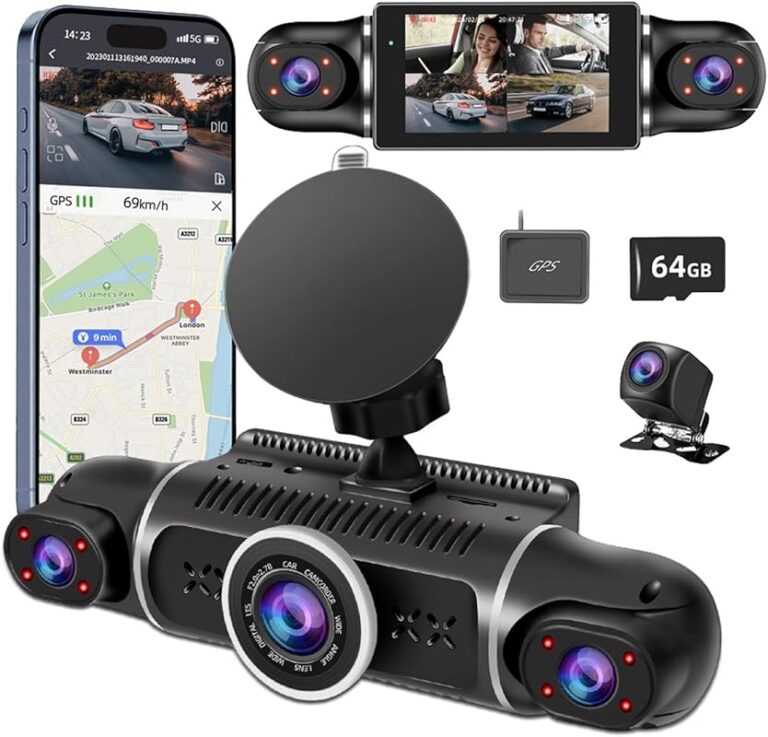
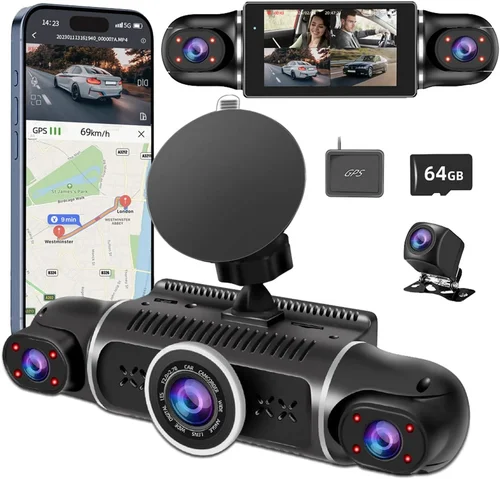
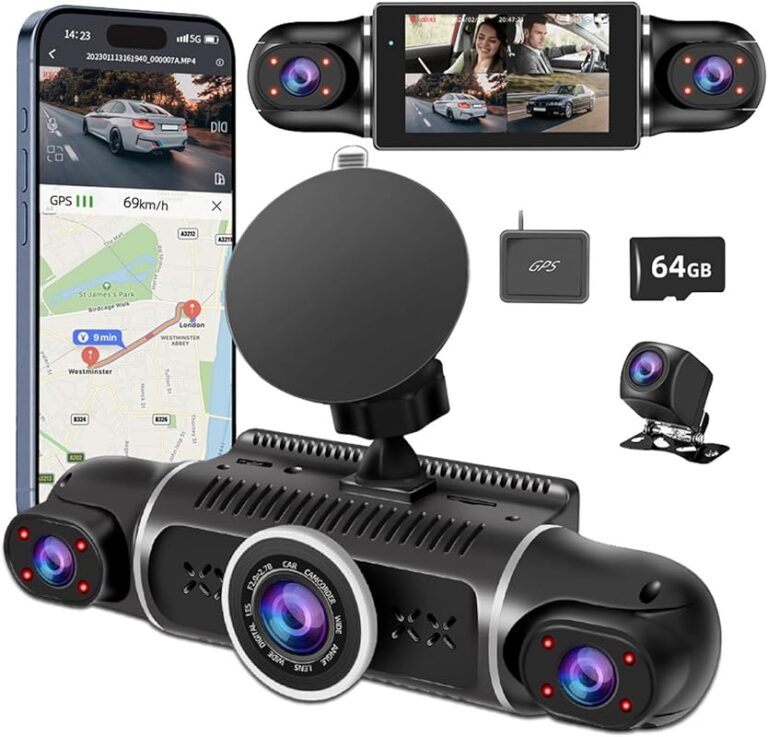
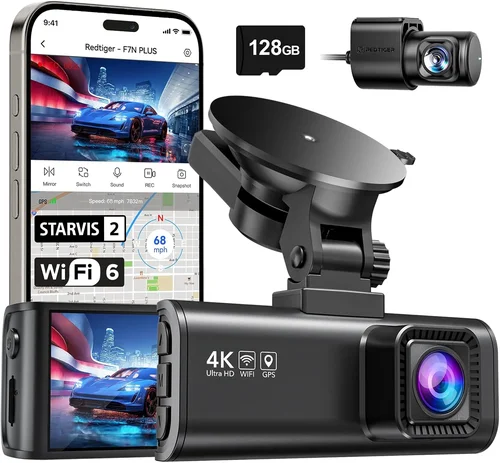
Modern dash cams offer numerous features that enhance safety and convenience. Loop recording automatically overwrites older footage when storage fills up, ensuring continuous coverage. Motion detection can save battery by only recording when movement is detected, though this may miss important events. G-sensor technology detects sudden impacts or hard braking and locks those files to prevent overwriting. GPS tracking records location data alongside video, useful for route verification and incident reconstruction. Wi-Fi connectivity allows wireless file transfer and smartphone app integration. Some advanced systems offer dual-lens setups with one camera facing forward and another capturing the interior cabin—particularly valuable for protecting passengers and cargo.
5. Brand Reputation
Established brands like Garmin, BlackVue, Nextbase, and Thinkware have built strong reputations through consistent quality and reliable customer support. These companies invest heavily in research and development, resulting in more stable firmware updates and longer product lifecycles. Newer entrants may offer tempting prices but sometimes lack the same level of technical support or software reliability. Research user reviews across multiple platforms to gauge real-world performance, particularly focusing on long-term durability reports. Also consider how easily replacement parts are available if your unit ever needs servicing—this becomes crucial for Class A owners who may be miles from the nearest service center.
6. Warranty & Support
A comprehensive warranty demonstrates manufacturer confidence in their product quality. Look for at least a 1-year limited warranty covering defects in materials and workmanship, with some premium brands offering 2-3 year coverage. Check what the warranty specifically covers—some exclude water damage or physical impact even if caused by normal use. Reliable customer support is equally important; responsive technical assistance can save hours of frustration during installation or troubleshooting. For Class A RVers who travel extensively, knowing you can get help quickly regardless of your location adds significant value. Many manufacturers now offer online support portals with detailed FAQs, video tutorials, and downloadable resources.
7. Size & Portability
While Class A RVs provide ample mounting space, compact designs still benefit your dashboard aesthetics and airflow. Ultra-compact models measure under 3 inches in length, fitting seamlessly into any RV interior. Consider how the camera will integrate with your existing dashboard layout and whether it might interfere with windshield wipers or other controls. Some owners prefer discreet installations while others want cameras with visible branding for deterrence purposes. Weight is generally less critical for fixed installations but matters if you occasionally transfer the device between vehicles. Quick-release mounts can be valuable for this scenario without compromising security during travel.
8. User Reviews & Ratings
Real-world user experiences provide insights that specifications alone cannot reveal. Pay attention to patterns in reviews rather than isolated comments—multiple users reporting similar issues likely indicates genuine problems. Focus on reviews from fellow Class A RV owners who understand the unique challenges of large vehicles. Look for discussions about battery life during extended parking, performance in various lighting conditions, ease of installation, and reliability over time. Be cautious of overly positive or negative reviews that seem exaggerated—instead, read balanced assessments that acknowledge both strengths and limitations. Recent reviews carry more weight than outdated ones since technology evolves rapidly in this industry.
Different Types of Dash Cams

Common Buying Mistakes to Avoid
❌ Mistake: Choosing Based Solely on Price
Why it’s bad: While budget considerations are valid, selecting the cheapest option often means sacrificing critical features like adequate resolution, reliable build quality, or essential safety functions. A sub-$50 dash cam may struggle with night recording, have fragile mounts, or fail within months—leaving you unprotected when you need it most.
What to do instead: Establish your must-have features first (like 2K resolution or GPS), then find the best-priced option within your budget that delivers those essentials. Sometimes spending 20% more upfront prevents costly replacements down the road.
❌ Mistake: Ignoring Storage Requirements
Why it’s bad: Underestimating storage needs leads to constant file deletion or missed critical moments. Most dash cams record in 1-3 minute clips, so even modest usage quickly consumes space. Without sufficient storage, you risk losing valuable evidence during insurance claims or dispute resolutions.
What to do instead: Calculate your daily recording time and desired retention period. For Class A RVs covering 500+ miles daily, plan for 128GB-256GB cards. Always carry backup storage and establish regular file management routines.
❌ Mistake: Overlooking Installation Challenges
Why it’s bad: Poor mounting positions cause glare, poor coverage, or interference with driving visibility. Complex wiring setups create fire hazards or electrical system strain. Many owners underestimate the time and skill required for professional-grade installations in Class A interiors.
What to do instead: Study mounting guides thoroughly before purchase. Choose models with flexible positioning options and clear wiring diagrams. Consider professional installation services—especially for dual-lens or multi-camera systems requiring complex routing through Class A walls and ceilings.
❌ Mistake: Neglecting Power Management
Why it’s bad: Inadequate power solutions lead to battery drain during parking mode or premature fuse failure. Class A RVs have complex electrical systems where improper connections can trigger circuit breakers or damage sensitive electronics. Without proper power management, your dash cam becomes useless overnight.
What to do instead: Invest in quality hardwiring kits designed specifically for Class A electrical systems. Include fuse taps that don’t overload circuits and ensure clean connections. Test your setup thoroughly before extended trips to verify reliable operation.
❌ Mistake: Disregarding Software Updates
Why it’s bad: Outdated firmware causes compatibility issues, missing features, and potential security vulnerabilities. Many modern dash cams receive regular improvements that enhance performance, fix bugs, and add new functionality—but only if you actively maintain your device.
What to do instead: Subscribe to manufacturer update notifications and establish monthly check routines. Keep your computer and mobile apps current to ensure seamless integration between devices. Don’t assume “set it and forget it” will work—active maintenance extends device lifespan and maintains optimal performance.
❌ Mistake: Focusing Only on Video Quality
Why it’s bad: While resolution matters, ignoring other factors creates unbalanced protection. Audio recording, emergency event detection, driver assistance features, and cloud connectivity all contribute to comprehensive safety coverage. A beautifully recorded video without context or backup offers limited value during disputes.
What to do instead: Evaluate your complete protection needs holistically. Prioritize features based on your specific risks—for example, families might value interior monitoring while commercial operators need fleet management capabilities. Balance video excellence with complementary safety technologies.
❌ Mistake: Assuming One Camera Suits All Needs
Why it’s bad: Single-lens cameras leave blind spots and fail to capture important context. Class A RVs require broader coverage than smaller vehicles due to their size and turning radius. Limited perspective makes accident reconstruction difficult and reduces deterrent effectiveness against aggressive drivers.
What to do instead: Assess your coverage requirements carefully. For most Class A owners, dual-lens systems providing both exterior and interior views offer the best value. Consider additional cameras for side coverage if frequently navigating tight spaces or parking in urban areas.
Budget Guidelines: How Much Should You Spend?
Entry-Level ($50 – $100)
At this price point, you’ll find basic dash cams that meet fundamental recording needs without frills. These models typically offer 1080p resolution, 120-degree field of view, and essential features like loop recording and motion detection. While adequate for occasional use or secondary vehicles, they often compromise on build quality, low-light performance, and reliability under stress. For Class A RVs used primarily for short trips or as backups, these can serve adequately—but expect limitations in challenging conditions. Look for reputable brands even at this tier to avoid disappointment with Chinese-made knockoffs lacking proper support.
Mid-Range ($100 – $250)
This sweet spot represents the optimal balance for most Class A RV owners. You’ll find significantly improved components including 2K/4K recording, superior sensors, enhanced night vision, and robust feature sets. Models in this category often include GPS tracking, Wi-Fi connectivity, emergency event detection, and better build materials. Installation complexity remains manageable while offering professional-grade performance. Many mid-range options also provide longer warranties and more reliable customer support. For full-time RVers or frequent long-distance travelers, this range delivers excellent value with minimal trade-offs between cost and capability.
Premium ($250 – $500)
Premium dash cams represent the upper end of consumer technology, incorporating advanced features previously found only in commercial systems. You’ll find dual-lens setups, multi-camera arrays, cloud storage integration, AI-powered object recognition, and sophisticated driver assistance algorithms. These systems offer exceptional image processing, superior low-light capabilities, and extensive customization options. While not strictly necessary for all Class A owners, they provide comprehensive protection and future-proofing against evolving safety standards. Consider premium options if you regularly transport valuables, have young drivers, or require maximum evidence quality for insurance purposes.
Luxury ($500+)
Luxury dash cam systems go beyond individual units to create integrated safety ecosystems. These typically involve professional installation of multiple high-resolution cameras with specialized lenses, centralized processing units, redundant storage solutions, and enterprise-grade cloud platforms. Features include real-time traffic alerts, collision avoidance warnings, automatic emergency calling, and comprehensive fleet management interfaces. Priced at $500+, these represent serious investments suitable for commercial operators, security-conscious families, or enthusiasts demanding absolute performance. For most private Class A owners, the marginal benefits may not justify the substantial cost difference from premium consumer models.
Expert Tips for Getting the Best Deal
Buy During Off-Seasons
Retailers discount winter inventory in spring and summer stock in fall to make room for new models. For dash cams, this means significant markdowns on last year’s models just before new releases arrive. Travel seasons also affect pricing—avoid peak camping months when demand spikes. Consider purchasing immediately after major holidays when retailers clear out remaining holiday inventory. This approach can yield 20-30% savings while getting proven, reliable technology.
Compare Retailers Carefully
Online marketplaces like Amazon offer competitive pricing but watch for counterfeit products and limited return windows. Specialty automotive stores provide expert advice and immediate availability but often charge premium prices. Manufacturer websites guarantee authenticity and direct support while sometimes offering exclusive bundles. Local electronics chains may offer in-person demonstrations and same-day pickup. Create comparison spreadsheets evaluating price, warranty terms, shipping costs, return policies, and customer service ratings across multiple channels before deciding.
Look for Bundle Deals
Many manufacturers and retailers offer package discounts when purchasing multiple items together. Common bundles include dash cam + installation kit, dual-camera systems with extra batteries, or complete RV protection packages featuring dash cams paired with tire pressure monitors and backup cameras. These deals typically exceed individual item savings and provide comprehensive coverage. Always verify compatibility between bundled components and read fine print regarding separate warranties and return eligibility.
Check for Extended Warranties
Basic warranties rarely cover accidental damage or wear items. Consider extended protection plans that include drop, liquid, and impact coverage—particularly valuable for Class A RVs subject to road debris and weather exposure. Compare plan costs against potential repair expenses; for expensive systems, extended coverage often proves cost-effective. Read exclusions carefully—some policies limit coverage to original owner or require professional repairs.
Understand Return Policies
Test periods vary significantly between sellers—some allow 30 days while others restrict returns to defective merchandise only. For complex installations like hardwiring kits, verify whether opened accessories are returnable. Class A RVs often require custom mounting solutions, so confirm return eligibility before committing to permanent installations. Keep all packaging and documentation until you’re certain the system meets your expectations.
Verify Compatibility Before Buying
Ensure your chosen model works with your specific RV model year, electrical system voltage, and available mounting locations. Some dash cams require specific cigarette lighter socket configurations or dashboard clearance that may not suit all Class A layouts. Check compatibility with your existing entertainment systems if planning audio integration. Consult manufacturer specifications thoroughly and don’t hesitate to contact support with questions about fitment.
Consider Refurbished Options
Certified refurbished units from reputable sellers offer substantial savings while maintaining warranty coverage. These products undergo rigorous testing and come back with new components replaced. Refurbished dash cams often include updated firmware and cosmetic improvements. Look for sellers offering generous return policies and detailed refurbishment descriptions. This approach provides quality assurance while reducing environmental impact and supporting sustainable consumption.
Join Manufacturer Loyalty Programs
Several brands reward repeat customers with discounts, exclusive offers, and early access to new products. These programs often provide additional perks like free installation guides, priority technical support, and beta feature access. Even occasional buyers benefit from accumulated rewards points redeemable for accessories or upgrades. Sign up for email lists during initial purchases to maximize program benefits throughout ownership.

Frequently Asked Questions
Q: Do I really need a dash cam for my Class A RV, or will a standard car dash cam suffice?
A: Class A RVs present unique challenges that make specialized dash cams advantageous. Their massive size creates larger blind spots, requires wider coverage angles, and generates more vibration than smaller vehicles. Standard car dash cams often lack the necessary field of view, durability, and mounting flexibility for Class A applications. Additionally, the value proposition changes—with Class A RVs representing significant investments, the insurance and legal protection offered by quality dash cams justifies the upgrade from consumer-grade to RV-specific models.
Q: How much storage space do I actually need for my dash cam?
A: Storage requirements depend on several factors including recording resolution, frame rate, and desired retention period. For typical Class A usage covering 400-600 miles daily, plan for 128GB-256GB microSD cards. Higher resolutions like 4K consume storage faster—expect 4K recording to fill a 64GB card in approximately 8 hours. Establish a weekly file management routine to delete non-essential clips while preserving critical events. Many Class A owners keep two cards swapped weekly to maintain continuous coverage without interruption.
Q: Can I install the dash cam myself, or should I hire a professional?
A: DIY installation is feasible for single-lens systems with basic wiring knowledge. However, dual-lens and multi-camera setups requiring interior mounting or complex power routing benefit from professional installation. Class A RVs often have limited access behind dashboards and require careful wire routing through walls and ceilings. Professional installers understand RV electrical systems and can avoid conflicts with existing wiring. If hiring professionals, verify their experience with dash cam installations specifically, not just general automotive work.
Q: What’s the difference between parking mode and motion detection?
A: Parking mode continuously records while parked using vehicle power, providing comprehensive coverage during extended stops. Motion detection activates recording only when movement is detected near your vehicle, conserving storage and battery. True parking mode systems include capacitor-based power supplies that safely handle frequent start/stop cycles without draining your RV’s main battery. Some advanced models combine both approaches—continuous recording with intelligent motion-activated saving to optimize storage usage while maintaining security.
Q: Will my dash cam drain my RV battery during long stops?
A: Quality dash cams with proper hardwiring solutions shouldn’t drain your battery significantly. Professional installation includes smart relays that disconnect power when ignition is off and your battery voltage drops below safe levels. Capacitor-based systems avoid battery drain entirely by storing energy for short-term operation during shutdown events. Always use fuses sized appropriately for your dash cam’s power draw and avoid connecting directly to deep-cycle house batteries unless properly regulated.
Q: How do I choose between single-lens and dual-lens systems?
A: Single-lens cameras excel for exterior monitoring only, providing excellent forward-facing coverage with simpler installation and lower cost. Dual-lens systems include both exterior and interior cameras, offering comprehensive coverage ideal for families, cargo protection, or rental properties. Consider your primary concerns: if avoiding liability during accidents and documenting road conditions are priorities, single-lens suffices. If passenger safety, cargo security, or monitoring behavior during long trips matter more, invest in dual-lens capability. Some Class A owners deploy both approaches simultaneously for maximum protection.
Q: Are cloud-connected dash cams worth the subscription fees?
A: Cloud connectivity transforms dash cams from passive recording devices into active safety networks. Subscriptions provide remote viewing, automatic event uploading, geofencing alerts, and tamper protection—valuable for fleet managers, concerned families, or owners frequently away from their vehicles. For Class A RVers who travel extensively but return regularly, cloud features offer peace of mind by allowing remote monitoring of parked vehicles. Evaluate subscription costs against your risk tolerance and usage patterns—occasional users may find local storage sufficient, while full-time travelers often benefit from cloud redundancy.
Q: How often should I update my dash cam firmware?
A: Check for firmware updates quarterly or whenever new features interest you. Regular updates improve performance, fix security vulnerabilities, and enhance compatibility with changing smartphone operating systems. Set calendar reminders to visit manufacturer websites or use companion apps that notify you of available updates. Don’t skip updates—outdated firmware can cause recording failures, file corruption, or compatibility issues with newer storage cards. Always backup existing footage before updating to prevent accidental data loss during the process.
Q: Can I use my dash cam while charging my phone?
A: Most modern dash cams include USB ports capable of powering phones simultaneously. Verify your model’s power output specifications match your phone’s charging requirements—typically 5V/2A minimum for fast charging. Some dual-lens systems prioritize dash cam power over accessory charging, so check manufacturer guidelines. Using dash cam USB ports for phone charging won’t compromise recording quality or storage capacity, making it convenient for navigation, emergency communication, or entertainment during long drives.
Q: What should I look for in a warranty for my Class A dash cam?
A: Comprehensive warranties should cover defects in materials and workmanship for at least 12 months, preferably 24-36 months for Class A investments. Ensure coverage includes water damage, impact damage, and component failures—not just manufacturing defects. Check whether international coverage applies if you travel abroad frequently. Read exclusions carefully regarding normal wear, unauthorized modifications, and consequential damages. For Class A RVs subject to harsh conditions, consider extended warranty options that cover environmental damage and accidental impacts during travel.
Our Final Recommendations
Best for Budget-Conscious Buyers
For those seeking essential protection without overspending, the Viofo A119 V3 stands out as an exceptional value. Priced around $90, it delivers reliable 1440p recording, 140-degree field of view, and robust build quality typically found in premium models. Its compact size fits seamlessly into Class A dashboards while offering impressive night performance. The included GPS logger and G-sensor provide critical safety features without complexity. While lacking Wi-Fi and dual-lens capability, it excels at its core purpose—documenting road incidents clearly and reliably—making it perfect for cost-sensitive Class A owners who prioritize proven performance over flashy extras.
Best Overall Value
The BlackVue DR970X-2CH takes the crown for comprehensive Class A protection with outstanding value. Priced at approximately $280 for the dual-lens version, it offers professional-grade 2K recording from both front and cabin cameras, cloud connectivity with optional subscriptions, and exceptional build quality. The included Wifi SD card enables easy file retrieval without removing storage cards—a game-changer for busy RVers. Advanced features like driver behavior analysis, automatic emergency recording, and weatherproof construction make this system ideal for full-time travelers needing complete coverage. While requiring some technical know-how for initial setup, its reliability and feature set justify the investment for serious Class A owners.
Best Premium Option
For those demanding absolute performance and future-proof technology, the Garmin DriveSmart Dash Cam represents the pinnacle of consumer dash cam engineering. At around $350, it combines stunning 2K recording quality with intuitive interface design and seamless smartphone integration. Its unique feature—the ability to display navigation information directly on the dash cam screen—eliminates distractions and enhances situational awareness. Premium construction, excellent low-light performance, and comprehensive safety features like lane departure warnings make this system perfect for discerning Class A owners who refuse to compromise on quality or usability.
Best for Beginners
New to dash cam technology? The Rexing V1P provides an ideal introduction with straightforward operation and reliable performance. Priced at $120, it offers 2K recording, GPS tracking, and loop recording in a user-friendly package that installs in under 15 minutes. Its simple interface requires no app downloads initially, reducing complexity for first-time users. While lacking advanced features like Wi-Fi or dual-lens capability, it delivers everything needed for basic protection with exceptional ease of use. The included suction cup mount and clear instructions make it accessible even for those uncomfortable with technical installations.
Best for Advanced Users
Seasoned RVers and tech enthusiasts will appreciate the Thinkware U1000’s sophisticated feature set and expandable architecture. Pricing at $200, it provides 2K recording, GPS, G-sensor, and optional Wi-Fi connectivity in a durable aluminum housing. Advanced users can customize settings extensively, schedule recordings, and integrate with other smart devices. The included parking mode with impact detection ensures security during lengthy stops. Its modular design allows future upgrades—adding rear cameras or expanding storage—without replacing the entire system. For Class A owners comfortable with technical configurations and seeking maximum customization, this represents the ultimate flexible solution.
Conclusion: Making the Right Choice
Selecting the best dash cam for your Class A RV involves balancing multiple competing priorities—budget constraints, technical requirements, aesthetic preferences, and personal risk tolerance. Rather than chasing the latest features or highest resolution, focus on matching your specific needs with proven, reliable technology that integrates seamlessly into your travel lifestyle. Remember that a dash cam’s true value emerges during unexpected situations when clear evidence can make all the difference in insurance claims, legal disputes, or simply providing peace of mind during long journeys.
Invest time researching your options thoroughly, reading real user experiences from fellow Class A owners, and considering how each feature aligns with your actual usage patterns. Don’t overlook practical considerations like installation complexity, storage management, and power requirements—these often become more problematic than advertised specs suggest. When in doubt, lean toward established brands with proven track records rather than unknown manufacturers promising breakthrough technology.
Ultimately, your dash cam should enhance rather than complicate your RV experience. Choose a system that feels intuitive, reliable, and worth the investment for years of worry-free travel. With the right setup, you’ll transform your Class A from merely a vehicle into a protected mobile sanctuary where safety and adventure coexist harmoniously.